10 Best Password Managers in 2026: Protect Your Digital Life
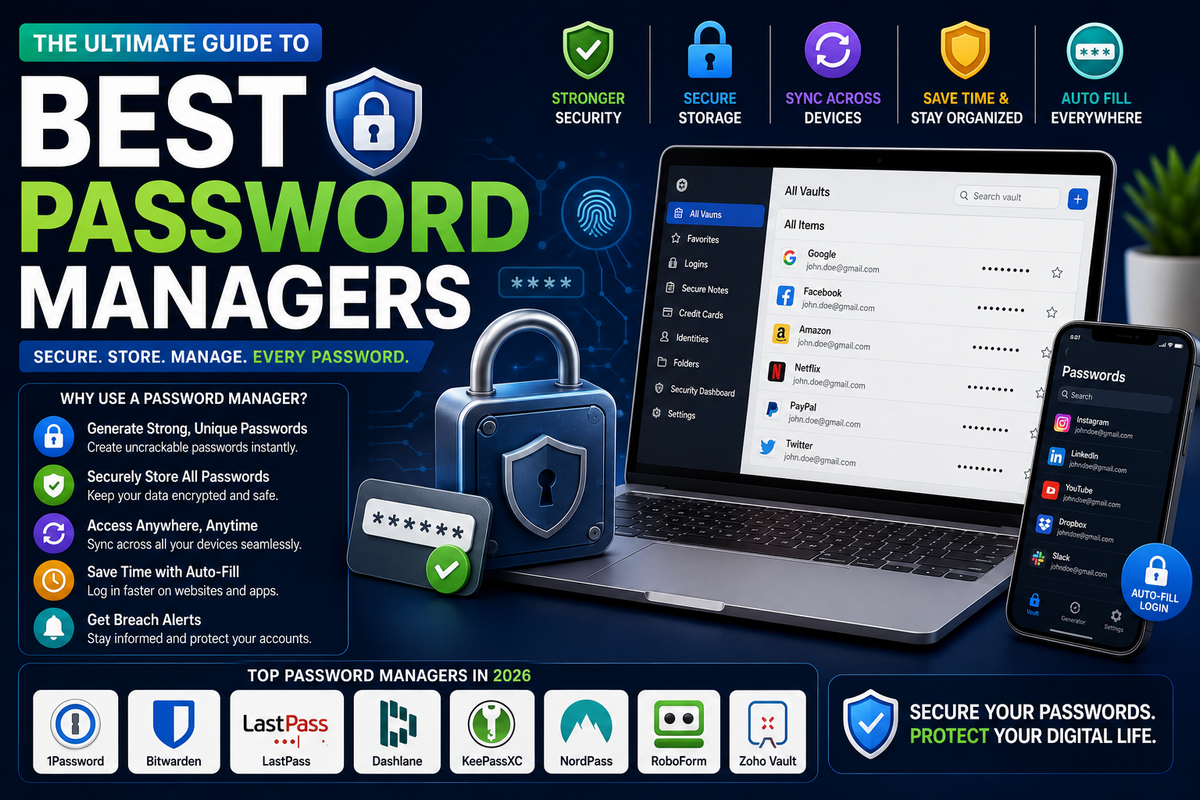
Managing dozens of passwords is overwhelming — and reusing weak ones puts your accounts at serious risk. The best password managers in 2026 make it effortless to store, generate, and autofill strong, unique passwords across all your devices with military-grade encryption.
Whether you’re looking for the best free password manager in 2026, the best password manager for business, or one with passkey support and dark web monitoring, this guide has you covered. We’ve tested and ranked the top options so you can pick the right one with confidence.
Quick Answer: Best Password Managers at a Glance
| Password Manager | Best For | Free Tier | Starting Price | Encryption |
|---|---|---|---|---|
| RoboForm | Passwordless Logins | ✅ Yes | $0.99/month | AES-256 |
| NordPass | Best Overall Value | ✅ Yes | $1.99/month | XChaCha20 + Argon2id |
| 1Password | Best Analytics & Teams | ❌ No | $2.99/month | AES-256 |
| Proton Pass | Best Privacy | ✅ Yes | $1.99/month | AES-256 |
| Bitwarden | Best Free Password Manager | ✅ Yes | $1.65/month | AES-256 |
| Keeper | Best Password Security | ✅ Limited | $2.92/month | AES-256 |
| Dashlane | Best User Experience | ❌ No | $3.33/month | AES-256 |
| LastPass | Best for Beginners | ✅ Yes | $3.00/month | AES-256 |
| Total Password | Best Cross-Device | ✅ Yes | $1.99/month | AES-256 |
| LogMeOnce | Best Passwordless Login | ✅ Yes | $2.50/month | AES-256 |
What Is a Password Manager?
A password manager is a secure application that stores, generates, and autofills your passwords across devices and browsers.
Unlike saving passwords in Chrome or Safari, a dedicated password manager uses zero-knowledge architecture—meaning even the company itself cannot see your passwords.
Most modern managers also support passkeys, dark web monitoring, and two-factor authentication (2FA).
Password Manager vs. Browser Autofill
Many users wonder whether they need a dedicated tool or if Chrome/Edge/Safari saved passwords are enough. Here’s why a dedicated manager wins:
- Zero-knowledge encryption—Browser vaults are tied to your Google/Apple account; if those get hacked, so do your passwords
- Cross-browser & cross-device sync—Password managers work across all browsers, not just one ecosystem
- Passkey support—Dedicated apps like Bitwarden, 1Password, and Dashlane now store and sync FIDO2/WebAuthn passkeys
- Dark web monitoring — Alerts you if your credentials appear in data breaches
- Secure sharing—Share passwords with family or team members without exposing the actual password
- Password health reports — Identify weak, reused, or compromised passwords instantly
10 Best Password Managers in 2026 (Detailed Reviews)
The password manager market is crowded in 2026, and not all tools offer the same level of security, features, or value.
To save you hours of research, we’ve handpicked and tested the 10 best password managers in 2026 across real-world use cases.
In the detailed reviews below, you’ll see how each one performs on encryption, passkey support, dark web monitoring, pricing, and ease of use, so you can confidently choose the right manager for your needs.
1. RoboForm
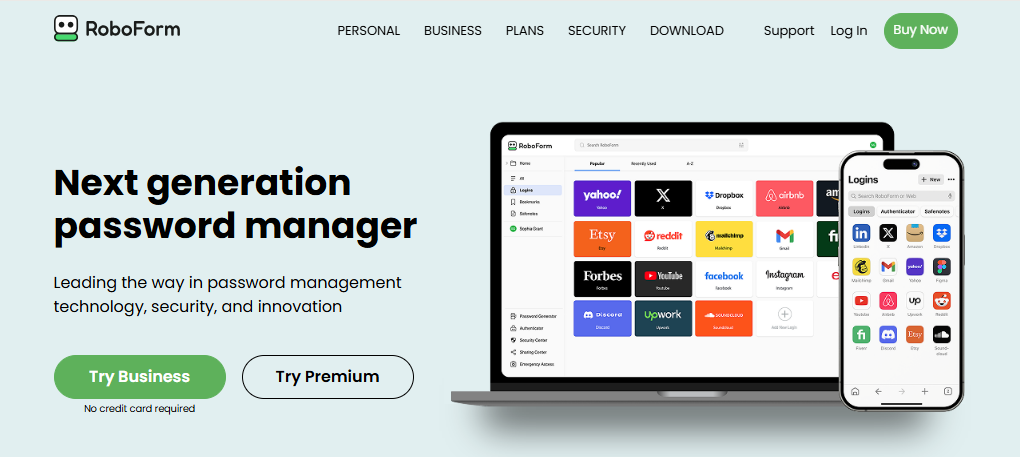
RoboForm is widely regarded as the best budget password manager in 2026, combining strong security with one of the cheapest paid plans on the market.
It supports zero-knowledge encryption, advanced 2FA, and excellent form-filling, making it ideal for users who want a simple but powerful tool.
Its free plan is generous, but the real value appears in the Premium tier, which unlocks multi-device sync, passkey support, and breach monitoring at under a dollar per month.
Features
- AES-256 encryption with zero-knowledge design
- Unlimited password storage and secure notes
- Autofill for complex web forms and one-click logins
- Built-in TOTP authenticator and advanced 2FA options
- Passkey support and emergency access
- Cross-platform apps (desktop, mobile, browser extensions)
Pros
- Very cheap premium plan compared to rivals
- Strong encryption and high PBKDF2 iterations
- Excellent autofill, especially on long forms
- Works across all major platforms, including Apple Watch
Cons
- Free plan limited to one device
- Interface feels slightly dated compared to newer rivals
Pricing
- Free: Unlimited passwords on 1 device
- Premium (Everywhere): ~$29.88/year (often discounted close to $0.99/month)
- Family and Business plans available with multi-user support
Best for: Users who want maximum value and strong security at the lowest possible recurring cost.
2. NordPass
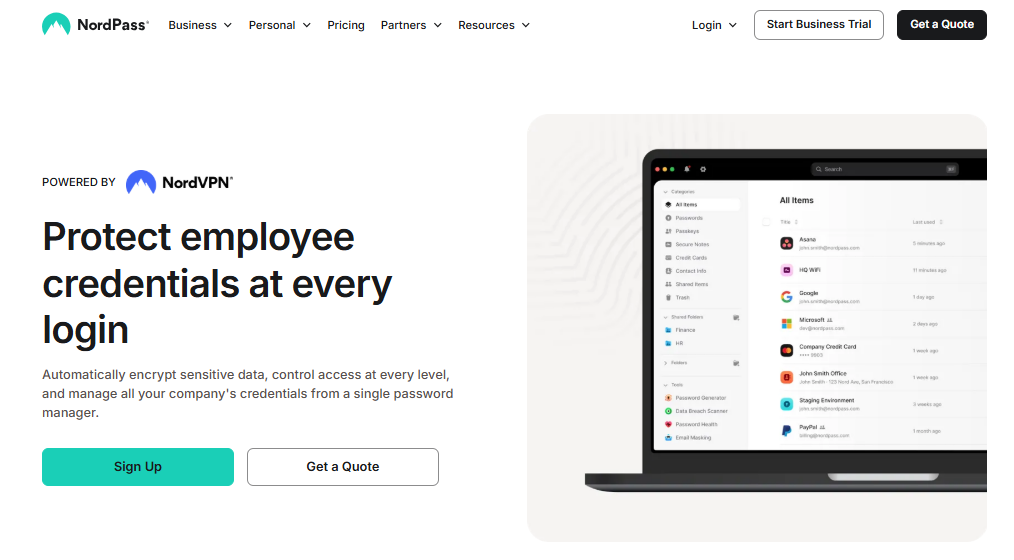
NordPass is a modern password manager from the NordVPN team, known for using XChaCha20 + Argon2id encryption, which many experts consider more future-proof than traditional AES-256.
It offers a clean interface, strong cross-platform support, and a free plan that covers core needs on a single device.
Premium plans unlock powerful extras like data breach scans, email masking, and password health reports, making NordPass one of the most secure yet user-friendly solutions in 2026.
Features
- XChaCha20 encryption with zero-knowledge architecture
- Unlimited passwords and passkeys on all plans
- Data breach scanner and password health reports (Premium)
- Email masking tool and secure credit card storage
- Autosave and autofill across devices and browsers
- Apps for Windows, macOS, Linux, iOS, Android, and extensions
Pros
- Future-proof XChaCha20 encryption
- Very easy to use with modern UI
- Affordable Premium with frequent discounts
- Strong cross-device sync and live chat support
Cons
- Free plan limited to one device at a time
- Some advanced tools (breach scan, health reports) are paywalled
Pricing
- Free: 1 user, unlimited passwords/passkeys on 1 device
- Premium: from about $1.59–$1.99/month billed annually
- Family: up to 6 users with all Premium features
Best for: Users who want modern encryption, a polished interface, and solid value without sacrificing security.
3. 1Password
1Password is a leading password manager for professionals and teams, offering deep security features and powerful management tools.
Its Extended Access Management (XAM) and detailed reporting give businesses granular control over employee logins and app access.
Individuals benefit from strong encryption, passkey support, Travel Mode, and the Watchtower security dashboard.
While there’s no free plan, its robust family and business offerings make 1Password a top choice where shared security and oversight matter most.
Features
- AES-256 encryption with high PBKDF2 iterations
- Extended Access Management (XAM) for organizations
- Watchtower: security alerts and dark web monitoring
- Passkey support and secure item sharing
- Travel Mode to hide sensitive vaults while traveling
- Clients for all major desktop and mobile platforms
Pros
- Excellent for families, teams, and enterprises
- Strong security, detailed auditing, and compliance-friendly
- Great UX and powerful browser extensions
Cons
- No permanent free plan
- More expensive than some consumer-focused competitors
Pricing
- Personal: around $2.99/month billed annually
- Families: about $4.99/month for up to 5 users
- Business/Enterprise tiers with per-user pricing and admin tools
Best for: Teams, families, and businesses that need advanced sharing, analytics, and access management rather than just basic storage.
4. Proton Pass
Proton Pass comes from the privacy-focused Proton ecosystem (ProtonMail, ProtonVPN) and is built around a zero-knowledge, end-to-end encrypted model.
It appeals strongly to users who prioritize anonymity and data protection, thanks to open-source code and strict no-logs policies.
A standout feature is built-in email aliasing, letting you generate burner email addresses for logins to reduce spam and tracking.
With passkey support, strong encryption, and privacy-first infrastructure, Proton Pass is a top choice in 2026 for security-conscious users.
Features
- AES-256 with full end-to-end encryption
- Built-in email alias generator (via SimpleLogin)
- Passkey support and secure autofill
- Open-source apps and independently audited code
- Integrated with Proton account and privacy tools
- Multi-device sync across browsers and mobile apps
Pros
- Very strong privacy stance and no-logs policy
- Open-source and audit-friendly
- Email aliases help hide your real identity on websites
Cons
- Ecosystem is most attractive if you already use other Proton services
- Business and team features are more limited than 1Password/Keeper
Pricing
- Free: core password manager with limited aliases
- Plus: typically around $1.99/month billed annually
- Included in Proton Unlimited bundles for Mail/VPN/Drive/Pass
Best for: Privacy-focused users, journalists, and anyone wanting a password manager tightly aligned with strong privacy laws and practices.
5. Bitwarden
Bitwarden is the go-to open-source password manager with one of the most generous free plans in 2026.
It offers unlimited passwords, unlimited devices, and multi-platform support at zero cost, which already beats many paid competitors.
Power users can upgrade to a very affordable Premium plan for extras like integrated TOTP, vault health reports, file attachments, and emergency access.
Transparent security architecture and community audits make Bitwarden a favourite among developers and privacy enthusiasts.
Features
- AES-256 encryption with zero-knowledge architecture
- Unlimited passwords and devices, even on free plan
- Optional self-hosting of your own Bitwarden server
- TOTP authenticator, file attachments, and emergency access (Premium)
- Data breach monitoring and password health reports
- Apps and extensions for all major platforms
Pros
- One of the best free plans in the industry
- Open source and regularly audited
- Very cheap Premium tier with powerful extras
Cons
- Interface is more utilitarian than polished
- Some security reports require Premium, unlike a few rivals
Pricing
- Free: Unlimited passwords/devices, basic sharing for 2 users
- Premium: about $10/year (~$0.83/month)
- Families and Business plans with expanded sharing and admin features
Best for: Budget-conscious users, open-source fans, and technically inclined people who want transparency and flexibility.
6. Keeper
Keeper is a security-first password manager with a spotless no-breach track record and strong compliance credentials.
It’s widely used in regulated industries like healthcare and finance thanks to HIPAA, SOC 2, and ISO 27001 support. Beyond passwords, Keeper provides encrypted file storage, secure messaging, and powerful monitoring through BreachWatch.
Although more expensive than some consumer tools, it delivers enterprise-grade security and fine-grained admin controls, making it ideal where compliance and risk reduction are top priorities.
Features
- AES-256 encryption with zero-knowledge architecture
- BreachWatch dark web monitoring
- Encrypted file storage and secure messaging (KeeperChat)
- Role-based access controls for teams
- Multiple MFA options, including hardware tokens and biometrics
- Compliance features for HIPAA, SOC 2, ISO 27001, GDPR
Pros
- Very strong security reputation and no known breaches
- Rich admin and reporting features for organizations
- Good integration with enterprise identity systems
Cons
- No long-term free tier for full features (often a trial instead)
- Pricing is higher than that of many consumer-focused managers
Pricing
- Personal plans usually cost around $2.92/month annually
- Family and business tiers with per-user pricing and additional storage
- Free trials are commonly offered instead of a full free plan
Best for: Businesses and professionals in regulated sectors who need strong compliance, reporting, and security guarantees.
7. Dashlane
Dashlane is a feature-rich password manager that focuses heavily on user experience and convenience.
Its standout differentiator is a built-in VPN, so you can secure logins and web traffic inside one subscription.
The interface is polished, with a clear password-protected health dashboard and dark web alerts for compromised accounts.
Dashlane supports passkeys and passwordless login, making it attractive to users who want modern authentication plus extras like secure payment storage—all with minimal setup effort.
Features
- AES-256 encrypted vault with zero-knowledge model
- Built-in VPN for secure browsing on public Wi-Fi
- Passkey support and passwordless login options
- Password health dashboard and breach alerts
- Secure digital wallet for cards and IDs
- Bulk password delete and easy imports
Pros
- Excellent UI and overall user experience
- All-in-one bundle with VPN and password manager
- Strong password health and monitoring tools
Cons
- Free tier is heavily limited (e.g., password count/device)
- Pricing is higher than simpler password-only tools
Pricing
- Limited free plan (typically restricted to 1 device and ~25 passwords)
- Premium: around $3.33/month billed annually
- Family plans for multiple users with shared features
Best for: Users who want an easy, polished experience and like the idea of a combined VPN + password manager subscription.
8. LastPass
LastPass remains one of the most recognizable password managers, with a beginner-friendly interface and clear onboarding flow.
It offers a free tier, dark web monitoring, and emergency access, making it appealing to users taking their first step away from browser-saved passwords.
After a notable breach in 2022, LastPass has reworked and hardened its infrastructure, but security-conscious users may still prefer alternatives.
For many newcomers, however, it remains a convenient, easy-to-understand starting point.
Features
- AES-256 encryption with zero-knowledge design
- Password generator and automatic form filling
- Dark web monitoring and security score dashboard
- Emergency access for trusted contacts
- Multi-factor authentication support
- Apps and extensions across major platforms
Pros
- Very beginner-friendly interface and setup
- Free plan covers basic personal use
- Established ecosystem with wide device support
Cons
- History of a serious breach in 2022
- Free plan restricts use to one device type (mobile or desktop)
Pricing
- Free: Unlimited passwords on one device type
- Premium: about $36/year (~$3/month)
- Families: multi-user plan with shared vaults
Best for: New users who want a simple interface and are less concerned with open source or advanced technical features.
9. Total Password
Total Password is a lesser-known but fast-growing password manager that focuses on smooth cross-device usage and remote session control.
Its standout Secure Me feature lets you remotely log out from sessions and clear browsing data on linked devices—very useful if a device is lost or shared.
With standard zero-knowledge encryption, dark web monitoring, and a competitive price, it appeals to users who frequently switch between devices and want more control over active sessions.
Features
- AES-256 encrypted vault with zero-knowledge design
- Secure Me: remote logout and browser data clearing
- Cross-device sync with no hard device limit
- Password health checker and breach alerts
- Secure storage for logins and personal data
- Apps for major desktop and mobile OSs
Pros
- Strong focus on controlling active sessions remotely
- Competitive pricing for the feature set
- Simple interface that’s easy to learn
Cons
- Brand is less established than big names like 1Password or Bitwarden
- Fewer advanced business/enterprise tools
Pricing
- Free: basic functionality for limited usage
- Premium: around $1.99/month billed annually (varies by promotion)
Best for: Users who constantly move between devices and want an easy way to lock everything down remotely if needed.
10. LogMeOnce
LogMeOnce is a highly innovative password manager known for its wide range of passwordless authentication methods.
Instead of relying solely on a master password, you can log in with photo verification, biometrics, PIN, or other smart methods.
It also includes a Mugshot feature that snaps a picture when someone tries to access your account incorrectly. While the interface can feel busy, its unique security tools appeal to users who want to go beyond traditional password usage.
Features
- AES-256 encryption and zero-knowledge design
- Passwordless logins: photo, fingerprint, face, PIN, and more
- Mugshot feature for logging unauthorized attempts
- Password health monitoring and breach alerts
- Secure wallet for card and identity data
- Cross-platform apps and browser extensions
Pros
- Extremely flexible passwordless login options
- Innovative security extras like Mugshot
- Generous free tier for trying core features
Cons
- Interface and options can be overwhelming for new users
- Some advanced features are locked behind higher-tier plans
Pricing
- Free: core password manager with passwordless basics
- Premium: typically around $2.50/month billed annually, with higher tiers for extra features
Best for: Users who want to minimize typing passwords and experiment with multiple passwordless and anti-intrusion protections.
What to Look for in a Password Manager in 2026
Choosing the right password manager in 2026 means going beyond price and brand name. You need a tool that’s built on modern encryption, can handle passkeys, and actively protects you from new types of attacks. Use the checklist below to evaluate any password manager before you trust it with your entire digital life.
1. Zero-knowledge encryption
Your first filter should be zero-knowledge encryption. This means all encryption and decryption happens on your device, and the provider never sees your master password or vault contents.
Even if their servers are breached, attackers only get unreadable ciphertext, not your actual logins.
Look for wording like “zero-knowledge” or “end-to-end encryption” in the security documentation and avoid tools where the provider can “help recover” individual passwords instead of just the account.
2. Passkey support (FIDO2/WebAuthn)
Passkeys based on FIDO2/WebAuthn are replacing traditional passwords across major platforms in 2026. They let you log in using biometrics or device-based approvals that are phishing-resistant by design.
A modern password manager should be able to store, sync, and autofill passkeys in addition to passwords, and ideally let you use a passkey or security key as a second factor for your vault itself. This future-proofs your setup as more sites go passwordless.
3. AES-256 or XChaCha20 encryption
Most reputable tools still use AES-256, the long-time industry standard for “military-grade” encryption.
Newer managers use XChaCha20 paired with Argon2id for key derivation, which offers strong protection against offline cracking and certain implementation pitfalls.
In practice, either AES-256 or XChaCha20 is safe when implemented correctly, but it’s a red flag if a provider can’t clearly explain what algorithms and key-stretching methods they use.
4. Dark web monitoring
Dark web monitoring continuously checks known breach databases and criminal marketplaces to see if any of your emails, usernames, or passwords have leaked.
When a match is found, you get an alert so you can change that credential before attackers exploit it.
In 2026, many top password managers will integrate this directly into a security dashboard that ranks your exposure level and highlights which accounts to fix first.
5. Two-factor authentication (2FA)
Your password manager is a single point of failure if it’s only protected by one master password. Built-in two-factor authentication (2FA) adds a second lock using TOTP codes, push notifications, hardware keys, or passkeys.
Look for managers that support FIDO2 security keys, platform biometrics like Windows Hello, and app-based codes.
Ideally, you can also use the manager itself as an authenticator app for your other logins, reducing the number of tools you juggle.
6. Cross-device sync
A good password manager should feel invisible—your logins just work on every device you touch. Cross-device sync ensures your vault stays up to date across phones, tablets, laptops, and multiple browsers.
In 2026, that also means handling passkeys across ecosystems like Android, iOS, Windows, and macOS. Pay attention to whether the free plan limits you to one device or one device type, as this can be a surprise constraint later.
7. Password health reports
As your vault grows, it’s hard to manually track which logins are weak, reused, or exposed in breaches.
Password health reports automate this by scanning your stored credentials, flagging duplicate and guessable passwords, and cross-checking against known leaked password databases.
Many managers present a simple score or security grade so you can prioritize fixing the riskiest accounts first, starting with email, banking, and cloud storage.
8. Emergency access
If something happens to you, a trusted person should be able to access critical accounts like banking, insurance, or family photos. Emergency access lets you pre-approve one or more contacts who can request access to your vault.
After a waiting period you define, the manager grants access unless you explicitly deny it. This strikes a balance between security and real-world practicality for families, freelancers, and business owners.
9. Open-source code (bonus)
Open-source password managers expose their code so independent researchers can audit how encryption, key handling, and networking are implemented.
This transparency doesn’t automatically make a tool secure, but it makes it easier to verify security claims and catch implementation bugs.
If you’re highly security conscious, you prefer managers who are open source and have undergone third-party audits or publish regular security assessments.
10. Compliance certifications
For businesses, it’s not enough that a password manager is “secure”; it must also help you meet regulatory obligations. Look for compliance markers like SOC 2, ISO 27001, GDPR, HIPAA, or FedRAMP, depending on your industry and region. These certifications indicate the vendor follows strict processes around data protection, access control, logging, and incident response—critical if you’re storing corporate or customer credentials in the vault.
Password Manager FAQs
Are password managers safe in 2026?
Yes. Reputable password managers use zero-knowledge AES-256 or XChaCha20 encryption, meaning only you can decrypt your vault. Even if the company’s servers are breached, your data remains unreadable.
What is the best free password manager in 2026?
Bitwarden is the best free password manager in 2026. It offers unlimited passwords, unlimited device sync, and passkey support — all for free. Its premium plan is only $10/year.
What is a passkey, and do I need a password manager that supports it?
A passkey is a FIDO2/WebAuthn-based credential that replaces traditional passwords with biometric or device-based authentication. In 2026, all top password managers, including Bitwarden, 1Password, Dashlane, and Proton Pass support passkey storage and sync.
What’s the difference between NordPass and 1Password?
NordPass uses the more modern XChaCha20 + Argon2id encryption and has a free plan, while 1Password uses AES-256 and focuses more on business features and team analytics. For personal use, NordPass is a better value; for teams, 1Password wins.
Is LastPass still safe after the 2022 breach?
LastPass has upgraded its security significantly post-breach. However, if security is your top priority, consider Bitwarden, NordPass, or Proton Pass — all of which have zero breach history.
What is zero-knowledge architecture?
Zero-knowledge means your master password never leaves your device. The password manager only stores an encrypted version of your vault — meaning even the company cannot read your data.
Final Verdict
A secure, well-chosen password manager is no longer a nice-to-have in 2026—it’s the backbone of your digital security.
The tools we covered give you zero-knowledge encryption, passkey support, dark web monitoring, and powerful password health checks, so you can stop worrying about breaches and focus on your work.
Whether you pick a free option like Bitwarden, a value-packed choice like RoboForm or NordPass, or a business-ready solution like 1Password or Keeper, the most important step is simply to start using one today and gradually replace every weak, reused password with something strong and unique.
For most users in 2026, here are our top picks by category:
- 🏆 Best Overall: RoboForm — best features at the lowest price ($0.99/month)
- 🔒 Best Security: NordPass — XChaCha20 encryption + SOC 2 certified
- 🆓 Best Free: Bitwarden — unlimited passwords and devices at zero cost
- 🔏 Best Privacy: Proton Pass — open source, email alias, no-logs policy
- 💼 Best for Business: 1Password — Extended Access Management + analytics
- 👶 Best for Beginners: LastPass — simple interface and easy setup
Whatever your needs, investing in a password manager with passkey support, dark web monitoring, and zero-knowledge encryption is the single most impactful step you can take to secure your digital life in 2026.