Ulaa Browser: India’s Privacy-First Web Browser

In an era where privacy concerns dominate online conversations, Ulaa Browser arrives as a bold, indigenous answer. It is designed to protect users and boost productivity. It also reduces dependence on foreign browser technologies.
The browser is developed by Zoho. It positions itself as an Indian web browser. The design focuses on privacy, security, and user control at its core.
In this article, we’ll take an in-depth look at Ulaa Browser. We will explore its features, architecture, and privacy guarantees. We will also examine its advantages and drawbacks, along with user modes and comparisons. Lastly, we will consider how it might reshape the browser landscape—especially in India.
What is Ulaa Browser?
Ulaa Browser is a privacy-focused, high-performance web browser. It was developed by Zoho Corporation. It is designed to give users complete control over their online experience. It’s built to counter the growing issue of data tracking and third-party surveillance that dominate most mainstream browsers.
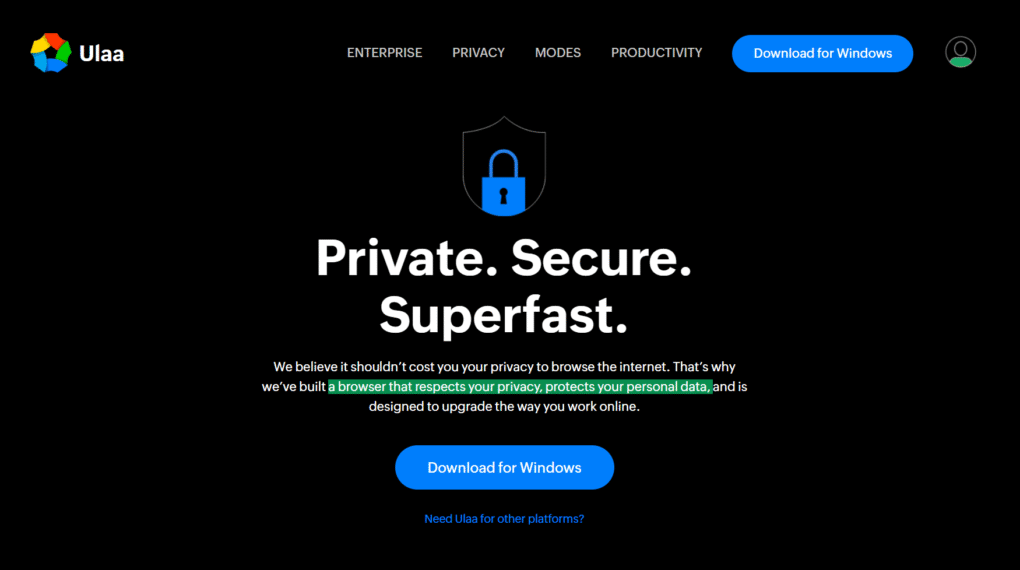
Ulaa is not just another browser — it’s a complete ecosystem designed for privacy, productivity, and customization. It empowers users to browse securely without compromising speed or convenience.
Its mission is simple: browsing the internet should not cost users their privacy.
Background and Origin
Ulaa is an indigenous Indian browser. It was developed by Zoho. This was part of the country’s growing focus on data sovereignty and self-reliance in technology. It was created to serve as a local, privacy-centric alternative to foreign browsers that often rely on user data monetization.
Ulaa’s development aligns with India’s push for digital independence. It promotes secure, homegrown solutions. These solutions respect user data laws and privacy standards.
With Zoho’s proven track record in building secure and scalable cloud software, Ulaa benefits from strong technical expertise and infrastructure.
Its name “Ulaa” means journey in Tamil — symbolizing the idea of exploring the web safely and freely.
Platforms and Availability
Ulaa is available across all major platforms, including:
- Windows
- macOS (Intel and ARM)
- Linux
- Android
- iOS / iPadOS
The Ulaa browser can be installed on both desktop and mobile devices. It allows users to sync bookmarks, preferences, and tabs across platforms.
This cross-platform support ensures that users can maintain the same privacy and productivity standards everywhere.
Core Features and Highlights
Ulaa stands out with its strong privacy defaults, multi-mode browsing, and productivity tools built right into the browser.
1. Privacy and Tracking Protection
Privacy is Ulaa’s biggest strength. Every part of the browser is built with user protection in mind. Key privacy features include:
- Automatic tracker blocking that prevents websites from collecting behavioral data.
- No telemetry or browser monitoring, ensuring that your browsing habits are not analyzed or shared.
- Integrated ad blocker that removes intrusive ads and pop-ups.
- No third-party data sharing, keeping all personal data within your device.
- No browser fingerprinting, achieved through techniques like resetting browser IDs periodically.
- No DNS prefetching to stop preloading of pages that may leak browsing intent.
- Disabled motion sensors and serial APIs to prevent hardware fingerprinting.
- URL spoofing protection to block deceptive or look-alike websites.
Ulaa eliminates many hidden surveillance techniques built into other browsers, offering one of the most private online experiences currently available.
2. Multi-Mode Browsing
A unique feature of Ulaa Browser is its multi-mode system, which tailors browsing experiences for different situations. These modes allow users to switch between work, entertainment, and privacy needs effortlessly.
- Work Mode: Blocks distracting websites, helping you stay focused during work hours.
- Developer Mode: Optimized for web developers and testers, with tools and recommended extensions built in.
- Personal Mode: Ideal for everyday browsing, maintaining high privacy while saving login sessions.
- Kids Mode: A safe environment for children with restricted access to inappropriate sites.
- Open Season Mode: Temporarily disables ad and tracker blocking for websites that require full access.
This mode-based approach makes Ulaa flexible. It gives users control over how much privacy or freedom they want. This can vary in a given situation.
3. Productivity Enhancements
Ulaa is more than just a secure browser — it’s also a productivity powerhouse. Some of its time-saving tools include:
- Smart Tab Manager to group and organize tabs efficiently.
- Built-in Screen Capture for taking full-page or selected screenshots instantly.
- Integrated Password Manager for secure and easy logins.
- Annotation Tools to highlight and comment directly on web content.
- Smart Dashboard offering quick access to bookmarks, apps, and history.
- Sync across devices for seamless transitions between mobile and desktop browsing.
- Extension support for customization using common web extensions.
These features make Ulaa perfect for professionals, students, and teams that need a fast, distraction-free, and privacy-driven workspace.
4. Security Measures
Security is central to Ulaa’s design. It includes:
- Automatic updates to patch vulnerabilities as soon as they’re discovered.
- Rapid response policy for fixing critical issues within 24 hours.
- Isolation of geographic data to minimize exposure to unauthorized access.
- Strict code integrity policies to prevent unauthorized modifications.
- No hidden data pipelines, meaning Ulaa doesn’t secretly collect telemetry data.
Combined, these features ensure that your browser remains secure, stable, and resistant to emerging cyber threats.
5. Integration with Zoho Ecosystem
As a Zoho product, Ulaa integrates seamlessly with the Zoho ecosystem, allowing users to:
- Sign in once with Zoho Single Sign-On (SSO).
- Access Zoho’s suite of applications, including Mail, Writer, and CRM, directly from the browser.
- Use Zoho’s AI assistant (Zia) for unified search and productivity enhancements.
For users or businesses already using Zoho tools, Ulaa provides an even smoother, all-in-one experience.
How Ulaa Manages Data
While privacy is a top priority, Ulaa collects minimal data strictly necessary for its operation. It distinguishes between basic usage data and optional data sharing.
- Basic data includes browser version, OS type, and device configuration — used for updates and performance optimization.
- Optional anonymized data can be shared if the user opts in to improve product stability and performance.
- No personal identifiers or browsing histories are collected or stored.
Users can request to review what information is collected at any time, reflecting Ulaa’s transparency commitment.
Licensing, Updates, and Support
License Terms
Ulaa Browser is distributed under Zoho’s proprietary license, which is:
- Free to use for personal and professional use.
- Non-transferable and non-exclusive, meaning you can’t resell, modify, or redistribute the browser.
- Fully owned by Zoho, ensuring centralized maintenance and quality control.
Updates and Maintenance
Ulaa automatically updates in the background to keep the browser secure. Its engineering team follows a 24-hour policy for critical security patches, ensuring that vulnerabilities are fixed immediately.
Customer Support
Users can access documentation, FAQs, and report issues directly to Zoho’s support team. This direct channel enhances response times and overall reliability.
Pros and Cons
Every browser has its strengths and challenges. Here’s a balanced look at Ulaa’s pros and cons.
Pros
- Strong privacy features with no hidden data collection.
- Indigenous development, promoting India’s technological independence.
- Multiple browsing modes for work, kids, personal, and testing environments.
- Built-in productivity tools that reduce the need for third-party extensions.
- Regular updates and security patches with quick turnaround times.
- Integration with Zoho ecosystem, ideal for existing Zoho users.
- Cross-platform support, covering all major devices.
Cons
- Limited third-party extension compatibility compared to Chrome.
- Relatively new, so fewer independent audits or community testing results.
- Occasional compatibility issues with highly dynamic websites.
- Performance variations on older devices.
- Smaller user base, meaning fewer resources for troubleshooting or online support.
Ulaa vs. Other Popular Browsers
Here’s a comparison between Ulaa and leading browsers on the market:
| Browser | Privacy Level | Performance | Extension Support | Strengths | Weaknesses |
|---|---|---|---|---|---|
| Google Chrome | Low (high tracking) | Very fast | Extensive | Speed, compatibility | Heavy tracking and data collection |
| Mozilla Firefox | High | Good | Wide | Open-source, community-driven | Slightly slower, fewer corporate resources |
| Brave | Very high | Excellent | Supports Chrome extensions | Built-in ad blocking, rewards system | Limited ecosystem, smaller user base |
| Edge / Safari | Moderate | Excellent | Standard | Smooth performance | Proprietary, limited customization |
| Ulaa | Very high | Good | Developing | Privacy modes, productivity features, Indian origin | New entrant, fewer extensions |
Ulaa aims to blend privacy with practicality — an area where Chrome and Edge often fall short.
Ideal Users and Use Cases
Ulaa is perfect for users who value privacy, control, and productivity. Ideal user groups include:
- Privacy-conscious individuals who prefer browsers that don’t sell data to advertisers.
- Indian users and organizations looking for local solutions aligned with data protection laws.
- Zoho users seeking a seamless experience across business applications.
- Developers and testers who need a secure environment for web development.
- Parents who want a child-safe browsing mode for kids.
- Students and professionals who need distraction-free browsing modes for study or work.
How to Download and Set Up Ulaa
Setting up Ulaa Browser is quick and easy:
- Visit the official Ulaa website.
- Choose your platform (Windows, macOS, Linux, Android, or iOS).
- Download and install the setup file.
- Launch Ulaa and choose your preferred browsing mode.
- Import bookmarks and passwords from your old browser.
- Enable sync to keep your data consistent across devices.
- Customize your dashboard and privacy settings.
Once installed, you can switch between different modes anytime to suit your browsing needs.
Tips to Get the Most Out of Ulaa
Here are a few ways to optimize your experience:
- Use Work Mode when focusing on tasks — it blocks distractions automatically.
- Switch to Open Season Mode when certain websites don’t load correctly.
- Keep Kids Mode active for child accounts to ensure safe browsing.
- Disable anonymized tracking stats for maximum privacy.
- Try Developer Mode to access advanced tools and extensions.
- Enable automatic updates to stay secure.
- Regularly clear cookies and cached data to maintain performance.
- Experiment with extensions for added functionality.
- Use the built-in password manager instead of third-party tools.
- Backup your sync data periodically.
These simple steps enhance both privacy and performance for daily use.
Future Outlook and Challenges
Opportunities
- Growing demand for privacy-focused software creates a solid opportunity for Ulaa.
- Government and enterprise adoption can boost credibility and user base.
- Integration with educational institutions could make Ulaa a standard tool for safe browsing.
- Potential for open-source transparency could attract developers and privacy advocates.
Challenges
- Building user trust through third-party security audits.
- Competing with entrenched browsers like Chrome and Edge.
- Ensuring complete web compatibility for all modern sites.
- Maintaining speed and stability with privacy filters enabled.
- Expanding extension support to match the convenience of Chrome or Firefox.
Despite these hurdles, Ulaa’s strong foundation and Zoho’s resources position it well for long-term success.
Final Thoughts
Ulaa Browser is an impressive step toward privacy-first browsing in India and beyond. It stands out with its robust security settings, customizable modes, and productivity-oriented design. Unlike most browsers that compromise user privacy for profits, Ulaa keeps your data safe without sacrificing functionality.
Its success will depend on continued updates. It also relies on community trust and transparency. However, Ulaa already shows immense promise as a truly privacy-centric, Indian-made alternative to mainstream browsers.
If you’re looking for a secure, distraction-free, and privacy-focused browser, Ulaa is worth trying. It represents a new era of ethical technology. In this era, browsing the web finally puts the user in control, not advertisers.