10 Free Cloud Storage Services to Send Large Files in 2026

The demand for secure and convenient ways to send large files online is skyrocketing. Whether you’re a creative professional sharing high-resolution images or a business transferring sensitive documents, you need the right storage. If you’re a student sending hefty project files, you should rely on the right free cloud storage service. This can significantly impact your workflow.
As the volume and importance of digital data continue to grow, more users are prioritizing features like security. They also emphasize privacy and seamless collaboration. They also want generous free storage space. In 2025, the top cloud storage platforms have adapted to these needs. They offer encrypted sharing. They provide cross-platform sync and compliance with regulations like GDPR.
This comprehensive guide provides a comparison of the best free cloud storage services for transferring large files. It focuses on what matters most—speed, safety, user-friendliness, and unique features. You’ll also find topics like file privacy and industry-specific solutions. There are “how-to” use cases ensuring your file transfers are both efficient and secure.

Let’s explore the top contenders. See how they stack up. Learn how to choose the ideal service for your personal or professional needs. Optimize your workflow for 2025.
What is Cloud Storage for Large Files?
Cloud storage for large files consists of digital platforms. These platforms allow users to upload, store, and share large files over the internet. These services are often free or come with tiered pricing. Cloud storage solutions make it easy to send and receive files, even if they are several gigabytes (GB) in size. Users do not need to worry about device limitations or compatibility. Unlike traditional email attachments or physical storage devices, cloud storage solutions simplify sending and receiving large files. These files may be several gigabytes (GB) in size. They eliminate concerns about device limitations or compatibility.
Key Benefits of Cloud Storage for Large Files
- Convenience: Instantly upload and share big files from any device, anywhere in the world.
- Security: Many providers offer strong encryption (including end-to-end and GDPR-compliant options) to safeguard your sensitive data.
- Collaboration: Team members can access, edit, and comment on files in real-time, improving project coordination.
- Scalability: Need more space? Most providers offer easy upgrades and scalable storage plans.
- No Size Restrictions: Many platforms allow uploads of files much larger than standard email limits. Usually, email limits are 25 MB or less.
When and Why Should You Use Cloud Storage for Big Files?
- Transferring Media Projects: Sending high-resolution videos, photography portfolios, or design files is seamless with cloud solutions.
- Archiving Important Data: Safeguard business documents, personal records, or large backups off-site in case of device failure or data loss.
- Remote Work & Learning: As teams and students share resources remotely, cloud storage bridges the gap for resource-heavy content.
- Client Deliverables: Quickly share final products with clients—no need to ship hard drives or USBs.
Typical User Scenarios
- Businesses & Enterprises: Safely distribute large project files, legal documents, or software builds across teams or with clients.
- Educational Institutions: Share lecture videos, research datasets, and collaborative projects with students and faculty.
- Creative Professionals: Designers, videographers, and photographers move large-format work securely to clients or collaborators around the globe.
- Individuals: Share vacation videos, photo albums, or backup important files and memories with friends and family.
Using cloud storage for large files is more than just a convenience. It’s a modern necessity for a secure, reliable, and efficient digital life.
Key Features to Look for in Free Cloud Storage Services
Choosing the best cloud storage for large files requires more than just a generous free plan. The top providers in 2025 stand out by offering a mix of security, convenience, and advanced collaboration tools. Users who regularly send large files online can benefit from these optimized features. Here’s what you need to consider:
- Storage Capacity: Look for services that offer ample free storage. This allows you to transfer big files for free without immediately needing to upgrade. Some of the best free cloud storage providers now offer up to 20 GB or more in their basic plans. These plans are ideal for individuals. They are also suitable for teams.
- Maximum File Size for Transfers: Many platforms have a cap on the maximum file size. This is the size you can upload in a single transfer. Creators or businesses working with video or design files should select a service. It must allow free sending of a 10GB file. Ensure the service offers this without requiring an account. Alternatively, choose a service that supports unlimited file sharing.
- Security & Encryption: Privacy-focused cloud storage is non-negotiable in 2025. Choose providers offering free end-to-end encrypted file sharing free, GDPR-compliant file transfer, and optional password protection or expiry links. Services like Proton Drive and Sync.com excel in keeping your files safe from unauthorized access.
- Collaboration Tools: Effective real-time editing, sharing links, and integrated commenting features drive productivity for business file transfer and teamwork. Cloud-based file backup with file versioning for teams is increasingly popular for remote work and education.
- Platform Compatibility: The best cloud storage for sharing large files is accessible on any device. Seek platforms offering streamlined apps for mobile, desktop, and cross-platform sync. Cross-platform file sync ensures instant access to the latest files. It is invaluable for users on the go. Your team also benefits from having the latest files right at their fingertips.
- Unique Benefits: Some services attract new users with referral bonuses. They may offer extra free storage. Features that let you share files without registration are ideal for quick, one-off transfers. Others cater to specific niches. These niches include cloud storage for schools and educators. There is also storage optimized for photo backup and media projects.
Key features are important to consider. By doing so, you can efficiently compare providers and select a secure file sharing solution. This solution will perfectly fit your workflow, whether you’re a business, student, or creative professional. It’s also ideal for someone who values cloud storage with privacy and powerful sharing options.
Free Cloud Storage Services to Send Large Files
Sharing large files has become essential in today’s digital landscape. Free cloud storage services offer a convenient solution, allowing users to upload, store, and share sizable data effortlessly. This guide explores the top free options for securely sending large files with ease.
1. Google Drive
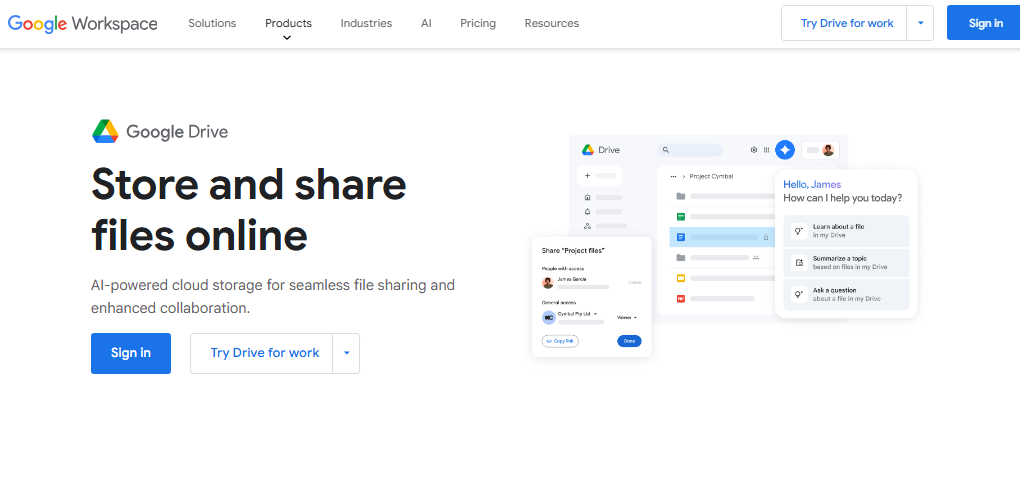
Google Drive remains one of the top choices for free cloud storage in 2025. It offers a generous 15GB storage tier. This is ideal for both personal and professional users looking to send large files online or back up important data.
Key Features:
- Generous Free Storage: Google Drive offers 15 GB of free cloud storage. It makes storing, organizing, and sharing large files across devices easy. You can effortlessly transfer big files for free—including documents, photos, videos, and more.
- AI-Powered Cloud Storage: Enhanced by Gemini AI, Google Drive provides smart file search. It also offers document summarization and content insights. These features make file management faster and more intuitive.
- File Sharing & Collaboration: Instantly generate secure sharing links for files or folders. Set customized permissions (view, comment, edit) and add expiry dates for extra GDPR-compliant file transfer and privacy. Real-time editing, collaborative comments, and PDF annotation boost team productivity and workplace efficiency.
- Cross-Platform & Cloud-Native: Drive’s mobile, desktop, and cross-platform sync guarantees you can access, edit, and share files from anywhere. You can do this whether you’re on the go or working remotely.
- Advanced Security & Encryption: Google Drive uses a zero-trust architecture. It delivers robust security. This includes end-to-end encrypted file sharing, two-factor authentication, and AI-powered malware/phishing detection. This guarantees that all your secure file sharing requirements are satisfied.
- Third-party Integrations: Seamlessly work with your favorite apps—Slack, Zoom, Salesforce, and more—enhancing your cloud-based file backup and collaborative workflows.
- Unique Benefits: Features such as document scanning offer searchable PDFs. Gmail attachment saving is another feature. Additionally, referral bonuses are available on select business tiers. These features make Google Drive a versatile and privacy-focused cloud storage choice.
Security: Google Drive employs robust security measures, including two-factor authentication, encryption in transit and at rest, and advanced phishing protection. These features ensure that your data is secure and protected from unauthorized access.
Use Cases:
- Personal Use: Perfect for photo backup. It is great for video storage. You can also share documents or vacation albums with friends and family. There are no size limits imposed by email attachments.
- Professional/Business Use: Empower teams with shared drives, real-time editing, and advanced access controls. Google Drive’s robust collaboration tools are ideal for businesses, educators, and creators in 2025. The cloud storage with file versioning for teams also makes it perfect for them.
Whether you need to send a 10GB file free without an account, Google Drive stands out as a leader. Or perhaps you want to prioritize secure, cross-platform file sync. It leads in enabling users to send a 10GB file free without an account. Google Drive also excels in cross-platform file sync. It excels in free cloud storage for sharing large files. It also meets the highest standards of privacy, security, and user convenience.
2. Dropbox
Dropbox remains a top choice for effortless secure file sharing and simple syncing, especially for professionals and teams. It offers 2GB of free cloud storage. Dropbox’s focus on smooth user experience and productivity keeps it highly competitive. Its integration makes it stand out for 2025.
Key Features:
- Cloud Storage & Sync: Instantly store, organize, and access files on any device—desktop, mobile, or web. All files automatically sync across devices, ensuring you always have the most current versions.
- Easy File Sharing: Generate shareable links with options for password protection, expiring links, and granular permission controls (view, comment, edit). Send large files online hassle-free.
- Collaboration Tools: Dropbox Paper enables real-time editing, project timelines, and seamless coordination for remote teams. Integrated annotations and e-signatures simplify feedback and approvals.
- Third-Party Integrations: Connect Dropbox to over 100+ tools. This includes Microsoft Office, Zoom, and Slack. It is ideal for cross-platform file sync and workflow efficiency.
- Security & Compliance: Advanced encryption (in transit and at rest), two-factor authentication, ransomware protection, and granular team controls. GDPR-compliant and trusted by major enterprises.
Security: Dropbox provides robust security features, including two-factor authentication, encryption in transit and at rest, and advanced sharing controls. These features safeguard your data from unauthorized access.
Use Cases:
- Professional: Boost remote work productivity with smooth linking, annotation, and team collaboration on large files.
- Personal: Backup and share memories securely, or send videos and images with friends—even across platforms.
3. Microsoft OneDrive
Microsoft OneDrive excels at integrating cloud-based file backup with robust real-time collaboration through Office apps. Every account receives 5GB of free cloud storage (expandable via subscriptions), making it perfect for Office-centric workflows.
Key Features:
- Seamless Integration with Microsoft 365: Create, edit, and share Word, Excel, PowerPoint, and OneNote files directly from the cloud. The platform supports AI-powered Copilot to enhance productivity swiftly.
- Universal Access: Access your files anywhere on Windows, macOS, iOS, and Android—with real-time sync. Easily send large files using shareable, permission-controlled links.
- File Versioning & Recovery: Save and restore previous versions or recover deleted files—essential for business and education.
- Security: Two-factor authentication, encryption at rest/in transit, Microsoft Defender ransomware protection, and privacy-focused cloud storage options.
- Premium Upgrades: Paid plans provide up to 6 TB per family, advanced security, design tools, and priority support.
Security: OneDrive employs robust security measures, including two-factor authentication, encryption in transit and at rest, and advanced sharing controls. These features ensure that your data is secure and protected from unauthorized access.
Use Cases:
- Personal: Backup photos, synchronize files with your mobile or PC.
- Professional and Education: Collaborate on large documents. Support school projects and manage team content. This version is ideal for businesses needing strong security and scale.
4. Box
Box stands out as an enterprise-grade, privacy-focused cloud storage platform. It offers 10 GB of free storage. Box provides unmatched security and native AI collaboration features. Organizations prioritizing compliance and intelligent automation greatly value Box.
Key Features:
- Intelligent Content Management: Merge traditional files, cloud docs, and AI-powered content insights all in one dashboard. Box AI summarizes documents, automates workflows, and offers real-time recommendations.
- Secure File Sharing: Create encrypted, customizable share links. Set passwords, timestamps, or granular permissions. Automated classification and malware detection ensure files are always safe.
- Powerful Collaboration: Real-time editing, e-signature workflows, and AI-driven collaboration for creative, legal, and business content.
- Industry Compliance: Built-in support for GDPR, HIPAA, FINRA, and enterprise protocols.
- 1,500+ Integrations: Connect with Microsoft 365, Google Workspace, Salesforce, and more for world-class cloud-based file backup and business process automation.
Use Cases:
- Personal: Store and share important documents, photos, and videos securely.
- Business: Manage sensitive files with strong compliance (legal, healthcare, finance). Speed deals and HR tasks with unlimited e-signature and automation.
Security: Box provides robust security features, including two-factor authentication, encryption in transit and at rest, and advanced sharing controls. These features safeguard your data from unauthorized access.
5. pCloud
pCloud is a rising favorite for tech-savvy users who prioritize security and reliability. With 10GB of free cloud storage, pCloud sets itself apart through advanced encryption, permanent share links, and flexible device support.
Key Features:
- Client-Side Encryption: pCloud Encryption means only you have the keys—perfect for those who need end-to-end encrypted file sharing.
- Generous Free Storage: 10GB to start, with straightforward upgrades and a unique lifetime purchase option.
- Unlimited Sharing: Share large files online through public links that never expire—great for freelancers and creative professionals.
- Cross-device sync: Use pCloud on Windows, macOS, Linux, Android, and iOS. Sync specific folders and manage files directly from your desktop.
- Backup & Versioning: Automatically back up photos, videos, and documents. Restore or manage previous file versions up to 30 days.
- Collaboration: Send, receive, and work collaboratively with friends and colleagues. Assign roles and permissions for secure group projects.
Security: pCloud provides robust security features, including client-side encryption, two-factor authentication, and advanced sharing controls. These features ensure that your data is secure and protected from unauthorized access.
Use Cases:
- Personal: Ideal for photo backup, sending private files, and secure sharing with family or friends.
- Professional: Perfect for businesses or creatives dealing with highly confidential data or needing long-term access to public sharing links.
6. WeTransfer
WeTransfer is a fast, user-friendly solution when you need to send large files online without the need for permanent storage. Its simplicity makes it a leading choice for one-time, secure file transfers.
Key Features:
- Quick Large File Sharing: Easily send up to 2GB per transfer with just a few clicks. No account is required for basic use. This is perfect for those needing to share files without registration.
- Link and Email Delivery: Upload files, enter the recipient’s email, or generate a direct download link. Ideal for quick “how to share large videos securely” scenarios.
- Privacy-Friendly: Files are encrypted in transit and automatically deleted after seven days, balancing privacy and convenience.
- No Long-Term Storage: Designed specifically for one-time file transfers—no clutter, no long-term uploads.
Use Cases:
- Sending creative projects, contracts, or high-resolution images to clients without storage limits or complex logins.
- Sharing large files securely on demand, with temporary links.
7. Filemail
Filemail offers fast transfers. It allows users to send large files for free (up to 5GB). This streamlines the process for professionals and businesses.
Key Features:
- Large File Transfers: Free transfers are available for files up to 5GB. This size is far above average for free services. It matches the “transfer big files free” and “send 10GB file free without account” intents.
- Temporary Storage & Security: Files are stored temporarily for up to seven days. They are encrypted in transit and automatically deleted for data safety.
- Custom Delivery: Send via email or share a download link. Filemail notifies you upon download, ensuring reliability for important files.
- No Registration for Recipients: Recipients don’t need Filemail accounts to access files.
Use Cases:
- Businesses can send large documents or media files that exceed email’s size limits.
- GDPR-compliant file transfer needs for EU businesses.
8. MediaFire
MediaFire offers simple and robust cloud storage with file versioning and sharing. It is provided at no cost and appeals most to users who value quick, straightforward uploads.
Key Features:
- Generous Free Cloud Storage: You get 10 GB free to start. This is expandable via referrals. It’s great for cloud-based file backup and storing collections of large files.
- Flexible File Sharing: Generate direct links or create public folders for easy, scalable large file transfer services.
- Device & Platform Support: Cross-platform file sync and easy access on desktop, web, iOS, and Android.
- User-Friendly Interface: Clean, uncluttered UI; beginner-friendly for instant file management.
Use Cases:
- Personal backups, media storage, and one-off sharing for students or families.
- Share files without registration—quick and easy for friends or clients.
9. Sync.com
Sync.com is an industry leader in privacy-focused cloud storage and secure collaboration. It’s designed for users and businesses for whom free end-to-end encrypted file sharing free is top priority.
Key Features:
- End-to-End Encryption: Sync.com encrypts data before it leaves your device, ensuring zero-knowledge privacy—ideal for “business file transfer” and regulated industries (legal, healthcare).
- Granular Permission Controls: Customizable links, password protection, expiry dates, and role-based access for maximum secure file sharing.
- Cross-Platform Sync: Compatible with Windows, macOS, iOS, and Android—plus robust desktop and mobile apps.
- Collaboration & Versioning: Real-time team folders, file comments, and full file versioning for teams.
- Compliance: SOC, GDPR, HIPAA, and more—trusted by over 2.7 million users and businesses.
Use Cases:
- Healthcare, finance, or legal companies requiring GDPR-compliant file transfer.
- Creative teams, educators, and anyone else who needs cloud storage for educational purposes.
10. iCloud
iCloud is Apple’s secure and seamless solution for free cloud storage. It is tailored for integration within the Apple ecosystem. However, it is also accessible across platforms.
Key Features:
- Apple Ecosystem Integration: Sync your photos, videos, documents, notes, and more automatically across all your Apple devices.
- Collaboration & Sharing: Share files via links. Invite collaboration on folders. You can also grant view-only or edit permissions. These actions cover “secure file sharing” and project work for teams.
- Cross-Platform Access: Access and manage files online. You can access and manage files on Windows by using iCloud for Windows or the Files app on iOS/macOS. This setup makes cloud-based file backup a breeze.
- Advanced Security: Built-in two-factor authentication, encryption in transit and at rest, plus easy recovery of deleted files or older versions.
Use Cases:
- Personal backups and sharing for families and individuals invested in the Apple world.
- Professional collaboration for designers and remote workers needing privacy-focused cloud storage and document editing.
Frequently Asked Questions Cloud Storage Services to Send Large Files
How to send large files for free?
You can use free cloud storage services like Google Drive, Dropbox, and WeTransfer to upload and share large files by generating a shareable link or entering the recipient’s email address.
What’s the most secure option?
Services like Sync.com, pCloud, and Proton Drive offer advanced security features such as end-to-end encryption and two-factor authentication, making them the most secure for file sharing.
Is there a max file size for free accounts?
Yes, most free accounts have file size limits. For example, Google Drive allows uploads as large as your available storage, WeTransfer limits free transfers to 2GB, and Filemail allows up to 5GB.
Can I send files without signing up?
Yes, WeTransfer and Filemail let you send files without creating an account, making them convenient for one-time file transfers.
Which cloud storage gives the most free space?
Services like pCloud and MediaFire offer 10GB or more of free cloud storage, while Google Drive offers 15GB, making them top choices for generous free plans.
Do free file transfer links expire?
Yes, on most platforms, free download links expire after a set time (e.g., 7 days on WeTransfer and Filemail). Please review each service’s policy for further details.
Can I share files securely with a password?
Some services, such as Dropbox, Box, Sync.com, and pCloud, allow you to protect shared files or links with a password—even on free plans.
How do I transfer files between my phone and computer?
Most cloud storage apps offer mobile and desktop versions, enabling you to upload files from your phone and access them instantly on your computer (and vice versa).
What happens if I run out of free storage?
When you reach your free storage quota, you can either delete files, refer friends (on some services), or upgrade to a paid plan for more space.
Is cloud storage safe for sensitive data?
Yes, as long as you choose a service with strong encryption (like Sync.com or pCloud) and use features like two-factor authentication for added security, your files are protected from unauthorized access.
Final words on Cloud Storage Services to Send Large Files
In 2025, choosing the right cloud storage for sharing large files depends on your unique needs. Consider your requirements for work, school, or personal projects. Each service covered offers standout advantages:
- Google Drive delivers seamless cloud-based file backup and real-time collaboration with generous free storage.
- Dropbox excels in cross-platform file sync and team-friendly tools.
- OneDrive stands out for file versioning for teams and deep Office integration for professionals and educators.
- Box offers exceptional GDPR-compliant file transfer and advanced automation for business and enterprise users.
- pCloud leads in end-to-end encrypted file sharing, making it ideal for privacy-focused individuals.
- WeTransfer and Filemail shine for quick, one-off transfers without account hassles—perfect for those wanting to share files without registration.
- MediaFire and iCloud provide reliable photo backup and personal file management, especially for device-centric users.
- Sync.com is the top choice for those needing privacy-focused cloud storage with strict compliance features.
Recommendations:
- Business users and teams: Choose Box, Sync.com, or OneDrive for robust sharing, compliance, and workflow automation.
- Students and educators: Lean toward Google Drive or iCloud for easy cloud storage for schools and educators.
- Creative professionals: Opt for pCloud, Dropbox, or MediaFire for secure, flexible storage and cloud storage with file versioning.
- Quick, one-time transfers: Use WeTransfer or Filemail for instant, unlimited file sharing without logins.
Take Action: Try out these free plans to discover which one fits your workflow best. Compare features, test out secure file sharing, and experience the convenience of large file transfer services in 2025. Don’t forget to share your feedback and help others find the best solution for their needs!