Ulaa Browser Review 2026: Features, Privacy, Pros and Cons
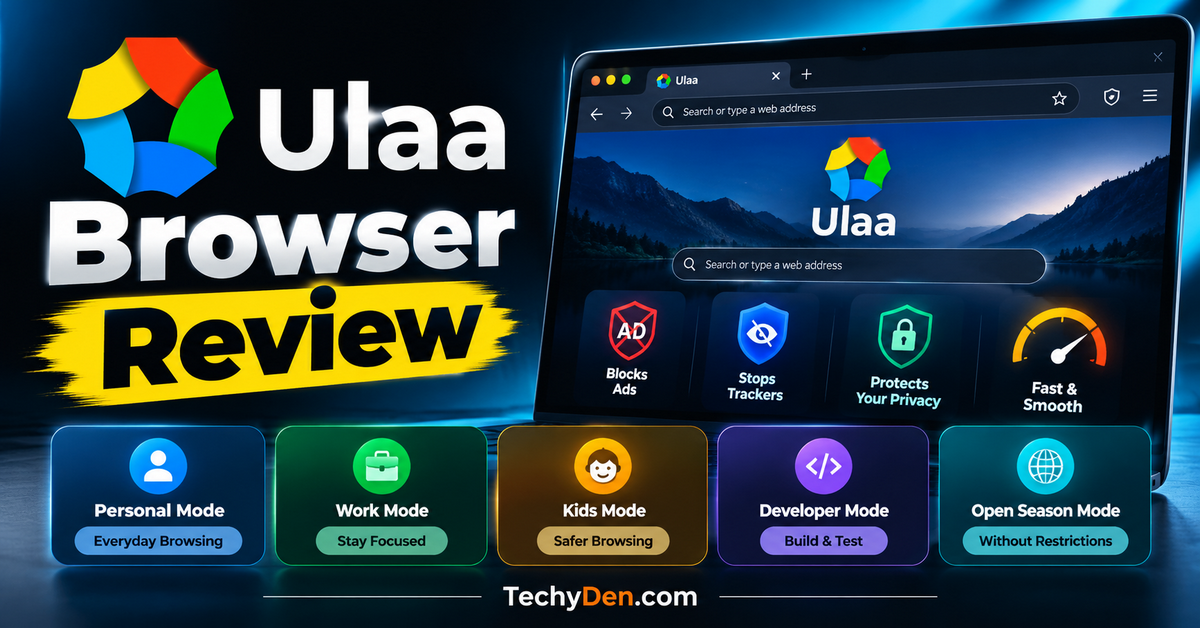
Looking for a web browser that blocks unwanted advertisements, reduces tracking, and helps you stay productive online? Ulaa Browser is an alternative worth considering. Developed by Zoho, an Indian technology company, Ulaa combines privacy-focused browsing with productivity tools and five specialized browsing modes.
Unlike conventional browsers that primarily rely on extensions and separate profiles, Ulaa offers dedicated environments for personal browsing, work, children, web development, and unrestricted browsing. It also includes tools such as tab management, a password manager, screen capture, notes, and integration with Zoho applications.
But is Ulaa Browser safe? What information does it collect? Is it better than Google Chrome, Microsoft Edge, or Mozilla Firefox?
If you want to explore more options, see our guide to the best web browsers for Windows to compare popular browsers for different needs.
In this Ulaa Browser review, we examine its advertised features, privacy practices, browsing modes, advantages, limitations, and platform availability to help you decide whether it deserves a place on your computer or smartphone.
Ulaa Browser: Quick Overview
Ulaa Browser is a privacy-focused web browser developed by Zoho. It combines built-in ad and tracker blocking with productivity tools and five specialized browsing modes.
| Feature | Details |
|---|---|
| Developer | Zoho |
| Primary focus | Privacy, security, and productivity |
| Ad blocking | Built-in |
| Tracker blocking | Yes |
| Browsing modes | Personal, Work, Kids, Developer, Open Season |
| Productivity tools | Tab manager, notes, screen capture, password manager |
| AI integration | Zoho Zia integration |
| Desktop platforms | Windows, macOS, Linux |
| Mobile platforms | Android and iOS |
| Best for | Privacy-conscious users, bloggers, students, developers, and Zoho users |
| Official website | Ulaa.com |
Key takeaway: Ulaa is worth considering if you want built-in privacy features and separate browsing environments for different tasks. However, its privacy protections do not guarantee complete anonymity, and website compatibility and feature availability may vary by platform.
What Is Ulaa Browser?
Ulaa Browser is a web browser developed by Zoho with an emphasis on privacy, security, and productivity. It is designed to provide everyday browsing features alongside built-in advertisement filtering, tracking protection, and tools for managing online activities.
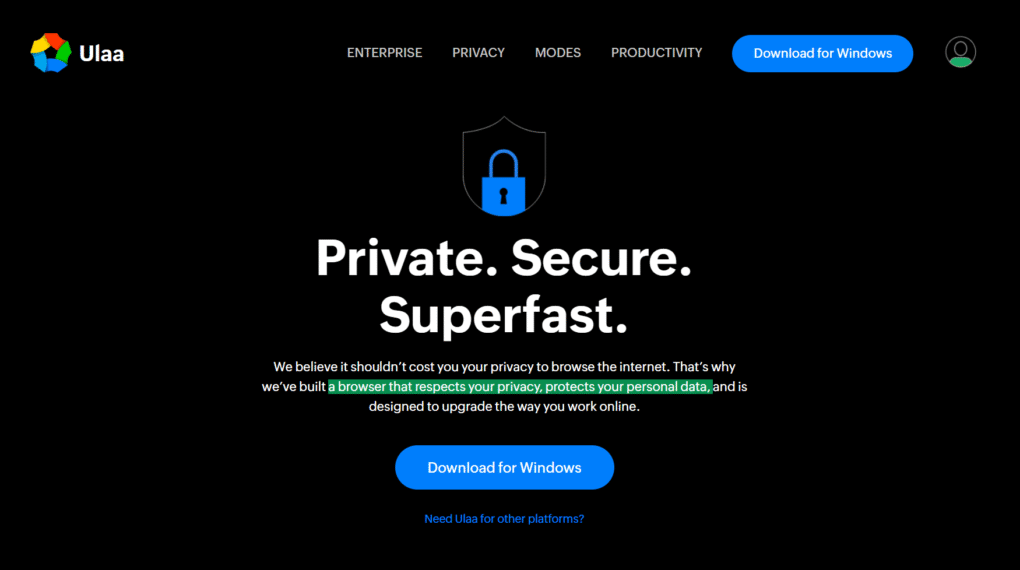
The browser’s most distinctive feature is its five-mode system. Users can switch between Personal Mode, Work Mode, Kids Mode, Developer Mode, and Open Season Mode, depending on their needs.
Ulaa also includes productivity features such as smart tab grouping, a tab manager, notes, screen capture, a password manager, and a dashboard. Its integration with Zoho’s ecosystem is particularly useful for people who already use Zoho’s business and productivity applications.
Ulaa is available for Windows, macOS, Linux, Android, and iOS, subject to the requirements of each platform.
You can learn more about the browser and access its downloads on the official Ulaa website.
Who Developed Ulaa Browser?
Zoho developed Ulaa as part of its broader range of technology products. The company is known for business software, collaboration tools, customer relationship management applications, and productivity services.
Ulaa also received recognition through India’s Indian Web Browser Development Challenge, an initiative associated with the Ministry of Electronics and Information Technology to encourage the development of an indigenous web browser.
Although Ulaa was developed by an Indian company, it is intended for users worldwide.
Ulaa Browser Features Reviewed
Ulaa combines privacy-related controls with features intended to make browsing more organized and productive. Here are the main capabilities to understand before installing it.
1. Built-In Ad and Tracker Blocking
One of Ulaa’s main attractions is its built-in advertisement and tracker blocking.
Many websites load advertising scripts, tracking resources, and third-party content. Some of these elements can make pages more cluttered, consume bandwidth, and contribute to the collection of browsing information.
Ulaa uses filtering lists and privacy controls designed to block many common advertisements and tracking resources.
Potential benefits include:
- Fewer intrusive advertisements on supported websites.
- Reduced loading of selected third-party tracking resources.
- Cleaner webpage layouts.
- Potentially lower data usage on ad-heavy pages.
- Less exposure to certain malicious advertising resources.
Because filtering is built into the browser, users may not need a separate extension for basic advertisement blocking.
However, blocking is not perfect. Some advertisements may still appear, and certain websites may malfunction when they cannot load scripts or other resources they depend on.
Ulaa also offers Open Season Mode, which disables its advertisement and tracking blockers. This provides an option for troubleshooting websites that do not work correctly with those protections enabled.
Our assessment: Built-in filtering is a useful feature for people who want fewer advertisements and less tracking without configuring multiple extensions. Its effectiveness should still be evaluated on the websites you use regularly.
2. Five Browsing Modes
Ulaa’s five specialized browsing modes distinguish it from many conventional browsers.
Each mode is designed for a particular activity, and the browser uses different visual themes to help users identify the active environment.
The five modes are
- Personal Mode
- Work Mode
- Kids Mode
- Developer Mode
- Open Season Mode
Ulaa also describes mode isolation and dynamic mode switching as part of its browsing experience. These features are intended to help users keep different activities separate and move between modes when appropriate.
Ulaa organizes browsing into five specialized browsing modes designed for personal use, work, children, web development, and unrestricted browsing.
a. Personal Mode
Personal Mode is the default environment for everyday browsing.
You can use it to read articles, search for information, shop online, watch videos, and access personal accounts. It includes the browser’s standard privacy-oriented features, such as tracking prevention and advertisement filtering.
Personal Mode is a sensible starting point for people who want to explore Ulaa without setting up a specialized workflow.
Best for: Everyday browsing, online shopping, reading, and personal accounts.
b. Work Mode
Work Mode is designed to reduce distractions while you work.
The mode includes website-blocking options intended to limit access to distracting websites and provides a more restrictive advertisement-filtering experience.
This can be useful when researching topics, writing articles, studying, or working with online applications.
For example, bloggers can use Work Mode while researching keywords, editing WordPress posts, or reviewing website analytics. Students can use it when preparing assignments or attending online classes.
The actual benefits depend on the websites you choose to restrict and how you configure the mode.
Best for: Bloggers, students, remote workers, and professionals who want to concentrate.
c. Kids Mode
Kids Mode is designed to provide a more controlled browsing environment for children.
Ulaa advertises content filtering, parental controls, and a Child Lock feature. Parents can use the available controls to restrict selected websites and make it harder for children to switch to other modes without the required password.
The mode also includes a Learning On The Go feature intended to support educational activities.
These tools can help parents establish boundaries around internet use. However, browser-based restrictions are not a complete child-safety solution. Parents should still supervise online activities and consider appropriate operating-system or network-level parental controls.
Best for: Families who want additional controls over children’s browsing activities.
d. Developer Mode
Developer Mode is designed for web developers and testers.
Ulaa describes tools for inspecting HTML elements, CSS styles, and JavaScript, as well as examining requested page resources and their loading times.
These capabilities can help developers investigate layout problems, debug web pages, and understand how a website loads.
For example, a WordPress developer could use browser inspection tools to troubleshoot a broken menu, investigate a responsive design issue, or inspect a page element.
Before using Ulaa as your main development browser, check that the extensions, debugging tools, and testing workflows you depend on are compatible.
Best for: Web developers, designers, WordPress professionals, and website testers.
e. Open Season Mode
Open Season Mode disables Ulaa’s advertisement and tracking blockers to allow browsing without those particular restrictions.
Some websites depend on resources that privacy filters block. As a result, a video, page element, login process, or other function may not work as expected.
Open Season Mode gives users an alternative environment for checking whether blocking is causing the problem.
The trade-off is that some privacy protections are disabled in this mode. It is better suited to troubleshooting than to situations where you want all available blocking protections enabled.
Best for: Troubleshooting website compatibility and accessing pages that do not work properly with filtering enabled.
3. Productivity Tools and Tab Management
Ulaa is not limited to privacy controls. It also includes tools designed to help users manage multiple websites and tasks.
a. Smart Tab Grouping
Smart tab grouping organizes related tabs based on their website domains. This can make it easier to manage multiple pages associated with the same site.
For example, a blogger researching an article might have several pages open from documentation websites, competitor blogs, and research sources. Grouping related tabs can make this collection easier to navigate.
b. Tab Manager
The tab manager provides a central view of open tabs and helps users organize their browsing sessions.
Ulaa describes capabilities for switching between tabs, closing unnecessary tabs, moving tabs to another mode or window, and saving a session to reopen later.
This is useful for people who frequently work with many open pages.
c. Smart Dashboard
Ulaa’s smart dashboard provides access to selected browsing information, frequently visited sites, favorites, and other shortcuts.
Depending on the available version and configuration, the dashboard may also support reminders and work-related tasks.
The aim is to make useful information and commonly accessed resources available from a central starting point.
d. Multi-Device Synchronization
Ulaa supports synchronization through a Zoho account. This can help users access supported browsing data, such as bookmarks and history, across compatible devices.
Before enabling synchronization, review the available settings and understand which information will be synchronized and how it is protected.
These productivity features can make Ulaa appealing to users who want to combine browsing and task management in one application.
4. Password Manager, Notes and Screen Capture
Ulaa includes several additional tools for everyday work.
- Password manager: The built-in password manager is designed to store passwords, generate strong passwords, and autofill login details on supported websites. It can reduce the need to remember many individual passwords. However, users should still use a strong device password and review the browser’s password-management and synchronization settings.
- Notes: Ulaa provides a note-taking space for recording ideas, reminders, and information while browsing. The notes feature is intended to help users organize information without constantly switching to another application.
- Screen capture: Ulaa includes screen-capture functionality through its Zoho Annotator integration. This can be useful for capturing webpage sections, saving visual references, preparing tutorials, and sharing screenshots.
For example, a content creator can capture a website interface while preparing a tutorial or save a visual reference during research.
Availability and the precise workflow of these tools may differ across platforms and releases. Confirm that the functions you need are present in your installed version.
5. Zoho Integration and Zia
Ulaa integrates with Zoho’s account ecosystem and selected productivity services.
One example is Zoho Single Sign-On, which is designed to simplify authentication for supported Zoho applications. This may be convenient if you regularly use Zoho Mail or other Zoho services.
Ulaa also advertises integration with Zia, Zoho’s AI-powered assistant and search system, across its browsing modes. This integration is intended to help users discover information from supported Zoho applications.
These features are most relevant to people who already work within the Zoho ecosystem. Users who rely on other productivity platforms may find them less important.
If your work depends on particular business applications, test their compatibility with Ulaa before switching from your existing browser.
If you are interested in browsers that integrate artificial intelligence into everyday browsing, explore our guide to the best AI browsers in 2026.
6. Automatic Updates and Security Features
Keeping your browser updated is important because updates can address vulnerabilities, fix bugs, and improve functionality.
Ulaa advertises automatic updates across supported platforms and describes security-related measures intended to reduce exposure to certain online threats.
Its privacy information also describes features such as resetting selected browser identifiers and filtering unwanted or potentially harmful web resources.
These measures can contribute to a safer browsing experience, but they should not be interpreted as a guarantee against every cyberattack.
A browser cannot guarantee protection against all phishing websites, malicious downloads, fraudulent messages, or social-engineering attempts.
For better security:
- Keep Ulaa and your operating system updated.
- Download software from trusted sources.
- Use unique passwords for important accounts.
- Enable multifactor authentication where available.
- Avoid suspicious links and attachments.
- Review extension permissions before installation.
7. Cross-Platform Support
Ulaa provides download options for major desktop and mobile platforms.
- Desktop: Windows, macOS, and Linux.
- Mobile: Android and iOS, subject to current device and platform requirements.
This makes Ulaa an option for users who want to explore the same browser across different types of devices.
However, feature availability is not necessarily identical on every platform. Before switching, check the official download page and confirm that your operating system, device, and required features are supported.
Ulaa Browser Privacy: What Data Does It Collect?
Privacy is one of the main reasons people consider Ulaa. The browser advertises advertisement filtering, tracking prevention, and other measures designed to reduce unnecessary data exposure.
However, it is important to distinguish between the browser’s privacy features and its actual data-collection practices.
What Privacy Protections Does Ulaa Offer?
According to its published information, Ulaa includes several privacy-oriented measures:
- Built-in advertisement filtering.
- Blocking of supported tracking resources.
- Automatic resetting of selected browser identifiers.
- Controls intended to reduce certain forms of browser identification.
- Privacy-focused settings and browsing modes.
- Options for managing synchronized browsing information.
These measures can reduce selected forms of tracking, but they do not make every online activity anonymous.
Does Ulaa Collect Usage Data?
Yes. Zoho’s published Ulaa terms state that the company collects certain basic usage details by default, including the browser version, operating system, and device configuration.
The terms also describe additional usage data collection when users enable the Anonymized Stats feature or sign in to the browser.
This distinction matters because claims that Ulaa collects absolutely no usage information would be misleading.
Ulaa describes its anonymization practices as measures intended to prevent collected information from being mapped back to individual users. Users who want to understand the details should read the official Ulaa privacy information and review the browser’s settings.
Does Ulaa Hide Your IP Address?
Do not assume that Ulaa hides your public IP address.
A standard browser connects to websites through your internet connection, and websites can generally receive your IP address unless a service such as a VPN or proxy changes the connection path.
Ulaa’s tracking protections are not the same as a VPN. If changing your apparent network location is important, research a reputable VPN provider and review its privacy practices.
Is Ulaa Completely Private?
No browser should be assumed to provide complete anonymity.
Websites may associate activity with accounts, and online services can receive information needed to deliver their functions. Tracking can also occur through methods that browser filters do not always prevent.
Ulaa offers privacy-oriented tools, but your actual level of protection depends on its settings, the websites you visit, the accounts you use, and your wider security practices.
Is Ulaa Browser Safe?
Ulaa includes advertisement filtering, tracker blocking, automatic updates, and other security-related features intended to reduce exposure to certain online risks.
These capabilities can help, but they do not guarantee that every website, download, or online interaction is safe.
For example, a phishing website may attempt to trick you into entering your password even if your browser blocks many known tracking resources. A malicious file may also be downloaded from a source that is not yet recognized as harmful.
For safer browsing, use a combination of browser protections, operating-system updates, strong passwords, multifactor authentication, and careful online behavior.
Users handling sensitive work information should also review their organization’s security requirements before adopting a new browser.
Verdict: Ulaa provides useful privacy and security-oriented features, but it should not be treated as a replacement for every other security measure.
Ulaa Browser Performance and Compatibility
Ulaa is designed to combine browsing performance with privacy and productivity features. However, without controlled, independent benchmarks, it would be inaccurate to claim that it is universally faster than Chrome, Edge, or Firefox.
Performance depends on several factors:
- Your processor, memory, and device age.
- Internet connection speed.
- Number of open tabs.
- Website design and complexity.
- Browser extensions.
- Background applications.
- Browser version and settings.
Built-in advertisement blocking may reduce the number of resources loaded on some websites. On pages with many advertisements and trackers, this can sometimes reduce data usage or improve the browsing experience.
On the other hand, filtering can interfere with websites that rely on blocked scripts or resources.
Before adopting Ulaa as your primary browser, test the sites and applications you use most frequently. Pay particular attention to online banking, work portals, WordPress dashboards, educational platforms, video services, and required browser extensions.
This practical test is more useful than assuming that one browser will always outperform another.
Ulaa Browser Pros and Cons
Consider these advantages and limitations before installing Ulaa.
Pros of Ulaa Browser
- Built-in advertisement blocking: Filters many common advertisements without requiring a separate extension for basic blocking.
- Privacy-oriented design: Includes controls intended to reduce selected forms of tracking and data exposure.
- Five browsing modes: Provides dedicated environments for personal use, work, children, development, and unrestricted browsing.
- Productivity tools: Includes tab management, smart tab grouping, notes, screen capture, and a dashboard.
- Password management: Offers a built-in tool for storing and autofilling passwords.
- Family-focused controls: Kids Mode provides content filtering and parental-control options.
- Developer environment: Developer Mode supports website inspection and development-related tasks.
- Zoho integration: Can be useful for users who already rely on Zoho applications.
- Multiple platform options: Available for major desktop and mobile operating systems, subject to compatibility requirements.
- Alternative to mainstream browsers: Provides a different approach for people interested in integrated privacy controls and mode-based browsing.
Cons of Ulaa Browser
- Website compatibility may vary: Some sites may not work correctly when advertisements or tracking resources are blocked.
- Privacy is not complete anonymity: The browser does not automatically hide your public IP address or prevent every tracking technique.
- Data collection requires careful understanding: Zoho’s published terms describe basic usage details collected by default and additional collection under specified conditions.
- Extension compatibility needs checking: Users should verify that their essential extensions and professional tools work correctly.
- Some features vary by platform: The exact functionality may differ between desktop and mobile versions.
- Zoho integrations may not benefit everyone: Users outside the Zoho ecosystem may gain less value from these integrations.
- Performance requires real-world testing: There is no reason to assume Ulaa will be the fastest option for every device or workload.
- Not a complete security solution: Browser protections cannot guarantee protection against all phishing attacks, malware, and online scams.
Ulaa vs Chrome vs Edge vs Firefox
Ulaa competes with several established browsers, but each has different strengths.
| Feature | Ulaa | Google Chrome | Microsoft Edge | Mozilla Firefox |
|---|---|---|---|---|
| Main focus | Privacy, modes, productivity | Compatibility and Google integration | Productivity and Microsoft integration | Customization and privacy controls |
| Built-in ad blocking | Yes | No comprehensive general-purpose ad blocker by default | Built-in content controls vary | Ad blocking varies by configuration |
| Tracking protection | Yes | Available through privacy controls | Tracking prevention | Enhanced Tracking Protection |
| Specialized modes | Five dedicated modes | Profiles and Incognito | Profiles and other productivity features | Profiles and private browsing |
| Developer tools | Yes | Yes | Yes | Yes |
| Extension ecosystem | Verify required extensions | Extensive Chrome Web Store | Supports many Chromium extensions | Extensive Firefox add-ons |
| Productivity features | Tab manager, notes, screen capture, dashboard | Extensions and Google integrations | Microsoft-oriented features | Extensions and built-in tools |
| Zoho integration | Integrated features | Access through websites and supported tools | Access through websites and supported tools | Access through websites and supported tools |
| Best suited for | Users who value specialized modes | Users relying on Google services | Users relying on Microsoft services | Users who value customization |
The table compares broad characteristics, not independently tested privacy or performance scores. Features can change between browser versions and operating systems.
1. Ulaa vs Google Chrome
Google Chrome is widely used because of its website compatibility, extensive extension ecosystem, and integration with Google services.
Ulaa distinguishes itself through its five browsing modes and built-in privacy-oriented filtering.
Chrome may be the more convenient option if you depend on Google services or specific Chrome extensions. Ulaa is worth testing if you want integrated ad blocking and separate browsing environments.
2. Ulaa vs Microsoft Edge
Microsoft Edge integrates with Windows and Microsoft’s productivity ecosystem. It also provides tracking prevention and several productivity features.
Ulaa takes a different approach with dedicated modes for work, children, development, and unrestricted browsing.
Edge may suit users who depend on Microsoft 365 and Windows-specific features. Ulaa may be a better fit for users who prefer its mode-based browsing experience.
3. Ulaa vs Mozilla Firefox
Mozilla Firefox is known for customization, its add-on ecosystem, and built-in tracking protection.
Ulaa combines privacy filtering with Zoho integration and specialized browsing modes.
Firefox may suit users who value its customization options and established extension ecosystem. Ulaa may appeal to those who prefer its dedicated modes and productivity tools.
For a more detailed comparison of two popular alternatives, read our guide to Microsoft Edge vs Chrome.
Which browser is best? There is no universal winner. Your choice should depend on privacy requirements, compatibility, extensions, productivity needs, and personal preference.
How to Download and Install Ulaa Browser
Follow these steps to install Ulaa on a supported device.
Step 1: Visit the Official Website
Open the official Ulaa website in your existing browser.
Find the download option for your operating system. Using the official source helps reduce the risk of installing an altered or unsafe copy.
Step 2: Select Your Operating System
Choose the version intended for your device. Available options include Windows, macOS, Linux, Android, and iOS.
Check the current system requirements and supported versions before downloading.
Step 3: Download the Installer
For desktop devices, download the installation file and wait for the download to complete.
For mobile devices, use the official distribution method and follow the installation instructions provided for your platform.
Step 4: Install Ulaa
Open the installer on your desktop and follow the on-screen instructions. Review the options and permissions presented during setup.
On mobile devices, complete the installation using the supported app distribution method.
Step 5: Open Ulaa
Launch the browser after installation. Familiarize yourself with the interface, available settings, and any initial setup options.
If you are moving from another browser, check which import options are available before transferring bookmarks or other information.
Step 6: Choose a Browsing Mode
Select the mode that suits your activity:
- Personal Mode for everyday browsing.
- Work Mode for focused tasks.
- Kids Mode for a more controlled environment for children.
- Developer Mode for web development and testing.
- Open Season Mode for browsing without Ulaa’s ad and tracking blockers.
Start with Personal Mode if you are unsure which mode to choose.
Step 7: Review Privacy and Synchronization Settings
Before making Ulaa your primary browser, review its privacy settings, account options, and synchronization controls.
Understand what information is stored locally, what may be synchronized, and how signing in affects the data collection described in Zoho’s published terms.
Who Should Use Ulaa Browser?
Ulaa may suit several types of users. If privacy is your main concern, compare Ulaa with other privacy-conscious browsers before deciding which browser best suits your needs.
1. Bloggers and Content Creators
Bloggers often research topics, manage publishing tools, check competitor websites, and work with multiple online services.
Ulaa’s Work Mode may help reduce distractions, while its tab manager and screen-capture features can support research and content workflows.
Before switching, test your WordPress dashboard, analytics tools, advertising platforms, and essential extensions.
2. Students and Researchers
Students can use Ulaa for online research, educational websites, and study sessions. Work Mode may help reduce distractions, while its standard privacy features can limit some forms of tracking.
Check compatibility with your institution’s learning platform and examination software before relying on it for important academic work.
3. Privacy-Conscious Users
People who prefer fewer intrusive advertisements and want controls against certain tracking methods may find Ulaa useful.
However, review the browser’s data collection and synchronization practices rather than assuming that privacy features mean no information is collected.
4. Parents and Families
Kids Mode offers content filtering and website restrictions that can help parents manage children’s browsing activities.
It should be combined with appropriate supervision and other safety controls rather than treated as a complete solution to online risks.
5. Web Developers
Developer Mode can help with inspecting page elements, CSS, JavaScript, and requested resources.
Developers should verify that the browser supports the tools, extensions, and testing environments required for their work.
5. Zoho Users
People who regularly use Zoho applications may benefit from Ulaa’s account integration and Zia-related features.
If your daily workflow depends on Zoho, try the browser and evaluate whether the integration saves time.
My Ulaa Browser Review
As someone who regularly explores web browsers, privacy tools, and productivity software, I find Ulaa Browser an interesting alternative to mainstream browsers such as Google Chrome and Microsoft Edge. Developed by Zoho, Ulaa combines privacy-focused browsing features with tools designed to make everyday online activities more organized.
What stands out to me most is its approach to browsing modes. Instead of offering only a standard browsing experience, Ulaa provides five modes: Personal, Work, Kids, Developer, and Open Season. This approach makes the browser appealing to people who want to separate personal browsing, professional work, family browsing, and website development.
I also appreciate the idea of having advertisement blocking and tracker protection built into the browser. These features can help reduce unwanted page elements and limit certain forms of tracking without requiring users to configure multiple extensions. However, I would not assume that any browser can block every advertisement or guarantee complete online privacy.
Another interesting aspect is Ulaa’s collection of productivity tools, including tab management, notes, screen capture, password management, and integration with Zoho applications. These features could be particularly useful for bloggers, students, developers, and professionals who spend a significant amount of time working online.
There are a few things I would consider before making Ulaa my primary browser. Website compatibility, extension support, performance, and the availability of features across desktop and mobile devices all deserve attention. I would also recommend reviewing Zoho’s privacy information to understand what usage data the browser collects and how its settings affect data handling.
What I Like About Ulaa Browser
- Its five specialized browsing modes for different activities.
- Built-in advertisement and tracker blocking.
- Productivity features for managing tabs and capturing information.
- Developer-focused tools for website inspection.
- Integration with Zoho’s applications and services.
What Could Be Better
- Some websites may not work correctly when filtering is enabled.
- Users should verify compatibility with their essential browser extensions.
- Privacy features should not be confused with complete anonymity.
- Performance should be evaluated on the devices and websites each person uses.
My Final Opinion
Overall, Ulaa Browser is worth considering if you want a browser that combines privacy-oriented features, productivity tools, and separate browsing environments. Its strongest appeal is the combination of five browsing modes and Zoho’s productivity ecosystem.
I would recommend trying Ulaa alongside your current browser before switching completely. Test your frequently used websites, review its privacy settings, and see whether its browsing modes genuinely improve your workflow.
For me, the deciding factors would be everyday usability, compatibility, and transparent privacy practices—not simply the number of features a browser advertises. If Ulaa performs well for your needs, it could be a useful alternative to more established browsers.
Frequently Asked Questions About Ulaa Browser Review
What is Ulaa Browser?
Ulaa is a web browser developed by Zoho that emphasizes privacy, advertisement blocking, and productivity. It includes five specialized browsing modes and tools such as tab management, notes, screen capture, a password manager, and Zoho integrations.
Is Ulaa Browser free?
Ulaa provides browser downloads through its official website for supported platforms. Check the official download page for the current availability, platform requirements, and any applicable conditions.
Is Ulaa Browser safe to use?
Ulaa includes privacy and security-related features intended to reduce exposure to selected online threats. However, no browser can guarantee complete protection. Keep it updated, download it from the official source, and follow safe browsing practices.
Does Ulaa Browser block advertisements?
Yes. Ulaa includes built-in advertisement filtering intended to block many common ads and unwanted page elements. Some advertisements may still appear, and certain websites may behave differently when filtering is enabled.
Does Ulaa Browser collect user data?
Zoho’s published terms state that basic usage details, inYes. Ulaa provides a Windows download option. Check the official website for current system requirements and supported Windows versions before installing it.cluding browser version, operating system, and device configuration, are collected by default. Additional usage data may be collected when users enable Anonymized Stats or sign in. Review the official privacy information for details.
What are the five modes in Ulaa Browser?
The five modes are Personal Mode, Work Mode, Kids Mode, Developer Mode, and Open Season Mode. Each is designed for a different purpose, from ordinary browsing and focused work to child-focused controls, web development, and browsing with ad and tracker blockers disabled.
Is Ulaa better than Google Chrome?
Ulaa may suit users who prefer its specialized browsing modes and built-in filtering. Chrome may be more convenient for people who depend on Google services and specific extensions. The better choice depends on your needs and the websites you use.
Does Ulaa Browser hide my IP address?
Do not assume that Ulaa hides your public IP address. Its privacy features focus on selected forms of tracking and data exposure. A VPN or proxy may change the network connection path, but you should evaluate such services separately.
Can I use Ulaa Browser on Windows?
Yes. Ulaa provides a Windows download option. Check the official website for current system requirements and supported Windows versions before installing it.
Is Ulaa Browser available for Android and iPhone?
Ulaa provides mobile download options for Android and iOS. Check the official website or supported app distribution channel for current availability and device requirements.
Does Ulaa support browser extensions?
Ulaa offers extension-related functionality, including developer-oriented extensions. However, you should verify compatibility with the specific extensions you rely on instead of assuming that every extension from another browser will work.
Is Ulaa good for web developers?
Ulaa’s Developer Mode is designed for inspecting website elements, styles, JavaScript, and requested resources. It may be useful for development and testing, but professionals should confirm compatibility with their required tools and workflows.
Can I use Ulaa and Chrome on the same computer?
You can generally install multiple browsers on a compatible computer. Running Ulaa alongside Chrome allows you to test its features and website compatibility before deciding whether to make it your primary browser.
Does Ulaa include a password manager?
Yes. Ulaa advertises a built-in password manager for storing and autofilling passwords and generating strong passwords. Review its settings and synchronization behavior, and continue using strong device security and multifactor authentication where available.
Is Ulaa Browser good for privacy?
Ulaa provides advertisement filtering, tracker blocking, and other privacy-oriented controls. These features can reduce selected forms of tracking, but they do not guarantee complete anonymity. Review its data collection practices and test the settings that matter to you.
Final Verdict: Is Ulaa Browser Worth Trying in 2026?
Ulaa Browser is an interesting alternative to mainstream browsers because it combines privacy-oriented filtering with five specialized browsing modes and a collection of productivity tools.
Personal Mode supports everyday browsing, Work Mode is designed to reduce distractions, Kids Mode provides additional family-focused controls, and Developer Mode supports web development tasks. Open Season Mode offers an alternative when ad and tracker blocking interferes with website functionality.
The browser also includes a tab manager, smart tab grouping, notes, screen capture, password management, a dashboard, and integration with Zoho applications. These features may be particularly useful for professionals and users who already work within the Zoho ecosystem.
However, Ulaa is not automatically the best browser for everyone. Website compatibility, extension support, platform-specific features, privacy expectations, and performance should all influence your decision.
It is also important to understand that Ulaa’s privacy features do not mean that no usage data is collected or that every form of online tracking is prevented.
Our recommendation: Try Ulaa alongside your existing browser before switching completely. Test the websites and extensions you use most often, review its privacy and synchronization settings, and decide whether its specialized modes improve your browsing experience.
If its features match your needs, Ulaa could be a useful addition to your collection of privacy and productivity tools.