12 Best AI Humanizer Tools in 2026 to Make AI Text Sound Human
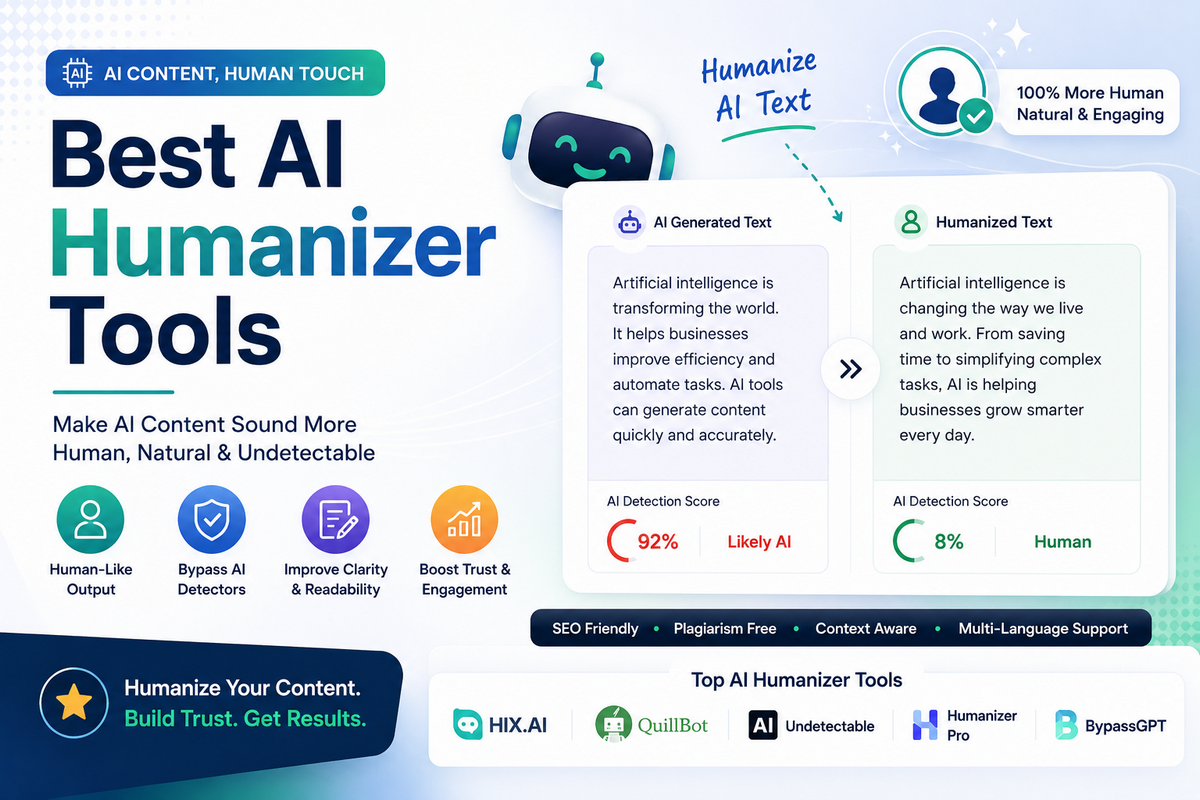
AI-generated content is now part of everyday writing, but so are AI detectors. If you use ChatGPT, Claude, Gemini, or DeepSeek to create drafts, you still need a way to make the final text sound natural, readable, and human-like.
That is where AI humanizer tools come in. These tools rewrite machine-like text into smoother, more varied, and more natural writing that works better for blogs, academic drafts, SEO articles, business content, and multilingual publishing.
In 2026, the best AI humanizer tools are no longer simple paraphrasers. They now focus on sentence rhythm, tone control, readability, semantic variation, and detector-specific optimization.
Many tools also include built-in AI detectors, rewriting modes, and multi-language support. This guide covers the best AI humanizer tools in 2026, their features, pros and cons, pricing, and the reasons you should choose each one.
If you are already using ChatGPT, Claude, or other AI chatbots, our guide to the 5 best AI chatbots and best AI tools for small business will help you build a complete AI writing stack.
What Is an AI Humanizer Tool?
An AI humanizer tool is a software platform that converts AI-generated text into writing that sounds more like a real person wrote it. Instead of just swapping words, it changes sentence structure, flow, tone, and expression while keeping the meaning intact. The goal is to reduce robotic patterns and improve readability.
In 2026, people use AI humanizers for many reasons. Bloggers use them to make content more engaging. SEO writers use them to improve naturalness. Students use them to refine drafts.
Agencies use them to scale content without losing quality. The strongest tools now support output from GPT‑4.5, GPT‑5‑class models, Claude Sonnet 5 / Opus 4.8, Gemini 2.x, and other major LLMs.
What’s New in 2026?
AI humanizer tools in 2026 are much more advanced than older paraphrasing tools. Instead of basic synonym replacement, they now use deeper rewriting logic that changes cadence, phrasing, and structure. Many tools also offer built-in detection scores so users can preview how their text may perform before publishing.
Here are some of the biggest updates in 2026:
- Better support for long-form content and article-level rewriting.
- More tools with built-in AI detectors and rewrite feedback.
- Improved output for SEO articles, academic writing, and marketing copy.
- Stronger multilingual support for global users.
- New tools like Rephrasy, HumanizerPro, GPTHuman.ai, and CudekAI are gaining attention for their output quality and usability.
If you are updating your article for search visibility, phrases like best AI humanizer tools 2026, AI humanizer to bypass Turnitin, humanize ChatGPT text free, AI detection remover, undetectable AI content, and AI humanizer for GPT‑5 should appear naturally throughout the page.
How We Tested These Tools
To compare the best AI humanizer tools in 2026, the content was assessed based on use-case fit, output quality, available features, pricing, language support, and popular detector compatibility. We also considered how well each tool handles text from major AI models like ChatGPT, Claude, Gemini, and DeepSeek.
The most useful tools today tend to include:
- A clean rewriting interface.
- Multiple tone or rewriting modes.
- A built-in AI detector or score.
- Affordable pricing or a usable free tier.
- Support for blogs, essays, marketing copy, and multilingual text.
Quick Comparison Table
| Tool | Best For | Free Plan | Starting Price |
|---|---|---|---|
| Undetectable AI | Overall use | Yes | Starting Price: from $9.99/month (10K words) |
| GPTHuman.ai | Stealth scoring | Limited | Starting from about $8.25/month (entry tier) |
| Clever AI Humanizer | Academic writing | Yes | Freemium |
| HumanizerPro | High-volume content | Yes | $19/month |
| WriteHuman | Turnitin-focused users | Yes | $12/month |
| QuillBot Humanizer | All-in-one writing suite | Yes | $30/month |
| HIX Bypass | Flexible rewriting modes | No | $14.99/month |
| BypassGPT | Multilingual content | Yes | $14.99/month |
| Rephrasy | Free humanizing | Yes | Free (paid from $4/month). |
| Phrasly | Budget users | Yes | $10.99/month |
| Humalingo | Detector + humanizer combo | Yes | $19.99/month |
| CudekAI | Completely free use | Yes | Free |
1. Undetectable AI
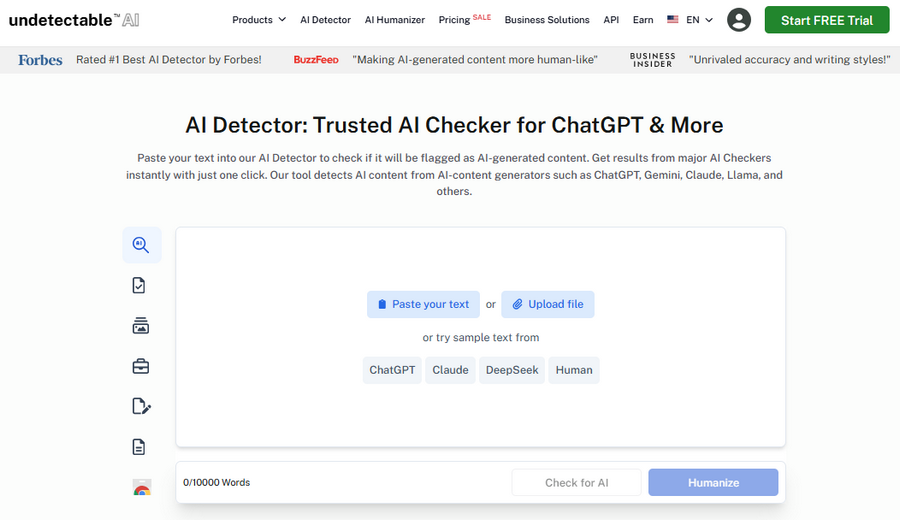
Undetectable AI is one of the most recognized AI humanizer tools in 2026, especially for users who want a balance of quality, flexibility, and reliable rewriting.
It is designed to take AI-generated content and make it sound more natural while keeping the original meaning intact.
Many bloggers and content marketers prefer it because it offers different writing styles and works well on longer pieces of content.
The tool is especially useful if you create blog posts, SEO pages, product descriptions, or marketing copy with AI and want the final output to sound smoother.
It also appeals to users who want a dependable all-around solution rather than a niche tool for only one type of content.
For SEO workflows, combine AI humanizers with effective prompt strategies using our best ChatGPT prompts for SEO and how to use ChatGPT for keyword research.
Features of Undetectable AI
- Multiple humanization modes for different tones.
- Built-in AI detector for checking output.
- Good support for long-form rewriting.
- Useful for blog, marketing, and academic-style content.
- Designed to work with content from major AI models.
Pros of Undetectable AI
- Strong overall output quality.
- Good balance between readability and human-like flow.
- Suitable for multiple content types.
- Easy to use for beginners.
Cons of Undetectable AI
- Some advanced features require paid access.
- Output may need light editing for niche subjects.
- Free usage is limited.
Pricing of Undetectable AI
Undetectable AI offers a free plan with limited use. Paid plans now start at around $9.99/month for 10,000 words, with higher tiers (20K, 35K, 50K words and beyond) scaling up in both word limits and cost.
Why choose Undetectable AI?
Choose Undetectable AI if you want a reliable all-purpose humanizer that works well for blogs, SEO writing, and general content creation. It is a solid choice for users who want good quality without needing a highly specialized platform.
2. GPTHuman.ai
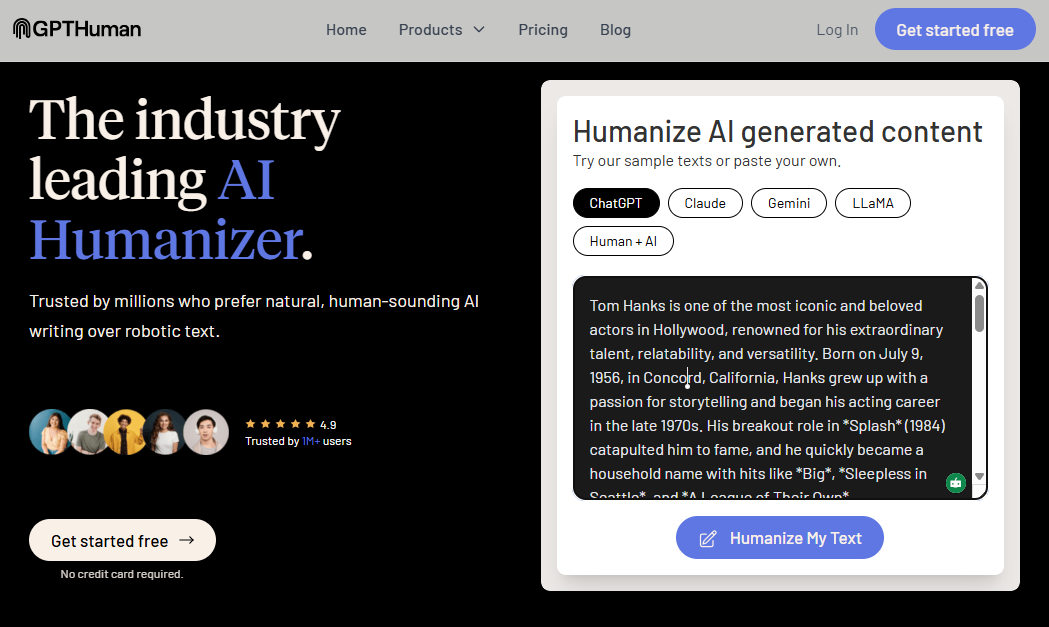
GPTHuman.ai has become one of the most talked-about AI humanizer tools in 2026 because of its focus on stealth scoring and advanced rewriting control.
It is built for users who want more confidence about how their rewritten text may perform. Instead of guessing whether content sounds human enough, the tool gives a score or indication of how likely the output is to pass as natural text.
This makes it appealing for power users, writers, and agencies that need a more technical and performance-oriented approach.
It also works well for users who regularly produce AI-assisted text and need an extra layer of control before publishing.
Features of GPTHuman.ai
- Stealth score or detection-confidence feedback.
- Advanced rewriting options for tone and readability.
- Re-humanize feature for improving weak outputs.
- Multilingual support.
- Built for users who want high control over output quality.
Pros of GPTHuman.ai
- Useful for users who want visibility into rewriting quality.
- Strong feature set for advanced use.
- Good for multilingual work.
- Can be useful for testing and refining content.
Cons of GPTHuman.ai
- Higher starting price than some competitors.
- May feel more technical for casual users.
- Limited free access.
Pricing of GPTHuman.ai
GPTHuman.ai offers a free trial and paid subscriptions starting at around $8.25/month for lower‑usage tiers, with higher‑limit plans available at higher prices.
Why choose GPTHuman.ai?
Choose GPTHuman.ai if you want a premium humanizer with a strong focus on performance tracking and content refinement. It is best for users who want more than basic rewriting and prefer a smarter, more controlled workflow.
3. Clever AI Humanizer
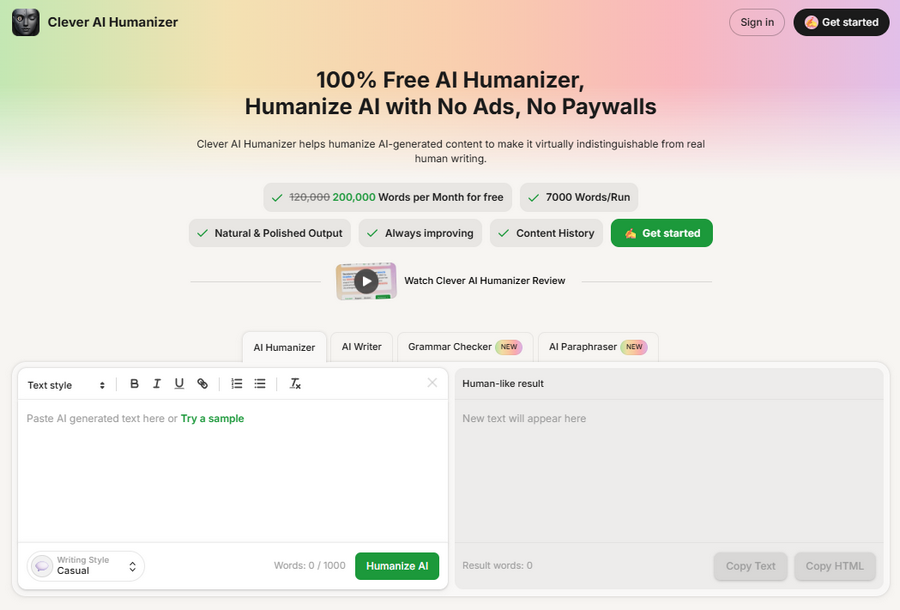
Clever AI Humanizer is one of the most user-friendly and practical tools for 2026, especially for students and writers who need natural-sounding text with minimal friction.
It is often mentioned in community discussions because it focuses on clean rewriting rather than overcomplicated settings. That makes it attractive for users who just want fast results.
It is especially useful for formal writing, essays, and academic-style drafts where clarity and structure matter.
If your content needs to sound polished without becoming too aggressive or unnatural, this tool is worth considering.
Features of Clever AI Humanizer
- Simple and clean interface.
- Strong academic-style rewriting.
- Suitable for essays and formal text.
- Fast processing for quick edits.
- Designed to reduce robotic AI phrasing.
Pros of Clever AI Humanizer
- Easy for beginners.
- Good for school, research, and formal writing.
- Fast to use.
- Often more natural than basic paraphrasers.
Cons of Clever AI Humanizer
- May not suit highly creative writing.
- Advanced customization is limited.
- Free access may vary.
Pricing of Clever AI Humanizer
Clever AI Humanizer is generally available with a free or freemium model, though exact pricing can vary based on current access and usage limits.
Why choose Clever AI Humanizer?
Choose Clever AI Humanizer if you want a simple and effective tool for academic or formal writing. It is a strong option for users who prefer a straightforward workflow and natural output.
4. HumanizerPro
HumanizerPro is built for scale, making it a strong choice for agencies, SEO teams, and high-volume content creators. In 2026, one of the biggest advantages of this tool is that it can handle larger inputs while keeping the output readable and natural. It also includes a built-in AI detector, which helps users verify the rewritten text before publishing.
This makes HumanizerPro especially useful for content teams that need a repeatable workflow. If you publish a large number of articles, web pages, or marketing assets, this tool can save time while keeping quality consistent.
Features of HumanizerPro
- Up to 3,000 words per input on many plans.
- Built-in AI detector.
- 20+ language support.
- Useful for high-volume content workflows.
- Suitable for blogs, SEO, and agency use.
Pros of HumanizerPro
- Great for long and repetitive workloads.
- A helpful built-in detection tool.
- Good multilingual support.
- Strong value for teams.
Cons of HumanizerPro
- Can be more than casual users need.
- Advanced use may require paid plans.
- Output still benefits from manual editing on sensitive content.
Pricing of HumanizerPro
HumanizerPro starts at around $19 per month, with higher tiers available for heavier usage and team needs.
Why choose HumanizerPro?
Choose HumanizerPro if you create content at scale and need a tool that combines rewriting, checking, and multilingual support in one place. It is especially useful for agencies and SEO publishers.
5. WriteHuman
WriteHuman is a popular choice for users who want AI text that feels natural while staying closer to academic and formal writing styles. It is often discussed as one of the better tools for Turnitin-focused use cases, which makes it attractive to students, researchers, and academic writers. The tool focuses on preserving meaning while making the text sound less machine-generated.
Because of that balance, it is not only useful for academic work but also for reports, long-form explanations, and structured content. It is especially helpful if you want the text to remain polished rather than overly rewritten.
For research and thesis work, pair these tools with our list of best academic writing tools to streamline note‑taking, structuring, and referencing
Features of WriteHuman
- Strong focus on formal and academic rewriting.
- Good output for essays and reports.
- Cleaner sentence flow and style adjustments.
- Easy interface for fast use.
- Often used for detector-focused workflows.
Pros of WriteHuman
- Good for essays and research content.
- Preserves meaning well.
- Easy to learn and use.
- Affordable entry pricing.
Cons of WriteHuman
- Less flexible for creative writing.
- May require editing for marketing copy.
- Some features are limited on lower plans.
Pricing of WriteHuman
WriteHuman typically starts at about $12 per month, with a free plan or trial available depending on the current offer.
Why choose WriteHuman?
Choose WriteHuman if your main priority is formal rewriting for academic or professional content. It is a strong fit for users who want a clean, practical humanizer without too much complexity.
6. Quillbot Humanizer
Quillbot Humanizer stands out because it is part of a larger writing platform. That means you do not just get a humanizer — you also get paraphrasing, grammar correction, summarizing, and other writing tools in one place. This makes it especially useful for writers who want a complete productivity suite.
In 2026, QuillBot remains popular because many users already trust its ecosystem. While it is not the most aggressive tool for detector-focused rewriting, it is very useful for cleaning up content and improving natural flow.
Features of QuillBot Humanizer
- Humanizer plus paraphraser and grammar tools.
- Easy-to-use platform.
- Suitable for everyday writing improvement.
- Good for students, editors, and general writers.
- Part of a larger writing suite.
Pros of QuillBot Humanizer
- All-in-one writing platform.
- Great for basic editing and rewriting.
- Trusted and familiar brand.
- Helpful for writers who want convenience.
Cons of QuillBot Humanizer
- Not always the strongest for advanced detector challenges.
- Premium pricing is higher than that of some competitors.
- Humanizer output can be inconsistent in technical content.
Pricing of QuillBot Humanizer
QuillBot offers a free plan with limited use. Paid plans generally start around $30 per month.
Why choose QuillBot Humanizer?
Choose QuillBot if you want a full writing toolkit instead of a single-purpose humanizer. It is a smart option for users who value convenience and extra writing features.
7. HIX Bypass
HIX Bypass is a good choice for users who want different rewriting strengths depending on the type of content. It offers multiple modes, which help you decide whether you want a light polish or a deeper rewrite. That flexibility makes it useful for both casual writers and more demanding use cases.
It is especially valuable when you work with different content formats and need a tool that can adapt. For example, a blog post may only need a light rewrite, while a formal document may require a more aggressive transformation.
Features of HIX Bypass
- Multiple rewriting modes.
- Good for flexible content adjustment.
- Useful for blogs, reports, and general content.
- Designed to reduce AI-like phrasing.
- Smooth interface.
Pros of HIX Bypass
- Flexible and adaptable.
- Useful across different writing styles.
- Good for users who want control.
- Solid output quality for everyday use.
Cons of HIX Bypass
- No strong free plan.
- May not be the cheapest option.
- Some users may want more built-in checking.
Pricing of HIX Bypass
HIX Bypass usually starts at around $14.99 per month, depending on the plan and billing cycle.
Why choose HIX Bypass?
Choose HIX Bypass if you need flexible rewriting modes for different content types. It is a practical option for users who want more control than a basic humanizer provides.
8. BypassGPT
BypassGPT is one of the more useful options for multilingual users in 2026. It is designed to humanize text in multiple languages while keeping the output natural and readable. That makes it a strong choice for international bloggers, affiliate marketers, and businesses targeting more than one market.
The tool is also useful when you work with AI-generated content from various models and want a clean, natural final result. It is especially appealing for users who need broad language support without using multiple tools.
Features of BypassGPT
- 50+ language support.
- Good for multilingual content creation.
- Built-in checking features on many plans.
- Works on text from major AI models.
- Useful for blogs and international content.
Pros of BypassGPT
- Excellent for multilingual content.
- Flexible and practical.
- Good for global marketing use.
- Simple enough for regular workflows.
Cons of BypassGPT
- Some features may be locked behind paid plans.
- Quality can vary by language.
- May need light editing for technical terms.
Pricing of BypassGPT
BypassGPT commonly starts at around $14.99 per month, with free access or trial options depending on current availability.
Why choose BypassGPT?
Choose BypassGPT if you write in multiple languages or manage international content. It is a strong fit for creators who need a multilingual humanizer that is easy to use.
9. Rephrasy
Rephrasy has become one of the most talked-about free AI humanizer tools in 2026 because of its ease of use and accessibility. It is a strong choice for users who want to humanize AI text without paying up front. The tool is especially appealing for students, casual bloggers, and users who need quick edits without a complicated setup.
It focuses on turning AI-generated text into cleaner, more natural writing while keeping the message intact. For free users, that makes it one of the most practical tools to try first.
Features of Rephrasy
- Free AI humanizer option.
- Easy to access and use.
- Works with common AI-generated content.
- Good for short to medium text.
- Designed to make text sound more human-like.
Pros of Rephrasy
- Very affordable because it is free.
- Great for basic everyday use.
- No heavy learning curve.
- Good entry point for new users.
Cons of Rephrasy
- Free usage may have limitations.
- Less advanced than premium tools.
- Long-form performance may vary.
Pricing of Rephrasy
Rephrasy offers a free option and lightweight paid plans, with entry‑level pricing reported around $4/month for 50,000 words in some recent comparisons.
Why choose Rephrasy?
Choose Rephrasy if you want a free and easy humanizer for quick rewriting tasks. It is ideal for users who need a simple tool before upgrading to a paid option.
10. Phrasly
Phrasly is a budget-friendly AI humanizer that has gained attention because it balances affordability with solid functionality. It is a good option for bloggers, freelancers, and students who want a low-cost tool with decent output quality. It also appeals to users who want a humanizer that is easy to understand and quick to use.
Phrasly is especially useful if you want a practical tool without paying premium prices. For many users, that makes it a strong everyday choice.
Features of Phrasly
- Affordable pricing.
- Easy-to-use humanizing interface.
- Good for blog and article rewriting.
- Suitable for regular content tasks.
- Useful for users on a budget.
Pros of Phrasly
- Very affordable.
- Beginner-friendly interface.
- Good for routine rewriting.
- Often enough for light content work.
Cons of Phrasly
- Not as advanced as premium tools.
- Free tier is limited.
- Best results may require editing.
Pricing of Phrasly
Phrasly starts at around $10.99 per month, with a free plan available for limited use.
Why choose Phrasly?
Choose Phrasly if you want a low-cost AI humanizer that still performs well for everyday content tasks. It is one of the better budget choices in 2026.
If you are looking for more no‑cost automation, check out these best free AI tools for bloggers to expand your toolkit beyond humanizers.
11. Humalingo
Humalingo is a useful all-in-one option because it combines AI detection with humanization. That means you can identify weak or robotic text and improve it inside the same platform. This makes it especially valuable for editors, content managers, and SEO teams that need a more streamlined workflow.
It is also practical for users who want to verify their output before publishing. In a market where tool switching wastes time, that integrated approach is a big advantage.
Features of Humalingo
- AI detector and humanizer in one platform.
- Useful for content review workflows.
- Good for editors and managers.
- Helps refine AI-generated drafts faster.
- Designed for natural-language improvement.
Pros of Humalingo
- Convenient all-in-one workflow.
- Saves time by reducing tool switching.
- Helpful for quality control.
- Good for teams and editors.
Cons of Humalingo
- May cost more than basic tools.
- Less well-known than major brands.
- Free access may be limited.
Pricing of Humalingo
Humalingo pricing generally starts around $19.99 per month, depending on the current plan.
Why choose Humalingo?
Choose Humalingo if you want both detection and humanization in one place. It is a smart tool for editorial and agency workflows.
12. CudekAI
CudekAI is one of the strongest completely free AI humanizer options in 2026. It is a simple, direct tool for users who want to convert AI text into more natural writing without paying for a subscription. That makes it especially useful for students, budget-conscious creators, and casual users.
While it may not be as advanced as premium tools, it delivers solid value for free. For many people, that makes it worth bookmarking as a backup humanizer.
Features of CudekAI
- Completely free to use.
- Basic AI humanization features.
- Easy for quick rewriting.
- Good for simple content tasks.
- No heavy setup required.
Pros of CudekAI
- No subscription cost.
- Great for casual use.
- Simple and accessible.
- Good backup option.
Cons of CudekAI
- Fewer advanced features.
- Output may need manual editing.
- Not the best for long-form complex content.
Pricing of CudekAI
CudekAI is free, making it one of the most accessible AI humanizer tools available.
Why choose CudekAI?
Choose CudekAI if you need a free humanizer for occasional use or simple content edits. It is especially useful when you want a no-cost fallback option.
Best AI Humanizer by Use Case
Different users need different tools. Here is a quick breakdown to help readers choose the right one.
- Best for bloggers: Undetectable AI, HumanizerPro
- Best for students: WriteHuman, Clever AI Humanizer
- Best free option: Rephrasy, CudekAI
- Best for agencies: HumanizerPro, Humalingo
- Best multilingual tool: BypassGPT
- Best budget option: Phrasly
- Best all-in-one suite: QuillBot Humanizer
This section is useful because it targets long-tail searches like “best AI humanizer for SEO,” “AI humanizer for students,” and “free AI humanizer unlimited words.”
How to Choose the Right AI Humanizer
The best AI humanizer depends on your content goals. If you write blog posts, you need a tool that preserves readability and keyword flow. If you work on academic drafts, you need one that produces formal and natural-sounding text. If you write for multiple markets, multilingual support matters more than aggressive rewriting.
Before choosing a tool, check these factors:
- Output quality.
- Detector support.
- Word limits.
- Pricing.
- Language support.
- Editing flexibility.
- Ease of use.
In 2026, the most useful tools are not always the most aggressive ones. The best option is usually the one that keeps meaning intact while making the final text sound smooth and human.
To understand AI detection better, you can also explore these free AI content detectors and see how your drafts perform before and after humanization.
Frequently Asked Questions
Which AI humanizer works best in 2026?
The best AI humanizer in 2026 depends on your goal, but Undetectable AI, GPTHuman.ai, HumanizerPro, and strong free options like Rephrasy are among the most competitive choices for most users. They offer a good mix of natural output, rewriting control, and useful features. For most users, Undetectable AI is the best all-around option.
What is the best free AI humanizer with no word limit?
Rephrasy and CudekAI are two of the most appealing free‑first AI humanizers in 2026. Rephrasy offers generous free usage with low‑cost paid plans, while CudekAI remains completely free for basic humanization. They are easy to use, accessible for beginners, and useful for quick rewrites without needing a paid subscription. If you want a simple free option, these tools are worth trying first.
Can AI humanizers bypass Turnitin?
Some AI humanizers can help reduce robotic patterns and make text sound more natural, but results are not guaranteed. Turnitin updates its detection methods regularly, so performance can vary depending on the content, writing style, and tool used. It is better to use them for quality improvement, not as a guarantee.
Which AI humanizer is best for SEO content?
Undetectable AI and HumanizerPro are strong choices for SEO writers because they focus on readability, sentence flow, and natural phrasing. These tools are useful for blog posts, landing pages, and affiliate content where you want the text to sound human while still keeping the original meaning intact.
Are AI humanizers safe to use?
Yes, AI humanizers are generally safe to use for blogging, marketing, rewriting, and editing. They are writing tools, not harmful software. However, users should always follow their school, workplace, or platform rules, especially if the content is for academic or professional submission.
Which AI humanizer supports the most languages?
GPTHuman.ai and BypassGPT are among the strongest multilingual AI humanizers in 2026. They are designed for users who create content in more than one language and want natural-sounding output across different markets. This makes them especially useful for global bloggers and international businesses.
What is the difference between an AI humanizer and a paraphraser?
A paraphraser mainly rewrites words and sentences in a new form, while an AI humanizer focuses on making the text sound more natural, smooth, and human-like. Humanizers usually go deeper into sentence rhythm, tone, and structure, which makes them better for improving AI-generated content.
Do AI humanizers work for blog writing?
Yes, AI humanizers can work very well for blog writing when used correctly. They help improve readability, reduce robotic phrasing, and make content sound more conversational. For bloggers, the best results usually come from humanizing the draft first and then doing a quick manual edit.
Can I use AI humanizers for academic writing?
AI humanizers can be used to improve clarity and flow in academic-style drafts, but users must follow their institution’s rules. They are best used as editing tools to refine tone and readability, not as a way to bypass academic policies. Always check submission guidelines before using them.
Which AI humanizer is best for beginners?
Rephrasy, CudekAI, and QuillBot Humanizer are good options for beginners because they are simple, easy to navigate, and do not require advanced settings. If you are new to AI rewriting tools, these platforms offer a quick way to understand how humanization works without a steep learning curve.
Final Verdict
The best AI humanizer tools in 2026 depend on your purpose. If you want the strongest overall option, Undetectable AI is a solid pick.
If you want advanced scoring and control, GPTHuman.ai is a strong premium choice. If you want a free tool, Rephrasy and CudekAI are good starting points.
For teams and agencies, HumanizerPro and Humalingo offer more workflow value.
Once your content quality is solid, you can focus on monetization through the best ways to make money with ChatGPT and how to make money with Google AdSense.
As models like GPT‑5 and Claude Sonnet 5 get better at sounding human by default, AI humanizers are shifting from “detector dodging” to quality and tone‑polishing tools, which makes them useful even when detectors are not a concern.
If your goal is to create natural, readable content from AI drafts, these tools can save time and improve quality. The real key is choosing the right tool for your content type, budget, and publishing goals.