If you have been scrolling through Instagram, TikTok, X, or Facebook lately, you have probably seen people sharing impressive AI-generated images, personality analyses, social media content, productivity workflows, and creative transformations.
The secret behind many of these trends is surprisingly simple: ChatGPT prompts.
A good prompt can turn ChatGPT into a writing assistant, SEO strategist, coding partner, study tutor, social media manager, image creator, or personal productivity coach.
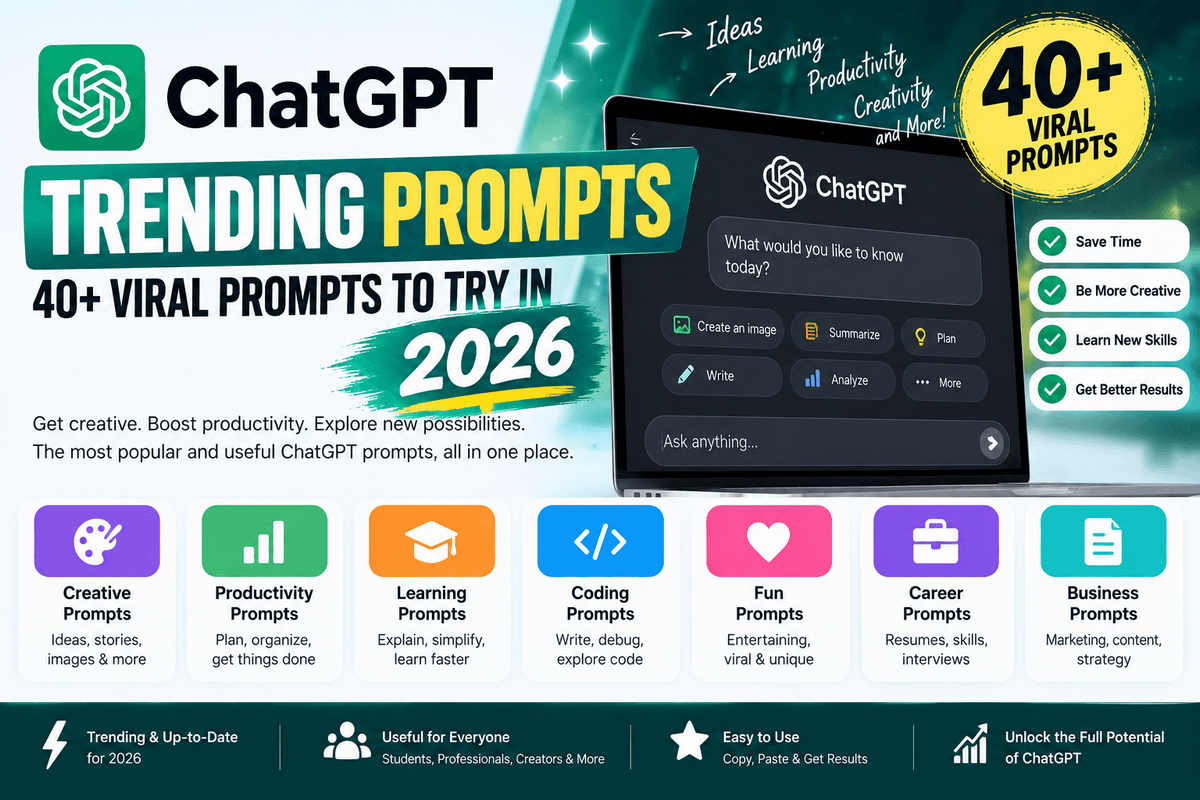
In this guide, you’ll find the best ChatGPT trending prompts for 2026, including viral image prompts, creative prompts, productivity prompts, content-creation prompts, coding prompts, study prompts, and self-reflection prompts.
You can copy, paste, customize, and reuse these prompts for your own projects.
Updated: September 2026
What Are ChatGPT Trending Prompts?
ChatGPT trending prompts are prompts that are currently popular because they produce useful, entertaining, creative, or highly shareable results.
Some become popular because of social media trends, while others gain attention when a new ChatGPT capability makes a particular type of task easier.
Recent trends include personalized image transformations, self-reflection prompts, viral photography concepts, content creation, coding assistance, and productivity workflows.
Unlike a basic question such as:
“Write a blog post.”
A more effective trending prompt might tell ChatGPT the role, objective, audience, context, format, tone, and constraints.
OpenAI recommends making prompts clear and specific, providing relevant context, describing the desired output, and refining the response iteratively.
Most Trending ChatGPT Prompt of the Month (September 2026)
One of the most popular ChatGPT image prompt ideas this month is the 1980s vintage photo transformation. This prompt transforms a modern photograph into a realistic image that looks as though it was genuinely captured during the 1980s, while keeping your face, identity, expression, and natural features recognizable.
Unlike a simple vintage filter, the prompt asks ChatGPT to recreate the clothing, hairstyle, accessories, lighting, colors, film characteristics, and surrounding environment of the era. It also removes modern objects that could make the image look artificial or historically inaccurate.
Viral 1980s Photo Transformation Prompt
Upload your photo to ChatGPT and copy and paste the prompt below:
Transform this photo into a realistic 1980s photograph while keeping my face, facial structure, skin tone, expression and identity recognisable.

Restyle my clothing, hairstyle and accessories to match the 1980s. Use authentic period-appropriate styling, warm analogue lighting, subtle film grain, slightly faded colours, soft focus and natural skin texture.

Create a believable vintage photograph rather than simply applying an old-photo filter.

Remove modern elements such as smartphones, contemporary clothing, modern cars and other present-day objects.

Make the final image look like it was genuinely photographed in the 1980s.
Why Is This ChatGPT Prompt Trending?
The appeal of this prompt is that it does more than add a retro effect to an existing image. It asks the AI to reconstruct the visual characteristics of an entire era while preserving the person’s recognizable identity.
The result can feel like an authentic family photograph, studio portrait, school picture, travel photograph, or casual snapshot from the 1980s.
Try These 1980s Variations
You can make the prompt even more interesting by adding a specific setting or photography style:
- 1980s family portrait — Create a traditional family photograph with period-appropriate clothing and studio styling.
- 1980s school photo — Recreate the look of a classic school portrait with an authentic backdrop.
- 1980s Bollywood-style portrait — Add fashion, hairstyles, colors, and photographic aesthetics inspired by the era.
- 1980s wedding photograph — Recreate an authentic vintage wedding photo with period clothing and photography.
- 1980s street photograph — Place the subject in a believable 1980s urban environment with period-appropriate cars, shops, and clothing.
- 1980s passport-style portrait — Create a simple, formal vintage portrait with era-appropriate photography characteristics.
- Retro Motorcycle: Posing beside a classic Yezdi/Jawa-style motorcycle, leather jacket, sunglasses, and boots.
- Petrol Pump Scene: Standing beside an Ambassador at a vintage petrol station with period clothing and an analog-camera look.
- Village Morning: Walking through a rural Indian village wearing a simple white shirt and trousers, with bicycles and old houses.
- Cricket Ground: Wearing an authentic 1980s cricket uniform, holding a wooden bat beside an old cricket ground.
- Scooter Ride: Posing beside a classic Bajaj Chetak-style scooter with an oversized shirt, trousers, sunglasses, and leather shoes.
- Railway Station: Standing beside an old Indian railway platform with a suitcase, vintage shirt, trousers, and a classic station setting.
Pro tip: For a more convincing result, add details about the location, year, clothing style, photography type, background, and lighting you want. The more relevant visual context you provide, the easier it is for the image model to understand the intended era.
50+ Best ChatGPT Trending Prompts to Try
1. Describe Me in One Word
This prompt asks ChatGPT to create a concise description of your personality based on your previous conversations. It is a fun way to discover how your communication style, interests, and recurring patterns may be perceived by AI.
Prompt:
Based on everything you know about me from our conversations, describe me in one word.

Choose a word that genuinely reflects my personality, interests, communication style, strengths, and recurring patterns.

Explain why you chose that word using specific observations.
Try variations:
- Describe me in three words.
- Describe my personality as a movie character.
- Describe me as a season.
- Describe me as a color.
- Describe me as an animal.
- Describe me as a profession.
2. How Does ChatGPT See Me?
This is a deeper version of the personality trend. Instead of reducing your personality to one word, it asks ChatGPT to identify patterns in your behavior, communication, strengths, weaknesses, and interests based on the available conversation context.
Prompt:
Based only on our conversations and the information I have shared with you, describe how you perceive me.

Analyze:
1. My personality
2. My strengths
3. My weaknesses
4. How I approach problems
5. How I communicate
6. What I seem to value
7. Patterns in the types of questions I ask

Be honest, specific, and balanced. Avoid generic compliments.
This type of prompt is especially interesting when ChatGPT has enough conversational context to identify recurring patterns.
Trending ChatGPT Image Prompts
AI image generation is one of the biggest sources of viral ChatGPT prompts in 2026. Current trends include cinematic photography, retro images, personalized transformations, miniature worlds, posters, and other highly visual concepts.
OpenAI also recommends describing the subject, purpose, setting, visual style, composition, lighting, and important constraints when creating images.
3. Cinematic Portrait Prompt
This trending image prompt transforms an ordinary photograph into a cinematic-looking portrait. It is useful for creating professional profile images, social media photos, creative portraits, or movie-inspired visuals while maintaining a recognizable appearance.
Upload your photo and use:
Transform this photo into a cinematic professional portrait.

Keep my facial identity recognizable and natural. Use dramatic but realistic lighting, subtle depth of field, detailed skin texture, realistic colors, cinematic composition, and a premium editorial photography style.

Make the final image look like a professionally photographed movie still.
4. Luxury Magazine Cover
Use this prompt to transform a personal photo into an elegant editorial-style magazine cover. It works particularly well for creating premium fashion, business, lifestyle, or personal-branding visuals.
Transform the uploaded photo into a sophisticated luxury magazine cover.

Keep the person's identity and facial features natural and recognizable.

Use premium editorial photography, elegant studio lighting, sophisticated composition, realistic skin texture, subtle shadows, and a high-end fashion aesthetic.

Create a clean magazine-style layout with minimal typography.
5. Vintage 1990s Photo
This prompt recreates the nostalgic appearance of an authentic 1990s photograph. Film grain, faded colors, flash photography, and natural imperfections help give a modern image an old-school analog feel.
Transform this photo into an authentic 1990s photograph.

Use realistic film grain, slightly faded colors, soft flash photography, natural imperfections, vintage clothing aesthetics, and a nostalgic analog-camera look.

Make it feel like a genuine photograph taken in the 1990s rather than a modern image with a filter.
6. Polaroid Memory Prompt
The Polaroid prompt gives your photograph a nostalgic instant-camera aesthetic. It is ideal for creating images that look like personal memories, travel snapshots, or old photographs rather than polished modern digital pictures.
Turn this photo into a nostalgic instant-camera photograph.

Use authentic Polaroid-style framing, subtle film grain, soft colors, natural lighting, slight exposure imperfections, and realistic analog photography characteristics.

Make it feel like a genuine personal memory from the late 1990s or early 2000s.
7. Action Figure Prompt
Turn yourself or another person into a collectible action figure with realistic packaging and accessories. This creative prompt is especially useful for generating personalized toy concepts based on someone’s profession, hobbies, or personality.
Turn the person in this photo into a premium collectible action figure displayed inside realistic retail packaging.

Include miniature accessories related to the person's interests and profession.

Use realistic plastic materials, detailed packaging, studio lighting, product photography, and a premium collectible-toy aesthetic.

Make the packaging look commercially produced and photorealistic.
8. Miniature World Prompt
This prompt creates a tiny, detailed world around the person in your photograph. The miniature environment can represent their job, interests, or lifestyle, producing a creative combination of macro photography and storytelling.
Create a highly detailed miniature world based on the person in this photo.

Place the person inside a tiny but realistic environment representing their profession and interests.

Use macro photography, miniature-scale details, realistic textures, cinematic lighting, shallow depth of field, and a playful but photorealistic appearance.
9. Anime Transformation
Use this prompt to transform a regular photograph into an anime-inspired character illustration. The instructions focus on preserving recognizable characteristics while adding detailed artwork, expressive features, and an animated-film aesthetic.
Transform this photo into a polished anime-inspired illustration.

Preserve the person's recognizable facial characteristics, hairstyle, pose, and overall identity.

Use detailed character artwork, expressive eyes, clean linework, cinematic lighting, rich background details, and a professional animated-film aesthetic.
10. Professional LinkedIn Portrait
This prompt is designed for people who need a polished professional headshot without an overly artificial appearance. It can help create a clean business portrait suitable for LinkedIn, professional profiles, websites, and online portfolios.
Create a professional LinkedIn headshot from this photo.

Keep my facial identity completely natural and recognizable.

Use professional studio lighting, a clean neutral background, realistic skin texture, business-appropriate clothing, sharp focus, and a confident but approachable expression.

Avoid excessive retouching or artificial-looking skin.
Viral ChatGPT Prompts for Content Creators
11. Generate 30 Blog Ideas
This prompt turns ChatGPT into an SEO content-ideation assistant. Instead of generating random topics, it asks for article ideas along with keywords, search intent, target audiences, and content angles that can help build a more strategic editorial calendar.
Act as an experienced SEO content strategist.

My website is about [TOPIC].

Generate 30 high-potential blog topics for 2026.

For each topic provide:
- SEO-friendly title
- Primary keyword
- Search intent
- Target audience
- Suggested content angle
- Potential long-tail keywords

Prioritize topics with strong search intent and practical value.
12. Find Content Gaps
Use this prompt to discover topics and questions that may be missing from existing content. It is particularly useful for bloggers and SEO professionals who want to make an article more comprehensive and identify opportunities competitors may have overlooked.
Act as an SEO content strategist.

Analyze the topic: [TOPIC].

Identify important subtopics, questions, comparisons, examples, and user problems that a comprehensive article should cover.

Then identify potential content gaps that many competing articles are likely to miss.

Create a recommended article structure designed to satisfy informational search intent comprehensively.
13. Create an SEO Content Brief
This prompt helps create a detailed roadmap before writing an SEO article. It covers keywords, search intent, headings, FAQs, entities, internal links, and content angles so you can build an article around what readers are actually looking for.
Create a detailed SEO content brief for an article targeting the keyword "[KEYWORD]".

Include:
- Search intent
- Primary keyword
- Secondary keywords
- Long-tail keywords
- Suggested title
- Meta title
- Meta description
- H1
- H2/H3 structure
- FAQ questions
- Internal linking opportunities
- Entities to mention
- E-E-A-T opportunities
- Content angles that can differentiate the article

Do not recommend keyword stuffing.
14. Improve an Existing Article
This is useful when you already have an article but want to make it stronger. ChatGPT can review the content for missing information, weak sections, outdated material, search-intent gaps, keyword opportunities, and potential improvements.
Act as an expert SEO editor.

Analyze the following article and identify opportunities to improve its organic search performance, topical depth, readability, helpfulness, and AI-search visibility.

Look for:
- Missing topics
- Search intent gaps
- Weak sections
- Outdated information
- Keyword opportunities
- Internal linking opportunities
- FAQ opportunities
- Better headings
- Opportunities for original insights

Then provide a prioritized improvement plan.

Article:
"""
[PASTE ARTICLE]
"""
ChatGPT Prompts for Social Media
15. Create a Viral Facebook Post
Use this prompt to turn a basic topic into an engaging Facebook post. It focuses on creating a strong hook, useful information, a natural call to action, and relevant hashtags without relying entirely on clickbait.
Act as an expert social media content strategist.

Create an engaging Facebook post about [TOPIC].

Include:
- A strong first-line hook
- Simple explanation
- 5 useful takeaways
- A curiosity-driven conclusion
- A natural call to action
- Relevant hashtags

Keep the post useful rather than clickbait-heavy.
16. Turn a Blog Post Into Social Content
This prompt repurposes one piece of content into multiple social media formats. It can save time by creating platform-specific versions for Facebook, LinkedIn, X, Instagram, and short-form video content from the same source article.
Turn the following blog post into a social media content package.

Create:
1. Facebook post
2. LinkedIn post
3. X post
4. Instagram caption
5. Short video/Reel hook
6. 5 headline ideas
7. 10 relevant hashtags

Keep each version native to its platform.

Article:
"""
[PASTE ARTICLE]
"""
ChatGPT Prompts for Productivity
17. Personal Productivity Planner
This prompt helps organize a busy list of tasks into a realistic daily schedule. By considering urgency, importance, effort, and potential impact, ChatGPT can help you decide what deserves attention first instead of simply creating a longer to-do list.
Act as my productivity coach.

Here are my tasks for today:
[LIST TASKS]

Help me prioritize them using:
- Urgency
- Importance
- Expected impact
- Estimated effort

Create a realistic schedule that includes focused work sessions, short breaks, and buffer time.

Do not overload the schedule.
18. Turn Goals Into an Action Plan
Large goals can feel difficult when there is no clear starting point. This prompt breaks a goal into smaller weekly and daily actions, milestones, and review points so you can turn an idea into a practical 30-day plan.
I want to achieve this goal:

[GOAL]

Create a practical 30-day action plan.

Break it into:
- Weekly objectives
- Daily actions
- Milestones
- Potential obstacles
- Metrics to track
- Review points

Make the plan realistic for one person with limited time.
ChatGPT Prompts for Students
19. Explain Any Topic Simply
This is a useful learning prompt for students, beginners, and anyone trying to understand a difficult subject. It asks ChatGPT to combine simple explanations, analogies, examples, important terms, and exam-focused points to make learning easier.
Explain [TOPIC] as if you are teaching a beginner.

Use:
- Simple language
- A real-world analogy
- Step-by-step explanation
- A simple example
- Important terms
- Common mistakes
- 5 exam-focused points

End with 5 quick questions to test my understanding.
20. Create an Exam Study Plan
Use this prompt when you have a limited amount of time before an examination. It creates a structured study schedule that combines learning, revision, practice questions, active recall, and spaced review.
I have an exam in [NUMBER] days.

Subject:
[SUBJECT]

Topics:
[TOPICS]

Create a realistic study plan.

Include:
- Daily topics
- Revision sessions
- Practice questions
- Active recall
- Spaced revision
- Final-day review

Prioritize difficult and high-value topics.
ChatGPT Prompts for Coding
21. Debug My Code
This prompt turns ChatGPT into a coding review assistant. Instead of only looking for syntax errors, it asks for potential bugs, logic problems, security concerns, performance issues, and maintainability improvements.
Act as a senior software developer.

Review the following code:

"""
[CODE]
"""

Identify:
1. Bugs
2. Logic problems
3. Security issues
4. Performance problems
5. Maintainability issues

Then provide a corrected version and explain the important changes.

Do not rewrite working sections unnecessarily.
22. Learn Programming With Projects
Learning programming through practical projects can make abstract concepts easier to understand. This prompt creates a progressive project-based roadmap that matches your current skill level and gradually introduces more advanced concepts.
I want to learn [PROGRAMMING LANGUAGE].

My current level is [BEGINNER/INTERMEDIATE/ADVANCED].

Create a project-based learning roadmap.

For each project provide:
- Project idea
- Skills learned
- Concepts required
- Step-by-step milestones
- Common mistakes
- Extension ideas

Gradually increase the difficulty.
ChatGPT Prompts for Business
23. Business Idea Generator
This prompt helps generate business ideas based on your skills, interests, budget, and available time. Rather than providing generic startup ideas, it asks ChatGPT to connect potential opportunities with your personal resources and realistic constraints
Act as a business strategist.

My skills are:
[SKILLS]

My interests are:
[INTERESTS]

My available budget is:
[BUDGET]

My available time is:
[TIME]

Generate 10 realistic online business ideas.

For each idea include:
- Target customer
- Problem solved
- Business model
- Startup requirements
- Monetization strategy
- Difficulty
- First 5 steps
24. Competitor Analysis
Use this prompt to get a structured overview of a competing business. It examines the target audience, value proposition, strengths, weaknesses, customer problems, and possible opportunities for differentiation.
Act as a competitive research analyst.

Analyze this business:

[BUSINESS]

Identify:
- Target audience
- Core offering
- Value proposition
- Content strategy
- Possible weaknesses
- Differentiation opportunities
- Customer pain points
- Potential growth opportunities

Present the findings in a clear table.
ChatGPT Prompts for Writing
25. Make Writing More Professional
This prompt is useful when your original writing contains good information but needs better presentation. ChatGPT can improve grammar, clarity, sentence structure, flow, and word choice while keeping the original meaning intact.
Rewrite the following text to sound professional, clear, natural, and authoritative.

Preserve the original meaning.

Improve:
- Grammar
- Clarity
- Sentence structure
- Flow
- Word choice
- Readability

Avoid unnecessary jargon.

Text:
"""
[TEXT]
"""
26. Make AI Writing Sound Natural
Use this prompt when AI-generated content feels repetitive, generic, or overly formal. It instructs ChatGPT to create more natural and specific writing while avoiding common characteristics such as excessive adjectives, repetitive phrases, and unnecessary jargon.
Rewrite the following content so it sounds natural, specific, and genuinely useful.

Avoid:
- Generic introductions
- Repetitive phrases
- Excessive adjectives
- Unnecessary headings
- Corporate jargon
- Keyword stuffing
- Artificial-sounding conclusions

Use varied sentence structures and concrete examples while preserving the original facts.

Content:
"""
[TEXT]
"""
ChatGPT Prompts for Research
27. Research a Topic
This prompt creates a structured research brief around a specific subject. It is useful for identifying important concepts, recent developments, questions, misconceptions, and reliable sources that can guide deeper research.
Research the topic "[TOPIC]" and create a structured research brief.

Focus on:
- Current developments
- Important facts
- Key concepts
- Major examples
- Recent changes
- Common misconceptions
- Questions people ask

Clearly distinguish established facts from uncertain or changing information.

Recommend reliable primary sources where appropriate.
ChatGPT Prompts for Self-Improvement
28. Find My Blind Spots
This self-reflection prompt asks ChatGPT to identify potential weaknesses or patterns that you may not notice yourself. The goal is constructive feedback that can help you reconsider how you communicate, solve problems, or make decisions.
Based on our conversation, identify potential blind spots in the way I think, communicate, make decisions, or approach problems.

Be honest but constructive.

For each blind spot provide:
- What you observed
- Why it may matter
- A possible alternative approach
- One practical exercise I can try

Do not make psychological diagnoses.
29. Challenge My Idea
Instead of asking ChatGPT to agree with an idea, this prompt makes it act as a critical thinking partner. It looks for weak assumptions, risks, counterarguments, missing information, and alternative approaches before suggesting ways to strengthen the idea.
I have this idea:

[IDEA]

Do not simply agree with me.

Act as a critical thinking partner and identify:
- Weak assumptions
- Potential risks
- Missing information
- Counterarguments
- Alternative approaches
- Situations where the idea could fail

Then explain what would make the idea stronger.
ChatGPT Prompts for Better Decision-Making
30. Decision Matrix
This prompt is useful when you have several choices and cannot easily determine which one is best. ChatGPT compares the options against factors such as cost, benefits, risk, time, flexibility, and long-term value to create a structured decision-making framework.
I need to choose between:

Option A: [OPTION]
Option B: [OPTION]
Option C: [OPTION]

Evaluate them using:
- Cost
- Time
- Benefits
- Risks
- Long-term value
- Flexibility
- Difficulty

Create a weighted decision matrix and explain the recommendation.

Ask me for missing information if it would materially change the result.
10 Bonus ChatGPT Trending Prompts
31. Turn Me Into a Movie Character
This is a fun personalization prompt that uses your personality and interests to imagine you as a fictional movie character. It can generate an entertaining character archetype while explaining which traits influenced the comparison.
Based on what you know about my personality and interests, describe me as a fictional movie character.

Explain your choice and identify my character archetype.
32. Give Me Brutally Honest Feedback
Use this prompt when you want direct and constructive criticism rather than generic encouragement. It asks ChatGPT to identify what is working, what is not working, what you may be overlooking, and what actions you should consider changing.
Review my approach to [TOPIC].

Give me honest feedback without unnecessary compliments.

Tell me:
- What I'm doing well
- What I'm doing poorly
- What I'm overlooking
- What I should stop doing
- What I should start doing
33. Teach Me Faster
This prompt uses the 80/20 principle to focus learning on the concepts that provide the greatest practical understanding. It is especially useful when you need to learn a new topic quickly without becoming overwhelmed by unnecessary details.
Teach me [TOPIC] using the 80/20 principle.

Focus only on the concepts that will give me the greatest practical understanding.

Use examples and test me at the end.
34. Turn Notes Into an Article
If you have rough notes but don’t know how to organize them, this prompt can turn them into a structured article. It helps improve the flow, headings, readability, examples, and overall organization while preserving the important information from your notes
Turn these rough notes into a well-structured, SEO-friendly article.

Preserve important information but improve:
- Structure
- Flow
- Clarity
- Examples
- Headings
- Readability

Notes:
"""
[NOTES]
"""
35. Generate FAQ Questions
This prompt helps discover the questions readers are likely to have about a particular keyword or topic. It is especially valuable for bloggers and SEO professionals looking to build comprehensive articles and cover different stages of search intent.
Generate 20 useful FAQ questions that someone searching for "[KEYWORD]" would genuinely want answered.

Group them by beginner, intermediate, and advanced intent.
36. Create a YouTube Script
Use this prompt to transform a topic into a structured YouTube video script. It provides a strong opening, logical sections, examples, transitions, key takeaways, and a call to action while helping eliminate unnecessary filler.
Create an engaging YouTube script about [TOPIC].

Include:
- Strong opening hook
- Problem
- Explanation
- Examples
- Key takeaways
- Natural transitions
- CTA

Avoid unnecessary filler.
37. Generate YouTube Titles
This prompt generates multiple title ideas for a YouTube video while balancing search intent and curiosity. Having several options makes it easier to select a title that accurately represents the video without relying on misleading clickbait.
Generate 20 YouTube titles about [TOPIC].

Balance search intent, curiosity, clarity, and credibility.

Avoid misleading clickbait.
38. Turn a Topic Into a Course
This prompt is useful for teachers, educators, creators, and experts who want to turn their knowledge into an organized learning experience. ChatGPT can break a broad topic into modules, lessons, exercises, projects, learning objectives, and assessments.
Turn [TOPIC] into a beginner-friendly online course.

Create:
- Course structure
- Modules
- Lessons
- Learning objectives
- Exercises
- Projects
- Final assessment
39. Summarize a Long Text
Long articles, reports, notes, and documents can be difficult to review quickly. This prompt extracts the main argument, important facts, key points, and practical implications so you can understand the core information more efficiently.
Summarize the following text.

Give me:
- 5 key points
- Important facts
- Main argument
- Practical implications
- One-sentence summary

Text:
"""
[TEXT]
"""
40. Ask ChatGPT to Improve Its Own Answer
This meta-prompt asks ChatGPT to critically review its previous response instead of accepting the first answer as final. It can identify unclear explanations, repetition, unsupported claims, and missing information before producing a stronger version.
Review your previous answer critically.

Identify anything that is:
- unclear
- repetitive
- unsupported
- incomplete
- unnecessarily complicated

Then provide an improved version.
How to Create Your Own Trending ChatGPT Prompts
You don’t need to wait for a prompt to go viral.
You can create your own by combining six basic elements:
Role + Task + Context + Audience + Format + Constraints
For example:
Act as an SEO strategist.

Create a content plan for my technology blog.

My target audience is beginner and intermediate Windows users.

Give me 20 article ideas with primary keywords, search intent, suggested titles, and content angles.

Prioritize topics that solve specific user problems and avoid generic topics.
This structure gives ChatGPT much more useful information than simply asking:
“Give me blog ideas.”
OpenAI’s current prompting guidance similarly recommends clearly defining the task, providing useful context, describing the desired output, and refining the result when necessary.
The Best Formula for Viral ChatGPT Image Prompts
For image-generation prompts, use this simple formula:
Subject + Action + Environment + Style + Lighting + Composition + Constraints
For example:
Create a cinematic portrait of a young technology blogger working at a modern desk in a futuristic home office.

Use realistic photography, warm cinematic lighting, shallow depth of field, detailed textures, natural skin tones, and a premium editorial composition.

Keep the person recognizable and avoid unnecessary text, logos, or distorted hands.
OpenAI’s image-generation guidance notes that image prompts generally work best when they clearly describe the purpose, subject, setting, visual style, and important constraints; prompts don’t necessarily need to be extremely long.
Tips for Getting Better Results From ChatGPT Prompts
1. Be Specific
Instead of:
Write an article about SEO.
Try:
Write a 2,000-word beginner-friendly article explaining technical SEO for WordPress users.
2. Provide Context
Tell ChatGPT who the content is for and why you need it.
3. Specify the Format
Ask for a:
- Table
- Checklist
- Step-by-step guide
- Article
- Script
- JSON
- Bullet list
4. Give Constraints
Specify:
- Word count
- Tone
- Audience
- Reading level
- Number of examples
- Required sections
5. Use Follow-Up Prompts
Your first prompt doesn’t have to produce the final answer.
You can say:
Make this clearer.
Then:
Add practical examples.
Then:
Remove repetitive sections.
Then:
Optimize it for beginners.
This iterative approach is specifically recommended in OpenAI’s prompting guidance.
Common ChatGPT Prompt Mistakes to Avoid
❌ Too vague
Write something about technology.
✅ Better
Write a beginner-friendly 1,500-word guide explaining the five most useful Windows 11 privacy settings.
❌ No audience
Explain machine learning.
✅ Better
Explain machine learning to a first-year college student who has basic computer knowledge but no programming experience.
❌ No output format
Analyze this data.
✅ Better
Analyze this data and present the findings in a table with the top five insights followed by three actionable recommendations.
❌ Trying to do everything in one unclear request
Break complex work into logical stages when necessary. OpenAI recommends right-sizing complex requests and working iteratively rather than relying on one vague instruction.
Frequently Asked Questions
What are ChatGPT trending prompts?
ChatGPT trending prompts are popular prompts that people are currently using for creative, productivity, image-generation, writing, education, coding, and other AI tasks.
What is the most popular ChatGPT prompt trend in 2026?
Current trends include personalized AI images, cinematic photo transformations, self-reflection prompts, content creation, productivity workflows, and specialized prompts for coding and education.
Can I copy and paste ChatGPT prompts?
Yes. Most prompts can be copied and customized with your own topic, audience, information, or requirements.
How do I make ChatGPT prompts more effective?
Be clear about the task, provide relevant context, specify the desired output and audience, and refine the response based on the first result.
Do longer ChatGPT prompts always produce better answers?
No. Clarity is generally more important than length. Include the information ChatGPT actually needs rather than adding unnecessary instructions.
Can I use these prompts for ChatGPT image generation?
Yes. Image prompts can be adapted by adding details about the subject, setting, composition, lighting, style, and constraints.
Final Thoughts
The best ChatGPT trending prompts aren’t necessarily the longest or most complicated ones. The most useful prompts clearly communicate what you want, why you want it, who it is for, and what the final result should look like.
For viral trends, experiment with personalized image transformations and creative concepts. For work, focus on structured prompts for writing, SEO, research, productivity, coding, and analysis.
Most importantly, don’t treat these prompts as fixed templates. Copy the structure, replace the variables, and create your own versions.
As ChatGPT’s capabilities continue to evolve, the prompts that remain useful will be the ones that focus less on clever wording and more on clear goals, useful context, and specific outcomes.