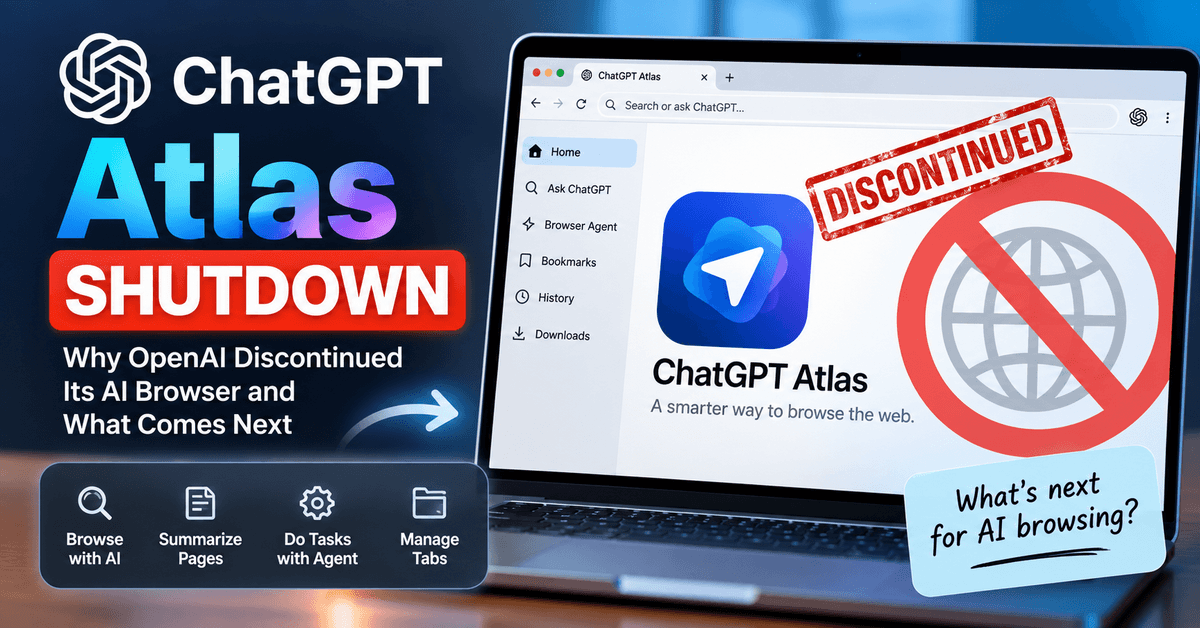
ChatGPT Atlas, OpenAI’s AI-powered web browser, has officially been discontinued. The ChatGPT Atlas shutdown took place on August 9, 2026, less than a year after OpenAI launched the browser in October 2025.
Atlas was designed to put ChatGPT directly inside the web browser, allowing users to ask questions about webpages, summarize content, interact with websites, and use an agent to perform browser-based tasks. However, OpenAI has now decided to move these capabilities into its broader ChatGPT and Codex ecosystem instead of maintaining Atlas as a standalone browser.
The shutdown does not mean OpenAI is abandoning AI-powered web browsing. Instead, the company is taking what it learned from Atlas and incorporating browser-based agent capabilities into other products.
So, why did OpenAI shut down ChatGPT Atlas? What happens to Atlas users, and what should you use now? Here’s everything you need to know.
What Happened to ChatGPT Atlas?
ChatGPT Atlas was OpenAI’s standalone web browser with ChatGPT built into its core.
OpenAI introduced Atlas on October 21, 2025, initially launching it worldwide on macOS. The browser combined traditional browsing with ChatGPT features, allowing users to interact with webpages using AI without constantly switching between a browser and ChatGPT.
Atlas included features such as:
- Built-in ChatGPT assistance
- Ask ChatGPT while browsing
- Webpage summarization
- AI-powered browsing assistance
- Browser memories
- Agent Mode
- Tab and tab-group management
- Browser data import
- Downloads and browsing tools
- AI assistance for completing web tasks
One of its biggest selling points was Agent Mode, which allowed ChatGPT to perform multi-step tasks while browsing the web.
However, Atlas had a relatively short lifespan.
OpenAI announced in July 2026 that it would sunset Atlas and move its browser-based agent capabilities into ChatGPT and Codex. The official shutdown date was set for August 9, 2026.
Is ChatGPT Atlas Shut Down?
Yes. ChatGPT Atlas is shut down.
OpenAI scheduled Atlas to stop working on August 9, 2026. The company advised users to export or save important browser information before the shutdown.
OpenAI’s current documentation describes Atlas as deprecated and directs users toward newer ChatGPT experiences for browser-based agentic work.
This means Atlas is no longer a supported standalone browser.
If you are searching for “ChatGPT Atlas download” or trying to install Atlas today, you should be aware that downloading an old installer is not the same as having a supported browser. OpenAI has discontinued the product and recommends moving to supported alternatives.
OpenAI also cautions that Atlas will no longer receive the routine security updates required for a safe browser. Read OpenAI’s official announcement.
Why Did OpenAI Shut Down ChatGPT Atlas?
OpenAI has not publicly described the shutdown as the result of one specific failure or problem.
Instead, the company is repositioning the technology.
The main idea appears to be that OpenAI no longer needs a separate browser application to provide AI-powered browsing. Browser-based agent capabilities can be integrated directly into ChatGPT and other OpenAI products.
OpenAI says it is using what it learned from Atlas to build a more capable browser experience inside ChatGPT, including features such as
- Multiple tabs
- Downloads
- Improved navigation
- Account login support
- Browser-based agent workflows
- Additional browser improvements
The company is also moving browser-based agent capabilities into ChatGPT and Codex.
In other words, the technology behind Atlas is not simply disappearing. The standalone browser is disappearing, while many of its ideas are being incorporated into other products.
ChatGPT Atlas Shutdown Timeline
Here is a quick look at the history of ChatGPT Atlas.
| Date | Event |
|---|---|
| October 21, 2025 | OpenAI launches ChatGPT Atlas |
| Late 2025 | Atlas expands its AI-powered browser and agent capabilities |
| Early 2026 | OpenAI continues adding tabs, profiles, Agent Mode improvements and other browser features |
| July 9, 2026 | OpenAI announces that Atlas will be discontinued |
| August 9, 2026 | ChatGPT Atlas officially stops working |
| After August 9, 2026 | OpenAI directs users toward ChatGPT and Codex for browser-based agentic work |
Atlas originally launched only on macOS, although OpenAI had said that Windows, iOS, and Android experiences were coming. Those planned versions did not become a full Atlas browser release before the product was discontinued.
What Happened to ChatGPT Atlas Features?
One of the most important things to understand about the shutdown is that OpenAI isn’t necessarily abandoning the features Atlas introduced.
Instead, the company is moving browser-related capabilities into its broader AI ecosystem.
- AI-Powered Web Browsing: ChatGPT can continue to help users research information on the web without requiring Atlas as a standalone browser. The goal is to make browsing assistance available where users are already working.
- Browser-Based Agent Tasks: Agentic browsing was one of Atlas’s most interesting capabilities. Instead of simply answering a question, an AI agent can interact with webpages and perform multiple steps toward a goal. OpenAI says browser-based agentic capabilities are being moved into ChatGPT and Codex.
- Multiple Tabs and Navigation: OpenAI’s post-Atlas browser work is intended to provide features such as multiple tabs, improved navigation, and downloads. This suggests that OpenAI still sees a major role for AI agents that can operate across the web.
- ChatGPT Desktop Experience: OpenAI is also positioning its newer desktop experience as a place for more advanced browser-based agentic work. This approach allows users to access AI assistance without having to completely replace their existing browser with Atlas.
What Happens to Atlas Bookmarks?
If you used Atlas before the shutdown, your bookmarks were one of the most important pieces of data to preserve.
OpenAI advised users to export important Atlas bookmarks and save pages they wanted to keep before August 9, 2026.
Bookmarks did not necessarily transfer automatically to another browser.
Users who exported their bookmarks could import the resulting HTML bookmark file into another browser such as Chrome.
If you still have an exported Atlas bookmark file, you can generally use your new browser’s bookmark import feature to bring those bookmarks across.
What Happened to Atlas Browsing History?
Atlas browsing history should not be assumed to automatically transfer to another browser.
OpenAI specifically advised users to save or bookmark important pages before the shutdown.
If you relied heavily on Atlas for research, it is therefore worth checking whether you previously exported or saved the websites and pages you need.
Will Atlas Open Tabs Transfer Automatically?
No.
OpenAI’s help documentation states that open tabs would not automatically transfer.
Users were advised to bookmark important tabs or copy their URLs before the shutdown.
This is particularly important for researchers, bloggers, developers, and other users who may have kept dozens of important webpages open in Atlas.
What About Cookies and Login Sessions?
Cookies and active browser sessions are different from bookmarks.
OpenAI’s guidance indicates that cookies and active sessions cannot simply be imported into another browser through a normal bookmark transfer.
For security reasons, you should expect to sign in again to websites when moving to another browser or workflow.
Do not rely on third-party tools claiming they can safely recover or transfer sensitive browser session information unless you fully understand the security implications.
Are ChatGPT Conversations Deleted Because Atlas Shut Down?
No.
Atlas browser data and your regular ChatGPT conversations are separate.
OpenAI states that ChatGPT conversations are separate from Atlas browser data and can continue to be accessed through ChatGPT, subject to your account, plan and workspace settings.
So, the Atlas shutdown should not be interpreted as the deletion of your ChatGPT conversation history.
What Should Atlas Users Use Instead?
The best replacement depends on what you used Atlas for.
- For AI-Assisted Browsing: If your main reason for using Atlas was asking ChatGPT questions while browsing, using ChatGPT’s current browser-related capabilities is the most natural transition.
- For Agentic Browser Tasks: If you used Atlas Agent Mode to perform multi-step tasks on websites, OpenAI recommends moving toward its newer ChatGPT and Codex workflows. OpenAI specifically says that it is bringing browser-based agentic capabilities into ChatGPT and Codex.
- For Traditional Browsing: If you mainly used Atlas as a normal web browser, you can move your bookmarks to an established browser such as Chrome, Edge, Firefox or Safari.
You don’t need an AI browser simply to browse websites.
ChatGPT Atlas vs Its Replacement
| Feature | ChatGPT Atlas | Current Direction |
|---|---|---|
| Standalone browser | Yes | No |
| Built-in ChatGPT | Yes | ChatGPT |
| AI webpage assistance | Yes | ChatGPT-based experiences |
| Agentic web tasks | Yes | ChatGPT and Codex |
| Multiple tabs | Yes | Supported in newer browser experiences |
| Downloads | Yes | Supported in newer workflows |
| Browser history | Atlas-specific | Depends on the browser/workflow |
| Bookmarks | Atlas-specific | Export/import required |
| macOS browser | Yes | Atlas discontinued |
| Windows Atlas | Never fully launched | Use supported ChatGPT/browser experiences |
| Android Atlas | Never fully launched | Use supported ChatGPT/browser experiences |
| iOS Atlas | Never fully launched | Use supported ChatGPT/browser experiences |
What Does the ChatGPT Atlas Shutdown Mean for AI Browsers?
The Atlas shutdown is interesting because it does not necessarily mean that AI browsers are a failed idea.
Instead, it may show that the standalone-browser model isn’t the only way to deliver AI-powered web automation.
OpenAI can integrate browser capabilities into ChatGPT, Codex, and other tools while allowing users to continue using familiar browsers.
This approach could have several advantages.
Users don’t necessarily have to migrate their entire browsing environment to a new browser.
Developers can focus on AI agents rather than building an entire consumer browser.
And OpenAI can make browser automation part of a larger productivity environment rather than treating it as a separate application.
Why ChatGPT Atlas Was Still Important
Although Atlas had a short lifespan, it represented an important experiment in how people might interact with the web.
Traditional browsers are built around a model where the user:
- Searches for information.
- Opens websites.
- Reads pages.
- Copies information.
- Performs actions manually.
An AI browser changes that model.
Instead, users can potentially describe the desired outcome and allow an AI agent to handle some of the intermediate steps.
For example, instead of searching through several websites manually, an agent could research information, compare results and help organize the findings.
That concept remains highly relevant even after Atlas itself is gone.
What Does the Atlas Shutdown Mean for Bloggers and SEO?
For bloggers and SEO professionals, the shutdown is worth watching closely.
The important development isn’t simply the disappearance of Atlas. It is the continued growth of AI agents that can browse and interact with websites.
This could change how users discover content.
Search engines traditionally send users to websites where they read and interact with the content themselves.
AI agents can potentially act as an intermediary between the user and websites.
That means website owners should continue focusing on:
- Clear page structure
- Accurate and useful content
- Strong internal linking
- Descriptive headings
- Accessible navigation
- Structured data where appropriate
- Fast page performance
- Mobile-friendly design
- Crawlable content
- Clear calls to action
- Good user experience
The rise of agentic browsing makes technical SEO and content accessibility increasingly important because AI systems need to understand and interact with webpages effectively.
Should You Still Search for ChatGPT Atlas?
If you’re searching for ChatGPT Atlas in 2026, you may see old articles and videos explaining how to download and use the browser.
Keep in mind that much of this information is now outdated.
Atlas was launched in October 2025 but was officially discontinued on August 9, 2026.
Therefore, old tutorials showing Atlas installation steps should be treated as historical information rather than current instructions.
Frequently Asked Questions About ChatGPT Atlas Shutdown
What is the ChatGPT Atlas shutdown date?
The ChatGPT Atlas shutdown date was August 9, 2026. OpenAI discontinued Atlas as a standalone AI browser and began moving its browser-based agent capabilities into ChatGPT and Codex. Users who relied on Atlas should move to supported browsing tools and preserve any important browser information they saved before the shutdown.
Can I use ChatGPT Atlas after August 9, 2026?
No, ChatGPT Atlas is no longer a supported standalone browser after August 9, 2026. If you previously installed Atlas, an old installation does not guarantee that its services will continue working. Users should switch to supported browsers and ChatGPT experiences for AI-assisted browsing and browser-based tasks.
Is ChatGPT Atlas coming back in the future?
OpenAI has not announced a confirmed return of ChatGPT Atlas as a standalone browser. The company is focusing on bringing browser-based agent capabilities into ChatGPT and Codex. While future products may include similar features, users should not assume that the original Atlas browser will return without an official announcement from OpenAI.
Can I install ChatGPT Atlas on a new computer?
You should not rely on installing ChatGPT Atlas on a new computer because the standalone browser was discontinued on August 9, 2026. Old installation files may still exist, but they do not restore official support. For new computers, use a supported browser and access ChatGPT’s available web-based features.
Will ChatGPT Atlas shutdown affect my computer?
The ChatGPT Atlas shutdown does not automatically mean your computer will be damaged or your operating system will stop working. The main impact is the loss of Atlas as a supported standalone browser. You can continue using your computer normally with another browser, but you may need to change how you access AI browsing features.
Can I transfer ChatGPT Atlas settings to another browser?
Some Atlas information may be transferable, but you should not expect all browser settings to move automatically. Bookmarks can be exported and imported when supported. Other settings, extensions, saved sessions, and browser preferences may need to be recreated manually. Check your available export options and save important information before switching browsers.
What is the best way to prepare for ChatGPT Atlas shutdown?
The best way to prepare for ChatGPT Atlas shutdown is to save important bookmarks, copy URLs from open tabs, and preserve any essential browser information. Choose another browser for regular web browsing and review your preferred AI tools. This helps reduce disruption when Atlas is no longer available.
Does ChatGPT Atlas shutdown affect browser extensions?
The Atlas shutdown may affect extensions that were installed specifically for the Atlas browser. Browser extensions are not automatically guaranteed to work in another browser because compatibility depends on the extension and its supported platform. Before switching, identify the extensions you use and check whether equivalent versions are available for your new browser.
Can businesses continue using ChatGPT Atlas for work?
Businesses should not depend on ChatGPT Atlas for ongoing work because it has been discontinued as a standalone browser. Teams that used Atlas for research, browsing, or browser-based automation should review supported ChatGPT and Codex capabilities. Before migrating, evaluate account access, workflow compatibility, data handling, and any business-specific browser requirements.
What should I do if ChatGPT Atlas stops working suddenly?
If ChatGPT Atlas stops working, first confirm that you are using the discontinued Atlas browser. Since OpenAI ended Atlas support on August 9, 2026, reinstalling the old browser may not solve the problem. Move to a supported browser, access ChatGPT through its available experiences, and recover important bookmarks or saved URLs if you have them.
Final Verdict: What the ChatGPT Atlas Shutdown Really Means
The ChatGPT Atlas shutdown marks the end of OpenAI’s standalone AI browser, but it does not mark the end of OpenAI’s AI browsing ambitions.
Atlas lasted less than a year, from its October 2025 launch to its August 2026 shutdown. During that period, OpenAI experimented with combining traditional browsing, ChatGPT assistance, and agentic web automation into a single browser.
Now, OpenAI is taking a different approach.
Rather than maintaining a separate Atlas browser, the company is moving browser-based agent capabilities into ChatGPT and Codex and building more capable browser workflows around those products.
For Atlas users, the key takeaway is simple: Atlas is gone, but the underlying idea isn’t.
The future of AI-powered browsing may be less about installing a completely new browser and more about bringing AI agents directly into the tools people already use.
For users, bloggers, researchers, and businesses, that transition could ultimately be more important than Atlas itself.