Comet Browser Review 2026: Features, Performance & Is It Better Than Chrome?
The internet has fundamentally changed—and your browser should too. Perplexity’s Comet Browser, officially launched on April 6, 2026, is the world’s first browser built from the ground up to function as a true AI assistant, not just a search tool. In this comprehensive Comet Browser review 2026, we cover everything: features, benchmarks, pricing, pros & cons, and how it stacks up against Chrome and Edge.
What Is Comet Browser?
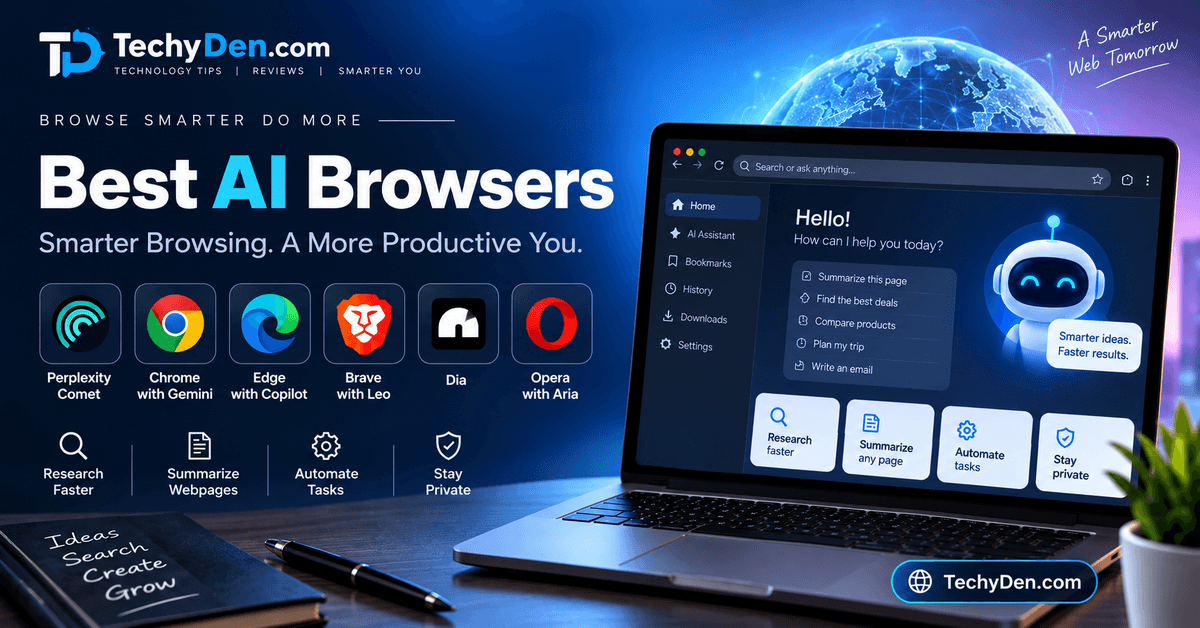
Comet Browser is an AI-native, agentic web browser developed by Perplexity AI. Unlike traditional browsers that passively display web pages, Comet actively performs tasks for you — booking flights, filling out forms, comparing products, drafting emails, and completing multi-step tasks autonomously without requiring you to switch tabs.
Comet started as a premium AI browser in 2025, but in late 2025, Perplexity made it free for everyone, with optional Pro upgrades for power users.
Built on a Chromium foundation, it supports Chrome extensions and bookmarks, making the switch from Chrome seamless for most users. The key philosophy behind Comet is moving from “navigation to cognition” — turning your browser from a passive tool into an intelligent assistant.
Comet launched officially on May 30, 2025. Perplexity Pro Max subscribers received early access. Comet targets users who need more than passive browsing.
This includes researchers, professionals, and everyday users frustrated with tab clutter. It functions as an “answer engine” powered by a mix of foundational large language models (LLMs) like GPT-4o, Claude 4.0 Sonnet, and Perplexity’s proprietary Sonar model. This setup enables real-time, cited responses to queries, drawing from live web data rather than static databases.
Quick Verdict: Comet Browser is the most capable AI agent browser available in 2026. It’s free, powerful, and a genuine leap forward in productivity—though it still has a few rough edges to iron out.
Key Features of Comet Browser (2026)
1. Comet Assistant 3.0 — AI Built Right In
At the heart of Comet is the Comet Assistant — a built-in AI agent that can read your active pages, summarize content, answer follow-up questions, and take multi-step actions entirely on your behalf. The 2026 version (Assistant 3.0) handles complex multi-site workflows across parallel tabs and shows a 23% improvement in task completion accuracy over the 2025 version.
Unlike competitors like Microsoft Edge—which is essentially a ChatGPT wrapper—Comet Assistant can actually navigate the web, click buttons, fill forms, and complete tasks autonomously.
2. Agentic Browsing — Browse Less, Do More
Comet’s standout feature is agentic browsing, which lets you give high-level commands and watch Comet carry them out. Real-world task completion rates include:
- Simple form filling: 85% success rate
- Data extraction: 90% success rate
- Multi-step navigation: 70% success rate
- Complex visual tasks: 20% success rate (still improving)
3. Privacy Snapshot & Granular Permissions
Introduced in March 2026, Privacy Snapshot gives users transparent, granular controls over what data the AI can access. Comet now follows a permission-first model — the assistant always asks for your approval before taking any browser action, which directly addresses earlier concerns about data handling.
4. Background Assistant (Multi-Tasking Mode)
Comet Pro subscribers get access to a background assistant that handles multiple browser tasks simultaneously — researching, comparing products, and organizing tabs — while you focus on other work.
5. Chromium-Based with Chrome Extension Support
Because Comet is built on Chromium, you can install your favorite Chrome extensions and import all your bookmarks without any friction. This makes switching from Chrome to Comet one of the smoothest browser migrations available.
6. Voice Mode for Hands-Free Browsing
The Comet iOS app, launched on March 11, 2026, bundles an upgraded voice mode that enables hands-free agentic browsing during commutes—a feature no other AI browser currently offers on mobile.
Comet Browser Performance Benchmarks
Comet’s performance has significantly improved in 2026. Here’s how it holds up against the competition:
| Metric | Comet (2026) | Chrome | Edge |
|---|---|---|---|
| Page Load Speed | 40% faster than baseline | Baseline | ~Baseline |
| Memory Usage (20 tabs) | 2.1 GB | 3.4 GB | ~3.0 GB |
| Battery Life | 35% longer | Baseline | ~Similar |
| JetStream Score | 174.37 | ~168 | ~170 |
| Speedometer 3.1 | 29.3 | 34.3 | ~33 |
| AI Task Completion | 85% (simple tasks) | N/A | N/A |
Comet leads in memory efficiency and battery life due to its AI-driven tab hibernation for idle tabs. Chrome still edges it out in raw JavaScript benchmarks (Speedometer 3.1), but for real-world productivity, Comet’s agentic capabilities more than compensate.
Comet Browser vs Chrome, Edge, and Firefox (2026)
When comparing Comet Browser to established players, its deep AI integration and agentic browsing clearly stand out, even though it still builds on a familiar Chromium foundation. Comet now offers native, free AI automation for tasks like research, email drafting, shopping flows, and form filling, while Chrome still relies heavily on extensions and side panels to approximate similar workflows. Chrome remains the most polished general-purpose browser with the strongest ecosystem, but it does not yet match Comet’s end‑to‑end task automation.
Against Microsoft Edge, Comet’s agentic assistant provides richer context retention and true cross‑tab intelligence, making it better for complex research and multi-step workflows. Edge’s main advantage is tight enterprise integration with Microsoft 365 and built‑in Copilot for quick summaries, but most of its AI use cases stop at answering questions rather than actually doing work for you.
Compared with Firefox, Comet trades some of Firefox’s hardcore privacy focus for significantly more proactive AI features like live summarization, autonomous navigation, and smart tab management. Firefox is still the top choice for users who want open‑source software, strong tracking protection, and independence from big tech ecosystems, but it lacks anything comparable to Comet’s agentic assistant.
Overall, Comet now wins clearly for AI‑first users, researchers, and productivity‑focused professionals. It scores highly in independent reviews for reducing tab overload, automating repetitive workflows, and handling complex browsing tasks, and its core agent mode is now completely free, removing the old barrier of premium-only access.
| Feature | Comet Browser | Google Chrome | Microsoft Edge | Mozilla Firefox |
|---|---|---|---|---|
| AI Integration | Native Comet Assistant with full agentic browsing, cross‑tab context, and autonomous workflows | Gemini and other AI tools via side panels and extensions | Copilot integration for page summaries and chat, limited agentic behavior | Mostly extension‑based AI, no native agentic assistant |
| Search Method | Conversational, cited answers via Perplexity search built into the browser | Traditional link‑based Google search (with optional AI overviews) | Traditional search plus AI summaries in sidebar | Traditional search results, no default AI layer |
| Task Automation | Advanced multi‑step automation (research, shopping, forms, email, calendar) | Manual or extension‑driven; user clicks through workflows | Basic automation tied to Microsoft 365 tools | Minimal automation, mostly manual browsing |
| Privacy Model | Permission‑first AI actions, local context handling, transparent controls; some cloud processing for AI | Extensive data collection across Google ecosystem for ads and analytics | Significant telemetry and account‑level data in Microsoft ecosystem | Strong privacy defaults, open‑source, minimal data collection |
| Ad Blocking | AI‑aware smart tab management and optional blocking via extensions; no hard-locked premium ad blocker | No built‑in ad blocking; relies on extensions | Basic tracking protection; ad blocking via extensions | Enhanced tracking protection and built‑in anti‑tracking features |
| Extension Support | Full Chromium extension support; works with most Chrome Web Store extensions | Largest extension ecosystem (Chrome Web Store) | Good Chromium extension support; similar to Chrome | Robust but separate ecosystem; some sites and extensions less compatible |
| Performance | Very fast overall; AI features add some CPU/RAM load but offset by smart tab hibernation | Highly optimized speed and responsiveness | Similar to Chrome, slightly more overhead from Microsoft integrations | Efficient and lightweight, often lowest baseline resource usage |
| Pricing Model | Browser and core AI agent are free; extra power via Perplexity Pro subscription | Free, monetized through data and ads ecosystem | Free, bundled with Microsoft account/services | Free and open‑source |
| Cross‑Platform | Windows, macOS, and iOS (with voice‑driven agentic browsing); broader mobile support evolving | All major platforms (desktop and mobile) | All major platforms (desktop and mobile) | All major platforms (desktop and mobile) |
| Enterprise Features | Limited enterprise tooling today; best suited for individual power users and teams experimenting with AI workflows | Deep Google Workspace integration | Strongest enterprise/Office 365 integration, policies, and management | Basic enterprise support, more niche in corporate environments |
| Developer Tools | Standard Chromium DevTools plus AI‑assisted analysis via the assistant for debugging/exploration | Leading DevTools for web developers | DevTools largely identical to Chrome | Excellent DevTools, popular with privacy‑focused developers |
| Customization | AI‑driven personalization of workflows, suggestions, and tab behavior | Extensive themes, flags, and settings | Good customization with Microsoft account tie‑ins | Very high customization and about:config for power users |
| Sync Capabilities | Sync via Perplexity account (history, preferences, AI context) | Sync via Google account | Sync via Microsoft account | Sync via Firefox account |
| Security | Chromium security baseline plus protections for agentic risks like prompt injection; ongoing work on AI‑specific threats | Mature security model, sandboxing, frequent updates | Strong security with SmartScreen and enterprise policies | Strong security with regular updates and transparent codebase |
| Market Position | Fast‑growing AI‑first entrant (launched broadly 2025–2026) | Dominant global market share and ecosystem leader | Strong second place, especially in enterprise and Windows | Smaller but loyal user base focused on privacy and open‑source |
| Target Audience | AI power users, researchers, creators, and productivity‑focused professionals | General consumers and businesses wanting reliability | Business users and Microsoft 365‑centric organizations | Privacy advocates, open‑source fans, and developers |
| Key Strengths | Agentic AI assistant, cross‑tab intelligence, automation of real web tasks | Speed, reliability, massive extension ecosystem | Enterprise integration, security policies, Microsoft stack | Privacy, customization, independence from major ecosystems |
| Key Weaknesses | More complex to learn for casual users; AI features can be resource‑intensive on low‑end machines | Privacy concerns and heavy data collection | Feels less innovative; AI mainly pushes Microsoft services | Smaller ecosystem, some site/extension compatibility gaps |
| Best For | Research, complex workflows, AI‑assisted browsing and automation | Best for everyday browsing and deep Google ecosystem usage | Business workflows tied to Microsoft 365 | Privacy‑first usage and highly customized setups |
Winner by Category (Updated)
- AI Features: Comet Browser
- Privacy: Firefox > Comet Browser > Edge > Chrome
- Performance (raw speed): Chrome = Edge ≥ Firefox ≥ Comet Browser
- Ecosystem: Chrome > Edge > Firefox > Comet Browser
- Innovation: Comet Browser > Edge > Chrome > Firefox
- Cost-Effectiveness: Comet (free core AI) = Chrome = Edge = Firefox, with Pro as optional upgrade
- Business Integration: Edge > Chrome > Firefox > Comet Browser
Key Takeaway: Comet Browser now excels in AI‑powered productivity and automation while being free at the core, removing the old price barrier. Traditional browsers like Chrome, Edge, and Firefox still lead for sheer ecosystem breadth, enterprise integration, and privacy‑first usage, but none of them yet match Comet’s ability to actually do the work for you.
Why Is Comet Browser Different?
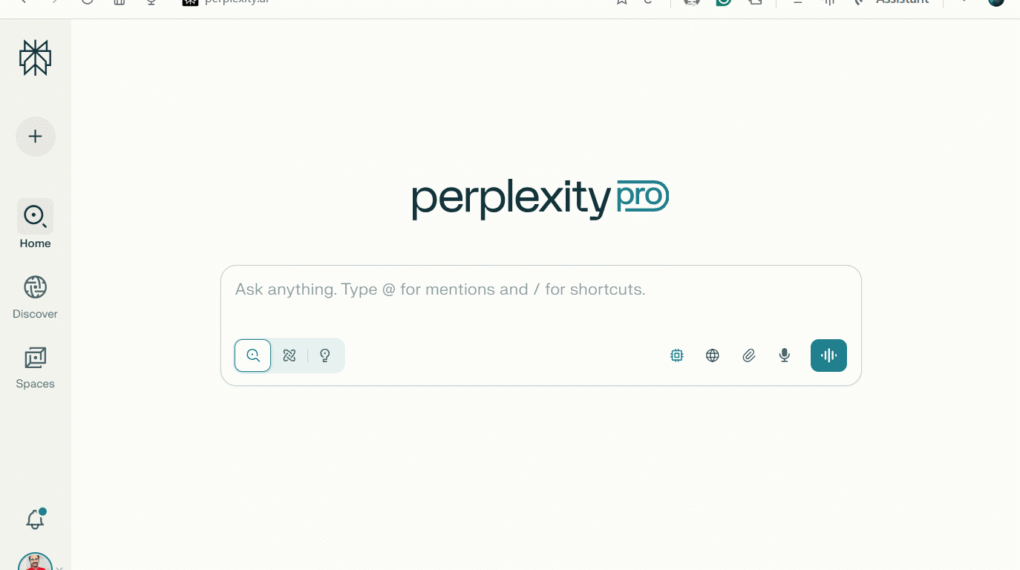
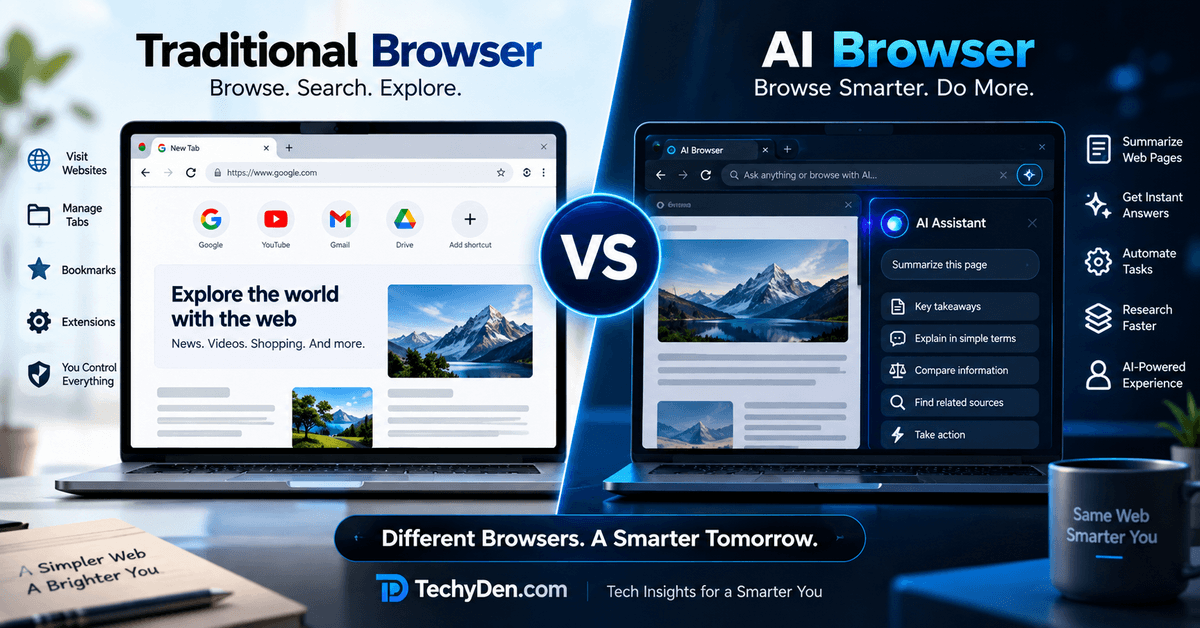
Traditional browsers, such as Chrome or Edge, focus on navigation and speed. However, Comet introduces agentic search. In this new approach, AI agents handle multi-step tasks on your behalf. This shift from passive to proactive browsing changes user interaction.
Users delegate actions directly within the browser. These actions include comparing products across sites or drafting emails. Unlike standalone AI chatbots, Comet operates locally with access to open tabs, eliminating the need for copying and pasting.
Key Revolutionary Differences:
- Architectural Philosophy: Traditional browsers add AI features to existing frameworks. In contrast, Comet is designed from the ground up as an AI-native browser.
- Interaction Paradigm: Moves from “clicking and jumping between tabs” to “thinking out loud and letting AI handle the flow”.
- Agentic Capabilities: Unlike passive browsers, Comet actively understands, reasons, and acts on user behalf across multiple contexts.
- Context Retention: Maintains understanding across browsing sessions, tabs, and tasks rather than treating each interaction separately.
- Productivity Integration: Transforms the browser from a navigation tool into a comprehensive productivity platform with built-in automation.
This fundamental shift represents what experts call the evolution from “passive browsing to AI-powered collaboration.” This change positions Comet as a cognitive partner. It is not just a web navigation tool.
Comet Browser Pricing: Is It Free?
Yes—Comet Browser is completely free to download and use as of October 2025. Here’s the pricing breakdown:
- Free Plan: Full browser access, Comet Assistant, basic agentic features
- Perplexity Pro ($20/month): Background assistant, advanced multi-task automation, priority AI responses, and early access to new features
For bloggers, content creators, SEO analysts, and power users, the Pro plan offers exceptional value — especially since no other browser provides these agentic capabilities at this price point.
Who Should Use Comet Browser?
Comet is an ideal choice for:
- Bloggers & Content Writers: Research articles faster with AI summarization and cross-tab comparisons
- SEO Analysts: Use Comet’s AI to extract data, analyze SERPs, and automate competitor research
- Affiliate Marketers: Compare product pricing across tabs automatically and get AI-assisted deal finding
- Researchers & Students: Summarize long articles, compile notes, and get cited answers instantly
- Developers & Productivity Enthusiasts: Automate repetitive web tasks without writing any code
Comet Browser Pros and Cons
Pros
- World’s first truly agentic browser — automates real web tasks
- Free to use with a powerful built-in AI assistant
- 40% faster page loading and 50% better memory management than Chrome
- Chrome extension compatible — easy to switch from Chrome
- iOS app with voice mode launched in March 2026
- Permission-first Privacy Snapshot for transparent AI data control
- Background multitasking assistant for Pro users
Cons
- Complex visual task success rate is still low (~20%)
- Long-running tasks (>5 minutes) have only 30% completion rate
- Speedometer 3.1 score (29.3) is slightly behind Chrome (34.3)
- Heavy system resource use when AI features are fully active
- Earlier security vulnerability (“CometJacking” prompt injection)—since patched
- Perplexity’s search engine occasionally lags behind Google in result relevance
Security and Privacy: Is Comet Browser Safe?
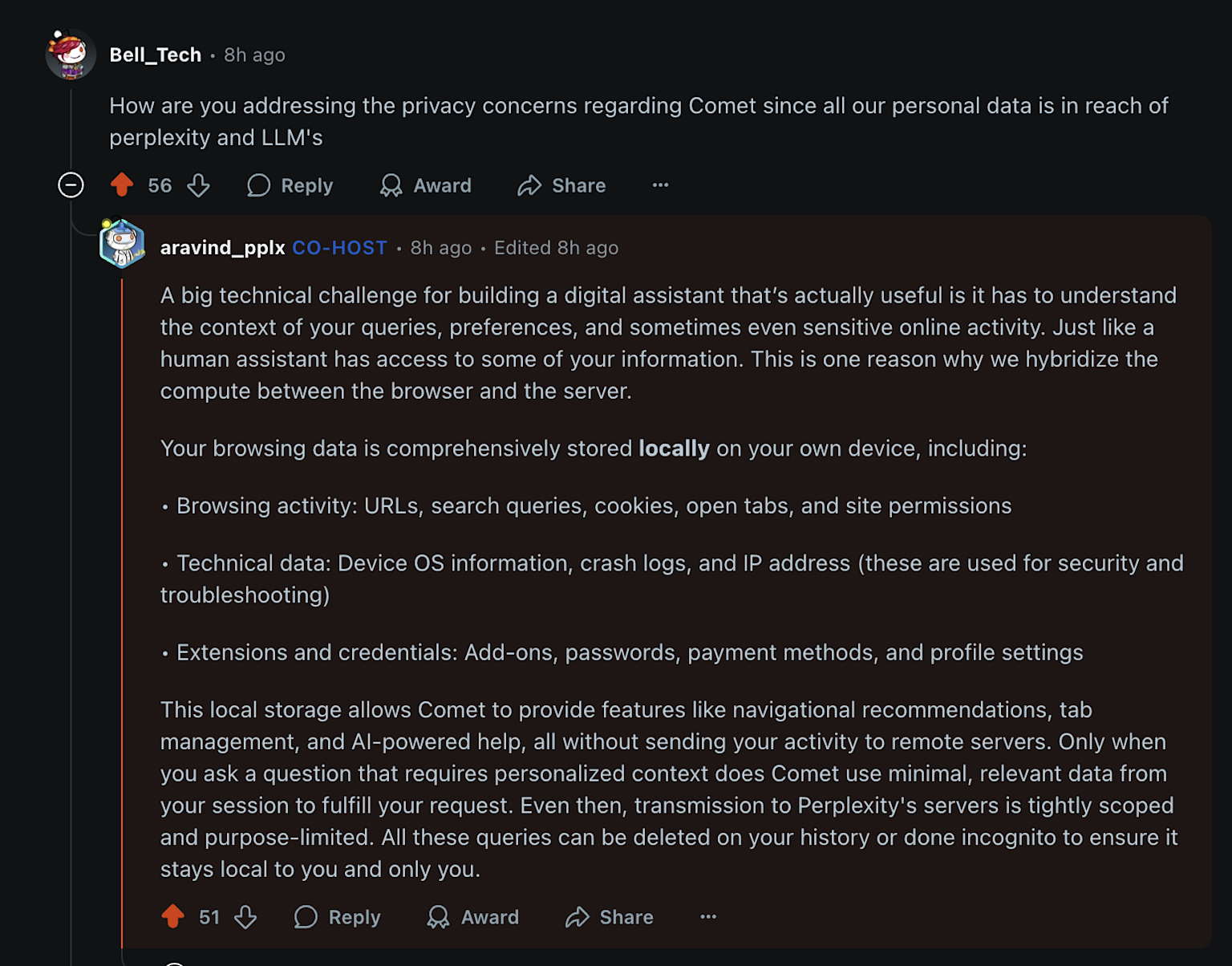
Comet takes privacy and security seriously in 2026. Comet Browser stores most browsing data locally on your device and only sends what’s needed to Perplexity’s servers for AI processing, with a clear permission‑first model before the assistant takes any action.
For sensitive tasks like banking or medical portals, you can simply keep the AI assistant turned off on those tabs for extra peace of mind.
Comet takes privacy seriously in 2026, but it’s worth being informed. The browser faced a “CometJacking” prompt-injection vulnerability earlier, where malicious web pages could potentially manipulate the AI assistant — this has since been fully patched.
The new permission-first model ensures the assistant always asks for your explicit approval before acting on your behalf.
Compared to data-heavy browsers like Chrome, Comet’s model emphasizes verifiable sources and minimal permissions for tasks. Users can manage data sharing, making it suitable for sensitive work. However, full functionality requires logins, so evaluate trade-offs for proprietary information.
Comet Browser for SEO: A Game Changer
Agentic search in Comet disrupts traditional SEO by prioritizing zero-click answers and cited content over link clicks. Websites must optimize for AI summarization, focusing on structured data and authoritative sources in responses.
This shift means less traffic from searches but higher quality engagement; SEO strategies now emphasize entity-based content and schema markup. For marketers, it’s an opportunity to create AI-friendly pages that provide direct value.
For SEO professionals and bloggers, Comet is particularly powerful. The browser introduces a new concept called Perplexity Comet Search Optimization (PCSO) — a new SEO frontier where content must be optimized not just for Google but for AI-first browsers that surface answers directly.
Key SEO workflows Comet handles natively
- Automated SERP analysis across multiple competitor URLs simultaneously
- Real-time page summarization for backlink research
- AI-assisted content gap analysis across open tabs
- Extracting structured data from web pages without third-party tools
Practical Applications of Comet Browser
Comet excels in real-world scenarios, from research to daily productivity. For students, it summarizes articles and cites sources for essays. Professionals use it for market analysis, automating data extraction from reports.
For Students & Research
- Summarize research papers and articles instantly
- Get citations automatically for essays and projects
- Compare multiple sources on the same topic
- Translate complex academic content
- Create study guides from web materials
For Business & Work
- Compare competitors quickly across websites
- Draft emails and professional responses
- Prepare for meetings by summarizing documents
- Research market trends and industry data
- Manage tasks and schedule appointments
For Shopping & E-commerce
- Compare products across multiple websites
- Find the best deals automatically
- Read and summarize product reviews
- Track price changes and discounts
- Research seller ratings and reliability
For Personal Use
- Plan trips by comparing flights and hotels
- Organize daily schedules and reminders
- Analyze personal documents like contracts
- Learn new topics with simple explanations
- Get quick answers with reliable sources
For Content Creation
- Research topics with proper citations
- Write content for different audiences
- Check facts across multiple sources
- Create social media posts and blogs
- Adapt content for different platforms
For Professionals
- Lawyers: Research case law and legal precedents
- Doctors: Review medical literature quickly
- Teachers: Create lesson plans and materials
- Journalists: Verify news and gather background info
- Financial advisors: Analyze market data
For Developers & Tech
- Debug code and get programming help
- Compare different software solutions
- Research APIs and technical documentation
- Get coding best practices and suggestions
- Troubleshoot technical problems
Daily Life Examples
- “Explain this news article in simple terms.”
- “Compare these three laptop options for me.”
- “Summarize my open tabs about vacation planning.”
- “Find the best restaurant reviews in my area.”
- “Help me understand this medical report.”
Frequently Asked Questions (FAQ)
What is Comet Browser?
Comet Browser is an AI‑native, agentic web browser built by Perplexity that can research, summarize, and complete multi‑step tasks for you. It goes beyond tabs and search boxes, using an integrated AI assistant to automate workflows like research, shopping, and form-filling directly inside the browser.
Is Comet Browser free to use?
Yes, Comet Browser is free to download and use on desktop and iOS. The core AI agent and browsing experience are available at no cost. Perplexity offers an optional Pro subscription on top for users who need higher limits, faster responses, and more powerful automation features.
Is Comet Browser better than Google Chrome?
Comet Browser is better than Chrome for AI‑powered workflows like research, summarization, and automating multi‑step tasks. Chrome is still stronger for everyday browsing, raw speed, and deep integration with Google services. Many users run both Chrome for general use and Comet for serious research and productivity.
Is Comet Browser safe and private?
Comet Browser uses Chromium’s security model and adds a permission‑first approach for AI, asking before it takes actions on your behalf. Most browsing data stays on your device, and only the necessary context is sent for AI processing. For sensitive tasks, you can simply keep the assistant turned off.
Does Comet Browser support Chrome extensions?
Yes, Comet Browser is based on Chromium, so it supports most Chrome Web Store extensions. You can bring over your favorite ad blockers, password managers, and productivity tools. This makes switching from Chrome much easier because you don’t lose your existing extension workflow.
Does Comet replace Google Chrome completely?
For most people, Comet complements rather than fully replaces Chrome. Comet excels at AI‑driven research, summaries, and automation, while Chrome remains the best choice for stability, familiarity, and Google ecosystem features. A practical setup is using Comet for work and research and keeping Chrome for general browsing.
Who should use Comet Browser?
Comet Browser is ideal for bloggers, SEO professionals, students, researchers, and knowledge workers who spend hours in the browser. If you often juggle many tabs, compare sources, or repeat the same online tasks, Comet’s agentic AI can save you time by automating much of this work.
Does Comet work on mobile?
Yes, Comet is available on iOS with an AI‑powered, voice‑enabled browsing experience. You can ask it to summarize pages, research topics, or perform tasks while on the go. Desktop support covers Windows and macOS, with mobile capabilities improving as Perplexity continues developing the browser.
Final Verdict
Comet Browser 2026 is not just another browser with an AI sidebar — it is built as an AI-native, agentic browser that can actually do the work for you instead of just showing results.
For bloggers, SEO professionals, researchers, and power users, the productivity gains from automated research, tab management, and multi-step task execution are substantial.
The good news is that Comet’s core browser and agentic assistant are now free, with Perplexity Pro available only if you need extra power features and higher limits.
While advanced AI workflows can be resource‑intensive on low‑end machines and there is still a learning curve for new users, these trade-offs are minor compared to the time savings.
Traditional browsers like Chrome, Edge, and Firefox still win on ecosystem maturity, enterprise integration, and (in Firefox’s case) pure privacy.
But if you want a glimpse of how we’ll all browse in a few years, Comet is already there today — and it’s worth running alongside Chrome as your go‑to browser for serious work.