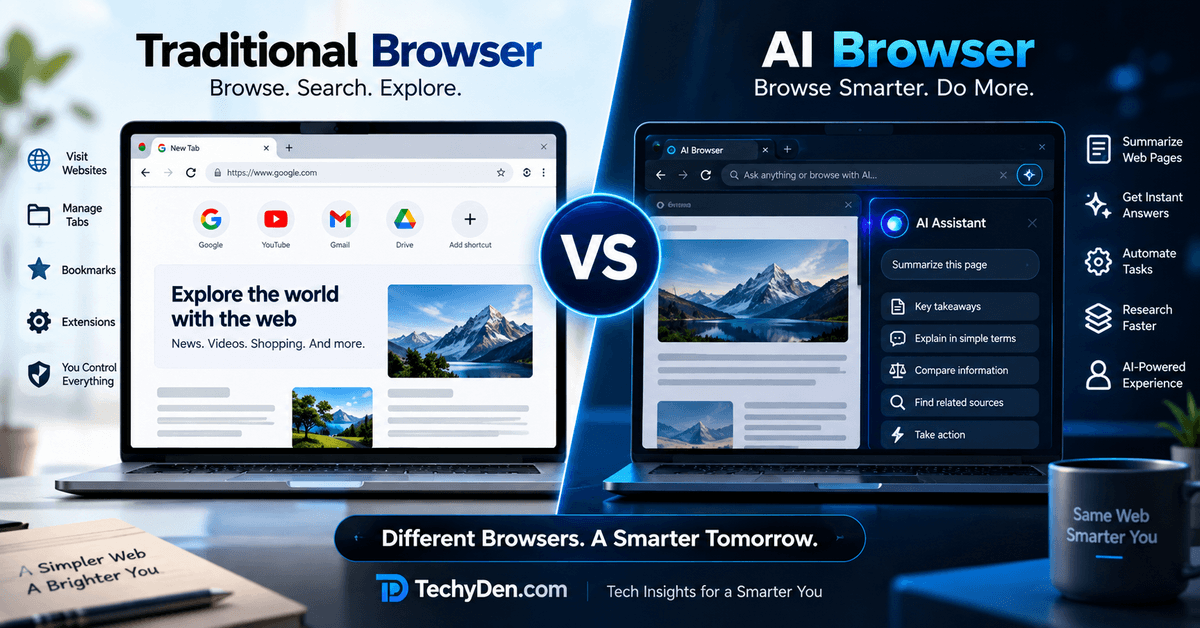
The way we browse the internet is changing. Traditional web browsers have helped us search for information, visit websites, watch videos, shop online, and manage everyday tasks for years. Now, AI browsers are adding a new layer of intelligence that can understand questions, summarize webpages, assist with research, and automate certain browsing activities.
But are AI browsers actually better than traditional browsers? Do they load websites faster? Are they safer? Should you switch from Google Chrome or Microsoft Edge to an AI-powered browser?
In this guide, we compare AI browsers vs traditional browsers to help you understand how they work, their major differences, advantages, disadvantages, privacy concerns, and which option is best for your needs.
Whether you are a student, blogger, professional, developer, or everyday internet user, this comparison will help you choose the right browser.
Quick Answer: AI Browser vs Traditional Browser
An AI browser combines web browsing with artificial intelligence to help users search, understand information, and sometimes complete tasks. A traditional browser primarily focuses on opening websites, displaying webpages, and allowing users to interact with online content.
AI browsers are better for AI-assisted research, webpage summaries, and supported automation. Traditional browsers are better for familiar browsing, direct website access, compatibility, and manual control.
However, the best choice depends on your needs. Modern browsers such as Chrome and Edge also include AI features, so the difference is no longer simply between a browser with AI and a browser without AI.
What Is an AI Browser?
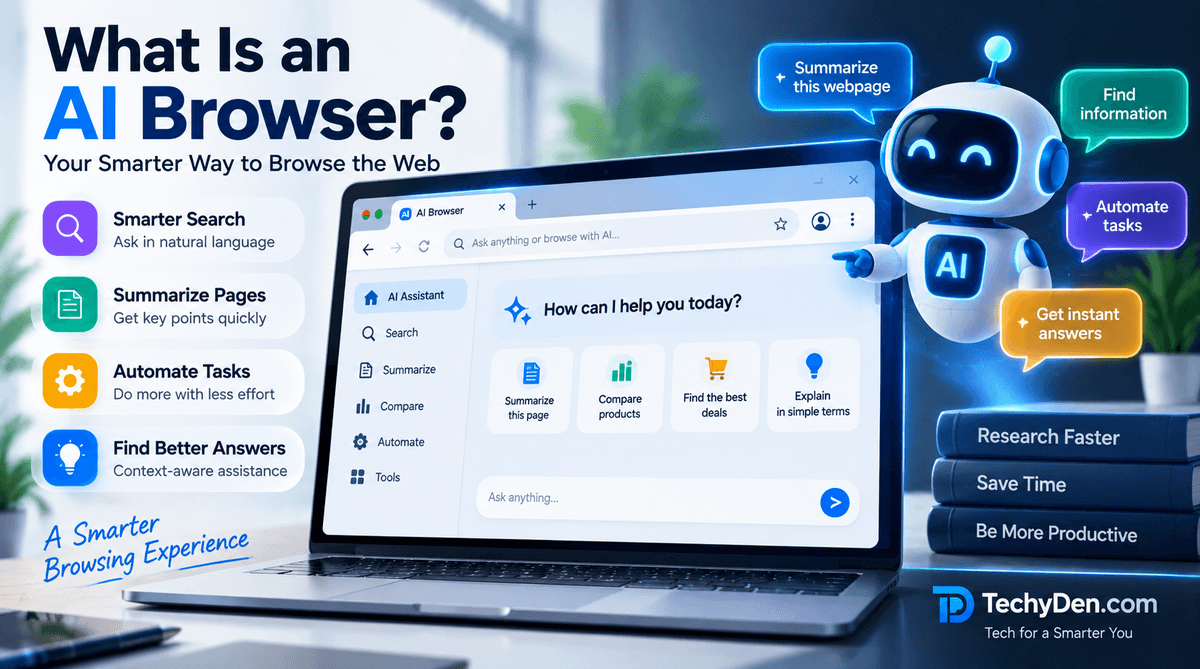
An AI browser is a web browser that integrates artificial intelligence into the browsing experience. Instead of only helping you open websites and navigate between tabs, it can assist with understanding webpages, answering questions, organizing information, and performing certain tasks.
Traditional browsers generally require you to decide what to search for, which links to open, and how to use the information. An AI browser can help with some of those decisions using natural-language instructions.
For example, imagine you are researching the best laptops for students. In a traditional browser, you might:
- Search for student laptops.
- Open several review websites.
- Compare specifications manually.
- Copy important information into notes.
- Decide which laptop is best.
With an AI browser, you may be able to ask an assistant to compare the laptops, summarize specifications, and help organize your findings.
The exact capabilities depend on the browser and the AI features available.
How AI browsing works
AI browsers typically combine a normal browser engine with an AI assistant or agent.
- User gives a request: “Compare these three laptop reviews.”
- AI interprets the request: Understands the question and available webpage context.
- Browser gathers information: Uses open pages, search, or supported browser tools.
- AI provides assistance: Summarizes, compares, answers, or performs supported actions.
Some AI browsers only provide conversational assistance, while others can take actions on websites. More advanced agentic features may include navigating pages, filling forms, or completing parts of a multi-step workflow.
Examples of AI Browsers and AI-Powered Browsing
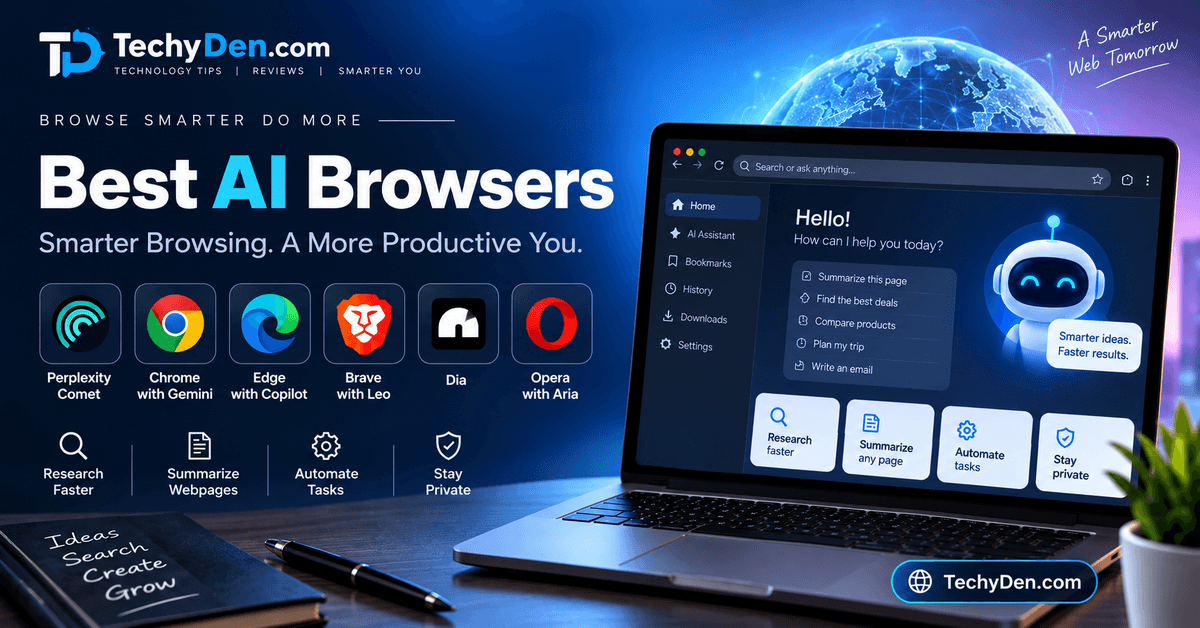
Some examples worth exploring include:
- Perplexity Comet: An AI-first browser focused on research and browsing assistance.
- Microsoft Edge: A conventional browser with integrated Copilot and other AI capabilities.
- Google Chrome: A widely used browser that includes Gemini-powered features in supported experiences.
- Opera Neon: An AI-oriented browser designed around advanced browsing and task workflows.
AI features can change over time. Check each provider’s official documentation for current availability, supported devices, and pricing.
What Is a Traditional Web Browser?
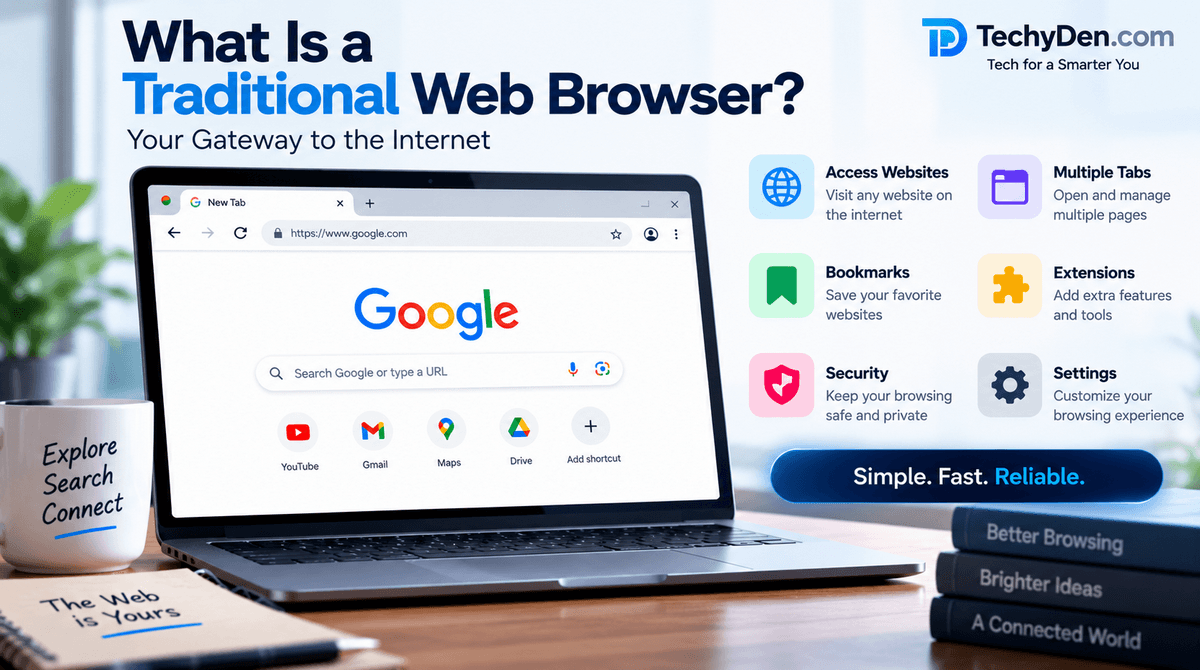
A traditional web browser is software that allows you to access and interact with websites on the internet.
It connects to web servers, retrieves website content, and displays webpages containing text, images, videos, forms, and other interactive elements.
Examples include:
- Google Chrome
- Mozilla Firefox
- Microsoft Edge
- Apple Safari
- Opera
Traditional browsers provide essential features such as:
- Address bar and search.
- Multiple tabs.
- Bookmarks.
- Browsing history.
- Downloads.
- Password management.
- Browser extensions.
- Developer tools.
- Privacy and security settings.
How Does a Traditional Browser Work?
Suppose you want to search for the best free photo editors.
You enter your search query into the address bar. The browser sends the request to your selected search engine, displays the results, and lets you open the websites.
You then read the information, compare different products, and make your own decision.
The browser does not necessarily summarize the pages or complete the research for you. You remain responsible for navigating, reading, and organizing the information.
In simple words: A traditional browser gives you access to the web, while an AI browser can also help you understand and work with the web.
AI Browser vs Traditional Browser: Comparison Table
The following table provides a quick overview of the differences.
| Features | AI Browser | Traditional Browser |
|---|---|---|
| Main purpose | Browsing with AI assistance | Accessing and interacting with websites |
| Search | Natural-language questions and standard search | Keyword search and URLs |
| Webpage summaries | Often available as a built-in AI feature | Usually requires manual reading or extra tools |
| Research | Can assist with comparisons and synthesis | User gathers and compares information. |
| Task automation | May perform supported multi-step actions | Mostly manual, with extensions or scripts |
| User control | May delegate some decisions to AI | The user controls navigation and actions. |
| Speed | AI may save time on complex tasks. | Direct browsing can be efficient for simple tasks. |
| Privacy | Depends on AI provider, settings, and data handling | Depends on browser and connected services |
| Extensions | Varies by browser | Often mature and extensive |
| Best for | Research, assistance, and supported automation | Everyday browsing and direct website use |
Important: This is a general comparison. AI browsers can support ordinary browsing, and traditional browsers can include AI features.
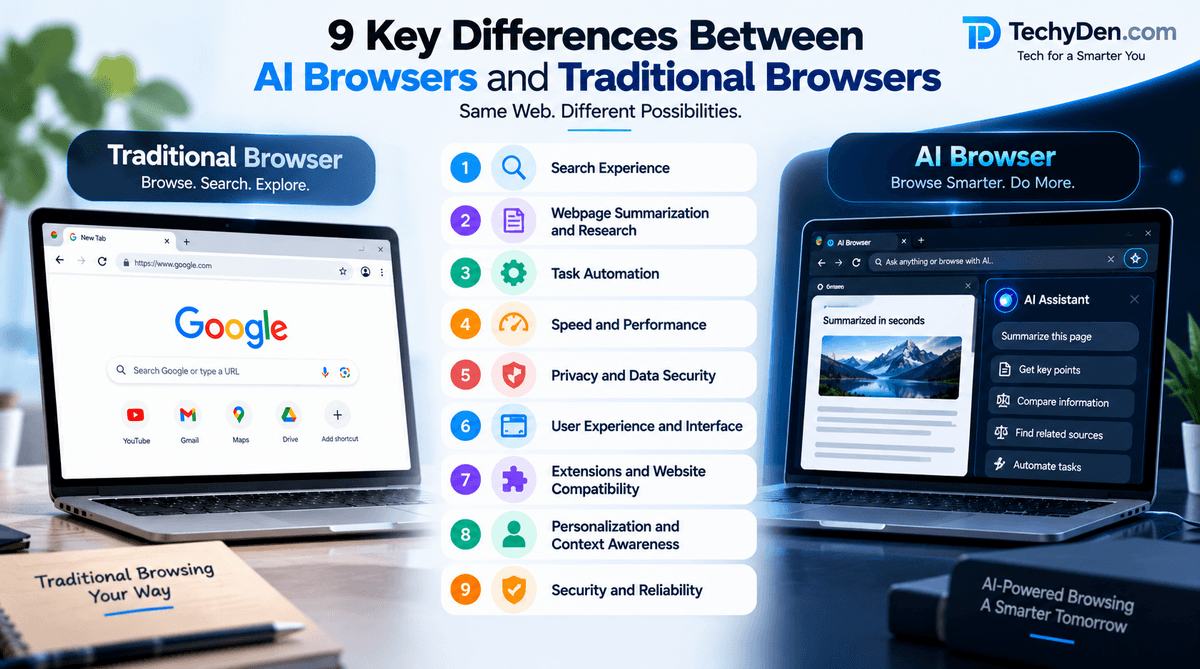
9 Key Differences Between AI Browsers and Traditional Browsers
1. Search Experience
One of the biggest differences between AI browsers and traditional browsers is how users search for information.
Traditional browsers generally work with search engines. You enter a keyword or phrase, receive a list of results, and open the websites that seem relevant.
For example, you might search:
Best WordPress hosting for beginners
You then visit different websites, read their reviews, and compare their recommendations.
AI browsers can offer a more conversational search experience. Instead of entering several keyword searches, you may ask a question such as:
Which WordPress hosting provider is best for a beginner who wants fast hosting and an affordable plan?
The AI assistant may help interpret your question, summarize available information, and organize the answer.
Traditional Browser Search
- Enter keywords.
- Browse search engine results.
- Open relevant websites.
- Read and compare information.
- Make your own decision.
AI Browser Search
- Ask a natural-language question.
- AI interprets your request.
- Search or webpage context may be used.
- AI provides assistance or a summary.
- You can ask follow-up questions.
Which Is Better?
AI browsers are useful when you want to explore a topic conversationally. Traditional browsers remain excellent when you already know the website or want to inspect original sources directly.
SEO keywords: AI browser search, AI browser vs normal browser, AI-powered web search.
2. Webpage Summarization and Research
Reading long articles, reports, product reviews, and documentation can take considerable time.
AI browsers can help summarize webpage content and answer questions about the information you are viewing. This is particularly useful when you need to understand the main points of a lengthy article.
For example, suppose you open a 3,000-word review of a laptop. Instead of reading every section immediately, you might ask:
What are the main advantages and disadvantages of this laptop?
An AI assistant may provide a summary based on the page content.
Benefits for Research
AI-powered browsing may help you:
- Summarize lengthy articles.
- Extract important points.
- Compare multiple webpages.
- Understand technical documentation.
- Find relevant information in a document.
- Create a preliminary research outline.
Limitations of AI Summaries
AI-generated summaries are not always accurate. The assistant may misunderstand a sentence, miss important details, or provide information that is not supported by the original source.
For important topics, always open the original webpage and verify the claims.
Example for Bloggers
A blogger researching the keyword “best AI tools for content creators” could use an AI browser to identify:
- Important features of each tool.
- Pricing information.
- Advantages and disadvantages.
- Common user questions.
- Differences between competing products.
This can make the initial research process more efficient, but it should not replace fact-checking.
Verdict: AI browsers have an advantage for research assistance, while traditional browsers remain essential for checking original sources.
3. Task Automation
Traditional browsers require users to perform most browsing actions manually.
If you want to compare products, you typically open websites, click links, read specifications, and record the information yourself.
AI browsers with agentic capabilities may help automate some of these tasks.
Examples of AI Browser Automation
Depending on the browser, supported actions may include
- Opening websites.
- Searching for information.
- Navigating between pages.
- Extracting webpage details.
- Filling certain forms.
- Comparing products.
- Organizing information.
- Completing parts of a repetitive workflow.
For example, you might ask an AI browser:
Find three laptops under my budget and compare their RAM, storage, processor, and display.
The browser may assist with collecting and organizing the information.
Why Automation Is Useful
Automation can reduce repetitive work and save time, especially when you frequently perform similar tasks.
However, AI agents can make mistakes. They may misunderstand instructions, choose the wrong option, or fail when a website changes its layout.
Never assume an AI browser completed a task correctly just because it says it did. Review the result before relying on it.
Traditional Browsers Still Have an Advantage
Manual browsing offers predictable control. You decide what to click, what to enter, and when to stop.
For sensitive tasks involving banking, payments, passwords, or important account changes, manual control or explicit human approval is especially important.
4. Speed and Performance
Many people assume that AI browsers are faster than traditional browsers. This is not necessarily true.
Browser performance depends on several factors:
- Browser engine.
- Computer hardware.
- Number of open tabs.
- Extensions.
- Website complexity.
- Internet connection.
- AI processing requirements.
- Background services.
Traditional Browser Speed
A traditional browser can be very efficient for simple activities such as
- Opening a website.
- Watching YouTube videos.
- Reading articles.
- Checking email.
- Downloading files.
- Using web applications.
You enter a URL, the browser loads the page, and you interact with it.
AI Browser Speed
An AI browser may save time by reducing the number of manual steps involved in research or repetitive tasks.
For example:
- Traditional method: Open 10 articles and read them individually.
- AI-assisted method: Ask the browser to summarize the relevant information from the pages.
The second approach may save time overall, even if the AI needs additional processing time.
Is an AI Browser Faster Than Chrome?
Not automatically.
Google Chrome, Microsoft Edge, Firefox, and other mature browsers can perform very well for everyday browsing. AI features may improve productivity without making the underlying webpage load faster.
Verdict: Traditional browsers are often sufficient for fast everyday browsing. AI browsers can be more time-efficient for complex research and supported workflows.
5. Privacy and Data Security
Privacy is one of the most important differences to consider when choosing between AI browsers and traditional browsers.
A traditional browser already handles sensitive information such as
- Browsing history.
- Cookies.
- Saved passwords.
- Website permissions.
- Autofill information.
- Account sessions.
AI browsers may add another layer of data processing when you use their AI assistants.
Depending on the browser, AI features may process:
- Your questions.
- Webpage content.
- Selected text.
- Browsing context.
- Information from connected services.
- Data required to complete a task.
The exact handling depends on the provider, feature, account type, and settings.
Privacy Risks of AI Browsers
Potential concerns include:
- Browsing context: An AI assistant may need access to information from webpages you ask it to analyze.
- Cloud processing: Some AI features may send relevant information to remote servers for processing.
- Connected accounts: AI tools that access email, documents, or calendars can expose more sensitive information.
- Data retention: Providers may have different policies regarding prompts, browsing data, and logs.
- Third-party services: Integrations can introduce additional data-sharing considerations.
Privacy Risks of Traditional Browsers
Traditional browsers are not automatically private. They can also collect or process browsing information through browser services, search engines, cookies, extensions, and account synchronization.
How to Choose a Privacy-Focused Browser
Before choosing an AI browser, check:
- Does it require an account?
- What browsing data is sent to the AI provider?
- Can AI features be disabled?
- How long is data retained?
- Does the browser support private browsing?
- What permissions does the AI assistant need?
- Can you control connected services?
- Is your data used for model training?
Verdict: Neither AI browsers nor traditional browsers are automatically the most private. Read the privacy policy and configure settings carefully.
6. User Experience and Interface
Traditional browsers usually provide a familiar interface with an address bar, tabs, bookmarks, and browser controls.
AI browsers add features such as
- AI chat panels.
- Page-aware assistants.
- Natural-language commands.
- Voice interaction.
- Contextual suggestions.
- AI-powered tab management.
- Task or agent panels.
Traditional Browser Interface
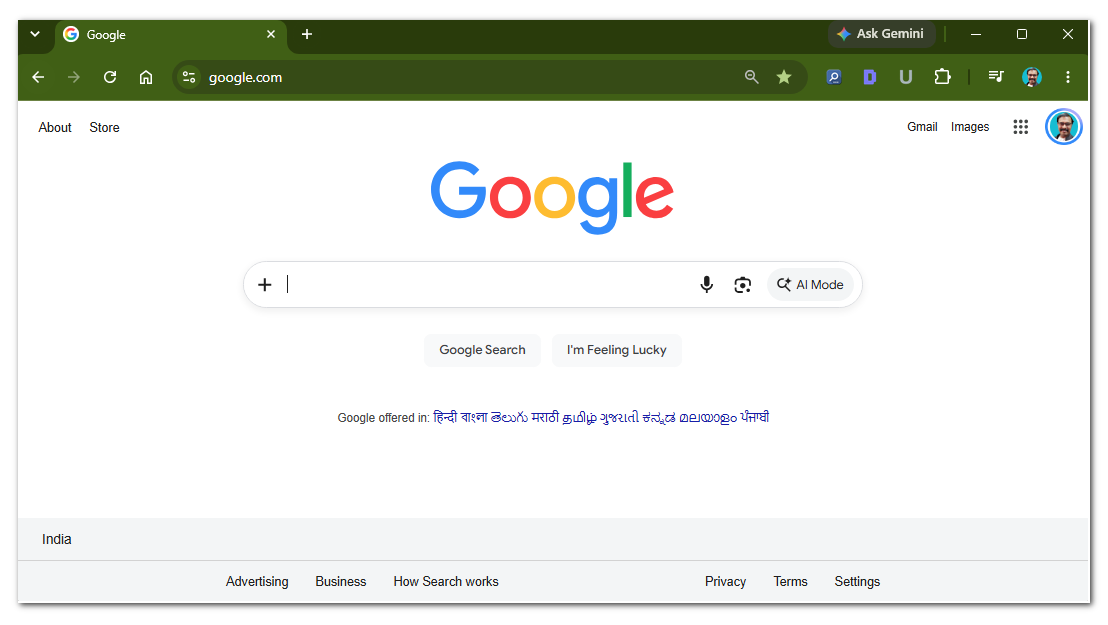
Traditional browsing is straightforward. You open a page, click links, type information, and use browser controls.
AI Browser Interface
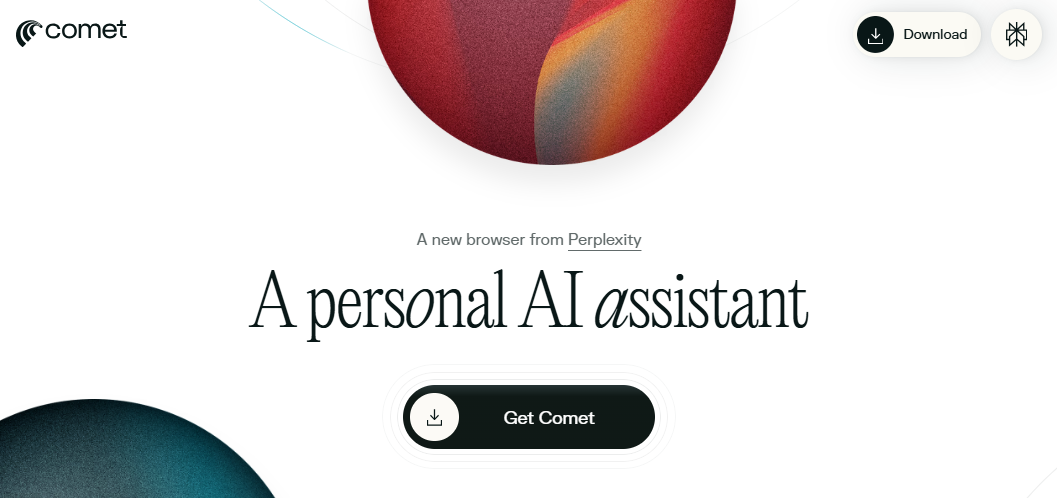
AI browsers may place an assistant alongside the webpage. This lets you ask questions without opening a separate chatbot.
Which Is Easier to Use?
Traditional browsers are often easier for people who prefer simple, predictable browsing.
AI browsers may be more useful for people who frequently ask questions, research topics, or want help with repetitive work.
The best interface depends on personal preference and how much AI assistance you need.
7. Extensions and Website Compatibility
Browser extensions are important for productivity, security, and customization.
Traditional browsers such as Chrome and Firefox have mature extension ecosystems. Users can install tools for:
- Password management.
- Ad blocking.
- Grammar checking.
- SEO analysis.
- Screenshot capture.
- Productivity.
- Developer tools.
- Social media management.
AI browsers may also support extensions, depending on their browser engine and compatibility.
For example, Perplexity Comet is Chromium-based and supports many Chrome extensions. However, support for individual extensions and browser-specific features can vary.
Why Extension Support Matters
If you use browser extensions for blogging or SEO, switching browsers may affect your workflow.
You should check whether your favorite tools work correctly, including:
- SEO extensions.
- Affiliate management tools.
- Password managers.
- Grammar tools.
- Web development extensions.
- Accessibility tools.
Compatibility Checklist
Before switching to an AI browser:
- Test your essential extensions.
- Check support for your operating system.
- Verify that important websites work properly.
- Confirm password manager compatibility.
- Test your usual work tools.
Verdict: Traditional browsers generally have a mature compatibility advantage. AI browsers can be suitable when they support the extensions and websites you need.
8. Personalization and Context Awareness
Traditional browsers offer personalization through settings, bookmarks, browsing history, themes, extensions, and synchronized accounts.
AI browsers may provide more conversational personalization.
For example, an AI assistant may use the current webpage context to answer questions such as:
Explain this article in simple language.
Or:
Compare the two products shown in these tabs.
Some AI browsers may also support additional context from connected services or saved preferences, depending on their features and permissions.
Traditional Browser Personalization
- Bookmarks.
- Saved passwords.
- Browser themes.
- Search engine preferences.
- Extensions.
- Synced browsing data.
AI Browser Personalization
- Context-aware assistance.
- Natural-language instructions.
- AI-generated summaries.
- Personalized workflows.
- Connected service assistance.
Privacy Consideration
More context can make an assistant useful, but it can also increase the amount of information that needs to be handled.
Choose settings that match your privacy requirements.
9. Security and Reliability
Security is another important area where AI browsers differ from traditional browsers.
Traditional browsers already provide security features such as:
- HTTPS support.
- Phishing protection.
- Malware warnings.
- Site permissions.
- Sandboxing.
- Security updates.
AI browsers can use many of the same browser security technologies. However, browsers that allow AI agents to read webpages and perform actions introduce additional risks.
What Is Prompt Injection?
Prompt injection is a security risk where untrusted content attempts to influence an AI system’s behavior.
For example, a webpage may contain hidden or visible instructions that try to convince an AI assistant to ignore the user’s request or reveal information.
If an AI browser can also click links, fill forms, or interact with authenticated websites, the consequences can be more serious.
Traditional Browser Security
In a traditional browser, you usually decide what to click and what information to enter.
AI Browser Security
An AI browser may perform some actions on your behalf. That makes permission controls, confirmation steps, and careful review important.
How to Use AI Browsers Safely
- Avoid giving unnecessary permissions.
- Review actions before approving them.
- Be careful with unknown webpages.
- Don’t share sensitive information unnecessarily.
- Use strong passwords and multi-factor authentication.
- Keep your browser updated.
- Avoid granting broad access to sensitive accounts.
- Verify AI-generated answers against trusted sources.
Verdict: AI browsers can be useful, but additional automation capabilities require careful security practices.
Advantages and Disadvantages of AI Browsers
Pros of AI Browsers
- Conversational Browsing: You can ask questions in natural language instead of relying only on short keyword searches.
- Faster Research Assistance: AI can help summarize articles, compare information, and organize findings.
- Reduced Tab Switching: A built-in AI assistant may reduce the need to move between a browser and a separate chatbot.
- Productivity Assistance: AI features can help with drafting, extracting information, and other supported workflows.
- Task Automation: Some AI browsers can perform parts of multi-step tasks with user approval.
- Better Support for Complex Questions: AI assistants can help explain technical topics and answer follow-up questions about webpages.
Cons of AI Browsers
- AI Can Make Mistakes: AI-generated answers may contain incorrect information or misunderstand webpage context.
- Privacy Concerns: AI features may process browsing context or information from connected services.
- Additional Resource Usage: AI assistants and background features may add processing or network requirements.
- Limited Automation: Not every AI browser supports advanced agentic actions, and some websites may not work correctly with them.
- Possible Subscription Costs: Some advanced AI features may require paid plans or account subscriptions.
- Security Risks: AI agents that interact with websites can introduce risks such as prompt injection and unintended actions.
Advantages and Disadvantages of Traditional Browsers
Pros of Traditional Browsers
- Simple and familiar browsing experience.
- Direct access to websites.
- Strong compatibility.
- Mature extension support.
- Predictable manual control.
- Suitable for everyday internet use.
- Often available without a separate AI subscription.
Cons of Traditional Browsers
- More manual research.
- Less built-in AI assistance in some browsers.
- Users may need separate tools for summaries and comparisons.
- Repetitive tasks can take more time.
- Automation often requires extensions or scripts.
Which Browser Is Better for Different Users?
There is no single best browser for everyone. Your ideal choice depends on how you use the internet.
| User type | Recommended choice |
|---|---|
| Casual internet user | Traditional browser |
| Students | AI browser for research assistance |
| Bloggers | AI browser for content research and productivity |
| SEO professionals | Browser with useful SEO extensions and AI assistance |
| Developers | Mature browser with strong developer tools |
| Privacy-conscious users | Browser with clear privacy settings |
| Online shoppers | Either, depending on needs and trust |
| Businesses | Browser with suitable security and admin controls |
| Older computers | Lightweight browser with minimal overhead |
Is an AI Browser Better for Bloggers?
AI browsers can be useful for bloggers and content creators because much of blogging involves research, comparison, writing, and organizing information.
For example, you may use an AI browser to:
- Research blog post topics.
- Analyze competitor articles.
- Summarize technical documentation.
- Find frequently asked questions.
- Compare hosting providers.
- Organize content ideas.
- Draft an initial article outline.
- Review webpage information.
Example: Researching a TechyDen Article
Suppose you are writing an article on “Best AI Browsers.”
With a traditional browser, you might open several review websites, compare features, and create your own notes.
With an AI browser, you may ask it to help summarize the differences between the products.
However, you should independently verify:
- Product availability.
- Pricing.
- Supported platforms.
- Privacy policies.
- Performance claims.
- Security information.
Best approach: Use AI browsers to speed up research, but rely on original sources and your own judgment for final content.
Popular AI Browsers and AI-Powered Browsing Options
AI-powered browsers are changing how users search for information, read webpages, and complete online tasks. Unlike traditional browsers that primarily focus on accessing websites, AI browsers can provide conversational assistance, summarize content, and support productivity workflows.
Several browsers now offer AI-powered features, while others are designed specifically around AI-assisted browsing. Below are four options worth exploring if you want to experience the future of web browsing.
1. Perplexity Comet
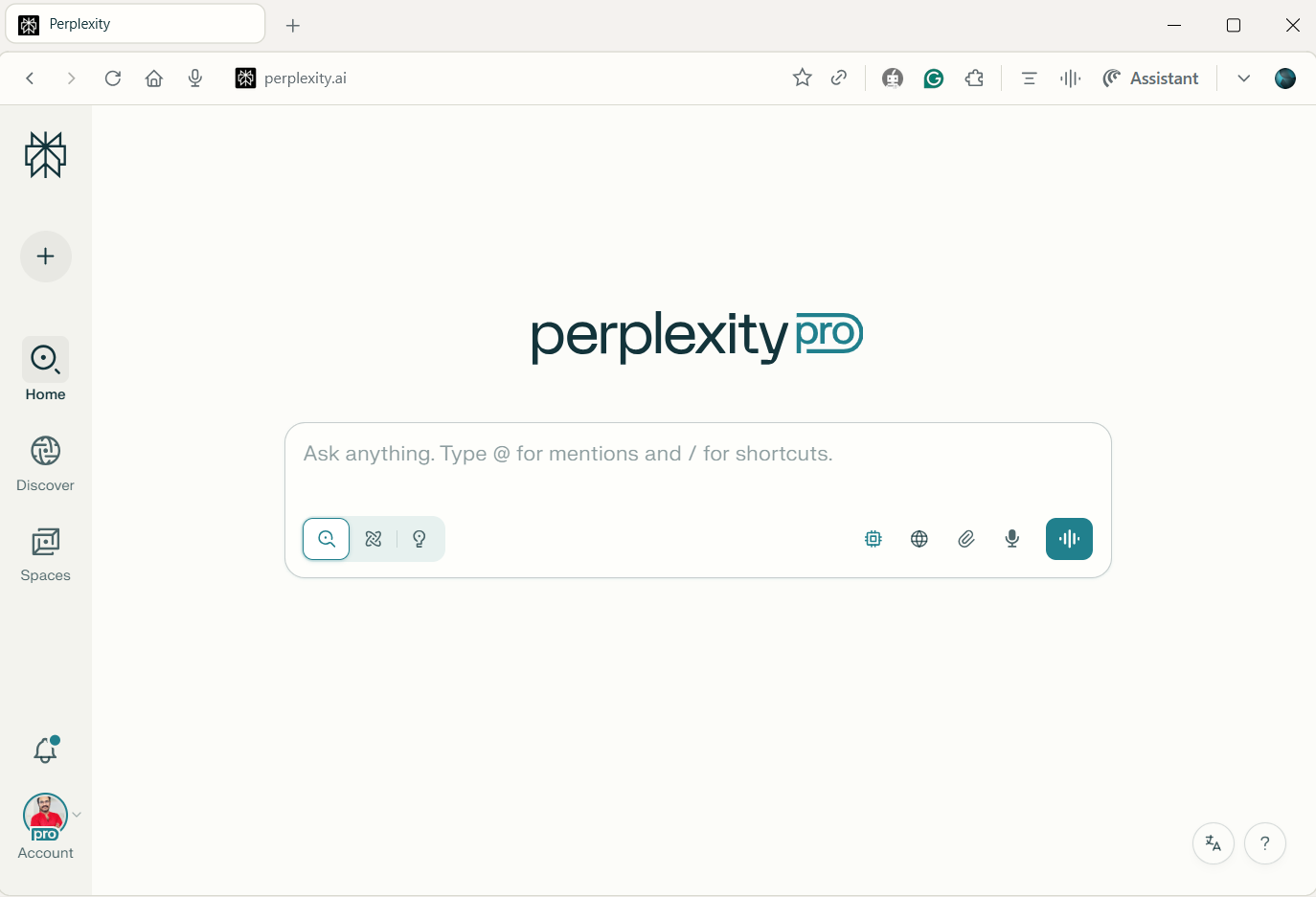
Perplexity Comet is an AI-first browser designed around research, conversational assistance, and productivity. It aims to make browsing more interactive by allowing users to ask questions, understand webpages, and work with information through an AI assistant.
Instead of opening multiple tabs and manually reading every article, users can use AI-assisted features to explore topics, summarize information, and find relevant answers. This makes Comet an interesting option for people who frequently conduct online research.
Key Features and Areas to Explore
- AI-assisted webpage research: Get help understanding articles, reports, and online information.
- Conversational browsing: Ask questions in natural language and continue with follow-up queries.
- Webpage summarization: Extract key points from lengthy webpages and documents.
- Browser-based productivity: Use AI assistance while researching, reading, and organizing information.
- Supported automation features: Explore available tools for completing browser-based tasks.
- Chromium extension compatibility: Check support for your favorite Chrome extensions and productivity tools.
Who Should Use Perplexity Comet?
Perplexity Comet is worth considering if you want an AI-centered browsing experience rather than a conventional browser with an AI feature added on.
It may be useful for bloggers researching new topics, students reviewing online study material, professionals comparing information, and anyone who prefers asking questions instead of manually searching through numerous webpages.
Best for: Users who want an AI-focused browser for research, conversational assistance, and browsing productivity.
Official website: Perplexity Comet
2. Microsoft Edge
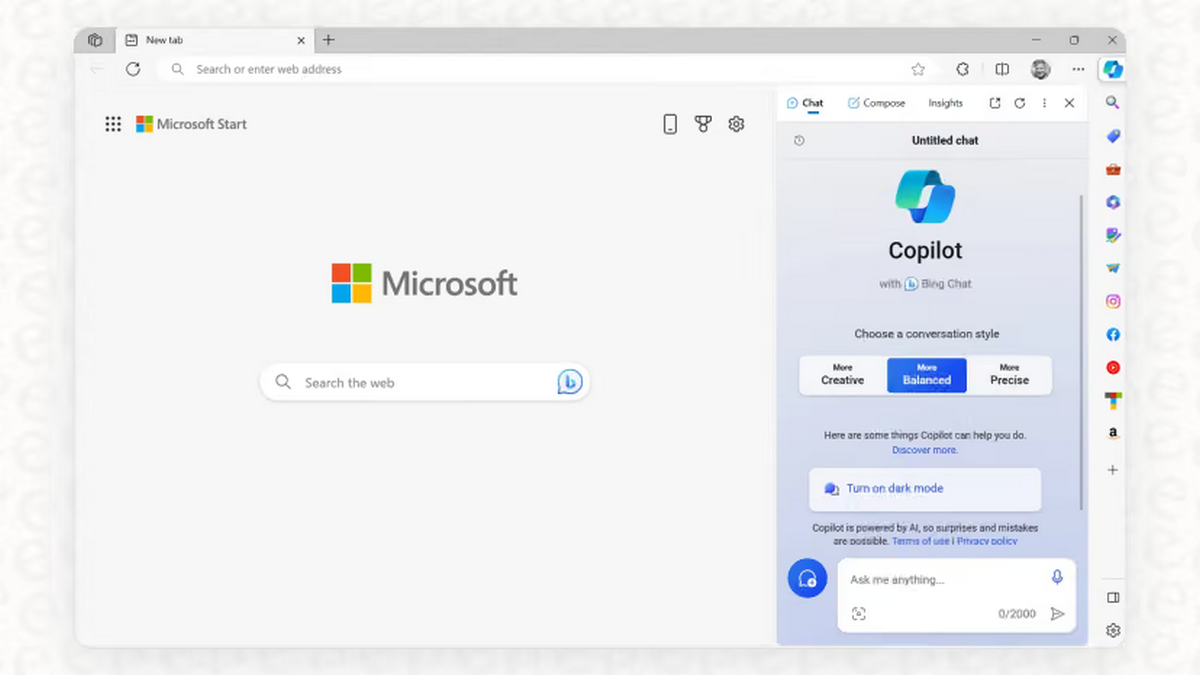
Microsoft Edge is a traditional web browser built on Chromium, with integrated Microsoft AI capabilities. It combines familiar browsing features with AI-powered tools available through supported versions, accounts, and services.
Edge is particularly relevant for Windows users because it integrates with the Microsoft ecosystem. Depending on the features available to you, its AI capabilities can assist with webpage-related tasks, search, and productivity.
Key Features and Areas to Explore
- Webpage assistance: Get help understanding or working with content on webpages.
- AI-powered search: Use conversational assistance to explore questions and discover information.
- Content summarization: Summarize supported webpages and extract important details.
- Microsoft ecosystem integration: Work with Microsoft services and productivity tools where supported.
- Productivity workflows: Use AI assistance alongside everyday browsing and work tasks.
- Familiar browsing experience: Continue using tabs, bookmarks, extensions, and standard browser settings.
Who Should Use Microsoft Edge?
Microsoft Edge is a practical option for users who already use Windows, Microsoft 365, or other Microsoft services. It can be useful for professionals, students, and everyday users who want AI assistance without moving away from a familiar browser interface.
If you are already comfortable with Edge, you may be able to explore its AI features without switching to a dedicated AI-first browser.
Best for: Windows users, Microsoft 365 users, and people who want traditional browsing with integrated AI capabilities.
Official website: Microsoft Edge
3. Google Chrome
Google Chrome remains one of the most widely used web browsers, and Google continues to introduce AI-powered capabilities into supported Chrome experiences.
Chrome is primarily known for its familiar interface, broad website compatibility, and extensive extension ecosystem. Its AI features can add assistance to the browsing experience while preserving the browser workflows many users already know.
Key Features and Areas to Explore
- Familiar browsing interface: Use the standard Chrome tabs, address bar, bookmarks, and settings.
- Chrome extension ecosystem: Access a wide range of productivity, SEO, security, and blogging tools.
- Google account integration: Use supported Google services and account features.
- AI assistance: Explore Gemini-powered and other AI capabilities available in your version.
- Developer tools: Continue using Chrome’s established tools for website testing and development.
- Website compatibility: Benefit from Chrome’s broad support for modern websites and web applications.
Who Should Use Google Chrome?
Chrome is a good option for users who prefer a traditional browser but want access to AI-powered features when available.
For bloggers and SEO professionals, Chrome can be especially useful because many familiar extensions and web-based tools are built around Chromium compatibility. You can continue using your regular workflow while exploring new AI features.
Best for: Users who want a familiar browser with optional AI assistance, strong extension support, and broad website compatibility.
Official website: Google Chrome
4. Opera Neon
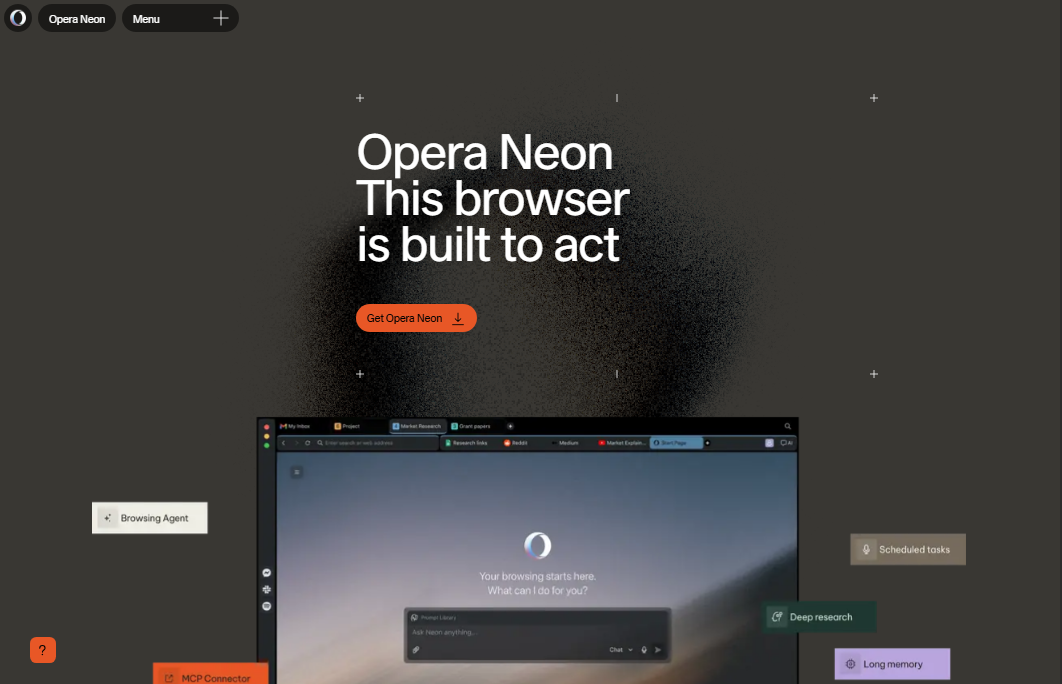
Opera Neon is an AI-oriented browsing product designed around advanced browsing and productivity workflows. It is part of the growing category of browsers that aim to make AI a more central part of how users interact with the internet.
Rather than focusing only on opening websites and managing tabs, AI-oriented browsers such as Opera Neon explore ways to help users work with online information and complete supported tasks more efficiently.
Key Features and Areas to Explore
- AI-focused browsing experience: Explore an interface designed around AI-assisted browsing.
- Advanced browsing workflows: Investigate how the browser helps users manage research and online tasks.
- AI productivity features: Explore available tools for working with information and completing supported workflows.
- Task assistance: Check which automation capabilities are currently supported.
- Modern browser interface: Experience a different approach to browsing compared with traditional browsers.
- Supported platforms and pricing: Review device compatibility, plan details, and feature availability before subscribing.
Who Should Use Opera Neon?
Opera Neon may appeal to users who enjoy experimenting with new AI-powered technologies and want to explore a browser designed around AI workflows.
It could be worth investigating for tech enthusiasts, productivity-focused users, and early adopters who want to understand how AI may change the traditional browsing experience.
Best for: Users interested in experimenting with AI-focused browser experiences and advanced browsing workflows.
Official website: Opera
Which AI Browser Should You Choose?
The right AI browser depends on how you use the internet and which features matter most to you.
- For AI-focused research: Explore Perplexity Comet and its research-oriented features.
- For Windows and Microsoft users: Microsoft Edge offers a familiar browsing experience with integrated AI capabilities.
- For everyday browsing and extensions: Google Chrome is worth considering if you want a conventional browser with optional AI features.
- For experimenting with AI-first browsing: Opera Neon is an option to explore for advanced browsing workflows.
Before choosing a browser, check its current features, supported devices, privacy policy, extension compatibility, and pricing. AI browser capabilities can change rapidly, and a feature available today may be modified or restricted in a future version.
AI browsers are becoming an important part of the modern web browsing experience. Whether you choose an AI-first browser such as Perplexity Comet or a traditional browser with AI features such as Microsoft Edge or Google Chrome, the goal is to make browsing more useful and productive.
For most users, there is no need to switch immediately. Try the AI features available in your current browser, compare them with dedicated AI browsers, and choose the option that best fits your daily workflow.
Note: AI browser features, availability, pricing, and supported platforms can change over time. Check the official product pages before publishing a detailed product comparison or recommending a paid plan.
How to Choose the Right Browser
Before switching from a traditional browser to an AI browser, consider the following factors.
- Do You Need AI Assistance? If you frequently research topics, summarize articles, or work with large amounts of information, AI assistance may be useful. If you mainly visit websites, watch videos, and use email, a traditional browser may be enough.
- Is Speed Your Priority? Choose a browser that performs well on your computer. AI features do not automatically make webpage loading faster.
- Do You Use Browser Extensions? Check compatibility with your essential extensions before switching.
- Are Privacy and Security Important? Review the browser’s privacy policy, permissions, data handling, and AI settings.
- Do You Need Automation? If you want an AI browser to perform tasks, check which actions it actually supports. Do not assume all AI browsers can complete complex workflows.
- What Is Your Budget? Some browsers are free, while advanced AI features may be paid. Check current pricing before subscribing.
- Do You Prefer Manual Control? Traditional browsers may be better if you want to control every step of your browsing experience.
Frequently Asked Questions
What is the difference between an AI browser and a traditional browser?
An AI browser combines normal web browsing with artificial intelligence features such as conversational search, webpage summaries, and supported task automation. A traditional browser mainly helps users access websites, navigate between pages, and interact with online content. AI browsers focus on assistance, while traditional browsers emphasize direct browsing and manual control.
Is an AI browser better than Chrome?
An AI browser is not automatically better than Google Chrome. AI browsers can be useful for research, summaries, and supported automation, while Chrome offers familiar browsing, broad compatibility, and a mature extension ecosystem. The best option depends on your needs, privacy preferences, device, and whether you want built-in AI assistance.
Are AI browsers faster than traditional browsers?
AI browsers are not necessarily faster at loading websites. Traditional browsers can perform very efficiently for everyday browsing. AI features may save time by summarizing information or automating repetitive tasks, but AI processing can also add latency. Choose based on overall productivity, webpage performance, and computer hardware rather than the browser’s AI label.
What are the benefits of using an AI browser?
The main benefits of AI browsers include conversational browsing, webpage summarization, research assistance, content comparison, and supported task automation. They can help users understand long articles and reduce repetitive work. However, AI-generated answers may be inaccurate, and advanced features vary between browsers. Always verify important information and review automated actions.
Are AI browsers safe to use?
AI browsers can be safe when properly configured, but they introduce additional risks if an AI assistant can read webpages or perform actions. Potential concerns include privacy, prompt injection, and unintended actions. Use strong passwords, limit permissions, keep software updated, and review sensitive actions. Do not give unnecessary access to private accounts.
Do AI browsers replace search engines?
AI browsers do not necessarily replace search engines. Many use search engines or web retrieval to find information, then add AI assistance such as summaries and conversational answers. Traditional search is still useful for discovering original sources and comparing results. AI browsing changes how users interact with search, but it does not eliminate the need for reliable sources.
Can AI browsers automate tasks?
Some AI browsers can automate supported tasks, such as navigating webpages, collecting information, or filling certain forms. The exact capabilities depend on the browser, website, account permissions, and available AI features. Automation can save time, but users should verify results and approve sensitive actions rather than trusting every task to run correctly.
Which is better for privacy, AI browsers or traditional browsers?
Neither browser type is automatically more private. Traditional browsers can collect browsing data through services, accounts, cookies, and extensions. AI browsers may also process prompts, webpage context, or connected-service information. Compare privacy policies, data retention, permissions, and AI settings. Choose a browser that provides the controls and data handling practices you are comfortable with.
Can I use AI features in a traditional browser?
Yes. Many traditional browsers now include AI features, and users can also access AI services through websites or compatible extensions. Google Chrome and Microsoft Edge are examples of mature browsers with AI capabilities. This means you may not need to switch to a dedicated AI browser to get conversational assistance or webpage-related AI tools.
Should I switch from Chrome to an AI browser?
You should switch only if an AI browser provides meaningful benefits for your workflow. If you frequently research, summarize webpages, or automate low-risk tasks, it may be worth trying. If you depend on specific extensions, developer tools, or sensitive account workflows, your current browser may be better. Test compatibility, privacy, and performance before switching completely.
AI Browser vs Traditional Browser: Final Verdict
AI browsers and traditional browsers serve different purposes, but the gap between them is becoming smaller.
Traditional browsers are still excellent for everyday browsing, direct website access, extensions, compatibility, and manual control. They are a reliable choice for users who prefer a familiar browsing experience.
AI browsers are useful for research, webpage summaries, conversational assistance, and supported automation. They can help users complete complex browsing tasks more efficiently.
Which is better?
- Choose an AI browser if you want assistance with research, summaries, and productivity.
- Choose a traditional browser if you prefer simple, predictable browsing.
- Choose a browser with optional AI features if you want the flexibility to use AI when needed.
For most users, the best solution may be a hybrid approach: keep a familiar browser for everyday and sensitive tasks, and use AI-powered browsing for research and low-risk productivity workflows.
The future of browsing is not necessarily about replacing traditional browsers. It is about making the browser more helpful while keeping users in control.