ChatGPT Atlas for Windows: Everything You Need to Know
ChatGPT Atlas is OpenAI’s new AI-powered web browser that combines smart technology with a simple browsing experience. It lets users chat, search, and create content directly within the browser using ChatGPT. After its first launch for macOS, many users are now waiting for ChatGPT Atlas for Windows. OpenAI has confirmed that the ChatGPT Atlas Windows release will arrive soon
Windows users are asking, “When will ChatGPT Atlas be available for Windows?” and “Is ChatGPT Atlas safe for Windows 10 and 11?” OpenAI has already confirmed that the ChatGPT Atlas Windows version is coming soon. This AI browser for Windows will include features like agent mode, browser memories, and faster research tools. It will work as both a web browser and an AI assistant. The upcoming launch has gained strong interest, especially among Windows browser India users.
If you are interested in writing blogs, ChatGPT Atlas will be a great tool. It is also beneficial if you want to learn how to write for blog. It is also helpful for improving your blogging and writing. You can research, summarize, and even write blog posts without switching tabs. It’s perfect for creators, students, and professionals who use Windows every day.
In this article, we’ll explain what ChatGPT Atlas Windows is. We will also describe how it works and discuss its key features. Finally, we’ll share how you can get ready for its release. You’ll also learn about the benefits of this AI browser for Windows 2026. We will show you how to install it when it launches. You’ll understand why it’s a better choice for writing blogs and improving productivity. Users can soon download ChatGPT Atlas Windows India version directly from OpenAI’s website.
Latest Update: ChatGPT Atlas for Windows Shutdown
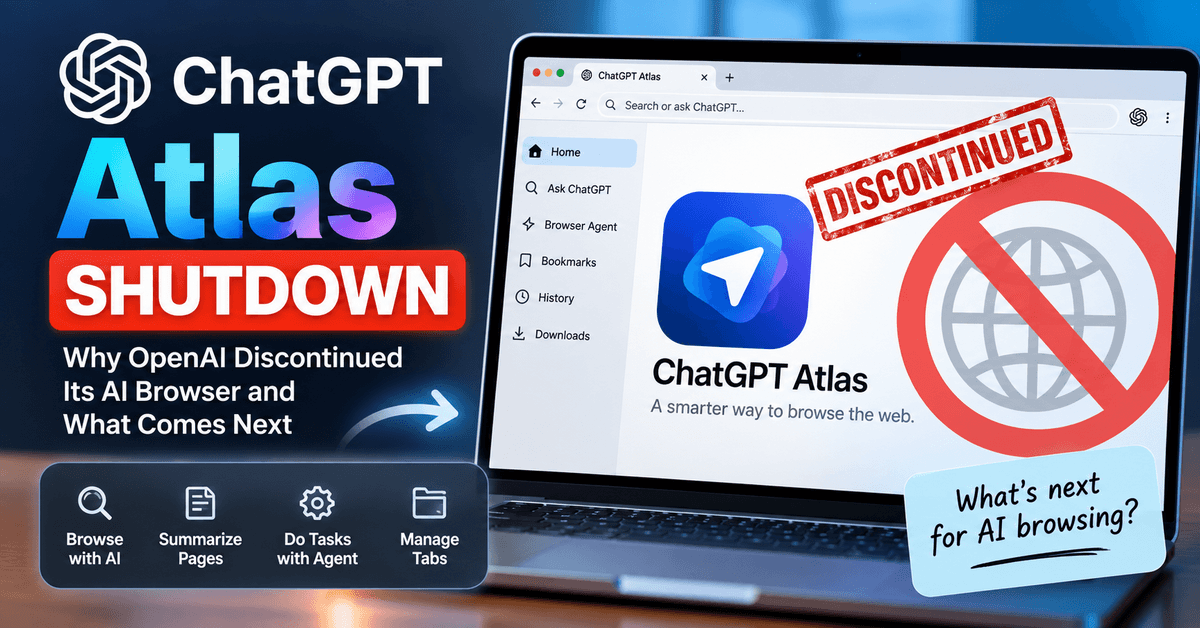
If you were waiting for ChatGPT Atlas for Windows, there is an important change. OpenAI discontinued ChatGPT Atlas on August 9, 2026, before the Windows version became a full standalone-browser release. The earlier Windows release information in this article is now outdated. OpenAI is moving browser-based agent capabilities into ChatGPT and Codex instead. Read our latest ChatGPT Atlas Shutdown article to learn what happened, why Atlas was discontinued, and which alternatives Windows users can explore.
What is ChatGPT Atlas?
ChatGPT Atlas is OpenAI’s new AI-powered web browser that brings the smart features of ChatGPT directly into your browsing window. It’s built on the Chromium platform, just like Chrome. It includes advanced AI tools that make your work easier and faster.
The ChatGPT Atlas browser allows you to search, chat, summarize, and write without leaving the page. You can use it to research topics, generate ideas, or even write blogs and articles with AI help. Features like Agent Mode and Browser Memories make it unique. They help users automate tasks. These features also allow users to remember past actions and boost productivity. It’s a Chromium-based browser, similar to Chrome, but enhanced with built-in AI features.
- Free ChatGPT Go Plan for Indian Users (OpenAI Offer)
- ChatGPT Atlas: OpenAI’s Bold Move to Rethink the Web Browser
You’ll soon be able to install the ChatGPT Atlas Windows version on Windows 10 and 11. You can import your bookmarks and passwords. Then, you can start using it as your main AI browser for Windows. The browser is designed with strong Windows OS browser support, ensuring smooth performance.
Whether you’re focused on blogging and writing, or learning how to write for blog. Managing daily tasks is another possibility. ChatGPT Atlas will change your approach. It will transform how you browse and create content.
Availability & Status for Windows
The ChatGPT Atlas Windows version is currently under development and will be released soon. After launching for macOS, OpenAI confirmed that ChatGPT Atlas for Windows 10 and 11 is coming next. Windows users can expect the same AI-powered features, including Agent Mode, Browser Memories, and built-in ChatGPT tools.
Right now, you can join the waitlist. You can also follow OpenAI updates. This will help you get early access once the AI browser for Windows becomes available. Many users are already asking, “When will ChatGPT Atlas be available for Windows?” and “Will it work better than Chrome?”
The release will provide Windows users with a new way to browse. They will be able to research and write blogs using AI directly inside the browser. It combines speed, simplicity, and smart assistance in one platform.
If you often ask yourself ‘how do I write a blog post?’, ChatGPT Atlas can guide you step by step. ChatGPT Atlas helps improve your blog for writing and content planning. New users can explore blog how to write tutorials directly with ChatGPT assistance.
Availability & Status for Windows
The ChatGPT Atlas Windows version is currently in development and will be released soon. After the macOS launch, OpenAI confirmed exciting AI-powered features are coming next. ChatGPT Atlas for Windows 10 and 11 is the next release.
Here’s what Windows users should know:
- Release Status: Official Windows version coming soon.
- Compatibility: Will support Windows 10 and Windows 11.
- Key Features: Includes Agent Mode, Browser Memories, and built-in ChatGPT tools.
- Early Access: Join the OpenAI waitlist for updates and launch notifications.
- AI Browser Advantage: Smarter than Chrome or Edge for research and productivity.
- For Creators: Ideal for writing blogs, research, and AI-assisted content creation.
OpenAI is expected to share detailed ChatGPT Atlas Windows system requirements soon. Once available, users can easily follow the guide on how to install ChatGPT Atlas on Windows. Keep an eye on TechyDen for the latest ChatGPT Atlas Windows release date update.
- Best Ways to Make Money with ChatGPT in 2026 (Fresh Proven Strategies)
- Studio Ghibli Meets AI: ChatGPT’s New Feature Creates Waves
This upcoming AI browser for Windows will make browsing, searching, and writing faster and more intelligent than ever.
Features Windows Users Should Look Forward To
The upcoming ChatGPT Atlas for Windows will include many smart tools that make it more than just a web browser. It’s built to help users research, write, and browse faster with the help of AI.
What features does ChatGPT Atlas have on Windows? Here are the key features Windows users can expect:
- AI-Powered Web Browsing: Chat with ChatGPT directly inside any website without switching tabs.
- Built-in ChatGPT Sidebar: Use it for writing blogs, summarizing content, or getting quick answers.
- Agent Mode: Automate simple tasks like scheduling, note-taking, or collecting information online. You can learn how to use Agent Mode in ChatGPT Atlas on Windows to automate daily tasks like content research. We’ll cover a full ChatGPT Atlas Windows features and review after official release.
- Browser Memories: Save your preferences and past activities for a personalized experience.
- Secure Browsing: OpenAI focuses on privacy and connection security to protect your data.
- Fast & Familiar Design: Based on Chromium, just like Chrome or Edge, making it easy to use.
- Bookmark & Password Import: Quickly import from your old browser during setup.
- Ideal for Bloggers & Writers: This tool is perfect for beginners learning how to write a blog. It also helps those figuring out how to write for blog. Additionally, it assists in improving blogging and writing workflows.
- Cross-Platform Sync: Seamlessly connect your data between macOS and Windows versions.
- Best AI Browser for Windows 2026: Built for creators, researchers, and professionals who want smarter, faster browsing.
With these features, ChatGPT Atlas Windows version will help users create content, manage tasks, and improve productivity—all within one browser.
Benefits of ChatGPT Atlas for Windows Users
The ChatGPT Atlas Windows version offers many benefits that go beyond normal browsing. It combines the power of ChatGPT with the convenience of your Windows 10 and 11 desktop. This integration creates a faster and smarter experience.
Here are the top benefits Windows users can expect:
- All-in-One AI Browser: Chat, search, and create in the same window using ChatGPT Atlas for Windows.
- Boost Productivity: Automate repetitive tasks with Agent Mode and focus on important work. Compared to other browsers, the ChatGPT Atlas Windows vs Chrome vs Edge comparison clearly shows Atlas’s AI advantage.
- Perfect for Blogging and Writing: Ideal for users learning how to write for blog. It is also useful for those learning how to write a blog. It can help improve their blogging and writing skills.
- Faster Research: Instantly summarize webpages, collect facts, and generate blog outlines with AI help.
- Personalized Experience: The Browser Memories feature remembers your preferences for a smoother workflow. Yes, ChatGPT Atlas will work on Windows 10 and 11, giving flexibility to all users.
- Secure Browsing: OpenAI ensures privacy protection and safe data handling within the AI-powered web browser.
- Windows Integration: Works seamlessly on Windows 10 and Windows 11, syncing easily with existing files and apps.
- Familiar Interface: Built on Chromium, so it feels like Chrome but smarter and faster.
- Great for Online Creators: Helps writers, students, and businesses manage projects, create content, and explore ideas quickly.
- Upgrade Option: Easily import your bookmarks, passwords, and extensions to start using the ChatGPT Atlas browser for Windows right away.
With all these benefits, ChatGPT Atlas Windows will become the go-to AI browser for Windows 2026. It will be perfect for research, blogging, writing, and everyday productivity.
Limitations & Things to Consider Before Installing ChatGPT Atlas on Windows
While ChatGPT Atlas for Windows looks exciting, there are a few important points users should know before installing it. Since it’s still new, not all features are available yet, and some might work differently on Windows 10 and 11.
Here are the main things to consider:
- Not Yet Fully Released: The official ChatGPT Atlas Windows version is still in the rollout phase. Availability may be limited.
- System Requirements: You may need the latest Windows 10 or 11 updates for smooth performance.
- Limited Extensions (Initially): Some Chrome extensions may not work until full integration is available.
- Memory Feature Control: The Browser Memories option may raise privacy questions for users concerned about data storage.
- Privacy and Security: As an AI-powered web browser, it stores activity data for personalization—users should review settings before use. Some users may ask, ‘Are there privacy concerns with ChatGPT Atlas browser?’ OpenAI allows users to control memory settings.
- Learning Curve: New features like Agent Mode might take time for users to understand and use effectively.
- Possible Early Bugs: Since it’s new, expect small issues or updates in the first version.
- For Bloggers and Writers: Those using it for writing blogs may need time to adjust. They will have to form new AI-writing habits within the new browser. People learning how to write for blog will also experience this adjustment period.
- Internet Connection Required: The browser’s AI tools depend on an active internet connection to work properly.
- Feature Differences: Some features available on macOS may arrive later on Windows.
Even with these minor limitations, ChatGPT Atlas Windows remains a top choice among AI browsers for Windows 2026. It is particularly beneficial for creators, students, and professionals focused on blogging and writing.
How to Prepare for ChatGPT Atlas on Windows
If you’re excited about the upcoming ChatGPT Atlas Windows version, you can get ready by taking a few simple steps. Preparing now will make it easier to switch once the browser is officially released.
Here’s how Windows users can prepare:
- Update Your System: Ensure you’re using the latest version of Windows 10 or 11. This will ensure best compatibility with the AI browser for Windows.
- Join the Waitlist: Visit OpenAI’s official page and sign up for early access to ChatGPT Atlas for Windows.
- Backup Your Data: Save your bookmarks, passwords, and browsing history to import easily into the ChatGPT Atlas browser.
- Learn About Agent Mode: Understand how Agent Mode automates tasks like research, writing, and note-taking.
- Review Privacy Settings: Get familiar with browser privacy and memory controls to manage your data safely.
- Prepare Your Blog Workflow: If you’re into writing blogs, list your tools for smooth integration. If you are learning how to write for blog, also list your bookmarks.
- Explore AI Features: Try the ChatGPT web version now to get used to AI-powered browsing before the Windows release.
- Read Tutorials: Follow guides and updates about ChatGPT Atlas Windows to learn about new features and updates.
- Organize Extensions: Make a list of your favorite Chrome extensions to check compatibility once the browser launches.
- If you’re in India, it’s a good time to upgrade Windows browser India setup to meet new AI browser standards.
- Stay Updated: Follow OpenAI’s news page or tech blogs like TechyDen for the latest release updates and tips.
Getting ready now ensures you’ll be able to switch smoothly. Start using ChatGPT Atlas for Windows as your main AI-powered web browser. It can enhance productivity, blogging and writing, and everyday work.
Alternatives Until the Windows Version Arrives
While waiting for the official ChatGPT Atlas for Windows, you can still enjoy AI-powered browsing using other tools and browsers. These alternatives help Windows users experience similar features like AI search, writing support, and content generation.
Here are some good options to try:
- ChatGPT Web App: Use ChatGPT in your browser (chat.openai.com) on Windows 10 or 11 to write, search, and summarize content easily.
- Chrome + ChatGPT Extensions: Add ChatGPT or AI writing extensions to Chrome for quick help in blogging and writing.
- Microsoft Edge with Copilot: Try the new Edge browser. It includes AI Copilot for generating text. It also helps in searching faster and summarizing pages.
- Perplexity AI Browser: A fast AI-powered web browser alternative for research and instant answers.
- You.com Browser: Combines chat, search, and writing assistance for those learning how to write for blog or researching topics.
- Notion AI or Grammarly Tools: Use them for writing blogs, drafting posts, and editing content before publishing.
- ChatGPT Desktop App: Available for Windows — offers quick access to ChatGPT features outside your main browser.
- AI Writing Tools: Explore platforms like QuillBot, Writesonic, or WriterZen for content creation while waiting for ChatGPT Atlas Windows version.
- Switch Easily Later: You can import your bookmarks and data from these browsers once ChatGPT Atlas for Windows officially launches.
These alternatives will help you stay productive, creative, and AI-ready. You can use them while waiting for the full ChatGPT Atlas Windows release. It is the next-generation AI browser for Windows 2026.
When to Make the Move to ChatGPT Atlas on Windows
Switching to ChatGPT Atlas for Windows will be an exciting upgrade. It offers faster browsing for anyone. It also provides smart writing tools and built-in AI assistance. However, knowing when to make the move can help you get the best results.
Here’s when you should consider switching:
- After Official Release: Wait for the official ChatGPT Atlas Windows version to launch for a stable and bug-free experience.
- When Fully Compatible: Check if your Windows 10 or 11 meets system requirements for smooth performance.
- If You Use AI Daily: Move to the AI browser for Windows if you regularly use ChatGPT. It is useful for research, writing, or automation.
- For Writers and Bloggers: If you focus on writing blogs, ChatGPT Atlas will make your workflow faster. It is also beneficial if you want to learn how to write for blog. It will also help in improving blogging and writing.
- After Testing Privacy Settings: Review memory and privacy features before using them for sensitive content.
- If You Use Multiple Tools: Replace your Chrome or Edge setup when Atlas supports your extensions and bookmarks.
- When Productivity Matters: Switch when you want to reduce tab switching and use AI directly in your browsing.
- For Early Adopters: Tech enthusiasts and content creators can try early versions. These versions allow them to explore new features. Some of these features include Agent Mode and Browser Memories.
- For Windows-Only Users: Once it’s optimized for Windows 10 and 11, you can confidently make it your main browser.
- If You’re Ready for Change: Move when you’re comfortable using an AI-powered web browser for daily tasks and content creation.
Making the switch at the right time ensures a smooth experience. It allows you to take full advantage of ChatGPT Atlas Windows features. These features range from smart browsing to effortless blogging and writing.
Frequently Asked Questions (FAQs) on ChatGPT Atlas for Windows
What is ChatGPT Atlas for Windows?
ChatGPT Atlas for Windows is an AI-powered web browser developed by OpenAI. It allows Windows users to chat, search, and create content directly inside the browser using ChatGPT. It’s designed to make browsing and writing blogs faster and smarter.
When will ChatGPT Atlas be available for Windows?
The ChatGPT Atlas Windows version is currently under development. OpenAI has announced that it will be released soon after the macOS version. Users can join the waitlist or follow OpenAI updates for the latest release date.
How to install ChatGPT Atlas on Windows 10 or 11?
Once the browser is officially launched, you can download ChatGPT Atlas for Windows 10 and 11 directly from OpenAI’s website. The installation process will be similar to other browsers like Chrome or Edge.
What are the main features of ChatGPT Atlas Windows version?
Key features include:
– Agent Mode for automating tasks.
– Browser Memories for personalization.
– AI writing tools for creating and editing blog content.
– Bookmark and password import for easy setup.
– Secure browsing with OpenAI’s safety controls.
Is ChatGPT Atlas better than Chrome or Edge for Windows users?
Yes, in many ways. ChatGPT Atlas browser offers built-in AI chat and writing tools, which Chrome and Edge lack. It helps Windows users write, search, and summarize without switching tabs — making it a great AI browser for Windows.
Can I use ChatGPT Atlas to write blogs or articles?
Absolutely! ChatGPT Atlas for Windows is perfect for blogging and writing. You can use it to research topics. You can also write drafts. Learn how to write for blog efficiently using ChatGPT’s built-in AI.
Will ChatGPT Atlas work on Windows 10 and Windows 11?
Yes, the upcoming ChatGPT Atlas Windows version will be compatible with both Windows 10 and Windows 11. It’s designed to integrate smoothly with your system and existing tools.
Is ChatGPT Atlas safe for Windows desktop?
Yes. OpenAI has built ChatGPT Atlas browser with strong privacy and security settings. You can manage Browser Memories and data sharing directly in settings for full control over your information.
What are the system requirements for ChatGPT Atlas on Windows?
You’ll likely need:
– Windows 10 or 11 (latest version)
– At least 4GB RAM
– A stable internet connection (for AI tools)
– Updated graphics and system drivers for smooth performance
Is ChatGPT Atlas available for Windows yet?
Not yet, but OpenAI has announced that the ChatGPT Atlas Windows version will launch soon.
How to download ChatGPT Atlas on Windows?
After release, users can download ChatGPT Atlas on Windows from OpenAI’s official website.
Is ChatGPT Atlas better than Chrome on Windows?
Yes, the AI-powered web browser includes ChatGPT integration that Chrome lacks.
Will ChatGPT Atlas run on Windows 10 or only Windows 11?
It’s designed for both Windows 10 and Windows 11 users.
How does Agent Mode work in ChatGPT Atlas?
Agent Mode automates writing, research, and note-taking tasks directly inside the browser.
Does ChatGPT Atlas support password import on Windows?
Yes, users can easily import bookmarks and passwords from Chrome or Edge.
When will ChatGPT Atlas launch for Windows?
The ChatGPT Atlas Windows release is expected soon in 2026.
Final Thoughts
The upcoming ChatGPT Atlas for Windows is set to change the way we browse, search, and write online. It’s more than just a browser. It’s an AI-powered workspace designed for smarter work. It also helps with faster and more creative work on Windows 10 and 11.
Here’s a quick summary:
- All-in-One AI Browser: Combines web browsing, chatting, and AI-powered writing in one place.
- Built for Windows: Fully optimized for Windows 10 and 11 with smooth integration and performance.
- Perfect for Writers: Ideal for users learning how to write for blog, writing blogs, and improving blogging and writing productivity.
- Smart Tools: Features like Agent Mode, Browser Memories, and quick summaries boost your efficiency.
- Secure and Private: Offers strong privacy controls to protect your data and connection.
- Best AI Browser for Windows 2026: Designed for creators, students, and professionals who want a smarter browsing experience.
- 10 Best AI Marketing Tools to Revolutionize Your Strategy in 2026
- How To Use ChatGPT For Keyword Research: Simple Guide for Beginners
- Best ChatGPT Prompts for SEO to Boost Your Content Strategy in 2026
If you’re serious about content creation, you need the ChatGPT Atlas Windows version. It is also necessary for productivity or how to write a blog more effectively. The ChatGPT Atlas Windows version is a must-have. It is essential for you. It will be your next must-have tool.