Microsoft Windows Evolution (1985–2026): History, Timeline & Latest Features
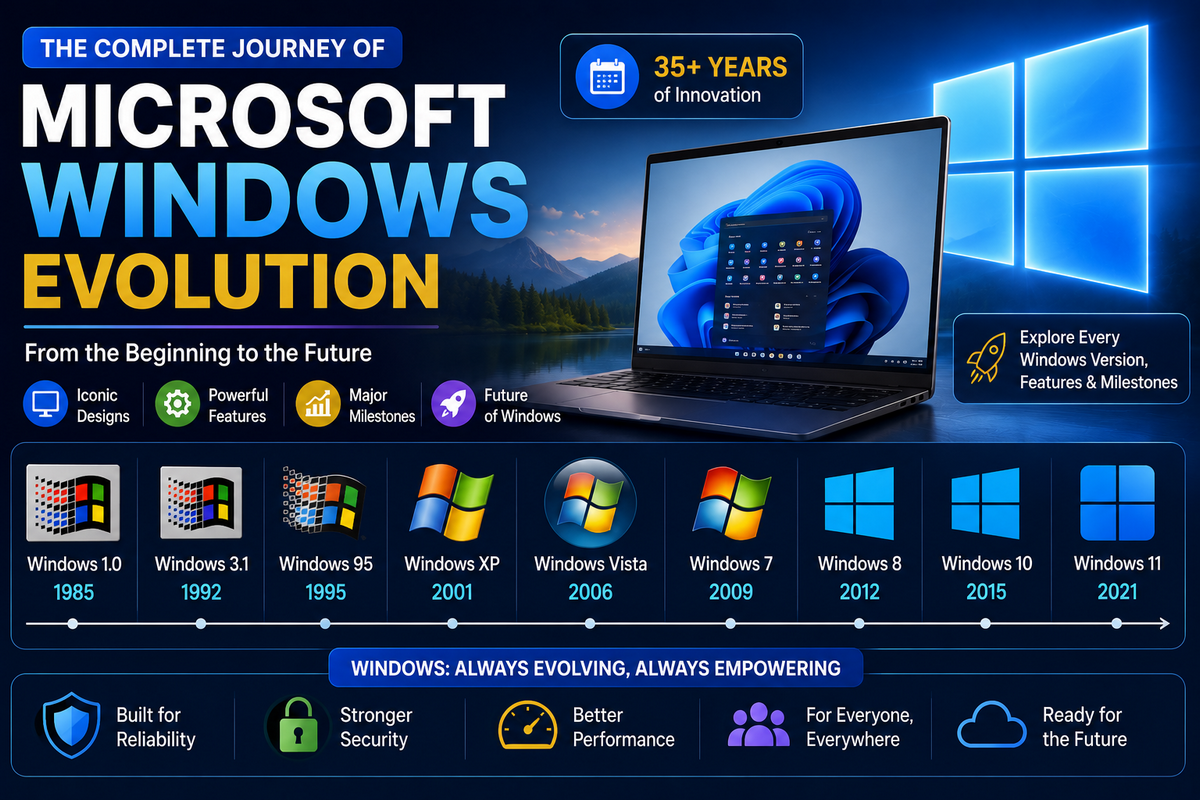
Microsoft Windows is one of the most influential operating systems in the history of personal computing. From its humble beginnings as a simple graphical interface layered over MS-DOS to becoming a powerful, cloud-connected, and AI-driven platform, the evolution of Windows mirrors the evolution of modern computing itself. Each major Windows release has shaped how people work, communicate, play, and build digital experiences across the globe.
As of today, Windows 11 is the current major version of Microsoft Windows. First released on October 5, 2021, Windows 11 continues to evolve through regular feature updates, security enhancements, and performance optimizations. Unlike earlier iterations, modern Windows is no longer a static, one-time release—it follows a continuous update model that adapts seamlessly to new hardware architectures, enterprise security standards, and emerging user requirements.
Following the official end of support for Windows 10 on October 14, 2025, Windows 11 now stands as the sole primary platform receiving active security updates, platform patches, and feature advancements. This transition marks a critical milestone in the Windows lifecycle, cementing the OS as the standard environment for modern PCs.
The latest phase of Windows evolution centers on performance refinement and AI integration. Through feature rollouts including versions 24H2, 25H2, and the hardware-scoped 26H1 release, Microsoft has brought deeper Copilot AI integration, advanced on-device intelligence for Copilot+ PCs, and refined system responsiveness. These innovations demonstrate how Windows has transformed from a traditional desktop operating system into a smarter, assistive computing platform.
In this article, we’ll explore the complete evolution of Microsoft Windows, from its earliest versions to the latest Windows 11 updates, highlighting key milestones, major architecture shifts, and how Windows continues to shape personal computing.
History of Microsoft Windows Evolution
Microsoft Windows is one of the most widely used operating system families in the world, designed primarily for personal computers. Microsoft, officially known as Microsoft, was founded on April 4, 1975, by Bill Gates and Paul Allen. As of today, the company is led by CEO Satya Nadella.
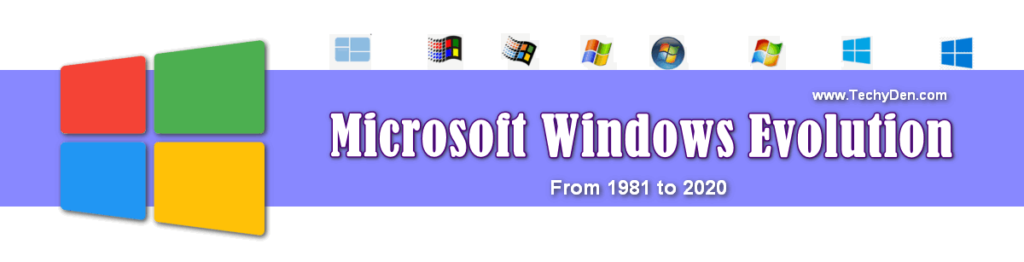
Brief History of Microsoft Windows
Microsoft Windows was created to make computers easier to use by introducing a graphical user interface (GUI) instead of text-only commands. Since its first release in 1985, Windows has become the dominant operating system for personal computers worldwide, powering desktops, laptops, and enterprise systems.
Over time, Windows introduced core operating system features such as:
- Graphical User Interface (GUI)
- Multitasking and virtual memory management
- Broad support for hardware and peripheral devices
- Built-in system tools for performance and recovery
Microsoft also expanded beyond desktop computing by developing Windows Server for enterprise environments and earlier mobile operating systems for handheld devices.
Evolution of Windows Over the Decades
The evolution of Microsoft Windows has occurred over several decades, with each subsequent version becoming increasingly advanced and user-friendly. Early versions focused on basic usability, while later releases introduced system tools like Disk Defragmenter, System Restore, and advanced security features—many of which continue to exist in modern Windows versions.
As technology progressed, Windows began adopting features traditionally found in powerful minicomputers and enterprise operating systems, such as:
- Improved memory and process management
- Enhanced system stability and security
- Support for modern hardware and networking
Today, Windows 11 represents the latest stage in Windows evolution, combining performance optimization, strong security standards, and AI-powered features like Copilot. This continuous development ensures that Windows remains relevant in a computing landscape where alternatives such as Linux and macOS are also growing.
Overall, the history of Microsoft Windows evolution highlights Microsoft’s long-term commitment to innovation, accessibility, and adapting the operating system to the changing needs of users worldwide.
- How to Find the Serial Number of This PC in Windows 11/10
- How to Fix Windows 11 Freezing Issues in 2026
- How to Run Android Apps on Windows 11? (Official and Unofficial methods)
- How to take screenshots in windows 11?
- How to fix Windows 11 running slow performance after upgrading?
Evolution of Microsoft Windows (1985–2026)
The following Windows Evolution details, along with the details of the history of MS-DOS and Windows operating systems, are intended for personal computers (PCs).
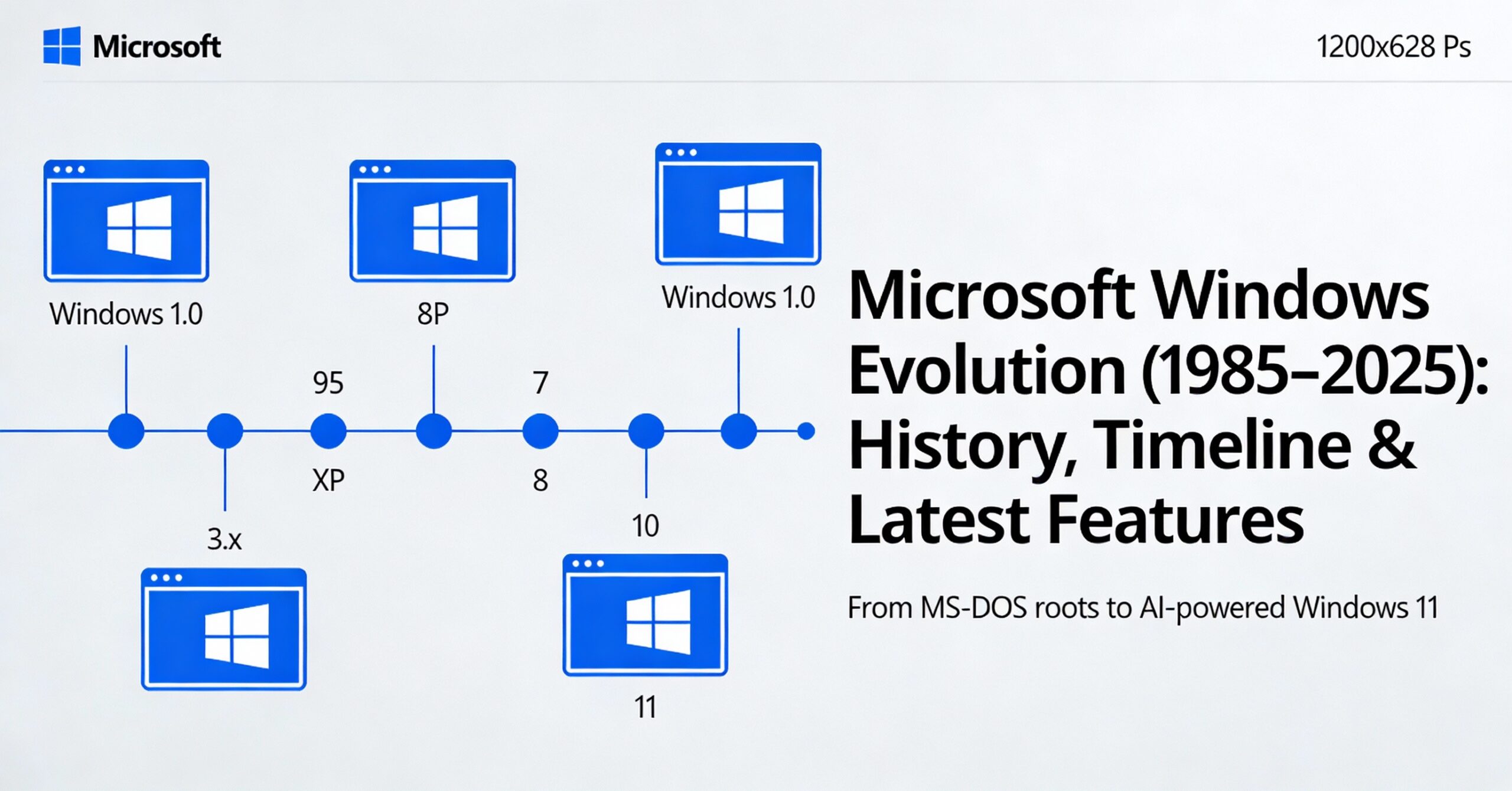
You will find a detailed chronology of Windows’ evolution (the evolution of the Windows operating system) here.
History of the Microsoft Windows Operating System (Quick Overview)
The history of the Microsoft Windows operating system illustrates the evolution of personal computing over the past 40 years. What started as a basic graphical interface has now become a powerful, secure, and AI-driven platform used worldwide.
Key Milestones in Windows Evolution
The following key milestones highlight the Windows OS timeline from its first GUI release in 1985 to the modern AI‑powered Windows 11 era
- 1985 – First Windows Release: Microsoft introduced Windows as a graphical user interface (GUI) running on MS-DOS. It was inspired by early GUI ideas seen on systems like the Apple Macintosh.
- Late 1980s–1990s – Growing Popularity: Windows improved with better graphics, multitasking, and wider hardware support, making it popular among PC users.
- 1993 – Windows NT: A breakthrough that introduced a secure, 32-bit, multi-user operating system. It became the foundation for modern Windows architecture.
- 2000–2001 – Windows 2000 & Windows XP: Windows 2000 improved security and enterprise features like Active Directory. Windows XP combined stability with ease of use and became one of the most popular Windows versions ever.
- 2009 – Windows 7: Focused on speed, stability, and user experience. It was widely praised by both home and business users.
- 2012 – Windows 8: Introduced a touch-focused interface for tablets and touchscreen devices, receiving mixed reactions from users.
- 2015 – Windows 10: Shifted to a “Windows as a Service” model with regular updates, reintroduced the Start Menu, and launched Microsoft Edge.
- 2021–2025 – Windows 11 Era: Windows 11 brought a modern design, stronger security requirements, and AI features like Copilot. By 2026, it will be the primary supported Windows version.
What was before Windows 95?
The Windows evolution history shows how Microsoft transformed its operating system from a basic graphical interface into a modern, AI-powered platform used worldwide.
Below is a complete Windows version list with dates, highlighting major milestones in Microsoft’s operating system journey.
Microsoft introduced a series of Windows OS products between 1985 and 2026.
| Version | Release Year | Key Features |
|---|---|---|
| Windows 1.0 | 1985 | First GUI for MS‑DOS |
| Windows 3.x | 1990 | Improved GUI and multitasking |
| Windows 95 | 1995 | Start menu, taskbar, plug and play |
| Windows XP | 2001 | NT-based stability and improved usability |
| Windows 7 | 2009 | Performance, refined UI, Aero interface |
| Windows 8 | 2012 | Touch-first Metro UI, Windows Store |
| Windows 10 | 2015 | “Windows as a service,” a unified platform |
| Windows 11 | 2021 | Modern UI, centered start, rounded design |
| Windows 11 updates | 2024–2026 | 24H2, 25H2, 26H1 updates, security & Copilot AI |
1. MS-DOS – Microsoft Disk Operating System (1981)
Before the first graphical Microsoft Windows release, MS‑DOS (Microsoft Disk Operating System) was the standard operating system for IBM‑compatible personal computers. It provided a text‑based command‑line environment that became the foundation for early Windows operating system versions.
MS‑DOS was the foundational operating system for IBM‑compatible PCs and the platform on which the first generations of Microsoft Windows (such as Windows 1.0 and Windows 2.0) were built. It handled low‑level disk access, file management, and hardware control while Windows added the graphical user interface (GUI) on top.
Early versions of DOS were simple and closely resembled other systems like CP/M (Control Program for Microcomputers), but later releases added more advanced features, better memory management, and support for larger storage devices. This evolution of MS‑DOS played a key role in the overall Windows OS evolution and the transition from purely text‑based systems to modern graphical operating systems.
2. Windows 1.0 (1985) – First Windows Version
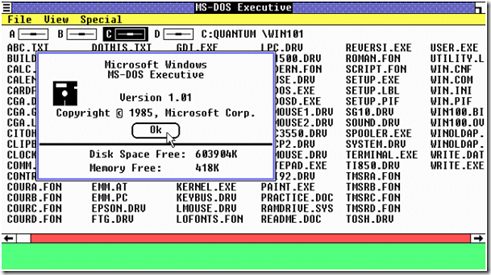
In which year was the first edition of Windows launched? The first version of Microsoft Windows, called Windows 1.0, was introduced in 1985 as a graphical user interface (GUI) that ran on top of MS‑DOS. This was the first Windows version in the official Windows operating system history.
Instead of typing long MS‑DOS commands, Windows 1.0 allowed users to point and click using a mouse to open windows, switch between programs, and manage files, making PCs easier for beginners and non‑technical users.
Microsoft officially released Windows 1.0 in November 1985, bringing a basic GUI experience to IBM‑compatible PCs—nearly two years after Apple’s Macintosh popularized the graphical desktop. Although limited, this release marked the beginning of the Microsoft Windows evolution from text‑based DOS to modern graphical operating systems.
3. Windows 2.0 (1987) – Overlapping Windows & Better GUI
In 1987, Microsoft launched Windows 2.0 for systems based on the Intel 286 processor, introducing key improvements in the Windows operating system evolution. This version added support for desktop icons, improved graphics performance, and better keyboard shortcuts, making the graphical user interface more practical for everyday use.
Released in November 1987, Windows 2.0 was a clear step forward from Windows 1.0, allowing overlapping windows, resized application windows, and more flexible multitasking. Users could arrange multiple program windows on the screen, making it easier to switch between tasks and work with several applications at once.
Later, Microsoft introduced Windows/286 and Windows/386 (often referred to as Windows 2.1), which improved memory management and multitasking capabilities on newer processors. Visually, these releases looked similar to Windows 2.0, but under the hood, they offered better performance and laid more groundwork for future Windows version history milestones like Windows 3.x and Windows 95.
4. Windows 3.x (1990) – Breakthrough in Multitasking GUI
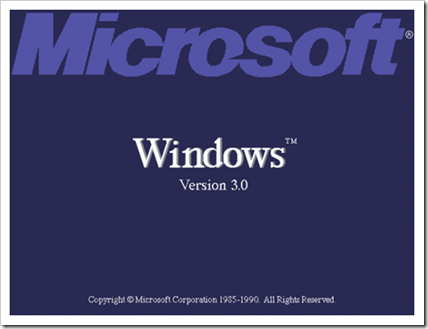
Windows 3.0 was launched in May 1990, delivering a much more polished graphical user interface (GUI) with 16‑color graphics optimized for Intel 386‑based PCs. It introduced the classic Program Manager, File Manager, and Print Manager, along with popular built‑in games like Solitaire, Hearts, and Minesweeper, which helped define the familiar Windows look and feel for years.
In 1992, Microsoft released Windows 3.1, which improved stability, font support (including TrueType fonts), and overall usability, making it one of the first widely adopted GUI operating systems on IBM‑compatible PCs. Around the same time, Windows NT 3.1 (1993) was introduced as the first version of the new Windows NT operating system, built on a more robust 32‑bit architecture aimed at professional and enterprise users.
The first version of Windows Media Player arrived as part of the Multimedia Extensions for Windows 3.x, adding early audio and video playback capabilities to the Windows OS evolution. Together, Windows 3.0 and 3.1 significantly advanced PC adoption, improved multitasking, and encouraged many hardware manufacturers to bundle Windows as the default operating system, competing directly with Apple’s Mac OS in the early 1990s.
5. Microsoft Bob
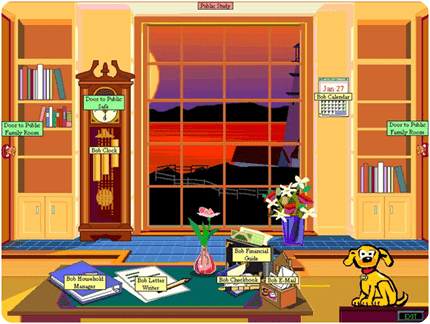
Microsoft Bob was an experimental graphical user interface (GUI) from Microsoft that attempted to make Windows more user‑friendly for beginners but ultimately failed in the market. It presented a cartoon‑style virtual home/office interface, where users interacted with animated characters and icons to open programs and manage tasks.
Today, Microsoft Bob is often cited as one of the worst Microsoft products and a famous example of a failed Windows UI experiment, but it also represents an early attempt to simplify the Windows user experience for non‑technical users.
6. Windows 95 (August 1995): Start Menu Revolution
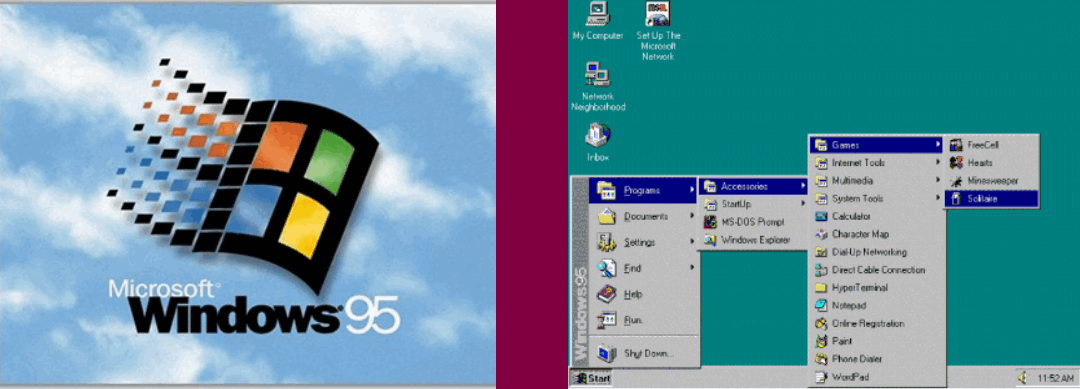
Windows 95, released on August 24, 1995, was a major milestone in the Microsoft Windows evolution, introducing the classic Start Menu, taskbar, and a much more user‑friendly desktop interface compared to Windows 3.1. It quickly became one of the most popular Windows operating system releases of the 1990s.
Key features and improvements of Windows 95:
- 32‑bit operating system with support for 32‑bit applications, offering faster and more stable performance than earlier 16‑bit Windows versions.
- New graphical user interface (GUI) with the Start Menu, taskbar, and improved window management for easier navigation.
- Backward compatibility with many MS‑DOS and Windows 3.x programs, while largely replacing DOS as the main platform.
- Removal of several old DOS limitations, including the 8.3 filename restriction, by introducing long file name support.
- Built‑in Plug and Play hardware detection makes it easier to install and configure new devices like printers and sound cards.
- Huge commercial success, selling over one million copies within the first few days of release and helping standardize the Windows desktop experience worldwide.
7. Windows NT 3.1–4.0 (1993–1996): New Technology Foundation
Microsoft Windows NT (New Technology) was a 32‑bit Windows operating system designed for professional and business use, with a strong focus on security, stability, and preemptive multitasking. It introduced a new NT kernel that became the foundation for later systems like Windows 2000, Windows XP, and modern Windows versions.
Key points about Windows NT 3.1–4.0:
- Available in two main editions: Windows NT Server for network servers and Windows NT Workstation for desktop and client machines.
- Provided a Windows desktop interface and could run many Windows‑based applications, especially business and productivity software, with better reliability than consumer DOS‑based Windows.
- Offered advanced features for its time, including stronger user account security, file system permissions, and improved networking capabilities, making it popular in corporate environments.
- Ran on 32‑bit hardware architectures and focused on high‑end PCs and servers, while consumer editions like Windows 95 targeted home users with a more entertainment‑oriented experience.
What was after 1995?
8. Windows 98 (June 1998)
Windows 98, released in June 1998, was an important step in the Microsoft Windows evolution, improving hardware support, internet integration, and everyday usability for home users. It is often remembered as the last widely used DOS‑based Windows operating system.
Key features of Windows 98:
- Support for FAT32, AGP, MMX, USB, DVD, and ACPI, making it better suited for the modern hardware of its time.
- Active Desktop integration, which combined the Internet Explorer web browser with the desktop environment for web‑style content on the desktop.
- Hybrid 16‑bit/32‑bit architecture with a boot stage based on MS‑DOS, while still improving overall performance and stability.
- Enhanced Start Menu and Windows Explorer with an address bar and forward/back navigation buttons for easier file and web browsing.
- Release of Windows 98 Second Edition (SE) in 1999, which added better internet connectivity, networking improvements, and bug fixes for a more stable user experience.
9. Windows 2000 (February 2000)
Windows 2000 is a business‑focused Windows operating system built on the Windows NT architecture, designed for reliable multitasking, networking, and enterprise‑grade security. It was widely used in office environments to run business applications, connect to Internet and intranet resources, and access shared files, printers, and network services.
Key editions and features of Windows 2000:
- Released on February 17, 2000, as the next major step in the Windows NT / Windows 2000 family.
- Available in four main editions: Windows 2000 Professional (for business desktops and laptops), Windows 2000 Server, Advanced Server, and Datacenter Server for high‑traffic and mission‑critical systems.
- Improved security, stability, and network management, including support for Active Directory, domain logons, and centralized user management in enterprise environments.
- Better support for modern hardware of its time, such as plug-and-play devices, USB, power management, and large hard drives, compared to earlier consumer Windows versions.
10. Windows ME – Millennium Edition (September 2000)
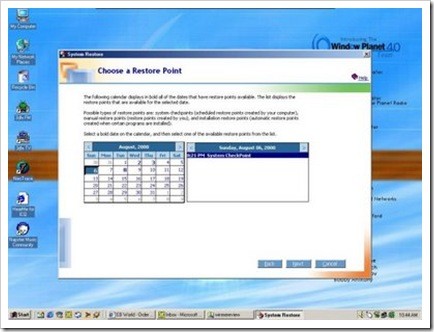
Windows Me (Windows Millennium Edition) was a consumer‑focused Microsoft Windows operating system released in September 2000 as the successor to Windows 98, adding some features inspired by Windows 2000 while remaining on the DOS‑based codebase. It targeted home users with improved multimedia and home networking features.
Key features of Windows Me:
- Released on September 14, 2000, as the final major DOS‑based Windows for home users before the NT‑based line became standard.
- Included enhancements borrowed from Windows 2000, such as improved system tools and better hardware support.
- Removed the traditional “boot to real MS‑DOS mode” option in an effort to speed up startup and modernize the user experience.
- Introduced consumer features like System Restore, Windows Movie Maker, and improved digital media and home networking capabilities.
11. Windows XP (October 2001): NT Powerhouse
Windows XP is one of the most popular Microsoft Windows operating systems, combining the stability of the Windows NT / Windows 2000 architecture with a more user‑friendly interface for home and business users. It became a key milestone in the Windows evolution history thanks to its performance, reliability, and long support life.
Key features and editions of Windows XP:
- Released in October 2001 (general availability), built on the Windows 2000 (NT) codebase for better stability and security than Windows 9x/Me.
- Offered main editions such as Windows XP Home Edition and Windows XP Professional, targeting home users and business/advanced users, respectively.
- Improved user interface with a refreshed start menu, taskbar, and visual style (“Luna”), making Windows more approachable and modern.
- Strong focus on networking and mobility, including better Wi‑Fi support using 802.11x wireless security standards for laptops and portable devices.
- Widely adopted and further enhanced by Service Pack 2 (SP2), which introduced major security improvements such as Windows Firewall and better protection against malware.
- Additional editions like Windows XP Media Center Edition 2005 added advanced media features for home entertainment PCs.
12. Windows Vista (2007): Security & Visual Upgrade

Windows Vista was the next major Microsoft Windows operating system after Windows XP. First announced under the code name “Longhorn” in 2005, it was released to businesses in late 2006 and to consumers in early 2007 with a new visual style and stronger security model.
Key features of Windows Vista:
- New Aero Glass graphical user interface with transparent window borders and enhanced visual effects.
- Improved security features, including User Account Control (UAC), Windows Defender, and a redesigned networking and firewall stack.
- Better system reliability tools, such as improved event logging, diagnostics, and features designed to detect hardware or driver problems earlier.
- Faster wake‑from‑sleep and power‑saving improvements through enhanced sleep/hibernate management, targeting laptops and mobile PCs.
- Updated built‑in applications and management tools, helping IT departments standardize and manage desktop configurations more consistently across organizations.
13. Windows 7 (October 2009): Performance & Stability

Windows 7 is one of the most successful Microsoft Windows operating systems, released to manufacturing in July 2009 and generally available in October 2009 as the successor to Windows Vista. It focused on better performance, a refined user interface, and improved reliability for both home and business users.
Key features and improvements of Windows 7:
- Faster startup, shutdown, and overall system performance compared to Windows Vista.
- New Aero enhancements, such as Aero Snap, Aero Shake, and improved taskbar previews for easier window management and multitasking.
- Built‑in support for multi‑touch on compatible touchscreens, reflecting the growing importance of touch‑enabled PCs.
- Improved security and networking, including better User Account Control (UAC), HomeGroup for easier home networking, and enhanced wireless networking support.
- Updated media experience with an improved Windows Media Center and better playback for photos, music, and video.
14. MS Windows 8

Windows 8 is a major Microsoft Windows operating system released in October 2012 (and refined with Windows 8.1 in 2013), designed from the ground up with touchscreen PCs and tablets in mind. It introduced a bold new “Metro” (Modern) UI that replaced the classic Start Menu with a full‑screen Start experience.
Key features of Windows 8:
- New Start screen with Live Tiles showing real‑time updates from apps such as Mail, Calendar, and News.
- Touch‑first Metro/Modern UI, optimized for tablets, 2‑in‑1 devices, and touch‑enabled laptops, while still supporting keyboard and mouse.
- Support for both x86/x64 processors and ARM‑based devices (via Windows RT), expanding the Windows ecosystem to more mobile‑style hardware.
- Faster boot and resume times thanks to improved startup, hybrid shutdown, and better power management.
- Introduction of the Microsoft Store (Windows Store), a central marketplace for downloading and updating modern Windows apps.
You can keep server products (Windows Server 2008 R2, 2012, etc.) in the later “Microsoft operating systems for servers and mobile devices” section to avoid cluttering this desktop‑focused Windows 8 block.
15. Windows 10: Unified & Service-First OS

Windows 10 is a major operating system developed by Microsoft and officially released on July 29, 2015, as the successor to Windows 8.1. It marked a significant shift in Microsoft’s approach by introducing the concept of “Windows as a Service,” where the OS receives continuous feature and security updates rather than frequent traditional releases.
Windows 10 reintroduced the Start Menu in an improved hybrid form, combining the classic layout with live tiles. It also launched Microsoft Edge, replacing Internet Explorer as the default browser. Initially built on Microsoft’s own engine, Edge later transitioned to the Chromium engine, improving speed, compatibility, and security.
The operating system was designed to run across a wide range of devices, including desktop PCs, laptops, tablets, 2-in-1 devices, and Xbox consoles, creating a unified Windows experience. Windows 10 also introduced Cortana, a built-in digital assistant, along with features like Tablet Mode, virtual desktops, enhanced multitasking, and improved memory management.
From a technical perspective, Windows 10 offered:
- Faster boot times and better system performance
- Advanced security features such as Windows Defender and BitLocker
- Improved hardware support and driver compatibility
- A modern graphical user interface (GUI) with multitasking capabilities
However, Windows 10 is no longer the latest version of Microsoft Windows. Microsoft has officially announced that Windows 10 will reach the end of support on October 14, 2025. After this date, devices running Windows 10 will no longer receive security updates, bug fixes, or technical support.
As a result, Microsoft now recommends upgrading to Windows 11, which introduces a redesigned interface, enhanced security requirements, and deep AI integration. Despite this transition, Windows 10 remains one of the most widely used operating systems in Windows’ history due to its stability, long support lifecycle, and broad hardware compatibility.
16. Windows 11: Modern UI & AI-Driven Future
As of 2025–2026, Windows 11 represents a major shift in how an operating system functions—not just as a platform to run software, but as an AI‑enhanced productivity environment. With continuous updates, deeper AI integration, and the retirement of Windows 10, Microsoft is clearly positioning Windows 11 as the future of the Windows ecosystem.
The latest Windows 11 updates in 2026 focus on performance, security, and AI-driven productivity improvements.
Windows 11 Version 25H2: Rollout & Key Improvements
The Windows 11 version 25H2 update builds on the stability of earlier releases and focuses on refinement rather than radical UI changes. According to Microsoft Support, this update emphasizes:
- Improved system stability and faster update installation
- Enhanced security patches aligned with modern threat protection
- Better performance optimization for new and existing hardware
- Incremental UI refinements for consistency across system apps
- Long-term servicing readiness for enterprise and professional users
Unlike early Windows 11 releases, 25H2 is designed to feel mature and reliable, making it suitable for both home users and businesses planning long-term upgrades.
AI Enhancements: Copilot, Voice & Smart Assistance
Microsoft has also announced that advanced Copilot features such as Copilot Voice, Copilot Vision, and Copilot Actions will roll out to all Windows 11 PCs over time, not just Copilot+ devices, further deepening AI integration across the platform.
One of the biggest highlights of Windows 11 in 2026 is its expanding AI-powered experience. Microsoft continues to integrate Copilot deeper into the operating system, transforming how users interact with Windows.
New Windows 11 features such as Copilot AI, enhanced security updates, and smarter system automation define Microsoft’s long-term vision for Windows.
As reported by Reuters, recent Windows 11 updates introduce:
- Copilot AI for productivity assistance, system settings, and contextual help
- Smarter voice interactions for search, commands, and accessibility
- AI-driven suggestions across apps and workflows
- Enhanced automation that reduces repetitive tasks
These features signal a clear shift toward an intelligent, assistive operating system that adapts to user behavior rather than relying solely on manual input.
End of Windows 10 Support: What It Means for Users
A major turning point in 2025 is the end of support for Windows 10 on October 14, 2025. After this date, Windows 10 devices will no longer receive security updates, bug fixes, or technical support.
For most home and small‑business users, Windows 10 no longer receives security updates or support after this date, although some organizations can purchase limited Extended Security Updates (ESU) under separate contracts.
For users, this means:
- Increased security risks if they continue using Windows 10
- No access to new Windows features or AI improvements
- Growing software and hardware compatibility limitations
Upgrading to Windows 11 becomes essential for users who want ongoing protection, better performance, and access to modern features. You can start with practical guides like how to fix Windows 11’s slow performance and how to install Windows 11 on unsupported PCs to make the transition smoother.
24H2 & 25H2 Updates (Latest Improvements)
The Windows 11 24H2 and 25H2 updates focus on stability, performance, security, and smarter system behavior rather than major visual changes.
In June 2026, Microsoft also introduced Windows 11 version 26H1, a release scoped primarily for new devices, which continues the same stability‑first, AI‑enhanced approach for Windows 11.
These updates reflect Microsoft’s maturity-first approach to modern Windows releases.
Together, the 24H2 and 25H2 releases also power the latest Copilot+ PCs and next‑generation AI PCs, which are designed to unlock advanced on‑device AI features and deliver the best Windows 11 experience on modern hardware.
Windows 11 brought a modern design, stronger security requirements, and AI features like Copilot, powering the latest AI PCs and Copilot+ devices.
Key improvements include:
- Better performance & efficiency: Faster system responsiveness, improved memory management, and smoother performance on both new and older hardware.
- Stronger security updates: Enhanced protection against modern threats, improved Windows Defender capabilities, and tighter hardware-based security requirements.
- AI & Copilot refinements: Deeper Copilot integration for system assistance, productivity tasks, and smarter suggestions across Windows features.
- Improved update experience: Smaller update sizes, faster installation times, and fewer system restarts.
- Enterprise & long-term stability focus: 25H2 emphasizes reliability and long-term servicing, making it ideal for business and professional users.
Overall, 24H2 improves core functionality, while 25H2 polishes and stabilizes the Windows 11 experience, preparing it for long-term use beyond 2025.
Microsoft Operating Systems for Servers and Mobile Devices
Microsoft has made operating systems for government agencies, handheld devices, and cell phones, as well as operating systems for personal computers (PCs).
This Windows OS release history highlights how Microsoft continuously adapts Windows to new technologies and user expectations.
- Released Windows Server (March 2003)
- MS Windows CE (November 2006)
- Windows Mobile (April 2000)
- MS Windows Phone (November 2010)
Frequently Asked Questions (FAQs)
-
What is the order of Windows operating systems?
The first Windows operating system was released in 1985. The Windows family started in 1985 with Windows 1.0 and has progressed through major releases such as Windows 3.x, 95, XP, 7, 8, 10, and now Windows 11, which is the latest version.
-
Will there be a Windows 11?
Yes. Microsoft released Windows 11 on October 5, 2021, as the successor to Windows 10, and it continues to receive feature and security updates.
-
Is Windows 10 the last OS?
No. Microsoft once suggested that Windows 10 could be the ‘last version’, but this changed with the launch of Windows 11 as a new major release.
-
How long will Windows 10 be supported?
Microsoft ended support for Windows 10 on October 14, 2025. After this date, Windows 10 no longer receives security updates or technical support.
-
What is the latest Windows version, 2025?
Windows 11 is the latest version of Microsoft Windows in 2026. Microsoft continues to maintain and evolve it through ongoing feature releases—including versions 24H2 and 25H2, as well as version 26H1 for new hardware—focusing heavily on system stability, advanced security, and deeper Copilot AI integration.
-
What is the latest version of Microsoft Windows?
Windows 11 is the latest version of Microsoft Windows and continues to receive regular feature and security updates in 2026, making it the current supported operating system.
-
When did Windows 10 support end?
Microsoft officially ended support for Windows 10 on October 14, 2025. After this date, Windows 10 no longer receives security updates or technical support.
-
How did Windows evolve?
Windows evolved from a basic graphical interface in 1985 to a modern, secure, and AI-powered operating system. Key milestones include Windows 95, Windows XP, Windows 7, Windows 10, and the latest Windows 11, which focuses on performance, security, and AI features like Copilot.
Conclusion
The Microsoft Windows evolution history clearly shows how Windows has grown alongside advancements in personal computing.
From early graphical interfaces to a modern, intelligent operating system, the Windows OS release history reflects Microsoft’s continuous focus on usability, security, and innovation.
Over the decades, the Windows timeline from Windows 1.0 to Windows 11 highlights major milestones such as Windows XP, Windows 7, Windows 10, and now Windows 11.
Each release introduced meaningful improvements, whether it was better performance, stronger security, or support for next-generation hardware and devices.
Microsoft’s approach of releasing preview and insider builds before final rollouts has helped refine features through real-world user and developer feedback.
With Windows 10 reaching its official end of support on October 14, 2025, Windows 11 has become the sole primary desktop platform for receiving active security patches and technical support.
The latest Windows 11 updates—including 24H2, the 25H2 refinement release, and the 26H1 hardware-scoped rollout—focus heavily on system stability, enhanced on-device security, and seamless Copilot AI integration for AI PCs and Copilot+ devices.
Looking ahead, ongoing Copilot enhancements and system-level automation signal that Windows will continue to evolve into a more assistive, intelligent operating system in the years to come.
The journey of Microsoft Windows—from a simple DOS shell to a secure, AI-powered computing environment—confirms its enduring impact on technology and everyday digital life.