Perplexity AI for Beginners: Complete Getting Started Guide
Perplexity AI is an AI-powered search engine that works like having a smart research assistant helping you find information online.
Perplexity AI provides direct answers to your questions. It offers proper citations from reliable sources instead of showing you endless links like Google.
What makes it different? Traditional search engines make you click through multiple websites to find answers.
Perplexity AI reads those websites for you and presents the information in one clear response.
It combines the best of Google’s information access with ChatGPT’s conversational style. Additionally, it adds something crucial: real-time, verified information with sources.
Why beginners should care: This tool can change how you research and learn. Students can complete research assignments faster.
Professionals can get quick industry insights. Anyone curious about topics can find reliable answers without endless searching.
Users report saving 40% of their research time while getting more accurate results. The platform has already processed over 500 million queries in 2024, showing how popular it’s becoming.
What this guide covers: We’ll start from the very beginning – creating your account and understanding the basics. You’ll learn how to:
- Ask effective questions
- Read and understand the citation system
- Organize your research using Spaces
- Use advanced features like file uploads
- Decide if upgrading to Pro is worth it
By the end, you’ll know how to use Perplexity AI confidently for school, work, or personal research. No technical background needed – just curiosity and willingness to learn.
How to Start working with Perplexity?
1. Sign-up Process
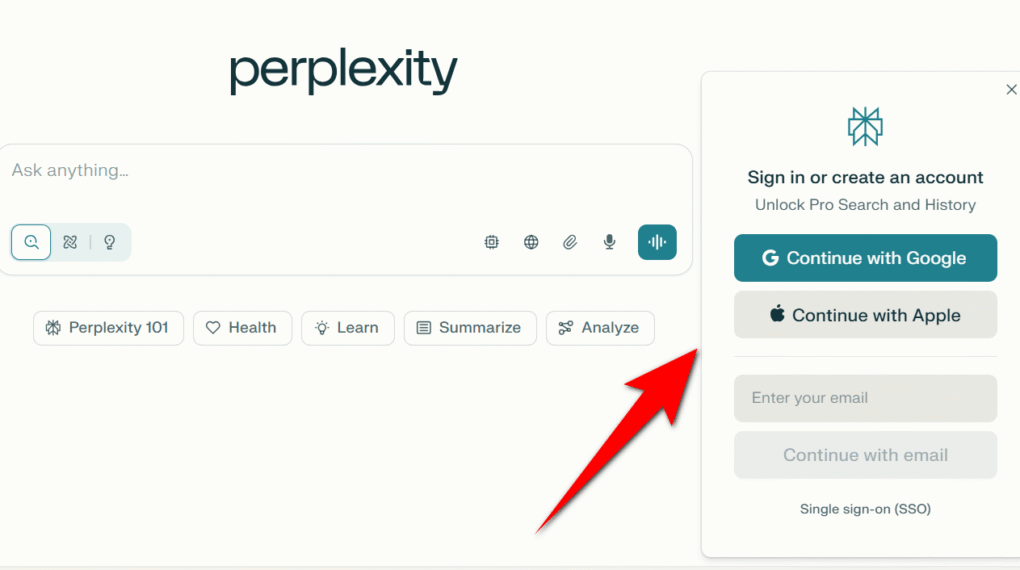
Creating your Perplexity AI account takes less than two minutes and requires minimal information.
Visit the official website where you’ll find a clean, Google-like interface with a prominent search bar.
Click “Sign Up” in the bottom right corner as popup to access three convenient registration options:
- Email Registration: Simply provide your email address and create a secure password. This traditional method gives you full control over your account credentials.
- Google Account Integration: One-click registration using your existing Google login. This option speeds up the process and eliminates the need to remember another password.
- Apple ID Sign-in: Perfect for iOS and Mac users who prefer Apple’s authentication system for enhanced privacy and security.
After choosing your preferred method, check your email for a verification link to activate your account and ensure security.
2. Perplexity Plans and Pricing
Free Account Benefits include unlimited Quick searches. These are conducted using basic AI models. The benefits also include five Pro searches daily with advanced models like GPT-5.
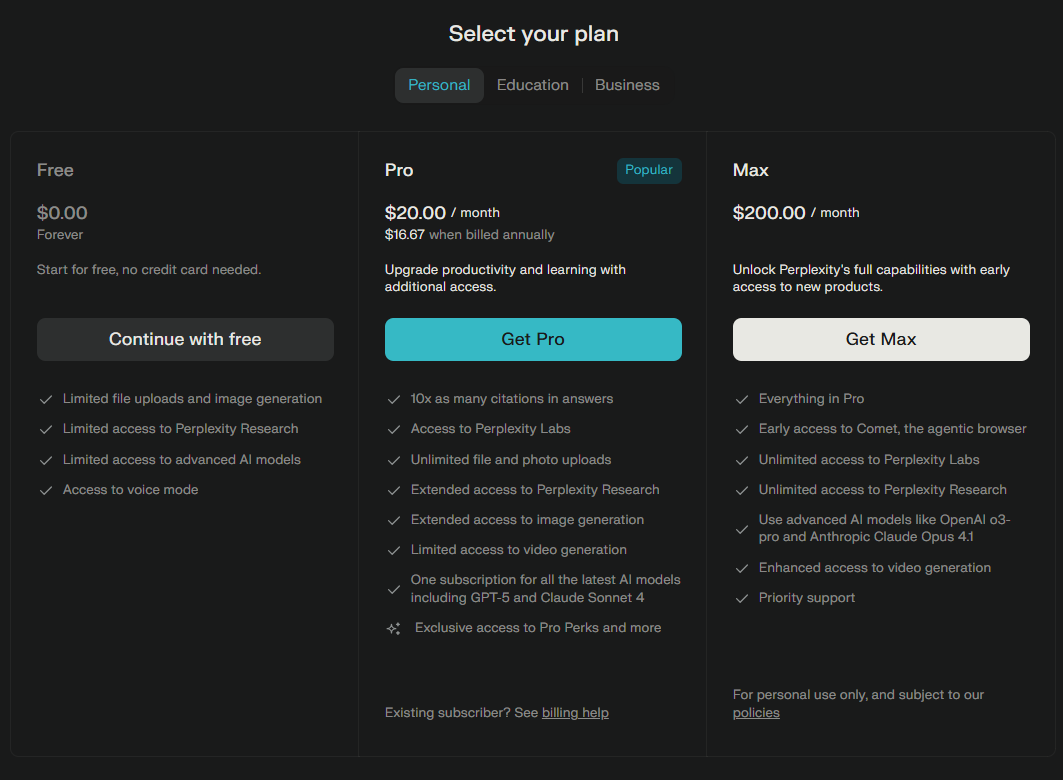
APerplexity AI offers three main pricing plans to fit different needs:
- Free Plan: $0 forever. You get limited file uploads, image generation, basic access to advanced AI models, voice mode, and limited Perplexity Research.
- Pro Plan: $20/month (or $16.67/month when billed annually). This popular plan includes unlimited file uploads. It provides extended access to advanced AI models, like GPT-5 and Claude Sonnet 4. The plan also offers more citations, Perplexity Labs, and extended Perplexity Research. It includes image generation and extra perks.
- Max Plan: $200/month. Unlocks all Pro features. You get early access to new tools like Comet. It includes unlimited Perplexity Labs and Research. You also have access to the latest AI models (like OpenAI o3-pro). The plan offers enhanced video generation and priority support.
The Free plan is great for everyday users. Pro suits advanced research needs. Max is for power users who want cutting-edge tools and priority features. No credit card is needed to start with the free plan.
3. Initial Setup Steps
Complete your profile by adding a display name and profile picture. While optional, these details enhance collaborative features and sharing capabilities.
Explore the main interface elements and bookmark the site for quick access to your AI-powered research assistant.
Perplexity Interface Overview
1. Main Search Bar
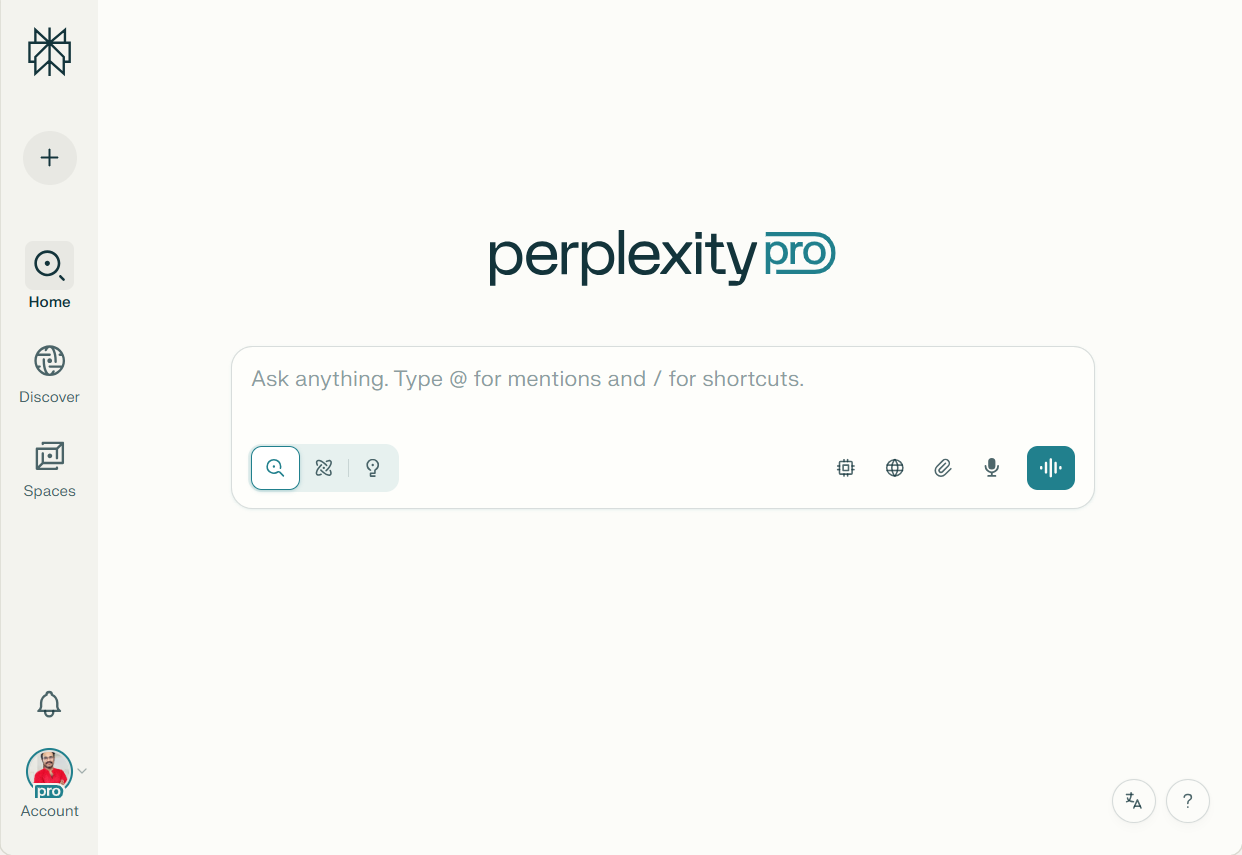
The conversational search bar dominates Perplexity’s homepage, accepting natural language queries just like speaking to a knowledgeable assistant.
Unlike traditional keyword-based search engines, you can ask complete questions.
For example, “What are the environmental benefits of electric vehicles compared to gasoline cars?”
2. Navigation Elements
The left sidebar in Perplexity AI is your main navigation panel. It lets you start new conversations. You can organize your work with Spaces. Use handy templates and create new workspaces.
All of this is available in one convenient place. This sidebar helps you move around Perplexity AI easily and find what you need fast.
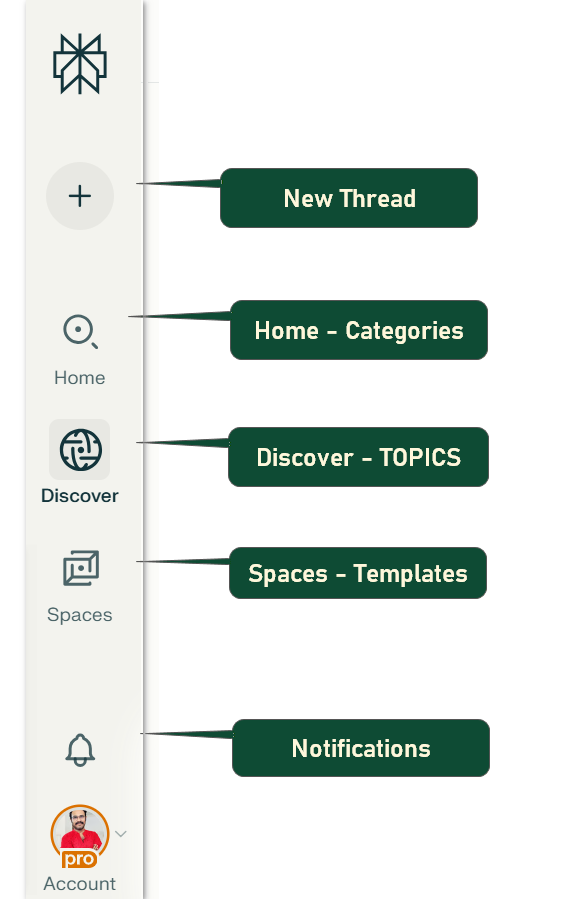
1. New Thread
Starts a fresh conversation with the AI. Use this whenever you want to ask about a brand new topic, keep questions organized, or separate unrelated queries. It clears previous context, helping the AI focus only on your latest question.
2. HOME
Find quick links to popular topics like Finance, Travel, Academic, and Sports. Click a category to get tailored suggestions and answers in that subject.
Finance
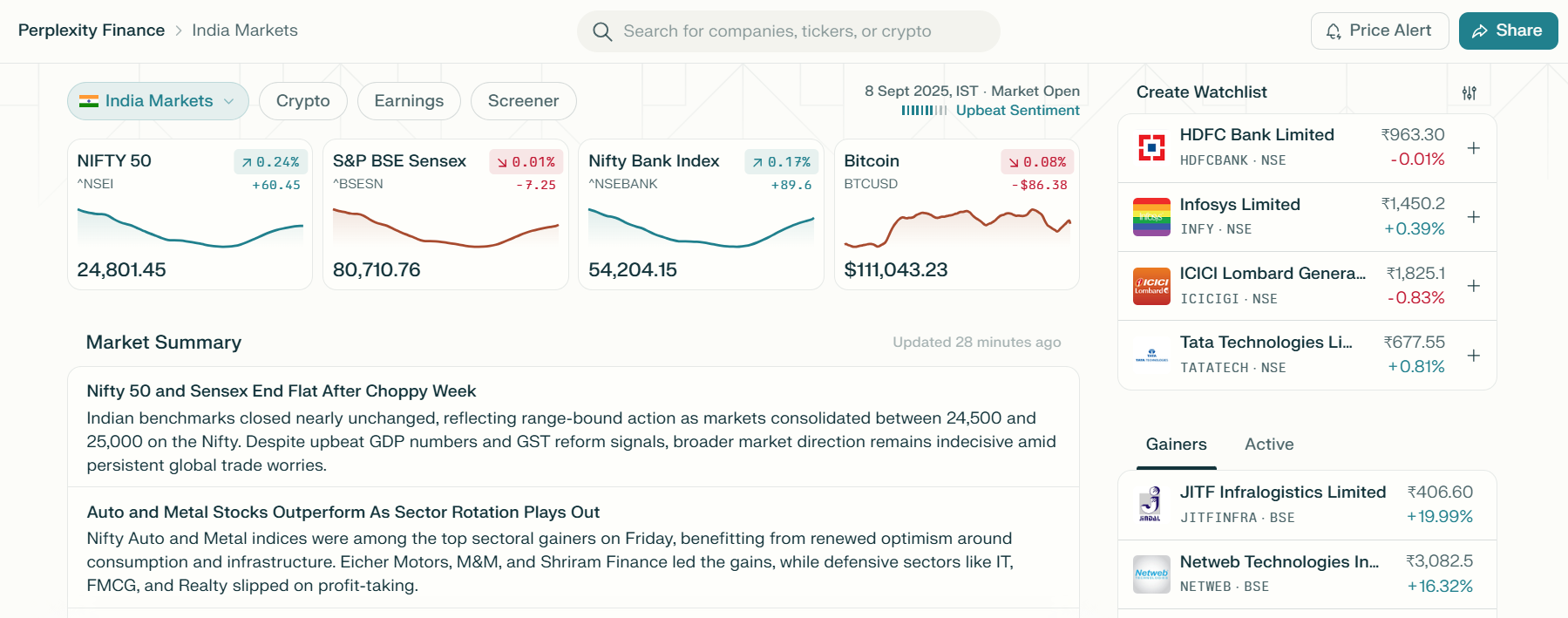
Perplexity offers instant answers and insights on investments, personal finance, banking, and economic trends. It makes complex financial topics easy to understand for everyone. You can also use it to check recent stock market news, compare financial products, or plan budgets efficiently.
Travel
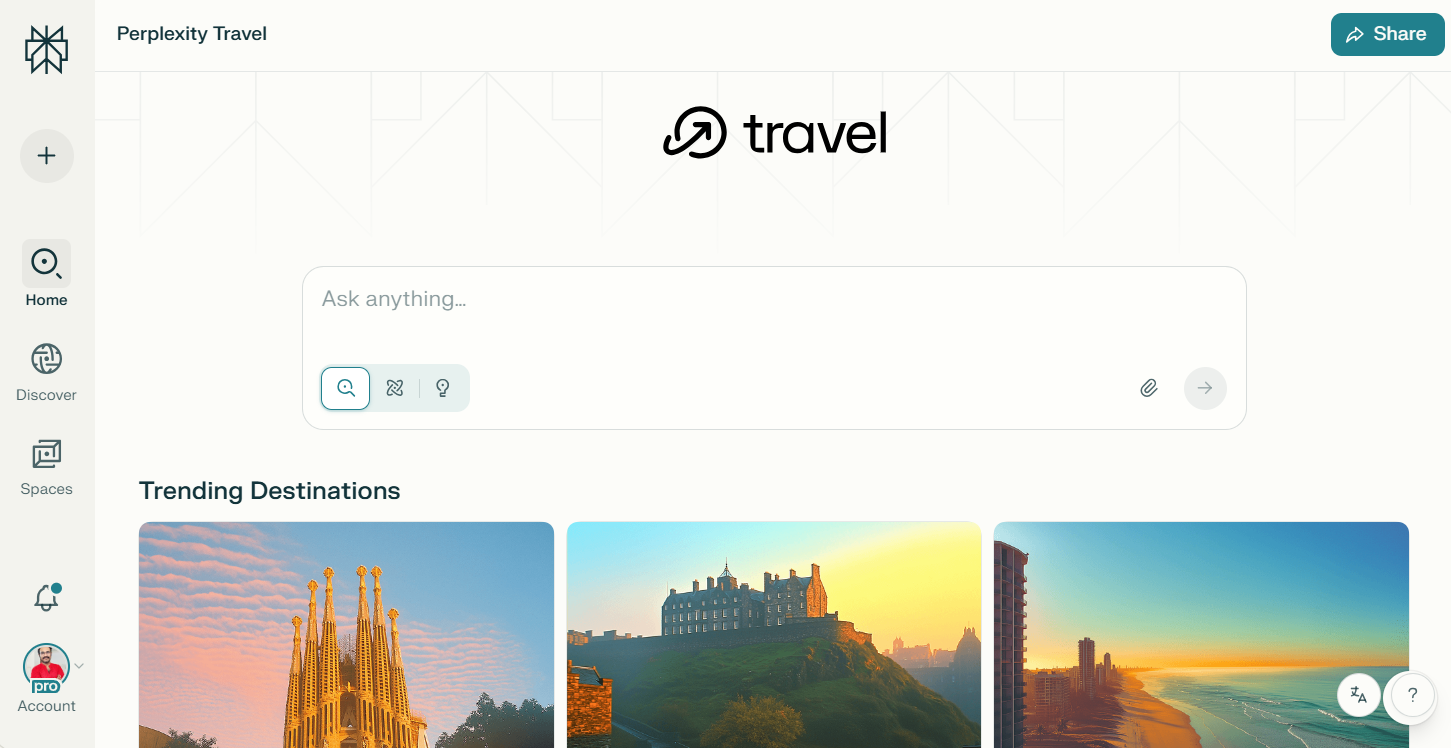
It helps users quickly find flight details, popular destinations, and travel tips. It also offers hotel recommendations. All of these are powered by real-time data. Whether you’re planning a vacation or need local guides, Perplexity delivers up-to-date travel information and inspiration within seconds.
Academic
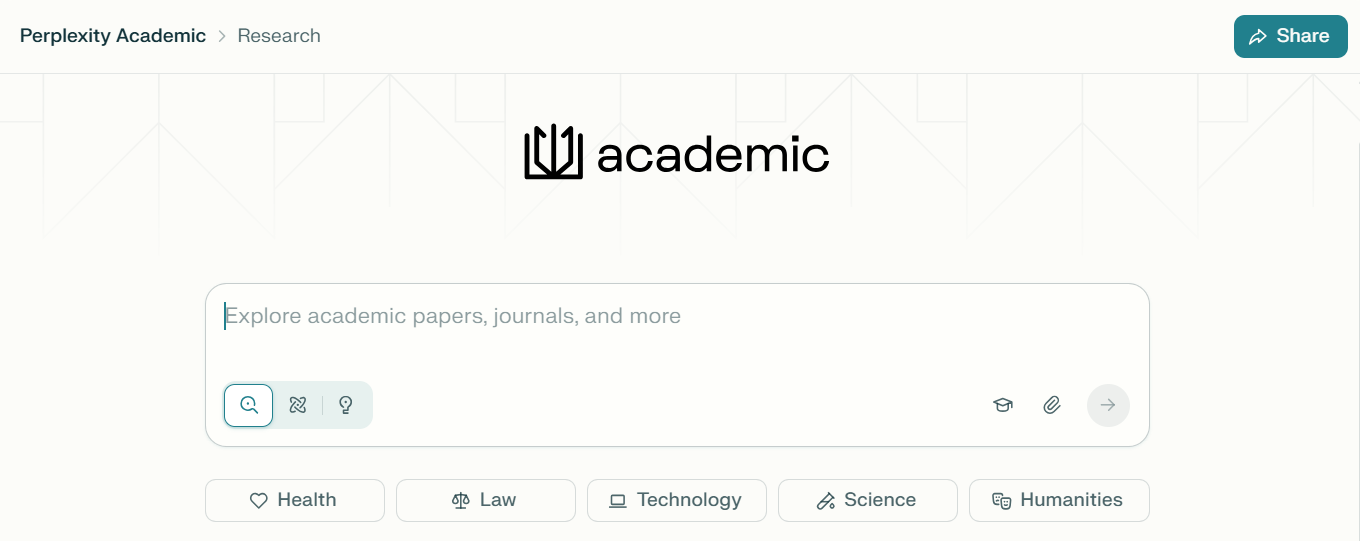
From this category students and educators can get explanations of school subjects. They can find detailed answers for assignments. They can also find sources for research projects. Perplexity supports academic writing, citation help, and even quick summaries of complex topics for better learning.
Sports
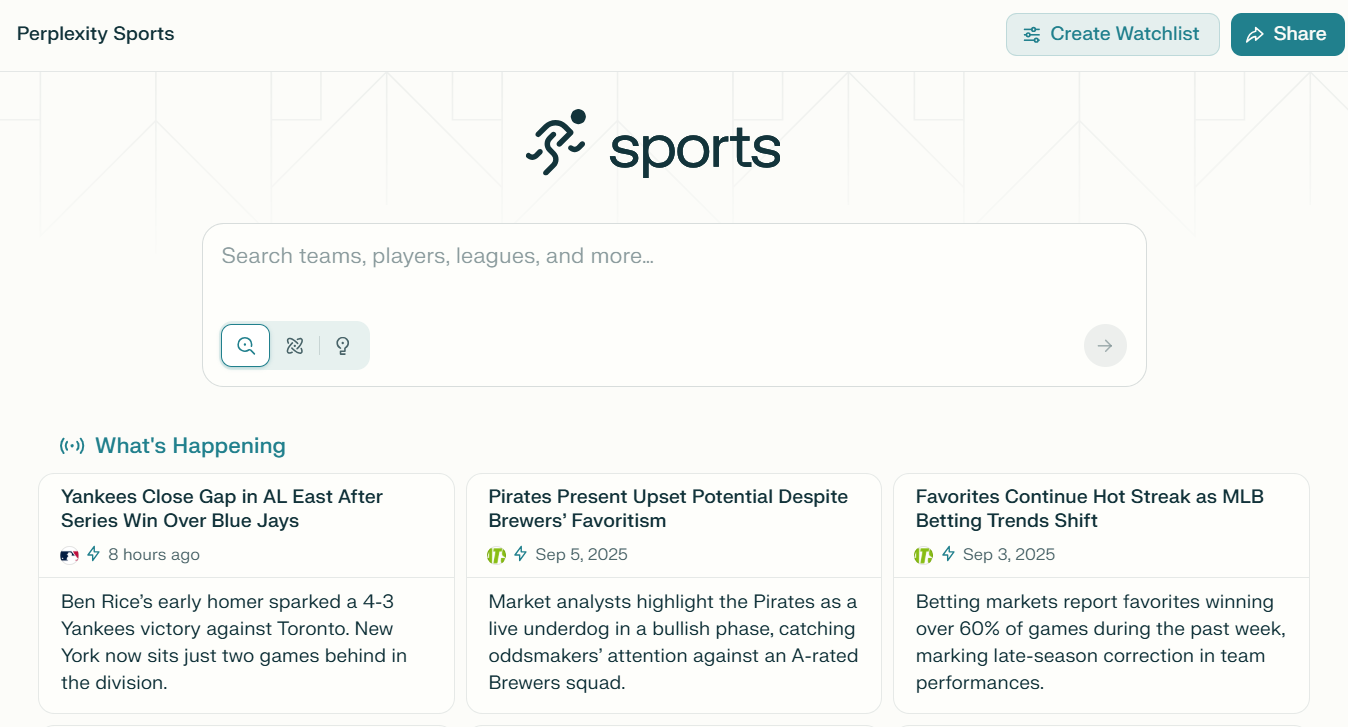
This category provides live scores, game schedules, breaking news, and player stats in one place. Use it to follow your favorite teams. Stay updated with match highlights. Compare athlete performance with trusted and timely data.
These are shortcuts to help you quickly search within popular subject areas. For example, clicking “Finance” tailors your search and suggestions to topics like investments, banking, or economics. “Travel” helps with tips, destinations, or booking advice. “Academic” is ideal for school or research questions. “Sports” provides scores, news, and athlete info.
3. Discover (Topics)
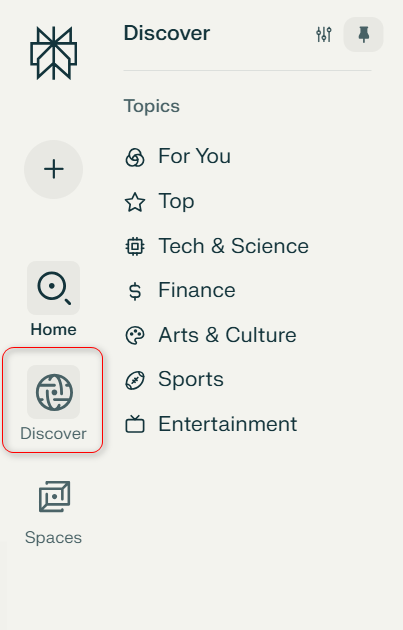
This section lets you explore trending and popular topics on Perplexity AI. You can browse suggested ideas, hot questions, or community picks to get inspiration. Discover new interests or see what’s currently popular.
4. Spaces
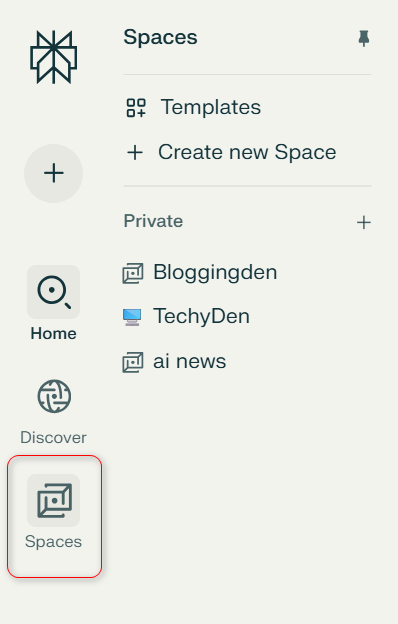
Get alerts about updates, shared workspaces, or important news related to your account. Stay in the loop effortlessly.
- Templates: Ready-made layouts to help organize your research faster. Choose a template based on your task—like “Project Planning” or “Essay Outline”—to structure work efficiently.
- Create New Space: Make your own workspace for any topic, project, or ongoing research. Spaces group all your questions, answers, and notes together, making it easy to stay organized.
5. Notifications
Shows updates and alerts about your account. You’ll see if someone shared a Space with you, platform updates, new features, or important account messages.
These sidebar features help you start fresh conversations. They organize your work and explore trending content. You can quickly access topics and tools to boost productivity using Perplexity AI.
3. Settings and Preferences
Navigate to account settings to customize your AI search experience. Adjust notification preferences, manage subscription details, and configure search result display options.
The settings panel also provides access to usage statistics and API integration options for Pro users.
Basic Features Tutorial
Understanding Perplexity AI’s search modes is crucial for getting the best results from this AI search engine.
i. Search & Pro Search
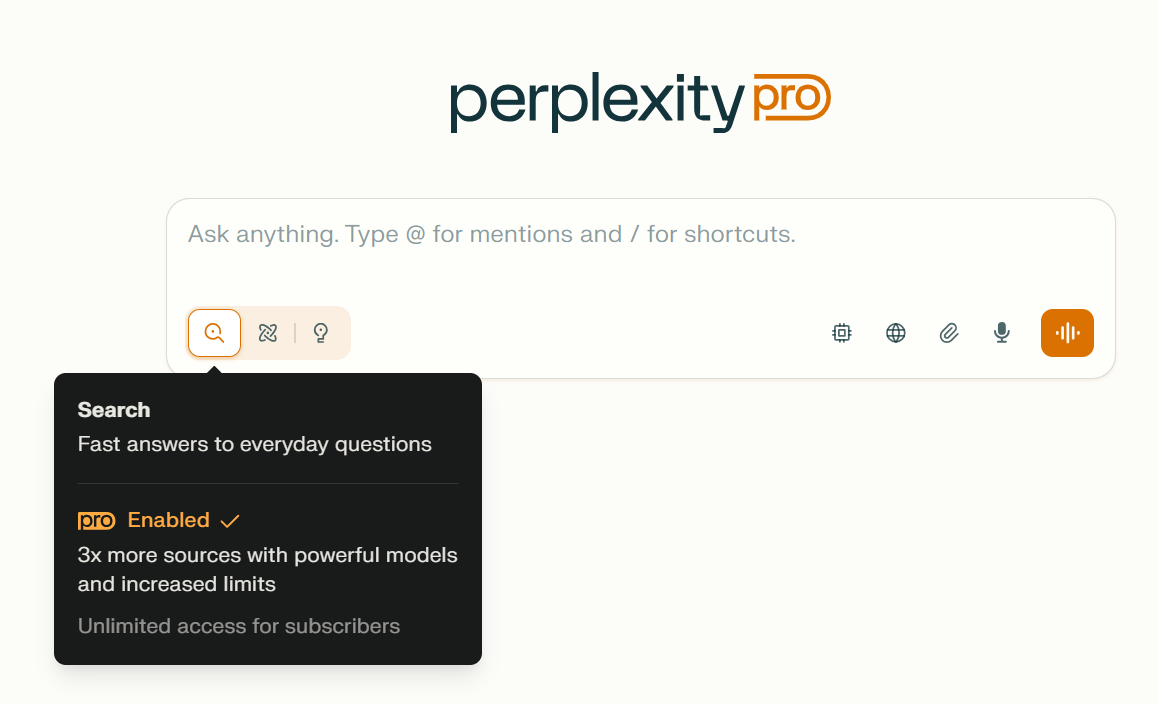
Quick Search represents Perplexity’s standard conversational AI mode.
It uses lighter AI models that process your queries faster while consuming fewer computational resources. This mode excels at:
- Straightforward factual questions like “What’s the capital of Japan?”
- Basic research queries requiring simple, direct answers
- Quick fact-checking for everyday information needs
- General knowledge questions with well-established answers
When to choose this:
- You need fast answers to simple questions
- Researching basic facts or definitions
- Working within the free account’s unlimited Quick searches
- The topic doesn’t require deep analysis
Pro Search unleashes Perplexity’s most advanced AI models including GPT-5, Claude, and Sonar.
This premium mode provides:
- Deep analytical capabilities for complex research topics
- Multi-perspective analysis drawing from diverse sources
- Nuanced understanding of complicated subjects
- Enhanced reasoning for queries requiring critical thinking
When to choose this:
- Conducting academic research or professional analysis
- Comparing multiple viewpoints on controversial topics
- Analyzing complex data or technical subjects
- You need the most current and comprehensive information available
ii. Research & Pro Research
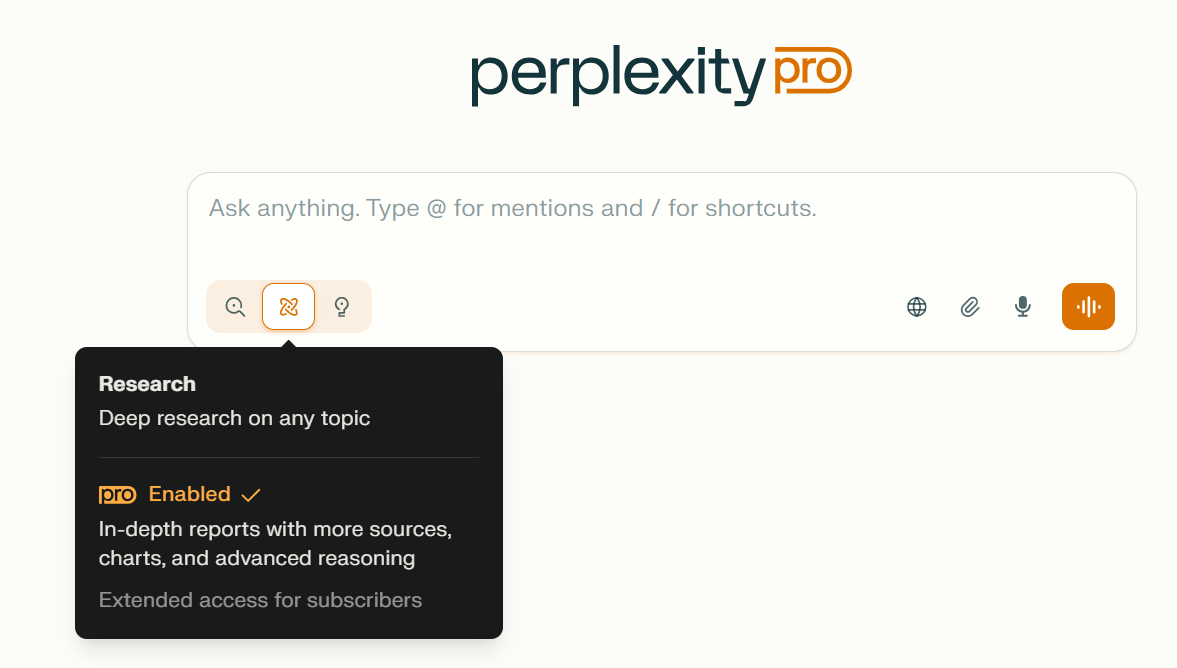
- Research mode provides fast, straightforward answers to everyday questions using basic AI models and a broad range of sources.
- Pro Research enables deeper analysis with advanced AI, such as GPT-4 or Claude. It is ideal for complex questions. It is also suitable for detailed academic and business research.
- Both options include citations, but Pro Research offers more sources, greater accuracy, and the ability to handle longer, multi-step queries.
iii. Labs
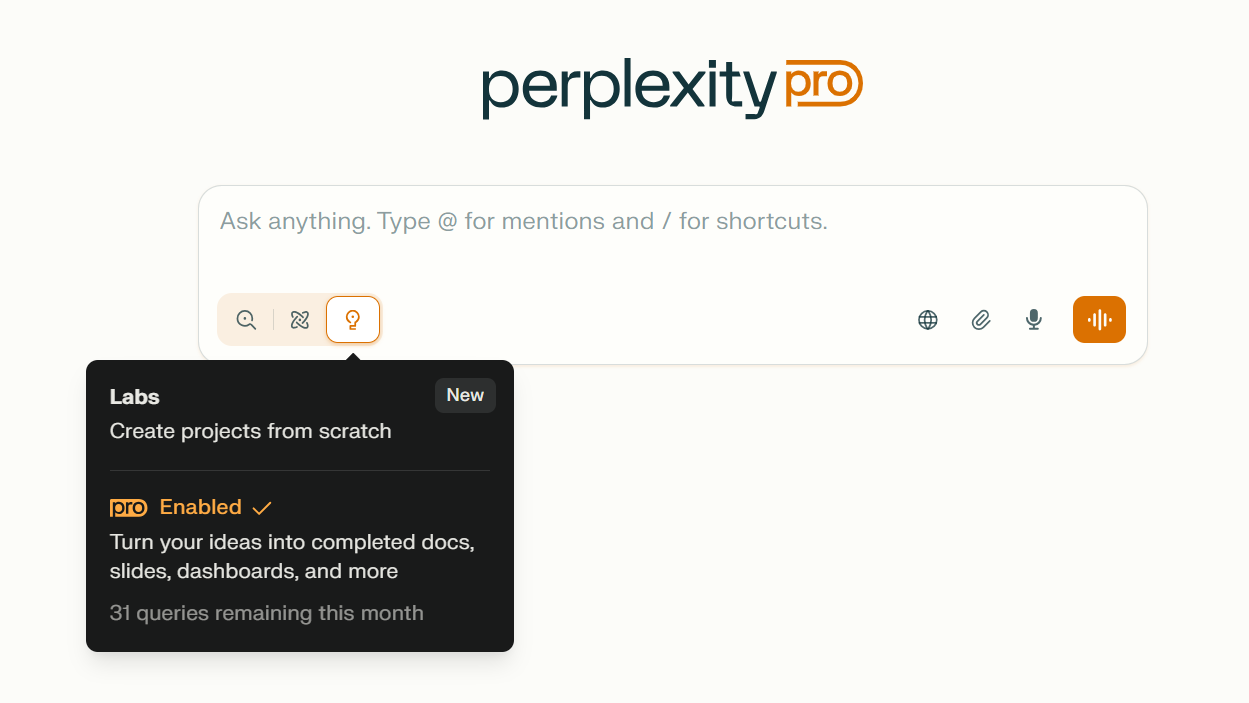
- Labs showcases new and experimental Perplexity features for early testing, allowing users to try AI tools before official release.
- Frequent updates in Labs let users experience the cutting edge of AI technology and give feedback on potential new capabilities.
- It’s a creative space for discovering specialized tools, like data visualizations or advanced content generators.
iv. Choose a Model
- Users can select from different leading AI models such as GPT-4, Claude, or Sonar to tailor results to their needs.
- Choosing the right model can improve the quality of answers for creative writing, technical research, or fact-based queries.
- Switching models is simple and helps optimize speed, depth, or reasoning for each search task.
v. Set a Sources for Search
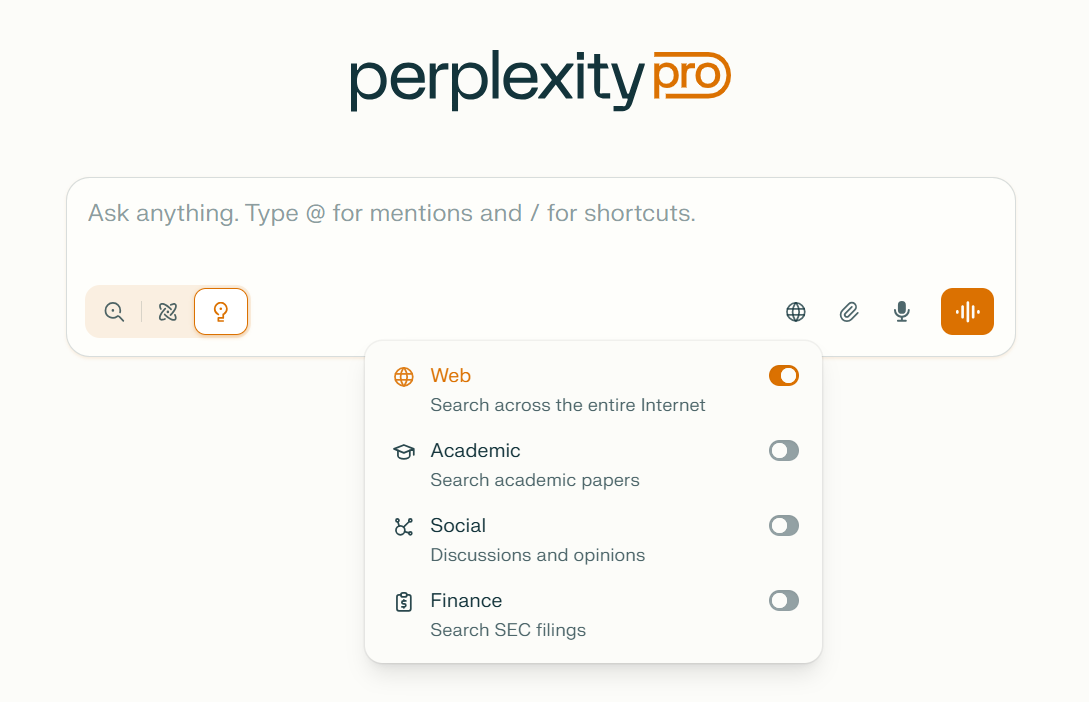
- This features comes with 4 – Web (to search across the entire internet), Academic (Search academic papers), Social (Discussions and opinions, and Finance (Search SFC filings)
- This tool allows users to prioritize or limit searches to specific trusted sources, such as academic journals or news sites.
- Filtering sources can increase answer reliability, focus results, and reduce irrelevant information.
- Perfect for academic research, fact-checking, or when only official data is desired.
vi. Attach Files
- Users can upload documents—like PDFs, Word files, spreadsheets, or images—for instant AI-powered analysis and summarization.
- File attachment enables extracting key points, answering questions from documents, or comparing content between uploads.
- Advanced AI models handle large files and support multi-document research workflows efficiently.
vii.Voice Mode
- Voice Mode lets users ask questions or give search commands by speaking instead of typing, adding a hands-free, conversational experience.
- It’s especially useful for mobile users, busy professionals, or anyone who prefers quick voice interactions.
- Answers are read aloud upon request, making it accessible for visually impaired users or on-the-go listening.
viii. Follow-up Questions
i. Building Conversations
Perplexity excels at contextual search, maintaining conversation history to provide increasingly relevant results.
This conversational AI capability allows you to:
- Build on Previous Answers: Ask “Can you explain that further?” or “What are some examples?” without repeating context.
- Dive Deeper: Follow general questions with specific ones: “What about the environmental impact?” or “How does this compare to alternatives?”
- Switch Perspectives: Ask “What do critics say?” or “Are there any counterarguments?” to get balanced viewpoints.
ii. Refining Searches
Query Refinement Techniques:
- Start broad, then narrow down: “Climate change” → “Climate change effects on agriculture” → “Climate change impact on corn production in Midwest”
- Add specificity: Instead of “best laptops,” try “best laptops for video editing under $1500”
- Include time frames: “Recent developments in AI” or “2024 smartphone reviews”
iii. Context Maintenance
Perplexity’s AI search engine maintains conversation context automatically, but you can optimize this feature:
- Reference Previous Answers: Use phrases like “building on your previous response” or “regarding the earlier information about…”
- Clarify Scope: When changing topics, clearly indicate: “Now I want to ask about something different…”
- Save Important Searches: Use the bookmark feature to save valuable conversations for future reference.
This natural language processing approach makes researching feel like having an intelligent conversation. It avoids the struggle with traditional search queries and keyword matching.
Practical Use Cases for New Users
a. Daily Information Needs
Perplexity AI excels as an everyday AI assistant. It is ideal for quick queries and urgent information needs. It offers an experience far beyond traditional search engines.
i. News and Current Events
Stay informed on breaking stories and in-depth developments with the platform’s real-time news aggregation.
By utilizing Focus modes like “News,” you receive up-to-the-minute updates from multiple reputable sources, allowing for instant cross-verification.
Conventional search engines often present outdated information. They also require you to sift through headlines. Unlike them, Perplexity compiles summaries and links. It is a powerful tool for current events discovery or tracking recurring global issues.
ii. Quick Fact Checking
Need to verify a statistic in a work report or settle a debate on the spot?
Perplexity’s conversational AI is optimized for instant fact-checking and boasts a citation-first approach, so every answer comes with verified sources.
Its ability to cross-reference multiple databases and present consensus-backed data ensures higher information accuracy for your daily needs.
iii. Learning New Topics
Whether you’re exploring a new hobby or trying to grasp technical subjects, Perplexity AI makes learning easier. It simplifies the process of discovery.
Through its natural language processing, you can get concise explanations.
- You can follow up with clarifying questions.
- You can also request further reading. This happens all in a single unfolding conversation. This offers a guided learning experience.
- You might get this with dedicated platforms like Khan Academy or Socratic. This all happens without ever leaving the search window.
b. Work and Study Applications
Perplexity AI integrates seamlessly into workflows for students, professionals, and lifelong learners striving for productivity and clarity.
i. Research Assistance
Tackle academic or business research with powerful information retrieval tools. Upload research papers, government reports, or data files for deep document analysis.
The platform’s AI models synthesize content. They highlight key points and extract citations. The models even compare findings across multiple documents.
This makes complex projects manageable. Beginners can tackle large-scale literature reviews or market research.
ii. Writing Support
Whether crafting essays, reports, marketing copy, or blog posts, leverage Perplexity for writing assistance.
It can suggest structure outlines, provide vocabulary alternatives, summarize lengthy source material, and ensure your facts are cited correctly.
This is especially valuable compared to standard grammar checkers. It offers source-backed accuracy. This tool also has contextual awareness.
iii. Project Planning
Perplexity’s ability to operate within Spaces (dedicated research workspaces) empowers users. They can keep related information, notes, and sources in one shareable environment. This is useful whether organizing event timelines or planning a research project.
Use it to gather project requirements. Analyze competing solutions. Draft checklists. Collaborate with peers.
These tasks mirror some of the collaborative features found in tools like Notion or Google Workspace. However, they are powered by instant AI support.
In summary, Perplexity AI’s practical use cases make it invaluable for staying informed. It helps in learning efficiently and working smarter.
These functions extend beyond the limitations of ordinary search engines or basic chatbots. This is due to its advanced semantic search, contextual memory, and robust source verification.
Tips and Best Practices
1. Query Writing Techniques
To get the most out of Perplexity AI’s AI-powered search, focus on writing effective, natural language queries. Instead of typing simple keywords like “climate change effects,” ask full questions.
For example, “How is climate change affecting agriculture in India in 2025?” Use specific terms, include time frames, and clarify the context to help the AI deliver precise answers.
If you’re exploring complex topics, break them down: start with a broad question, then follow up with detailed sub-queries.
Leveraging this conversational approach mirrors best practices on other leading semantic search engines and ensures richer results.
2. Source Evaluation Methods
Perplexity AI is known for its transparent citation system, but it’s still critical to evaluate source quality yourself. Always check:
- Source reputation: Prefer well-known academic journals, reputable news outlets, and official organizations.
- Date of publication: For emerging topics, prioritize recent sources to ensure your information is current.
- Cross-verification: When in doubt, ask follow-up queries to see if multiple sources agree, increasing information reliability.
Compare details from various cited sources before accepting any major claims. This practice is key for research integrity on any advanced search platform. It applies not just to Perplexity.
3. Avoiding Common Mistakes
- Don’t rely solely on a single answer: Even with AI, follow up with clarifying or alternative questions for deeper context.
- Be mindful of ambiguous queries: Vague or overly broad questions may yield generic responses. Add specifics—names, places, years—to sharpen results.
- Review citations: Always click or examine the sources, especially for important or disputed facts.
- Watch for information gaps: Remember, no AI knows everything. Use multiple platforms for comprehensive research if needed.
4. Maximizing Free Tier Usage
Perplexity’s free plan is generous but has some limits:
- Use Quick Search for routine questions and fact-checking, as it’s unlimited.
- Save your daily Pro Searches for complex topics needing advanced models or nuanced analysis.
- Organize your work with Spaces to avoid repeating searches and to keep research structured.
- Regularly monitor how many Pro searches you use. Track this in the account dashboard. This ensures you don’t run out when you need them most.
By following these best practices, you’ll extract maximum value from Perplexity AI.
This applies whether you’re using the free tier or considering an upgrade to Pro. The right habits lead to better answers, smarter research, and greater efficiency with any AI search engine.
Pros and Cons of Perplexity AI
Pros
- Gives real-time, up-to-date answers
- Provides clear source citations for easy fact-checking
- Easy to use, even for beginners
- Offers basic and advanced search modes
- Can analyze files like PDFs and spreadsheets
- Helps organize research with Spaces
- Supports natural language questions
- Has a mobile app for searching anywhere
- Speeds up research and information gathering
- Pretty accurate for fact-based queries
Cons
- Limits the number of advanced (Pro) searches in the free plan
- Some best features are only available with a paid subscription
- Might miss very niche or complex info sometimes
- Not ideal for creative writing or storytelling
- Citations sometimes come from weaker sources
- Doesn’t connect to many outside apps or services
- Offers little personalization
- Not great for coding help
- Needs an internet connection to work
- Advanced features may take time to learn for new users
Frequently Asked Questions
What is Perplexity AI?
Perplexity AI is an AI-powered search engine. It provides direct and clear answers to questions. The tool combines up-to-date information from trusted sources with transparent citations.
Is Perplexity AI free to use?
Yes, Perplexity AI offers a free plan. It includes unlimited Quick searches. Users have access to a limited number of Pro searches each day.
How do I create an account on Perplexity AI?
Visit the Perplexity AI website and sign up using your email, Google account, or Apple ID. Verify your email to get started.
What is the difference between Quick Search and Pro Search?
Quick Search uses standard AI models for basic questions. Pro Search uses advanced models for deeper analysis, more complex queries, and broader topic coverage.
Can I upload documents or files for analysis?
Yes, with a Pro account, you can upload and analyze documents. These include PDFs, Word files, spreadsheets, or images. The analysis provides insights and summaries.
How does Perplexity AI ensure its answers are accurate?
Perplexity AI provides numbered citations for every statement. It links answers to original sources. This helps users easily verify the information.
Does Perplexity AI have a mobile app?
Yes, Perplexity AI offers a mobile app, allowing you to search and organize research on the go.
Can I organize my research or conversations?
Yes, with the Spaces feature, you can create separate workspaces for different projects or topics, keeping your searches organized.
When should I consider upgrading to Perplexity Pro?
Upgrade if you frequently reach the Pro search limit. Consider it if you need to upload files for analysis. Upgrade for faster, deeper responses. Do so if you want access to additional features.
Is Perplexity AI suitable for students and beginners?
Absolutely. The platform is user-friendly. It is easy for beginners, students, and professionals to find reliable answers. They can conduct research without needing technical skills.
Final words
Perplexity AI is a powerful AI-powered search engine and conversational AI tool designed for beginners, students, and professionals.
It offers real-time answers and a transparent citation system. The tool includes easy-to-use features like Quick Search and Pro Search. It also supports file uploads and research spaces.
Whether you need reliable fact-checking, research support, or quick insights, Perplexity AI streamlines your workflow.
It provides accurate, up-to-date information and intuitive navigation. Its combination includes semantic search. It also includes document analysis and user-friendly design.
This makes it a top choice among modern AI assistants and research tools.
If you want to boost productivity, Perplexity AI is a great choice. It helps improve research quality. It also provides trustworthy answers with source verification.
Perplexity AI is one of the best options available today.
Try Perplexity AI for Free Today!
No credit card needed — explore limitless learning and productivity. Click here to get started and see the future of AI search!