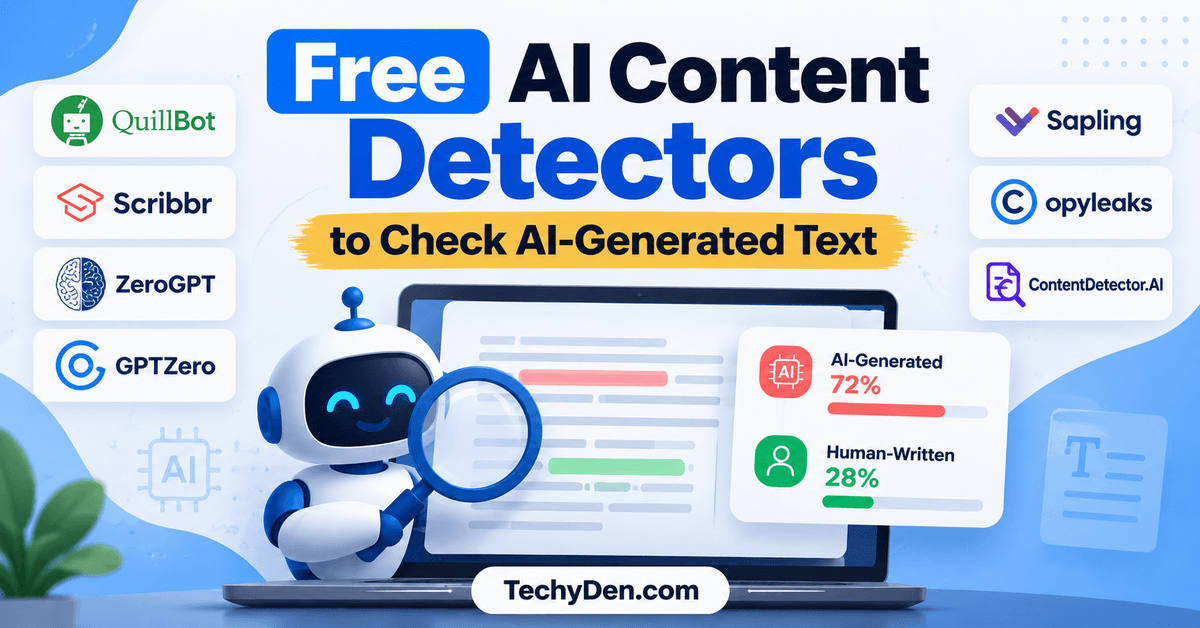
AI-generated content is becoming increasingly common across blogs, websites, academic assignments, and social media.
Tools such as ChatGPT, Claude, and Gemini can generate text in seconds, making it harder to determine whether a passage was written by a human, generated by AI, or created using a combination of both.
This is where free AI content detectors can help. These online tools analyze text for patterns associated with AI-generated writing and provide an estimated AI-likelihood score.
They can be useful for bloggers, content writers, editors, teachers, students, and businesses that want to review digital content.
However, AI detectors have limitations. Human-written text can be incorrectly flagged as AI-generated, and AI-written text can sometimes pass detection. Therefore, no detector score should be treated as definitive proof of authorship.
If you want to create and refine blog posts with AI, explore our guide to the best AI writing tools for bloggers, which covers tools for drafting, editing, and improving content.
In this guide, we compare seven free AI content detectors, explain their features and limitations, and show you how to use them responsibly.
Quick Comparison of the Best Free AI Content Detectors
| AI content detector | Best for | Free access |
|---|---|---|
| QuillBot AI Detector | Bloggers, writers, and students | Free scans with limits |
| Scribbr AI Detector | Quick AI text checks | Free checks with a per-submission limit |
| ZeroGPT | Fast text analysis | Free tier available |
| GPTZero | Document and sentence-level analysis | Free access with usage limits |
| Sapling AI Detector | Checking short text passages | Free browser-based checker |
| Copyleaks AI Detector | Multilingual and professional content checks | Limited free access may apply |
| ContentDetector.AI | Checking text for possible AI-generated patterns | Free online text checker |
Which free AI detector should you try first? Quillbot and Scribbr are convenient starting points. GPTZero is worth considering for document-level feedback, while Sapling can help with shorter passages. For important decisions, compare results carefully and review the text yourself.
What Is a Free AI Content Detector?
A free AI content detector is an online tool that estimates whether a piece of writing may have been generated or refined using artificial intelligence.
An AI text checker typically analyzes patterns such as word predictability, sentence structure, repetitive phrasing, and other linguistic characteristics. It then produces an overall score, classification, or highlighted passages that indicate which parts may resemble AI-generated text.
These tools are commonly used to review:
- Blog posts and website articles.
- Academic essays and assignments.
- Product descriptions and marketing copy.
- Social media posts and online publications.
- Freelance writing submissions.
- Business documents and reports.
AI content detectors do not all work in the same way. Each provider uses its own detection models, training data, and scoring methods. As a result, two free AI detectors can produce different results for the same passage.
An AI detector also does not necessarily identify the exact model used to write a passage. Its result is an estimate, not a verified record of how the content was created.
1. QuillBot AI Detector

Best for: Bloggers, content writers, students, and editors who want a straightforward AI text checker.
QuillBot is a writing platform known for its paraphrasing, grammar-checking, summarization, and other writing tools. Its free AI detector analyzes submitted text and estimates the likelihood that it was generated using an AI writing tool.
The detector is useful for reviewing articles, essays, product descriptions, and other written content before publication or submission.
Official website: QuillBot AI Detector
Key features
- Analyzes text for patterns associated with AI-generated writing.
- Provides an AI-likelihood score.
- Highlights selected passages for closer inspection.
- Supports detection of writing associated with popular AI models.
- Integrates with QuillBot’s broader writing toolkit.
QuillBot’s published free plan allows up to 1,200 words per scan and six scans per day. Limits and features can change, so check the official website before relying on a particular allowance.
Pros and cons of Quillbot
Pros
- Easy-to-use interface.
- Useful for preliminary content reviews.
- Combines AI detection with other writing tools.
- Suitable for bloggers and students.
Cons
- Free scans have usage limits.
- AI detection can produce false positives and false negatives.
- A score cannot establish who wrote a passage.
Why choose QuillBot?
QuillBot is a practical starting point if you want to check a draft without purchasing a dedicated detection subscription. Use the results to identify passages that deserve editorial attention rather than rewriting content simply to lower the AI score.
2. Scribbr AI Detector

Best for: Students, teachers, and writers who need a quick free AI content check.
Scribbr offers an AI detector alongside its academic writing and plagiarism resources. Its free AI checker estimates whether submitted text appears human-written, AI-generated, or AI-refined.
The tool is useful for reviewing essays, articles, and other documents when you want an initial assessment without installing software.
Official website: Scribbr AI Detector
Key features of Scribbr AI Detector
- Free AI content checks.
- No account required for the basic detector.
- Supports English and several other languages.
- Provides feedback on selected passages.
- Distinguishes between different categories of possible AI involvement.
Scribbr currently advertises free checks of up to 1,200 words per submission. Check the provider’s page for its latest limits, language support, and available features.
Pros and cons of Scribbr AI Detector
Pros
- Simple browser-based interface.
- No registration required for basic checks.
- Useful for quick preliminary reviews.
- Supports multiple languages.
Cons
- The free detector has a per-submission word limit.
- Detection results are estimates.
- AI detection and plagiarism checking are separate tasks.
Why choose Scribbr?
Scribbr is a convenient choice for a first-pass review of a blog post or academic assignment. It can help identify text that warrants closer inspection, but its result should not be used alone to judge a writer’s work.
3. ZeroGPT
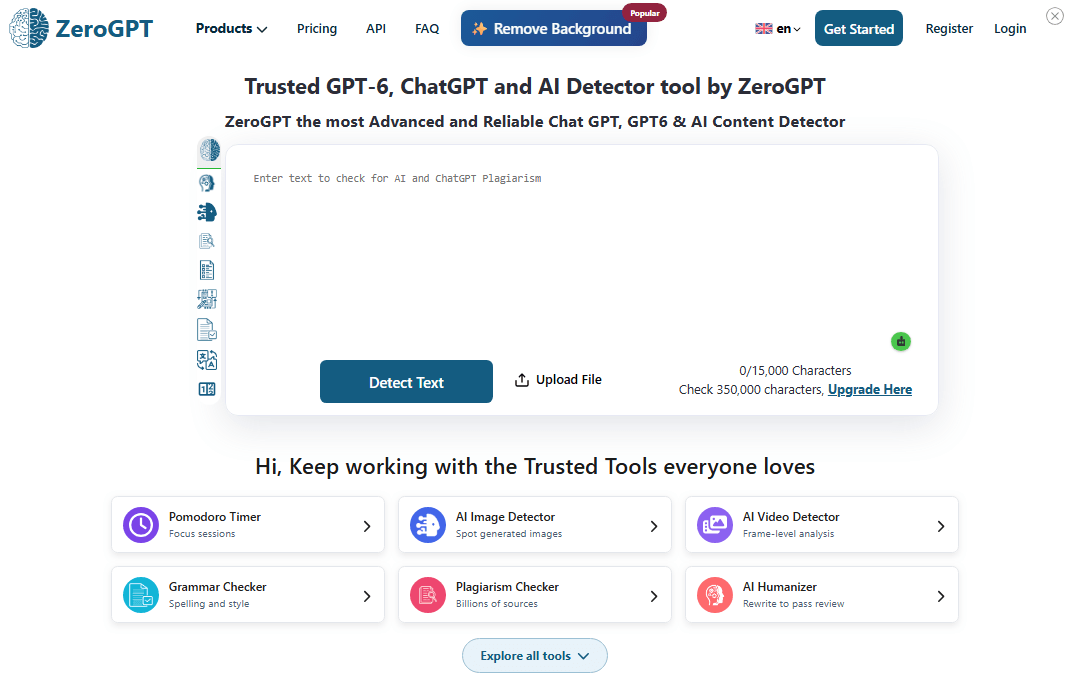
Best for: Users who want a quick AI text checker with highlighted passages.
ZeroGPT is an online AI detector that analyzes submitted text for patterns associated with AI-generated writing. Depending on the current interface, it provides an overall assessment and highlights passages that may require further review.
You can use it to check blog posts, essays, website copy, and other text-based documents.
Official website: ZeroGPT
Key features of ZeroGPT
- Browser-based AI text analysis.
- Overall AI-likelihood estimates.
- Highlighted passages, depending on the available features.
- Free access alongside paid plans.
- Additional text-processing features.
Pros and cons of ZeroGPT
Pros
- Quick to access.
- Does not require a software installation.
- Can help identify passages for closer editorial review.
- Useful as a second opinion alongside another detector.
Cons
- Free-tier limits may change.
- The score is not a verified percentage of words written by AI.
- Human writing can be incorrectly flagged.
Why choose ZeroGPT?
ZeroGPT can be useful when you want a second opinion after checking a passage with another AI detector. If the results disagree, treat the disagreement as a sign of uncertainty rather than assuming one tool is correct.
4. GPTZero
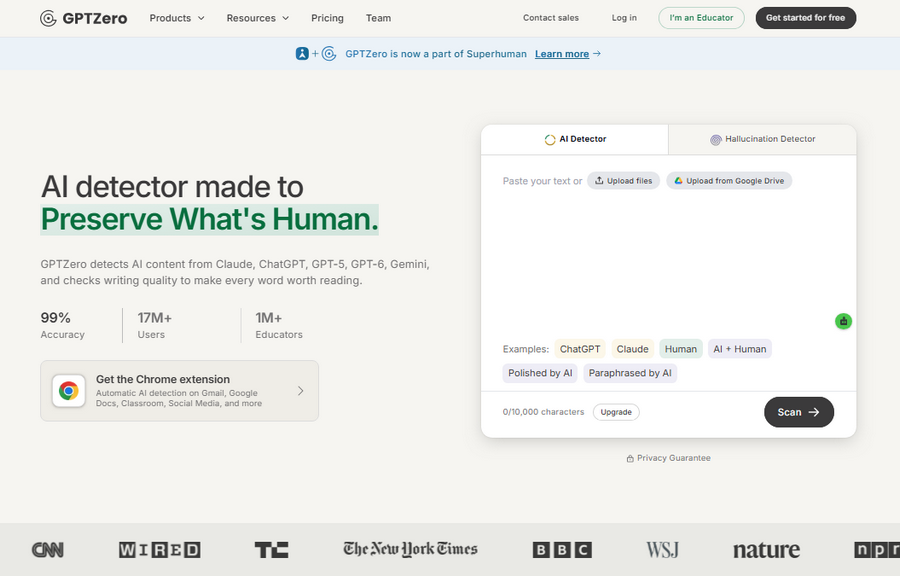
Best for: Educators, editors, bloggers, and writers who want to examine AI-generated text and understand content authenticity.
GPTZero is an AI detection platform that has expanded beyond identifying AI-generated writing. Its broader AI authenticity suite includes AI detection, hallucination detection, and writing replay features designed to help users examine how content was created.
In its June 2026 announcement, GPTZero revealed plans to join Superhuman to expand its authenticity tools across more digital platforms. The company said it would continue developing its existing products, including AI detection, hallucination detection, and writing replay. It also outlined plans for expanded integrations with learning management systems, email clients, browser extensions, and desktop and mobile applications. Availability may vary by product and rollout stage.
Official website: GPTZero
Read the announcement: GPTZero plans to join Superhuman
Key features of GPTZero
- Key features of GPTZero
- AI content detection: Analyzes submitted writing for patterns associated with AI-generated text.
- Writing replay: Helps users examine the writing process and document how work develops.
- AI Vision: Designed to identify AI-generated content on social media.
- Hallucination detection: Helps identify potentially inaccurate or fabricated information in AI-assisted content.
- Education-focused resources: Supports teachers and students in navigating responsible AI use.
- Integrations: GPTZero has announced plans to expand integrations with learning management systems, email clients, browser extensions, and other applications.
- Feature availability, document limits, and free-plan allowances may vary. Check the official website for current pricing and access details.
Free access is available, but the number of scans, document limits, and advanced features may depend on the current plan.
Pros and cons of GPTZero
Pros
- Offers more than basic AI text detection.
- Writing replay can provide additional context about the writing process.
- Hallucination detection supports closer examination of AI-assisted information.
- Useful for educators, editors, and content-review teams.
- Its broader authenticity approach focuses on context and process rather than relying only on a detection score.
Cons
- AI detection can produce false positives and false negatives.
- Some features and integrations may require a paid plan or may not yet be available to every user.
- A detector score alone cannot prove who wrote a document.
- Writing-process evidence may not be available for every document or workflow.
Why choose GPTZero?
GPTZero is worth considering if you need an AI content detector alongside tools for reviewing writing processes and potentially inaccurate AI-generated information. Its expanding focus on content authenticity may be particularly useful for educators, publishers, and content teams.
For bloggers and SEO professionals, use GPTZero as an optional editorial aid—not as a measure of content quality or a guarantee of search rankings. Review facts, citations, originality, and usefulness independently. For academic or workplace decisions, consider drafts, revision history, and the relevant AI-use policy instead of relying on a detection score alone.
5. Sapling AI Detector
Best for: Checking short passages, business writing, and individual paragraphs.
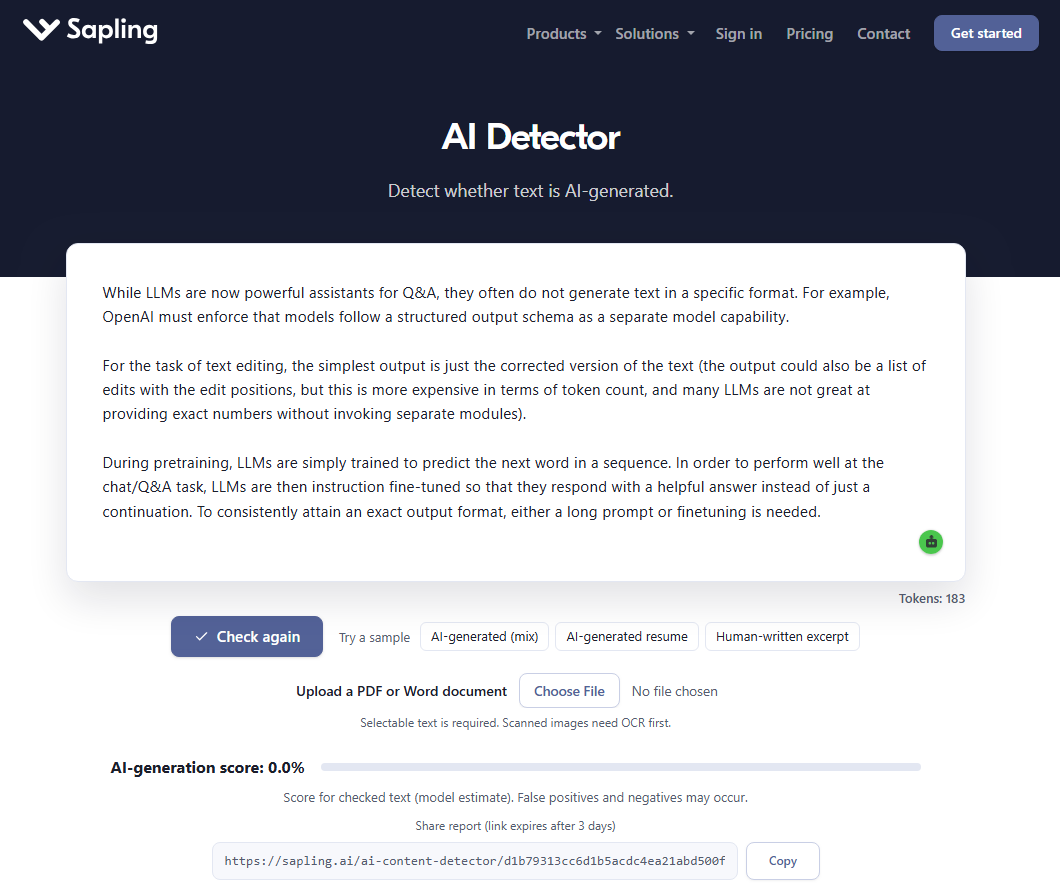
Sapling provides a browser-based AI detector that estimates whether submitted writing resembles AI-generated text. It can display an overall score and sentence-level indicators, depending on the available interface.
The tool is particularly relevant to people who review short-form content, customer communications, and business writing.
Official website: Sapling AI Content Detector
Key features of Sapling AI Detector
- Browser-based AI text analysis.
- Overall AI-likelihood score.
- Sentence-level indicators.
- Additional writing features through Sapling’s wider platform.
- Technical information about its detection approach.
Sapling’s basic detector has a limited input size. Its official page has described a limit of approximately 2,000 characters for a free check, so verify the current limit before submitting a longer document.
Pros and cons of Sapling AI Detector
Pros
- Quick for short passages.
- Offers sentence-level signals.
- No software installation required.
- Useful for an additional perspective on a draft.
Cons
- The free check has a limited input size.
- Results may vary with writing style and text length.
- It cannot conclusively determine authorship.
Why choose Sapling?
Sapling is a convenient option when you want to inspect a short passage or paragraph. For a full-length article, use a detector that supports your document size or check clearly separated sections.
6. Copyleaks AI Detector
Best for: Multilingual content checks and professional content-review workflows.
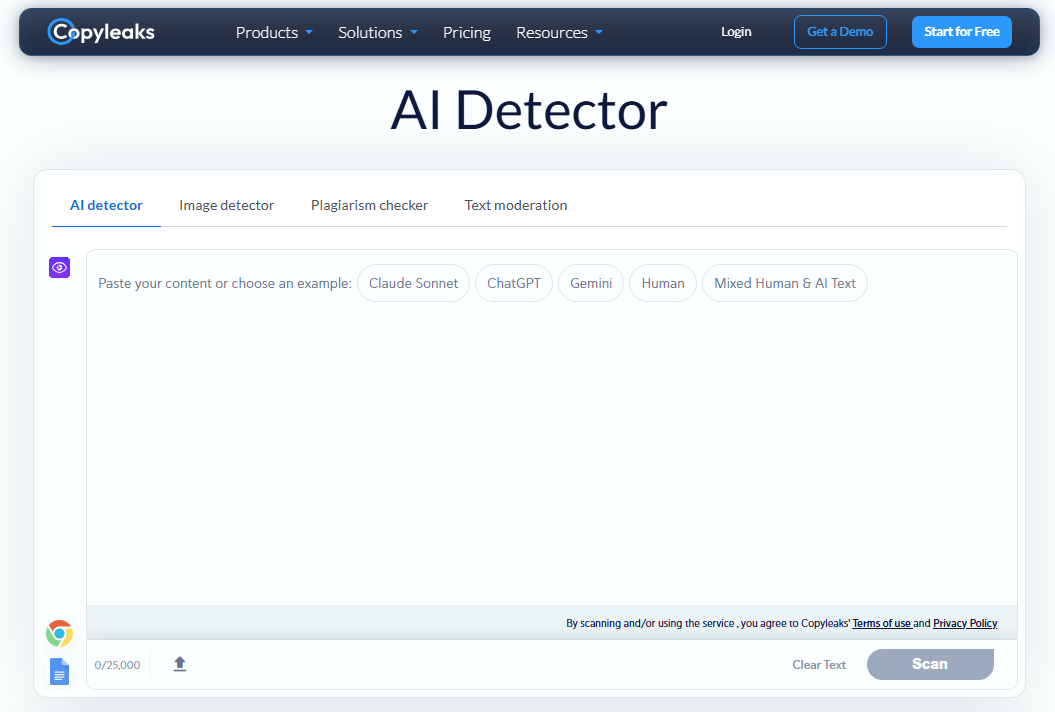
Copyleaks offers AI detection alongside plagiarism and content-integrity tools. Its AI detector is designed to analyze writing for patterns associated with AI-generated text across supported languages.
This can be useful for educators, publishers, organizations, and businesses that review content from multiple contributors.
Official website: Copyleaks AI Detector
Key features of Copyleaks AI Detector
- AI-generated text detection.
- Support for multiple languages.
- Integration with additional content-integrity tools.
- Features for educational and professional workflows.
- Limited free access or credits, depending on the current offer.
Pros and cons of Copyleaks AI Detector
Pros
- Multilingual support.
- Useful for broader content-review processes.
- Combines AI detection with other content-integrity features.
- Offers options for professional use.
Cons
- Free access may be limited.
- Advanced features may require a subscription.
- Detection results can contain errors.
Why choose Copyleaks?
Copyleaks is worth considering when multilingual analysis or integration with a wider content-review process matters. For occasional personal checks, a simpler free AI text checker may be sufficient.
7. ContentDetector.AI (Now on Moxby)
Best for: Bloggers, writers, and editors who want to identify repetitive or robotic-sounding passages and improve their writing.
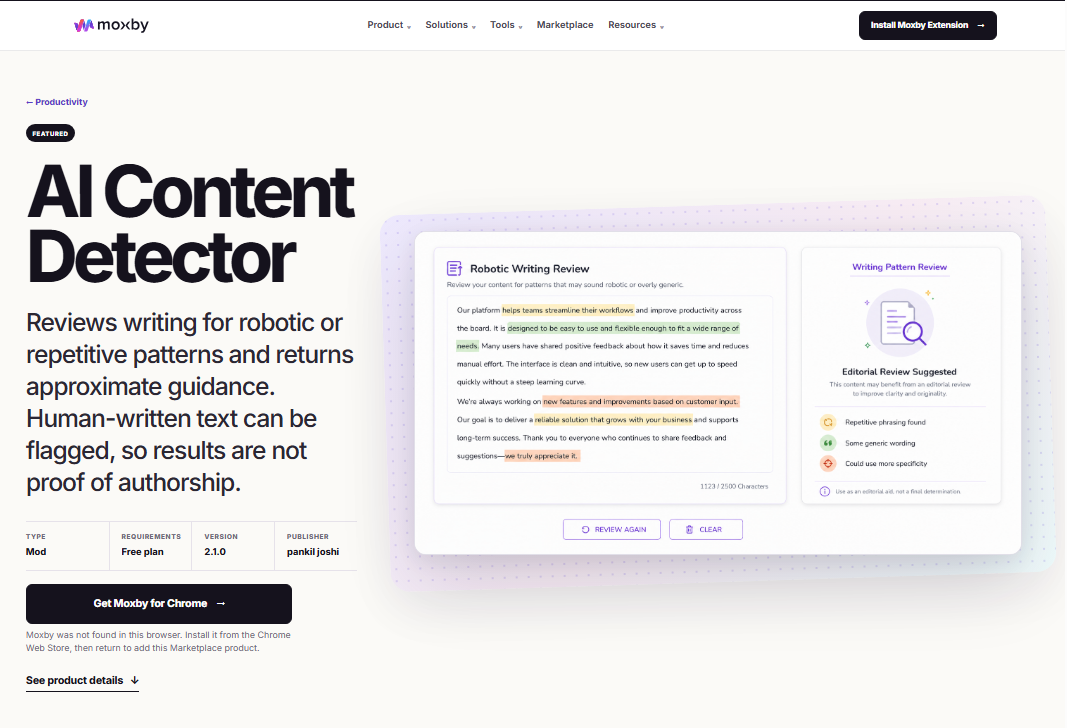
ContentDetector.AI currently redirects to the Moxby Marketplace, where its AI Content Detector is available as a browser extension tool called a Mod. Instead of claiming to determine conclusively whether text was generated by AI, the tool reviews writing patterns and highlights passages that may benefit from more variety, specificity, clarity, or a stronger personal voice.
The tool looks for repetitive phrasing, uniform sentence structures, predictable transitions, and generic language. Its results provide approximate editorial guidance rather than proof of authorship. Human-written content can also be flagged, particularly when it is short, technical, templated, or repetitive.
Official page: AI Content Detector on Moxby
Key features of ContentDetector.AI
- Writing-pattern analysis: Reviews text for repetitive, formulaic, or robotic-sounding language.
- Sentence-level highlights: Identifies passages that may benefit from editing.
- Editorial guidance: Helps writers identify opportunities to improve clarity, specificity, sentence variation, and voice.
- Browser-based access: Available through the Moxby browser extension and Marketplace.
- Approximate results: Presents findings as writing guidance rather than a definitive AI-authorship verdict.
The current product listing states that it reviews up to 2,500 characters. Access requirements and features may change, so check the official listing before using it.
Pros and cons of ContentDetector.AI
Pros
- Simple concept focused on improving writing patterns.
- Highlights specific passages for closer review.
- Can help identify repetitive wording and generic explanations.
- Does not present its results as definitive proof of AI authorship.
- Useful as an additional editorial check when refining blog posts and other online content.
Cons
- Requires the Moxby browser extension rather than offering the previous standalone checking experience.
- The listed character limit may be restrictive for long articles.
- Human-written text can receive a robotic-writing signal.
- AI-assisted text may not be flagged after substantial editing.
- Submitted text is sent through the Moxby gateway to an analysis service, so avoid submitting confidential material unless its handling meets your privacy requirements.
Why choose ContentDetector.AI?
ContentDetector.AI may be useful if you already use Moxby and want an additional way to identify repetitive or formulaic writing. Bloggers can review highlighted passages, add specific examples, improve explanations, and make the content more useful to readers.
However, do not treat its output as a reliable verdict on whether an article was written by a human or an AI tool. Use the results as editing suggestions, then apply your own judgment. For SEO, prioritize originality, factual accuracy, useful information, and a clear authorial voice—not achieving a particular detector score.
For more ways to streamline your content workflow, check out our guide to the best AI tools for bloggers, including tools that support research, writing, and productivity.
How Do Free AI Content Detectors Work?
Free AI content detectors use statistical and linguistic analysis to estimate whether a passage resembles text generated by an AI model.
Depending on the detector, the analysis may consider the following characteristics.
- Word predictability: Some detectors evaluate how predictable words and phrases appear in context. AI-generated writing may exhibit patterns that differ from some human-written text, but predictability alone cannot determine authorship.
- Sentence structure: A detector may analyze sentence length, construction, and variation. Repetitive sentence structures can be one signal, although human writers also use consistent patterns.
- Repeated phrases: The software may identify recurring words, expressions, or structures. Repetition can occur in both human-written and AI-generated content.
- Linguistic patterns: Detection models are trained to recognize patterns in text. Their effectiveness depends on the model, training data, writing style, language, and the type of text being evaluated.
- Probability scores: The tool combines its signals to produce a score or classification. Different detectors use different methods, so a 70% result from one service may not mean the same thing as a 70% result from another.
Important: An AI detection score is not necessarily the percentage of words that were written by AI. Read the provider’s explanation of its scoring system before interpreting the result.
After checking your text, use the best AI SEO tools for bloggers to support keyword research, content optimization, and your broader SEO workflow.
Are Free AI Content Detectors Accurate?
Free AI content detectors can be useful for screening text, but they are not perfectly reliable.
Their performance varies depending on the detector, the length of the text, the language, the AI model involved, and whether the writing has been edited or combined with human-written material.
Scribbr’s published research into AI detectors reports that results vary between tools and that no detector can guarantee complete accuracy. Its comparison found that the best-performing free detector in its evaluation achieved 68% accuracy, while the best-performing premium detector achieved 84%.
These figures relate to the samples and methodology used in that comparison; they are not universal performance guarantees.
AI content detectors can produce incorrect results, so their scores should not be treated as proof of authorship. OpenAI has also documented the limitations of AI text classification, including false positives and missed AI-generated text.
Read more: Scribbr’s AI detector comparison.
Why can human-written content be flagged as AI?
A detector may incorrectly flag human-written content because it contains patterns that resemble those found in the detector’s AI training examples.
Possible contributing factors include:
- Predictable or repetitive sentence structures.
- Formal, standardized language.
- Short passages with limited context.
- Formulaic introductions or conclusions.
- Writing in a language that the detector handles less reliably.
The reverse is also possible: AI-generated text may receive a low AI score. Editing, paraphrasing, mixed authorship, and changes in AI models can affect results.
For that reason, never accuse a student, freelancer, employee, or contributor of using AI based only on a detector score.
How to Use a Free AI Content Detector
Follow these steps to get more meaningful results from an AI text checker.
- Step 1: Choose a suitable detector: Select a tool based on your text length, language, privacy requirements, and need for sentence-level feedback. Check the free plan’s current limits before submitting your document.
- Step 2: Submit enough text: Very short passages may not provide enough context for a useful assessment. Follow the tool’s minimum text requirements and, where possible, analyze a representative section of the document.
- Step 3: Read the score and highlighted passages: Review the overall result and any highlighted sections. Treat them as signals for further inspection, not proof of authorship.
- Step 4: Compare results carefully: If the result matters, you can use a second detector. However, agreement between multiple detectors still does not establish who wrote the text, because tools can share similar limitations.
- Step 5: Review the content manuall: Check whether the writing contains unsupported claims, inaccurate information, repetitive explanations, weak reasoning, missing citations, or outdated facts. These problems matter regardless of whether AI was involved.
- Step 6: Make decisions using appropriate evidence: For academic or professional reviews, consider drafts, revision history, research notes, citations, and the applicable AI-use policy. Do not use a detector score as the sole basis for an accusation or penalty.
Best Free AI Content Detector for Bloggers and SEO Professionals
If you run a blog or website, free AI content detectors can be part of your editorial workflow. They may help you review contributor submissions or identify sections that need closer attention.
However, the objective should be better content—not simply a lower AI score.
Here is a practical guide to choosing a tool.
| Requirement | Tool to try |
|---|---|
| Quick free AI text check | QuillBot or Scribbr |
| Reviewing longer documents | GPTZero |
| Checking short text passages | Sapling |
| Getting a second opinion | ZeroGPT |
| Multilingual content review | Copyleaks |
| Simple browser-based text analysis | ContentDetector.AI |
For SEO content, focus on these quality checks before publishing:
- Verify facts, statistics, product specifications, and pricing.
- Add original experience, examples, screenshots, or comparisons where appropriate.
- Cite trustworthy sources for claims that need evidence.
- Remove repetitive sections and generic explanations.
- Answer the searcher’s question clearly.
- Update outdated information and broken links.
- Make sure the article provides genuine value beyond a generic summary.
Google’s guidance focuses on content quality, usefulness, originality, and compliance with its spam policies. AI assistance alone does not automatically make a page spam. Using automation primarily to manipulate search rankings, however, can violate Google’s policies.
Read Google’s official guidance: Creating helpful, reliable, people-first content.
An AI detector cannot predict Google rankings, guarantee indexing, or establish whether an article meets Google’s quality expectations.
When publishing AI-assisted articles, focus on accuracy, originality, and reader value rather than trying to achieve a particular detector score; see Google’s guidance on AI-generated content for more information.
AI Content Detector vs. Plagiarism Checker
AI detectors and plagiarism checkers serve different purposes, so they should not be treated as interchangeable tools.
| Feature | AI content detector | Plagiarism checker |
|---|---|---|
| Main purpose | Estimates whether text resembles AI-generated writing | Identifies matching or similar text in available sources |
| Typical output | AI-likelihood score or highlighted passages | Similarity report and matching sources |
| Can prove authorship? | No | No |
| Main limitation | May misclassify human or AI text | May miss material outside its source coverage |
| Best use | Preliminary writing-pattern review | Checking textual similarity and attribution |
A passage can be AI-generated and original, human-written and plagiarized, or a combination of both. Use the appropriate tool for the question you need to answer.
Privacy Tips Before Uploading Your Content
Before using a free AI content detector, read the provider’s privacy policy and terms of service.
Keep these precautions in mind:
- Avoid uploading confidential business information, unpublished research, private messages, or sensitive client documents unless the service’s terms and your policies permit it.
- Check whether submitted text may be stored or used to improve the service.
- Review data-retention and account settings when available.
- Use a non-sensitive sample when testing a tool.
- Follow your institution’s or employer’s rules before submitting someone else’s writing to an external service.
A free service is not automatically the right choice for confidential material. Choose a tool based on its privacy protections as well as its detection features.
Frequently Asked Questions About Free AI Content Detectors
What is the best free AI content detector?
There is no single best AI detector for every use case. QuillBot and Scribbr are convenient starting points, GPTZero offers document-level feedback, and ZeroGPT, Sapling, Copyleaks, and ContentDetector.AI provide alternative approaches. Choose according to your text length, language, and requirements.
Can free AI detectors identify ChatGPT content?
Some AI detectors are designed to identify patterns associated with ChatGPT and other language models. However, they cannot reliably identify every AI-generated passage or guarantee which model produced it.
Are free AI content detectors accurate?
They can identify some AI-generated text, but false positives and false negatives are possible. Accuracy varies by tool and test conditions, so use the results as estimates rather than conclusive evidence.
Can an AI detector flag human-written content?
Yes. Human-written content may be incorrectly classified as AI-generated, especially when it uses predictable language or a highly structured style. This is called a false positive.
Can AI-generated text pass an AI detector?
Yes. Some AI-generated passages may receive low AI scores or be classified as human-written. A low score does not prove that a human wrote the text.
Is an AI detector the same as a plagiarism checker?
No. An AI detector estimates whether text resembles AI-generated writing, while a plagiarism checker looks for matching or similar material in the sources it can access.
Should bloggers use AI detectors before publishing articles?
Bloggers can use AI detectors as an optional editorial check, particularly when reviewing third-party submissions. However, fact-checking, originality, source verification, and reader value should remain the priorities.
Does Google penalize AI-generated content?
AI-assisted content is not automatically against Google’s guidelines. Google’s policies focus on helpful, reliable content and prohibit using automation primarily to manipulate search rankings. Review Google’s current guidance before making publishing decisions.
Can I use free AI detectors for academic assignments?
You can use them as a preliminary check if your institution permits it. Follow the institution’s AI-use policy, and do not assume that a detector result determines whether an assignment complies with its rules.
Should I trust a 100% AI score?
No. A 100% result is the detector’s classification, not definitive proof of authorship. Review the text and consider appropriate evidence before making important decisions.
Final Verdict: Which Free AI Content Detector Should You Choose?
Free AI content detectors can help you investigate writing patterns, but none can reliably establish authorship on its own.
Start with QuillBot or Scribbr for a convenient free check. Try GPTZero for document-level feedback, ZeroGPT for a second opinion, Sapling for short passages, Copyleaks for multilingual workflows, or ContentDetector.AI for straightforward browser-based analysis.
For bloggers and SEO professionals, the best approach is to combine optional AI detection with fact-checking, source verification, editorial review, and original insight.
Remember: Use free AI content detectors to support human judgment, not replace it. High-quality content should be accurate, useful, well-researched, and written to help readers—regardless of which tools assisted in its creation.