13 Best AI Tools for Bloggers in 2026: Writing, SEO, Research & More
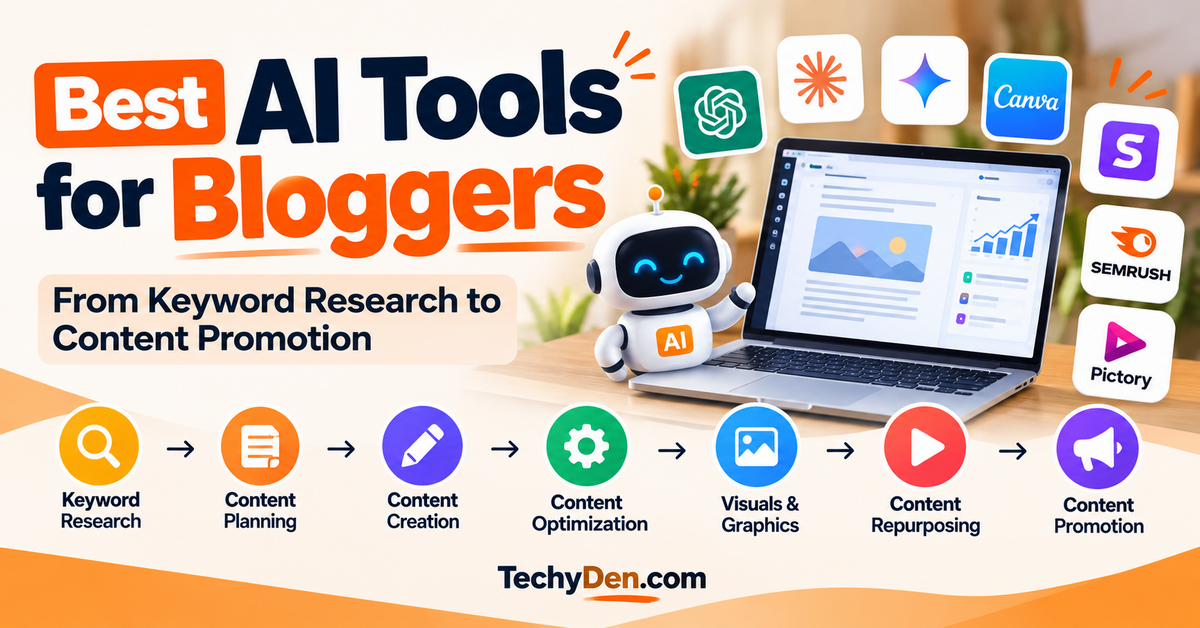
Blogging in 2026 involves far more than writing articles. Bloggers need to find profitable topics, research keywords, analyze search intent, create outlines, write and edit content, optimize pages for SEO, design visuals, produce videos, and promote their content. The right AI tools for bloggers can simplify many of these tasks and help you spend more time on strategy, creativity, and growing your audience.
But there is no single AI tool that is best for every blogger. ChatGPT and Claude can help with content planning and writing, while tools such as Semrush and Surfer focus more heavily on SEO and content optimization. Other tools are designed specifically for research, editing, graphic design, or video creation.
In this guide, we’ll compare the best AI tools for bloggers in 2026, explain what each tool does best, and show where each one fits into a modern blogging workflow. We’ll also look at free and paid options, practical use cases, and the best AI tool combinations for different types of bloggers.
Remember, AI should assist your blogging workflow—not replace your expertise. Fact-check important information, add your own experience and insights, and edit every AI-assisted piece before publishing.
Comparison of the Best AI Tools for Bloggers
Choosing an AI tool becomes easier when you compare each platform by the job it performs rather than treating every tool as a direct competitor. Some tools are general-purpose AI assistants, while others specialize in SEO, content optimization, editing, visual design, research, or video.
The table below provides a quick comparison of the main tools covered in this guide. A check mark indicates that the tool has meaningful capabilities in that area; it does not mean that every tool performs that task equally well.
| AI Tool | Best For | Blogging Task | Free Plan | Paid From* |
|---|---|---|---|---|
| ChatGPT | General blogging | Writing & research | Yes | Verify |
| Claude | Long-form writing | Writing & editing | Yes | Verify |
| Gemini | Google workflows | Research & planning | Yes | Verify |
| Semrush | SEO | Keywords & competitors | Limited | Verify |
| Surfer | Content optimization | On-page SEO | Limited | Verify |
| Jasper | Brand content | Marketing | Trial/limited | Verify |
| Grammarly | Editing | Proofreading | Yes | Verify |
| Canva | Visuals | Graphics | Yes | Verify |
| Pictory | Video | Repurposing | Trial/limited | Verify |
| Perplexity | Research | Source discovery | Yes | Verify |
How to Read This Comparison
The table is designed to help you identify the right type of tool for your workflow, not to suggest that you need all ten platforms.
For example, ChatGPT, Claude, and Gemini are general-purpose AI assistants that can help with brainstorming, research, outlining, writing, editing, and other content tasks. Semrush and Surfer, on the other hand, are more specialized SEO tools. They can provide data and optimization capabilities that a general AI chatbot isn’t designed to replace.
Similarly, Grammarly focuses on editing and writing quality, Canva is primarily useful for visual content, and Pictory focuses on converting written content into video.
Which Tools Do Most Bloggers Actually Need?
You can build an effective AI blogging workflow without subscribing to every tool in this table.
A beginner blogger may only need a general-purpose AI assistant and a visual design tool.
An SEO-focused blogger may benefit from combining an AI assistant with an SEO platform such as Semrush and a content optimization tool such as Surfer.
A content-heavy blogger may also benefit from an editing tool such as Grammarly and a video platform such as Pictory.
The goal is to choose tools that solve specific problems in your workflow rather than accumulating multiple subscriptions that perform similar tasks.
Tip: Before choosing a paid AI tool, test its free plan or trial when available and compare the features you actually use. AI tools frequently change their models, features, usage limits, and pricing, so always check the provider’s current pricing page before subscribing.
14 Best AI Tools for Bloggers in 2026
The best AI tool for blogging depends on what you need help with. A general-purpose AI assistant can handle brainstorming, outlining, and writing, while specialized platforms can provide deeper SEO research, content optimization, editing, or visual creation.
The five tools below cover some of the most important parts of a modern blogging workflow: content creation, research, SEO, and optimization.
1. ChatGPT
Best All-Purpose AI Tool for Bloggers
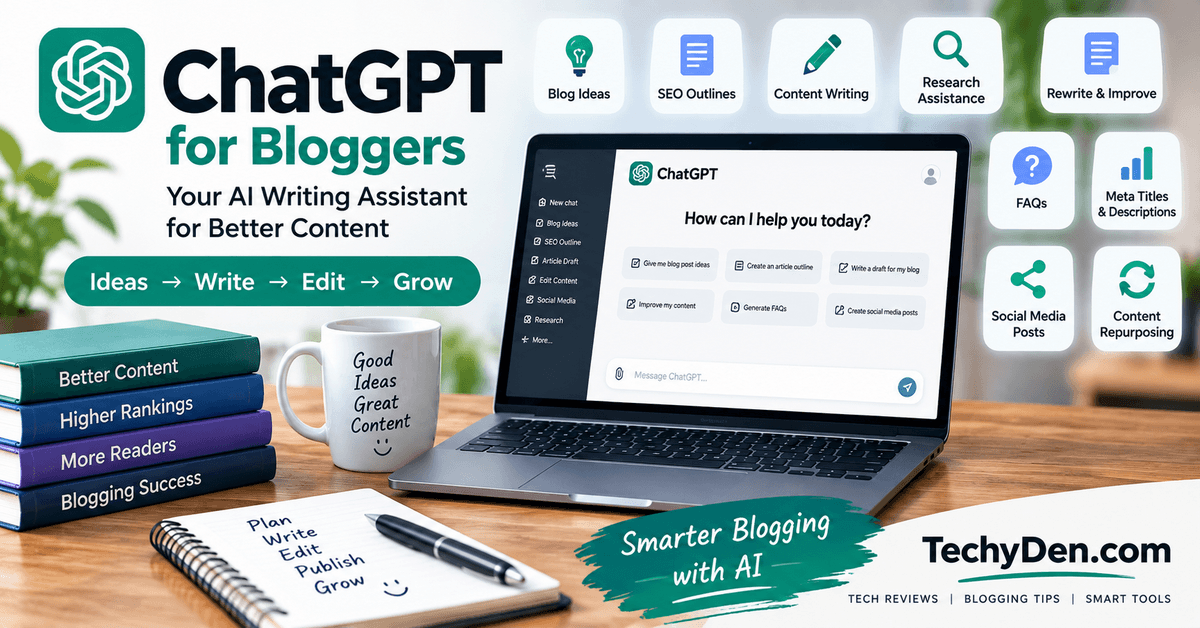
ChatGPT is a versatile AI assistant that can support almost every stage of the blogging process. Instead of using it only to generate blog posts, you can use it for topic research, content planning, outlining, editing, brainstorming, FAQs, content repurposing, and many other repetitive tasks.
For bloggers, its biggest advantage is flexibility. You can move from a keyword research discussion to an article outline, then ask it to improve a section, generate FAQ ideas, create social media posts, or help develop an internal-linking strategy within the same workflow.
OpenAI also provides free access to ChatGPT, with additional capabilities available through paid plans. Because features, usage limits, and plans change, check the current ChatGPT pricing page before publishing specific pricing information.
You can also use ChatGPT for keyword research and keyword organization. See our guide on how to use ChatGPT for keyword research for a practical workflow.
What Can ChatGPT Do for Bloggers?
Bloggers can use ChatGPT for:
- Generating blog topic ideas
- Building topic clusters
- Creating article outlines
- Developing content briefs
- Drafting introductions and individual sections
- Rewriting and improving existing content
- Creating FAQs and PAA-style questions
- Developing title and meta description ideas
- Creating content upgrade ideas
- Repurposing blog posts into social media content
- Brainstorming email newsletters
- Creating content calendars
- Developing internal-linking ideas
- Analyzing and improving existing articles
- Creating prompts and repeatable content workflows
- Generating or assisting with visual content where supported
If you want ready-to-use prompts for different blogging tasks, see our guide to the best AI prompts for bloggers.
How I Use ChatGPT for Blogging
For a blogger, one of the most useful workflows is to break the content process into individual stages instead of asking AI to “write a 3,000-word article.”
For example, I can use ChatGPT to:
- Analyze a target keyword and identify search intent.
- Generate related subtopics and questions.
- Build a detailed SEO content outline.
- Identify potential content gaps.
- Develop an article introduction.
- Improve individual sections.
- Generate FAQ ideas.
- Suggest internal links between related articles.
- Create social media variations.
- Review the finished article for clarity and completeness.
This workflow gives you much more control over the final article than simply publishing an AI-generated draft.
For TechyDen, ChatGPT can also be particularly useful for connecting related content into topical clusters—for example, linking articles about AI browsers, AI agents, Claude, ChatGPT, and AI tools for bloggers.
Best for
ChatGPT is particularly useful for:
- Bloggers who want one versatile AI assistant
- Content planning and brainstorming
- Blog outlines and content briefs
- Content editing and rewriting
- Content repurposing
- Solo bloggers and content creators
- Developing repeatable blogging workflows
Limitations
ChatGPT should not be treated as an automatic source of truth. AI-generated responses can contain inaccurate or misleading information, so important claims, statistics, product specifications, pricing, and current events should be independently verified. OpenAI itself notes that ChatGPT outputs can sometimes be inaccurate.
Other limitations include:
- AI output can become generic without good instructions.
- It may produce factual errors.
- Generated content still needs human editing.
- It should not replace first-hand experience.
- Current product information and pricing should be verified.
- SEO recommendations should be supported by actual keyword and SERP data.
Pricing
ChatGPT has a free option, with paid subscription plans offering additional capabilities and higher usage limits. OpenAI currently offers multiple consumer subscription tiers, and the available plans and features can change over time.
Tip: Don’t publish a fixed ChatGPT price in this article without checking the official pricing page immediately before updating the article.
TechyDen Verdict
ChatGPT is one of the most versatile AI tools a blogger can have in their workflow. Its greatest strength isn’t simply article generation; it’s the ability to assist with many different blogging tasks from research and planning to editing and content repurposing.
For most bloggers, it makes sense to start with a general-purpose AI assistant such as ChatGPT and then add specialized SEO, editing, or design tools when the workflow requires them.
2. Claude
Best for Long-Form Content and Editing
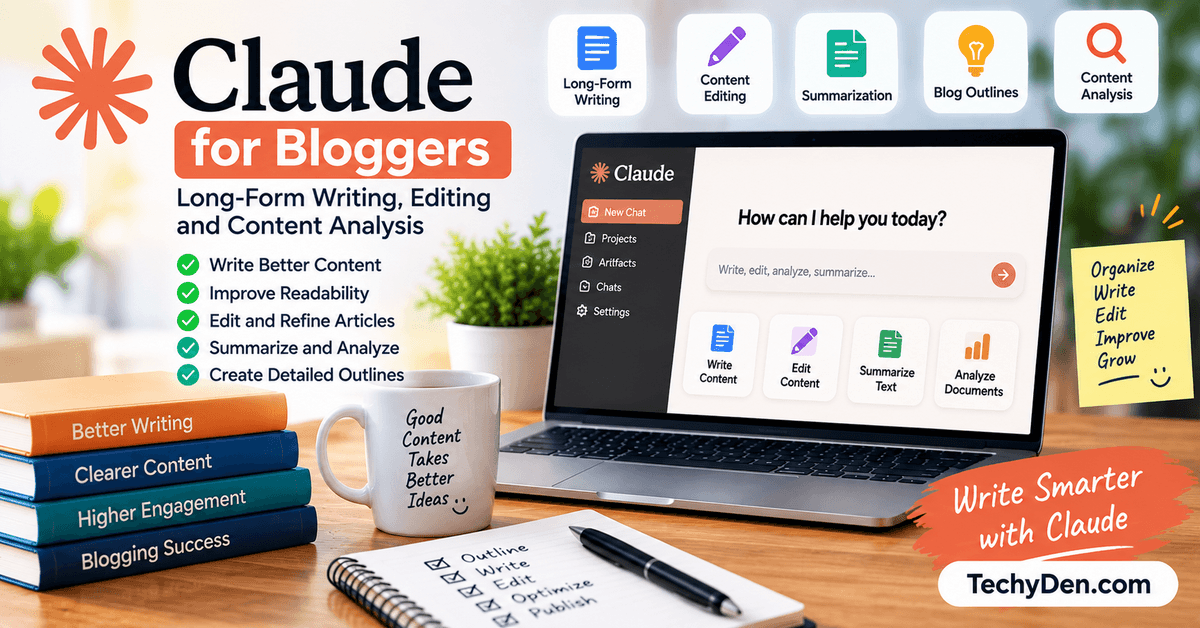
Claude is an AI assistant from Anthropic that can be particularly useful for bloggers working with long-form content, detailed documents, and substantial editing tasks.
Instead of using Claude simply as an article generator, bloggers can use it to restructure drafts, improve readability, summarize research, analyze existing content, and maintain consistency across longer pieces.
Claude is also useful when you already have a substantial amount of material and want AI assistance with organizing or improving it.
If you’re deciding between the two popular AI assistants, see our comparison of Claude AI vs ChatGPT.
What Can Claude Do for Bloggers?
Claude can assist with:
- Long-form content drafting
- Article editing
- Rewriting and restructuring
- Summarizing research material
- Improving article organization
- Developing content outlines
- Analyzing lengthy documents
- Maintaining a consistent writing style
- Creating content briefs
- Brainstorming article ideas
- Improving introductions and conclusions
- Turning existing content into different formats
Anthropic continues to update Claude’s models and products, so specific model capabilities and subscription features should be checked before publication. For example, Anthropic’s 2026 announcements show continuing development of Claude’s capabilities and higher usage options.
How I Use Claude for Blogging
Claude can be particularly useful after the initial research stage.
For example, instead of asking:
"Write a blog post about AI tools."
you can give Claude:
- Your target keyword
- Search intent
- Content outline
- Existing research
- Your own notes
- Examples
- Brand voice requirements
Then ask it to help transform those materials into a coherent article.
Another useful workflow is using Claude as an editor rather than a writer.
You can give it an existing article and ask it to identify:
- Repetitive sections
- Weak transitions
- Unclear explanations
- Missing information
- Overly generic passages
- Opportunities to add examples
- Sections that could be shortened
This approach is particularly useful when updating older blog posts.
For a detailed evaluation of Claude’s features, pricing, content-writing performance and blogger use cases, see our dedicated Claude AI Review.
Best for
Claude is particularly suitable for:
- Long-form content
- Article editing
- Content restructuring
- Large research documents
- Content creators
- Bloggers who already have substantial drafts
- Improving existing articles
- Developing consistent content
Limitations
Claude has some of the same limitations as other generative AI systems:
- Its output still requires fact-checking.
- It can produce generic content without sufficient context.
- AI-generated writing shouldn’t replace original expertise.
- Current features and usage limits depend on the plan.
- It isn’t a replacement for dedicated SEO data platforms.
For keyword volume, competition, backlinks and other SEO metrics, you’ll generally need a specialized SEO platform rather than relying exclusively on a general AI assistant.
Pricing of Claude
Claude has free and paid access options, with pricing and usage limits varying by plan and product. Anthropic also offers separate API/model pricing, which should not be confused with consumer Claude subscription pricing.
Because Anthropic regularly changes models and plans, verify the current consumer pricing before publishing the final version of this article.
My test: I provided the same 2,000-word draft to Claude and ChatGPT and compared their editing suggestions.
Claude is particularly useful for bloggers who care about long-form writing, editing and content refinement.
Rather than treating Claude as another automatic article writer, use it as a research, writing and editorial assistant. It can be especially valuable when you already have original research or a detailed draft and want help turning that material into clearer, better-structured content.
3. Google Gemini
Best for Google-Centric Research and Workflows
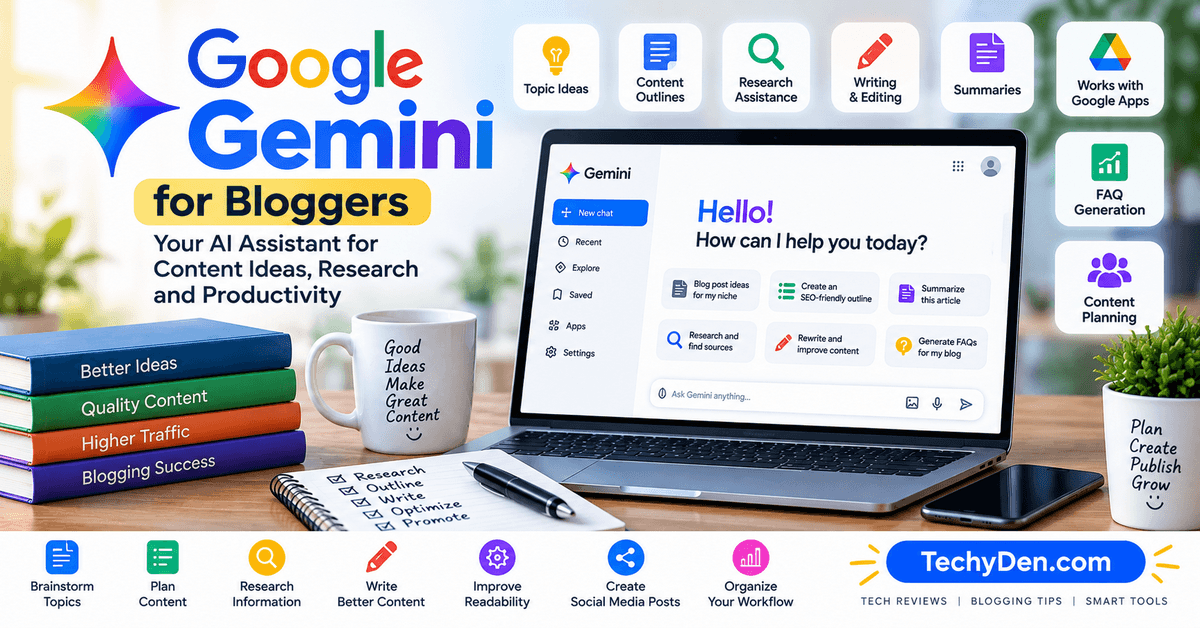
Google Gemini is Google’s family of generative AI tools and can be useful for bloggers who already work extensively within Google’s ecosystem.
For content creators, Gemini can assist with brainstorming, research, content planning, writing, summarization and other productivity tasks. Its usefulness can be particularly interesting for bloggers who use Google services as part of their existing workflow.
What Can Gemini Do for Bloggers?
Depending on the available plan and features, bloggers can use Gemini for:
- Blog topic brainstorming
- Content ideas
- Research assistance
- Article outlines
- Drafting and rewriting
- Summarizing information
- Content planning
- Working with documents
- Brainstorming headlines
- Creating content variations
- Supporting Google-centric productivity workflows
- Image-related creative tasks where available
The exact capabilities available to users can change as Google updates Gemini and its associated plans, so verify the current feature set before publication.
Best for
Gemini can be a useful option for:
- Bloggers already using Google’s ecosystem
- Research and brainstorming
- Content planning
- Document-based workflows
- Bloggers who want an alternative to ChatGPT or Claude
- Creators who use Google services extensively
Limitations
Gemini shouldn’t be treated as a substitute for dedicated SEO software.
For example, if you need:
- Keyword difficulty
- Search volume
- Competitor keyword data
- Backlink analysis
- Rank tracking
- Technical SEO auditing
you’ll generally need an SEO platform such as Semrush or another specialized tool.
As with other generative AI assistants, important information should be independently verified before publication.
Pricing of Gemini
Gemini has free access options as well as paid Google AI plans. Because Google’s plans, model access and usage limits can change, verify the current pricing and features before publishing this section.
TechyDen Verdict
Gemini is worth considering if your blogging workflow already revolves around Google’s ecosystem.
It can be useful for brainstorming, research and content planning, but bloggers who need advanced SEO data should combine it with a dedicated SEO platform.
4. Semrush
Best AI + SEO Platform for Bloggers

Semrush is different from general-purpose AI assistants such as ChatGPT, Claude and Gemini.
Instead of primarily helping you generate or edit text, Semrush provides a broader SEO and search-visibility platform for researching keywords, competitors, rankings, content opportunities and website performance.
For bloggers who depend on Google traffic, this distinction is important.
You can use an AI assistant to help you write an article, but an SEO platform can help you determine what you should write about in the first place.
What Can Semrush Do for Bloggers?
Semrush provides tools for areas such as:
- Keyword research
- Keyword difficulty analysis
- Competitor research
- Organic keyword analysis
- Position tracking
- Site auditing
- Backlink analysis
- Content research
- Content optimization
- Topic discovery
- AI-search visibility
- SEO reporting
Semrush’s current plans combine traditional SEO capabilities with AI-search visibility features, depending on the plan. Its current SEO offerings include keyword tracking, competitor analysis, Site Audit and AI visibility capabilities.
Why Do Bloggers Need an SEO Platform?
Imagine you ask ChatGPT:
"Give me 50 blog post ideas about AI tools."
You might receive 50 useful ideas.
But that doesn’t tell you:
- How many people search for each topic
- How competitive the keyword is
- Which websites currently rank
- What keywords competitors receive traffic from
- How difficult it may be to rank
- Which related keywords have commercial value
That’s where an SEO platform becomes valuable.
A practical workflow could look like this:
Semrush → keyword research → search intent → competitor analysis → content brief → ChatGPT/Claude → article creation → Surfer → optimization → Google Search Console → performance monitoring
This combination is much more powerful than expecting one AI tool to handle everything.
Best for
Semrush is particularly useful for:
- SEO-focused bloggers
- Affiliate bloggers
- Bloggers targeting competitive keywords
- Keyword research
- Competitor analysis
- Rank tracking
- Site audits
- Content planning
- Search visibility analysis
Limitations
The biggest limitation for individual bloggers is cost.
Semrush is a comprehensive professional platform, and many of its advanced features are designed for marketers, agencies and businesses rather than casual bloggers.
Other considerations include:
- The interface can feel overwhelming for beginners.
- Many advanced features are available only on higher plans.
- It is more expensive than a general-purpose AI assistant.
- You still need an AI writing assistant if you want extensive generative writing support.
Semrush Pricing
Semrush offers multiple SEO and AI Search plans, while additional content capabilities are available through separate offerings. Because pricing, features and usage limits change, check the official pricing page before subscribing.
My test: I entered the target keyword and checked keyword difficulty, related keywords and competing pages.
It shouldn’t necessarily replace ChatGPT or Claude. Instead, think of it as the SEO intelligence layer of your blogging workflow.
Use Semrush to decide what to target and how your site is performing, then use your AI assistant and editorial expertise to create genuinely useful content.
5. Surfer
Best for Content Optimization

Surfer is an SEO-focused content optimization platform rather than a general-purpose chatbot.
Its main role is to help you create and optimize content around the topics and patterns associated with search results. Surfer describes itself as a platform for content optimization and AI-search visibility rather than a generic AI assistant or standalone AI writing tool.
For bloggers, this makes Surfer particularly useful after keyword research and during the content optimization stage.
What Can Surfer Do for Bloggers?
Surfer’s features can help with:
- Content optimization
- SERP analysis
- Topic and keyword recommendations
- Content briefs
- AI-assisted content workflows
- Content scoring
- Internal linking
- Content auditing
- AI-search visibility features
- WordPress and Google Docs workflows on applicable plans
The exact features and limits depend on the current plan. Surfer’s published documentation currently lists different capabilities across its Discovery, Standard, Pro and higher tiers.
Surfer vs Semrush: What’s the Difference?
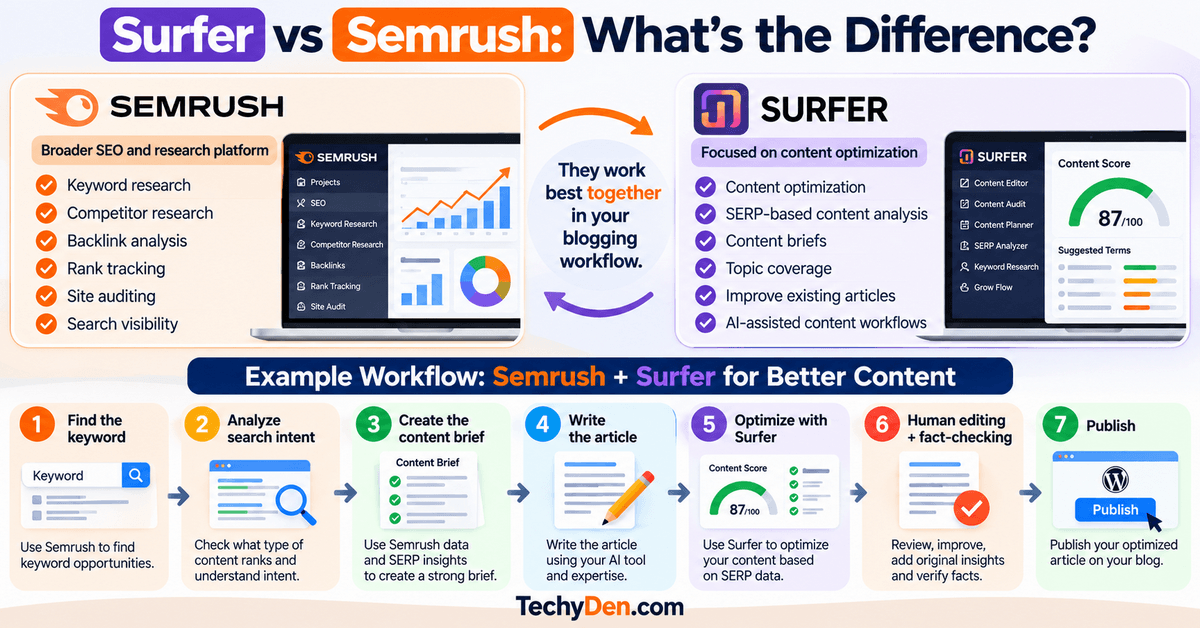
The easiest way to understand the difference is to look at where each tool fits into your workflow.
| Feature | Semrush | Surfer |
|---|---|---|
| Keyword research | Strong | Limited |
| Competitor research | Strong | Limited |
| Backlink analysis | Yes | Not the main focus |
| Rank tracking | Yes | Not the main focus |
| Site auditing | Yes | No |
| SERP analysis | Yes | Yes |
| Content optimization | Yes | Core feature |
| Content briefs | Yes | Yes |
| Existing content optimization | Yes | Strong |
| Best role | SEO research | Content optimization |
Semrush is broader and particularly useful for:
- Keyword research
- Competitor research
- Backlink analysis
- Rank tracking
- Site auditing
- Search visibility
Surfer is more focused on:
- Content optimization
- SERP-based content analysis
- Content briefs
- Topic coverage
- Improving existing articles
- AI-assisted content workflows
They can therefore complement each other rather than being direct replacements.
For example:
Semrush → Find the keyword -> Analyze search intent -> Create the content brief -> Write the article
Surfer → Optimize the article -> Human editing + fact-checking -> Publish
This workflow makes more sense than choosing one tool simply because it has “AI” in its feature list.
Best for
Surfer is particularly useful for:
- SEO-focused bloggers
- Affiliate websites
- Content teams
- Existing article optimization
- Bloggers targeting competitive search queries
- Content creators who want structured SEO recommendations
Limitations
Surfer is not a replacement for a general-purpose AI assistant.
It also shouldn’t be treated as a guarantee that a page will rank simply because it achieves a particular content score.
Other limitations include:
- It can be expensive for casual bloggers.
- Recommendations still require editorial judgment.
- A high optimization score doesn’t guarantee rankings.
- Search intent matters more than mechanically adding recommended terms.
- You should avoid writing unnaturally just to increase a content score.
Pricing of Surfer
Surfer currently offers multiple subscription levels, including Discovery, Standard, Pro and higher-tier options. Its documentation states that annual billing can provide a discount of up to 17%, and the current plans vary by content limits, AI visibility features and other capabilities.
My test: I optimized the same article using Surfer and recorded which recommendations actually improved the content.
Check Surfer’s current pricing page before publishing exact prices because plans and limits can change.
6. Jasper
Best for Brand-Focused Content
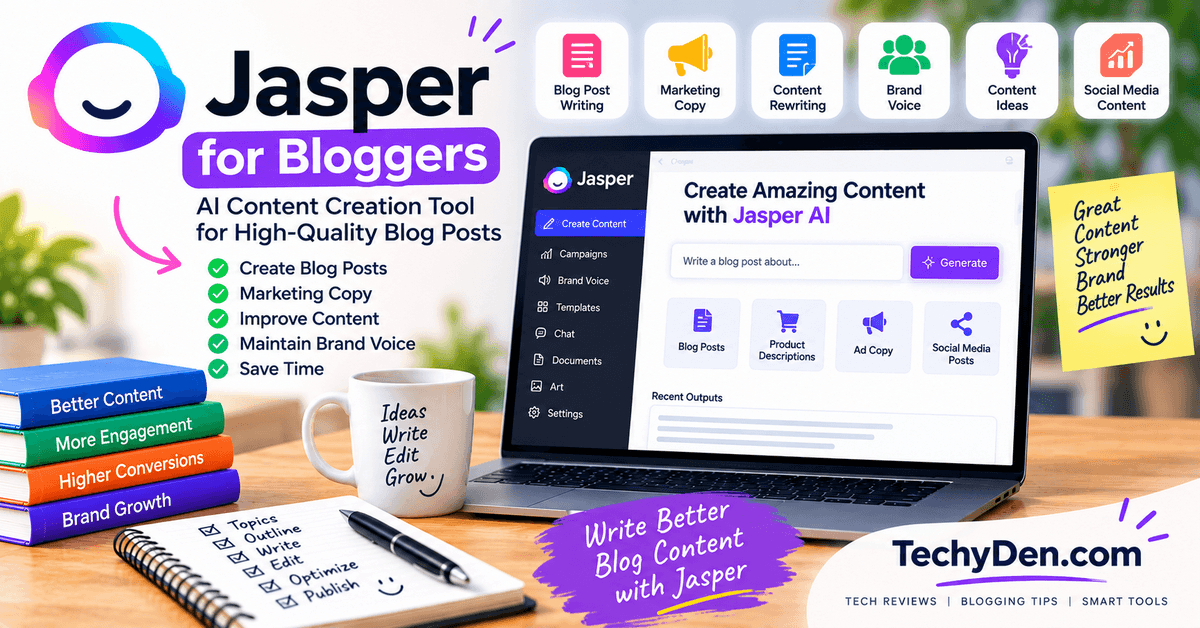
Jasper is an AI content platform designed primarily for marketing teams and creators who need consistent, on-brand content across multiple channels. For bloggers, its main advantage is not simply generating text but helping maintain a consistent brand voice, style and messaging.
Jasper supports Brand Voice, allowing you to provide examples of your existing writing so the platform can analyze your tone and style. It also provides marketing-focused workflows, AI agents, templates and tools for creating content across different formats.
For a blogger managing multiple websites or producing content with a team, these brand-consistency features can be more useful than simply having another general-purpose AI chatbot.
How Bloggers Can Use Jasper
You can use Jasper to:
- Create blog post drafts and content briefs
- Maintain a consistent brand voice
- Rewrite content while preserving your preferred tone
- Create marketing copy for blog promotions
- Generate social media content from blog posts
- Develop email and newsletter copy
- Create campaign content around a product or topic
- Build repeatable content workflows
- Maintain consistent messaging across multiple writers
For example, a technology blogger could provide several previously published articles and establish a preferred writing style before creating new product reviews or tutorials.
Best for
Jasper is best for:
- Bloggers with an established brand voice
- Marketing-focused content creators
- Agencies managing multiple brands
- Teams with several writers
- Bloggers creating content across multiple marketing channels
- Businesses that need consistent messaging
Limitations
Jasper can be more than an individual blogger needs. If you primarily need brainstorming, research, general writing and editing, a general-purpose AI assistant may provide broader functionality.
Its marketing-focused approach can also make it less compelling if your blogging workflow is mostly independent publishing rather than brand or campaign management.
Pricing of Jasper
Jasper offers a free trial and paid plans, with pricing varying by billing option and plan. Because Jasper changes its plans and included features periodically, check the current pricing page before subscribing.
7. Grammarly
Best for Editing and Content Polish
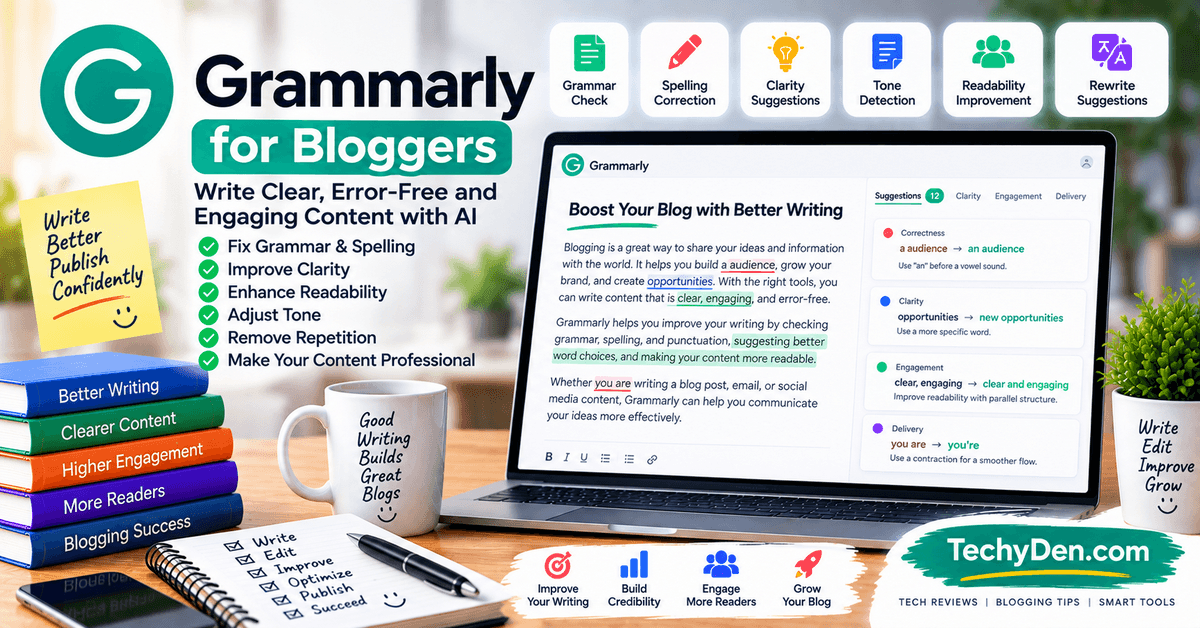
Grammarly is best known as a grammar and proofreading tool, but it has expanded into a broader AI writing platform. For bloggers, its biggest value is often improving an existing draft rather than generating an entire article from scratch.
Grammarly can identify grammar and punctuation problems, improve clarity, suggest rewrites and adjust tone. Its AI features can also help writers rewrite paragraphs while preserving the underlying idea.
This makes Grammarly particularly useful during the editing stage of a blogging workflow.
How Bloggers Can Use Grammarly
After generating or writing a blog post, you can use Grammarly to:
- Find grammar and spelling mistakes
- Improve sentence clarity
- Remove unnecessary wording
- Rewrite awkward sentences
- Adjust tone
- Improve readability
- Check consistency
- Polish introductions and conclusions
- Review emails and promotional copy
- Refine social media posts
A useful workflow is to write the first draft with your preferred writing tool and then use Grammarly as an editorial layer before publishing.
Best for
Grammarly is best for:
- Editing and proofreading
- Bloggers who write frequently
- Non-native English writers
- Improving sentence clarity
- Maintaining a consistent writing style
- Final content polishing
Limitations
Grammarly is primarily an editing and communication tool rather than a complete SEO research platform. It should not replace keyword research, competitor analysis or fact-checking.
It can also suggest changes that make writing technically cleaner but less personal. Bloggers should therefore review suggestions instead of accepting every recommendation automatically.
Pricing of Grammarly
Grammarly provides a free option, while advanced features are available through paid plans. Grammarly’s current Pro pricing should be checked before subscribing because plans and regional pricing can change.
8. Canva
Best for Blog Graphics and Visual Content

Canva is one of the most useful tools for bloggers who need to create visual content without becoming professional graphic designers.
It combines templates, a drag-and-drop editor and AI-powered features for creating images, designs and written content. Bloggers can use it for everything from featured images to infographics and social media graphics.
Canva’s AI tools can also help generate content and visual assets directly inside the design workflow.
How Bloggers Can Use Canva
A blogger can use Canva to create:
- Blog featured images
- Infographics
- Pinterest graphics
- Facebook and X/Twitter graphics
- Instagram posts
- YouTube thumbnails
- Comparison graphics
- Step-by-step visuals
- Quote graphics
- Ebook covers
- Presentation slides
- Custom diagrams
- AI-generated images
For TechyDen, Canva can be particularly useful for creating consistent featured images and supporting graphics for technology and AI articles.
You can create a reusable template containing your logo, fonts, colors and layout. Each new article can then receive a consistent visual treatment without starting from scratch.
Best for
Canva is best for:
- Blog featured images
- Infographics
- Social media graphics
- YouTube thumbnails
- Visual content marketing
- Bloggers without advanced design skills
- Creating consistent brand visuals
Limitations
Canva is not a replacement for a dedicated SEO platform or a professional image-editing application for complex design work.
My test: I created a 1200 × 628 featured image for a TechyDen article.
Its AI features also have usage limits depending on the plan and feature being used. Bloggers creating large volumes of AI-generated visuals should check the current allowance before choosing a plan.
9. Pictory
Best for Turning Blog Posts Into Videos
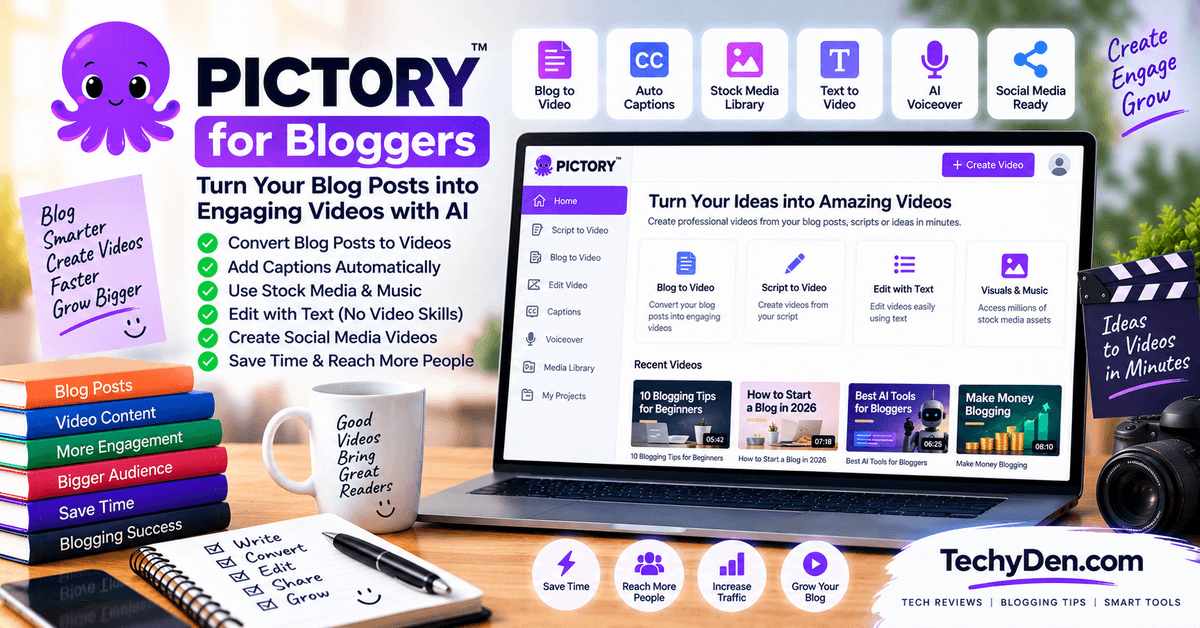
Pictory is designed around content repurposing, making it useful for bloggers who want to turn existing written content into videos.
Its blog-to-video and URL-to-video workflows can transform an article or webpage into a video draft with scenes, visuals, captions and voiceovers. This allows bloggers to extend the life of an existing article without producing an entire video manually from scratch.
How Bloggers Can Use Pictory
A simple blog-to-video workflow can look like this:
- Choose an existing blog post.
- Add the article or URL to Pictory.
- Let the AI extract the main points.
- Review the generated script and scenes.
- Replace unsuitable visuals.
- Adjust captions, branding and voiceover.
- Export the video for YouTube or social platforms.
For example, a TechyDen article such as a Windows tutorial could be converted into a short explanatory video and then embedded back into the original article.
This creates another content format from an asset you have already invested time in creating.
Best for
Pictory is best for:
- Bloggers repurposing existing articles
- Blog-to-video workflows
- YouTube content creation
- Short-form educational videos
- Social media video content
- Content marketers without advanced video-editing skills
Limitations
AI-generated videos still require human review. Automatically selected footage may not always accurately represent a technical topic, and generated scripts may simplify important details.
Pictory is also focused on video creation rather than keyword research or long-form SEO writing, so it works best as part of a broader blogging workflow.
Pricing
Pictory offers a free trial and paid plans. Current individual plans and usage limits vary, so check the latest pricing before subscribing.
10. Perplexity
Best for AI-Assisted Research
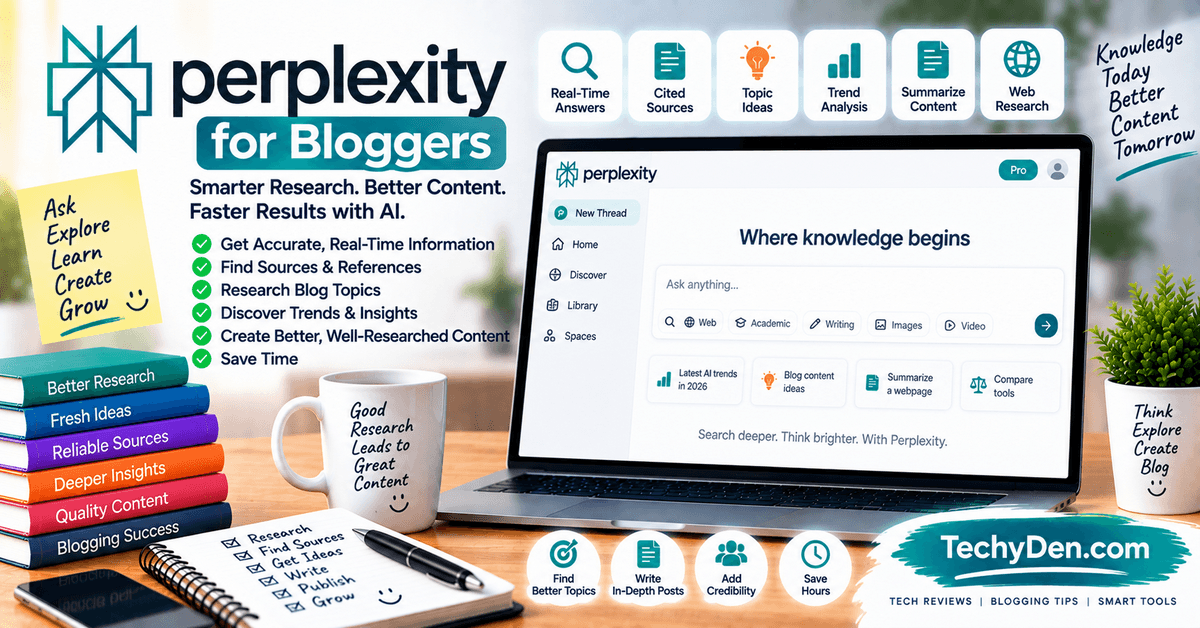
Perplexity is an AI-powered search and research tool that can help bloggers investigate topics, discover sources and explore questions before writing.
Unlike a conventional chatbot workflow where you may need to search separately for supporting information, Perplexity is designed around answering questions with web-based sources and references.
This can make it useful during the research stage of a blog post, particularly when you need to understand a topic before developing an outline.
How Bloggers Can Use Perplexity
You can use Perplexity to:
- Explore unfamiliar topics
- Find primary and secondary sources
- Discover recent developments
- Research competitors and products
- Identify statistics worth verifying
- Find expert discussions
- Generate research summaries
- Explore different aspects of a topic
- Build an initial research list before writing
For example, before writing an article about a new AI tool, you could use Perplexity to identify the company’s official documentation, recent announcements, product changes and relevant third-party coverage.
How Bloggers Should Fact-Check AI Research
Perplexity and other AI research tools should be treated as research assistants, not final authorities.
Before publishing an important claim:
- Open the cited source.
- Check whether the source actually supports the claim.
- Prefer official documentation and primary sources for product specifications.
- Check the publication date.
- Compare important claims across reliable sources.
- Avoid copying AI-generated statistics without verification.
- Add your own testing or experience where possible.
This is particularly important for technology articles because product features, pricing and specifications can change quickly.
Best for
Perplexity is best for:
- Topic research
- Current information discovery
- Source discovery
- Competitive research
- Research-heavy blog posts
- Exploring unfamiliar subjects
- Finding supporting references
Limitations
AI-generated research can still contain errors, incomplete context or incorrect interpretations of sources.
Perplexity also should not replace reading the original source when a claim is important. For product reviews, technical tutorials and factual articles, always verify critical information before publishing.
11. QuillBot
Best for Rewriting and Paraphrasing
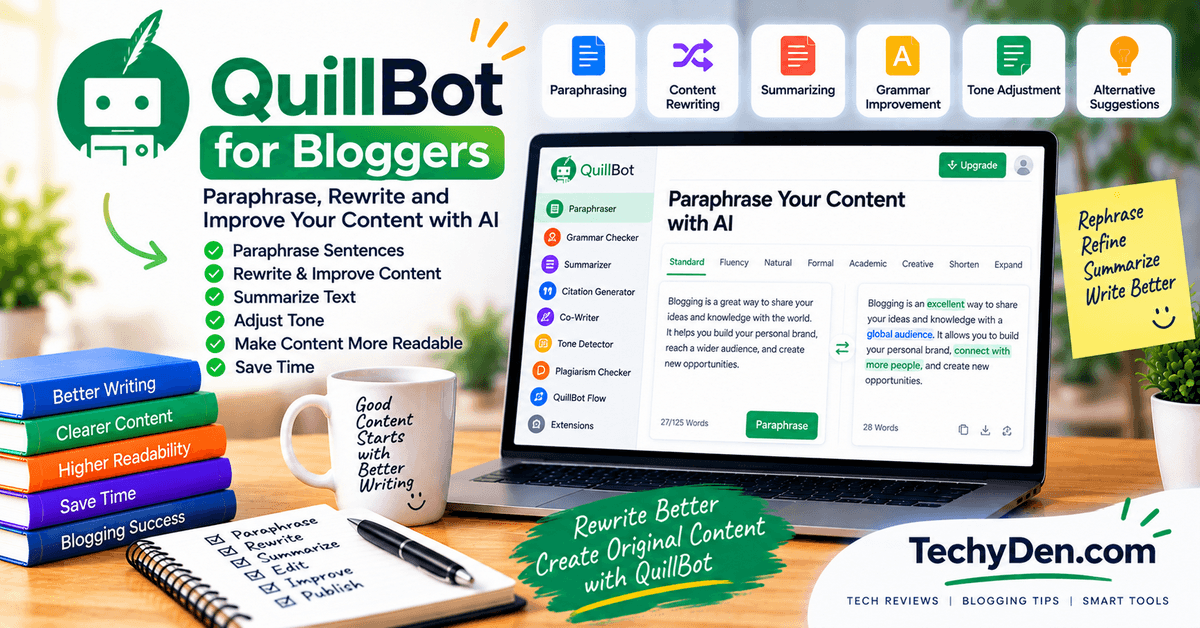
QuillBot is an AI writing toolkit focused heavily on rewriting, paraphrasing and improving existing text.
For bloggers, it can be useful when you already have a draft but want to improve sentence structure, simplify wording or produce an alternative version without rewriting every sentence manually.
Its broader toolkit also includes grammar checking, summarization and other writing-related features.
How Bloggers Can Use QuillBot
You can use QuillBot to:
- Rewrite awkward sentences
- Improve sentence structure
- Simplify complex paragraphs
- Paraphrase existing text
- Summarize long passages
- Correct grammar
- Improve content readability
- Generate alternative wording
- Polish older blog posts
It can be particularly useful when updating older content that contains outdated or awkward writing.
Best for
QuillBot is best for:
- Rewriting
- Paraphrasing
- Sentence improvement
- Content polishing
- Summarization
- Writers who want an additional editing tool
Limitations
QuillBot should not be used simply to rewrite someone else’s article and publish it as original content. Paraphrasing changes wording, but it does not automatically create original research, expertise or unique insights.
For SEO content, focus on improving the value of the article rather than simply changing sentences to make existing content look different.
Pricing of Quilbot
QuillBot has a free version and paid Premium plans. Pricing can vary by subscription period and region, so check the current plan before purchasing.
12. Frase
Best for SEO Content Research and Optimization
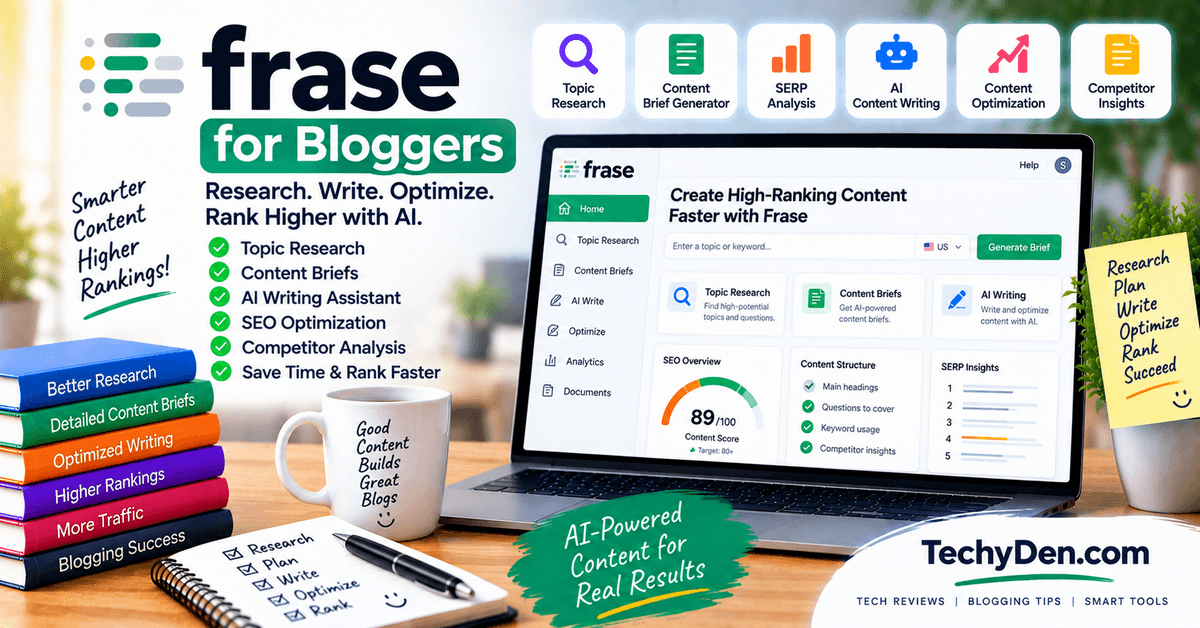
Frase is an SEO-focused content platform designed to help marketers research search results, build content briefs and optimize articles.
It is particularly relevant to bloggers who want to combine content research and optimization within one workflow.
Frase can help analyze search topics, organize content requirements and evaluate whether an article covers the important concepts associated with a query.
How Bloggers Can Use Frase
A blogger can use Frase to:
- Research a target keyword
- Analyze search results
- Build content briefs
- Identify important topics and subtopics
- Improve topical coverage
- Optimize existing articles
- Generate content ideas
- Assist with AI writing
- Identify content gaps
- Support internal linking and content planning
This can be useful when you already have a target keyword and want to understand what information a comprehensive article should cover.
Best for
Frase is best for:
- SEO-focused bloggers
- Content briefs
- SERP research
- Content optimization
- Topic coverage
- Content teams
- Bloggers managing multiple articles
Limitations
Frase is not a substitute for a full SEO platform such as Semrush when you need extensive keyword research, backlink analysis, competitor research and rank tracking.
SEO optimization tools can also encourage writers to focus too heavily on content scores. A high optimization score does not automatically mean that an article is useful, accurate or better than competing content.
Pricing of Frase
Frase currently offers paid plans starting with its Starter tier, with higher plans increasing article, audit and team limits. Because pricing and included usage can change, verify the current plan before subscribing.
13. WordPress AI Tools
Best for Bloggers Publishing Directly in WordPress
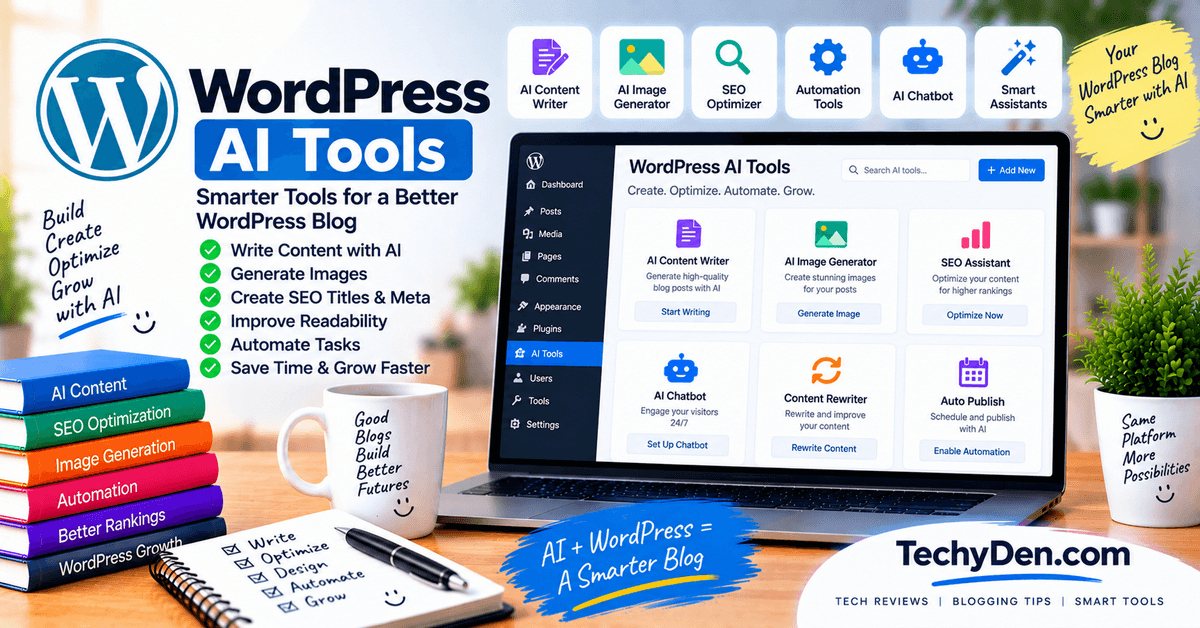
WordPress AI tools are not one specific product. Instead, this category includes AI-powered plugins, integrations and WordPress features that bring writing, editing, SEO, image generation and automation into the publishing workflow.
For bloggers who spend most of their time inside WordPress, this can reduce the need to constantly move content between different applications.
What Can WordPress AI Tools Do?
Depending on the plugin or integration, WordPress AI tools can help with:
- AI-assisted writing
- Content rewriting
- Grammar and readability improvements
- Blog post generation
- SEO recommendations
- Meta title and description suggestions
- Image generation
- Image optimization
- Internal linking
- Content summaries
- Content automation
- Repurposing content
- Publishing workflows
The right tool depends on the rest of your WordPress stack. An SEO plugin with AI features may be more useful for one blogger, while another may prefer an AI writing plugin or an image-generation integration.
For TechyDen, WordPress AI tools should be evaluated based on whether they genuinely improve the existing publishing workflow rather than simply adding another AI writing interface.
Best for
WordPress AI tools are best for:
- Bloggers who work primarily inside WordPress
- Faster editing and publishing
- SEO assistance
- Content optimization
- AI-powered image workflows
- Reducing repetitive publishing tasks
Limitations
The quality of WordPress AI tools varies considerably between plugins. Some may duplicate functionality you already have in ChatGPT, Semrush, Grammarly, Canva or another tool.
Before installing an AI plugin, check whether it adds a meaningful workflow improvement and whether it is actively maintained and compatible with your WordPress setup.
Final Tool Selection
Choose a Blogger-Focused Tool
The final tool in this list should not be included simply because it appeared in an older version of the article.
AI tools change quickly, and a tool that was useful a year ago may no longer provide enough value to justify a place in your workflow.
For this reason, the final selection should be based on hands-on testing and a clear blogging-specific use case.
Potential candidates worth evaluating include:
- Notion AI — useful for bloggers who manage research, notes and content planning inside Notion.
- Copy.ai — worth evaluating for marketing-oriented content workflows.
- Koala — designed around AI-assisted SEO content creation and publishing workflows.
- Originality.ai — useful for publishers interested in AI-content analysis, plagiarism checking and content quality workflows.
- Another specialized blogging tool — if testing shows that a newer product provides a meaningful advantage for bloggers.
The goal is not to add another AI tool just to make the list longer. The goal is to identify a tool that solves a real blogging problem better than the alternatives already covered.
How We Tested These AI Tools
We evaluated these tools based on their usefulness in a real blogging workflow rather than simply comparing feature lists. We looked at content research, blog ideas, outlining, writing assistance, SEO, editing, visuals, content repurposing, ease of use, free-plan limitations, and overall workflow value.
Where possible, we also considered hands-on experience, actual outputs, interface usability, and how much human editing was required.
How to Choose the Final Tool
Before adding a tool to your blogging stack, test it against practical tasks such as:
- Generate a blog outline from a target keyword.
- Research a topic and identify useful sources.
- Create or improve a section of an article.
- Rewrite content while preserving your preferred voice.
- Optimize an existing article.
- Create supporting visuals or promotional content.
- Repurpose an article into another format.
- Measure how much editing the AI output actually requires.
Then compare the quality of the output, time saved, ease of use and cost.
A tool should earn its place in your workflow by reducing meaningful work or improving the quality of your content—not simply because it has more AI features.
For this article, the final selection should be updated after hands-on testing rather than presented as a permanent ranking. This keeps the list useful as new AI blogging tools emerge and existing products change.
Best AI Tools for Bloggers by Task
The best AI tool for blogging depends on what you are trying to accomplish. A tool that works well for writing may not be the best option for keyword research, SEO optimization, image creation or video production.
Instead of choosing one AI platform for everything, build your workflow around specific tasks. Here are the best AI tools to consider for the most common blogging activities.
1. Best AI Tools for Blog Ideas
ChatGPT, Claude and Gemini are useful for generating blog ideas, expanding broad topics and building content clusters.
You can give an AI assistant your niche, target audience and existing topics and ask it to identify:
- New blog post ideas
- Long-tail topic ideas
- Supporting articles
- Content clusters
- Seasonal topics
- Beginner and advanced topics
- Comparison and review topics
- Frequently asked questions
- Content gaps to investigate
For example, a technology blog could ask an AI assistant to create supporting topics around AI tools for bloggers, rather than simply asking for 50 random blog ideas.
Best workflow: Use ChatGPT, Claude or Gemini for brainstorming, then validate promising ideas with an SEO platform such as Semrush before creating the article.
Best choices: ChatGPT, Claude, Gemini
2. Best AI Tools for Keyword Research
AI can help brainstorm keywords, but dedicated SEO platforms are generally more useful when you need actual search data.
Semrush is particularly useful for keyword discovery, keyword difficulty, search trends, competitor analysis and related keyword research. Other SEO platforms can also provide keyword databases and competitive insights.
A good keyword research workflow is:
- Start with a broad topic.
- Ask an AI assistant for related search concepts.
- Enter promising keywords into an SEO platform.
- Check search volume and keyword difficulty.
- Analyze the search results.
- Identify primary and secondary keywords.
- Build the article around search intent rather than keyword frequency.
For example, AI might suggest several variations of “best AI tools for bloggers,” but an SEO platform can help you determine which variations deserve individual targeting and which should simply be included naturally in the same article.
Best choices: Semrush and other dedicated SEO platforms
3. Best AI Tools for Topic Research
For topic research, Perplexity, Gemini and ChatGPT can help you understand unfamiliar subjects and discover questions worth answering.
Perplexity is particularly useful when you need to discover sources and investigate current information. Gemini can be useful for research within Google’s broader ecosystem, while ChatGPT can help organize information, explain complex concepts and turn research notes into a structured content plan.
A useful research workflow is:
- Explore the topic with an AI research tool.
- Identify important subtopics.
- Find primary sources.
- Open and read the original sources.
- Verify important facts.
- Save useful references.
- Create your own outline.
- Add first-hand experience and analysis.
Never treat an AI-generated research summary as the final source of truth. AI systems can misunderstand sources, provide incomplete context or produce outdated information.
Bloggers who spend significant time researching online can also explore Best AI Browsers, which explains how AI-powered browsers can streamline research and web-based workflows.
Not sure how AI-powered browsers differ from conventional browsers? See our AI Browser vs Traditional Browser comparison.
Best choices: Perplexity, Gemini, ChatGPT
4. Best AI Tools for Blog Outlines
ChatGPT and Claude are particularly useful for turning a topic or keyword into a structured blog outline.
Instead of asking for a generic outline, provide information such as:
- Primary keyword
- Search intent
- Target audience
- Competing article topics
- Questions readers are asking
- Your unique experience
- Desired article length
- Products or services being reviewed
You can then ask the AI to organize the article into logical H2 and H3 sections.
For SEO-focused articles, don’t let AI determine the entire structure automatically. Compare the proposed outline with the search results and make sure it answers the important questions users actually have.
Best choices: ChatGPT, Claude
5. Best AI Tools for Writing Blog Posts
For drafting blog content, Claude, ChatGPT and Jasper are useful options, but they serve slightly different purposes.
- Claude can be useful for long-form drafting, restructuring and editing large amounts of content.
- ChatGPT is useful across the complete blogging workflow, including ideation, research assistance, outlining, drafting, rewriting and repurposing.
- Jasper is more focused on marketing and brand-oriented content workflows, making it relevant for teams that need consistent messaging across multiple channels.
The most effective workflow is usually not:
Keyword → AI → Publish
Instead, use:
Research → Outline → AI-assisted draft → Human editing → Fact-checking → SEO optimization → First-hand insights → Publish
AI should help accelerate the writing process without removing the blogger’s expertise and editorial judgment.
Best choices: Claude, ChatGPT, Jasper
6. Best AI Tools for SEO Optimization
For SEO optimization, Semrush, Surfer and Frase can complement one another.
- Semrush is useful for keyword research, competitor analysis, SEO research and broader search visibility.
- Surfer focuses heavily on content optimization and provides recommendations based on search-result analysis.
- Frase combines content research, SERP analysis, content briefs and optimization features.
The important distinction is that an optimization score should not become the goal of the article.
A blog post can achieve a high content score and still fail to satisfy readers if it is generic, inaccurate or doesn’t provide anything beyond what competing pages already say.
Use these tools to identify missing topics and improve coverage, but make the final editorial decisions yourself.
Best choices: Semrush, Surfer, Frase
7. Best AI Tools for Editing Blog Posts
For editing, Grammarly, QuillBot and Claude can be useful at different stages.
- Grammarly is useful for grammar, spelling, clarity, tone and general proofreading.
- QuillBot is particularly useful when you need alternative wording, paraphrasing or sentence-level improvements.
- Claude can review larger sections of content and help restructure paragraphs, improve flow or identify repetition.
A practical editing workflow is:
- Write the initial draft.
- Check factual accuracy.
- Review the article structure.
- Use an AI editor to identify unclear sections.
- Remove unnecessary repetition.
- Add personal experience and examples.
- Perform a final human review.
Don’t accept every AI editing suggestion automatically. Your blog should still sound like a person with a recognizable point of view.
Best choices: Grammarly, QuillBot, Claude
8. Best AI Tools for Blog Images
Canva is one of the most practical choices for creating blog visuals because it combines templates, graphic design tools and AI-powered features in one platform.
Bloggers can use Canva to create:
- Featured images
- Infographics
- Comparison graphics
- Screenshots with annotations
- Social media graphics
- Pinterest images
- YouTube thumbnails
- Quote graphics
- Diagrams
- Branded illustrations
You can also use dedicated AI image-generation tools when you need an original illustration or a visual that isn’t available through conventional templates and stock assets.
For SEO-focused blogging, don’t create an image simply because the article needs an image. Use visuals when they improve understanding, demonstrate a process or provide useful information.
For TechyDen, for example, an annotated screenshot showing how an AI tool works can be more valuable than a generic AI-themed stock image.
Best choices: Canva and suitable AI image-generation tools
9. Best AI Tools for Turning Blogs Into Videos
Pictory is particularly useful for bloggers who want to repurpose existing articles into videos.
Instead of creating a completely new video from scratch, you can use an existing blog post as the starting point and transform its key information into a video.
A typical workflow looks like this:
Blog post → AI-generated video structure → Visuals → Voiceover → Captions → Human editing → Publish
This can help bloggers expand their content to YouTube, short-form video platforms and social media.
However, automatically generated videos should still be reviewed carefully. Replace irrelevant stock footage, correct pronunciation problems, verify the script and make sure the visuals actually match the information being presented.
Best choice: Pictory
10. Best AI Tools for WordPress Blogging
WordPress bloggers have another option: using AI tools directly inside the publishing environment.
There is no single “best WordPress AI tool.” Instead, this category includes different plugins and integrations that provide features such as:
- AI-assisted writing
- Content rewriting
- SEO recommendations
- Meta title and description generation
- Internal linking
- Image generation
- Image optimization
- Content summaries
- Automated publishing workflows
- Content repurposing
The right choice depends on the rest of your WordPress setup.
For example, if you already use a dedicated AI assistant for writing and Semrush for SEO, installing another plugin that only generates blog posts may add little value. A WordPress AI tool becomes more useful when it solves a task that is difficult or time-consuming outside WordPress.
Before installing an AI plugin, check:
- When it was last updated
- WordPress compatibility
- Plugin reviews
- Developer support
- Performance impact
- Privacy and data handling
- Whether it duplicates an existing tool
- Whether it provides a genuine workflow improvement
For more information, see our related WordPress AI tools guide: [add internal TechyDen link here].
Best choice: The WordPress AI tool that solves a specific publishing or optimization problem in your existing workflow.
Best AI Tool Stack for Bloggers
You don’t need a dozen AI subscriptions to run a successful blog.
In fact, most bloggers can build an effective workflow with a small number of carefully chosen tools. The ideal AI stack depends on your experience, publishing goals, SEO strategy and the amount of content you produce.
Instead of asking, “Which AI tool should I buy?”, ask:
“Which part of my blogging workflow takes the most time, and which tool can improve it?”
Here are several practical AI tool stacks for different types of bloggers.
1. Free AI Blogging Stack
If you’re starting with a limited budget, you can build a useful blogging workflow using free or free-tier tools.
A simple setup is:
| Task | Tool |
|---|---|
| Ideas, outlines and writing assistance | Free AI assistant |
| Blog graphics | Canva Free |
| Editing and proofreading | Grammarly Free |
| Publishing | WordPress |
| Performance monitoring | Google Search Console + Google Analytics |
This setup can handle most basic blogging tasks without requiring several paid subscriptions.
The main limitation is that free plans usually have usage restrictions or fewer advanced features. As your blog grows, you can upgrade only the tools that provide measurable value.
Best for: New bloggers, students, hobby bloggers and bloggers testing a new niche.
2. Beginner Blogger Stack
A beginner doesn’t need a complicated technology stack.
Start with:
One AI assistant + one SEO tool + Canva
For example:
- AI assistant: ChatGPT or Claude
- SEO: Semrush or another suitable SEO platform
- Design: Canva
- Publishing: WordPress
The AI assistant can help with ideas, outlines, research assistance and drafting. The SEO platform can validate keywords and help you understand search competition. Canva handles your featured images and supporting graphics.
This combination covers the core blogging workflow without overwhelming a new blogger with too many tools.
Once you publish consistently and identify bottlenecks, you can add specialized tools such as Grammarly, Surfer or Pictory.
Best for: Bloggers publishing their first articles or building their first serious content site.
3. SEO Blogger Stack
If organic search traffic is a major goal, your stack should give more attention to keyword research and content optimization.
A practical SEO-focused setup is:
AI assistant + Semrush + Surfer + Canva
Each tool has a different role:
- AI assistant: Ideas, research assistance, outlines and drafting
- Semrush: Keyword research, competitor analysis and SEO research
- Surfer: Content optimization and topic coverage
- Canva: Featured images, infographics and social graphics
- WordPress: Publishing and content management
- Google Search Console: Search performance monitoring
The advantage of this setup is that you aren’t asking one AI tool to perform every SEO task.
Use the AI assistant for thinking and content development, Semrush for search data, Surfer for content optimization and Canva for visual assets.
However, don’t optimize every sentence simply to increase an SEO content score. Search engines ultimately need useful content that satisfies the reader’s intent.
Best for: SEO-focused bloggers, affiliate sites, publishers and content marketers.
4. Affiliate Blogger Stack
Affiliate bloggers have a slightly different workflow because they need to combine research, content creation, SEO, visual assets and performance measurement.
A practical affiliate blogging stack can include:
Research + AI assistant + SEO + design + analytics
For example:
| Workflow | Recommended tool type |
|---|---|
| Product and topic research | Perplexity + official sources |
| Content planning | ChatGPT or Claude |
| Keyword research | Semrush |
| Content optimization | Surfer or Frase |
| Graphics | Canva |
| Publishing | WordPress |
| Analytics | Google Analytics |
| Search performance | Google Search Console |
| Affiliate tracking | Relevant affiliate platform |
For product reviews and buying guides, AI should not replace first-hand product research. Whenever possible, include your own testing, screenshots, comparisons, observations and practical experience.
That first-hand information can make an affiliate article substantially more useful than a generic AI-generated review.
Best for: Affiliate bloggers, product reviewers and monetized niche websites.
5. Professional Content Creator Stack
Professional bloggers, publishers and content teams may need a broader workflow because they are managing larger content volumes and multiple content formats.
A professional stack could include:
AI assistant + SEO platform + editing + visual/video tools + workflow tools
A typical workflow might look like:
Research → Content planning → Writing → Editing → SEO optimization → Visual creation → Video repurposing → WordPress publishing → Performance analysis
Possible tools include:
- ChatGPT or Claude: Research assistance, planning and content development
- Semrush: SEO and competitive research
- Surfer or Frase: Content optimization
- Grammarly: Editing and proofreading
- Canva: Graphics and visual content
- Pictory: Video repurposing
- WordPress: Publishing
- Google Search Console and Analytics: Performance analysis
- Notion or another workflow platform: Content planning and project management
The important point is that these tools should work together rather than create separate, disconnected workflows.
For a professional content operation, automation can save significant time, but human review becomes even more important as publishing volume increases.
Best for: Full-time bloggers, agencies, publishers and professional content teams.
Do Most Bloggers Need 14 Paid AI Subscriptions?
No.
The fact that an article lists 14 AI tools doesn’t mean you need to subscribe to all 14.
Most bloggers can start with two or three core tools and add specialized tools only when a genuine need appears.
For example:
Starter setup
AI assistant + Canva
SEO-focused setup
AI assistant + Semrush + Canva
Advanced SEO setup
AI assistant + Semrush + Surfer + Canva
Content production setup
AI assistant + SEO + Grammarly + Canva + Pictory
The right combination depends on your workflow rather than the number of tools you own.
How to Decide Which AI Tools to Keep
Before paying for another AI tool, ask:
- Does it solve a problem I currently have?
- Does it save enough time to justify the cost?
- Does it produce something my existing tools cannot?
- Will I use it regularly?
- Does it improve the quality of my content?
- Can I replace an existing subscription with it?
If the answer to most of these questions is no, you probably don’t need another subscription.
The goal of an AI blogging stack is not to collect AI tools. It is to build a faster, more reliable content workflow while keeping human research, experience and editorial judgment at the center.
How to Use AI Tools in Your Blogging Workflow
AI tools are most useful when they are integrated into a repeatable blogging workflow rather than used as a one-click article generator.
A strong workflow combines keyword research, AI-assisted research, human expertise, content creation, SEO, editing, visual content and performance analysis.
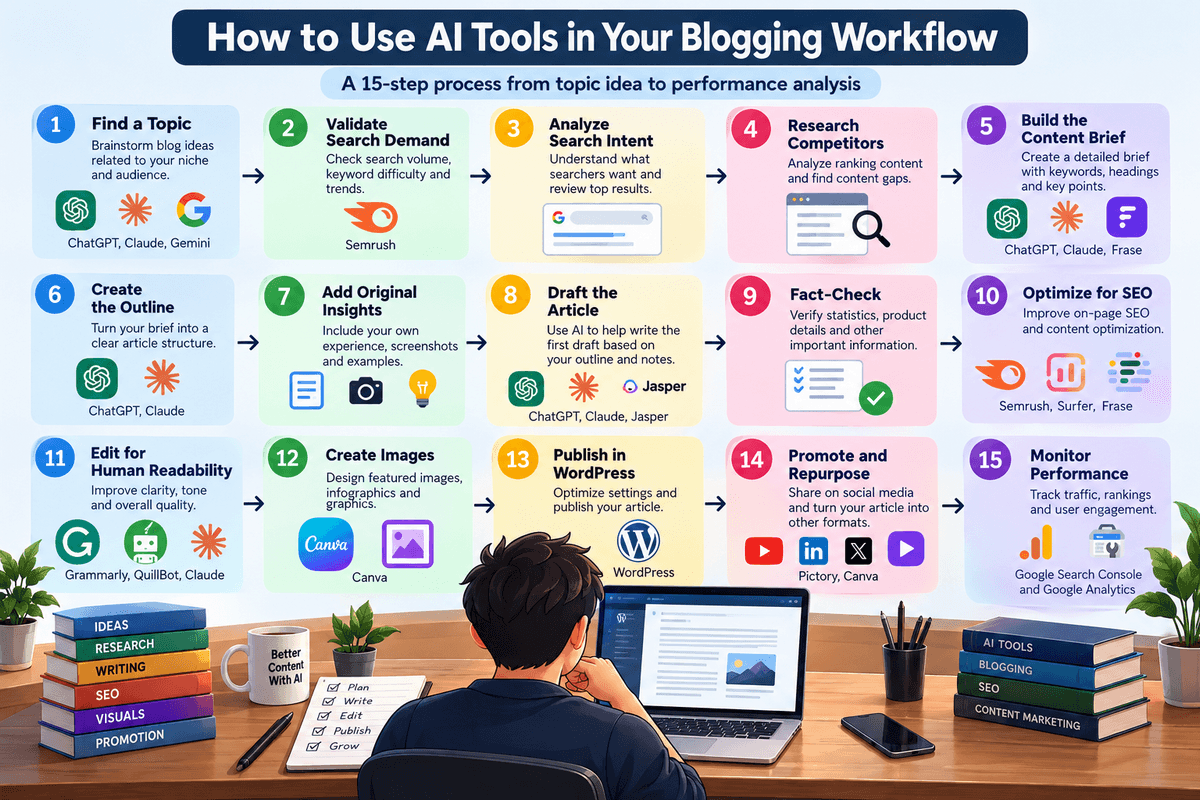
Here is a practical 15-step workflow you can use to create and publish better blog posts.
1. Find a Topic
Start with a topic that is relevant to your niche and useful to your audience.
You can use ChatGPT, Claude or Gemini to brainstorm:
- Blog post ideas
- Long-tail topics
- Supporting articles
- Content clusters
- Comparison topics
- Tutorial ideas
- FAQ topics
- Content updates
However, don’t publish every idea an AI tool generates. Filter ideas based on your audience, expertise, business goals and potential search demand.
Example: Instead of creating another generic article about AI, a technology blogger could target a more specific topic such as AI tools for bloggers, AI browser tools, or how AI agents can automate blogging tasks.
2. Validate Search Demand
Once you have a potential topic, validate whether people are actually searching for it.
Use an SEO platform such as Semrush or another keyword research tool to examine:
- Search volume
- Keyword difficulty
- Search trends
- Related keywords
- Search intent
- Competitive results
- Commercial potential
AI can suggest keywords, but dedicated SEO tools provide the data you need to make a more informed decision.
Don’t choose a keyword based only on search volume. A lower-volume keyword with strong relevance and realistic competition can sometimes be more useful than a highly competitive broad keyword.
3. Analyze Search Intent
Before writing, determine what searchers actually want when they enter the target query.
Search intent may be:
- Informational
- Commercial investigation
- Transactional
- Navigational
Search the keyword yourself and examine the current results.
Look for patterns:
- What type of pages rank?
- Are they tutorials, reviews, lists or comparisons?
- How comprehensive are the results?
- What questions do they answer?
- What information appears repeatedly?
- What important information is missing?
Your article should satisfy the underlying intent rather than simply repeat the target keyword.
4. Research Competitors
Analyze the pages already ranking for your target query.
SEO tools can help identify competing pages, keywords and content gaps. You can also manually review the top results.
Look at:
- Article structure
- Topics covered
- Content depth
- Original research
- Images and screenshots
- Internal links
- Product comparisons
- FAQs
- Publication and update dates
The objective isn’t to copy competitors.
Instead, identify what readers already have and determine what additional value your article can provide.
5. Build the Content Brief
Create a content brief before starting the article.
Your brief can include:
- Primary keyword
- Secondary keywords
- Search intent
- Target audience
- Article objective
- Recommended H2s and H3s
- Questions to answer
- Important sources
- Competitor gaps
- Internal links
- External references
- Original information to include
- Visual requirements
- Call to action
AI assistants can turn your research into a structured brief, but review the brief yourself before writing.
A good brief gives the article a clear purpose and prevents unnecessary sections from being added simply to increase word count.
6. Create the Outline
Turn the content brief into a logical article structure.
ChatGPT and Claude can help organize:
- Introduction
- H2 sections
- H3 subsections
- Comparison tables
- FAQs
- Examples
- Conclusion
An effective outline should follow the reader’s journey.
For example:
Problem → Explanation → Options → Comparison → Practical solution → FAQs → Next step
Avoid creating an outline with dozens of nearly identical headings just because an AI tool suggests them.
7. Add Original Insights
This is one of the most important steps in an AI-assisted blogging workflow.
Before asking AI to draft the article, identify what you can contribute.
Original insights might include:
- Personal experience
- Product testing
- Screenshots
- Original photographs
- Performance measurements
- Case studies
- Examples
- Expert commentary
- Mistakes you encountered
- Comparisons based on actual use
- Your own recommendations and reasoning
For product reviews, don’t rely entirely on manufacturer descriptions.
For technology tutorials, show the actual process.
For SEO articles, include observations from your own website when appropriate.
AI can generate fluent text, but your first-hand knowledge is what helps differentiate the article from thousands of similar AI-generated pages.
8. Draft the Article
Now use your preferred AI assistant to help create the first draft.
You can provide:
- Your content brief
- Final outline
- Research notes
- Key facts
- Examples
- Brand voice
- Original insights
Instead of asking:
"Write a 5,000-word article about this topic."
Give the AI a specific section and clear instructions.
For example:
"Write the introduction for this article using a clear, conversational tone. Explain the problem, answer the search query quickly and preview what the article covers. Avoid generic statements and unnecessary repetition."
This usually gives you more controllable output and makes editing easier.
9. Fact-Check
Never assume AI-generated information is automatically correct.
Fact-check:
- Statistics
- Product specifications
- Pricing
- Features
- Dates
- Company claims
- Technical information
- Research findings
- Legal or regulatory information
For important claims, go back to the original source.
When writing technology content, prioritize:
- Official documentation
- Official product pages
- First-party announcements
- Reputable independent sources
- Your own testing
AI can help you find information, but the final published article should be based on information you have actually verified.
10. Optimize for SEO
Once the article is accurate and useful, optimize it for search.
Your SEO workflow can include:
- Primary keyword placement
- Relevant secondary keywords
- Search-intent alignment
- Descriptive title
- SEO-friendly URL
- Meta description
- H2 and H3 structure
- Internal links
- Relevant external references
- Image alt text
- Structured data where appropriate
- Helpful comparison tables
- FAQ coverage
Tools such as Semrush, Surfer and Frase can help identify optimization opportunities.
However, don’t force keywords into sentences simply to increase a content score.
Write for the reader first and use SEO tools as guidance.
11. Edit for Human Readability
The first AI-assisted draft is rarely the final version.
Read the article as a human reader would.
Look for:
- Repetitive phrases
- Generic introductions
- Excessive headings
- Long sentences
- Unnecessary explanations
- Unsupported claims
- Awkward transitions
- AI-sounding language
- Repeated conclusions
- Overuse of bullet points
Tools such as Grammarly, QuillBot and Claude can assist with editing, but the final editorial decision should remain with you.
A useful test is simple:
Would you actually want to read this article if you had found it through Google?
If the answer is no, keep editing.
12. Create Images
Add visuals that genuinely improve the article.
Depending on the topic, these could include:
- Featured images
- Screenshots
- Infographics
- Comparison charts
- Diagrams
- Product images
- Step-by-step illustrations
- Original photographs
- AI-generated graphics
Canva is useful for creating branded graphics and infographics, while AI image-generation tools can help create custom illustrations.
For tutorials and software reviews, original screenshots are often more useful than generic AI-generated images because they demonstrate the actual product or process.
13. Publish in WordPress
Once the article has been reviewed, publish it through WordPress.
Before publishing, check:
- Title
- URL
- Meta title
- Meta description
- Featured image
- Headings
- Internal links
- External links
- Image alt text
- Table formatting
- Schema markup
- Author information
- Categories and tags
- Mobile layout
Preview the article on both desktop and mobile before making it public.
Also make sure unnecessary AI-generated formatting, awkward HTML or duplicate content hasn’t been introduced during the writing and editing process.
14. Promote and Repurpose
Publishing the article is not the end of the workflow.
Repurpose useful sections into:
- Social media posts
- LinkedIn posts
- X posts
- Pinterest graphics
- YouTube videos
- Short-form videos
- Email newsletters
- Community discussions
- Infographics
Pictory can help turn suitable articles into videos, while Canva can help create promotional graphics.
AI assistants can also turn one long article into several smaller pieces of content.
The goal is not to publish the same article everywhere. Adapt the information to the format and audience of each platform.
15. Monitor Performance
After publishing, monitor how the article performs.
Use tools such as Google Search Console, Google Analytics and your SEO platform to track:
- Search impressions
- Clicks
- Click-through rate
- Rankings
- Organic traffic
- Engaged users
- Conversion activity
- Pages receiving traffic
- Keywords generating impressions
Don’t judge an article immediately after publication. Give it enough time to collect meaningful data, depending on the topic, competition and authority of your website.
If an article receives impressions but few clicks, review the title and meta description.
If it receives clicks but users don’t engage, review the content quality and search-intent match.
If it ranks on the second or third page, look for opportunities to improve depth, internal linking, original information and topical coverage.
The Complete AI Blogging Workflow
The complete process can be summarized as:
Topic → Search demand → Search intent → Competitor research → Content brief → Outline → Original insights → Draft → Fact-check → SEO → Human editing → Images → WordPress → Promotion → Performance analysis
AI can make many of these steps faster, but it doesn’t remove the need for research, expertise and editorial judgment.
The strongest blogging workflow is therefore not AI replacing the blogger.
If you want to automate more complex blogging tasks, see our guide to Best AI Agents for Bloggers and Content Creators, which covers research, writing, SEO, content repurposing, and workflow automation.
It is AI helping the blogger spend more time on the parts that require human experience, judgment and originality.
How to Use AI Without Making Your Blog Sound Like AI
AI can help you research, outline, draft and edit blog posts much faster. But if you publish the first AI-generated draft without adding your own experience, the result can sound generic and interchangeable with thousands of other articles.
The goal isn’t to hide the fact that AI helped you create content. The goal is to make sure the finished article provides genuine value that goes beyond generic AI-generated information.
Here are practical ways to use AI without making your blog sound like AI.
1. Add First-Hand Experience
One of the easiest ways to make AI-assisted content more useful is to add information that comes from your own experience.
Instead of asking AI to describe how a product works, use the product yourself and explain what happened.
For example, a technology blogger reviewing an AI writing tool could include:
- How long a particular task took
- Which features were actually useful
- Problems encountered during testing
- Screenshots from the real interface
- Output quality from real prompts
- Features that worked differently than expected
- What the tool was better or worse at compared with alternatives
AI can help explain a product’s advertised features, but your own experience gives the article information that a generic AI draft cannot reproduce.
2. Use Original Examples
Generic examples often make AI-generated articles feel repetitive.
Instead of relying on examples such as “a blogger can use AI to write an article,” create examples that are relevant to your actual audience and niche.
For a technology blog, you might demonstrate:
- A real SEO workflow
- A real keyword research process
- A real AI prompt
- A real product comparison
- A real WordPress publishing workflow
- A real content update
- A before-and-after editing example
Original examples make abstract advice easier to understand and give readers a reason to continue reading your article.
3. Add Screenshots
Screenshots are particularly valuable for technology, software and AI articles.
If you are explaining how to use a tool, show the actual interface instead of describing every screen with text.
Screenshots can demonstrate:
- Where to find a feature
- How a setting works
- What an AI-generated result looks like
- How a workflow is configured
- Differences between plans
- Steps in a tutorial
- Real-world output
Original screenshots also make an article feel more like a practical guide and less like a generic summary assembled from publicly available information.
4. Verify Factual Claims
AI can produce confident-sounding information that is outdated, incomplete or incorrect.
Always verify important claims before publishing, particularly information about:
- Product pricing
- Software features
- Technical specifications
- Release dates
- Company announcements
- Statistics
- Research findings
- SEO recommendations
- WordPress features
For technology articles, use official documentation and product pages whenever possible.
If an AI assistant provides a claim and you cannot verify it from a reliable source, don’t automatically include it.
5. Don’t Publish the First AI Draft
An AI-generated draft should normally be treated as a starting point, not the finished article.
The first draft may contain:
- Generic introductions
- Repetitive explanations
- Overused phrases
- Weak examples
- Incorrect facts
- Unnecessary sections
- Repeated conclusions
- Excessive bullet lists
- Formulaic transitions
After generating the draft, rewrite the sections that need improvement and add your own information.
A useful process is:
AI draft → fact-check → restructure → add experience → edit → optimize → final human review
This usually produces much stronger content than simply copying the AI output into WordPress.
6. Develop a Consistent Editorial Voice
Your blog should have a recognizable style even when AI tools are involved in the writing process.
Your editorial voice can come from:
- Sentence structure
- Vocabulary
- Level of technical detail
- Examples you regularly use
- Opinions based on experience
- Formatting preferences
- Explanation style
- How you compare products
- How you communicate recommendations
You can give AI tools examples of your previous writing and ask them to follow your preferred style. However, don’t rely entirely on an AI-generated “brand voice.”
Your voice develops through repeated publishing and editing.
The more you personally shape the final article, the more recognizable your content becomes.
7. Add Expert Commentary
AI can summarize information, but expert commentary can explain why that information matters.
For example, instead of simply saying that an SEO tool provides keyword difficulty data, explain how you use that information when deciding whether to target a keyword.
Instead of saying that an AI writing tool generates long-form content, explain where its output performs well and where you still need to edit it.
This creates a useful distinction: AI provides information → You provide interpretation.
That interpretation is often what makes a blog post more valuable than a basic collection of facts.
8. Update Content Based on Real Performance
Your content should continue evolving after publication.
Use Google Search Console, analytics and other SEO tools to identify:
- Keywords generating impressions
- Queries you didn’t originally target
- Pages gaining or losing traffic
- Sections that need updating
- Questions your article doesn’t answer
- Pages that could benefit from additional internal links
- Content that needs newer screenshots or product information
For example, if a blog post begins receiving impressions for a related question that isn’t properly answered, you can update the article with a dedicated section.
This creates a continuous improvement cycle: Publish → Measure → Learn → Update → Improve
The result is content shaped not only by AI assistance but also by real readers, real search behavior and your own experience.
9. The Human-AI Balance
Using AI doesn’t mean every sentence needs to be written manually.
AI can handle many repetitive tasks, including brainstorming, outlining, summarizing, rewriting and drafting. Your role is to provide the parts that make the content genuinely useful:
- Experience
- Original examples
- Testing
- Screenshots
- Verification
- Interpretation
- Editorial judgment
- A consistent point of view
The best AI-assisted blog posts therefore don’t try to sound “less like AI” through superficial tricks. They become better because the blogger adds information, experience and judgment that AI alone cannot provide.
If you want better results from AI writing assistants, check out our Best AI Prompts for Bloggers, including prompts for research, SEO outlines, content creation, editing, and internal linking.
A simple rule to remember is:
Use AI to accelerate the work, but make the final article unmistakably yours.
Are AI-Generated Blog Posts Good for SEO?
AI-generated blog posts can perform well in search when they are useful, accurate, relevant and created to satisfy the reader’s needs. Using AI to help create content is not, by itself, what determines whether an article provides search value.
The bigger question is whether the finished article is genuinely useful and offers information that deserves to be discovered.
1. AI Assistance Is Not the Objective
AI should be treated as a tool for improving the content creation process rather than the goal of publishing more pages.
You can use AI to:
- Generate ideas
- Research topics
- Build content briefs
- Create outlines
- Draft sections
- Improve readability
- Find questions to answer
- Repurpose existing content
But none of these automatically makes an article valuable.
A useful blog post still needs to match search intent, answer the reader’s questions and provide accurate information.
For example, generating 100 articles with AI does not necessarily create a stronger website than publishing 20 carefully researched articles that provide substantially more value.
2. AI-Generated Content Can Be Inaccurate or Generic
AI tools can produce fluent and convincing content that still contains mistakes.
Common problems include:
- Incorrect facts
- Outdated product information
- Invented statistics
- Generic explanations
- Missing context
- Repetitive sections
- Unsupported claims
- Outdated pricing or features
AI-generated content can also look very similar to other AI-assisted articles because many tools tend to produce predictable structures and explanations.
This is particularly noticeable in competitive topics where readers can find hundreds of similar articles.
3. Human Editing and Fact-Checking Matter
AI-generated text should go through a human review before publication.
A useful editorial process is:
AI assistance → Research → Fact-checking → Human editing → Original insights → SEO optimization → Final review
During editing, look beyond grammar.
Ask:
- Is every important claim accurate?
- Does the article actually answer the search query?
- Are the examples useful?
- Is anything repeated?
- What information is missing?
- Can I add first-hand experience?
- Are the recommendations supported by evidence?
- Does the article provide something beyond a generic summary?
This process turns AI-assisted text into a more useful piece of editorial content.
4. Add Original Experience and Information
One of the strongest ways to improve an AI-assisted article is to add information that comes from your own experience.
For example, a technology blogger could include:
- Original screenshots
- Product testing
- Performance observations
- Real prompts and outputs
- Before-and-after comparisons
- Personal workflow examples
- Problems encountered during testing
- Practical recommendations
This makes the article more useful than a simple summary of information that readers could obtain from many other sources.
5. Don’t Mass-Produce Low-Value Pages
The biggest mistake is assuming that because AI makes content production faster, you should publish as many pages as possible.
Creating large numbers of pages without a clear purpose can lead to:
- Thin or repetitive content
- Overlapping articles
- Keyword cannibalization
- Weak topical differentiation
- Poor user experience
- More content that requires updating and maintaining
Instead of asking:
“How many articles can AI help me publish?”
Ask:
“How many genuinely useful articles can I create for my audience?”
Quality, relevance and usefulness should determine what gets published.
6. AI Can Support SEO Without Replacing Editorial Judgment
AI can make many parts of SEO content creation faster, but it doesn’t remove the need for strategy.
A strong AI-assisted SEO workflow looks like this:
Find a topic → Validate demand → Analyze intent → Research → Create a brief → Write → Fact-check → Add original insights → Optimize → Edit → Publish → Monitor
AI can assist at many points in this process.
The blogger still needs to decide what is worth publishing, what is accurate, what is useful and what makes the article different.
So, Are AI-Generated Blog Posts Good for SEO?
They can be, but AI generation alone is not a quality signal.
An AI-assisted article has a better chance of being useful when it:
- Satisfies search intent
- Provides accurate information
- Is genuinely helpful
- Adds original insights
- Includes relevant examples
- Is fact-checked
- Has been edited by a human
- Avoids unnecessary repetition
- Provides a reason for readers to choose it over competing pages
The best approach is to use AI to increase the efficiency of your blogging workflow, not to turn your website into a high-volume content-generation system.
AI should help you create better content—not simply more content.
Can AI Replace Bloggers?
AI can automate many parts of blogging, but it does not eliminate the need for bloggers.
AI tools can help with brainstorming, research assistance, outlining, drafting, editing, SEO analysis, image creation and content repurposing. These capabilities can significantly reduce the time required to produce and maintain content.
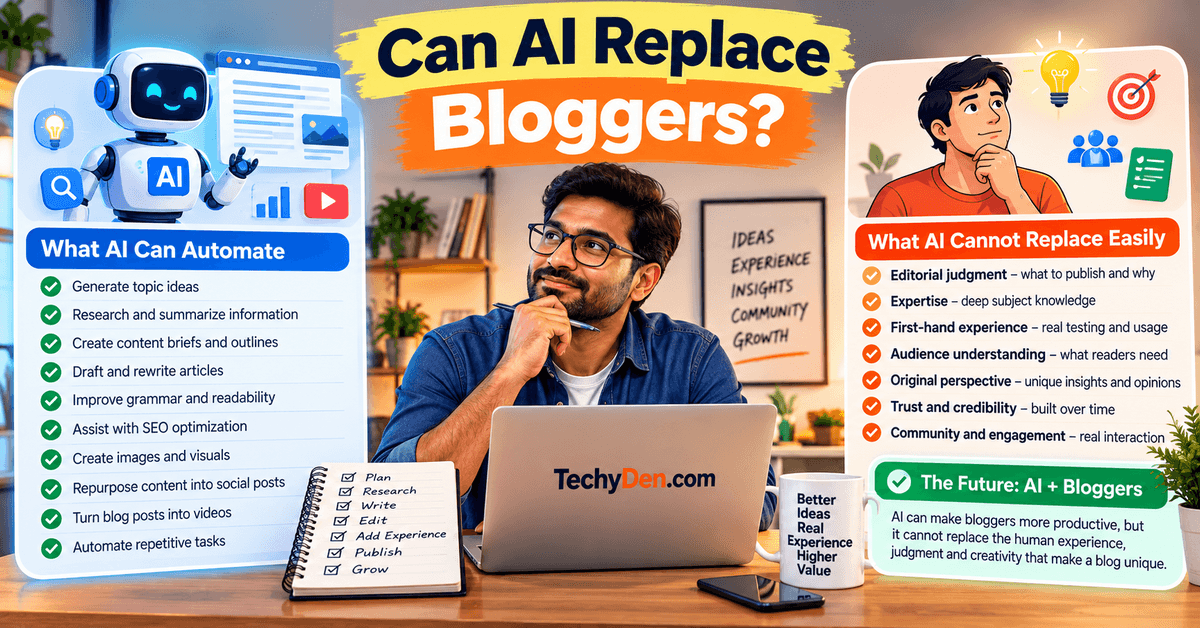
However, successful blogging involves much more than producing text.
A blogger still needs to decide what to publish, who the content is for, what information is trustworthy, what makes the topic interesting and what experience or perspective should be added.
1. What AI Can Automate
AI can handle many repetitive parts of the blogging process.
For example, AI can help you:
- Generate topic ideas
- Expand keyword ideas
- Create content briefs
- Build article outlines
- Draft sections
- Rewrite paragraphs
- Summarize research
- Suggest FAQs
- Improve grammar and readability
- Assist with SEO optimization
- Create visual concepts
- Repurpose articles into social content
- Turn written content into video drafts
These capabilities allow bloggers to spend less time on repetitive tasks.
2. What AI Cannot Replace Easily
Some of the most valuable parts of blogging depend on human judgment and experience.
- Editorial Judgment: Someone needs to decide whether a topic is worth publishing and whether the finished article actually answers the reader’s question. AI can generate an outline, but it cannot automatically determine the best editorial angle for every audience.
- Expertise: Subject knowledge helps you recognize inaccurate information, explain complex concepts and provide useful context. For technical articles, this is especially important because an AI-generated explanation can sound convincing while still missing important details.
- First-Hand Experience: A blogger who has actually tested a product can provide information that a generic AI article cannot. For example:
- What worked during testing
- What didn’t work
- Unexpected problems
- Performance observations
- Screenshots
- Real-world use cases
- Comparisons based on actual experience.
- This is particularly valuable for product reviews, software tutorials and how-to guides.
- Audience Understanding: Successful bloggers understand their readers. They know which questions readers ask, what problems they encounter and what level of explanation they need. AI can help analyze these questions, but the blogger still needs to decide how to communicate with the audience.
- Original Perspective: Two websites can use the same AI tool and produce broadly similar information. Your perspective, examples, experiences and editorial decisions are what can make your article different.
3. The Future of Blogging Is More Likely to Be AI-Assisted
Instead of thinking about AI as a replacement for bloggers, it is more useful to think of it as a productivity layer for content creation.
A blogger can use AI to handle repetitive work while spending more time on higher-value activities such as:
Research → Testing → Analysis → Experience → Editorial judgment → Publishing
This can make individual bloggers more productive without removing the human role.
4. Can One Blogger Do More With AI?
Yes. AI can allow one blogger to accomplish tasks that previously required more time or multiple tools.
A blogger could use AI to:
- Research a topic.
- Build a content brief.
- Create an outline.
- Draft the initial article.
- Improve the writing.
- Generate FAQs.
- Create social media variations.
- Develop visual concepts.
- Repurpose the article into a video.
- Analyze performance data.
But the blogger still needs to review the work and make the important decisions.
The advantage is therefore not necessarily fewer bloggers.
It can instead mean more capable bloggers who can research, create, edit and distribute content more efficiently.
5. AI + Blogger vs. AI Alone
A useful way to think about the difference is:
| AI Alone | AI + Blogger |
|---|---|
| Generates information | Selects useful information |
| Creates a draft | Improves and personalizes the draft |
| Can summarize sources | Verifies important claims |
| Can suggest examples | Adds real-world examples |
| Can generate recommendations | Applies editorial judgment |
| Can create generic content | Adds experience and expertise |
| Can automate repetitive tasks | Uses automation strategically |
The strongest workflow combines the speed of AI with the judgment, expertise and experience of the blogger.
Final Answer: Can AI Replace Bloggers?
AI can replace some blogging tasks, but it does not remove the need for human bloggers.
The bloggers who benefit most from AI are likely to be those who use it strategically: automating repetitive work while investing their own time in research, testing, expertise, originality and understanding their audience.
In other words:
AI can help you write faster. It doesn’t automatically give you something worth saying.
That remains the blogger’s job.
Best Free AI Tools for Bloggers
You don’t necessarily need to pay for an AI writing platform to start blogging. Several popular AI tools offer free plans that can help with brainstorming, research, writing, editing and visual content.
However, free plans usually come with some combination of usage limits, restricted features, lower allowances or access to fewer advanced models. These limits can also change over time.
Here are some of the most useful free AI tools for bloggers in 2026:
| Tool | Free-plan use | Best for |
|---|---|---|
| ChatGPT | Free users get access to everyday text chats plus selected tools, with separate limits for features such as image generation, file uploads and data analysis. | General blogging |
| Claude | Free plan with limited usage. The limit operates on a session basis and resets every five hours; actual usage varies with demand, conversation length and features. | Writing and editing |
| Gemini | Free users receive standard access, but usage limits can change and some resource-intensive features may be restricted during periods of high demand. | Research and brainstorming |
| Canva | Canva Free includes AI access with a monthly allowance. Current Canva documentation lists up to 20 uses of Standard or Premium AI tools under simple-use assumptions; advanced Ultra AI features are unavailable on the Free plan. | Blog visuals |
| Grammarly | Grammarly Free provides AI-assisted writing support and works across many apps and websites, with more advanced capabilities available on paid plans. | Editing and proofreading |
| Perplexity | The free Standard plan includes practically unlimited basic searches, limited Pro Searches, one Research Query per month and limited file uploads. | AI-assisted research |
1. ChatGPT: Free AI Assistant for Bloggers
ChatGPT’s Free plan can be useful for brainstorming, outlining, research assistance, rewriting, content planning and other blogging tasks.
OpenAI currently states that Free users have unlimited everyday text chats subject to safeguards, while tools such as image generation, file uploads and data analysis have separate usage limits. Model-specific limits can also apply.
For a beginner blogger, this makes ChatGPT a useful starting point because you can use one tool for several parts of the content workflow instead of immediately subscribing to multiple specialized platforms.
Best for: Ideas, outlines, writing assistance, rewriting and general blogging tasks.
2. Claude: Free AI Tool for Writing and Editing
Claude’s Free plan is useful for writing, editing, brainstorming and working with longer pieces of content.
Anthropic currently describes the Free plan as having limited usage. The usage limit resets on a rolling five-hour session window, and the actual number of messages you can send varies depending on demand, conversation length, model and features used.
This makes Claude worth considering if your primary requirement is long-form writing and editing rather than a broad collection of specialized SEO tools.
Best for: Long-form writing, rewriting and editing.
3. Google Gemini: Free AI Tool for Research and Brainstorming
Gemini can be useful for brainstorming, summarization, research assistance and exploring ideas.
Google’s current documentation describes the no-AI-plan tier as having standard limits, while noting that usage limits can change based on demand and other factors. Some compute-intensive features may also become temporarily unavailable to users without a paid AI plan during periods of high demand.
For bloggers already using Google’s ecosystem, Gemini can be a useful addition to the research and planning workflow.
Best for: Topic exploration, brainstorming, summarization and research assistance.
4. Canva: Free AI Tool for Blog Graphics
Canva Free is useful for creating featured images, social graphics, simple infographics and other visual assets.
Canva currently uses a shared AI allowance system. Its documentation states that Canva Free provides up to 20 uses of Standard or Premium AI tools under simple-use assumptions, while Ultra AI tools aren’t available on the Free plan. Actual usage can vary depending on the complexity and type of AI task.
Free plan with limited AI usage; check Canva’s current AI allowance before publishing.
You can still use Canva’s conventional design tools and templates even when your AI allowance is limited.
Best for: Featured images, social graphics, thumbnails and basic infographics.
5. Grammarly: Free AI Tool for Editing
Grammarly Free can help bloggers improve grammar, spelling, clarity and general writing quality.
Grammarly describes its Free plan as an AI writing partner that works across a wide range of apps and websites. Advanced capabilities are available through paid plans.
For bloggers, Grammarly works particularly well as a final editing layer after the main article has been drafted.
Best for: Grammar, proofreading, clarity and basic editing.
6. Perplexity: Free AI Research Tool
Perplexity’s free Standard plan is particularly useful for bloggers who need a research-oriented AI search experience.
According to Perplexity’s current September 2026 plan information, the free plan includes practically unlimited basic searches, three Pro Searches per day, one Research Query per month, basic limited file uploads and no access to advanced AI models or image generation.
For research-heavy articles, this can make Perplexity a useful complement to a general AI assistant.
Best for: Topic research, source discovery and exploring current information.
Can You Build a Blog With Free AI Tools?
Yes.
A beginner can build a basic AI-assisted blogging workflow without paying for several subscriptions.
For example:
ChatGPT Free → Perplexity Free → Grammarly Free → Canva Free → WordPress
Each tool can handle a different part of the process:
- ChatGPT: Ideas, outlines and writing assistance
- Perplexity: Research and source discovery
- Grammarly: Editing
- Canva: Visual content
- WordPress: Publishing
You can then add a paid SEO platform such as Semrush when keyword research and competitive analysis become a priority.
Are Free AI Tools Enough for Professional Bloggers?
Free tools can be enough to start, but professional bloggers may eventually need higher usage limits or specialized features.
Paid plans become more useful when you:
- Publish frequently
- Need advanced SEO research
- Work with large amounts of content
- Need higher AI usage limits
- Create many images or videos
- Manage multiple websites
- Work with a content team
- Need advanced automation
The important point is to upgrade because you have a genuine workflow limitation, not simply because a paid plan exists.
Best Free AI Stack for Bloggers
If you want to spend $0 on AI subscriptions initially, a practical starting stack is:
ChatGPT Free + Perplexity Free + Grammarly Free + Canva Free + WordPress
You don’t need to use every tool for every article. Choose the tools that solve the specific task you’re working on.
As your blog grows, you can gradually replace free tools with paid versions where the additional features or higher limits provide measurable value.
Tip: AI plans and usage limits change frequently. Always check the provider’s current pricing and plan pages before making a subscription decision.
Are AI Blogging Tools Worth Paying For?
AI blogging tools can be worth paying for when they solve a recurring problem, save meaningful time or provide capabilities that free tools don’t offer.
However, paying for several AI subscriptions before you have established a consistent blogging workflow can quickly become expensive without producing better results.
The right question isn’t:
“Is this AI tool worth the price?”
Instead, ask:
“Will this tool save enough time or improve my workflow enough to justify its cost?”
Pay for AI Blogging Tools When
1. You Publish Frequently
If you publish several articles every month, higher usage limits can make a paid AI tool much more practical.
Frequent bloggers may use AI for:
- Topic research
- Outlines
- Content briefs
- Drafting
- Editing
- Content updates
- Repurposing
- Social media content
If you regularly reach the limits of free plans, upgrading can remove a significant workflow bottleneck.
2. SEO Research Is Important
If organic search is an important source of traffic, a dedicated SEO platform may provide more value than simply upgrading to a more expensive AI writing tool.
Tools such as Semrush, Surfer and Frase can provide capabilities related to:
- Keyword research
- Competitor analysis
- Search intent
- Content optimization
- SERP analysis
- Topic research
- Rank tracking
For an SEO-focused blog, these capabilities can be more valuable than generating articles faster.
3. You Need Advanced Features
Free plans are useful for getting started, but paid plans may provide access to additional models, higher usage limits, advanced research features, automation or specialized workflows.
Consider upgrading when you repeatedly encounter a feature or usage limitation that is genuinely slowing down your work.
Don’t upgrade simply because the paid plan has a longer feature list.
4. The Tool Saves Substantial Time
Time savings are one of the easiest ways to evaluate an AI subscription.
Suppose a tool costs $20 per month but consistently saves you several hours of repetitive work. It may provide meaningful value if that saved time can be used for research, testing, publishing, promotion or other productive activities.
Track your workflow for a few weeks and ask:
How much time am I actually saving?
If the answer is “almost none,” the subscription may not be necessary.
5. You Need Team or Brand Workflows
Paid tools can become more useful when multiple people are involved in content production.
Teams may need features such as:
- Shared workspaces
- Brand voice controls
- Collaboration
- Content approvals
- Permissions
- Workflow management
- Consistent brand guidelines
- Higher usage limits
These features are less important for a solo blogger but can become valuable for agencies, publishers and larger content teams.
Don’t Pay for AI Blogging Tools When
You’re Just Starting
New bloggers should usually avoid building an expensive AI stack immediately.
Start with free tools and learn the fundamentals of:
- Keyword research
- Search intent
- Content structure
- Writing
- Editing
- Internal linking
- WordPress publishing
- Content promotion
Once you understand your workflow, you’ll have a better idea of which tools are actually worth paying for.
You Publish Occasionally
If you publish only a few articles each month, a free AI plan may provide enough usage.
Paying for a subscription that you use only a few times each month can be difficult to justify.
Check your actual usage before upgrading.
Free Tools Meet Your Needs
There’s no reason to pay simply because a paid plan exists.
If a free AI assistant provides enough brainstorming and writing assistance, Canva handles your graphics and your existing SEO tools cover keyword research, adding another subscription may not improve your workflow.
Use paid tools when they solve a real limitation.
You Have Not Established a Repeatable Workflow
This is one of the biggest reasons to delay buying multiple AI subscriptions.
If you don’t yet have a consistent process for:
Research → Planning → Writing → Editing → SEO → Publishing → Promotion
more tools may create more complexity rather than more productivity.
First establish a repeatable workflow. Then identify the slowest or weakest step and find a tool that improves it.
A Simple AI Tool ROI Test
Before subscribing to an AI blogging tool, use this simple test:
Monthly tool cost ÷ hours saved per month = cost per hour saved
Then consider whether the tool also improves content quality, research depth, SEO capabilities or team productivity.
For example, if a subscription costs $30 per month and saves you 5 hours, the direct cost is $6 per hour saved. Whether that is worthwhile depends on how valuable those five hours are to your blogging business.
You should also consider replacement value. If one new tool can replace two existing subscriptions, the calculation changes significantly.
Don’t Build a Subscription Collection
A common mistake is subscribing to:
ChatGPT + Claude + Gemini + Jasper + Grammarly + Semrush + Surfer + Frase + Canva + Pictory + several other tools
simply because each tool has useful features.
There is considerable overlap between many AI platforms.
A better approach is to assign every tool a specific role:
| Blogging task | Example tool |
|---|---|
| General AI assistance | ChatGPT or Claude |
| Keyword research | Semrush |
| Content optimization | Surfer or Frase |
| Editing | Grammarly |
| Visuals | Canva |
| Video repurposing | Pictory |
| Research | Perplexity |
You don’t necessarily need every tool in the table.
The Best Time to Upgrade
A useful rule is:
Start free → Build a workflow → Identify a bottleneck → Test a paid tool → Measure the benefit → Keep or cancel
This approach prevents AI subscriptions from becoming an unnecessary monthly expense.
For most bloggers, two or three well-chosen tools are more useful than a collection of ten overlapping subscriptions.
Frequently Asked Questions
What are the best AI tools for bloggers in 2026?
The best AI tools for bloggers depend on the task. ChatGPT and Claude are useful for brainstorming, research, outlining and writing. Semrush is useful for keyword research and SEO, while Surfer and Frase can help with content optimization. Canva is useful for blog graphics, Grammarly for editing, and Pictory for turning blog content into videos.
Which AI tool is best for writing blog posts?
ChatGPT and Claude are strong options for writing blog posts because they can help with research, outlines, drafting, rewriting and editing. Claude can be particularly useful for working with longer drafts, while ChatGPT offers a broader range of blogging and content workflows. The final article should always be reviewed, fact-checked and improved with original insights.
What is the best free AI tool for bloggers?
There is no single free AI tool that is best for every blogger. ChatGPT, Claude and Gemini can help with brainstorming and writing, while Perplexity is useful for research and Canva can help create blog graphics. The best choice depends on your workflow and the limitations of each tool’s free plan.
Can AI tools help with SEO?
Yes. AI tools can help with keyword ideas, search-intent analysis, content outlines, topic research, internal-link suggestions and content optimization. However, AI should not replace actual SEO data. Use tools such as Semrush or other SEO platforms to validate search demand, competition and keyword opportunities before targeting a topic.
Can AI write an entire blog post?
Yes, AI can generate a complete blog post from a detailed prompt. However, publishing the raw output without review is not recommended. A strong blog post should include accurate information, appropriate search intent, original examples, first-hand experience, internal links and human editing. AI works best as part of the writing process rather than as the entire process.
Is AI-generated content good for Google?
AI-generated content can perform in Google when it provides useful, original and accurate information that satisfies the searcher’s needs. The important consideration is the quality and value of the content, not simply whether AI was used to create it. Avoid mass-producing generic articles that provide little original value.
What AI tools can help with keyword research?
AI assistants such as ChatGPT, Claude and Gemini can generate keyword ideas and organize topics. Dedicated SEO platforms such as Semrush can provide keyword metrics, competitor data and search-related insights. A good workflow is to use AI for ideation and organization, then validate important keywords using reliable SEO data.
What AI tool is best for blog images?
Canva is a practical choice for bloggers who need featured images, infographics, social graphics and other visual assets. AI image-generation tools can also create original illustrations and concepts. Regardless of the tool, customize your visuals to match your brand and make sure any factual information shown in an image is accurate.
Can AI tools replace a content writer?
AI can automate many parts of content production, including brainstorming, research assistance, outlining, drafting, rewriting and editing. It does not automatically replace the value of human expertise, editorial judgment, first-hand experience and original perspective. For most blogs, the more useful approach is to combine AI assistance with human content creation and review.
How many AI tools does a blogger actually need?
Most bloggers do not need a large collection of AI subscriptions. A practical setup might include one general-purpose AI assistant, one SEO or keyword research tool and one visual design tool. Add specialized tools only when they solve a specific problem that your existing workflow cannot handle efficiently.
What are the best AI tools for blogging?
The best AI tools for blogging depend on your needs. ChatGPT and Claude are useful for writing and content creation, while Semrush and Surfer help with SEO and content optimization. Perplexity is useful for research, Canva for blog graphics, and Pictory for turning blog posts into videos.
What are the best AI writing tools for bloggers?
ChatGPT and Claude are popular AI writing tools for bloggers. They can help with blog ideas, research, outlines, drafting, rewriting and editing. Jasper is another option for bloggers who need brand-focused and marketing content. Always review and edit AI-generated content before publishing.
What is the best AI SEO tool for bloggers?
Semrush is a strong choice for bloggers who need keyword research, competitor analysis, rank tracking and SEO data. Surfer is more focused on content optimization and SERP-based recommendations. Many bloggers can use Semrush for SEO research and Surfer to optimize the finished article.
Final Verdict — Which AI Tool Should Bloggers Choose?
There is no single best AI tool for bloggers that handles every part of the blogging process equally well. The right choice depends on what you need to accomplish: writing, SEO, research, editing, visuals, video or overall content creation.
Instead of subscribing to every AI blogging tool available, build a small AI blogging workflow around the tasks that matter most to your blog.
There is no single best AI tool for bloggers. Choose tools based on the specific tasks you need to improve.
| Blogging task | Recommended tool |
|---|---|
| General blogging & content creation | ChatGPT |
| Long-form writing | Claude |
| SEO & keyword research | Semrush |
| Content optimization | Surfer |
| Blog research | Perplexity |
| Editing | Grammarly |
| Blog images & visuals | Canva |
| Blog-to-video | Pictory |
If you’re just starting, begin with a free AI assistant + Canva. As your blog grows, add specialized AI blogging tools when they solve a specific problem or save significant time.
The goal isn’t to use the most AI tools. It’s to build a simple AI blogging workflow that helps you research, write, optimize and publish better content while keeping your own expertise and experience at the center.