Best AI Browsers in 2026: Top AI-Powered Browsers Compared
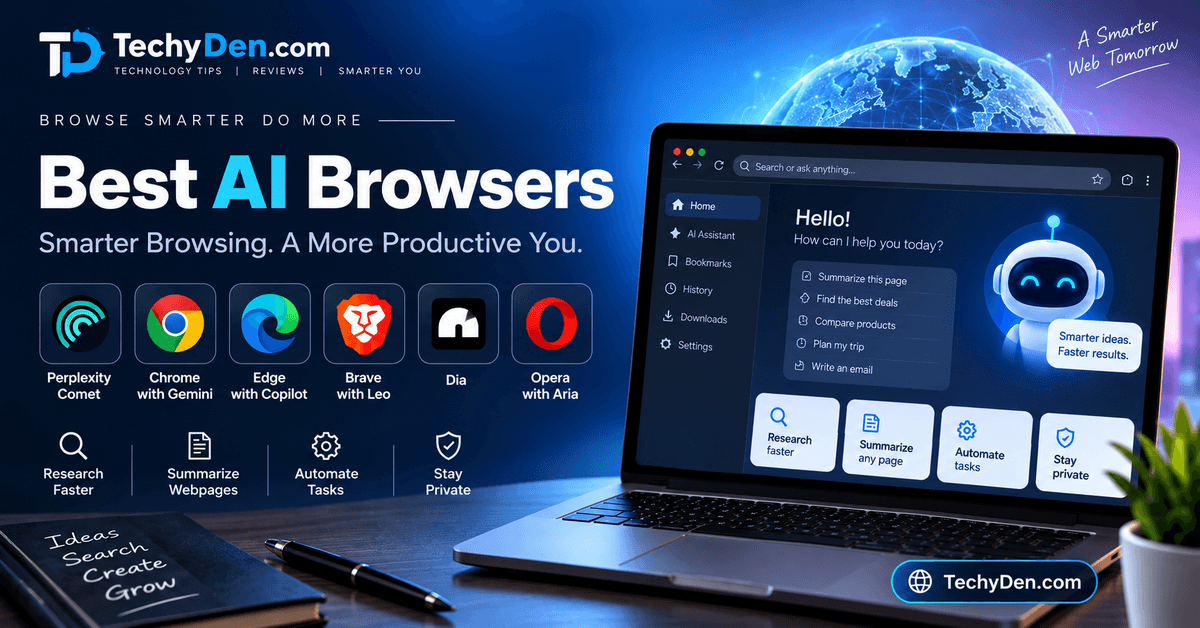
The way we use the internet is changing rapidly. Traditional web browsers help us open websites, search for information, manage tabs, and access online services. But what if your browser could do more than display webpages?
Imagine opening a long article and asking your browser to summarize it. You could research a topic across multiple websites, compare products, draft an email, or get help organizing information without constantly switching between different AI tools.
This is where AI browsers come in.
AI-powered browsers combine traditional web browsing with artificial intelligence features such as natural-language search, webpage summaries, writing assistance, research support, and, in some cases, browser automation. Instead of simply helping you visit websites, they aim to help you understand and interact with the information you find online.
In 2026, AI browsers are becoming an important category for technology enthusiasts, students, bloggers, researchers, and professionals who want to improve their productivity.
But which AI browser should you choose? Is an AI-first browser better than Google Chrome or Microsoft Edge? Which browser is best for privacy, research, Windows 11, Mac, or content creation?
In this guide, we will explore the best AI browsers in 2026, compare their features, explain their advantages and disadvantages, and help you choose the right browser for your needs.
Let’s get started.
Best AI Browsers in 2026 at a Glance
If you are looking for a quick answer, here are the leading AI browser candidates to consider.
| AI Browser | Best For | Main AI Assistant |
|---|---|---|
| Perplexity Comet | AI-powered browsing and research | Perplexity AI |
| Google Chrome with Gemini | Existing Chrome users | Gemini |
| Microsoft Edge | Windows and Microsoft 365 users | Copilot |
| Dia | AI-assisted browsing on Mac | Dia AI |
| Brave Browser | Privacy-conscious users | Brave Leo |
| Opera Neon | Advanced AI browsing and automation | Opera Neon AI |
| Firefox | Privacy and customization | Optional AI tools, where available |
Our top pick: Perplexity Comet is a strong candidate for users who want an AI-first browsing experience.
However, the best AI browser depends on your operating system, preferred AI features, privacy expectations, and budget. Some users may prefer Chrome or Edge because they already use those browsers every day.
Editor’s note: AI browser features, pricing, and platform availability can change quickly. This guide focuses on the capabilities and use cases to evaluate. Confirm the latest plans and features on official product websites before making a final decision.
What Is an AI Browser?
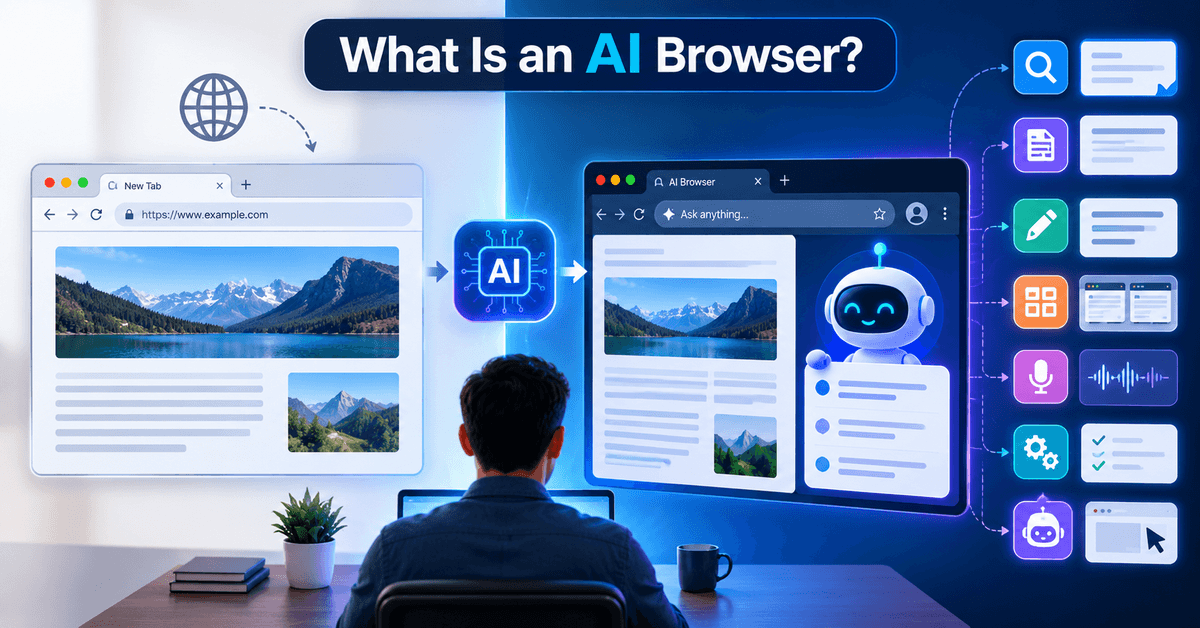
An AI browser is a web browser that integrates artificial intelligence into the browsing experience. It can use AI to help users search for information, understand webpages, summarize content, write text, organize research, and sometimes complete tasks across websites.
Traditional browsers primarily act as a gateway to the internet. You enter a web address or search query, visit websites, and interact with their content manually.
An AI browser adds an intelligent assistance layer to this process.
For example, instead of reading a 3,000-word article to find a specific answer, you may be able to ask the browser:
"Summarize the main points of this article and explain how they affect bloggers."
The browser’s AI assistant can then analyze the accessible content and provide a response.
Depending on the browser, AI capabilities may include:
- Natural-language search.
- Webpage summarization.
- AI-powered research.
- Writing and rewriting assistance.
- Multi-tab context.
- Voice-based interaction.
- Browser automation.
- AI agents that perform selected tasks.
Not every browser offers all these capabilities. Some products are traditional browsers with an AI assistant, while others are designed around AI from the beginning.
Traditional Browsers vs. AI Browsers
| Feature | Traditional Browser | AI Browser |
|---|---|---|
| Open websites | Yes | Yes |
| Search the internet | Yes | Yes |
| Read webpages | Manually | With AI assistance |
| Summarize articles | Usually requires another tool | Often built in |
| Natural-language interaction | Limited | Core feature |
| Writing assistance | Extensions or separate apps | May be integrated |
| Multi-tab research | Manual | May use AI context |
| Browser automation | Limited or extension-based | Available in some products |
| AI agent workflows | Usually separate | Supported by some AI-first browsers |
The main difference is that AI browsers aim to reduce the amount of manual work involved in finding, understanding, and using online information.
What Can AI Browsers Do?
AI browsers can help with many everyday activities.
- Summarize Long Webpages: AI can help extract important points from lengthy articles, reports, and documentation. For example, a student researching biochemistry can ask an AI browser to summarize an article about enzyme kinetics.
- Answer Questions About Websites: Instead of searching manually through a webpage, you can ask questions about its content. Example: “What are the main benefits of this product?”. The answer should still be checked against the original page.
- Research Topics: AI browsers can help organize information from multiple websites and provide summaries of research findings. This is particularly useful for bloggers, students, and professionals.
- Assist With Writing: Some AI browsers include writing assistance for emails, messages, notes, and online forms.
- Automate Browser Tasks: Advanced AI browsers may be able to perform selected actions such as navigating websites, filling forms, or organizing information. Automation capabilities vary significantly, so users should understand exactly what an AI agent can access and do.
Best AI Browsers in 2026
Now let’s explore the leading AI browser options in detail.
1. Perplexity Comet
Best AI Browser Overall
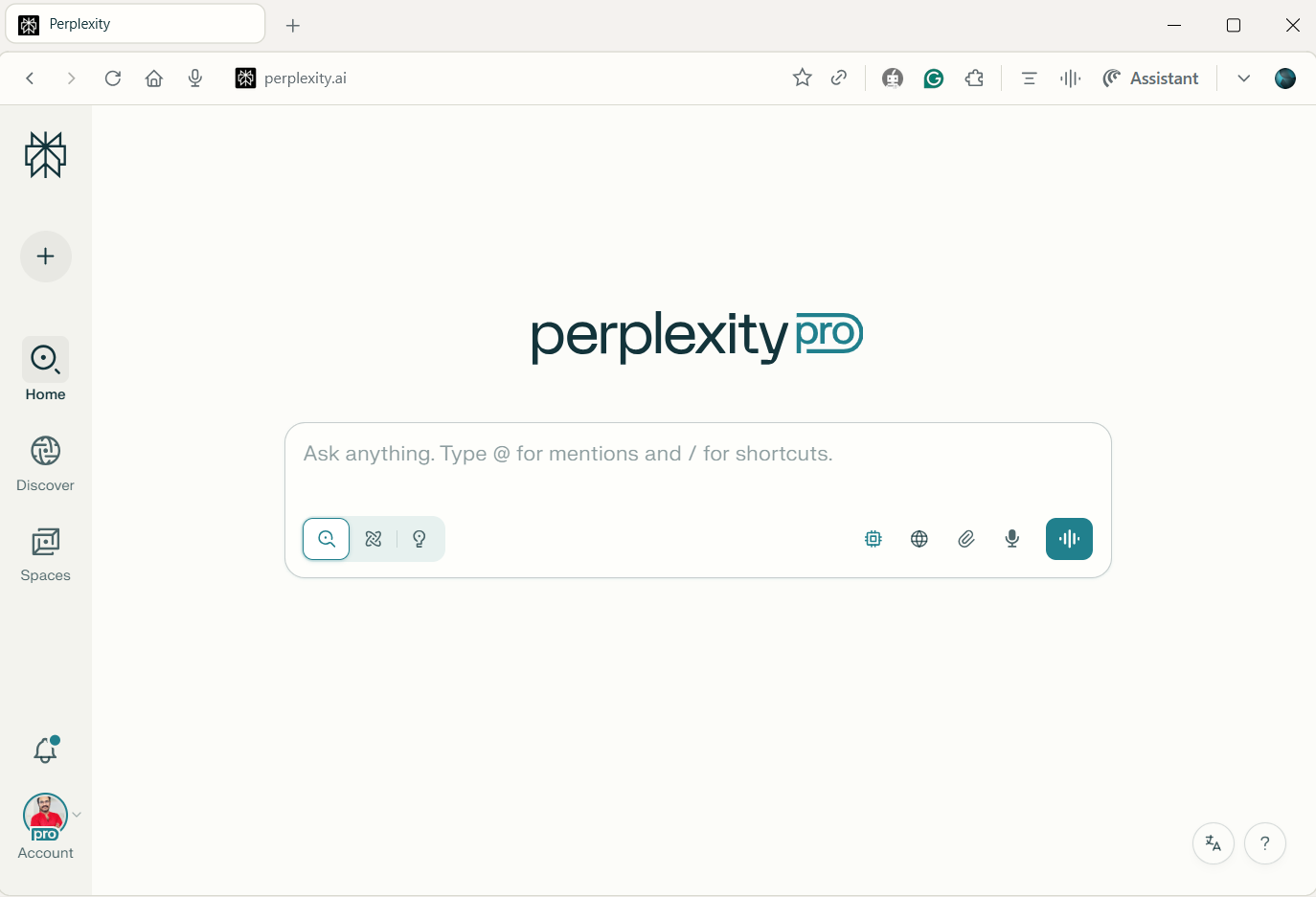
Perplexity Comet is one of the most notable AI-first browser products to consider in 2026. It is designed to bring AI assistance directly into the browsing experience rather than requiring users to open a separate chatbot every time they need help.
For people who frequently research topics online, Comet is an interesting option because it combines browsing with AI-powered assistance.
Best for: AI-powered research, browsing assistance, and users who want an AI-first browser.
Key Features of Perplexity Comet
- AI-assisted web browsing.
- Natural-language interaction.
- Webpage understanding and summarization.
- Research assistance.
- AI support for browser workflows.
- Cross-tab context, where supported.
- Agent-style capabilities, depending on the available product features.
Why Choose Perplexity Comet?
The biggest advantage of an AI-first browser is that the AI assistant is closely connected to your browsing activity.
For example, imagine you are researching the topic “best WordPress hosting providers.”
Instead of manually opening many tabs and copying information into a separate AI tool, you could use an AI browser to help organize your research.
A useful workflow might look like this:
- Search for WordPress hosting providers.
- Open relevant review pages.
- Ask the AI assistant to summarize the hosting features.
- Compare the information.
- Create notes for your blog post.
This can make research more efficient, although you should always verify important facts, pricing, and product claims.
- Comet Browser Review 2026: Features, Performance & Is It Better Than Chrome?
- 10 Best Web Browsers for Windows 2026: Fast, Secure & Private
- Perplexity AI for Beginners: Complete Getting Started Guide
Pros and Cons of Perplexity Comet
Pros
- AI-first browsing experience.
- Useful for research and summarization.
- Natural-language interaction.
- Potentially helpful for content creators.
Cons
- AI features and availability may change.
- Some advanced capabilities may require a paid plan.
- AI-generated answers can contain errors.
- Privacy and browser permissions should be reviewed carefully.
Who Should Use Perplexity Comet?
Perplexity Comet is worth considering if you are:
- A blogger or content creator.
- A student or researcher.
- A professional who researches online frequently.
- Someone interested in AI-first browsing.
- A user who wants more than traditional search.
Verdict: A strong candidate for the best overall AI browser, particularly for research-oriented users.
2. Google Chrome with Gemini
Best AI Browser for Chrome Users
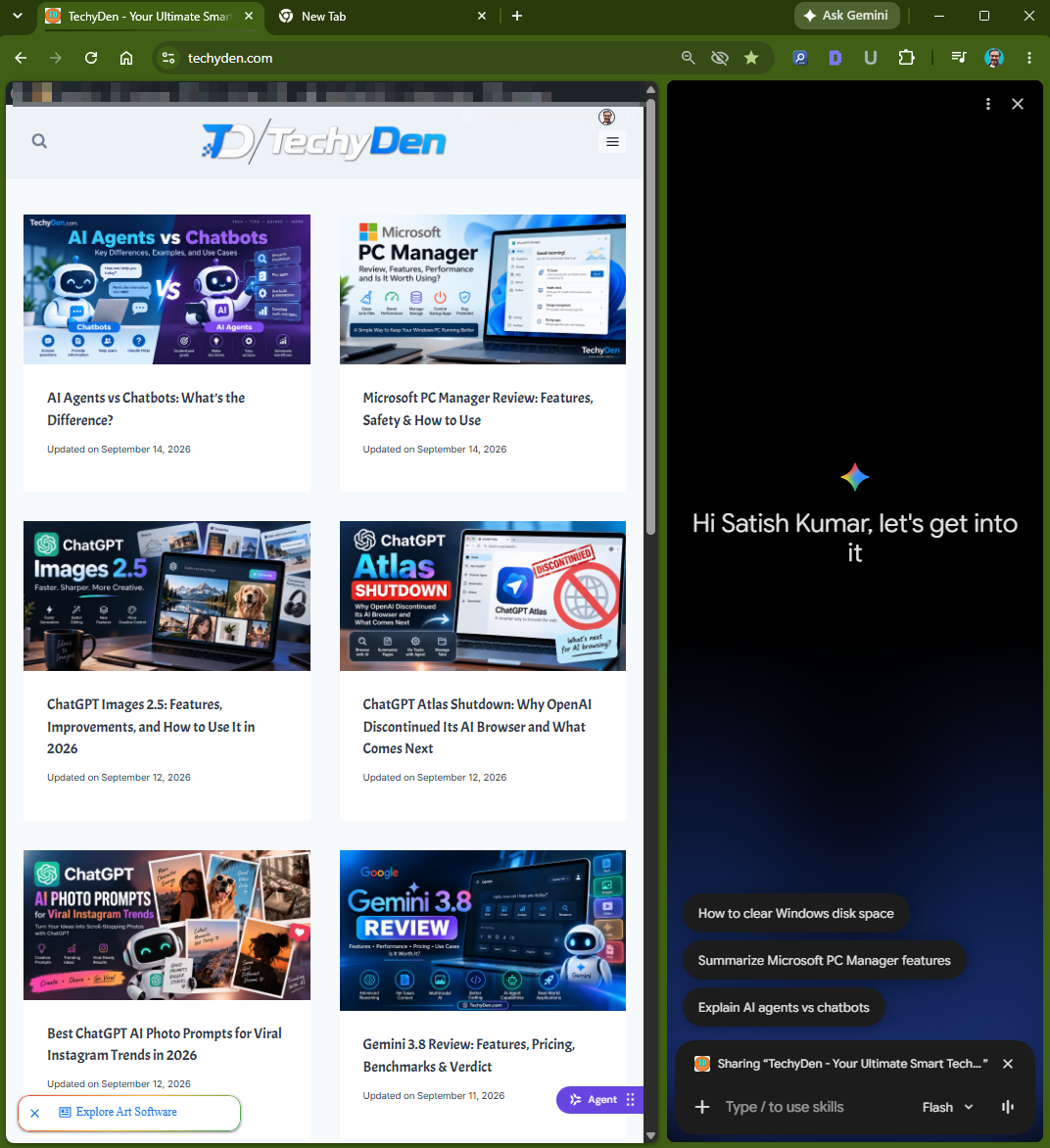
Google Chrome is one of the most widely used web browsers, and Google’s Gemini AI ecosystem makes it an important browser to consider when comparing AI-powered browsing tools.
Rather than switching to an entirely new browser, Chrome users may prefer AI features integrated into their existing browsing experience.
Best for: People who already use Google Chrome and want AI assistance without completely changing their browser.
Key Features to Look For
- Gemini-powered browsing assistance.
- AI-supported webpage interaction.
- Natural-language assistance.
- Integration with Google’s AI ecosystem.
- Familiar Chrome interface.
- Compatibility with Chrome extensions.
- Support for Google’s broader productivity tools.
The exact features available can depend on the user’s region, account, browser version, and subscription.
Why Choose Chrome with Gemini?
One of Chrome’s biggest advantages is familiarity.
Millions of users already depend on Chrome for:
- Google Search.
- Gmail.
- Google Drive.
- YouTube.
- Google Docs.
- Online work and education.
If you already use Chrome every day, adding AI capabilities may be more convenient than migrating to a new browser.
For example, a blogger could use Chrome for research, access Google Docs for writing, and use available Gemini features to assist with browsing-related tasks.
Chrome AI Browser Use Cases
- For students: Research and understand online educational content.
- For bloggers: Find information, organize ideas, and work with online documents.
- For professionals: Combine browsing with Google’s productivity ecosystem.
- For everyday users: Get AI assistance while continuing to use a familiar browser.
Pros and Cons of Google Chrome with Gemini
Pros
- Familiar browser interface.
- Strong integration with Google’s ecosystem.
- Extensive extension support.
- Suitable for users who do not want to change browsers.
Cons
- AI capabilities may vary by account and region.
- Some features may require a subscription.
- Chrome can use significant system resources depending on usage.
- Privacy settings should be reviewed.
Who Should Use Chrome with Gemini?
Choose Chrome with Gemini if you:
- Already use Google Chrome.
- Depend on Google Workspace.
- Want AI assistance without switching browsers.
- Prefer a familiar browsing environment.
Verdict: A practical option for existing Chrome users who want AI features integrated into their daily browsing workflow.
3. Microsoft Edge with Copilot
Best AI Browser for Windows 11
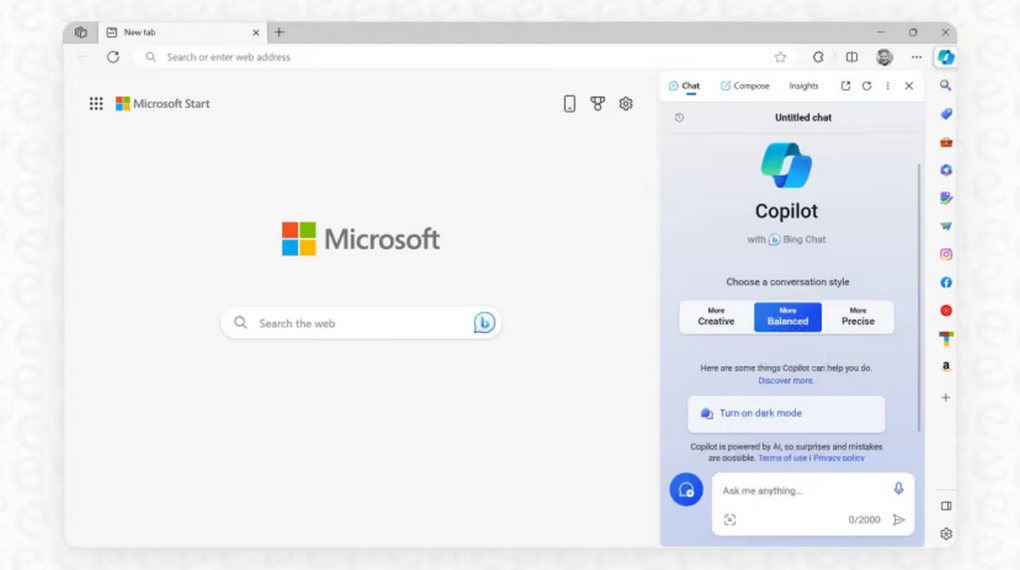
Microsoft Edge is another major browser to consider in 2026. Its integration with Microsoft’s Copilot ecosystem makes it a natural choice for users who work on Windows 11.
Edge combines traditional web browsing with Microsoft’s AI assistance features, making it useful for productivity, research, and everyday browsing.
Best for: Windows users, Microsoft 365 users, and people who want AI assistance within a familiar Microsoft ecosystem.
Key Features of Microsoft Edge with Copilot Browser
- Microsoft Copilot integration.
- AI-powered assistance.
- Webpage-related help.
- Integration with Microsoft’s productivity ecosystem.
- Windows compatibility.
- Support for browser extensions.
- Access to Microsoft’s broader AI services, depending on the feature.
Why Choose Microsoft Edge?
If you use Windows 11 every day, Microsoft Edge is already available as part of the Windows ecosystem.
For example, a professional working with Microsoft 365 may prefer Edge because it fits naturally into an environment that includes:
- Windows 11.
- Microsoft Word.
- Excel.
- PowerPoint.
- Outlook.
- Microsoft 365 services.
This makes it convenient for users who want AI-powered browser features without installing a completely different browser.
- Microsoft Edge vs Chrome: 8 Comprehensive Comparisons for you
- 25+ Best AI Tools for Small Business in 2026 (Tested & Compared)
Edge for Productivity
Microsoft Edge can be useful for tasks such as:
- Reading and summarizing webpages.
- Researching topics.
- Getting help with online information.
- Working with Microsoft services.
- Managing everyday browsing activities.
The availability of specific Copilot features should be checked before publishing or recommending a particular workflow.
Pros and Cons
Pros
- Strong Windows 11 integration.
- Familiar option for Microsoft users.
- Copilot ecosystem.
- Useful for productivity and research.
- Supports extensions.
Cons
- Some AI features may depend on account or subscription.
- AI capabilities can change over time.
- Privacy settings should be reviewed.
- Not every user needs a separate AI browser.
Who Should Use Microsoft Edge?
Microsoft Edge is a good option for:
- Windows 11 users.
- Microsoft 365 users.
- Students using Windows laptops.
- Professionals who work with Microsoft services.
- Users who want AI assistance without leaving the Microsoft ecosystem.
Verdict: One of the best AI browser options for Windows users, especially those already using Microsoft products.
4. Dia
Best AI Browser for Mac Users
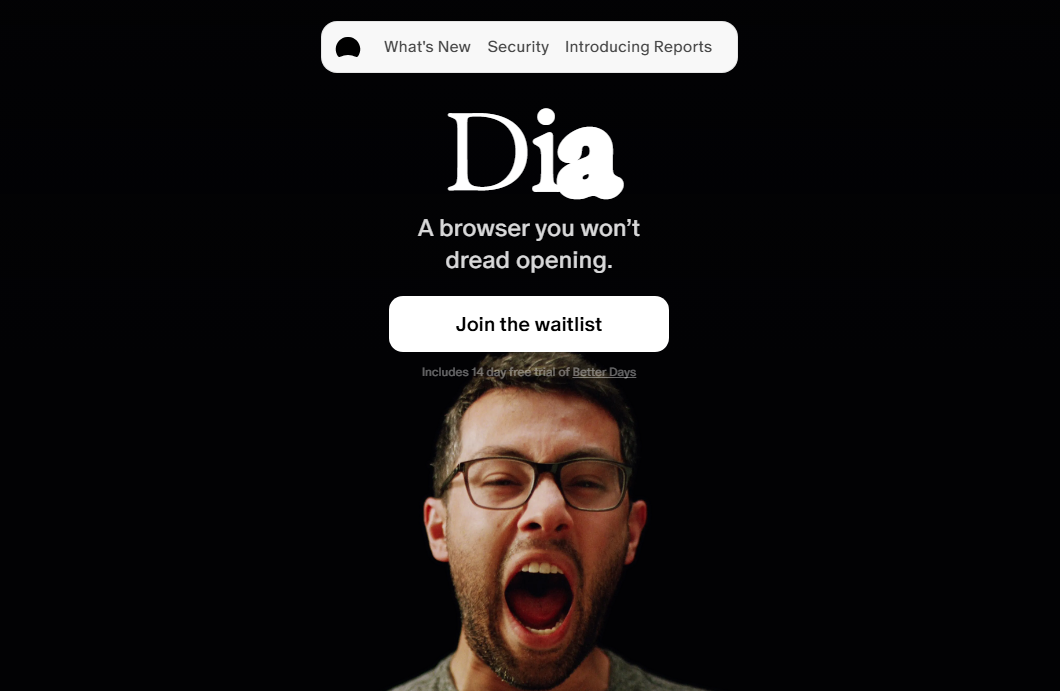
Dia is an AI browser from The Browser Company. It is designed around the idea that a browser can do more than display webpages by helping users interact with information, write content, and complete knowledge-work tasks.
For Mac users interested in AI-native browsing, Dia is an important browser to evaluate.
Best for: Mac users who want an AI-first browsing experience.
Key Features to Explore of Dia Browser
- AI-assisted browsing.
- Writing and editing assistance.
- Webpage understanding.
- AI workflows.
- Browser-based knowledge work.
- Integration with browsing context.
Dia’s availability, supported devices, and subscription options should be checked on its official website.
Why Choose Dia?
Traditional browsers generally require you to move between websites and separate AI tools.
An AI-first browser such as Dia aims to bring more of those interactions into the browsing experience.
For example, a content creator might use an AI browser to:
- Read an article.
- Ask for a summary.
- Draft a response.
- Refine an outline.
- Continue researching without leaving the browser.
This workflow can be useful for writing, research, and productivity.
Pros and Cons of Dia AI Browser
Pros
- AI-first browsing concept.
- Designed for knowledge workers.
- Useful for writing and research workflows.
- Interesting option for Mac users.
Cons
- Platform availability should be verified.
- Pricing and features may change.
- May not be suitable for users who prefer a traditional browser.
- AI-generated content still requires review.
Who Should Use Dia?
Dia is worth considering if you:
- Use a Mac.
- Want an AI-first browser.
- Work with writing and research.
- Enjoy experimenting with new productivity tools.
Verdict: A promising AI browser candidate for Mac users who want a more AI-centered browsing experience.
5. Brave Browser with Leo
Best AI Browser for Privacy-Conscious Users
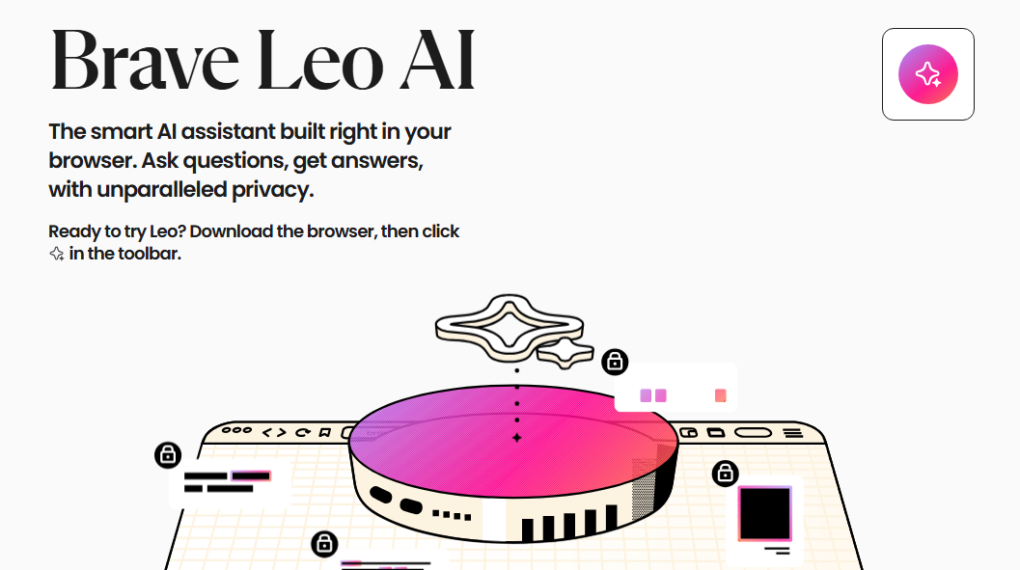
Brave is well known for its privacy-focused browsing approach. Its Leo AI assistant adds artificial intelligence capabilities to the browser, making it an important option for users who want to combine AI assistance with privacy-conscious browsing.
Best for: Users who prioritize privacy while exploring AI assistance.
Key Features of Breave AI Browser
- Brave Leo AI assistant.
- AI-powered webpage assistance.
- Summarization capabilities.
- Privacy-oriented browsing.
- Browser customization.
- Support for extensions.
- AI features that may vary by plan and configuration.
Why Choose Brave Leo?
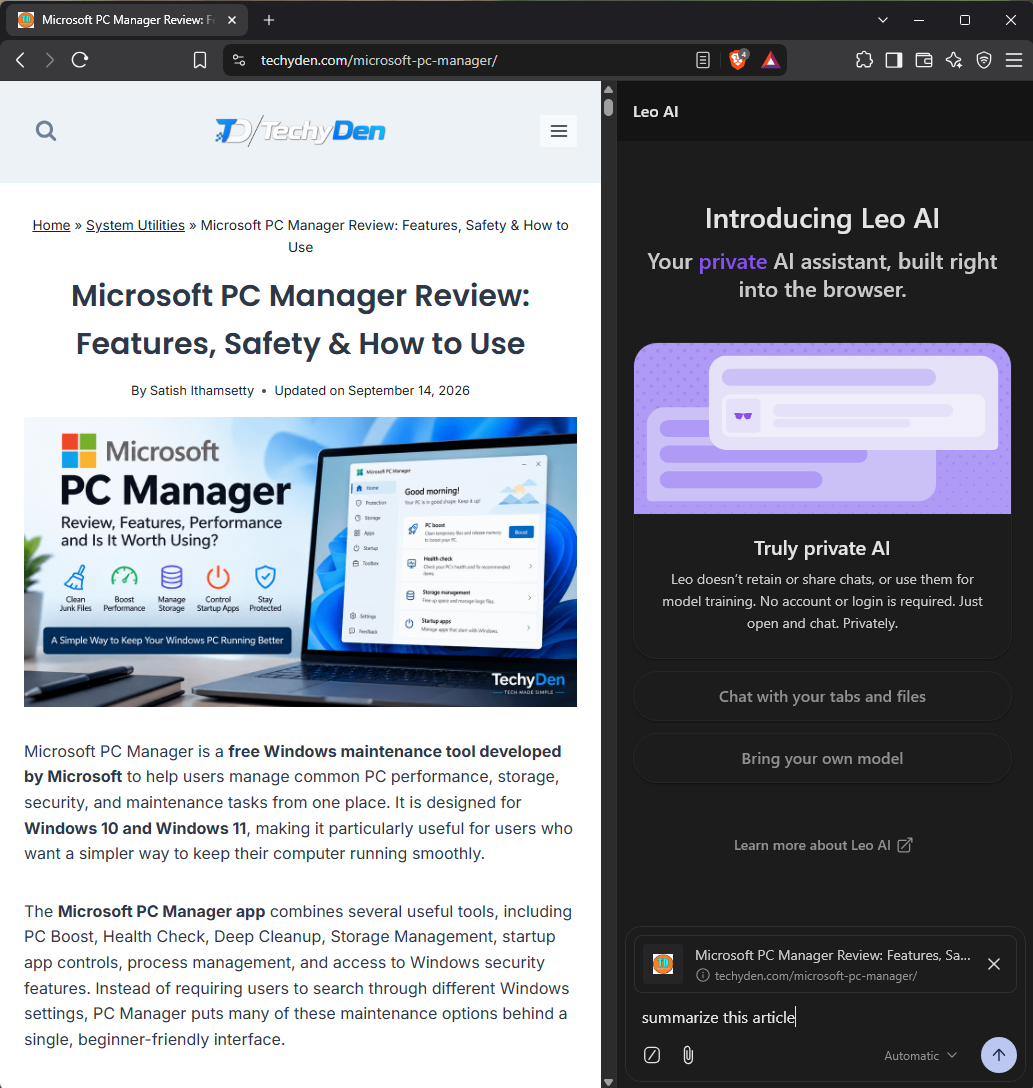
Many users are interested in AI tools but are also concerned about how their browsing data is handled.
Brave is worth considering because it emphasizes privacy and user control as part of its browser experience.
However, privacy is not a single feature. Users should review how AI requests are processed, what information is sent to AI providers, and which data retention rules apply.
Brave Leo for Everyday Browsing
Brave Leo can be useful for:
- Summarizing online articles.
- Asking questions about webpage content.
- Getting writing assistance.
- Exploring AI features within a privacy-focused browser.
For example, a student could use Leo to understand an educational article without copying the entire text into a separate AI application.
Pros and Cons of Brave Leo Browser
Pros
- Privacy-focused browser.
- Integrated AI assistant.
- Useful for webpage summaries.
- Supports browser customization.
- Suitable for privacy-conscious users.
Cons
- AI features may have usage limits.
- Not all AI capabilities are available on every plan.
- Privacy policies should be reviewed carefully.
- AI responses may not always be accurate.
Who Should Use Brave Leo?
Brave Leo is a good candidate for:
- Privacy-conscious users.
- Users who want a browser with built-in AI assistance.
- People who want an alternative to Chrome.
- Users interested in AI and privacy together.
Verdict: One of the best AI browser options to investigate if privacy is a major part of your browsing decision.
6. Opera Neon
Best AI Browser for Automation
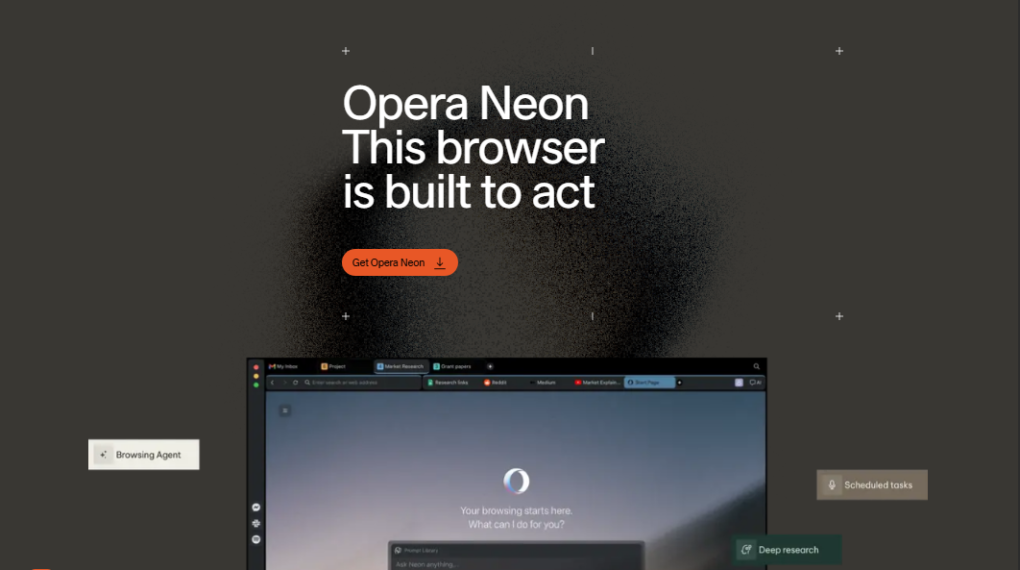
Opera Neon is an AI browser concept focused on bringing more advanced AI capabilities into web browsing. It is particularly relevant to users who want to explore AI-powered automation and agent-style browser tasks.
Best for: Users interested in AI agents and advanced browser workflows.
Key Features of Opera Neon Browser
- AI-assisted browsing.
- AI agent workflows.
- Research assistance.
- Content generation.
- Browser task automation.
- Productivity tools.
- Advanced AI interaction.
Because AI browser products can change rapidly, verify Opera Neon’s current availability, supported platforms, pricing, and features before publishing.
Why Choose Opera Neon?
Traditional browsing requires users to perform most actions manually.
AI agent browsers aim to reduce this work by allowing users to describe a task in natural language.
For example:
"Research the best project management tools for small businesses and organize the important features into a comparison."
An AI browser with suitable research and automation capabilities may help organize this task.
However, users should understand the difference between AI-generated research and actions that affect external websites.
Pros and Cons of Opera Neon AI Browser
Pros
- Focus on advanced AI browsing.
- Interesting automation capabilities.
- Useful for experimenting with AI agents.
- Potentially helpful for productivity workflows.
Cons
- Availability and pricing may change.
- Automation can create security risks.
- Not every task can be completed reliably.
- AI actions require supervision.
Who Should Use Opera Neon?
Consider Opera Neon if you:
- Want to explore AI agents.
- Are interested in browser automation.
- Enjoy testing new technology.
- Need advanced browsing workflows.
Verdict: An interesting option for users who want to explore the future of AI-powered browsing and automation.
Other AI Browsers Worth Considering in 2026
The AI browser market includes several additional products that may be worth exploring.
Before including any of these in a final ranking, verify their current product status, availability, and supported features.
- Fellou: Fellou is associated with AI-powered research and agent-style browsing workflows. Best for: Users interested in AI research and browser automation.
- Genspark: Genspark is known for AI search and agent-oriented productivity capabilities. Best for: Users exploring AI-assisted research and task completion.
- Polar: Polar is another AI browser product to investigate for workflow-oriented browsing. Best for: Users interested in AI-powered browser tasks.
- Arc: Arc is known for its redesigned browsing experience and innovative tab management. Best for: Users who want an alternative browser interface and are interested in its evolving AI features.
- Safari: Safari is worth considering for Apple users who prioritize the Apple ecosystem, performance, and privacy. Best for: Mac and iPhone users who want to stay within Apple’s browser ecosystem.
Important: Not all products listed above should be considered full AI browsers. Some are traditional browsers with AI tools, while others focus more heavily on AI agents or search. Check the current official product pages before assigning rankings.
Best AI Browsers Comparison
The following table provides a quick comparison of the main browsers discussed in this guide.
| Browser | Best For | AI Assistant | Platforms | Automation |
|---|---|---|---|---|
| Perplexity Comet | AI-first research | Perplexity AI | Verify current support | Verify |
| Chrome | Existing Chrome users | Gemini | Multiple platforms | Verify |
| Microsoft Edge | Windows users | Copilot | Multiple platforms | Verify |
| Dia | Mac users | Dia AI | Verify current support | Verify |
| Brave | Privacy-conscious users | Leo | Multiple platforms | Verify |
| Opera Neon | AI automation | Neon AI | Verify current support | Verify |
Which Features Should You Compare?
When choosing an AI browser, do not look only at the name of the AI assistant.
Compare the features that matter to your daily work.
- AI Search: Can the browser help you find information using natural language?
- Webpage Summarization: Can it summarize long articles and documents?
- Multi-Tab Research: Can it understand information across several open tabs?
- Browser Automation: Can it perform tasks on your behalf? What permissions does it require?
- Privacy: How is your browsing information handled?
- Pricing: Is the AI assistant free, or are advanced features behind a subscription?
- Compatibility: Does the browser work on your preferred device?
How to Choose the Best AI Browser in 2026
Choosing the best AI browser depends on more than the number of AI features it advertises.
A browser may have powerful AI capabilities but still be a poor choice if it does not support your operating system, uses too much memory, or lacks the privacy controls you need.
Here are the most important factors to consider.
1. AI Features and Capabilities
First, decide what you want the browser to do.
Do you need:
- Webpage summaries?
- AI-powered search?
- Research assistance?
- Writing help?
- Voice interaction?
- Browser automation?
- Multi-tab understanding?
If you mainly want summaries, a traditional browser with an AI assistant may be enough.
If you want AI agents that can complete tasks, look for a browser designed around automation.
2. Privacy and Security
Privacy is one of the most important considerations when choosing an AI browser.
AI features may involve sending information to a cloud-based AI service. Depending on the browser and its configuration, this information could include webpage content, prompts, or other context.
Before using an AI browser, check:
- Its privacy policy.
- How AI requests are processed.
- Data retention rules.
- Whether AI features are optional.
- Account requirements.
- Browser permissions.
- Whether AI agents can access sensitive websites.
Never assume that an AI browser is automatically private just because it includes privacy features.
3. Platform Compatibility
Choose a browser that works on your preferred device.
Common platforms include
- Windows 11.
- macOS.
- Linux.
- Android.
- iOS.
- ChromeOS.
Some AI-first browsers may initially support only selected operating systems.
Always check official availability before switching.
4. Pricing and AI Usage Limits
AI browsers may offer free and paid plans.
Check whether the browser includes:
- Unlimited AI questions.
- Daily usage limits.
- Premium AI models.
- Advanced automation.
- Priority access.
- Additional productivity features.
A free browser may be enough for occasional browsing, while professionals who use AI throughout the day may need a paid plan.
5. Browser Performance
An AI browser should not make your computer unusable.
Compare:
- Startup speed.
- Memory consumption.
- Battery usage.
- Tab management.
- Browser stability.
- Page loading.
- Extension compatibility.
If you regularly open dozens of tabs, performance should be a major consideration.
6. Ease of Use
The best AI browser is one that you can use comfortably every day.
Look for:
- A clean interface.
- Simple AI controls.
- Easy bookmark import.
- Familiar keyboard shortcuts.
- Convenient tab management.
- Clear privacy settings.
A powerful browser is not useful if it is difficult to understand.
Are AI Browsers Safe to Use?
AI browsers can improve productivity, but they also introduce new privacy and security considerations.
Traditional browsers already handle sensitive information such as login sessions, cookies, browsing history, and personal data.
When AI capabilities are added, users may also interact with AI assistants and automated browser agents.
This creates additional risks that users should understand.
Common AI Browser Risks
- Privacy Concerns: AI services may process information from your prompts or webpages. Review the browser’s privacy policy before using AI features with sensitive content.
- Incorrect AI Answers: AI-generated answers can be inaccurate, incomplete, or misleading. Always verify important information using reliable sources.
- Prompt Injection Attacks: Webpages can contain instructions designed to manipulate an AI assistant or browser agent. For example, a malicious webpage might try to convince an AI agent to reveal information or perform an unsafe action.
- Automated Actions: AI agents may be able to interact with websites. This can be useful, but it also means you should be careful when granting permissions.
- Sensitive Account Access: Avoid giving AI agents unrestricted access to:
- Banking websites.
- Payment accounts.
- Password managers.
- Private email.
- Important business systems.
Tips for Using AI Browsers Safely
- Use official browser downloads.
- Keep your browser updated.
- Review AI permissions.
- Avoid sharing passwords with AI assistants.
- Verify AI-generated information.
- Review automated actions before allowing them.
- Disable unnecessary AI features.
- Avoid using AI automation for sensitive financial tasks.
Remember: AI browsers are productivity tools, not replacements for human judgment.
Best AI Browsers for Bloggers and Content Creators
AI browsers can be especially useful for bloggers, SEO professionals, affiliate marketers, and content creators.
A typical blogging workflow includes research, competitor analysis, writing, editing, and publishing. An AI browser can help organize some of these tasks.
Best AI Browser for Content Research
Bloggers often need to research topics across multiple websites.
For example, if you are writing an article about the best WordPress hosting providers, you may need to compare:
- Hosting features.
- Pricing.
- Performance.
- Customer support.
- User experience.
- Pros and cons.
An AI browser can help summarize information and organize research notes.
However, always verify claims using official sources.
Best AI Browser for Writing Blog Posts
AI browser features can assist with:
- Blog post outlines.
- Writing ideas.
- Email drafts.
- Rewriting.
- Editing.
- Research notes.
For example, you can ask:
"Create an outline for a blog post about the best AI tools for small businesses."
You can then use the outline as a starting point for your article.
Best AI Browser for SEO Professionals
AI browsers can help with:
- Keyword research.
- Competitor content analysis.
- Search intent research.
- Content gap analysis.
- Finding article ideas.
- Reviewing search results.
However, an AI browser should complement dedicated SEO tools rather than replace them.
For advanced keyword research, platforms such as Semrush and Ahrefs remain useful for their specialized SEO data.
Best AI Browser for Affiliate Marketers
Affiliate marketers can use AI browsers for:
- Product research.
- Feature comparisons.
- Finding product information.
- Researching buyer-intent keywords.
- Organizing review notes.
- Comparing product specifications.
Always check product prices and availability on official websites before publishing affiliate content.
Recommended AI Browsing Workflow for Bloggers
Here is a simple workflow you can follow.
- Choose a target keyword.
- Search for competing articles.
- Open relevant webpages.
- Use the AI browser to summarize research.
- Organize important information.
- Create an SEO-friendly outline.
- Write the article.
- Verify facts and add original insights.
- Optimize the article for search engines.
- Publish and update the content regularly.
AI can help speed up research, but original experience, accuracy, and useful content remain essential.
Best AI Browsers by Use Case
Different users need different browsing features.
| Category / Use Case | Recommended Browser | Why It’s Recommended |
| Overall Use | Perplexity Comet | Strong candidate for users seeking a dedicated AI-first browsing experience. |
| Windows 11 | Microsoft Edge | Practical option offering native Copilot integration within a familiar Windows environment. |
| Chrome Users | Google Chrome with Gemini | Best if you are already deeply embedded in Google’s ecosystem and want seamless access. |
| Mac | Dia | Notable AI-first browser built specifically to evaluate for macOS workflows. |
| Privacy | Brave with Leo | Balances privacy-focused web browsing with built-in AI assistance. |
| Automation | Opera Neon | Ideal for users interested in automated, AI-driven browser tasks and workflows. |
| Bloggers | Perplexity Comet / Chrome with Gemini | Well-suited for content creators needing streamlined research and writing assistance. |
The right choice depends on the features you actually use.
How to Get Started With an AI Browser
Once you choose an AI browser, getting started is usually straightforward.
- Step 1: Choose an AI Browser: Select a browser based on your device, AI needs, privacy preferences, and budget.
- Step 2: Download From the Official Website: Always download the browser from its official product website. Avoid downloading browser installers from unknown third-party websites.
- Step 3: Install the Browser: Follow the installation instructions for your operating system.
- Step 4: Sign In or Create an Account: Some AI browsers require an account for AI features. Check what information is required before signing up.
- Step 5: Enable AI Features: Open the browser’s AI assistant and review its available settings. Enable only the features you need.
- Step 6: Try Your First AI Browsing Task: Start with a simple task, such as “Summarize the main points of this webpage and list the important facts I should verify.”
This is a good way to understand how the AI assistant works before trying more advanced workflows.
Advantages and Disadvantages of AI Browsers
AI browsers offer several benefits, but they also have limitations.
| Advantages | Disadvantages |
|---|---|
| Faster research | AI can make mistakes |
| Summarize long webpages | Privacy concerns |
| Help with writing | Some features require payment |
| Improve productivity | Browser agents can be risky |
| Natural-language interaction | Platform limitations |
| Assist with repetitive tasks | AI features may change |
Advantages
- AI browsers can help users save time when researching information, reading articles, and organizing online tasks.
- They can also reduce the need to switch between a browser and separate AI tools.
Disadvantages
- AI browsers are not perfect.
- They may generate incorrect information, require subscriptions, use additional system resources, or introduce privacy risks.
- For these reasons, users should choose an AI browser carefully.
Frequently Asked Questions About AI Browsers
What is the best AI browser in 2026?
Perplexity Comet is a strong choice for users who want an AI-first browsing experience. It focuses on AI-powered search, research, and webpage assistance. Google Chrome with Gemini is another option for people who prefer their existing browser. The best AI browser depends on your device, preferred features, privacy needs, and budget.
What is an AI browser?
An AI browser is a web browser that includes artificial intelligence features to help you browse the internet. It can summarize webpages, answer questions, assist with research, and help with writing. Some advanced AI browsers can also perform selected browser tasks automatically. Unlike traditional browsers, AI browsers aim to make browsing more interactive and efficient.
Are AI browsers better than Chrome?
AI browsers can offer more integrated AI features than traditional browsing. However, Google Chrome remains a strong choice because of its familiar interface, extension support, and Google ecosystem. If you want AI assistance without changing browsers, Chrome with Gemini may be suitable. If you want an AI-first experience, consider browsers such as Comet or Dia.
Is Perplexity Comet free?
Perplexity Comet has offered free access, but its pricing and AI usage limits may change. Some advanced features or premium services may require a subscription. Before installing Comet, check the official Perplexity website for the latest plans, supported devices, and available AI features. Free access does not necessarily mean unlimited AI usage.
Which AI browser is best for Windows 11?
Microsoft Edge with Copilot is a practical choice for Windows 11 users because it integrates with Microsoft’s browser and productivity ecosystem. Google Chrome with Gemini and Perplexity Comet are also worth considering. Compare their AI features, performance, privacy settings, and availability before choosing the best AI browser for your Windows 11 computer.
Which AI browser is best for Mac?
Dia is an AI-first browser worth considering for Mac users who want AI assistance with reading, writing, and browsing. Perplexity Comet is another option for research-focused users. Check compatibility with your Mac model and operating system before installing. Your preferred AI features, browser performance, and privacy requirements should guide the final choice.
Which AI browser is best for privacy?
Brave with Leo is a strong option for users who prioritize privacy and built-in AI assistance. However, privacy features differ between browsers and AI services. Review how prompts, webpage content, and browsing information are processed before choosing. No AI browser should be assumed completely private without checking its policies and settings.
Can AI browsers browse the internet automatically?
Some AI browsers can perform selected browsing tasks automatically using AI agents. Depending on the browser, these tasks may include navigating websites, researching information, or interacting with webpages. Automation capabilities vary, and users should supervise important actions. Avoid giving AI agents unrestricted access to banking, payment, or other sensitive accounts.
Are AI browsers safe to use?
AI browsers can be useful, but they introduce privacy and security risks. AI-generated answers may contain errors, and browser agents can encounter malicious webpage instructions. Use official downloads, review permissions, and verify important information. Avoid sharing passwords or allowing unrestricted access to sensitive accounts. Choose a browser with privacy controls that match your needs.
Which AI browser is best for students?
The best AI browser for students is one that supports research, webpage summarization, and learning. Perplexity Comet, Chrome with Gemini, and Microsoft Edge are options to evaluate. Students should use AI to understand concepts and organize information, not replace learning. Always verify facts, consult original sources, and follow academic integrity guidelines.
Which AI browser is best for bloggers?
Perplexity Comet and Chrome with Gemini are useful candidates for bloggers who need help with research, writing, and productivity. AI browsers can summarize articles, organize research, and assist with outlines. However, bloggers should verify facts, add original insights, and use dedicated SEO tools for keyword research, rankings, and competitor analysis.
Do AI browsers work on Android and iPhone?
Some AI browsers support Android and iPhone, while others are limited to desktop platforms. Perplexity Comet is an example of an AI browser to evaluate for mobile browsing. Availability and features can vary by operating system and region. Check the official app store listing before downloading an AI browser on your smartphone.
Final Verdict: Which Is the Best AI Browser in 2026?
AI browsers are changing how people search, research, and interact with websites.
Instead of simply opening webpages, modern AI-powered browsers can help summarize information, answer questions, assist with writing, and, in some cases, automate browser tasks.
There is no single best AI browser for everyone.
- Perplexity Comet is a strong candidate for users who want an AI-first browsing experience.
- Google Chrome with Gemini is worth considering if you already use Chrome and Google’s ecosystem.
- Microsoft Edge with Copilot is a practical option for Windows 11 and Microsoft 365 users.
- Dia is an interesting choice for Mac users who want AI-centered browsing.
- Brave Leo is worth exploring if privacy is a major priority.
- Opera Neon is relevant to users interested in advanced AI browsing and automation.
Before switching, compare the browser’s AI features, pricing, privacy controls, supported devices, and performance.
Choose the browser that makes your daily work easier without sacrificing control over your data.
Which AI browser are you using in 2026? Share your experience in the comments below.