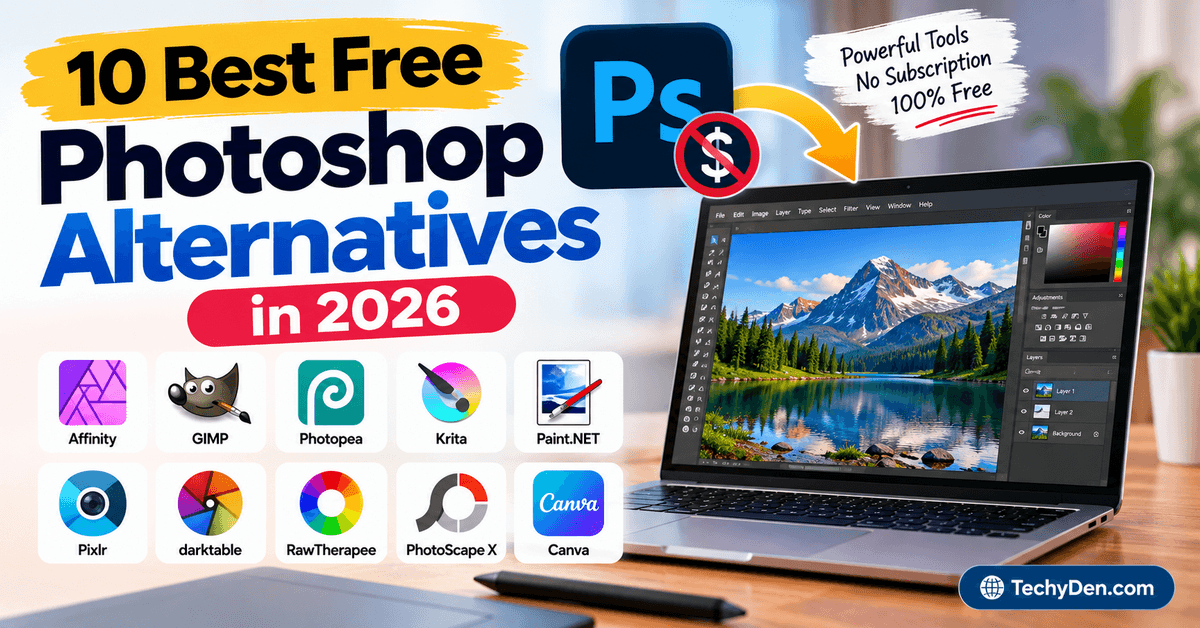
Do you want to edit photos, create graphics, or design visual content without paying for an expensive Photoshop subscription? You have come to the right place. There are many powerful Photoshop Alternatives available today that can help you edit images, create designs, retouch photos, and work with graphics without the cost of Adobe Photoshop.
If you prefer editing images on your smartphone, these photo editing apps provide convenient alternatives to desktop image editors.

Adobe Photoshop remains one of the most powerful and widely used image-editing applications for professional photographers, designers, marketers, and content creators. However, its subscription-based pricing and advanced interface may not be suitable for everyone. Fortunately, you do not need to spend a lot of money to get access to capable photo-editing and graphic-design tools.
The best free Photoshop Alternatives now offer many features that were once limited to premium desktop software. Depending on your needs, you can find browser-based editors such as Photopea, open-source applications such as GIMP and Krita, lightweight Windows editors such as Paint.NET, and other online design tools for creating graphics and editing photos.
Some of these tools support layers, masks, filters, selections, text editing, background removal, RAW images, digital painting, and other advanced features. Others focus on simplicity and are better suited for beginners who want to make quick edits without learning a complicated interface.
In this guide, we have selected some of the best free Photoshop Alternatives you can use for photo editing and graphic design. Whether you are a blogger, photographer, designer, student, social media creator, or casual user, you can choose an alternative based on the features and workflow you need.
Let’s explore the best free Photoshop Alternatives and find the right image editor for your needs.
10 Best Free Photoshop Alternatives in 2026
Adobe Photoshop remains one of the most powerful professional image-editing applications, but you do not always need a paid subscription to edit photos, create graphics, retouch images, or work with layered designs. Today, there are several capable free Photoshop alternatives for Windows, macOS, Linux, and the web.
The best option depends on what you want to do. Some tools are designed for advanced photo manipulation, while others focus on digital painting, RAW photography, graphic design, or quick browser-based editing. Some also support Photoshop PSD files, making it easier to move away from Photoshop without completely changing your workflow.
Here are the best Photoshop alternatives in 2026 for photographers, graphic designers, bloggers, students, social media creators, and everyday users.
1. Affinity
Affinity is now one of the most important free Photoshop alternatives to consider in 2026. Canva’s redesigned Affinity combines professional photo editing, vector design, and page-layout tools in a single application. Most importantly, the new Affinity is now completely free for everyone and is available for Windows and Mac.
Its photo-editing tools include RAW development, non-destructive adjustments, retouching, compositing, smart selections, live filters, and batch processing. It also supports formats such as PSD, AI, PDF, SVG, TIFF, and IDML, making it useful for people moving from Adobe’s ecosystem.
If your primary goal is graphic design, you can also explore some of the best sites for logo design and other visual branding resources.
Key features of Affinity:
- Professional photo editing tools
- Non-destructive photo adjustments
- RAW development
- Retouching and compositing
- Smart selections
- Live filters
- Batch processing
- Vector design tools
- Page-layout tools
- PSD and other popular file-format support
- Customizable workspace
- Available for Windows and Mac
Best for: Professional designers, photographers, and users looking for a powerful Photoshop alternative for Windows or Mac.
2. GIMP
GIMP, short for GNU Image Manipulation Program, remains one of the most popular free and open-source Photoshop alternatives. It is available for Windows, macOS, Linux, and other platforms and provides advanced tools for photographers, graphic designers, illustrators, and other creative users.
GIMP received its 3.2 release in March 2026, bringing features such as non-destructive layers, vector layers, and other workflow improvements. The stable GIMP 3.2.6 release followed in September 2026 with additional bug fixes, security updates, and improvements.
Key features of GIMP:
- Free and open-source software
- Advanced photo editing
- Layers and layer management
- Masks and selections
- Paths and vector layers
- Color correction tools
- Filters and effects
- Customizable interface
- Plugin and script support
- Multiple file-format support
- Windows, macOS, and Linux support
- Non-destructive layer features in GIMP 3.2
Best for: Photographers, graphic designers, bloggers, students, and advanced users who want a powerful free image editor without a subscription.
3. Photopea
Photopea is one of the best online Photoshop alternatives because it runs directly in a web browser. You do not need to install a desktop application, making it particularly useful when you need to edit an image quickly on different computers or devices.
Photopea supports layers, masks, blending, adjustment layers, paths, smart objects, filters, and other advanced editing features. It also has strong PSD support and can open and save PSD files, making it especially useful for users who regularly work with Photoshop documents.
Another advantage is that Photopea processes files locally on your device rather than requiring them to be uploaded to its servers.
Key features of Photopea:
- Free online photo editor
- Works directly in a web browser
- Full PSD support
- Layers and masks
- Smart Objects
- Adjustment layers
- Layer styles
- Blending modes
- Vector graphics tools
- RAW image support
- AI-powered background removal
- Supports many image and design formats
Best for: Users looking for a free online Photoshop alternative, especially when PSD compatibility is important.
4. Krita
Krita is a free and open-source creative application designed primarily for digital painting, illustration, concept art, and animation. Although it is not a direct replacement for every Photoshop feature, it is an excellent Photoshop alternative for digital artists.
Krita continued receiving major updates in 2026. Version 5.3.4 and 6.0.4 were released in September 2026 with bug fixes and improvements, while the 5.3 series introduced improvements to text tools, selections, transformation, and other creative workflows.
Key features of Krita:
- Free and open-source
- Professional digital painting tools
- Advanced brush engine
- Layers and blending modes
- Brush customization
- Vector and text tools
- Animation support
- PSD import and export
- Customizable workspace
- Windows, macOS, and Linux support
- Android version available
- HDR-related support on supported platforms
Best for: Digital artists, illustrators, comic creators, concept artists, and users who want a free Photoshop alternative for drawing and painting.
5. Paint.NET
Paint.NET is a lightweight Windows image and photo editor designed for users who want more functionality than Microsoft Paint without the complexity of a professional application. It is particularly suitable for quick photo edits, screenshots, resizing, cropping, image composition, and basic graphic design.
The current Paint.NET 5.1.12 release was released in March 2026. It supports layers, unlimited history, special effects, plugins, and a range of popular image formats.
If you use a Windows PC for image editing, keeping Windows optimized can also help improve the overall performance of creative applications.
Key features of Paint.NET:
- Free image and photo editor
- Windows-focused application
- Layers
- Unlimited editing history
- Special effects
- Blending modes
- Selection tools
- Color adjustments
- Plugin support
- Multiple image formats
- Simple and responsive interface
- Suitable for beginners
Best for: Windows users who want a simple Photoshop alternative for everyday photo editing and basic graphic design.
6. Pixlr
Pixlr is a browser-based free photo editor that combines traditional image-editing tools with modern AI features. It can be used without installing traditional desktop editing software and includes tools for photo editing, image generation, background removal, object removal, generative fill, and other creative tasks.
This makes Pixlr particularly useful for bloggers, marketers, social media creators, and users who want quick image edits without learning a complex desktop application.
Key features of Pixlr:
- Online photo editing
- AI photo editing tools
- AI image generation
- Background removal
- Object removal
- Generative fill
- Photo enhancement
- Collage creation
- Image resizing
- Creative filters and effects
- Browser-based workflow
- Additional AI-powered creative tools
Best for: Bloggers, social media creators, marketers, and beginners looking for an online Photoshop alternative with AI tools.
7. darktable
darktable is a free and open-source photography workflow application and RAW image processor. Unlike general-purpose Photoshop alternatives, it focuses heavily on professional photography workflows, RAW development, color management, image organization, and non-destructive editing.
darktable 5.6.2 was released in October 2026, making it one of the actively maintained free options for photographers who need advanced RAW processing.
Key features of darktable:
- Free and open-source
- RAW photo processing
- Non-destructive editing
- Photo management
- Color management
- Exposure adjustments
- Noise reduction
- Sharpening
- Crop and transformation tools
- GPU-accelerated processing
- Metadata management
- Windows, macOS, and Linux support
Best for: Photographers who need a free Photoshop alternative for RAW photo editing and photo management.
8. RawTherapee
RawTherapee is another powerful free and open-source RAW photo processor. It is designed for photographers who want detailed control over exposure, color, sharpening, noise reduction, lens correction, and other aspects of RAW development.
RawTherapee 5.13 was released in July 2026 and introduced improvements to color management, selective editing, denoising, sharpening, cropping, camera support, HiDPI displays, and ARM performance.
Key features of RawTherapee:
- Free and open-source
- Advanced RAW processing
- Non-destructive editing workflow
- Color management
- Exposure adjustments
- Noise reduction
- Sharpening
- Lens and geometry correction
- Selective editing
- Batch processing
- Windows, macOS, and Linux support
- Support for many modern cameras and RAW formats
Best for: Photographers who need detailed RAW development and advanced image-processing controls.
9. PhotoScape X
PhotoScape X is an easy-to-use photo editing application available for Windows and macOS. It combines photo editing with batch processing, collages, GIF creation, screen capture, RAW support, and other useful image tools.
The free version provides a broad selection of editing features, while PhotoScape X Pro adds additional capabilities. Its all-in-one approach makes it a practical choice for users who want more than a basic photo editor without moving to a complicated professional application.
Key features of PhotoScape X:
- Photo editing
- RAW image support
- Filters and effects
- Batch editing
- Background removal
- Collage creation
- GIF creation
- Screen capture
- Color picker
- Clone and healing tools
- Crop and resize tools
- Batch format conversion
Best for: Beginners, bloggers, social media users, and Windows or Mac users who want an easy Photoshop alternative with many built-in tools.
10. Canva
Canva is best known as an online graphic-design platform, but its free photo editor also makes it a useful Photoshop alternative for users who primarily create social media posts, blog graphics, presentations, thumbnails, posters, and marketing materials.
Canva’s current free plan includes a drag-and-drop editor, templates, stock assets, cloud storage, AI usage, and access to Affinity. Canva also provides a dedicated free online photo editor for quick image adjustments.
Key features of Canva:
- Free online photo editor
- Drag-and-drop design interface
- Templates for social media and marketing
- Photo and video editing
- Background editing tools
- Text and typography tools
- Stock photos and graphics
- Cloud-based workflow
- AI-powered creative features
- Collaboration tools
- Mobile and desktop access
- Access to Affinity through the current free Canva offering
Best for: Bloggers, marketers, social media creators, students, and beginners who want to edit photos and create graphics online.
Which Free Photoshop Alternative Should You Choose?
The best Photoshop alternative depends on your specific requirements. You do not necessarily need the most advanced editor if your goal is simply to resize images, remove backgrounds, create blog graphics, or make social media posts.
| Photoshop Alternative | Best For | Platform |
|---|---|---|
| Affinity | Professional photo and graphic design | Windows, Mac |
| GIMP | Advanced photo editing | Windows, Mac, Linux |
| Photopea | PSD editing in a browser | Web |
| Krita | Digital painting and illustration | Windows, Mac, Linux, Android |
| Paint.NET | Simple Windows photo editing | Windows |
| Pixlr | AI-powered online editing | Web |
| darktable | RAW photography | Windows, Mac, Linux |
| RawTherapee | Advanced RAW processing | Windows, Mac, Linux |
| PhotoScape X | Easy photo editing and batch processing | Windows, Mac |
| Canva | Graphic design and social media content | Web, Windows, Mac, Mobile |
If you want the closest overall free Photoshop alternative, Affinity, GIMP, and Photopea are among the strongest choices. Affinity is particularly notable in 2026 because its current professional-grade application is available free of charge, while GIMP remains a strong open-source desktop editor and Photopea is an excellent browser-based option with extensive PSD compatibility.
For digital painting, choose Krita. For RAW photography, darktable or RawTherapee are better suited. If you want a simple Windows editor, Paint.NET is a good choice, while Canva and Pixlr are convenient for online graphics and quick image editing.
Final Words
Adobe Photoshop remains one of the most powerful and widely used photo editing and graphic design software available today. It offers advanced tools for professional photographers, graphic designers, illustrators, marketers, and content creators, but its subscription-based pricing may not be suitable for everyone. The current Photoshop plan includes desktop, web, and mobile access along with AI-powered creative features.
The good news is that you do not have to rely exclusively on Photoshop to create professional-looking images and graphics. There are now many capable free Photoshop alternatives that provide advanced photo editing, graphic design, digital painting, RAW processing, layer-based editing, and browser-based workflows.
In 2026, Affinity is particularly notable because Canva has made the new professional Affinity application completely free. It combines photo editing, vector design, and page-layout tools in one application and supports popular formats such as PSD, AI, PDF, SVG, TIFF, and IDML.
Other excellent options include GIMP for advanced open-source image editing, Photopea for browser-based PSD editing, Krita for digital painting and illustration, Paint.NET for lightweight Windows editing, and darktable or RawTherapee for RAW photography.
If you prefer a simpler tool for creating blog graphics, social media posts, thumbnails, presentations, or marketing designs, Canva and Pixlr are also worth considering. Canva’s free plan currently includes its drag-and-drop editor, templates, stock assets, AI usage, and access to Affinity.
Adobe also continues to offer Photoshop Elements 2026 as a simpler photo-editing option with AI-powered features, guided editing, templates, and a 3-year license. However, it is a paid product rather than a completely free Photoshop alternative.
Ultimately, the best Photoshop alternative depends on what you need to accomplish. Choose GIMP or Affinity for advanced desktop editing, Photopea for PSD editing in your browser, Krita for digital art, darktable or RawTherapee for RAW photography, and Canva or Pixlr for quick online graphic design and photo editing.
You do not need expensive software to create impressive images anymore. Try one or more of these free Photoshop alternatives and choose the image editor that best fits your workflow, skill level, and creative needs.