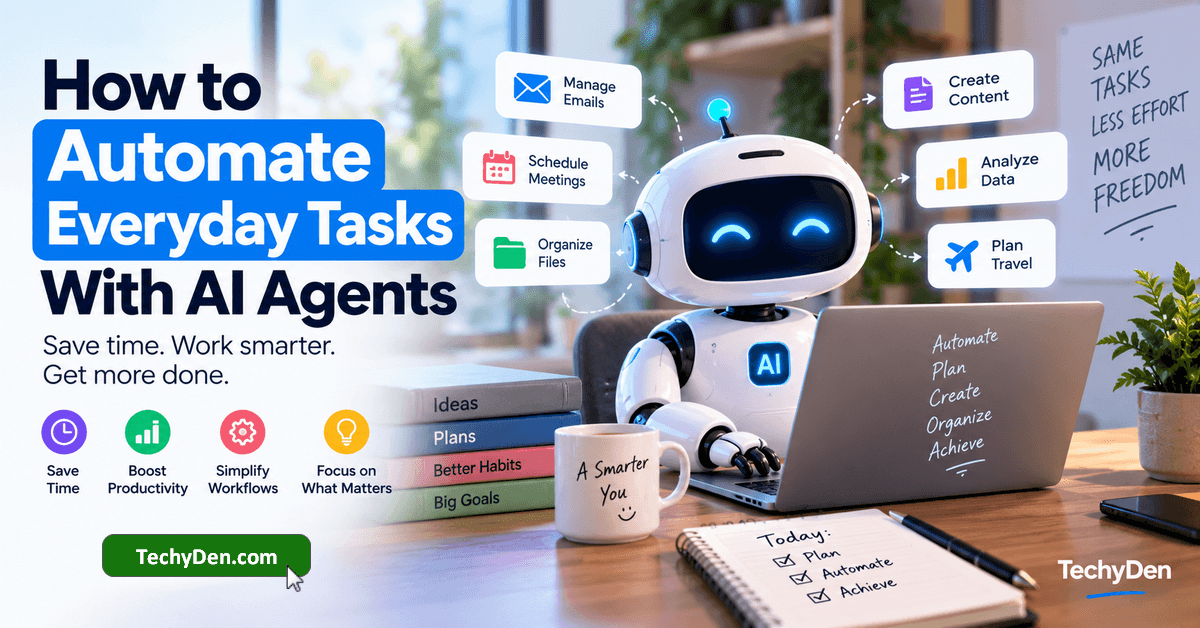
Every day, we spend hours completing repetitive tasks such as checking emails, organizing schedules, researching information, managing files, and creating content.
Although these activities may seem simple, they can consume valuable time and reduce productivity.
What if an AI assistant could handle many of these tasks for you?
AI agents are changing the way people work by helping automate everyday tasks, manage workflows, and complete multi-step activities.
Unlike traditional chatbots that mainly answer questions, AI agents can use supported tools, follow instructions, and work toward specific goals with varying levels of human supervision.
For example, an AI agent could summarize your emails, organize your to-do list, research a blog topic, or prepare a meeting agenda.
Some agents can also interact with applications and perform actions when the necessary permissions and integrations are available.
In this guide, you will learn how AI agents can automate everyday tasks, explore practical examples, discover useful AI agent tools, and understand how to start automating your daily routine safely.
Let’s get started.
What Are AI Agents?
AI agents are software systems that use artificial intelligence to understand goals, make decisions, perform tasks, and interact with tools or applications.
A traditional AI chatbot usually responds to a question or prompt. An AI agent can go a step further by planning a sequence of actions to achieve a particular objective.
For example, instead of asking an AI chatbot:
"Give me ideas for a blog post."
You could ask an AI agent:
"Find five blog topic ideas, research the competition, create an SEO-friendly outline for the best topic, and prepare a content brief."
Depending on its capabilities, the agent may search for information, analyze results, create an outline, and return a completed brief.
How AI agents work
Most AI agent workflows follow a process similar to this:
- Understand the goal: The agent interprets what you want to accomplish.
- Plan the task: It breaks the goal into smaller steps.
- Choose tools: It selects available applications, websites, or integrations.
- Execute actions: It performs supported tasks.
- Review results: It checks whether the task is complete or needs another step.
- Request approval: It asks for human confirmation when required.
For example, an agent managing your calendar might identify a meeting request, check available time slots, prepare an invitation, and wait for your approval before sending it.
The exact capabilities depend on the AI agent, connected applications, permissions, and the workflow you configure.
AI agents vs chatbots
| Feature | AI Chatbots | AI Agents |
|---|---|---|
| Main purpose | Answer questions and generate content. | Work toward goals and complete tasks. |
| Interaction | Usually prompt-based | Can involve multi-step workflows |
| Tool usage | May use tools | Often designed to use tools |
| Automation | Limited or workflow-dependent | Can automate supported tasks |
| Human involvement | Usually asks for each response | Can operate with varying levels of supervision |
For a deeper explanation, read our related guide: AI Agents vs Chatbots: What’s the Difference?
How AI Agents Can Automate Everyday Tasks
AI agents can help automate tasks that involve repetitive actions, clear instructions, and predictable outcomes. They are particularly useful when a workflow requires collecting information, processing it, and producing a result.
Here are some common ways. AI agents can improve everyday productivity:
- Organizing emails and messages.
- Managing calendars and appointments.
- Researching information online.
- Creating and prioritizing to-do lists.
- Drafting emails and social media posts.
- Creating blog content and SEO briefs.
- Organizing files and documents.
- Summarizing spreadsheets and reports.
- Tracking expenses and preparing budgets.
- Planning trips and daily activities.
- Managing customer support workflows.
- Preparing social media content calendars.
The goal is not to automate everything. Instead, start with repetitive tasks that take time but do not require constant human judgment.
12 Everyday Tasks AI Agents Can Automate
1. Managing Emails and Inbox Organization
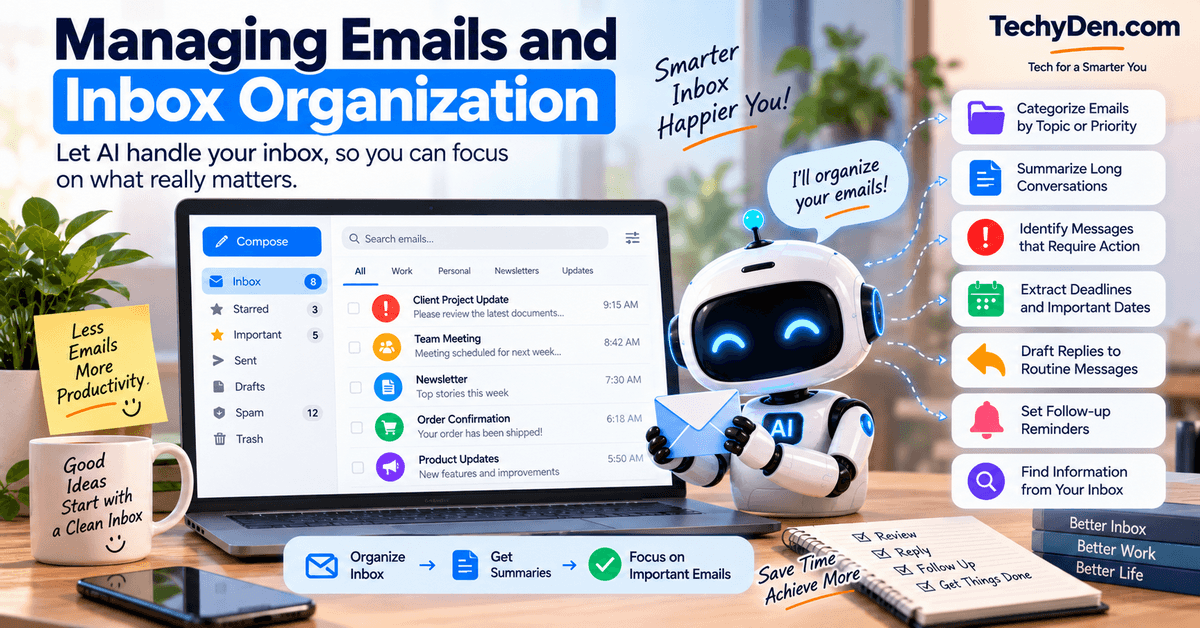
Email management is one of the most common productivity challenges. Many people spend a significant portion of their day reading messages, searching for important information, and writing replies.
AI agents can help streamline this process by organizing your inbox and preparing useful summaries.
What AI agents can do with emails
- Categorize emails by topic or priority.
- Summarize long email conversations.
- Identify messages that require action.
- Extract deadlines and important dates.
- Draft replies to routine messages.
- Prepare follow-up reminders.
- Find information from connected email accounts.
Practical example
Imagine you receive 30 emails every morning. Instead of opening each message individually, an AI agent could:
- Review incoming emails using an approved email integration.
- Separate newsletters, work messages, and urgent requests.
- Summarize important conversations.
- Create a list of messages that need your attention.
- Draft replies to routine questions.
- Present the results for your review.
This can make it easier to focus on important work without spending the entire morning managing your inbox.
Important: Email access requires appropriate permissions. Review AI-generated replies before sending important messages.
2. Scheduling Meetings and Managing Calendars
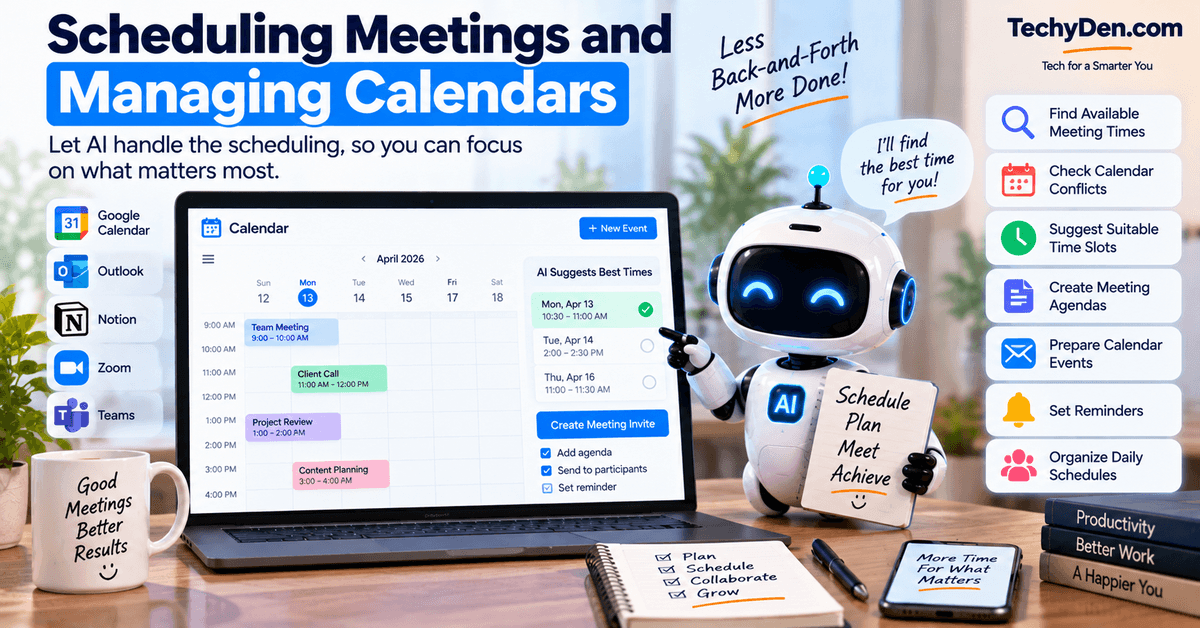
Managing meetings can become difficult when you have multiple appointments, time zones, and changing schedules.
AI agents can help coordinate calendars and reduce the back-and-forth involved in scheduling.
Tasks AI agents can automate
- Finding available meeting times.
- Checking calendar conflicts.
- Suggesting suitable time slots.
- Creating meeting agendas.
- Preparing calendar events.
- Setting reminders.
- Organizing daily schedules.
Practical example
Suppose a client wants to schedule a meeting with you.
You can instruct an AI agent:
“Find three available 30-minute slots next week, prepare a meeting invitation, and show me the details before sending it.”
The agent can check your connected calendar, identify suitable times, and prepare the invitation. You can then choose the final time and approve the invitation.
Why this is useful
Calendar automation helps reduce scheduling errors and gives you more time to focus on work instead of coordinating appointments manually.
3. Researching Information Online
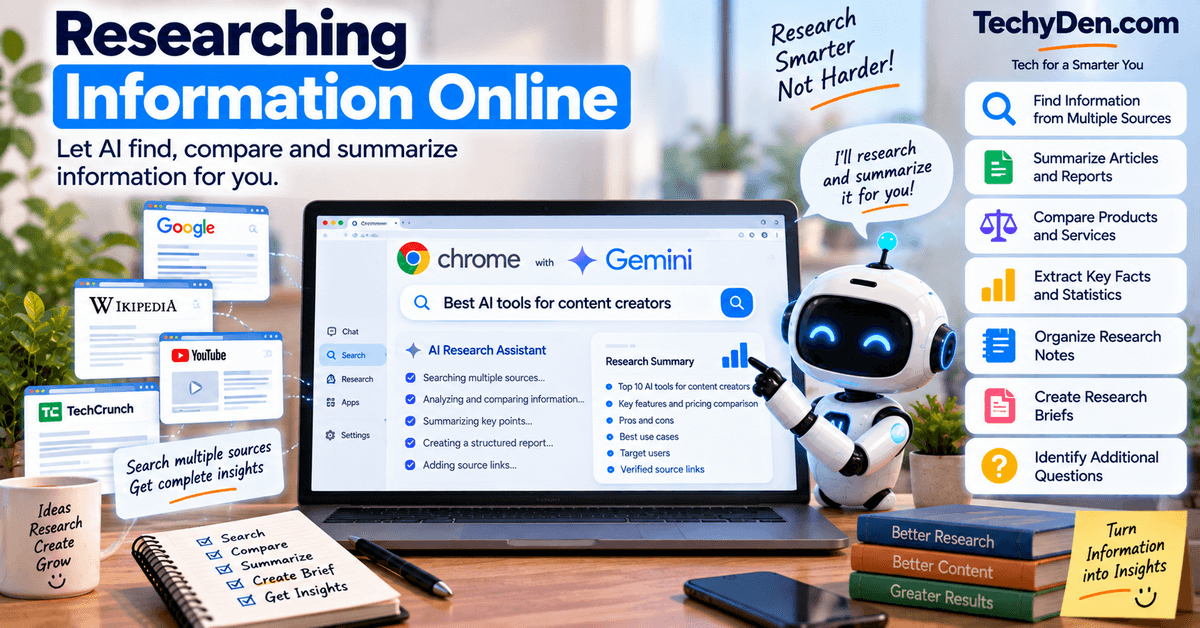
Online research is another area where AI agents can save time. Research often involves searching multiple websites, comparing information, extracting key points, and organizing findings.
An AI agent can assist with these steps when it has access to suitable browsing or research tools.
How AI agents help with research
- Find information from multiple sources.
- Summarize articles and reports.
- Compare products and services.
- Extract key facts and statistics.
- Organize research notes.
- Prepare research briefs.
- Identify additional questions to investigate.
Practical example for bloggers
Suppose you want to write an article about the best AI tools for content creators.
Instead of manually searching dozens of websites, you could ask an AI agent:
"Research the best AI tools for bloggers, compare their main features, identify their target users, and create a structured content brief with source links."
The agent may gather information, compare the tools, and organize the findings.
However, you should always verify important facts, pricing, product features, and statistics before publishing.
SEO tip: AI-generated research is a starting point. Original analysis, accurate information, and useful first-hand insights can make your article more valuable to readers.
4. Creating and Managing To-Do Lists

Many people create daily to-do lists but struggle to prioritize tasks or complete them on time.
AI agents can help turn unorganized tasks into structured action plans.
What AI agents can do
- Create daily task lists.
- Convert messages into actionable tasks.
- Prioritize work based on deadlines.
- Break large projects into smaller steps.
- Suggest the next action.
- Prepare reminders.
- Track task progress in supported applications.
Practical example
You tell an AI agent:
"Organize my tasks for today. Prioritize urgent work, group similar activities, and create a realistic schedule."
The agent can turn your list into something like
| Priority | Task | Suggested time |
|---|---|---|
| High | Finish client article | Morning |
| High | Reply to important emails | Morning |
| Medium | Research new blog topics | Afternoon |
| Medium | Prepare social media posts | Afternoon |
| Low | Organize old files. | Evening |
The suggested schedule is not a guarantee of completion, but it can help you manage your workload more effectively.
5. Writing and Replying to Messages
AI agents can help draft messages for work, personal communication, customer support, and social media.
Instead of writing every message from scratch, you can provide the purpose, audience, and preferred tone.
Common messaging tasks
- Drafting professional emails.
- Writing customer replies.
- Preparing social media responses.
- Rewriting messages in a polite tone.
- Translating routine communications.
- Summarizing long conversations.
- Preparing follow-up messages.
Practical example
A customer asks whether your service is available next week.
You can ask an AI agent:
“Draft a friendly reply confirming availability next week. Keep it concise and ask the customer to choose a suitable time.”
The agent can prepare a response that you review before sending.
Best practice
Use AI agents for drafting and organizing messages, but avoid allowing them to send sensitive or important communications without approval.
6. Automating Blog and Content Creation Workflows

For bloggers and content creators, AI agents can help automate several stages of the content creation process. From finding topic ideas to preparing social media posts, AI can reduce repetitive work and make content planning easier.
However, AI should support your content strategy rather than replace original thinking, editing, and fact-checking.
Content tasks AI agents can automate
- Finding blog topic ideas.
- Creating SEO-friendly article outlines.
- Researching target keywords.
- Analyzing search intent.
- Preparing content briefs.
- Drafting introductions and conclusions.
- Creating meta descriptions.
- Repurposing blog posts into social media content.
- Organizing editorial calendars.
- Preparing content update checklists.
Practical example: Automate a blog content workflow
Suppose you want to publish an article targeting the keyword “Best AI Tools for Bloggers.”
An AI agent could help you complete the following workflow:
From keyword to content brief
- Enter the target keyword (Best AI Tools for Bloggers.)
- Research the topic (find relevant tools, use cases, and competing content.)
- Create an outline (organize the article into useful headings and sections.)
- Prepare SEO elements (draft a title, meta description, and related keyword ideas.)
- Create supporting content (prepare social media captions and a content promotion checklist.)
- Review before publishing (fact-check, edit, add original insights, and optimize the final article.)
Example AI agent prompt for bloggers
Act as my content workflow assistant. For the keyword "How AI Agents Can Automate Everyday Tasks," research the topic, identify relevant search intent, create a detailed SEO-friendly outline, suggest internal links, and prepare a meta description under 160 characters. Present the results for my review.
This workflow can help reduce the time spent on repetitive content planning while allowing you to focus on quality and originality.
Related TechyDen article: [Best AI Agents for Bloggers and Content Creators] (Add your published URL.)
7. Managing Files and Documents

Managing files manually can become frustrating when your computer contains hundreds of documents, images, spreadsheets, and PDFs.
AI agents can help organize and process documents when they have access to the necessary files and tools.
Tasks AI agents can automate
- Finding specific documents.
- Summarizing PDF files.
- Extracting information from documents.
- Organizing files into folders.
- Renaming files using consistent naming rules.
- Creating document summaries.
- Converting information into structured notes.
- Preparing document-based reports.
Practical example
Imagine you download several files related to a blogging project.
You could ask an AI agent:
"Organize these documents into folders for SEO, content ideas, and research. Create a short summary of each file and identify which documents need my attention."
The agent may help categorize the documents, summarize their contents, and create an organized overview.
Benefits of document automation
- Less time searching for files.
- Easier access to important information.
- Better organization of project documents.
- Faster document review.
- More consistent file management.
Privacy reminder: Do not give an AI agent unrestricted access to sensitive personal, financial, or confidential business documents. Use only the permissions needed for the task.
8. Automating Spreadsheet and Data Tasks
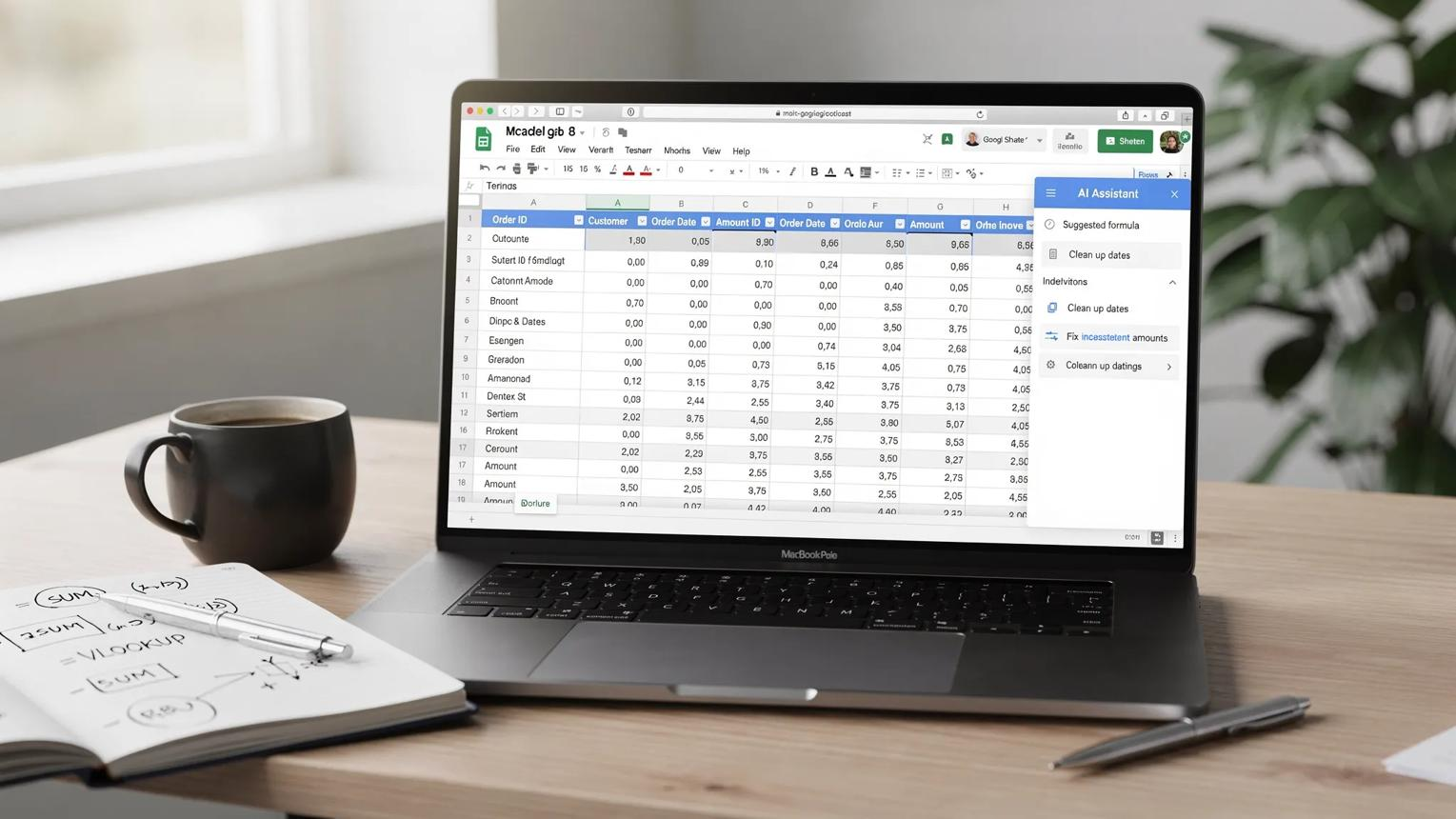
Spreadsheets are useful for managing information, but cleaning and analyzing data can take considerable time.
AI agents can assist with repetitive spreadsheet tasks and help transform raw information into useful summaries.
Spreadsheet tasks AI agents can help with
- Cleaning duplicate records.
- Categorizing data.
- Extracting information from tables.
- Summarizing spreadsheet contents.
- Identifying missing values.
- Preparing reports.
- Creating charts from structured data.
- Organizing content calendars.
- Comparing data across columns.
Practical example: Blog content calendar
Suppose you maintain a spreadsheet containing:
- Blog post titles.
- Target keywords.
- Publishing dates.
- Content status.
- Assigned writers.
- Internal linking status.
You can ask an AI agent:
"Review my content calendar, identify missing publishing dates, highlight articles without target keywords, and create a summary of upcoming posts."
The agent can help identify gaps and prepare a report.
Another example: Monthly expense spreadsheet
You could instruct an AI agent:
"Categorize the expenses in this spreadsheet, summarize spending by category, and prepare a monthly report."
This can make financial tracking easier, but you should verify calculations and review important financial decisions yourself.
9. Managing Personal Finance Tasks
AI agents can assist with everyday financial organization, especially tasks involving summaries, categorization, and reminders.
They should not be treated as a replacement for professional financial advice or independent judgment.
Everyday finance tasks AI agents can assist with
- Categorizing expenses.
- Summarizing monthly spending.
- Organizing receipts.
- Preparing budget reports.
- Tracking recurring expenses.
- Creating bill reminders.
- Identifying unusual entries for review.
Practical example
You can ask an AI agent:
“Review my monthly expense spreadsheet, group expenses into categories, and prepare a summary showing where I spent the most.”
The result may help you understand spending patterns and plan a budget.
What AI agents should not do without approval
Avoid giving an AI agent permission to independently:
- Transfer money.
- Approve payments.
- Make investment decisions.
- Share financial account details.
- Change important financial settings.
For sensitive financial tasks, human review and appropriate security controls are essential.
10. Planning Travel and Daily Activities

Planning a trip often involves researching destinations, comparing options, organizing bookings, and creating an itinerary.
AI agents can help combine these tasks into a more organized travel planning workflow.
How AI agents help with travel planning
- Research destinations.
- Suggest activities.
- Compare travel options.
- Create itineraries.
- Organize booking information.
- Prepare packing lists.
- Set travel reminders.
- Suggest alternative plans.
Practical example
Suppose you are planning a three-day trip.
You can ask:
"Create a three-day travel itinerary for my destination. Include sightseeing, food options, travel time, and a packing checklist. Keep the plan within my budget."
An AI agent can help research options and organize a draft itinerary.
Before relying on the plan, verify opening hours, booking availability, travel requirements, and local conditions.
Why travel automation is useful
Instead of switching between multiple tabs and notes, you can use AI to organize the information into one clear plan.
11. Automating Customer Support and Business Tasks

Small businesses, bloggers, and online entrepreneurs often spend time answering similar customer questions and managing support requests.
AI agents can help automate routine support workflows while allowing humans to handle complex cases.
Customer support tasks AI agents can automate
- Categorizing support tickets.
- Drafting replies to common questions.
- Summarizing customer conversations.
- Identifying urgent issues.
- Preparing follow-up reminders.
- Updating supported CRM records.
- Escalating complex requests.
Practical example
A customer contacts your business with a common question about a service.
An AI agent could:
- Read the incoming support request.
- Identify the topic.
- Find the relevant information from approved documentation.
- Draft a helpful response.
- Send it for review or route it through an approved workflow.
Benefits for online businesses
- Faster responses to routine questions.
- Less repetitive manual work.
- Better organization of customer requests.
- More time for business development.
- Improved consistency in customer communications.
Important: Complaints, refunds, account security issues, and sensitive customer matters should receive appropriate human oversight.
12. Automating Social Media Workflows

Social media management requires consistent content creation, scheduling, and audience engagement.
AI agents can help simplify these activities by turning existing content into multiple social media assets.
Social media tasks AI agents can automate
- Generating content ideas.
- Drafting captions.
- Repurposing blog posts.
- Preparing content calendars.
- Suggesting hashtags.
- Creating post variations.
- Summarizing content performance.
- Drafting responses to comments.
Practical example: Turn one blog post into social media content
Suppose you publish an article titled “How AI Agents Can Automate Everyday Tasks.”
An AI agent could help create:
| Platform | Content idea |
|---|---|
| A professional summary of AI productivity tips | |
| An engaging post explaining everyday AI automation | |
| A carousel outline featuring five AI use cases | |
| X | Short tips about automating repetitive tasks |
| A visual title and description for the blog post |
You can then review and adapt each version to suit the platform.
Best practice
AI-generated content should not be published blindly. Check accuracy, tone, originality, and relevance before posting.
How to Automate Everyday Tasks With AI Agents
Now that you understand the common use cases, let’s look at how to start using AI agents in your daily routine.
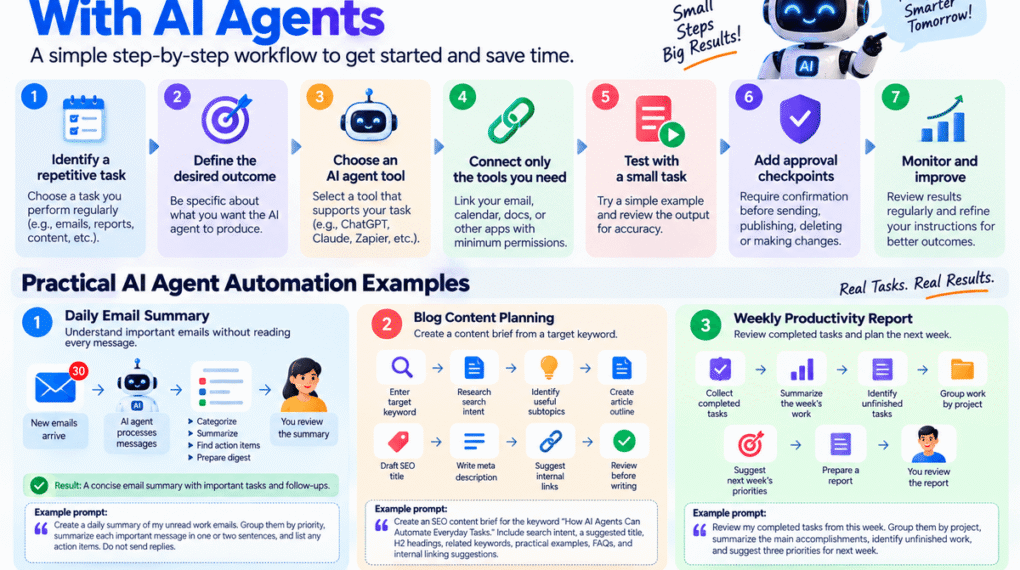
You do not need to automate your entire life on the first day. A better approach is to choose one repetitive task and build a small workflow around it.
Step 1: Identify a repetitive task
Think about activities you perform every day or every week.
Examples include:
- Checking emails.
- Preparing reports.
- Updating spreadsheets.
- Writing social media captions.
- Organizing documents.
- Researching blog topics.
- Creating meeting notes.
Choose a task that is repetitive and has a clear expected result.
Step 2: Define the desired outcome
Be specific about what you want the AI agent to produce.
Instead of:
"Help me with emails."
Try:
"Summarize my unread work emails into a table with the sender, subject, important points, and action required."
Clear instructions help make the workflow easier to test and evaluate.
Step 3: Choose an AI agent tool
Select a tool that supports the type of task you want to automate.
For example:
- A general-purpose AI assistant for research and content workflows.
- An automation platform for connecting applications.
- A productivity assistant for supported email and calendar tasks.
- A custom workflow tool for more advanced automation.
Not every AI tool can perform every action. Check its current features and integrations.
Step 4: Connect only the tools you need
If your workflow involves email, calendar, documents, or spreadsheets, you may need to connect those applications.
Use the minimum permissions necessary.
For example, an agent that only needs to read calendar availability should not automatically receive permission to modify every calendar event.
Step 5: Test with a small task
Start with a simple example.
For instance:
"Summarize the five latest emails in my work inbox."
Review the output and check whether the agent understood your instructions correctly.
Step 6: Add approval checkpoints
Some tasks should not happen without your confirmation.
Require approval before:
- Sending emails.
- Publishing blog posts.
- Deleting files.
- Making purchases.
- Transferring money.
- Changing important account settings.
Approval checkpoints reduce the risk of unintended actions.
Step 7: Monitor and improve the workflow
Review the results regularly.
Ask yourself:
- Did the agent complete the task correctly?
- Did it miss important information?
- Did it use the right tools?
- Were the instructions clear?
- Can any step be simplified?
Improve the workflow based on what you learn.
Practical AI Agent Automation Examples
Here are three simple workflows that beginners can understand and try.
Example 1: Daily email summary
Goal: Understand important emails without reading every message immediately.
Trigger
New emails arrive.
AI agent processes the messages.
AI agent actions
- Categorize messages.
- Summarize important emails.
- Identify action items.
- Prepare a daily digest.
Human review
Result: A concise email summary with important tasks and follow-ups.
Example prompt
Create a daily summary of my unread work emails. Group them by priority, summarize each important message in one or two sentences, and list any action items. Do not send replies.
Example 2: Blog content planning
Goal: Create a content brief from a target keyword.
Workflow
- Enter the target keyword.
- Research relevant search intent.
- Identify useful subtopics.
- Create an article outline.
- Draft the SEO title.
- Prepare a meta description.
- Suggest internal links.
- Review the brief before writing.
Example prompt
Create an SEO content brief for the keyword "How AI Agents Can Automate Everyday Tasks." Include search intent, a suggested title, H2 headings, related keywords, practical examples, FAQs, and internal linking suggestions.
This is particularly useful for bloggers who publish multiple articles every month.
Example 3: Weekly productivity report
Goal: Review completed tasks and plan the next week.
Workflow
- Collect completed tasks from a task management app.
- Summarize the week’s work.
- Identify unfinished tasks.
- Group work by project.
- Suggest priorities for next week.
- Prepare a report for review.
Example prompt
Review my completed tasks from this week. Group them by project, summarize the main accomplishments, identify unfinished work, and suggest three priorities for next week.
This workflow can help you reflect on progress and organize future work.
Best AI Agent Tools for Automating Everyday Tasks
Different AI tools are suited to different automation needs. The best choice depends on the applications you use, the complexity of the task, and the level of automation you require.
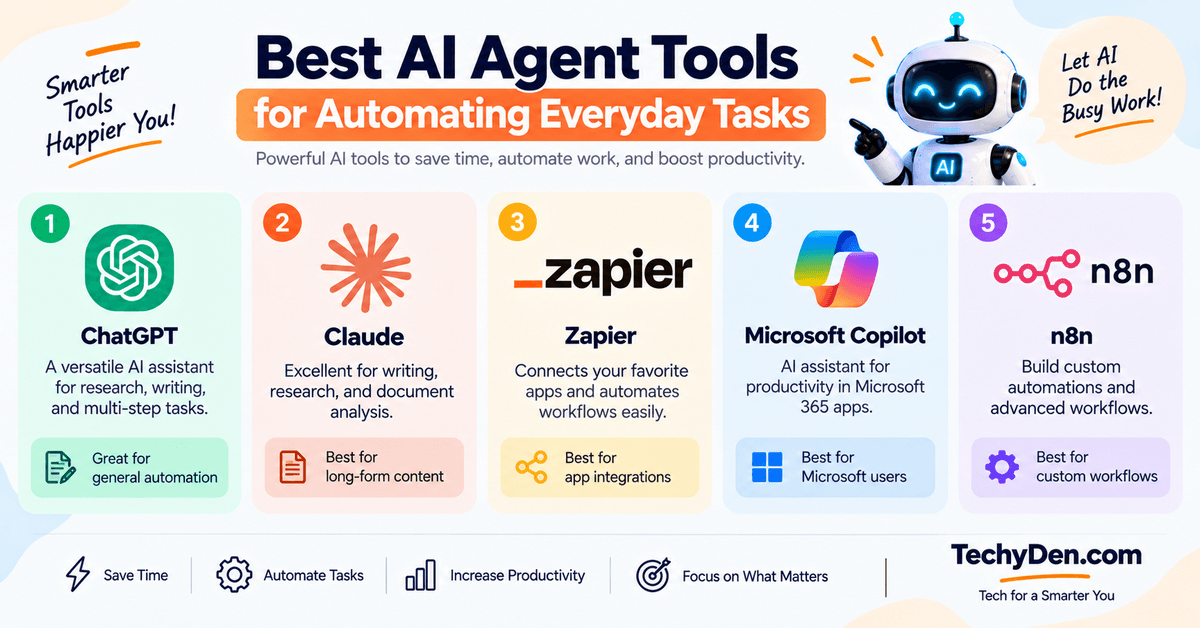
The following tools are useful starting points. Their exact agent features, integrations, and availability can change, so verify the current capabilities before publishing or recommending a specific workflow.
1. ChatGPT

ChatGPT can help with content planning, research, task organization, and multi-step activities where its available tools and permissions support them.
Best for: General-purpose AI assistance, research, writing, and supported agent workflows.
Useful for:
- Blog content creation.
- Research assistance.
- Everyday planning.
- Document analysis.
- Productivity workflows.
Official website: ChatGPT
Related article: Best ChatGPT Prompts for SEO | 1980s AI Photo Prompts
2. Claude
Claude is useful for working with long documents, developing content ideas, and assisting with complex writing and research tasks.
Best for: Writing, document analysis, research, and supported tool-based workflows.
Useful for:
- Drafting articles.
- Summarizing documents.
- Brainstorming content.
- Research assistance.
- Structured writing workflows.
Official website: Claude
Related article: Claudi.AI Review | Claude AI and Models | Claude AI Pricing for Indian Users
3. Zapier

Zapier is a popular workflow automation platform that can connect applications and move information between them using triggers, actions, and supported AI features.
Best for: Connecting apps and automating repetitive workflows.
Useful for:
- Moving form submissions into spreadsheets.
- Creating task records from emails.
- Connecting content tools.
- Automating business workflows.
- Integrating multiple applications.
Official website: Zapier
4. Microsoft Copilot

Copilot can help users with tasks involving documents, email, meetings, and other Microsoft productivity tools, depending on the product and account.
Best for: Productivity workflows in supported Microsoft applications.
Useful for:
- Summarizing documents.
- Assisting with email and meetings.
- Working with Microsoft productivity tools.
- Preparing drafts and reports.
Official website: Microsoft Copilot
5. n8n

n8n is a workflow automation platform that allows users to connect services and build more customized workflows. It is particularly useful for users who want more control over automation logic.
Best for: Custom automation workflows and advanced integrations.
Useful for:
- Connecting APIs and services.
- Building custom workflows.
- Processing data.
- Creating multi-step automations.
- Developing advanced AI workflows.
Official website: n8n
AI Agent Tool Comparison
| Tool | Best use case | Coding required? |
|---|---|---|
| ChatGPT | General AI task assistance | Not always |
| Claude | Research and writing | Not always |
| Zapier | App-to-app automation | Usually no-code for basic workflows |
| Microsoft Copilot | Microsoft productivity | Usually no-code for basic use |
| n8n | Custom workflows | Optional, depending on workflow |
Important: No-code does not mean every workflow is automatic. Some tasks still require setup, app connections, permissions, and human approval.
Benefits of Using AI Agents for Everyday Tasks
AI agents can provide several benefits when used appropriately.
- Save time on repetitive work: AI agents can handle or assist with repetitive steps such as summarizing emails, organizing information, and preparing drafts. This allows you to spend more time on important activities.
- Improve productivity: Instead of switching between multiple apps and manually copying information, a connected workflow may reduce unnecessary steps. For example, a task can be created automatically from a message when the required integration supports it.
- Organize information more efficiently: AI agents can summarize documents, categorize data, and prepare structured reports. This is especially useful for bloggers, business owners, and students who work with large amounts of information.
- Help manage complex workflows: A larger goal can often be divided into smaller steps. For example, creating a blog post may involve:
- Research.
- Keyword planning.
- Outline creation.
- Drafting.
- Editing.
- Promotion. An AI agent can help coordinate parts of this process.
- Reduce manual errors in structured workflows: Automation can reduce certain mistakes caused by repetitive data entry or copying information between applications. However, AI agents can also make errors, so important outputs should be checked.
- Make advanced automation more accessible: Many modern AI tools allow users to create useful workflows without writing code. This makes automation more accessible to bloggers, freelancers, students, and small businesses.
Limitations and Risks of AI Agent Automation
Although AI agents can be helpful, they are not perfect. Understanding their limitations is essential before giving them access to important applications or information.
1. AI agents can make mistakes
AI agents may misunderstand instructions, generate incorrect information, or complete a task incorrectly.
For example, an agent researching a product may confuse an old feature with a current one.
Solution: Verify important information and review the results before using them.
2. Privacy and security concerns
AI agents may need access to email, files, calendars, or other applications.
If permissions are not managed carefully, sensitive information could be exposed or used incorrectly.
Best practices:
- Grant only necessary permissions.
- Avoid sharing passwords.
- Use trusted integrations.
- Review connected applications.
- Protect sensitive documents.
- Remove access when it is no longer needed.
3. Not every task should be fully automated
Some activities require human judgment.
Examples include:
- Financial transfers.
- Legal decisions.
- Medical decisions.
- Important business approvals.
- Sensitive customer complaints.
- Permanent file deletion.
AI agents can assist with preparation, but humans should retain control over high-impact decisions.
4. Automation may require setup
Even simple workflows may require:
- Connecting applications.
- Configuring triggers.
- Creating instructions.
- Testing the workflow.
- Setting permissions.
- Monitoring results.
Automation is not always instant or completely hands-off.
5. AI agents may produce inconsistent results
An agent may complete the same type of task differently depending on the input, available tools, or instructions.
Use clear prompts, structured formats, and approval steps to improve consistency.
Tips to Get Better Results From AI Agents
Follow these practical tips to make your AI automation workflows more reliable.
1. Give clear instructions
Explain exactly what you want the agent to do.
Instead of:
"Manage my content."
Try:
"Create a weekly content calendar with five blog ideas, target keywords, suggested titles, and publishing dates."
2. Define the expected output
Tell the agent whether you want a table, checklist, summary, email draft, or report.
A clear output format makes the results easier to review.
3. Start with small workflows
Do not begin by automating a complicated business process.
Start with one task, such as summarizing emails or organizing a content calendar.
4. Provide relevant context
Include information that helps the agent understand your goals.
For example:
- Your target audience.
- Your preferred writing style.
- Your content niche.
- Your deadlines.
- Your preferred tools.
5. Set permissions carefully
Only connect the applications and accounts needed for the workflow.
6. Use human approval for sensitive actions
Require confirmation before an agent sends, publishes, deletes, purchases, or changes important information.
7. Review results regularly
Check whether the agent is completing tasks accurately and efficiently.
8. Improve prompts over time
If the output is not useful, refine the instructions.
For example, add:
- Word count.
- Formatting requirements.
- Target audience.
- Tone.
- Required fields.
- Excluded content.
9. Keep important records
For business and work tasks, maintain records of important actions and approvals where appropriate.
10. Expand gradually
Once one workflow works reliably, consider automating another related task.
Frequently Asked Questions on AI Agents Automation Tasks
How can AI agents automate everyday tasks?
AI agents can automate everyday tasks by understanding a goal, planning steps, using supported tools, and completing actions with varying levels of human supervision. They can help with emails, scheduling, research, document organization, content creation, and task management. The exact capabilities depend on the AI tool, connected applications, permissions, and workflow configuration.
What are the best everyday tasks to automate with AI?
The best tasks to automate are repetitive activities with clear instructions and predictable outcomes. Examples include summarizing emails, organizing to-do lists, preparing reports, researching topics, drafting messages, and creating content calendars. Start with a small task that takes time every day and does not require constant human judgment.
Can AI agents manage emails and calendars?
Yes, some AI agents can assist with email and calendar management when the required integrations and permissions are available. They may summarize emails, draft replies, find meeting times, and prepare calendar events. Important actions, such as sending messages or changing appointments, should be reviewed and approved when appropriate.
Are AI agents useful for bloggers and content creators?
AI agents can be useful for bloggers because they can assist with research, topic ideas, SEO outlines, content briefs, meta descriptions, and social media drafts. They can reduce repetitive content planning work, but bloggers should still add original insights, verify facts, edit the writing, and ensure the content satisfies search intent.
Do you need coding skills to use AI agents?
You do not always need coding skills to use AI agents. Many tools provide natural-language interfaces and no-code workflow features. However, advanced automations may require technical knowledge, API connections, or custom workflow logic. Beginners can start with simple tasks using a general AI assistant or a no-code automation platform.
Are AI agents safe to use for personal tasks?
AI agents can be useful for personal tasks, but safety depends on the tool, permissions, and information being shared. Avoid giving unnecessary access to sensitive accounts or documents. Review important outputs and require approval for financial transactions, purchases, deletion, or other high-impact actions.
What is the difference between AI agents and automation tools?
Traditional automation tools usually follow predefined triggers and actions. AI agents can add flexible reasoning, natural-language instructions, and multi-step task execution. Many modern platforms combine both approaches. An automation tool may move information between apps, while an AI agent can help decide what to do with that information.
How do I start using an AI agent for daily productivity?
Start by choosing one repetitive task, such as creating a daily email summary or organizing your to-do list. Define the expected result, choose a suitable AI tool, and connect only the required applications. Test the workflow with a small task, review the output, and gradually add more automation.
Final Thoughts on How AI Agents Can Automate Everyday Tasks
AI agents are making it easier to automate everyday tasks and improve productivity. From managing emails and scheduling meetings to researching blog topics and organizing documents, they can help reduce repetitive work and simplify complex workflows.
The best way to get started is to choose one task that you perform regularly. Give the AI agent clear instructions, define the expected result, and review the output before expanding the workflow.
For bloggers and content creators, AI agents can be particularly useful for content research, SEO planning, writing assistance, and social media preparation. However, human creativity, fact-checking, and editorial judgment remain essential.
Start small, automate wisely, and use AI agents as productivity assistants rather than replacements for human judgment.