Best AI SEO Tools for Bloggers in 2026: 10+ Tools Compared

SEO has become more complex for bloggers. Ranking a blog post today involves much more than adding a few keywords to an article. Bloggers need to understand search intent, find valuable keywords, analyze competitors, optimize content, build internal links, monitor technical SEO issues, and increasingly think about visibility in AI-powered search experiences.
This is where AI SEO tools can help.
The best AI SEO tools can speed up keyword research, analyze search results, identify content gaps, create SEO-focused content briefs, optimize blog posts, suggest internal links, and simplify repetitive SEO tasks. Some tools also provide features designed to help websites understand their visibility in emerging AI search and generative search experiences.
However, not every AI SEO tool does the same job. Some are primarily designed for keyword research and competitor analysis, while others focus on content optimization, technical SEO, rank tracking, or AI-assisted content workflows.
In this guide, we’ll compare the best AI SEO tools for bloggers in 2026, explain what each tool does best, and show you which type of blogger can benefit from each one.
If you’re looking for a broader collection of AI-powered tools for writing, research, productivity, images, and blogging, check out our guide to the best AI tools for bloggers. This article, however, focuses specifically on AI-powered SEO tools and workflows.
Important: AI SEO tools can make SEO research and optimisation faster, but they don’t guarantee higher Google rankings. Use their recommendations as data and guidance, then combine them with original expertise, first-hand experience, useful content, and real search-performance data.
Quick Comparison of the Best AI SEO Tools for Bloggers
Choosing an AI SEO tool becomes much easier when you compare the features that matter most to your blogging workflow. Some platforms are built primarily for keyword research and competitor analysis, while others specialise in content optimisation, technical SEO, or visibility across AI search platforms.
The table below gives you a quick overview of the major tools covered in this guide.
| Tool | Best for | Keyword research | Content optimization | Technical SEO | AI search | Price* | Best suited for |
|---|---|---|---|---|---|---|---|
| Semrush | All-in-one SEO and AI visibility | ✅ Excellent | ✅ Excellent | ✅ Excellent | ✅ Yes | From $139.95/mo for SEO; AI Visibility from $99/mo | Serious bloggers, affiliate sites, publishers |
| Ahrefs | Keywords, backlinks and competitors | ✅ Excellent | ✅ Good | ✅ Excellent | ✅ Yes | From $129/mo for Lite | Bloggers focused on SEO research and backlinks |
| Surfer | AI content optimization | ✅ Good | ✅ Excellent | ◐ Limited | ✅ Yes | Verify current plan | Content-focused bloggers |
| Frase | Content briefs and optimization | ◐ Good | ✅ Excellent | ❌ Limited | ✅ Yes | From $39/mo billed yearly | Solo bloggers and content teams |
| Clearscope | Content optimization | ◐ Good | ✅ Excellent | ❌ Limited | ◐ Some capabilities | Verify current plan | Publishers focused on content quality |
| SE Ranking | Affordable all-in-one SEO | ✅ Good | ✅ Good | ✅ Good | ◐ Selected features | Verify current plan | Small websites and growing blogs |
| Ubersuggest | Beginner-friendly SEO research | ✅ Good | ◐ Good | ✅ Good | ◐ Limited | Verify current plan | SEO beginners and small blogs |
| MarketMuse | Content strategy and topical authority | ◐ Good | ✅ Excellent | ◐ Limited | ◐ Selected capabilities | Verify current plan | Content-heavy websites |
| NeuronWriter | Semantic content optimization | ◐ Good | ✅ Excellent | ❌ Limited | ◐ Selected capabilities | Verify current plan | Budget-conscious content creators |
| Google Search Console | First-party Google search data | ✅ Search queries | ◐ Limited | ✅ Good | ❌ | Free | Every blogger |
| Bing Webmaster Tools | Bing SEO and site diagnostics | ✅ Good | ◐ Limited | ✅ Good | ❌ | Free | Bloggers wanting additional search data |
| ChatGPT | AI-assisted SEO workflows | ◐ With data/tools | ✅ Good | ◐ Analysis assistance | ◐ Depends on workflow | Free and paid plans | Bloggers who want an AI SEO assistant |
*Prices are starting prices and can vary by billing cycle, region, plan, usage limits, add-ons, and promotional offers. Verify the vendor’s pricing page before publishing or purchasing.
A few things to know about this comparison
Semrush currently combines traditional SEO capabilities with AI search visibility features. Its current SEO and AI search plans include keyword research, competitor analysis, site auditing, rank tracking, and AI search tracking, while its AI visibility tools can monitor visibility across platforms such as ChatGPT, Google AI, Gemini, and Perplexity.
- Ahrefs is also expanding beyond traditional SEO. Its current plans include AI-prompt tracking, while its Brand Radar product provides AI-visibility research across platforms, including Google AI Overviews, AI Mode, ChatGPT, Perplexity, Copilot, and Gemini. Ahrefs also provides AI-assisted features for tasks such as content assistance and search-intent analysis.
- Frase is particularly focused on the content side of SEO. Its current starter plan includes SEO and GEO scores and AI visibility tracking for ChatGPT and Google AI, making it relevant for bloggers who want to connect content optimisation with emerging AI search visibility.
For most bloggers, you don’t need all of these tools. The right choice depends on how often you publish, how large your website is, which SEO tasks you perform most often, and how much you want to spend on SEO software.
As Google continues expanding AI-powered search experiences, understanding Google AI Mode can help bloggers understand how search results are evolving beyond traditional blue-link listings.
The following sections examine each tool in more detail, including its key features, strengths, limitations, pricing, and the type of blogger who is most likely to benefit from it.
What Are AI SEO Tools?
AI SEO tools are software platforms that use artificial intelligence, machine learning, natural language processing, large language models, or automated data analysis to help website owners perform SEO tasks more efficiently.

Traditional SEO often requires bloggers to manually research keywords, analyse search results, study competing pages, identify content gaps, audit websites, and optimize articles. AI-powered SEO tools can automate or accelerate many of these tasks by analyzing large amounts of information and turning it into recommendations.
For bloggers, this can mean spending less time on repetitive SEO research and more time creating useful, original content.
How AI Is Used in SEO Software
AI can be incorporated into SEO platforms in several different ways. Depending on the tool, it may help with:
- Keyword research: Discovering related topics, keyword variations, and search-intent patterns.
- Search-intent analysis: Identifying whether users are looking for informational, commercial, navigational, or transactional content.
- Content research: Analyzing search results to identify commonly covered topics, questions, entities, and subtopics.
- Content optimization: Comparing an article with competing content and suggesting topics or terms that may improve topical coverage.
- Content briefs: Automatically creating outlines based on SERP and competitor analysis.
- Competitor analysis: Finding content gaps and identifying keywords or topics competitors are targeting.
- Internal linking: Identifying relevant pages and suggesting potential internal-link opportunities.
- Technical SEO: Detecting certain website problems and prioritizing potential fixes.
- Rank tracking and analysis: Helping interpret ranking changes and search-performance patterns.
- AI search optimization: Analyzing visibility or mentions in AI-powered search experiences where the platform supports these features.
The exact capabilities vary considerably between platforms. An AI content optimizer, for example, is designed for a different purpose than an enterprise SEO platform with keyword, backlink, technical-audit, and rank-tracking databases.
AI-Assisted SEO vs. Traditional SEO Tools
The biggest difference isn’t necessarily that AI replaces traditional SEO. Instead, AI can make many existing SEO workflows faster and easier to analyse.
| Traditional SEO workflow | AI-assisted SEO workflow |
|---|---|
| Manually review competing pages | AI summarizes and analyzes competing content |
| Manually group keywords | AI helps cluster related keywords |
| Build content briefs manually | AI can generate an initial content brief |
| Manually identify content gaps | AI can surface missing topics and subtopics |
| Review articles manually | AI can identify potential optimization opportunities |
| Search manually for internal links | AI can suggest related pages |
| Analyze large datasets manually | AI can help identify patterns and trends |
| Write SEO recommendations manually | AI can generate draft recommendations. |
However, traditional SEO data remains extremely important.
For example, a keyword research platform may provide actual search volume, keyword difficulty, ranking information, backlink data, and SERP results. AI can then help you interpret or organize that information.
This is an important distinction for bloggers: AI-generated analysis is not the same thing as an SEO database.
AI Recommendations vs. Actual SEO Data
AI SEO tools can produce useful recommendations, but you should understand where those recommendations come from.
Consider a tool suggesting that you target a particular keyword.
The recommendation might be based on:
- Search-result analysis
- Keyword relationships
- Existing content
- Semantic relationships
- Historical datasets
- Search-intent classification
- The tool’s own algorithms
But the recommendation itself doesn’t automatically mean that the keyword has high search volume, low competition, or a realistic opportunity for your website.
Similarly, an AI tool might recommend adding a particular topic to an article. That doesn’t mean Google requires that exact topic for the page to rank.
For important decisions, combine AI recommendations with real SEO data from sources such as Google Search Console, keyword databases, SERP analysis, backlink data, and your own website’s performance.
Why Bloggers Should Verify AI SEO Recommendations
AI can be extremely useful for speeding up SEO work, but bloggers shouldn’t blindly implement every recommendation.
Before making significant SEO changes, check whether the recommendation:
- Matches the search intent of your target keyword.
- Makes sense for your audience rather than simply satisfying an algorithm.
- Is supported by actual search data where data is available.
- Fits naturally into the article instead of creating keyword stuffing.
- Adds useful information that readers actually need.
- Reflects your first-hand knowledge or experience where appropriate.
- Doesn’t conflict with Google’s current search guidelines or your site’s SEO strategy.
For example, if an AI content optimizer tells you to increase the number of times a keyword appears on a page, blindly following that recommendation could make the article repetitive and less natural. A better approach is to determine whether the topic is genuinely relevant and then cover it naturally.
The same principle applies to AI-generated titles, meta descriptions, outlines, internal-link suggestions, and technical SEO recommendations.
AI SEO Tools Are Assistants, Not Automatic Ranking Machines
The most effective way to use AI SEO software is to treat it as an SEO assistant rather than an automatic ranking system.
A practical workflow looks like this:
SEO data → AI-assisted analysis → Human review → Content optimization → Publish → Measure results → Improve
This approach combines the speed of AI with real search-performance data and human judgment.
Ultimately, the goal isn’t to make an article satisfy an AI tool’s score. The goal is to create a page that matches search intent, provides genuinely useful information, demonstrates expertise, and gives readers a better answer than the alternatives.
What Can AI SEO Tools Help Bloggers Do?
AI SEO tools can help bloggers with almost every stage of the search optimization process, from finding a topic to monitoring how an article performs after publication. The biggest advantage is that they can reduce repetitive research and help turn large amounts of SEO data into actionable recommendations.
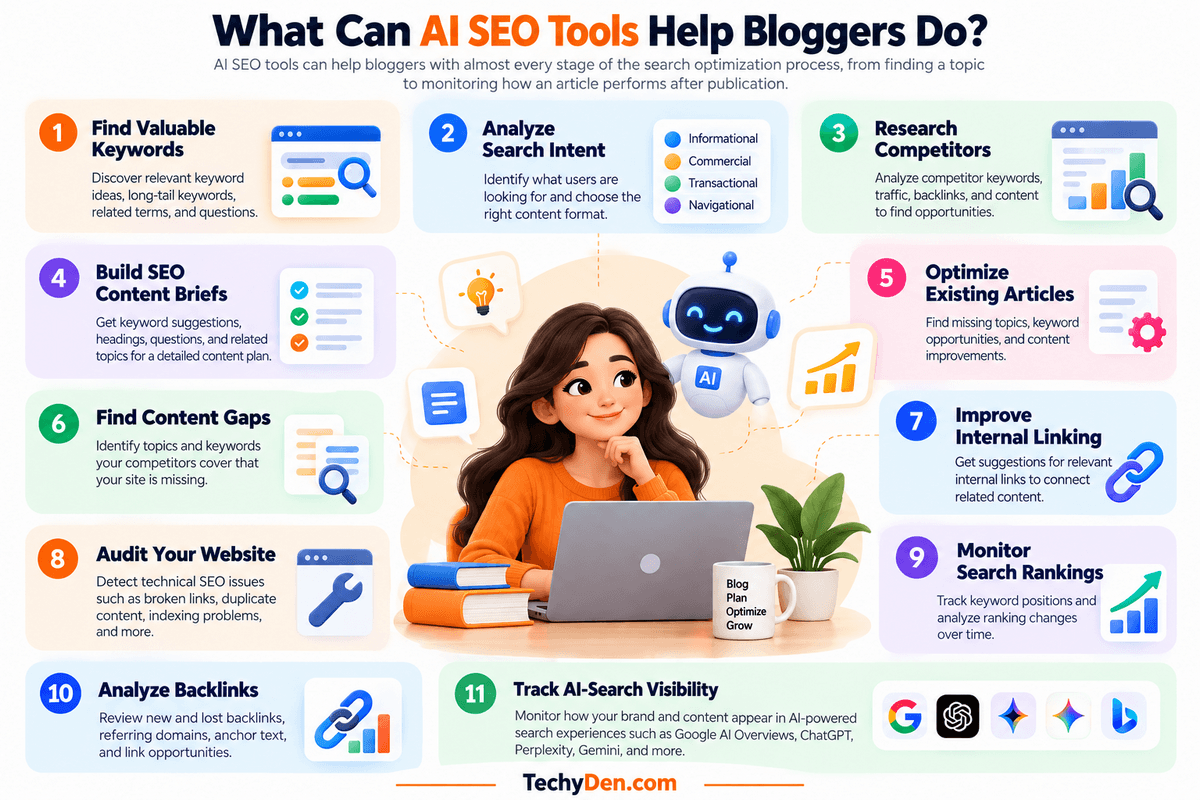
Here are some of the most useful ways bloggers can use AI SEO tools.
1. Find Valuable Keywords
AI-powered SEO platforms can help you discover keywords related to your niche, including long-tail keywords, related search terms, questions, and topic variations.
Instead of targeting only broad keywords such as “SEO tools,” a blogger can use keyword research tools to uncover more specific opportunities such as:
- AI SEO tools for bloggers
- AI SEO tools for WordPress
- affordable AI SEO tools
- AI tools for keyword research
- best AI SEO tools for small blogs
The goal isn’t simply to find keywords with the highest search volume. Bloggers should also consider search intent, competition, topical relevance, and whether the keyword is realistic for their website.
2. Analyze Search Intent
AI can help classify the intent behind a search query and identify what type of content users are likely looking for.
For example, the keyword “best AI SEO tools” has a different intent from “how to use AI for SEO.”
A tool may help categorize keywords as:
- Informational
- Commercial investigation
- Transactional
- Navigational
Understanding intent helps you choose the right content format, whether that’s a tutorial, comparison, review, listicle, product page, or comprehensive guide.
3. Research Competitors
Competitor research is another area where AI can save bloggers considerable time.
SEO platforms can help identify:
- Competitors ranking for your target keywords
- Keywords competitors rank for
- Pages generating organic traffic
- Backlinks pointing to competitor pages
- Topics your competitors cover
- Content that may be missing from your website
- Changes in competitor rankings
AI can then help organize this information and highlight patterns worth investigating.
However, don’t simply copy competing pages. Use competitor research to understand what searchers expect and where you can provide something more useful or different.
4. Build SEO Content Briefs
Creating a detailed content brief before writing can make the publishing process much more efficient.
AI SEO tools can analyze search results and help generate recommendations for:
- Primary keyword
- Secondary keywords
- Search intent
- Suggested headings
- Questions to answer
- Related topics
- Entities
- Content length
- Competitor topics
- Internal-link opportunities
For example, before writing an article about AI SEO tools for bloggers, an AI-assisted content brief could identify keyword research, content optimization, technical SEO, competitor analysis, and AI-search visibility as important subtopics.
The blogger can then review and improve the brief before writing.
5. Optimize Existing Articles
AI SEO tools aren’t only useful for new content. They can also help identify opportunities to improve articles that are already published.
An optimization tool might highlight:
- Missing topics
- Weak topical coverage
- Keyword opportunities
- Poor heading structure
- Missing questions
- Potentially weak title and meta description
- Content that needs updating
This makes AI SEO tools particularly useful for content refresh campaigns.
Instead of constantly publishing new articles, bloggers can use real search-performance data to identify existing pages that deserve an update.
6. Find Content Gaps
A content gap occurs when competing websites cover useful topics or keywords that your website doesn’t adequately address.
AI-powered SEO platforms can compare your content with competitors and help identify these gaps.
For example, if several competing articles about a particular topic cover:
- Pricing
- Features
- Alternatives
- Use cases
- Pros and cons
while your article only discusses features, an AI-assisted content analysis may identify those missing areas.
The important point is to evaluate whether the gap is genuinely useful to your readers before adding it.
7. Improve Internal Linking
Internal links help connect related pages across your website and make it easier for both readers and search engines to discover relevant content.
AI SEO tools can help identify potential internal-link opportunities by analyzing:
- Page topics
- Keywords
- Related content
- Existing links
- Anchor text
- Content relationships
For a growing blog such as TechyDen, this can be particularly useful because manually checking hundreds of articles for relevant internal links becomes increasingly time-consuming.
A good internal-link recommendation should make contextual sense. Don’t add a link simply because an AI tool suggests it.
8. Audit Your Website
Technical SEO audits can identify potential problems that may affect crawling, indexing, usability, or search performance.
Depending on the platform, an AI-assisted SEO audit may help identify:
- Broken links
- Missing metadata
- Duplicate content
- Redirect problems
- Crawl issues
- Indexing problems
- HTTPS issues
- Canonical problems
- Sitemap issues
- Structured-data issues
- Page-speed-related opportunities
AI can help prioritize and explain these findings, making technical SEO easier for non-technical bloggers to understand.
However, serious technical changes should still be reviewed carefully before implementation.
9. Monitor Search Rankings
Rank-tracking tools allow bloggers to monitor how their pages perform for target keywords over time.
AI can help interpret ranking data by identifying:
- Ranking increases and declines
- Pages gaining or losing visibility
- Keyword groups experiencing changes
- Potential content-update opportunities
- Competitor movements
- Search-performance trends
Rather than checking hundreds of keywords manually, bloggers can use automated reporting and AI-assisted analysis to focus on the changes that deserve attention.
Remember that rankings can fluctuate for many reasons, so a single position change shouldn’t automatically trigger a major content update.
10. Analyze Backlinks
Backlinks remain an important part of SEO research, particularly for competitive topics.
SEO platforms can help bloggers analyze:
- New backlinks
- Lost backlinks
- Referring domains
- Competitor backlinks
- Anchor text
- Link opportunities
- Potentially valuable referring websites
AI can help summarize backlink datasets and identify patterns, but bloggers should evaluate the quality and relevance of a potential link rather than pursuing links simply because a tool assigns them a high metric.
For example, a relevant editorial link from a respected website in your niche may be more meaningful than a large number of unrelated low-quality links.
11. Track AI-Search Visibility
Search is increasingly expanding beyond traditional blue-link results. Depending on the platform and its current capabilities, some AI SEO tools can help monitor how a brand, website, or content is represented in AI-powered search experiences.
These features may track visibility across platforms such as:
- Google AI Overviews
- Google AI Mode
- ChatGPT
- Perplexity
- Gemini
- Microsoft Copilot
AI-search tracking can help bloggers investigate questions such as:
- Is my brand being mentioned?
- Which competitors are appearing in AI-generated answers?
- Which topics generate visibility for my website?
- Are my pages being cited or referenced?
- How does my visibility change over time?
AI-search measurement is still developing, and the metrics and coverage offered by each platform can differ significantly. Treat these reports as additional visibility data, not as a replacement for traditional Google Search performance data.
The Bigger Picture
The real value of AI SEO tools isn’t that they automate SEO completely. Their value is that they can help bloggers research faster, process more data, identify opportunities, and execute repetitive SEO tasks more efficiently.
A practical blogger workflow can look like this:
Keyword research → Search-intent analysis → Competitor research → Content brief → Article creation → Optimization → Internal linking → Publishing → Rank monitoring → Content refresh
When combined with first-hand expertise and real performance data from tools such as Google Search Console, AI SEO software becomes a powerful assistant rather than a replacement for SEO strategy.
How We Review AI SEO Tools
Choosing an AI SEO tool based only on its feature list can be misleading. A platform may advertise dozens of AI features but still not be the right choice for a blogger’s actual workflow.
For this guide, we evaluate AI SEO tools based on the SEO tasks bloggers actually perform, including keyword research, search-intent analysis, content optimization, technical SEO, competitor research, AI-search visibility, usability, pricing, and WordPress publishing workflows.
Our goal is not simply to identify the tool with the most features. Instead, we look at how useful those features are for bloggers and whether they can improve a practical SEO workflow.
1. Keyword Research
We evaluate how effectively each tool helps bloggers discover and evaluate keyword opportunities.
Our assessment includes:
- Keyword discovery
- Search-volume data
- Keyword difficulty
- Long-tail keyword suggestions
- Related keywords
- Question-based keywords
- Search-intent information
- Keyword clustering
- Competitor keyword research
- Historical or trend data where available
We also consider whether the tool provides enough context to determine whether a keyword is actually worth targeting.
A large keyword database is useful, but bloggers also need to understand competition, intent, topical relevance, and the likelihood of ranking with their current website authority.
If you use ChatGPT to organize and analyze keyword ideas, see our guide on how to use ChatGPT for keyword research for a practical workflow.
2. Search Intent and SERP Analysis
Finding a keyword is only the beginning. A successful SEO strategy also requires understanding what searchers expect when they enter that query.
We evaluate whether a tool can help analyze:
- Search intent
- Top-ranking pages
- SERP features
- Featured snippets
- People Also Ask questions
- Related searches
- Content formats
- Competitor page structure
- Search-result trends
A good AI SEO tool should help bloggers answer an important question:
What type of content does Google currently consider relevant for this search?
We also look at whether the tool provides useful SERP data rather than simply generating an AI summary without enough supporting information.
3. Content Optimization
Content optimization is one of the most important areas for bloggers.
We evaluate how well each platform helps improve an article after the initial research stage.
Our assessment includes:
- Topic coverage
- Keyword recommendations
- Semantic terms
- Entity recommendations
- Heading suggestions
- Content scoring
- Readability
- Content gaps
- Competitor comparisons
- Content refresh recommendations
However, we don’t treat an AI-generated content score as a ranking guarantee.
A blog post shouldn’t be rewritten simply to achieve a higher numerical score. The recommendations should improve relevance, completeness, clarity, and usefulness for readers.
4. Technical SEO
Technical SEO can become complicated as a website grows.
Where applicable, we evaluate whether a tool can identify and explain issues such as:
- Broken links
- Crawl errors
- Indexing problems
- Redirect issues
- Canonical problems
- Duplicate content
- Missing metadata
- XML sitemap issues
- HTTPS problems
- Structured-data opportunities
- Page-performance issues
We also consider how clearly the tool explains technical problems.
For bloggers who aren’t SEO specialists or developers, an actionable explanation such as what the problem is, why it matters, and how to investigate it is often more valuable than a long list of technical warnings.
5. Competitor and Backlink Analysis
Competitor research can reveal opportunities that aren’t immediately obvious from keyword research alone.
We evaluate whether tools can help bloggers understand:
- Competitor keywords
- Top-performing competitor pages
- Content gaps
- Competitor traffic estimates
- Backlink profiles
- Referring domains
- New and lost backlinks
- Competitor link opportunities
- Ranking changes
For backlink analysis, we focus on the usefulness and relevance of the data rather than simply the size of a tool’s backlink database.
A blogger should be able to use the information to understand why competitors are earning visibility and where legitimate opportunities may exist.
6. AI Search/GEO Features
Traditional Google rankings are no longer the only search visibility consideration for publishers.
Where supported, we evaluate tools that provide insights into AI search and generative engine optimization (GEO).
Depending on the platform, this may include visibility across:
- Google AI Overviews
- Google AI Mode
- ChatGPT
- Perplexity
- Gemini
- Microsoft Copilot
- Other AI-powered search experiences
We look at capabilities such as:
- AI-search visibility tracking
- Brand mentions
- Citation monitoring
- Competitor visibility
- Prompt tracking
- AI-generated answer analysis
- Share-of-voice measurements
- Changes in AI visibility over time
Because AI-search measurement is still evolving, we don’t assume that every platform’s AI visibility metric means the same thing. We explain what each tool actually measures where that information is available.
7. Ease of Use
Powerful SEO software isn’t particularly useful if a blogger can’t understand how to use it.
We therefore consider:
- Dashboard design
- Navigation
- Learning curve
- Quality of explanations
- Report clarity
- Workflow simplicity
- Availability of tutorials and documentation
- Automation
- Export options
- Overall usability
We pay particular attention to whether a solo blogger or small content team can use the platform without needing extensive SEO expertise.
8. Pricing and Value
Price is an important consideration for bloggers because many SEO platforms use monthly subscriptions, usage limits, credits, or separate add-ons.
We consider:
- Starting price
- Features included in entry-level plans
- Keyword or project limits
- AI credits
- Content-generation limits
- Rank-tracking limits
- Site-audit limits
- User or website restrictions
- Annual versus monthly billing
- Additional costs
- Free plans or trials where available
We don’t automatically consider the cheapest tool the best value.
Instead, we look at what you receive for the money and whether the features are useful for a blogger’s publishing volume and SEO requirements.
Blogger Workflow and WordPress Compatibility
Finally, we evaluate how naturally each tool fits into a real blogging workflow.
For WordPress bloggers, useful capabilities can include:
- WordPress integration
- Content-editor integrations
- SEO recommendations while writing
- Internal-link suggestions
- Content export
- Google Search Console integration
- Google Analytics integration
- API or automation options
- Browser extensions
- Collaboration features
A tool that looks impressive on paper but requires bloggers to constantly switch between multiple platforms may create unnecessary friction.
Our preferred workflow is straightforward:
Research → Plan → Write → Optimize → Publish → Monitor → Update
The best AI SEO software should make one or more of these stages faster or more effective without creating unnecessary complexity.
Our Overall Approach
We don’t evaluate AI SEO tools simply by counting features.
Instead, we ask:
Does this tool provide useful SEO data? Can a blogger understand its recommendations? Does it save meaningful time? Does it fit into a real publishing workflow? And does its cost make sense for the type of blogger using it?
This approach allows us to compare specialist tools fairly with broader SEO platforms and AI assistants.
Most importantly, AI recommendations are treated as inputs into the SEO process—not automatic instructions to follow. We combine tool capabilities with search data, human review, first-hand experience, and the actual needs of bloggers.
10+ Best AI SEO Tools for Bloggers in 2026
There is no single AI SEO tool that is ideal for every blogger. Some platforms combine keyword research, competitor analysis, technical SEO, and rank tracking, while others specialize in content optimization and AI-assisted writing.
The tools below are therefore organized around their primary strengths and practical use cases. Pricing and feature availability can change, so the prices mentioned here should be verified again when this article is updated.
1. Semrush
Best All-in-One SEO Platform
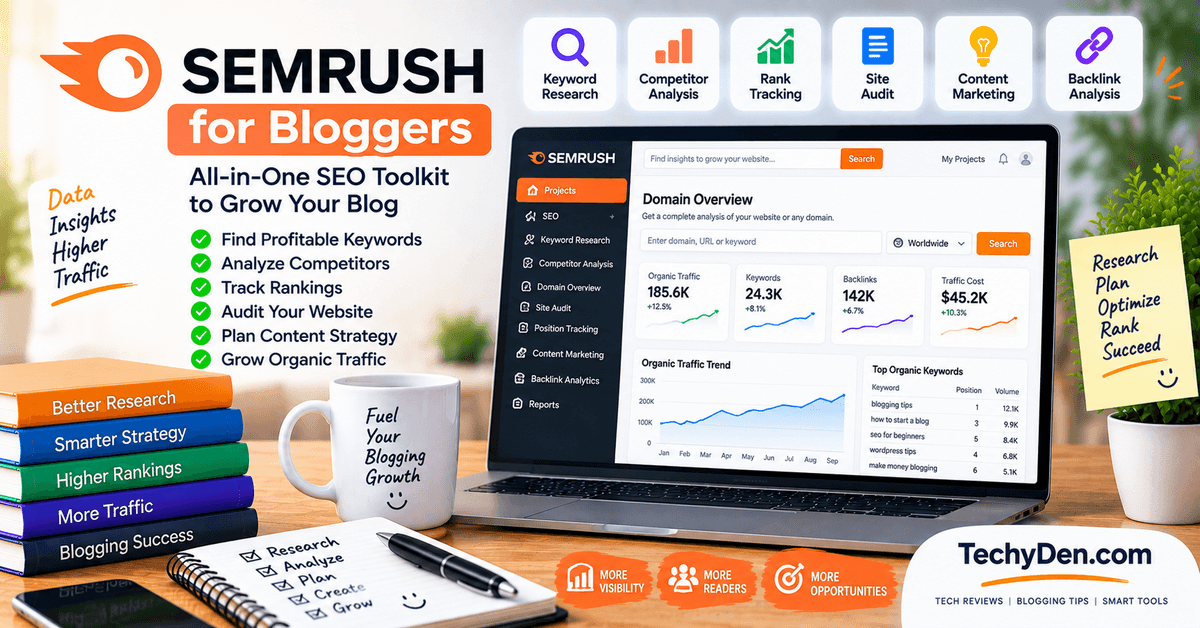
Semrush is an all-in-one SEO platform that helps bloggers research keywords, analyze competitors, audit websites, optimize content, track rankings, research backlinks, and monitor visibility across traditional and AI-powered search.
Its current platform combines SEO and AI-search capabilities, making it useful for bloggers who want to manage multiple parts of their SEO workflow from one place.
For bloggers, Semrush is particularly useful when SEO becomes a regular part of content planning and you need more comprehensive keyword, competitor, technical SEO, and performance data than basic free tools provide.
Key Features
- Keyword Research — Discover keyword ideas, search intent, keyword difficulty, and traffic potential. Semrush’s keyword database currently contains more than 28 billion keywords across regional databases.
- Keyword Magic Tool — Generate large numbers of related keyword opportunities and filter them to find terms that fit your content strategy.
- Keyword Strategy Builder — Organize keyword research into topic clusters and develop content plans around related search terms.
- Competitor Research — Analyze competitor keywords, ranking pages, organic visibility, backlinks, and areas where competitors have an advantage.
- Keyword Gap Analysis — Compare your website with competitors to identify keywords they rank for that your site may not currently target.
- Site Audit — Crawl your website to identify technical and on-page SEO issues, prioritize problems by severity, and monitor improvements over time.
- Content Optimization — Use Semrush’s content tools to research topics, create briefs, and optimize content around keywords and search opportunities.
- Rank Tracking — Track keyword positions across locations, devices, search engines, SERP features, and competitors. Semrush also supports tracking visibility across AI search experiences.
- Backlink Analysis — Analyze your site’s backlinks and research competitor link profiles to identify potential link-building opportunities.
- AI Search Visibility — Monitor how brands and content appear in AI-generated answers from platforms such as ChatGPT, Perplexity, Gemini, Claude, and Google AI Overviews.
- Prompt Research and Tracking — Research relevant prompts used in AI platforms and monitor how brands appear for selected prompts.
- SEO Reporting — Create reports and dashboards from Semrush data, with options for scheduled reporting and integrations depending on the plan.
Pros
- Comprehensive SEO platform
- Powerful keyword research and competitor analysis
- Strong technical SEO auditing
- Backlink research and rank tracking
- Content research and optimization capabilities
- Growing AI-search visibility features
- Useful for managing multiple websites and SEO projects
- Reporting and automation capabilities on higher plans
Cons
- More expensive than beginner-focused SEO tools
- Large number of features can be overwhelming for new users
- Higher plans are required for larger websites, keyword sets, and advanced capabilities
- Some AI-search and advanced SEO features have plan-specific limits
- Bloggers may not use enough features to justify the subscription cost
Pricing
Semrush currently offers several SEO + AI Search plans. The SEO plan costs $139/month when billed monthly or $117.33/month when billed annually. The current annual-billing structure also includes Starter at $165.17/month, Pro+ at $248.17/month, and Advanced at $455.67/month, with different website, keyword, AI-search, and other usage limits.
The current SEO plan includes monitoring for up to 5 websites and 500 daily tracked keywords, along with keyword research, competitor analysis, Position Tracking, Site Audit, AI-search performance tracking, AI sentiment monitoring, and AI visibility reports.
Semrush also provides a free option with limited functionality and currently advertises a 7-day free trial for its paid platform. Pricing, limits, and included features can change, so verify the official pricing page before publishing or purchasing.
Why Use Semrush?
Use Semrush when you want to bring several important SEO activities into one platform. Instead of switching between separate tools for keyword research, competitor analysis, technical SEO, backlink research, rank tracking, and content research, Semrush provides these capabilities within its broader SEO ecosystem.
For bloggers, one of its biggest advantages is the ability to move through the SEO workflow from keyword discovery → competitor research → content planning → optimization → technical auditing → rank tracking.
Its newer AI-search capabilities also make it relevant for bloggers who want to understand how their content and brand appear in AI-generated search experiences, alongside traditional Google search visibility.
However, Semrush is not necessarily the right starting point for every blogger. If you publish only a few articles a month and mainly need basic keyword research, free SEO data and simpler tools may be sufficient.
Best for: Bloggers, affiliate publishers, content teams, SEO professionals, and website owners who need an all-in-one platform for keyword research, competitor analysis, technical SEO, content optimization, backlink research, rank tracking, and AI-search visibility.
2. Ahrefs
Best for Keyword, Competitor and Backlink Research
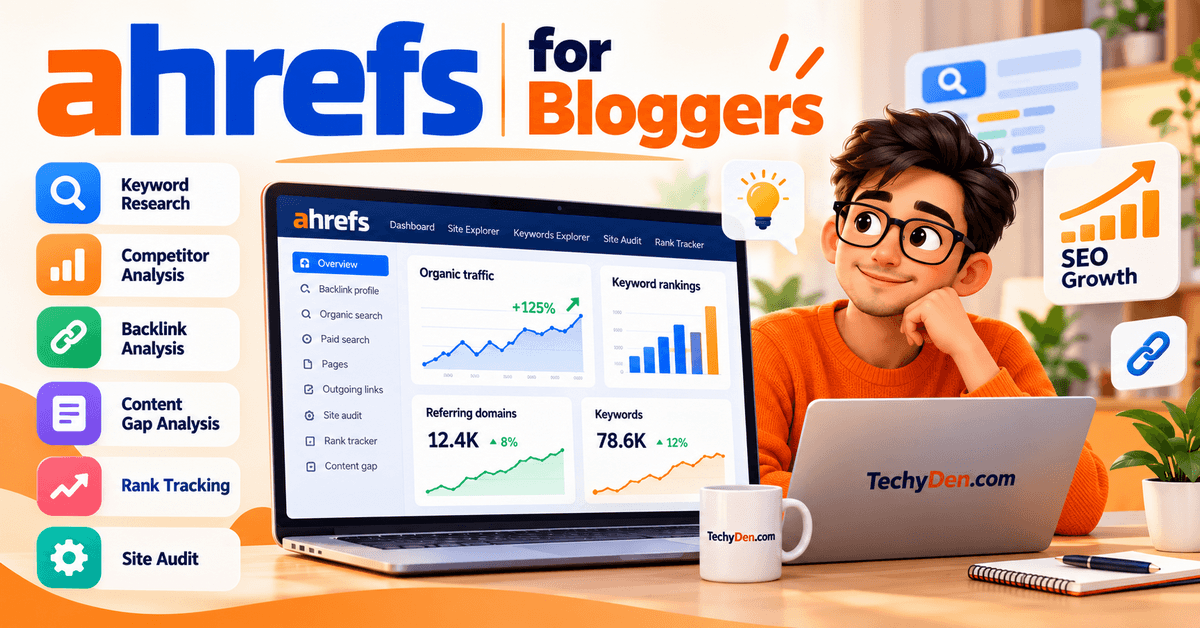
Ahrefs is an SEO and marketing platform designed to help website owners research keywords, analyze competitors, discover content opportunities, audit websites, track rankings, analyze backlinks, and monitor visibility across traditional and AI-powered search.
Its core SEO tools include Site Explorer, Keywords Explorer, Site Audit, Rank Tracker, Content Explorer, and Brand Radar.
For bloggers, Ahrefs is particularly useful when you want to understand what people are searching for, which pages and competitors are performing well, where backlinks are coming from, and which content opportunities may be worth pursuing.
Key Features
- Keywords Explorer — Research keywords and analyze search volume, ranking difficulty, traffic potential, related terms, and other SEO metrics. Ahrefs currently provides access to a very large keyword database covering billions of keywords.
- Site Explorer — Analyze any website’s organic search performance, top pages, ranking keywords, backlink profile, and competitive opportunities. This is particularly useful for researching competing blogs.
- Competitor Research — Investigate competitor websites to understand their strongest pages, keywords, backlinks, traffic sources, and content strategies.
- Content Explorer — Find high-performing content, popular topics, link opportunities, and examples of content that has attracted organic visibility and backlinks.
- Rank Tracker — Monitor keyword rankings across desktop and mobile devices and track performance across locations. Ahrefs currently supports rank tracking across 190 countries.
- Site Audit — Crawl your website and identify technical and on-page SEO problems, including broken links, missing tags, duplicate issues, and other site-health problems. Ahrefs currently advertises more than 170 predefined technical and on-page SEO checks.
- Backlink Analysis — Research the backlinks pointing to your website or competitors’ websites and identify potential link-building opportunities.
- Keyword Clustering — Group related keywords and identify topics that can potentially be covered by the same page, helping bloggers build more organized content strategies.
- AI Content Helper — Use AI-assisted content analysis and optimization to improve topical coverage and streamline parts of the content creation process. The feature is available even with the free account, subject to its usage limits.
- AI Search Visibility — Brand Radar helps track how brands appear across AI search experiences and provides visibility data across supported AI indexes and prompts.
- Google Search Console Insights — Ahrefs can work with Google Search Console data to provide additional insights into your site’s search performance and uncover opportunities that may not be obvious from competitor data alone.
- SEO Toolbar — The Ahrefs SEO Toolbar provides SEO metrics while browsing search results and web pages, making it easier to investigate competing pages during research.
Pros
- Excellent keyword research capabilities
- Strong competitor analysis
- Extensive backlink data
- Powerful Site Explorer
- Comprehensive Site Audit
- Useful Content Explorer
- Rank tracking across many locations
- Growing AI-search visibility capabilities
- Free account available for verified websites
- Useful combination of SEO data and AI-assisted features
Cons
- Full-featured plans can be expensive for individual bloggers
- Starter and Lite plans have usage limits
- Some advanced AI features require higher plans
- The large number of features can take time to learn
- Some capabilities use credits or have plan-specific limits
Pricing
Ahrefs currently offers a free account with limited access to several tools. The free account includes features such as Site Explorer and Site Audit for verified websites, Web Analytics, Social Media Manager, AI Content Helper, and the SEO Toolbar.
The current paid plans are:
| Plan | Current price |
|---|---|
| Starter | $29/month |
| Lite | $129/month |
| Standard | $249/month |
| Advanced | $449/month |
| Enterprise | From $1,499/month |
The Starter plan is aimed at beginners and provides access to Site Explorer, Keywords Explorer, Site Audit, Rank Tracker, and the SEO Toolbar. It currently includes 50 tracked keywords and uses a credit-based usage model.
The Lite plan increases the available projects, credits, historical data, exports, and rank-tracking capacity. Standard and higher plans provide broader usage and additional capabilities, including features such as AI suggestions, AI search-intent analysis, more extensive reporting, and additional data access.
Ahrefs also offers additional products and add-ons, including AI visibility and project-boost capabilities. Pricing and limits can change, so check the official Ahrefs pricing page before purchasing or publishing exact pricing information.
Why Use Ahrefs?
Use Ahrefs when keyword research, competitor analysis, backlinks, and content opportunities are central to your SEO strategy.
One of its biggest advantages for bloggers is that you can move from researching a keyword to investigating the competing pages, discovering their backlinks and ranking keywords, identifying content opportunities, and tracking your own performance within the same ecosystem.
Ahrefs is also useful for understanding the competitive landscape before investing time in an article. Instead of asking only whether a keyword has search volume, you can investigate who already ranks, which pages attract search traffic, what topics competitors cover, and what links point to those pages.
The free Ahrefs account can also be useful for newer bloggers who want to monitor their own verified website before committing to a paid subscription.
Best for: Bloggers, affiliate publishers, content marketers, and website owners who need strong keyword research, competitor analysis, backlink research, content discovery, technical SEO auditing, and rank tracking in one platform.
3. Surfer
Best for Content Optimization
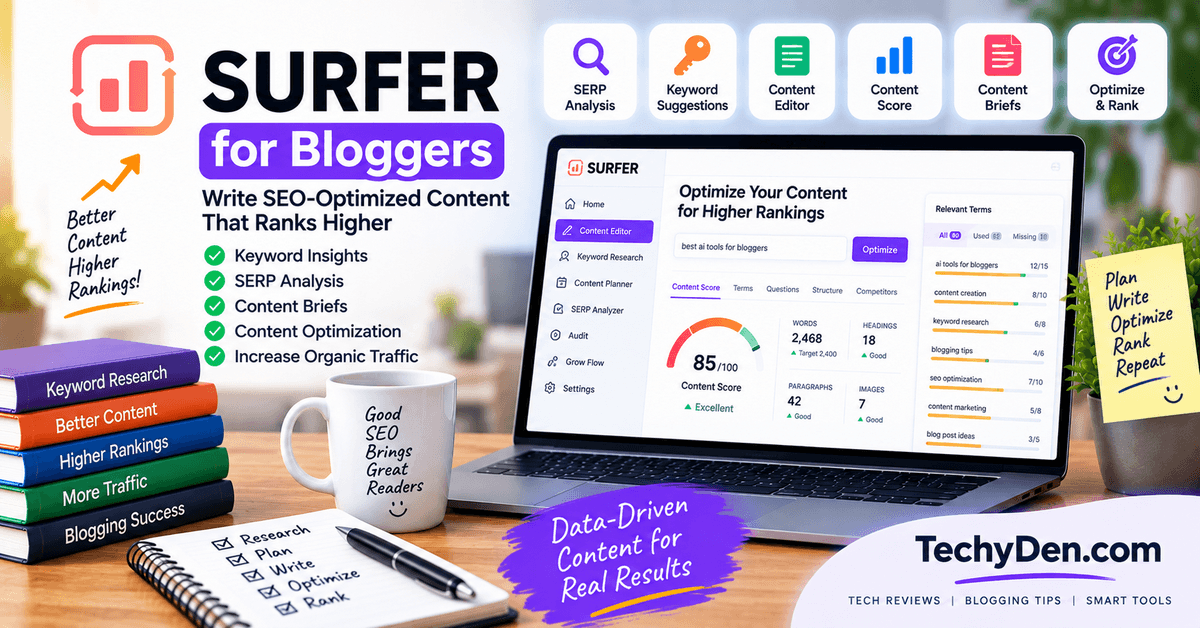
Surfer is an AI-powered SEO and content optimization platform designed to help bloggers research, create, optimize, audit, and monitor content.
Its Content Editor provides real-time SEO and content recommendations, while its broader platform now includes AI-search visibility, topical maps, content audits, keyword research, internal linking, and other SEO workflows.
For bloggers, Surfer is particularly useful when the main SEO challenge is creating comprehensive content that matches the topics, entities, and patterns found in the search results.
It can also help with optimizing existing articles and monitoring content performance after publication.
Key Features
- Content Editor — Write or optimize an article using real-time SEO guidelines, topic recommendations, content structure suggestions, and an optimization score.
- Content Score — Provides a real-time optimization signal to help you evaluate how well an article covers the topics and SEO elements identified by Surfer.
- SERP Analysis — Analyze ranking pages and search-result patterns to understand the content landscape for a target query.
- AI Writing — Use Surfer’s AI-powered writing capabilities to help create and develop SEO-focused content.
- Content Audit — Analyze existing pages, monitor their search performance, identify optimization opportunities, and detect ranking changes.
- Topical Map — Research and organize content around topic clusters to help build broader topical coverage and authority.
- Keyword Research — Discover keyword opportunities and topics that can support your content strategy.
- AI Visibility — Monitor brand visibility and mentions across AI-generated answers, including ChatGPT, Gemini, Google AI Overviews, and other supported AI models.
- Content Gap Analysis — Identify areas where your content may have coverage gaps and prioritize potential content opportunities.
- Internal Linking — Surfer’s higher-tier plans include automated or one-click internal-linking capabilities to help connect related content.
- WordPress Integration — Surfer can integrate with WordPress so bloggers can incorporate content optimization into their existing publishing workflow.
- AI SEO Guidelines and Brand Controls — Current plans include capabilities such as AI SEO optimization guidelines, brand knowledge, custom voices, templates, and other tools for maintaining consistent content workflows.
Pros
- Strong content optimization workflow
- Real-time SEO recommendations
- Useful SERP and topical analysis
- Content Editor is easy to understand
- Supports new and existing content
- WordPress integration
- Content auditing and ranking-drop monitoring
- Topical Map supports content-cluster planning
- Increasing focus on AI-search visibility
- Useful for bloggers who publish regularly
Cons
- Primarily focused on content and SEO workflows rather than being a complete backlink database like Ahrefs
- Subscription cost can become significant for individual bloggers
- Higher plans are needed for larger content volumes and advanced features
- Content scores can be misleading if treated as ranking targets
- Some AI-search and automation capabilities are restricted by plan
Pricing
Surfer currently offers several plans, with annual-billing prices listed as:
| Plan | Price | Positioning |
|---|---|---|
| Discovery | $49/month | Basic content creation and optimization |
| Standard | $99/month | Content optimization and AI visibility |
| Pro | $182/month | Advanced content and AI-search workflows |
| Peace of Mind | $299/month | Large-scale optimization and advanced capabilities |
| Enterprise | Custom | Enterprise-level requirements |
Surfer also currently lists a separate AI Search Analytics option at $82/month, billed annually, for tracking AI visibility.
The Discovery plan currently includes 120 documents and tracking for 10 pages. Standard increases this to 360 documents and 50 tracked pages, while Pro provides 360 documents and 200 tracked pages. Peace of Mind provides unlimited* document optimization and 500 tracked pages, subject to Surfer’s stated terms.
Surfer currently offers a 7-day free trial of the Pro plan for new accounts, including access to features such as AI Visibility, Content Audit, keyword research, AI writing, and other capabilities.
Pricing, limits, and included features can change, so verify the official pricing page before publication.
Why Use Surfer?
Use Surfer when content optimization is one of your biggest SEO bottlenecks.
Its main strength is connecting SERP research with an actual writing and optimization environment. Instead of researching competitors in one tool and manually translating that research into an article, Surfer provides recommendations directly within its content workflow.
It can be particularly useful for bloggers who publish frequently and need a repeatable process for creating and updating SEO-focused articles.
Surfer is also increasingly relevant to bloggers interested in AI search. Its current platform combines traditional SEO content optimization with AI-search visibility and monitoring, allowing publishers to consider both Google rankings and visibility within AI-generated answers.
However, don’t treat Surfer’s Content Score as a ranking score. A high optimization score does not guarantee a top Google position. Use the recommendations to identify potential content improvements while keeping search intent, accuracy, originality, readability, and first-hand experience as higher-level priorities.
Best for: Bloggers, content marketers, affiliate publishers, and content teams that want a dedicated platform for SEO content optimization, topical coverage, content auditing, internal linking, and emerging AI-search visibility workflows.
4. Frase
Best for AI Content Research and Optimization
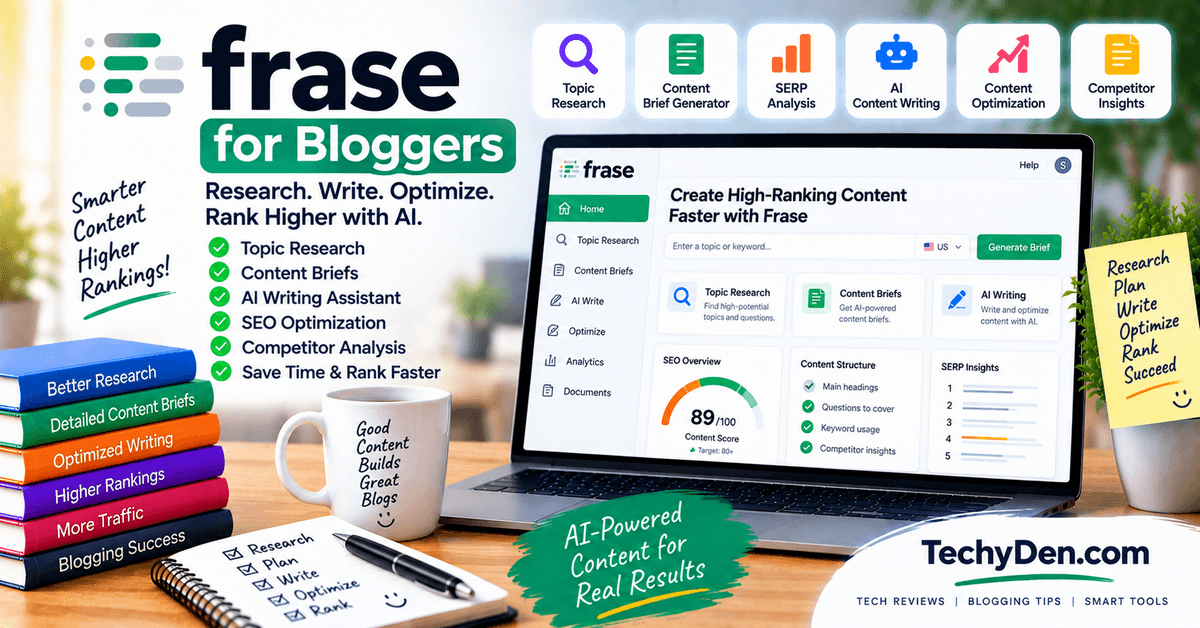
Frase is an AI SEO platform that helps bloggers research search results, create content briefs, write and optimize articles, publish to a CMS, and monitor content performance.
Its current platform combines traditional SEO optimization with GEO (Generative Engine Optimization), allowing the same content to be evaluated for Google search as well as AI-generated search experiences.
Frase is particularly useful for bloggers who want to bring research, writing, optimization, publishing, and content maintenance into one workflow instead of using separate tools for each stage.
Key Features
- SEO Research — Analyze the pages ranking for a target query and identify the topics, questions, and information commonly covered by competing results.
- Content Briefs — Turn SERP research into structured content briefs containing topics, questions, and potential content gaps.
- AI Content Writing — Generate and develop article drafts using AI while maintaining a selected brand voice and editorial direction.
- Live SEO Scoring — Frase provides an optimization score while you write and identifies specific areas that may need improvement based on the search results.
- GEO Content Optimization — Evaluate content for AI-search visibility and receive recommendations intended to make pages easier for AI systems to understand and cite.
- AI Visibility Tracking — Monitor how your content or brand appears in supported AI-search experiences, including ChatGPT, Perplexity, Claude, Gemini, and Google AI, with coverage depending on the plan.
- Content Opportunities — Identify potential articles and content-refresh opportunities using search data, competitor gaps, repeat patterns, and pages showing signs of decay.
- Site Audit — Crawl your website and evaluate technical SEO, content quality, and AI-search readiness, while prioritizing issues that need attention.
- Content Monitoring — Monitor published pages for declining search performance and content decay so you can identify pages that may need updating.
- Internal-Link Suggestions — Professional and higher plans include internal-linking recommendations to help connect relevant pages across your website.
- CMS Publishing — Frase can publish content directly to WordPress, Webflow, Sanity, Wix, or FraseCMS, reducing the need to copy and paste articles between platforms.
- Frase Answers — Add an AI answer experience to your website that responds using your existing content, cites your pages, and captures the questions visitors actually ask.
Pros
- Combines SEO research, writing, optimization, and publishing
- Live SEO and GEO scoring
- Strong content-brief workflow
- Useful for content optimization and refreshes
- AI visibility features for modern search
- Internal-linking recommendations on applicable plans
- Direct WordPress publishing
- Site auditing and content monitoring
- Frase Answers can capture first-party visitor questions
- Suitable for individual bloggers as well as larger content teams
Cons
- More focused on content and SEO workflows than comprehensive backlink research
- Advanced capabilities require higher-tier plans
- Monthly article and audit-page limits apply
- AI visibility coverage varies by subscription
- The large number of features may be more than a small blog needs
- Optimization scores should not be treated as Google ranking guarantees
Pricing
Frase currently offers four main plans.
| Plan | Annual billing | Monthly billing | Main limits |
|---|---|---|---|
| Starter | $39/month | $49/month | 1 seat, 1 site, 10 articles and 50 audit pages/month |
| Professional | $103/month | $129/month | 3 seats, 5 sites, 40 articles and 250 audit pages/month |
| Scale | $239/month | $299/month | 5 seats, up to 10 domains, 100 articles and 1,000 audit pages/month |
| Enterprise | Custom | Custom | Custom seats, domains, limits and enterprise features |
Every plan includes the core research, writing, and live scoring workflow. Starter includes SEO/GEO scores and AI visibility for ChatGPT and Google AI. Professional adds features such as more sites and content volume, internal-link suggestions, AI crawler monitoring, and Perplexity in AI Visibility. Scale expands the workflow to more sites and adds Claude and Gemini to AI Visibility.
Frase currently offers a 7-day free trial without requiring a credit card. Pricing, usage limits, AI-search coverage, and included features can change, so verify the official pricing page before publication.
Why Use Frase?
Use Frase when your biggest SEO challenge is researching, creating, optimizing, and maintaining content efficiently.
Its major advantage is that these activities are connected rather than operating as separate tools. You can research a query, create a brief, draft content, optimize it for SEO and AI search, publish it, and then monitor the page from the same ecosystem.
Frase is also particularly relevant to bloggers who are starting to think about AI-search visibility alongside traditional Google SEO. Its current GEO workflow evaluates content for AI search and provides recommendations intended to make pages more useful and quotable for AI-generated answers.
However, Frase’s optimization and GEO scores should be treated as guidance rather than ranking or citation guarantees. Your content still needs to satisfy search intent, provide accurate information, demonstrate expertise, and offer useful original value.
Best for: Bloggers, content creators, affiliate publishers, and content teams that want an integrated platform for SEO research, content briefs, AI-assisted writing, content optimization, GEO, publishing, monitoring, and content refreshes.
5. Clearscope
Best for Content Optimization and Search Visibility

Clearscope is a content optimization and discoverability platform that helps bloggers research topics, analyze search results, create content briefs, optimize articles, monitor published content, and track visibility across traditional search and AI platforms.
Its current platform combines SEO content optimization with AI-search visibility features for platforms such as ChatGPT, Gemini, and Claude.
For bloggers, Clearscope is particularly useful when the main goal is to improve the relevance, comprehensiveness, and topical coverage of individual articles rather than manage every aspect of technical SEO and backlink research from one platform.
Key Features
- Content Optimization — Analyze an article and receive real-time recommendations for improving topic coverage, relevance, and content quality.
- Content Grading — Clearscope provides a real-time Content Grade that indicates how comprehensively an article covers the target topic compared with analyzed competing content.
- Keyword and Topic Research — Discover relevant terms, concepts, entities, questions, and topics associated with a target query.
- SERP Analysis — Analyze top-ranking pages for a target query to understand the competitive search landscape and identify useful content opportunities.
- Recommended Terms — Identify important terms and concepts that appear across competitive content and may help improve topical coverage.
- AI Term Presence — See whether recommended terms appear in AI-generated responses, providing additional insight into how topics are represented in AI search.
- AI-Powered Drafts — Create an initial content draft using AI-assisted research and writing workflows, then refine it using Clearscope’s optimization recommendations.
- Search Intent Analysis — Analyze the intent represented by top-ranking Google results and select an appropriate content type such as an article, product page, or how-to guide.
- Content Inventory — Monitor and manage published content from a centralized dashboard and identify pages that may need optimization or updating.
- Google Search Console Integration — Connect GSC to Content Inventory to bring real search-performance information into the content optimization workflow.
- Internal Linking — Clearscope provides AI-driven internal-linking insights to help identify opportunities to connect relevant content across a website.
- AI Visibility Tracking — Track brand mentions and visibility across AI platforms and monitor how competitors are being recommended in AI-generated answers.
Pros
- Strong article-level content optimization
- Simple and focused workflow
- Real-time content grading
- Useful topic and term recommendations
- Search-intent analysis
- AI-assisted drafting
- Google Search Console integration
- Content monitoring and refresh workflow
- Google Docs, WordPress, and Microsoft Word integrations
- Increasing focus on AI-search visibility
Cons
- More focused on content optimization than comprehensive technical SEO
- Not primarily a backlink-research platform
- Essentials plan has relatively limited tracked queries and pages
- Higher plans are expensive for individual bloggers
- Additional usage can increase costs through available add-ons
- Content grades should not be treated as Google ranking scores
Pricing
Clearscope currently offers three main plans:
| Plan | Current price | Included usage |
|---|---|---|
| Essentials | $129/month | 50 tracked queries, 50 pages, 20 monthly Topic Explorations, 20 monthly Drafts |
| Business | $399/month | 300 tracked queries, 300 pages, 50 monthly Topic Explorations, 20 monthly Drafts |
| Enterprise | Custom | Custom credits, agreements, crawler whitelisting, SSO, and enterprise capabilities |
All plans currently include unlimited users and projects, AI/search visibility capabilities, sharing/exporting, onboarding, and support. Clearscope also offers additional page and draft usage as paid add-ons.
Clearscope currently offers a 14-day free trial, with no contract on monthly plans.
Pricing, usage limits, and included capabilities can change, so verify the official pricing page before publication.
Why Use Clearscope?
Use Clearscope when your main SEO challenge is creating comprehensive, relevant, and well-structured content that competes effectively for a specific topic.
Its strength is the focused article-optimization workflow. Rather than trying to be an all-purpose SEO platform, Clearscope concentrates heavily on understanding the search landscape and helping writers improve individual pieces of content.
Its integration with Google Search Console also makes the workflow more useful after publication. You can combine Clearscope’s content recommendations with your website’s actual search-performance data instead of relying exclusively on competitor-based analysis.
Clearscope is also increasingly relevant for bloggers thinking about AI search. Its current platform tracks visibility across AI platforms and provides information about how brands and topics appear in AI-generated answers.
However, don’t treat a Clearscope Content Grade as a ranking guarantee. A high score means the content has strong coverage according to Clearscope’s analysis; it does not mean Google will automatically rank the page higher.
Best For
Best for: Bloggers, content marketers, affiliate publishers, and content teams that want a focused platform for SERP research, content briefs, article optimization, content monitoring, internal linking, and emerging AI-search visibility.
6. SE Ranking
Best for Affordable SEO, Rank Tracking and AI Search Visibility
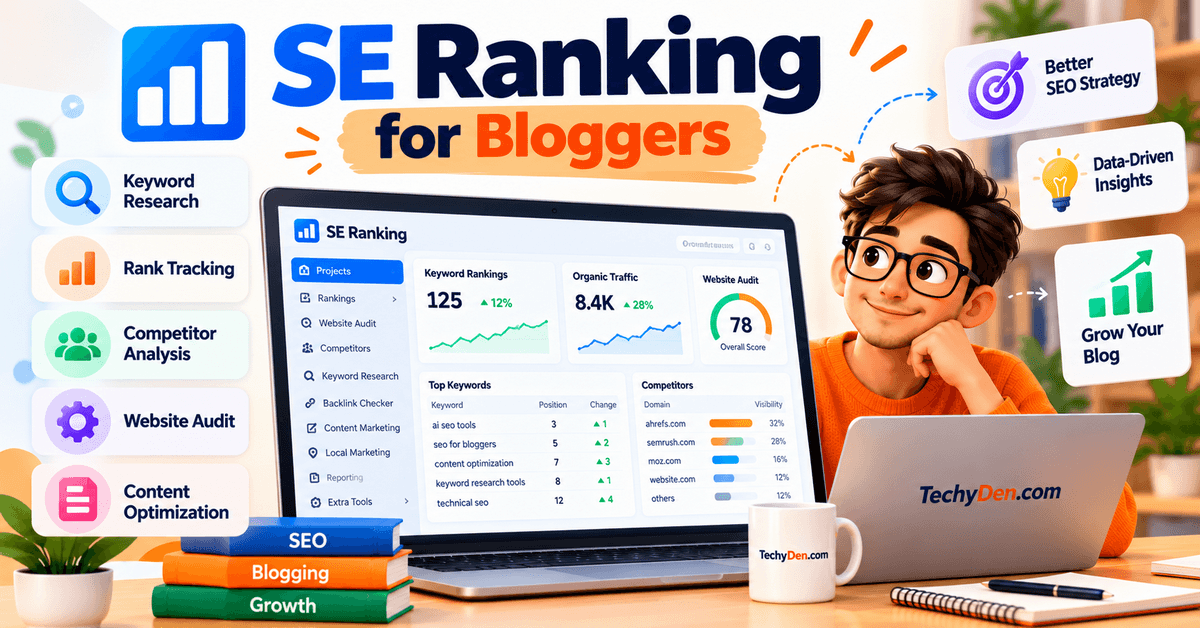
SE Ranking is an all-in-one SEO and AI-search platform that combines keyword research, competitor analysis, rank tracking, website audits, backlink monitoring, content marketing, and AI visibility tracking.
For bloggers, SE Ranking is particularly useful when you want keyword research, daily rank tracking, technical SEO auditing, competitor research, and AI-search monitoring in one platform without maintaining several separate SEO subscriptions.
Its current platform also includes tracking for visibility in AI-generated answers and Google AI Overviews.
Key Features
- Keyword Research — Find keywords using search volume, keyword difficulty, search intent, SERP data, long-tail variations, and related questions.
- Competitive Research — Analyze competitors to discover the keywords, pages, and search opportunities driving their organic visibility.
- Rank Tracker — Track keyword positions across search engines, devices, locations, and competitors. This is especially useful for monitoring rankings after publishing or updating articles.
- SERP Checker — Examine the search results for specific keywords and locations to understand ranking pages, SERP features, and changes in the search landscape.
- AI Search Visibility Tracking — Monitor how your website or brand appears in AI-generated answers, including ChatGPT and Google’s AI systems.
- AI Overviews Tracking — Identify whether your website and competitors appear as sources in Google’s AI Overviews and analyze visibility changes.
- Website Audit — Find technical and on-page SEO problems, including crawlability, indexing, metadata, broken links, page issues, and other website health problems.
- On-Page SEO Analysis — Analyze individual pages and receive optimization recommendations for improving their SEO implementation.
- Backlink Research and Monitoring — Analyze backlinks and referring domains while monitoring the backlink profile of your website and competitors.
- Content Marketing Tools — Create and optimize content around target keywords and topics as part of the broader SEO workflow.
- Google Analytics and Search Console Integration — Connect GA4 and Google Search Console to bring traffic and search-performance information into SE Ranking projects.
- API and Automation — SE Ranking provides APIs and MCP access for connecting SEO data with automation platforms, AI assistants, and custom workflows.
Pros
- Combines keyword research, rank tracking, competitor analysis, audits, backlinks, and AI-search visibility.
- Useful daily rank tracking for bloggers.
- Includes Google Search Console and Google Analytics integrations.
- Supports location-specific SEO research and rank tracking.
- AI-search visibility features extend beyond traditional Google rankings.
- Offers a 14-day free trial without requiring a credit card.
- API and MCP capabilities can support advanced SEO automation.
Cons
- There is no permanent free plan.
- Pricing is more suitable for users who regularly need SEO data rather than bloggers who only perform occasional keyword research.
- Some advanced capabilities and higher usage limits require upgrading to a higher plan or purchasing add-ons.
- The number of tracked keywords and projects can become a consideration for large websites.
Pricing
SE Ranking currently offers Core, Growth, and Enterprise plans. The current pricing page lists:
- Core: $129/month, or $103.20/month when billed annually.
- Growth: $279/month, or $223.20/month when billed annually.
- Enterprise: Custom pricing.
- Annual billing provides a 20% discount.
- All plans start with a 14-day free trial with no credit card required.
For bloggers, the Core plan provides 10 projects, 1 manager seat, up to 2,000 daily tracked keywords, 17,500 keywords for database expansion, 25 content articles, 100 daily AI-search prompts, 5 AI-search engines, and up to 250,000 audited pages per month. It also includes Google Analytics, Google Search Console, Data Studio, MCP, and 25,000 monthly API credits.
The Growth plan increases the capacity to 30 projects, 3 manager seats, 5,000 daily tracked keywords, 50,000 keyword database expansion, 50 content articles, 250 daily AI-search prompts, 15 AI-competitor research domains, and up to 2 million audited pages per month.
Why Use SE Ranking?
SE Ranking is useful for bloggers who want a single SEO platform covering the entire optimization cycle—from keyword research and competitor analysis to technical audits, rank tracking, backlink monitoring, and AI-search visibility.
Its combination of traditional SEO and newer AI-search features is particularly relevant in 2026, when bloggers need to monitor both conventional search rankings and visibility in AI-generated search experiences.
For a growing blog, the biggest practical advantage is having keyword research, rank tracking, technical SEO, competitor analysis, and performance monitoring connected to the same project rather than managing each task through separate tools.
Best For
- Bloggers who want an all-in-one SEO platform.
- Affiliate bloggers tracking large keyword sets.
- Content publishers managing multiple websites.
- Bloggers who need daily rank tracking.
- Website owners performing regular technical SEO audits.
- SEO professionals managing several projects.
- Bloggers interested in monitoring visibility in AI-generated search results.
- Users who want SEO data, reporting, integrations, and automation in one platform.
7. MarketMuse
Best for Topic Authority and Content Strategy

MarketMuse is an AI-powered content strategy and SEO platform designed to help publishers decide what to create, what to update, how to build topical authority, and how to differentiate content from competitors.
Unlike traditional keyword tools that primarily focus on individual keywords, MarketMuse analyzes topics, content clusters, competitors, search results, and your existing content inventory.
Its platform is built around workflows such as research, planning, content briefs, optimization, competitor analysis, cluster assessment, and internal-link discovery.
Key Features
- Topic Research — Research a topic to discover related keywords, topic variants, questions, search-volume information, and related concepts.
- Topic Modeling — MarketMuse uses its topic-modeling technology to identify concepts and topics that should be considered when creating comprehensive content.
- Topic Clustering — Group related topics and keywords into content clusters to build stronger topical authority across your website.
- Personalized Difficulty — Evaluate how difficult a topic may be for your specific website rather than relying only on a generic keyword-difficulty score.
- Topic Authority Analysis — Identify areas where your website already has authority and discover opportunities where additional content could strengthen that authority.
- Competitive Content Analysis — Analyze the top-ranking pages for a topic and compare their topical coverage to identify gaps and opportunities.
- Content Briefs — Generate detailed content briefs containing search intent, topic coverage, competitive gaps, questions, recommended structure, and linking opportunities.
- Content Optimization — Analyze existing or new content and receive recommendations for improving topical depth, comprehensiveness, structure, and quality.
- Content Inventory Analysis — Analyze your existing content inventory to identify pages that should be improved, updated, consolidated, or expanded.
- Content Planning — Create personalized content plans showing what to create or update based on your website’s existing authority, competitive landscape, and topic opportunities.
- Internal Linking Recommendations — Discover internal-link opportunities that can connect related articles and strengthen topical clusters.
- AI Writing Assistance — MarketMuse provides AI writing capabilities that can help create outlines, expand concepts, shorten or expand content, and assist with optimization while keeping a human involved in the editorial process.
Pros
- Excellent for building topical authority.
- Goes beyond simple keyword research.
- Personalized difficulty can help prioritize realistic opportunities.
- Strong topic-clustering and content-planning capabilities.
- Detailed content briefs can reduce research time.
- Useful for analyzing existing content inventories.
- Competitor and SERP analysis are integrated into the workflow.
- Internal-link recommendations support topic clusters.
- AI writing assistance is integrated with MarketMuse’s topic model.
- Useful for content refresh and optimization as well as new content.
Cons
- More expensive and complex than basic keyword-research tools.
- Many advanced features are designed for publishers, agencies, and larger content teams.
- The interface and data can require time to learn.
- It is primarily a content strategy and optimization platform rather than a complete replacement for an all-in-one SEO suite.
- Bloggers who publish only a few articles per month may not use enough of its advanced capabilities.
Pricing
MarketMuse currently offers Free, Optimize, Research, and Strategy plans. Its official pricing page currently presents the plans by feature and usage limits, while some pricing details may be provided during the subscription process or through MarketMuse/Siteimprove sales.
- Free: 1 user and 10 queries per month. It does not include site inventory, tracked topics, content briefs, or content strategy documents.
- Optimize: 100 tracked topics, 5 content briefs per month, and 1 strategy document per month.
- Research: 1,000 tracked topics, 10 content briefs per month, and 3 strategy documents per month.
- Strategy: 10,000 tracked topics, 20 content briefs per month, and 5 strategy documents per month.
The Free plan can be useful for testing MarketMuse before committing to a paid subscription. For serious content planning, the Optimize, Research, and Strategy plans provide progressively higher limits and capabilities.
Because MarketMuse’s current pricing structure can change and the official page does not expose all paid-plan prices in the same way as some competing tools, check the live MarketMuse pricing page before publishing this section.
Why Use MarketMuse?
MarketMuse is particularly valuable when your SEO problem is not simply finding keywords but deciding which topics your website should own and how individual articles should fit into a larger topical strategy.
For a growing blog like TechyDen, this approach can be useful for building clusters around subjects such as AI tools, blogging, SEO, WordPress, hosting, and content marketing. Instead of publishing disconnected articles, you can use topic research, cluster analysis, content briefs, and internal-link recommendations to create a more organized content ecosystem.
MarketMuse also emphasizes content quality, topical depth, and differentiation rather than simply increasing keyword frequency. Its own guidance specifically warns against focusing on keyword density and instead recommends comprehensive, useful content.
Best For
- Bloggers building topical authority.
- Content-heavy websites.
- Affiliate publishers with large content libraries.
- Publishers planning topic clusters.
- SEO professionals performing content audits.
- Agencies managing large content programs.
- Bloggers refreshing existing articles.
- Websites with hundreds of existing pages.
- Content teams that need detailed briefs and strategic planning.
- Publishers that want to identify what content to create before investing significant writing resources.
8. NeuronWriter
Best for AI-Assisted Content Optimization and Semantic SEO
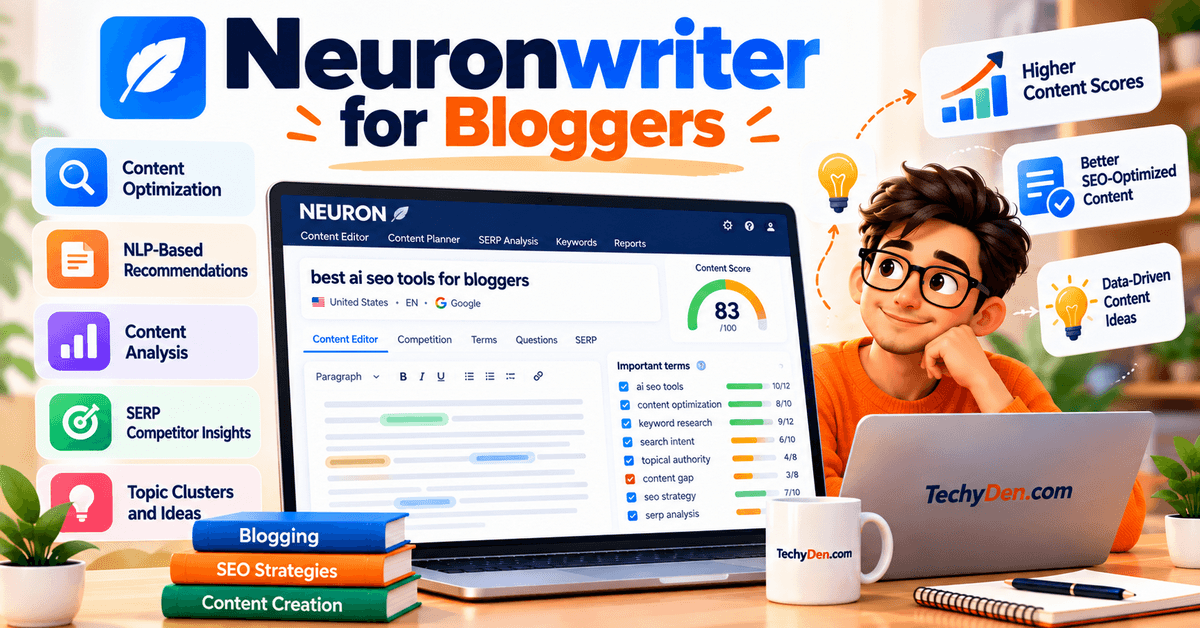
NeuronWriter is an AI-powered content optimization and SEO platform designed to help bloggers research topics, analyze competing pages, optimize content, generate drafts, build content plans, and improve visibility in both traditional search and AI-generated search results.
Its core strength is semantic content optimization. Rather than focusing only on inserting a primary keyword, NeuronWriter analyzes competing content and provides related terms, entities, and content recommendations that can help you build more comprehensive articles.
The platform also includes AI writing, WordPress integration, Google Search Console integration, internal-link suggestions, and AI-search visibility features.
Key Features
- Content Writer — Analyze your target keyword and competing pages to identify terms and concepts that can improve the topical relevance of your article.
- NLP and Semantic SEO Analysis — NeuronWriter uses NLP-based recommendations to identify relevant terms and knowledge gaps that may be missing from your content.
- Content Optimization Score — Evaluate your article against competitive content and optimization recommendations while you write.
- SERP Competitor Analysis — Analyze ranking pages to understand their content structure, topics, entities, and terminology.
- Entities Analysis — Identify important entities related to a topic. NeuronWriter supports entity analysis across 19 languages.
- AI Writing Assistant — Neuro — Generate, rewrite, expand, shorten, or improve content directly inside the editor using simple prompts.
- Content Designer — Create articles using a multi-step AI workflow that combines competitive information, NLP recommendations, structure, and AI-generated content.
- AI Templates — Use ready-made or custom templates for tasks such as introductions, outlines, paragraphs, FAQs, product descriptions, and other content formats.
- Content Planning and Topic Ideas — Build content plans and discover additional article ideas based on keywords and competitor content.
- Internal-Link Suggestions — Automatically identify relevant internal-link opportunities between related content on your website.
- Google Search Console Integration — Connect GSC to monitor impressions, clicks, rankings, and keyword performance and use that information to improve existing content.
- AI Search and GEO Optimization — NeuronWriter provides AI-visibility capabilities for platforms and experiences such as Google AI Overviews, ChatGPT, and Perplexity, including analysis of AI-crawler accessibility and content structure.
Pros
- Strong semantic SEO and content optimization capabilities.
- Combines SEO analysis and AI writing in the same editor.
- Useful for optimizing existing articles as well as creating new content.
- Includes competitor and SERP analysis.
- Provides internal-link suggestions.
- Google Search Console and WordPress integrations are available on higher plans.
- Supports OpenAI and Anthropic API keys.
- AI credits can be purchased separately when additional usage is required.
- Includes AI-search visibility capabilities.
- Generally more affordable than several premium enterprise content-optimization platforms.
Cons
- The large number of SEO and AI features can take time to learn.
- Lower-priced plans have meaningful limits on projects, content analyses, and AI credits.
- Some of the most useful workflow features, including Content Designer and WordPress/GSC integrations, require the Gold plan or higher.
- AI-generated content still requires human fact-checking, editing, and original expertise.
- Content optimization scores should be treated as guidance rather than a guarantee of Google rankings.
Pricing
NeuronWriter currently offers Bronze, Silver, Gold, Platinum, and Diamond plans. The official pricing page lists monthly pricing and a 20% discount for annual billing.
- Bronze: $23/month or $19/month with annual billing. Includes 2 projects, 25 content-writer analyses, 5 AI-monitored questions, and 15,000 AI credits.
- Silver: $45/month or $37/month annually. Includes 5 projects, 50 content-writer analyses, 7 AI-monitored questions, and 30,000 AI credits.
- Gold: $69/month or $57/month annually. Includes 10 projects, 75 content-writer analyses, 10 AI-monitored questions, and 45,000 AI credits.
- Platinum: $93/month or $77/month annually. Includes 25 projects, 100 content-writer analyses, 15 AI-monitored questions, and 60,000 AI credits.
- Diamond: $117/month or $97/month annually. Includes 50 projects, 150 content-writer analyses, 20 AI-monitored questions, and 75,000 AI credits.
The Gold plan is particularly relevant for serious bloggers because it adds Content Designer, advanced and custom AI templates, content ideas, plagiarism checks, Google Search Console and WordPress integrations, content management, and API access.
NeuronWriter also offers a 7-day free trial under Gold-plan terms. Additional AI credits are available as pay-as-you-go purchases.
Why Use NeuronWriter?
NeuronWriter is useful when your main SEO challenge is creating comprehensive, semantically relevant content rather than simply finding keywords.
For bloggers, its combination of competitor analysis, NLP recommendations, content optimization, AI writing, internal-link suggestions, WordPress integration, and Google Search Console monitoring creates a practical workflow from keyword research → content creation → optimization → publishing → performance monitoring.
It is also relevant to the changing search environment because NeuronWriter now includes AI-visibility and Generative Engine Optimization capabilities designed to help publishers understand how their content can be interpreted and surfaced by AI-powered search experiences.
Best For
- Bloggers who want semantic SEO optimization.
- Affiliate bloggers creating detailed comparison and review articles.
- Content creators who want AI writing inside an SEO editor.
- Bloggers optimizing existing content.
- WordPress publishers.
- Websites building topical authority.
- Content teams that need reusable AI templates.
- Bloggers looking for internal-link recommendations.
- Publishers interested in Google AI Overviews and AI-search visibility.
- Users looking for a lower-cost alternative to some premium content-optimization platforms.
9. Google Search Console
Best Free Tool for Measuring Google Search Performance
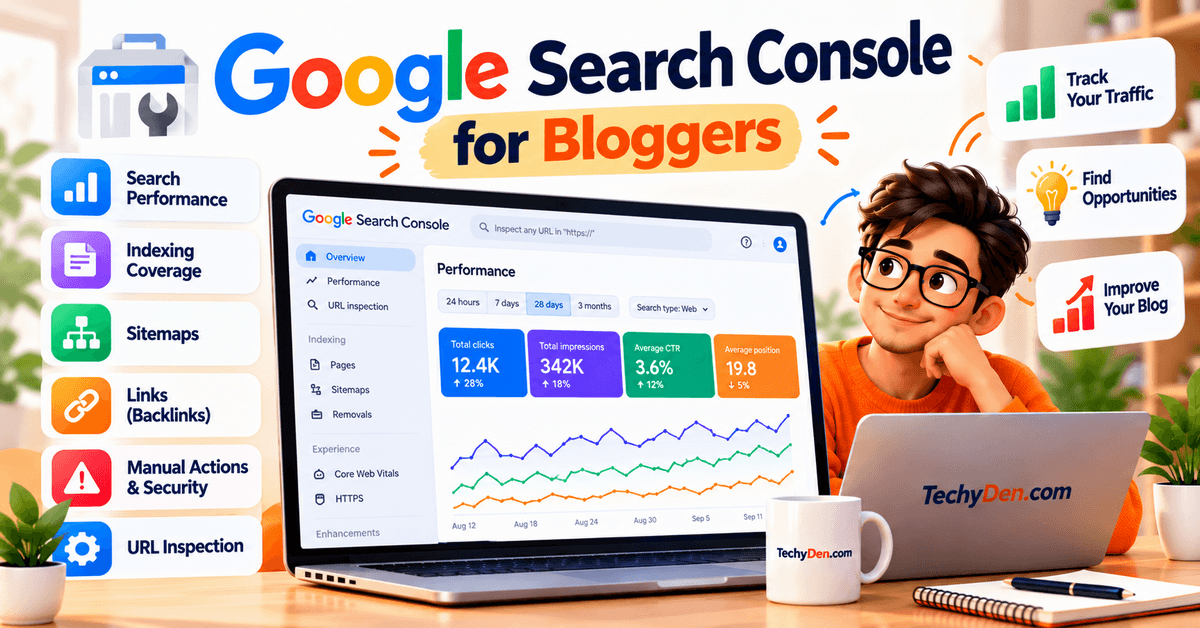
Google Search Console (GSC) is Google’s free platform for website owners, publishers, and SEO professionals. It helps you understand how your website performs in Google Search, which queries bring impressions and clicks, whether pages are indexed, and whether Google has identified technical or search-appearance issues.
Unlike third-party SEO platforms, Search Console provides first-party performance data from Google Search for your verified website.
That makes it one of the most useful tools for bloggers who want to make SEO decisions based on actual search performance rather than third-party estimates.
Key Features
- Search Performance Report — Analyze clicks, impressions, click-through rate (CTR), and average position for your website and individual pages.
- Search Query Data — Discover the actual search queries that generated impressions and clicks for your content. This is extremely useful for finding additional keywords your articles already rank for.
- Page-Level Performance — Filter performance data by individual URLs to identify which articles generate search visibility and which pages need improvement.
- Country and Device Analysis — Compare search performance across countries and devices to understand where and how people discover your content.
- URL Inspection Tool — Check how Google crawls, indexes, and serves a specific URL and identify important indexing information directly from Google’s index.
- Indexing and Page Issues — Review indexing problems and affected URLs so you can investigate pages that Google may not be able to index correctly.
- Sitemap Submission — Submit your XML sitemap and monitor sitemap processing so Google can discover your website’s URLs more efficiently.
- Core Web Vitals — Monitor Core Web Vitals reports for mobile and desktop URLs and identify groups of pages with performance problems.
- HTTPS and Security Monitoring — Search Console can report certain security and experience issues affecting your website.
- Structured Data and Rich Results Reports — Monitor eligible structured-data implementations and investigate errors affecting supported rich-result features.
- Links Report — Review internal links and external links that Google associates with your website, helping you understand your site’s link structure.
- Generative AI and Multimodal Search Reporting — Search Console has expanded its reporting as Google Search evolves. In September 2026, Google announced a new multimodal-search filter covering experiences including Lens, Circle to Search, image uploads to Google Search, and Chrome’s “Search this image” feature. The data is available through the Performance reports when a site receives traffic from these searches.
Pros
- Completely free.
- Provides first-party Google Search performance data.
- Shows actual queries generating impressions and clicks.
- Excellent for content-refresh decisions.
- Essential for monitoring indexing.
- Includes URL Inspection.
- Provides Core Web Vitals reports.
- Supports sitemap submission and monitoring.
- Useful for identifying keyword opportunities that third-party tools may not show.
- Integrates naturally into almost every professional SEO workflow.
Cons
- It is focused primarily on Google Search rather than all search engines.
- Historical performance data has limitations compared with dedicated SEO databases.
- It does not provide the same depth of competitor keyword and backlink research as tools such as Semrush or Ahrefs.
- Search Console data is generally delayed rather than real-time.
- It does not automatically tell you exactly how to fix every SEO problem.
- New or low-traffic websites may have limited data.
Pricing
Google Search Console is free to use. There is no paid Search Console subscription or premium plan. Google provides Search Console as a free service for website owners and publishers.
You need to verify ownership of your website property before accessing its data. Once verified, you can use Search Console reports and tools to monitor Google Search performance, indexing, page experience, links, and other search-related information.
Why Use Google Search Console?
Search Console is particularly valuable because it provides actual Google Search performance data for your own website.
For example, an SEO tool might estimate that a keyword has a particular search volume and difficulty, but Search Console can show you whether your own article is actually receiving impressions and clicks for that query. This makes it extremely useful for content refreshes, keyword discovery, CTR analysis, and identifying pages that are gaining or losing search visibility.
For bloggers, the strongest workflow is usually to combine Search Console with a dedicated SEO platform. Use tools such as Semrush, Ahrefs, SE Ranking, or Ubersuggest for broader keyword and competitor research, then use Search Console to validate how your published content actually performs in Google Search.
Google also recommends using Search Console to monitor search performance periodically and to investigate issues after implementing structured data or significant website changes.
Best For
- Every blogger with a website.
- Beginners learning SEO.
- WordPress bloggers.
- Affiliate bloggers.
- Content publishers.
- Website owners monitoring organic traffic.
- Bloggers refreshing existing articles.
- SEO professionals validating search performance.
- Publishers monitoring indexing and technical issues.
- Bloggers looking for free, first-party Google Search data.
10. Bing Webmaster Tools
Best Free Tool for Bing SEO and AI Search Visibility
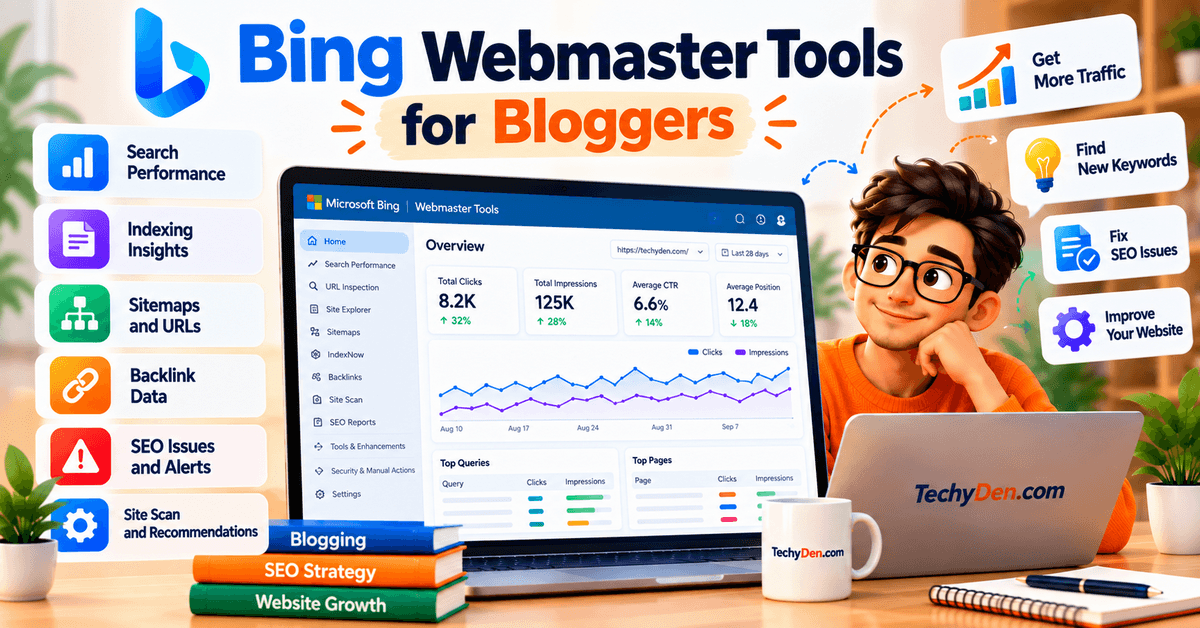
Bing Webmaster Tools is Microsoft’s free platform for website owners and SEO professionals. It provides Bing search performance data, keyword research, crawling and indexing diagnostics, backlink information, technical SEO reports, URL inspection, Site Explorer, IndexNow, and AI-search visibility insights.
For bloggers, Bing Webmaster Tools is valuable not only for monitoring Bing rankings but also because Microsoft has expanded it to report how websites are cited in AI-generated answers across Microsoft Copilot, Bing AI-generated summaries, and selected partner experiences.
Key Features
- Search Performance — Monitor clicks, impressions, CTR, average position, pages, and keywords from Bing Search. The current reporting system provides up to six months of search-performance trends.
- Keyword Research — Discover phrases searched on Bing and review their corresponding search-volume information. This can provide an additional source of keyword ideas beyond Google-focused tools.
- URL Inspection — Check whether a URL is indexed, identify crawling and SEO problems, inspect markup, and request crawling when appropriate.
- Site Explorer — Explore your site’s URL structure and identify indexed URLs, crawl problems, redirects, robots.txt restrictions, impressions, clicks, and backlinks.
- Sitemap Management — Submit and monitor XML sitemaps and review their crawl and processing information.
- IndexNow — Notify Bing and participating search engines about newly added, updated, or deleted URLs so they can discover content changes more quickly.
- URL Submission — Submit URLs for potential crawling and indexing and review your recent submission history.
- Backlink Analysis — Review referring pages, referring domains, and anchor text associated with your website. Bing also provides a disavow feature within its webmaster tools.
- SEO Reports — Receive recommendations based on common SEO best practices and identify page-level issues that may affect search visibility.
- Site Scan — Run an on-demand technical SEO crawl to find common website and SEO problems.
- AI Performance — See which pages from your website are cited in AI-generated answers across Microsoft Copilot, Bing AI-generated summaries, and selected partner AI experiences.
- AI Visibility Insights — Current preview features include Intents, Topics, Citation Share, and Compare, providing additional context about how content appears in AI-generated answers and how citation patterns change over time.
Pros
- Completely free.
- Provides first-party Bing search data.
- Includes keyword research.
- Useful URL inspection and indexing diagnostics.
- Site Explorer provides a detailed view of website URLs.
- Supports IndexNow for faster content-change notification.
- Includes backlink information.
- Provides technical SEO auditing through Site Scan.
- AI Performance provides visibility into citations in Microsoft Copilot and Bing AI experiences.
- Can import websites already verified in Google Search Console.
- Useful as a complementary SEO data source alongside Google Search Console.
Cons
- Bing search data is not a substitute for Google Search Console data when Google is your primary traffic source.
- Some reports require time to collect enough data after verification.
- AI Performance features are still evolving and some capabilities are available in preview.
- Keyword and competitor research is not as extensive as dedicated platforms such as Semrush or Ahrefs.
- The interface is primarily designed around Bing and Microsoft search ecosystems.
Pricing
Bing Webmaster Tools is free to use. Microsoft provides the platform without a paid subscription tier for its core webmaster tools.
You need to create or sign in to a Bing Webmaster Tools account and verify ownership of your website. Microsoft also allows eligible users to import sites that have already been verified through Google Search Console.
The core platform includes search-performance reporting, keyword research, URL inspection, Site Explorer, sitemap management, IndexNow, backlink information, SEO reports, Site Scan, and AI/GEO-related capabilities without requiring a paid SEO subscription.
Why Use Bing Webmaster Tools?
Bing Webmaster Tools is worth including in a blogger’s SEO stack because it provides free first-party search data and technical diagnostics outside Google’s ecosystem.
For TechyDen and other content websites, the AI Performance features make Bing Webmaster Tools especially relevant in 2026. Microsoft now provides publishers with information about how their pages are cited in AI-generated answers, rather than limiting webmaster reporting to traditional blue-link search results.
It should not replace Google Search Console. Instead, bloggers can use both platforms together:
- Google Search Console → Google Search performance
- Bing Webmaster Tools → Bing Search + Microsoft AI visibility
- Semrush/Ahrefs/SE Ranking → broader SEO and competitor research
This combination gives bloggers a broader view of traditional search performance, technical SEO, and emerging AI-search visibility.
Best For
- Bloggers who want free SEO tools.
- WordPress publishers.
- Website owners targeting Bing users.
- Bloggers looking for additional keyword data.
- Publishers monitoring Bing indexing.
- SEO professionals performing technical diagnostics.
- Bloggers using IndexNow.
- Website owners monitoring backlinks.
- Content creators interested in Microsoft Copilot visibility.
- Bloggers who want to monitor citations in AI-generated search experiences.
11. ChatGPT
Best for AI-Assisted SEO Research, Content and Optimization
ChatGPT is a general-purpose AI assistant that can also become a powerful SEO tool when it is used alongside reliable search and website-performance data.
For bloggers, ChatGPT is useful across the entire SEO workflow—from keyword research and search-intent analysis to content briefs, article optimization, internal linking, content refreshes, competitor research, SEO audits, and structured content planning.
Its biggest advantage is flexibility. Unlike dedicated SEO platforms that provide predefined SEO reports, ChatGPT can work with your instructions, uploaded files, Search Console exports, competitor information, content drafts, spreadsheets, and web research to create customized SEO workflows.
ChatGPT Search provides current web information, while Deep Research can conduct multi-step research and produce cited reports.
Key Features
- AI Keyword Research — Generate keyword ideas, long-tail variations, supporting keywords, questions, entities, and topic clusters around a primary topic.
- Search Intent Analysis — Analyze a keyword and determine whether users are primarily looking for informational, commercial, transactional, navigational, or mixed-intent content.
- Keyword Clustering — Group related keywords according to search intent and topical relationships to help build pillar and supporting content.
- Content Brief Creation — Create detailed SEO content briefs containing suggested headings, questions, search intent, content angles, entities, examples, and internal-link opportunities.
- Web Search — ChatGPT can search the web for current information, making it useful for researching recent product changes, competitors, statistics, official documentation, and other time-sensitive SEO information.
- Deep Research — Conduct multi-step research across multiple sources and produce structured, cited reports. This is especially useful for comprehensive competitor research, product comparisons, industry research, and content fact-checking.
- Content Optimization — Review an existing article for search intent, topical coverage, headings, readability, internal linking, missing information, and opportunities to improve usefulness.
- Internal-Link Strategy — Analyze a sitemap or list of URLs and recommend relevant internal links, anchor text, placement, and supporting sentences.
- SEO Content Refresh — Combine existing article content with Search Console data, competitor information, and current sources to identify sections that should be updated or expanded.
- SEO Data Analysis — Analyze uploaded CSV, XLSX, PDF, or other supported files to identify keyword opportunities, traffic patterns, content gaps, and performance trends. ChatGPT supports file uploads and analysis.
- AI-Assisted SEO Audits — Review titles, meta descriptions, headings, content structure, schema recommendations, internal links, topical coverage, and other on-page elements.
- Custom SEO Workflows — Build repeatable prompts and workflows for content briefs, keyword clustering, content audits, competitor analysis, link suggestions, content updates, and editorial planning. Projects can also organize chats, files, and context around a long-running objective.
Pros
- Extremely flexible compared with traditional SEO software.
- Useful for keyword research, content creation, optimization, and analysis.
- Can search the current web.
- Deep Research provides multi-source research with citations.
- Can analyze uploaded spreadsheets and SEO reports.
- Excellent for generating content briefs and SEO workflows.
- Useful for internal-link planning.
- Can combine SEO data from multiple sources.
- Projects can maintain context for ongoing content work.
- Can automate repetitive SEO tasks through structured prompts and workflows.
Cons
- ChatGPT is not a replacement for a dedicated SEO database such as Semrush or Ahrefs.
- Keyword volume and difficulty should be verified with an SEO data platform.
- AI-generated recommendations can be incorrect or incomplete.
- Search results and available features vary by plan and usage limits.
- It does not automatically know your complete website’s SEO performance unless you provide the relevant data or connect supported sources.
- AI-generated content still requires human editing, fact-checking, and first-hand expertise.
- It should not be used to manipulate search rankings through keyword stuffing or mass-produced low-value content.
Pricing
ChatGPT offers multiple plans, and availability and limits can change over time.
- Free: Provides access to ChatGPT with usage limits and access to web search and other capabilities subject to current limits.
- Go: A lower-cost paid plan with higher access to popular ChatGPT features than Free. OpenAI launched Go globally in 2026; the U.S. list price is $8/month, while local pricing can vary by market.
- Plus: $20/month, with higher usage limits, advanced reasoning, file uploads and analysis, image generation, and Deep Research where available.
- Pro: OpenAI currently offers multiple Pro tiers, including Pro 100, Pro 200, and Pro 500, with increasing usage allowances.
- API: API usage is billed separately and is not included with a ChatGPT subscription.
For most individual bloggers, Free or Plus is sufficient for everyday SEO workflows, while heavier research and automation workloads may justify a higher plan.
Because ChatGPT plans, models, usage limits, and features change frequently, verify the current official pricing page before publishing this article.
Why Use ChatGPT?
ChatGPT is particularly useful for bloggers because it can act as a flexible SEO research and content assistant rather than a single-purpose SEO tool.
For example, a blogger can use Semrush or Ahrefs to obtain keyword and competitor data, Google Search Console to obtain first-party performance data, and then use ChatGPT to interpret those datasets and turn them into an actionable content strategy.
The combination is more powerful than using ChatGPT alone:
- SEO platform → reliable keyword and competitor data
- Google Search Console → actual search performance
- ChatGPT → analysis, research, content planning and optimization
- Human expertise → first-hand experience, accuracy and editorial judgment
ChatGPT Search is useful for quick current research, while Deep Research is better suited to complex investigations requiring multiple sources and documented findings.
Most importantly, bloggers should use ChatGPT to improve the usefulness and quality of their content, not simply generate large volumes of generic articles.
Best For
- Bloggers using AI in their SEO workflow.
- Content creators researching new topics.
- Affiliate bloggers creating product comparisons and reviews.
- SEO professionals analyzing content and data.
- Bloggers building content briefs.
- Publishers refreshing existing articles.
- Website owners planning internal-link strategies.
- Content teams performing competitor research.
- Bloggers analyzing Google Search Console exports.
- Publishers who want to combine AI assistance with dedicated SEO tools.
Best AI SEO Tools by Use Case
The best AI SEO tool depends on the SEO task you need to accomplish. A blogger looking for keyword ideas may need a different platform than someone optimizing hundreds of existing articles or monitoring AI-search visibility.
Instead of choosing a tool simply because it has the most features, match the platform to your specific SEO workflow.
| SEO task | Suitable tools | Why bloggers may use them |
|---|---|---|
| Keyword research | Semrush, Ahrefs, Ubersuggest | Find keyword ideas, search demand, competition, related terms, and competitor keywords |
| Content optimization | Surfer, Clearscope, Frase | Analyze competing content and improve topical coverage and on-page optimization |
| Content briefs | Frase, Surfer | Research SERPs, questions, topics, and create structured content briefs |
| Technical SEO | Semrush, Ahrefs, SE Ranking | Audit websites and identify crawl, indexing, metadata, links, and other technical issues |
| Backlink research | Ahrefs, Semrush | Analyze backlinks, referring domains, competitor links, and potential link opportunities |
| Content strategy | MarketMuse, Semrush | Plan content clusters, identify gaps, analyze competitors, and develop broader topical coverage |
| Semantic SEO | NeuronWriter, Surfer | Analyze related terms, topics, entities, and semantic relationships |
| Rank tracking | Semrush, Ahrefs, SE Ranking | Monitor keyword positions, ranking changes, competitors, and search visibility |
| Free SEO data | Google Search Console, Bing Webmaster Tools | Access first-party search-performance, indexing, and technical data without a paid SEO subscription |
| AI-assisted SEO workflow | ChatGPT | Cluster keywords, analyze intent, create briefs, brainstorm content gaps, suggest internal links, and audit content |
| AI-search visibility | Semrush, Ahrefs, Frase, Bing Webmaster Tools | Monitor or analyze visibility, mentions, citations, prompts, and performance in supported AI-search experiences |
Which Tool Should You Choose?
The table above makes one thing clear: there isn’t one AI SEO tool that is best for every SEO task.
Your choice should depend on your website’s size, publishing frequency, SEO experience, and budget.
- For keyword research: Semrush and Ahrefs provide extensive SEO research capabilities, while Ubersuggest can be easier for beginners.
- For content optimization: Surfer, Clearscope, and Frase are designed more specifically around content workflows.
- For content briefs: Frase and Surfer can help turn SERP research into a structured writing plan.
- For technical SEO: Semrush, Ahrefs, and SE Ranking provide broader website-audit capabilities.
- For backlinks: Ahrefs and Semrush are particularly useful for researching competitor and referring-domain profiles.
- For content strategy: MarketMuse is designed around topic-level analysis and content planning, while Semrush combines content strategy with broader SEO research.
- For semantic SEO: NeuronWriter and Surfer provide content-focused recommendations around related topics and terms.
- For rank tracking: Semrush, Ahrefs, and SE Ranking can monitor keyword performance over time.
- For free SEO data: Google Search Console and Bing Webmaster Tools should be part of almost every blogger’s SEO toolkit.
- For AI-assisted SEO work: ChatGPT can sit alongside your SEO tools and help organize and interpret the data you collect.
- For AI-search visibility: Choose a platform based on the specific AI platforms, prompts, citations, and visibility metrics it currently supports.
A Practical AI SEO Stack for Bloggers
You don’t necessarily need to subscribe to five or six SEO platforms.
A practical workflow could be:
Google Search Console → keyword research tool → ChatGPT → content optimization tool → WordPress → Search Console
For example, you could use Semrush or Ahrefs to research keywords, ChatGPT to cluster them and create a content brief, Surfer or Frase to optimize the article, and Google Search Console to monitor the published page.
This approach avoids paying for multiple tools that perform essentially the same function.
Don’t Confuse More Features With Better SEO
An AI SEO platform with hundreds of features isn’t automatically more useful for your blog.
If you publish four carefully researched articles per month, you may not need an enterprise SEO platform with extensive reporting and thousands of tracked keywords.
On the other hand, if you manage a large affiliate site with hundreds of articles, multiple content clusters, and significant organic traffic, advanced keyword databases, rank tracking, competitor research, technical audits, and AI-search monitoring can become much more valuable.
Choose the tool that solves your current SEO bottleneck—not the tool with the longest feature list.
Best AI SEO Tools for WordPress Bloggers
WordPress makes publishing easy, but SEO involves much more than writing an article. AI SEO tools can help with keyword research, content planning, optimization, internal linking, and performance analysis while leaving editorial decisions and first-hand expertise to the blogger.
A practical WordPress SEO workflow is:
Keyword research → Content brief → Article creation → Optimization → Internal linking → Publishing → Performance monitoring
Keyword Research
Start your SEO process before opening the WordPress editor. Tools such as Semrush, Ahrefs, SE Ranking, Ubersuggest, and Google Search Console can help identify keywords based on search intent, competition, difficulty, related queries, and existing rankings.
AI can then organize large keyword lists into primary topics, supporting topics, FAQs, commercial queries, and future article ideas, helping prevent multiple posts from targeting the same search intent.
Content Brief
Create a content brief before writing. Include the primary keyword, search intent, audience, important subtopics, questions, competitor gaps, internal-link opportunities, and sources to verify.
Tools such as Surfer, Frase, MarketMuse, NeuronWriter, and ChatGPT can speed up this process. However, review the suggestions manually and include only topics that genuinely help the reader.
Article Creation
AI can assist with outlines, introductions, examples, FAQs, rewrites, titles, and meta descriptions. But don’t publish unedited AI-generated content.
For technology and software articles, add first-hand testing, screenshots, original examples, comparisons, practical instructions, and your own observations. This makes the article more useful than content that simply summarizes a product’s features.
Content Optimization
After writing, use tools such as Surfer, Clearscope, Frase, or NeuronWriter to identify related topics, entities, questions, missing coverage, and other optimization opportunities.
Treat these recommendations as editorial guidance—not instructions to increase a content score. A content score is not a Google ranking score, and adding irrelevant keywords can make an article worse rather than better.
Internal Linking
AI can help identify contextual internal links across a large WordPress website.
A simple workflow is:
For TechyDen, relevant links may connect AI, SEO, WordPress, blogging, and content-creation articles. Every internal link should provide a useful next step for the reader rather than simply increasing the number of links.
Publishing
Before publishing in WordPress, check your SEO title, H1, meta description, URL, headings, featured image, alt text, internal links, external references, schema, mobile layout, page speed, canonical URL, and indexing settings.
The final article should read naturally and satisfy the search intent rather than appearing over-optimized.
Performance Monitoring
SEO continues after publication. Connect your WordPress site to Google Search Console and monitor impressions, clicks, CTR, average position, search queries, and indexing status.
You can export Search Console data and use AI to identify new search intents and keyword opportunities:
An article may eventually rank for dozens of queries that were not part of the original keyword research. These real search queries can reveal valuable opportunities for content updates.
Complete WordPress AI SEO Workflow
- Research keywords and search intent.
- Analyze competitors and content gaps.
- Create an AI-assisted content brief.
- Write and fact-check the article.
- Optimize content using SEO data.
- Add relevant internal links.
- Publish and check technical SEO elements.
- Monitor Google Search Console.
- Analyze new search queries with AI.
- Refresh the article when new opportunities or information emerge.
The goal is not to automate SEO completely. The strongest approach combines SEO data, AI assistance, WordPress, and human editorial judgment to create content that is useful to readers and aligned with search intent.
AI SEO Tools vs Traditional SEO Tools
AI hasn’t replaced traditional SEO. Instead, it has changed how quickly bloggers can perform many SEO tasks.
Traditional SEO workflows often require manually collecting information, reviewing search results, organizing keywords, analyzing competitors, and creating content briefs. AI-assisted SEO can automate or accelerate parts of these processes, allowing bloggers to spend more time on strategy, content quality, and editorial decisions.
The important distinction is that AI-assisted SEO still depends on sound SEO fundamentals and reliable data.
| Traditional SEO | AI-assisted SEO |
|---|---|
| Manual research | AI-assisted research and analysis |
| Manual keyword grouping | Automated or AI-assisted keyword clustering |
| Manual SERP analysis | AI-assisted SERP summaries and pattern analysis |
| Manual content briefs | AI-assisted content briefs |
| Manual content audits | AI-generated recommendations and prioritization |
| Manual internal-link research | AI-assisted internal-link suggestions |
| Manual competitor analysis | AI-assisted competitor and content-gap analysis |
| Manual search-intent classification | AI-assisted search-intent classification |
| Manual content refresh research | AI-assisted content-refresh recommendations |
| Manual reporting and interpretation | AI-assisted reporting and data interpretation |
1. Manual Research vs. AI-Assisted Analysis
In a traditional workflow, a blogger may need to open multiple search results, examine competing pages, record observations, and manually organize the information.
AI can accelerate this process by summarizing information, grouping related findings, and highlighting potential patterns.
However, AI analysis still needs to be checked against the underlying data.
For example, an AI-generated summary of a SERP is useful, but the blogger should still examine the actual search results before making an important content decision.
2. Manual Keyword Grouping vs. Automated Clustering
Suppose you have 200 keywords related to a topic.
Manually grouping them into clusters can take hours.
AI-assisted keyword clustering can organize them into groups based on:
- Topic similarity
- Search intent
- Semantic relationships
- User needs
- Potential content relationships
A blogger can then turn those clusters into:
Pillar page → Supporting articles → Related subtopics
This can make large-scale content planning much faster.
3. Manual SERP Analysis vs. AI Summaries
Traditional SERP analysis involves manually reviewing the first page of results and recording:
- Content formats
- Titles
- Headings
- Topics
- Questions
- Search features
- Competitor strengths
AI can help summarize these patterns and identify common themes.
But an AI summary should not replace direct SERP inspection. Search results can change, and AI-generated interpretations can miss important details.
4. Manual Content Briefs vs. Automated Briefs
Creating a content brief traditionally involves researching:
- Target keywords
- Search intent
- Competing pages
- Questions
- Related topics
- Content structure
AI SEO tools can automate much of this initial research and generate a draft brief.
The blogger can then edit the brief to reflect:
- Audience needs
- First-hand experience
- Original research
- Unique examples
- Brand perspective
- Business objectives
This creates a much better workflow than publishing whatever an AI-generated brief produces.
5. Manual Content Audits vs. AI Recommendations
A traditional content audit may require manually reviewing hundreds of pages.
AI-assisted platforms can analyze large content inventories and flag potential issues or opportunities involving:
- Thin or outdated content
- Missing topics
- Keyword opportunities
- Content overlap
- Internal links
- Optimization opportunities
- Pages that may need refreshing
This can significantly reduce the time required to identify pages worth reviewing.
The final decision should still be made by the editor because an automated recommendation doesn’t necessarily understand the full context of a page.
6. Manual Internal-Link Research vs. AI Suggestions
Traditionally, bloggers search their own website to find pages that could be linked from a new article.
AI can analyze page titles, topics, keywords, and content relationships to suggest potentially relevant internal links.
For a large WordPress site, this can save considerable time.
However, relevance matters more than quantity. An internal link should make sense in context and provide additional value to the reader.
What AI Doesn’t Replace
AI-assisted SEO can make execution faster, but it doesn’t eliminate the fundamentals that determine whether content is useful.
You still need to understand:
- Search intent
- Keyword strategy
- Content quality
- Topical relevance
- Internal linking
- Technical SEO
- Site architecture
- Backlinks
- User experience
- First-hand experience
- Search-performance data
AI can help you execute these activities faster, but it doesn’t remove the need for strategic decisions.
AI Doesn’t Eliminate SEO Fundamentals
The most useful way to think about AI SEO is:
AI doesn’t eliminate SEO fundamentals. It changes how quickly bloggers can execute them.
A strong modern workflow combines both approaches:
Traditional SEO fundamentals + reliable SEO data + AI-assisted analysis + human expertise
For example:
Keyword data → AI clustering → human review → content brief → article → AI-assisted optimization → human editing → publish → Search Console data → content refresh
This approach gives bloggers the efficiency benefits of AI without treating AI recommendations as automatic instructions or ranking guarantees.
The goal isn’t to make your content look optimized to an AI tool. The goal is to create the most useful, relevant, trustworthy answer for the searcher while using AI to reduce repetitive SEO work.
How to Use AI SEO Tools to Write a Blog Post That Can Rank
Start by identifying a keyword that matches your blog’s topic, audience, and business goals.
Tools such as Semrush, Ahrefs, and Ubersuggest can help you evaluate:
- Search volume
- Keyword difficulty
- Search intent
- Related and long-tail keywords
- Competitor rankings
- Traffic potential
Don’t automatically choose the keyword with the highest search volume. A lower-volume keyword with clear search intent and realistic competition can sometimes be a better target for a growing blog.
Practical tip: Create a primary keyword and a list of closely related secondary keywords before you start writing.
Determine why someone is searching for your target keyword. Common search intents include informational, commercial, navigational, and transactional.
Search intent should influence the entire article. For example, someone searching for a tutorial expects instructions, while someone searching for pricing wants pricing information.
You can use Semrush, Ahrefs, Surfer, Frase, or ChatGPT to help classify search intent, but always verify the result against the actual Google search results.
The SERP is the final reality check for search intent.
Before writing, search for your target keyword in Google and study the current search results.
Look at:
- Top-ranking pages
- Featured snippets
- People Also Ask
- Related searches
- AI-generated search features
- Videos and images
- Forums and discussions
- Product, comparison, and tutorial pages
Pay attention to what Google appears to consider useful for that query. Don’t simply copy competing pages. Instead, identify what existing content covers and what useful information is missing.
Turn your keyword and SERP research into a structured content brief before writing.
- Primary and secondary keywords
- Search intent
- Suggested headings
- Questions readers ask
- Important subtopics
- Entities and concepts
- Competitor content gaps
- Internal-link opportunities
- Recommended content format
Tools such as Frase, Surfer, and ChatGPT can organize this research, but the final editorial decisions should remain with you.
AI can help create outlines, draft sections, explain concepts, generate examples, and improve readability. However, don’t publish an article that is simply generated by AI and lightly edited.
Add genuine value through first-hand testing, screenshots, original examples, your own data, performance observations, expert insights, case studies, and practical recommendations.
AI should accelerate your writing process, not replace your editorial judgment.
After completing the draft, use tools such as Surfer, Clearscope, or NeuronWriter to identify missing topics, related terms, entities, content-depth opportunities, keyword coverage, heading issues, and potential content gaps.
Don’t try to achieve the highest possible content score at any cost. A content score is an optimization signal, not a Google ranking factor or ranking guarantee.
If an optimization tool recommends a keyword that makes a sentence awkward or unnatural, prioritize the reader instead.
Identify other relevant pages on your website and link to them naturally while editing the article.
For example, a TechyDen article about AI SEO tools could link to content about:
- AI tools for bloggers
- AI writing tools for bloggers
- ChatGPT for keyword research
- ChatGPT SEO prompts
- AI WordPress plugins
- AI SEO plugins
- Google Search Console
- Internal linking
- Updating old WordPress posts
Each link should help the reader continue their research rather than simply increasing the number of links.
Your title should clearly communicate what the reader will get from the article while naturally incorporating the primary keyword where appropriate.
Example title: Best AI SEO Tools for Bloggers in 2026: 10+ Tools Compared
Your meta description should accurately summarize the page and give searchers a reason to click.
Example: Discover the best AI SEO tools for bloggers in 2026. Compare keyword research, content optimization, technical SEO, pricing, and AI search features.
Also check your H1, URL, image alt text, internal links, schema, page speed, and mobile-friendly design.
Before clicking Publish, make sure the article satisfies the search intent and is useful, accurate, original, and easy to read.
- Search intent is satisfied
- Primary keyword is naturally included
- Introduction clearly answers the topic
- Headings are logical
- Important questions are answered
- Internal links are relevant
- External sources are cited where necessary
- Images are optimized
- Title and meta description are complete
- URL is short and descriptive
- Article works well on mobile
- Unnecessary or repetitive AI passages are removed
Don’t publish simply because the AI draft is complete.
SEO doesn’t end when the article is published. After Google has collected enough data, use Google Search Console to monitor the page.
Look at impressions, clicks, CTR, average position, search queries, traffic-generating pages, new keyword variations, and queries receiving impressions but few clicks.
Real search queries can reveal opportunities that weren’t obvious during your original keyword research.
Use Search Console data to identify opportunities for improvement. You may discover that the page ranks for an unexpected keyword, a secondary keyword is gaining impressions, a section attracts more visibility, or rankings have declined.
Use these signals to update the article and improve its usefulness.
This creates a continuous SEO improvement cycle rather than treating a blog post as a one-time project.
The Complete AI SEO Workflow
Putting everything together, the process looks like this:
1. Keyword research → 2. Search-intent analysis → 3. SERP and competitor research → 4. Content brief → 5. AI-assisted writing → 6. Human editing and first-hand expertise → 7. Content optimization → 8. Internal linking → 9. Title and meta optimization → 10. WordPress publishing → 11. Google Search Console monitoring → 12. Content refresh based on real search data
The most important principle is simple: use AI to make your SEO workflow more efficient, not to remove the human value from your content.
The strongest workflow combines reliable SEO data, AI-assisted analysis, first-hand experience, original information, human editing, and continuous improvement based on actual search performance.
How to Choose the Right AI SEO Tool for Your Blog
There is no single AI SEO tool that is the right choice for every blogger. The best option depends on what you publish, how often you publish, how much SEO research you perform, and how many websites you manage.
Instead of asking, “Which AI SEO tool is the best?” ask:
“Which SEO problem do I need this tool to solve?”
A beginner may need simple keyword research and free performance data, while an affiliate publisher may need competitor research, rank tracking, and content optimization. A publisher managing several websites may need projects, site audits, reporting, and automation.
Use the following framework to narrow down your options.
If you are starting a blog, you probably don’t need an expensive all-in-one SEO platform immediately. Start with free Google SEO data and a simple keyword research workflow.
A beginner-friendly stack can include:
- Google Search
- Google Search Console
- Google Trends
- Google Keyword Planner
- Bing Webmaster Tools
- Ubersuggest’s free features
- Ahrefs Webmaster Tools where applicable
- ChatGPT for keyword clustering, search-intent analysis, and content planning
Your first priority should be learning how SEO works, rather than collecting multiple SEO subscriptions.
Focus on understanding:
- Search intent
- Keyword selection
- SERP analysis
- On-page SEO
- Internal linking
- Content quality
- Search Console data
Once your website starts generating meaningful traffic and you find yourself spending significant time on SEO research, consider upgrading to a dedicated paid platform.
If you publish only a few articles each month, an expensive enterprise-level SEO platform may provide more functionality than you actually need.
Instead, prioritize tools that make content research and optimization easier.
Tools such as Frase, Surfer, Clearscope, NeuronWriter, Ubersuggest, or similar platforms can be considered depending on your budget and workflow.
At this publishing volume, pay particular attention to:
- Ease of use
- Cost per month
- Keyword research limits
- Content optimization limits
- Number of projects
- AI credits
- WordPress compatibility
- Whether you actually use the included features
Don’t choose a platform simply because it has dozens of features. If you publish four articles a month, a tool that helps you research and optimize those four articles efficiently may provide more practical value than a larger platform whose advanced features you rarely use.
Weekly publishing creates a different SEO workflow. Repetitive tasks such as keyword research, SERP analysis, content briefing, optimization, internal linking, and performance tracking can consume significant time.
At this stage, a dedicated content optimization or all-in-one SEO platform may provide greater workflow value.
Look for features such as:
- Keyword research
- SERP analysis
- Content briefs
- Topic recommendations
- Content optimization
- Competitor analysis
- Rank tracking
- Site audits
- Internal-link suggestions
- Content-refresh opportunities
- AI-assisted workflows
Tools such as Semrush, Ahrefs, Surfer, Frase, Clearscope, SE Ranking, and NeuronWriter address different parts of this workflow.
If your biggest bottleneck is writing and optimizing articles, a content optimization platform may be more useful than paying primarily for advanced backlink research. If your bottleneck is keyword research, competitor analysis, and technical SEO, an all-in-one platform may make more sense.
Affiliate websites generally require more than basic informational keyword research. You need to understand what people search for before making a purchase, which competitors are ranking, and what type of content Google displays for commercial queries.
Commercial Keyword ResearchLook for tools that help identify:
- “Best” keywords
- “Vs” keywords
- Alternative keywords
- Review keywords
- Comparison keywords
- Product-specific searches
- Long-tail commercial queries
Analyze review pages, comparison articles, product roundups, manufacturer pages, forums, videos, featured results, and other SERP features to choose an appropriate content format.
Competitor ResearchCompetitor analysis can reveal:
- Keywords competitors rank for
- Topics they cover
- Pages generating visibility
- Backlink opportunities
- Content gaps
- Internal-link structures
Affiliate articles often need product information, comparisons, pros and cons, specifications, alternatives, pricing information, and buying guidance. Content optimization tools can help identify missing topics and improve topical coverage.
Rank TrackingRank tracking helps monitor primary keywords, secondary keyword visibility, competitor movements, ranking changes, and pages gaining or losing visibility.
Managing several websites changes the economics of SEO software. Instead of evaluating a tool only by its keyword database or AI features, consider how effectively it can manage multiple projects and recurring SEO operations.
Multiple ProjectsCheck how many websites, projects, domains, or campaigns your subscription supports. This is particularly important if you manage several blogs with separate keyword sets and SEO strategies.
Rank TrackingLook for sufficient keyword and location-tracking limits for all your websites. Consider whether you need desktop and mobile rankings, different countries or cities, competitor rankings, and large keyword sets.
Site AuditsA technical SEO platform becomes more valuable when you need to regularly crawl multiple websites.
- Broken links
- Redirects
- Duplicate content
- Missing metadata
- Crawlability
- Indexability
- Canonicalization
- Internal linking
- Technical errors
Managing several sites often means researching multiple competitive landscapes, including competitor keywords, ranking pages, content strategies, backlinks, visibility, and content gaps.
Reporting and AutomationAs the number of websites grows, look for scheduled reports, custom reports, ranking reports, site-audit reports, exports, scheduled crawls, automated rank tracking, content monitoring, and alerts.
For multiple websites, don’t choose a tool solely because it has the largest feature list. Calculate the actual value of the workflow you will use.
A Simple AI SEO Tool Decision Framework
You can use this quick framework when comparing tools:
| Your situation | Prioritize |
|---|---|
| Beginner | Free data, simplicity, affordable keyword research |
| 1–4 articles/month | Content research and optimization |
| Weekly publishing | Content optimization, keyword research, SERP analysis, workflow efficiency |
| Affiliate blog | Commercial keywords, SERP analysis, competitors, optimization, rank tracking |
| Multiple websites | Projects, rank tracking, audits, competitors, reporting, automation |
The goal is not to find the tool with the longest feature list. The goal is to find the tool that removes the biggest SEO bottleneck in your current workflow.
As your blog grows, your SEO stack can grow with it. You might begin with Google Search Console and free research tools, add ChatGPT for analysis and content workflows, and eventually add a dedicated SEO platform when the time saved and additional data justify the cost.
Do AI SEO Tools Actually Improve Google Rankings?
AI SEO tools can make SEO faster, more systematic, and data-driven, but they cannot guarantee higher Google rankings.
Their main value is improving the process behind content creation—keyword research, search-intent analysis, competitor research, content optimization, internal linking, and performance monitoring. Better execution can contribute to better content, but rankings depend on many factors beyond any SEO tool.
Where AI SEO Tools Can Help
AI SEO tools can reduce repetitive SEO work by helping bloggers:
- Discover keyword opportunities and long-tail variations
- Group keywords by topic and search intent
- Analyze competitors and SERPs
- Identify content gaps and related topics
- Create content briefs
- Optimize existing articles
- Find internal-link opportunities
- Monitor ranking and search-performance changes
This allows bloggers to spend more time on useful content, original information, and first-hand expertise.
They Can Improve Content Coverage
AI SEO tools can identify related topics, questions, entities, and concepts that may be missing from an article.
For example, an article about AI SEO tools for bloggers may naturally cover keyword research, search intent, SERP analysis, content optimization, internal linking, rank tracking, and Google Search Console.
However, don’t add every recommendation simply because a tool suggests it. Include a topic when it genuinely helps satisfy the reader’s search intent.
They Cannot Guarantee Rankings
No legitimate SEO tool can guarantee a #1 Google ranking.
Search performance depends on factors such as:
- Relevance and search intent
- Content usefulness and originality
- Website authority and reputation
- Internal and external links
- Technical accessibility
- Competition
- Query characteristics
- Location and language
- Google’s evolving ranking systems
SEO tools provide data and recommendations, but they do not control Google’s ranking systems.
A High Content Score Is Not a Ranking Guarantee
Content optimization platforms may give an article a score based on their recommendations. A high score can be useful as a checklist, but it is not a Google ranking score.
A page with a lower optimization score can still perform better if it provides better first-hand experience, original information, clearer answers, stronger examples, or greater usefulness.
Instead of asking:
“How can I get a 100 content score?”
ask:
“What can I improve to make this page more useful than the alternatives?”
The Best Way to Use AI SEO Tools
Treat AI SEO tools as SEO assistants, not ranking machines.
A practical approach is:
SEO data → AI-assisted analysis → Human judgment → Better content → Publishing → Search performance data → Continuous improvement
AI can help you work faster and discover opportunities, while human expertise determines what information belongs in the article and how it should be presented.
So, Do AI SEO Tools Improve Rankings?
They can contribute to better SEO execution, but they do not directly guarantee better rankings. Their strongest value is helping bloggers research faster, improve content coverage, reduce repetitive work, and make more informed optimization decisions.
Use AI to work faster, use SEO data to make better decisions, and use real search-performance data to improve your content over time.
Common Mistakes Bloggers Make With AI SEO Tools
AI SEO tools can save bloggers time, but using their recommendations blindly can lead to poor SEO decisions. The biggest mistake is treating an AI tool as a replacement for understanding your audience, search intent, and content quality.
Here are the most common mistakes to avoid.
Content optimization tools can provide scores based on keyword and topic coverage. However, trying to reach 90, 95, or 100 can encourage unnecessary keywords and paragraphs.
A high content score does not guarantee better rankings.
Use content scores as diagnostic signals, not as the goal. Optimize for usefulness and search intent first, then use the score to identify potential gaps.
AI SEO tools may suggest keywords and related terms found in competing pages, but you don’t need to force every term into your article.
Use keywords naturally in the title, H1, relevant headings, introduction, body content, URLs, and internal-link anchors where appropriate. Add related terminology only when it improves clarity.
The goal is to answer the searcher’s question—not reach a specific keyword count.
AI-generated content can easily become repetitive and similar to other articles online. Common problems include generic introductions, predictable headings, unsupported claims, and little original information.
Use AI to assist with research, outlining, and drafting, but add your own:
- First-hand experience
- Examples and screenshots
- Test results and data
- Comparisons
- Expert observations
- Specific recommendations
- Lessons learned
Ask yourself: Why should a reader choose this article instead of the other results?
Targeting a keyword without understanding what searchers want can produce the wrong type of content.
For example, “best AI SEO tools” suggests a comparison, while “how to use an AI SEO tool” suggests a tutorial.
Before writing, examine the current SERP, ranking-page formats, common questions, SERP features, and the likely searcher’s goal.
Search intent should determine the content format—not the AI tool.
AI can summarize information about almost any SEO tool, but first-hand experience can make your content substantially more useful.
For reviews and tutorials, include screenshots, setup steps, testing results, workflow examples, limitations, and observations from actual use.
Instead of simply saying a tool has a content editor, explain how you used it, what it recommended, and whether those recommendations were useful in your workflow .
More tools don’t necessarily mean better SEO. Subscribing to several platforms with overlapping features can increase costs and create complicated workflows.
A focused stack such as:
Google Search Console + one keyword research platform + one content optimization tool + ChatGPT
may be enough for many bloggers.
Add another tool only when it solves a specific problem that your existing tools don’t handle efficiently.
SEO platforms provide useful databases and recommendations, but Google Search Console provides first-party data about your own site’s Google Search performance .
Regularly check for:
- Queries generating impressions
- Pages gaining or losing clicks
- Keywords ranking near page one
- Unexpected keyword variations
- High-impression, low-CTR queries
- Content with declining performance
A useful workflow is:
SEO research → Publish → Search Console data → Identify opportunities → AI-assisted analysis → Update
Your site’s real search data should increasingly guide your SEO decisions.
AI recommendations are suggestions, not guaranteed facts. A tool may recommend an irrelevant keyword, misunderstand search intent, or include unnecessary topics in a content brief.
Before acting on important recommendations, verify them against:
- Actual Google search results
- Search intent
- Keyword relevance
- Reliable sources
- Competitor content
- Your audience
- Your own experience
Use this simple rule:
AI recommends → You verify → You decide
A beginner publishing a few articles each month may not need the same SEO software as a large publisher managing hundreds of pages.
Before buying an expensive subscription, ask:
- What SEO problem am I solving?
- How often will I use the tool?
- Which features do I actually need?
- Can free tools handle the problem?
- Does another tool I already use offer the same feature?
- Will the time saved justify the cost?
For a new blog, Google Search Console, Google Trends, Google Search, Bing Webmaster Tools, and free or limited SEO tools can provide a useful starting point.
Upgrade when a paid tool solves a real bottleneck, not simply because another blogger recommends it.
Don’t treat AI SEO software as an automated ranking system. Use it as part of a repeatable SEO workflow.
Research → Analyze → Verify → Create → Optimize → Publish → Measure → ImproveAI should reduce repetitive work while important decisions—such as understanding your audience, verifying information, matching search intent, and adding genuine value—remain under human control.
Best AI SEO Tool Stack for Bloggers
You don’t need every AI SEO tool available to build an effective SEO workflow.
In fact, using too many overlapping platforms can increase costs and make your workflow more complicated. A better approach is to build a small SEO tool stack around your blog’s current needs.
The right stack will depend on your publishing frequency, website size, SEO experience, and the type of content you publish.
Here are four example stacks you can use as starting points.
1. Beginner Stack
Google Search Console + Bing Webmaster Tools + ChatGPT
If you’re just starting a blog, you can build a useful SEO workflow without immediately paying for several premium tools.
Google Search Console can provide information about:
- Search queries
- Impressions
- Clicks
- CTR
- Average position
- Page performance
- Indexing issues
Bing Webmaster Tools provides additional search performance and technical SEO information.
ChatGPT can then help you work with your SEO data by:
- Grouping keywords
- Classifying search intent
- Creating content outlines
- Finding content gaps
- Generating content ideas
- Suggesting internal links
- Analyzing Search Console exports
- Creating content-refresh plans
A simple workflow is:
Search Console/Bing data → ChatGPT analysis → Content creation → WordPress → Search Console monitoring
This stack is particularly suitable for bloggers who are still learning SEO and don’t yet need advanced keyword databases or large-scale competitor analysis.
Upgrade when: keyword research, competitor analysis, rank tracking, or content optimization becomes a significant bottleneck.
2. Growing Blog Stack
Semrush or Ubersuggest + Surfer or Frase + Google Search Console
As your blog begins publishing consistently, you may need more detailed keyword and competitor research.
A keyword research platform such as Semrush or Ubersuggest can help you discover:
- Keyword opportunities
- Related keywords
- Competitor keywords
- Search trends
- Keyword difficulty
- Content opportunities
Then a content optimization platform such as Surfer or Frase can help with:
- SERP analysis
- Content briefs
- Topic coverage
- Content optimization
- Related questions
- Content-gap research
Google Search Console remains important because it shows how your own pages are performing in Google Search.
The workflow becomes:
Keyword research → SERP research → Content brief → Article → Content optimization → Publish → Search Console → Content refresh
You don’t necessarily need both Semrush and Ubersuggest or both Surfer and Frase.
Choose one tool from each category based on your budget and workflow.
Best suited for: bloggers publishing regularly and building organic search traffic.
3. Advanced Affiliate Blog Stack
Semrush or Ahrefs + Surfer or Clearscope + Google Search Console
Affiliate websites often require deeper commercial keyword research and competitor analysis.
A platform such as Semrush or Ahrefs can support:
- Commercial keyword research
- Competitor keyword analysis
- Backlink research
- SERP analysis
- Rank tracking
- Site auditing
- Competitor monitoring
A content optimization platform such as Surfer or Clearscope can then help improve the topical coverage and structure of product reviews, comparisons, buying guides, and other commercial content.
Google Search Console provides the performance feedback loop after publication.
A typical workflow is:
Commercial keyword research → Competitor analysis → SERP analysis → Content brief → Affiliate article → Optimization → Internal linking → Publish → Search Console → Refresh
For affiliate publishers, don’t focus exclusively on keyword volume.
Also evaluate:
- Search intent
- Commercial relevance
- Competition
- Traffic potential
- Conversion potential
- Product relevance
- Existing ranking content
The objective is to create content that helps readers make informed decisions rather than simply targeting as many commercial keywords as possible.
Best suited for: affiliate publishers with a growing library of commercial content.
4. Content-Heavy Publisher Stack
Semrush or Ahrefs + MarketMuse + Surfer or Clearscope + Google Search Console
Large content websites have different requirements from small blogs.
When you manage hundreds or thousands of pages, keyword research alone isn’t enough. You also need to understand content relationships, topical coverage, content gaps, and opportunities across the entire site.
A possible stack is:
Semrush or Ahrefs for:
- Keyword research
- Competitor analysis
- Backlinks
- Rank tracking
- Technical SEO
- Site auditing
MarketMuse for:
- Topic analysis
- Content gaps
- Content planning
- Topic authority
- Content inventory
- Content optimization
Surfer or Clearscope for:
- Article-level content optimization
- Topic coverage
- Content briefs
- On-page optimization
Google Search Console for:
- Real search queries
- Impressions
- Clicks
- CTR
- Ranking trends
- Content-performance analysis
The overall workflow could look like:
SEO research → Content strategy → Topic planning → Content creation → Content optimization → Publishing → Search Console analysis → Content refresh
This type of stack can be useful when the challenge is no longer simply “What keyword should I target?” but rather:
“How should I build, optimize, and maintain a large content library?”
Best suited for: content-heavy publishers, established websites, and teams managing large collections of SEO-focused articles.
How to Choose Your Stack
You don’t have to start with the most advanced stack.
A practical progression is:
| Blog stage | Example stack | Primary goal |
|---|---|---|
| Beginner | Search Console + Bing Webmaster Tools + ChatGPT | Learn SEO and analyze your own data |
| Growing blog | Semrush/Ubersuggest + Surfer/Frase + Search Console | Research and optimize content efficiently |
| Advanced affiliate blog | Semrush/Ahrefs + Surfer/Clearscope + Search Console | Commercial SEO and content optimization |
| Content-heavy publisher | Semrush/Ahrefs + MarketMuse + Surfer/Clearscope + Search Console | Large-scale content strategy and optimization |
These are example stacks, not mandatory combinations.
You can replace individual tools based on your budget, publishing volume, preferred workflow, and the SEO problems you need to solve.
The most important principle is:
Build your SEO stack around your bottlenecks, not around the number of tools you can subscribe to.
For many bloggers, a small combination of reliable SEO data, one research platform, one content optimization tool, and AI assistance is enough to create a productive SEO workflow.
AI SEO Prompts Bloggers Can Use
AI assistants such as ChatGPT can be useful throughout the SEO workflow, particularly for organizing keyword research, analyzing search intent, finding content gaps, creating briefs, and planning content updates.
The quality of the output depends heavily on the information you provide. Whenever possible, give the AI your actual keyword data, Search Console data, competitor information, existing article, or internal-link list instead of asking it to guess.
For more ready-to-use workflows, check out our collection of ChatGPT prompts for SEO, including prompts for keyword research, content optimization, SEO analysis, and other SEO tasks.
Here are practical AI SEO prompts bloggers can adapt for their workflow.
1. Keyword Clustering Prompt
Use this prompt to organize a large list of related keywords into logical topic groups.
I am creating an SEO content strategy for a blog.

Primary topic: [TOPIC]

Here is my keyword list:

[PASTE KEYWORDS]

Group these keywords into logical topical clusters.

For each cluster, provide:
1. Cluster name
2. Primary keyword
3. Secondary keywords
4. Search intent
5. Suggested article type
6. Whether the keywords should be targeted on one page or separate pages
7. Potential pillar/supporting article relationship

Avoid creating separate clusters when keywords have essentially the same search intent and can be satisfied by one comprehensive page.

Do not invent search volume or keyword metrics.
This can help prevent one of the common SEO problems known as keyword cannibalization, where multiple pages unnecessarily target very similar search intents.
2. Search-Intent Prompt
Use this prompt when you need to determine what searchers are likely looking for.
Analyze the following keyword for search intent:

Primary keyword: [KEYWORD]

Classify the intent as:
- Informational
- Commercial
- Navigational
- Transactional

Then explain:
1. What the searcher is likely trying to accomplish
2. What type of content would best satisfy the query
3. What questions the searcher may have
4. What content format would be appropriate
5. What the page should avoid

Do not rely only on the wording of the keyword. If I provide SERP data below, use it as additional evidence.

SERP observations:
[PASTE SERP DATA]
Always compare the AI’s interpretation with the actual search results before finalizing your content strategy.
3. Content-Gap Prompt
Use this prompt to compare your article with competing content and identify useful gaps.
I want to identify genuine content gaps for the following topic.

Primary keyword: [KEYWORD]

My article:
[PASTE YOUR ARTICLE OR OUTLINE]

Competitor article 1:
[PASTE CONTENT OR KEY SECTIONS]

Competitor article 2:
[PASTE CONTENT OR KEY SECTIONS]

Competitor article 3:
[PASTE CONTENT OR KEY SECTIONS]

Identify:
1. Important topics competitors cover that my article does not
2. Important questions my article does not answer
3. Areas where my article provides more useful information
4. Opportunities to add original examples or first-hand experience
5. Topics that are unnecessary and should not be added merely for keyword coverage
6. Potential internal-link opportunities

Prioritize gaps based on usefulness to the reader rather than keyword frequency.

Do not recommend copying competitor wording or structure.
This approach is more useful than simply asking AI to “add all missing keywords.”
4. Content-Brief Prompt
Once you have completed keyword and SERP research, use AI to turn the findings into an actionable content brief.
Create an SEO content brief for a blog article.

Primary keyword: [KEYWORD]

Target audience: [AUDIENCE]

Search intent: [INTENT]

Related keywords:
[KEYWORDS]

Common questions:
[QUESTIONS]

SERP observations:
[SERP INFORMATION]

Competitor topics:
[TOPICS]

Create a practical brief containing:

1. Recommended H1
2. Search intent
3. Reader's primary goal
4. Recommended H2 sections
5. Relevant H3 sections
6. Questions to answer
7. Important concepts and entities
8. Suggested internal-link opportunities
9. Original information I should add
10. Potential FAQ topics
11. Information that should be verified before publication

Do not force keywords into headings or paragraphs.
Do not recommend unnecessary sections simply to make the article longer.
Prioritize usefulness, clarity, topical completeness, and originality.
The final brief should be reviewed by the blogger before writing begins.
5. Internal-Linking Prompt
AI can also help identify internal-link opportunities, particularly when you provide it with an actual list of your website’s URLs and titles.
I am optimizing internal links for this article:

Article title: [TITLE]

Article URL: [URL]

Article content:
[PASTE ARTICLE]

Here is a list of relevant pages from my website:

[PASTE URL + TITLE LIST]

Identify the most useful internal-link opportunities.

For each recommendation, provide:
1. Existing sentence or section where the link should be added
2. Recommended destination URL
3. Suggested natural anchor text
4. Why the link is useful to the reader
5. Whether the link should be added, modified, or skipped

Only recommend links that are genuinely relevant to the surrounding content.

Do not force links simply to increase the number of internal links.
Avoid recommending the same destination repeatedly.
For a large website such as TechyDen, this can be particularly useful when combined with a sitemap or exported URL list.
You can also use this approach to build stronger pillar-and-supporting-content relationships across related articles.
6. Content-Refresh Prompt
Use this prompt when an existing article has started losing traffic or when Search Console reveals new opportunities.
I want to refresh an existing SEO article.

Article title: [TITLE]

Article URL: [URL]

Current article:
[PASTE ARTICLE]

Search Console data:
[PASTE QUERIES, CLICKS, IMPRESSIONS, CTR, POSITION]

Current target keyword:
[KEYWORD]

Analyze the article and Search Console data.

Identify:
1. Keywords gaining impressions
2. Keywords with high impressions but low CTR
3. Relevant queries not adequately covered
4. Sections that should be expanded
5. Outdated information that should be verified or replaced
6. Sections that can be removed or consolidated
7. New questions worth answering
8. Internal-link opportunities
9. Title and meta-description improvements
10. Opportunities to add first-hand experience or original information

Prioritize recommendations based on likely usefulness and relevance.

Do not recommend changes simply to increase keyword frequency.
Do not invent Search Console data.
This is especially useful because your own Search Console data can reveal search queries that weren’t part of the original keyword research.
7. SEO Audit Prompt
Use this prompt for a structured review of an existing article.
Perform an SEO and content audit of the following article.

Primary keyword: [KEYWORD]

Article URL: [URL]

Article:
[PASTE ARTICLE]

Evaluate:

1. Search intent alignment
2. Title and H1
3. Introduction
4. Heading structure
5. Keyword targeting
6. Topical coverage
7. Content gaps
8. Content quality and originality
9. First-hand experience
10. Internal linking
11. External references
12. Image opportunities and alt text
13. Meta title
14. Meta description
15. Readability
16. Potential keyword cannibalization
17. Content-refresh opportunities
18. E-E-A-T signals
19. Potential technical SEO issues that require separate verification

For every issue, provide:
- Problem
- Why it matters
- Recommended action
- Priority: High, Medium, or Low

Do not invent facts, rankings, traffic numbers, or technical problems that cannot be determined from the information provided.
How to Get Better Results From AI SEO Prompts
The quality of an AI SEO analysis depends heavily on the quality of the information you provide.
Instead of asking:
“Give me SEO keywords for this article.”
provide:
Primary keyword + existing article + Search Console queries + competitor observations + website URL list
The second approach gives the AI much more useful context.
A practical workflow is:
SEO data → AI analysis → Human verification → SEO decision → Implementation → Performance monitoring
For more ready-to-use prompts covering keyword research, content optimization, SEO analysis, link building, and other workflows, see Best ChatGPT Prompts for SEO.
The key is to use AI prompts to analyze real SEO information and accelerate your workflow, rather than asking AI to manufacture SEO data or make unsupported ranking predictions.
Frequently Asked Questions (FAQs) for Best AI SEO Tools for Bloggers
What are AI SEO tools?
AI SEO tools are software platforms that use artificial intelligence to help with tasks such as keyword research, search-intent analysis, content optimization, competitor research, technical SEO, and content planning. They can reduce repetitive work and help bloggers analyze large amounts of SEO information, but they do not replace human judgment, original expertise, or editorial review.
What is the best AI SEO tool for bloggers?
There is no single best AI SEO tool for every blogger because different tools solve different SEO problems. Semrush and Ahrefs are useful for broad SEO research, Surfer and Clearscope focus heavily on content optimization, Frase supports content research and briefs, and MarketMuse focuses on content strategy. The right choice depends on your workflow, budget, and publishing volume.
Can AI SEO tools improve Google rankings?
AI SEO tools can support better SEO execution, but they cannot guarantee higher Google rankings. They can help bloggers find keywords, analyze search intent, identify content gaps, improve topic coverage, and reduce manual work. Actual search performance depends on many factors, including content usefulness, relevance, competition, website signals, technical SEO, and Google’s ranking systems.
What are the best free AI SEO tools for bloggers?
Google Search Console, Bing Webmaster Tools, Google Trends, Google Keyword Planner, and free versions of selected SEO platforms can form a useful starting stack. ChatGPT can also help analyze keywords, organize search queries, create content briefs, and identify content opportunities. Free tools may be sufficient for beginners before they need advanced keyword databases or larger SEO workflows.
Can ChatGPT be used for SEO?
Yes, ChatGPT can support many SEO tasks, including keyword clustering, search-intent analysis, content briefs, content-gap analysis, internal-link suggestions, SEO audits, and content-refresh planning. However, ChatGPT should not be treated as a replacement for SEO platforms with proprietary keyword, backlink, ranking, or search-performance data. For best results, provide it with reliable SEO data to analyze.
Which AI SEO tool is best for keyword research?
Semrush, Ahrefs, and Ubersuggest are useful options for keyword research, while ChatGPT can help organize and analyze keyword lists. Dedicated SEO platforms generally provide keyword metrics and competitive data that an AI assistant alone may not have. When choosing a keyword tool, consider search volume, difficulty, intent, competitor data, database size, and the limits of your subscripti
Which AI SEO tool is best for content optimization?
Surfer, Clearscope, Frase, and NeuronWriter are popular options for AI-assisted content optimization. These platforms can help identify relevant topics, terms, questions, and content gaps by analyzing search results and related data. However, optimization scores should be treated as guidance rather than ranking guarantees. Content should remain natural, useful, accurate, and focused on search intent.
Do AI-generated articles rank on Google?
AI-generated articles can appear in Google Search, but using AI to generate an article does not guarantee that it will rank. The important considerations are whether the content is helpful, relevant, accurate, original, and satisfies the user’s search intent. Bloggers should add genuine expertise, first-hand experience, original examples, useful data, and human editorial review rather than publishing generic AI output.
Are AI SEO tools better than traditional SEO tools?
AI SEO tools are not necessarily better than traditional SEO tools because they often complement rather than replace conventional SEO software. AI can accelerate keyword clustering, analysis, content planning, and optimization, while traditional SEO platforms provide important datasets for rankings, keywords, backlinks, audits, and competitors. The most effective workflow often combines reliable SEO data with AI-assisted analysis.
Should beginners pay for an AI SEO tool?
Beginners generally do not need to pay for an expensive AI SEO platform immediately because free SEO data can cover many fundamental tasks. Google Search Console, Bing Webmaster Tools, Google Search, Google Trends, and free SEO-tool features can provide a useful foundation. Consider paying when keyword research, competitor analysis, content optimization, or rank tracking becomes a genuine limitation in your workflow.
How often should bloggers use AI SEO tools?
Bloggers should use AI SEO tools whenever they provide useful support during research, content creation, optimization, or performance analysis rather than following a fixed schedule. New articles can use them for keyword and SERP research, while existing articles can be reviewed using Search Console data. Regular content refreshes are particularly useful when rankings, search queries, or search intent change over time
Final Thoughts
AI SEO tools can save bloggers significant time by making keyword research, SERP analysis, content planning, optimization, competitor research, and SEO auditing more efficient. The biggest benefit isn’t that AI can somehow make a page rank automatically; it’s that it can reduce repetitive work and help you make better-informed SEO decisions.
The right tool depends on the SEO problem you are trying to solve.
A new blogger may have everything they need with Google Search Console, Bing Webmaster Tools, Google Search, and a few free SEO resources. As a blog grows, dedicated platforms such as Semrush, Ahrefs, Surfer, Frase, Clearscope, MarketMuse, or other specialized tools can become more useful for deeper research and larger workflows.
You also don’t need to subscribe to every tool.
Choose software based on your:
- Publishing frequency
- Website size
- SEO experience
- Content strategy
- Budget
- Keyword research requirements
- Content optimization needs
- Competitor research requirements
- Rank-tracking needs
Most importantly, AI should support—not replace—your SEO expertise.
Use AI to analyze information, organize research, identify opportunities, create briefs, and reduce repetitive tasks. Then apply your own experience, fact-checking, editing, testing, and strategic judgment to the final content.
The strongest blogging workflow combines:
SEO data + AI assistance + human expertise + Search Console feedback
That creates a continuous cycle:
Research → Create → Optimize → Publish → Measure → Learn → Improve
AI SEO tools are most valuable when they make this cycle faster and more effective—not when they become a substitute for understanding your readers or creating genuinely useful content.
Ultimately, the best AI SEO tool for your blog is the one that fits your workflow, solves your current SEO bottleneck, and provides enough value to justify its cost.