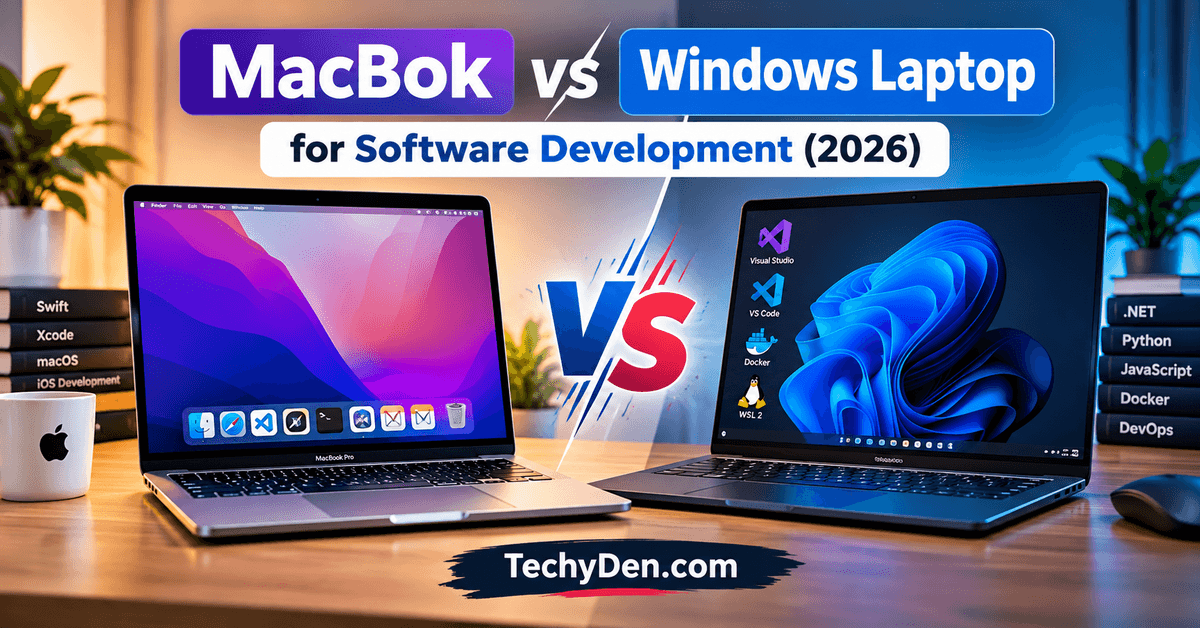
Choosing between a MacBook and a Windows laptop for software engineering can be challenging, especially when both platforms offer powerful hardware, modern development tools, and excellent productivity features. The right choice depends on the type of applications you build, your preferred programming languages, your budget, and the development environment you need.
MacBooks are popular among web developers, mobile app developers, and professionals who value battery life, build quality, and a Unix-based development environment. Windows laptops offer greater hardware variety, more budget options, strong compatibility with enterprise software, and flexible Linux development through Windows Subsystem for Linux (WSL).
So, which is better: a MacBook or a Windows laptop for software engineering in 2026?
A MacBook is an excellent choice for developers who need to build native iOS and macOS applications, while a Windows laptop is often more practical for .NET development, Windows-specific applications, gaming development, and budget-conscious buyers. For web development and many backend projects, both platforms can work equally well.
In this guide, we compare MacBooks and Windows laptops based on performance, programming tools, operating systems, battery life, compatibility, price, and real-world development needs.
MacBook vs Windows Laptop: Quick Comparison
| Feature | MacBook | Windows Laptop |
|---|---|---|
| Operating system | macOS | Windows 11 |
| Best for | iOS/macOS development, web development, Unix-based workflows | .NET, Windows apps, gaming, enterprise development |
| Programming languages | Python, JavaScript, Java, Swift, C/C++ and more | Python, JavaScript, Java, C#, C/C++ and more |
| Native iOS development | Best choice with Xcode | Requires a Mac for the standard native Xcode workflow |
| Web development | Excellent | Excellent |
| Linux development | Unix-based terminal; containers and VMs available | WSL 2, virtual machines, and containers |
| Hardware selection | Limited range of Apple-designed models | Wide range of manufacturers and configurations |
| Budget options | Generally higher starting prices | More entry-level and midrange options |
| Battery life | Often excellent on Apple Silicon models | Varies considerably by model |
| Gaming and GPU options | Suitable for some workloads and games | Broader selection of dedicated GPUs and gaming laptops |
| Hardware upgrades | Most components are not user-upgradeable | Depends on the model; some support RAM or SSD upgrades |
| Best overall choice | Developers in the Apple ecosystem | Developers who need Windows compatibility or more hardware flexibility |
Neither platform is universally better. Your development workflow matters more than the operating system alone.
What Is the Difference Between a MacBook and a Windows Laptop?
A MacBook is a laptop designed by Apple that runs macOS. Current MacBook models use Apple Silicon processors, which combine CPU, GPU, and other computing components within an integrated system architecture.
A Windows laptop is a portable computer from manufacturers such as Dell, Lenovo, HP, ASUS, Acer, and Microsoft. These laptops run Windows and may use processors from Intel, AMD, or Qualcomm, depending on the model.
The biggest practical difference is the software ecosystem.
macOS provides a Unix-based environment that many developers appreciate for working with command-line tools, SSH, Git, programming languages, and web servers. Windows provides broad application compatibility, extensive hardware choices, and tools such as Visual Studio, PowerShell, and WSL 2.
Both platforms support modern development workflows, including Git, VS Code, cloud development, databases, APIs, and many container-based applications. However, some tools and workloads have platform-specific requirements.
MacBook for Software Development
MacBooks are popular among developers because of their build quality, efficient Apple Silicon processors, battery life, and development environment.
a. Performance and Apple Silicon
Apple Silicon MacBooks deliver strong CPU and GPU performance for many programming tasks while maintaining relatively low power consumption.
Depending on the model and memory configuration, a MacBook can handle:
- Web development and frontend frameworks.
- Backend applications and API development.
- Python, Java, JavaScript, and TypeScript projects.
- Multiple code editors and browser tabs.
- Database clients and local development servers.
- Containerized development environments.
- Mobile app development using Xcode.
However, performance varies by processor, available memory, cooling design, and workload. An entry-level MacBook may not be the best choice for every large project, particularly when running several virtual machines or memory-intensive workloads.
Before buying a MacBook, choose enough unified memory for your development needs. Memory and storage configurations can be expensive, and most modern MacBook components cannot be upgraded after purchase.
b. macOS and the Developer Environment
macOS includes a Unix-based environment that makes many command-line development tasks straightforward.
Developers can use Terminal, Git, SSH, package managers, shells, and a wide range of programming tools. Popular editors and IDEs such as Visual Studio Code, IntelliJ IDEA, PyCharm, and other development applications are available for macOS.
This environment is especially convenient for web developers who deploy applications to Linux-based servers.
Nevertheless, macOS is not identical to Linux. Differences in system libraries, filesystem behavior, package management, and container architecture can still create compatibility issues. Always test your application in its actual deployment environment.
c. Xcode for iOS and macOS Development
One of the strongest reasons to choose a MacBook is Apple’s native development ecosystem.
Xcode is Apple’s official IDE for building applications for iOS, iPadOS, macOS, watchOS, and tvOS. It provides code editing, debugging, simulators, performance tools, and integration with Apple’s development workflow.
If you plan to build native iPhone or Mac applications using Swift and Apple’s frameworks, a Mac is the practical choice.
Windows laptops can be used for many cross-platform mobile development tasks, but they do not replace a Mac for the standard native Xcode workflow.
Advantages of a MacBook
- Excellent battery life on many Apple Silicon models.
- Strong performance for everyday development.
- Unix-based command-line tools.
- Native support for Xcode and Apple’s development ecosystem.
- High-quality displays, keyboards, and trackpads on many models.
- Good integration with other Apple devices.
- Useful for web, backend, and cross-platform development.
Disadvantages of a MacBook
- Usually costs more than many comparable Windows laptops.
- Limited hardware customization and model selection.
- Memory and storage upgrades are generally unavailable after purchase.
- Some Windows-only applications require alternatives or a separate Windows environment.
- Virtualization and container workflows may differ from x86-64 systems.
- Some games, specialized hardware tools, and enterprise utilities may not be available.
Before purchasing a MacBook for iOS development, check Apple’s official Xcode system requirements to confirm that your Mac and macOS version support the development tools you intend to use.
A MacBook is worth considering if you value portability, battery efficiency, and Apple’s development tools. However, compare the complete configuration and price before deciding.
Windows Laptop for Software Development
Windows laptops are an excellent choice for developers who want a broad selection of hardware, strong application compatibility, and flexible pricing.
Performance and Hardware Options
Windows laptops are available in configurations ranging from affordable entry-level systems to powerful mobile workstations.
You can choose models with Intel or AMD processors, integrated graphics, dedicated NVIDIA or AMD GPUs, different screen sizes, and varying amounts of memory and storage. Some models also use ARM-based processors.
This flexibility helps developers select hardware for specific workloads rather than paying for features they do not need.
A well-configured Windows laptop can comfortably run development tools, databases, browsers, virtual machines, and local servers. For GPU-intensive workloads, a laptop with a suitable dedicated GPU may be more appropriate than an entry-level MacBook.
When comparing processors, do not rely on clock speed or core count alone. Look at real-world performance, sustained workloads, power consumption, memory capacity, and compatibility with your software.
Before setting up your development environment, review these essential Windows 11 settings to customize your PC and configure its important features.
Windows 11 and Programming Tools
Windows supports a broad range of programming languages and development applications.
Popular tools include:
- Visual Studio for .NET and Windows application development.
- Visual Studio Code for web development and general programming.
- PowerShell for automation and system administration.
- Git for version control.
- Docker Desktop for container-based workflows.
- Python, Java, Node.js, and other development runtimes.
- SQL Server and various database management tools.
Windows is particularly convenient for developers who build desktop applications for Windows or work with Microsoft technologies.
Visual Studio and the wider Microsoft ecosystem make Windows a natural fit for many enterprise software development projects.
Windows developers can explore our complete Windows 11 guide to learn more about the operating system’s features, settings, and troubleshooting options.
WSL 2 for Linux Development
Windows Subsystem for Linux 2 (WSL 2) allows developers to run a Linux distribution alongside Windows without setting up a traditional dual-boot system.
This makes Windows more flexible for developers who need Linux command-line tools or want to work with environments similar to their production servers.
With WSL 2, developers can use Linux shells, common package managers, Git, Python, Node.js, and many other development tools. Docker workflows can also integrate with WSL 2.
This is particularly useful for:
- Full-stack web development.
- Backend API development.
- Linux-based server applications.
- Automation and scripting.
- Cloud-native development.
- Working with Linux command-line utilities.
However, WSL 2 is not a complete replacement for every Linux environment. Some specialized hardware, kernel-level tools, networking configurations, and container workloads may need additional setup.
Advantages of a Windows Laptop
- A wide range of prices and hardware configurations.
- Strong support for Microsoft development tools.
- Excellent compatibility with Windows-specific applications.
- WSL 2 enables many Linux-based development workflows.
- More options for dedicated GPU configurations.
- Some laptops allow RAM and SSD upgrades.
- Good choice for enterprise, desktop, and gaming development.
Disadvantages of a Windows Laptop
- Battery life varies widely across manufacturers and models.
- Lower-cost laptops may have limited memory, slower storage, or weaker displays.
- Driver and firmware experiences vary by manufacturer.
- Development environments may require extra configuration.
- WSL 2, Docker, and virtual machines can consume considerable memory.
- ARM-based Windows laptops may have compatibility limitations with certain development tools or dependencies.
Windows developers who need Linux command-line tools can consult Microsoft’s official WSL documentation for installation instructions, development environment setup, and guidance on running Linux-based workflows alongside Windows.
A Windows laptop is a practical choice if you need Windows-specific tools, prefer hardware flexibility, or want to maximize your budget.
MacBook vs Windows for Different Programming Tasks
The best laptop depends on what you intend to build. Here is how the two platforms compare across common development specializations.
Web Development
For frontend and full-stack web development, both platforms are excellent.
Developers can use HTML, CSS, JavaScript, TypeScript, React, Angular, Vue, Node.js, PHP, Python, Ruby, and popular web frameworks on both macOS and Windows.
Both platforms support code editors, browsers, Git, databases, API testing tools, and local development servers.
Best choice: Either platform. Choose based on budget, preferred tools, and deployment requirements.
Backend Development
Backend developers commonly work with APIs, databases, application servers, cloud platforms, and containerized services.
Both MacBooks and Windows laptops support popular backend languages, including Python, Java, JavaScript, Go, PHP, and C#.
A MacBook offers a convenient Unix-based command-line environment. Windows provides PowerShell and WSL 2 for many Linux-oriented workflows, alongside strong Microsoft tooling.
Best choice: Either platform. Windows may be more convenient for Microsoft-centric environments, while macOS can be attractive for Unix-based workflows.
iOS and macOS App Development
Developing native applications for Apple’s platforms requires Apple’s development ecosystem.
Xcode is designed for macOS, making a MacBook the practical choice for native iOS and macOS development.
Windows can still be useful for designing APIs, writing shared business logic, or developing cross-platform applications. However, building, signing, and testing native Apple applications generally requires access to a Mac.
Best choice: MacBook.
.NET and Windows Application Development
Developers building Windows desktop applications or working extensively with Microsoft technologies may prefer Windows.
Visual Studio on Windows provides a mature environment for .NET development and Windows-specific tooling. Although .NET also supports macOS and Linux for many application types, some Windows-specific workloads are restricted to Windows.
Best choice: Windows laptop for Windows-specific development; either platform for cross-platform .NET projects.
Game Development
Both platforms can support game development, but the best choice depends on the game engine, target platform, and graphics requirements.
Windows laptops offer a broader selection of dedicated GPUs and gaming-oriented hardware. This can be useful for Unreal Engine, graphics-intensive workflows, and testing Windows games.
MacBooks can support development with engines such as Unity and Unreal Engine, subject to the relevant engine version, project requirements, and platform limitations.
Best choice: Usually Windows for GPU-heavy workflows and Windows gaming targets; macOS can work well for supported cross-platform projects.
AI and Machine Learning
AI and machine learning development requires careful consideration of software frameworks, memory, accelerator support, and deployment targets.
MacBooks can run many Python-based AI tools and use Apple Silicon acceleration where supported. Windows laptops with compatible NVIDIA GPUs can be attractive for CUDA-based development and workloads that rely on NVIDIA’s ecosystem.
Not every AI library supports every accelerator or operating system equally well. Remote GPU servers and cloud notebooks are also practical options for both platforms.
Best choice: Depends on the framework and hardware requirements. For CUDA-dependent local development, a compatible NVIDIA GPU system is often the more straightforward option.
Performance Comparison: MacBook vs Windows Laptop
Performance depends on the exact models being compared. A powerful Windows workstation can outperform an entry-level MacBook in some tasks, while an Apple Silicon MacBook may offer better efficiency and battery life than many Windows alternatives.
| Performance factor | MacBook | Windows laptop |
|---|---|---|
| Everyday coding | Excellent on suitable models | Excellent on suitable models |
| Large codebases | Depends on CPU and memory | Depends on CPU and memory |
| Running multiple tools | Memory configuration matters | Memory configuration matters |
| Battery efficiency | Often a strength of Apple Silicon | Highly model-dependent |
| GPU-heavy workloads | Depends on chip and software support | More dedicated GPU choices |
| Virtual machines | Good, with architecture considerations | Broad options, also architecture-dependent |
| Thermal performance | Depends on model and cooling | Depends on model and cooling |
For a meaningful comparison, benchmark the actual applications you use rather than relying on a single synthetic score.
If your Windows laptop becomes slow while running development tools, our guide on how to fix Windows 11 running slowly explains practical ways to improve system responsiveness.
How Much RAM Do Developers Need?
Memory requirements vary according to your project size and the number of applications running simultaneously.
| Memory | Typical use |
|---|---|
| 8GB | Basic coding and lightweight projects; restrictive for many modern workflows |
| 16GB | A practical starting point for general development |
| 24GB–32GB | Useful for larger projects, containers, IDEs, and multitasking |
| 32GB or more | Worth considering for large codebases, virtual machines, and memory-intensive workloads |
These are general recommendations, not strict minimum requirements. Some projects need less memory, while machine learning, mobile emulators, and complex virtualized environments may need considerably more.
Running multiple IDEs, development servers, and background applications can increase CPU usage. Learn how to fix high CPU usage in Windows 11 if your computer experiences persistent performance problems.
SSD Storage Requirements
A 256GB SSD can work for small projects, but storage fills quickly when you install development environments, SDKs, emulators, databases, containers, and virtual machines.
For most developers buying a new laptop, 512GB SSD storage is a sensible starting point, while 1TB or more is worth considering for large projects or extensive local testing environments.
If your laptop supports SSD upgrades, you may be able to expand storage later. Check the specific model before buying.
If you plan to use the latest Windows release, read our Windows 11 26H2 features and installation guide to learn about the update and its installation requirements.
Battery Life and Portability
Battery life matters when you code while travelling, attend classes, work from cafes, or move between offices.
MacBooks with Apple Silicon are known for their power efficiency, and many models deliver strong battery life during everyday development. However, actual results depend on the chip, screen brightness, workload, and connected devices.
Windows laptop battery life varies considerably. Thin-and-light models may offer excellent endurance, while gaming laptops and mobile workstations often consume more power.
If portability is a priority, compare independent battery tests for the exact models you are considering. Look at sustained coding workloads rather than relying exclusively on manufacturers’ advertised figures.
Also consider weight, charging speed, keyboard comfort, screen quality, and port selection. A laptop that is comfortable to use for long coding sessions can be more valuable than one with slightly higher benchmark scores.
Price and Long-Term Value
Windows laptops offer more price points, making it easier to find a system that fits a limited budget. MacBooks generally occupy the midrange and premium segments, depending on the model and configuration.
However, the cheapest laptop is not always the best value for software development.
Consider the total cost of ownership, including:
- Processor and memory configuration.
- SSD capacity.
- Warranty and repair options.
- External monitors and accessories.
- Required software or development subscriptions.
- Battery replacement and other maintenance.
- Potential future hardware upgrades.
Some Windows laptops allow RAM or SSD upgrades, while most modern MacBooks have non-upgradeable unified memory and storage. A higher initial investment can still make sense if the system meets your needs for several years, but longevity should not be assumed from brand alone.
Before purchasing, compare similarly configured models rather than comparing a premium MacBook with a budget Windows laptop.
Best Laptop Specifications for Software Development
If you are buying a new laptop primarily for programming, use these specifications as a starting point.
| Component | Recommended starting point |
|---|---|
| Processor | A recent Apple Silicon, Intel, AMD, or compatible ARM processor suited to your tools |
| RAM | 16GB for general development; 32GB or more for heavier workflows |
| Storage | 512GB SSD or more |
| Display | Full HD or higher, with comfortable viewing and good text clarity |
| Keyboard | Comfortable layout suitable for long coding sessions |
| Connectivity | Wi-Fi 6 or newer where available; USB-C and other required ports |
| Battery | Strong real-world endurance if you work away from a desk |
| Operating system | macOS for Apple-native development; Windows for Windows-specific workflows |
For a student learning programming, a well-configured midrange Windows laptop can be sufficient. For a professional developer running several services, IDEs, containers, and browsers simultaneously, investing in additional memory and storage is often more useful than paying for cosmetic features.
For iOS development, prioritize a Mac that meets the requirements of the current Xcode release and your intended projects.
Which Is Better for Software Engineering Students?
For software engineering students, the choice should depend on the curriculum, budget, and tools required by their college.
A Windows laptop is often the more flexible option for students who need a lower purchase price, Windows-specific software, and a wide selection of configurations.
A MacBook is worth considering for students who plan to specialize in iOS development, already use Apple’s ecosystem, or prefer macOS for their daily development work.
Before purchasing, check your college’s requirements for programming languages, IDEs, virtual machines, database tools, and operating systems.
Students who mainly learn Python, C, C++, Java, or web development do not generally need a MacBook just to start programming. A suitable Windows laptop can handle these subjects well.
MacBook vs Windows Laptop: Pros and Cons at a Glance
Pros and Cons of MacBook
Pros of MacBook
- Strong performance and efficiency on Apple Silicon models.
- Good battery life on many models.
- Native Apple development tools.
- Unix-based command-line environment.
- Premium hardware options.
Cons of MacBook
- Higher cost for many configurations.
- Limited post-purchase hardware upgrades.
- Not suitable for every Windows-specific application.
- Some specialized workloads require architecture-aware workarounds.
Pros and Cons of Windows Laptop
Pros of MacBook
- Wide selection of hardware and prices.
- Strong Microsoft and Windows application support.
- WSL 2 enables many Linux development workflows.
- More dedicated GPU and gaming laptop choices.
- Upgradeable memory or storage on some models.
Cons of MacBook
- Battery life varies by model.
- Lower-cost configurations may struggle with heavier workloads.
- Hardware and driver quality varies by manufacturer.
- Some ARM-based models require compatibility checks.
Frequently Asked Questions
Is a MacBook better than a Windows laptop for software development?
Neither is universally better. A MacBook is the natural choice for native iOS and macOS development and can be excellent for web and backend work. A Windows laptop is often better for Windows-specific development, Microsoft-centric workflows, and buyers who want more hardware options.
Which laptop is best for programming in 2026?
The best laptop depends on your development needs and budget. Choose a MacBook for Apple-native development or a Windows laptop for Windows-specific tools and broader hardware selection. For general programming, prioritize a capable processor, 16GB or more of RAM, and an SSD.
Can I use a MacBook for Python programming?
Yes. MacBooks support Python development using editors and IDEs such as Visual Studio Code, PyCharm, and other compatible tools. Developers can create scripts, web applications, APIs, data-processing programs, and many machine learning projects on macOS.
Can I use a Windows laptop for web development?
Yes. Windows supports popular web development tools, frameworks, programming languages, databases, and code editors. WSL 2 can also provide a Linux environment for developers who need Linux-based command-line tools.
Do I need a MacBook to develop iPhone apps?
For native iOS development using Apple’s standard Xcode workflow, you need access to a Mac. You can use Windows for parts of a cross-platform workflow, but native building, signing, and testing often require a Mac.
Is 8GB RAM enough for software development?
Eight gigabytes can be enough for basic coding and small projects, but it may become restrictive when running modern IDEs, browser tabs, containers, emulators, or virtual machines. For a new development laptop, 16GB is a more practical starting point for general use.
Is Windows better than macOS for programming?
Windows is often more convenient for Windows desktop applications, some enterprise workloads, and CUDA-dependent development with compatible NVIDIA hardware. macOS is attractive for Apple-native development and Unix-based workflows. Both support a wide range of programming languages.
Which is better for full-stack development: MacBook or Windows laptop?
Both are excellent choices for full-stack development. Developers can build frontend applications, backend APIs, databases, and cloud-connected systems on either platform. Choose the operating system that best matches your deployment environment, development tools, and budget.
Should I buy a MacBook or Windows laptop for computer science?
Review your course requirements first. Windows laptops usually offer more affordable configurations, while MacBooks can be useful for students interested in Apple’s development ecosystem. Either platform is suitable for learning most mainstream programming languages.
Final Verdict: MacBook vs Windows Laptop for Software Development
The choice between a MacBook and a Windows laptop comes down to your programming goals, preferred development environment, and budget.
Choose a MacBook if you want to build native iOS or macOS applications, value battery efficiency, and prefer macOS’s Unix-based environment.
Choose a Windows laptop if you need Windows-specific applications, work extensively with Microsoft development tools, want more hardware choices, or need a compatible NVIDIA GPU for particular workloads.
For web development, backend programming, and many general software engineering tasks, either platform can deliver an excellent experience.
Ultimately, do not choose a laptop based on brand popularity alone. Select a configuration that meets your software requirements, provides enough memory and storage, and fits your budget. The right laptop is the one that lets you build, test, debug, and ship software reliably.