
10 Best Web Browsers for Windows 2026: Fast, Secure & Private
Choosing the best web browser for Windows in 2026 is more important than ever. With new privacy regulations, there are rapid browser updates. Additionally, a host of innovative Windows 11 features make your browser more than just a portal to the web. It’s a tool that impacts your speed, security, and productivity every day.
Whether you’re searching for the fastest browser for Windows, you need a privacy-first browser with a built-in VPN. You might look for advanced AI Copilot tools or lightweight performance for an older PC. In any case, the right choice makes all the difference.
Today’s leading browsers include Microsoft Edge, Chrome, Firefox, Opera, Brave, and Vivaldi. Up-and-coming AI-powered browsers are competing too. They compete on everything from private browsing to extension support. They also focus on battery life and seamless cloud sync.
This updated guide covers the top browsers for Windows 11 and Windows 10 in 2026. We’ll compare their best features for security, speed, customization, and device compatibility. This will help you quickly find the best browser for your PC needs. Options range from lightweight browsers for old computers to advanced browsers designed for streaming, gaming, or secure online shopping.
Let’s explore which browser is best for you—and why it matters more than ever in 2026.
Best Web Browsers for Windows 11 Users in 2026
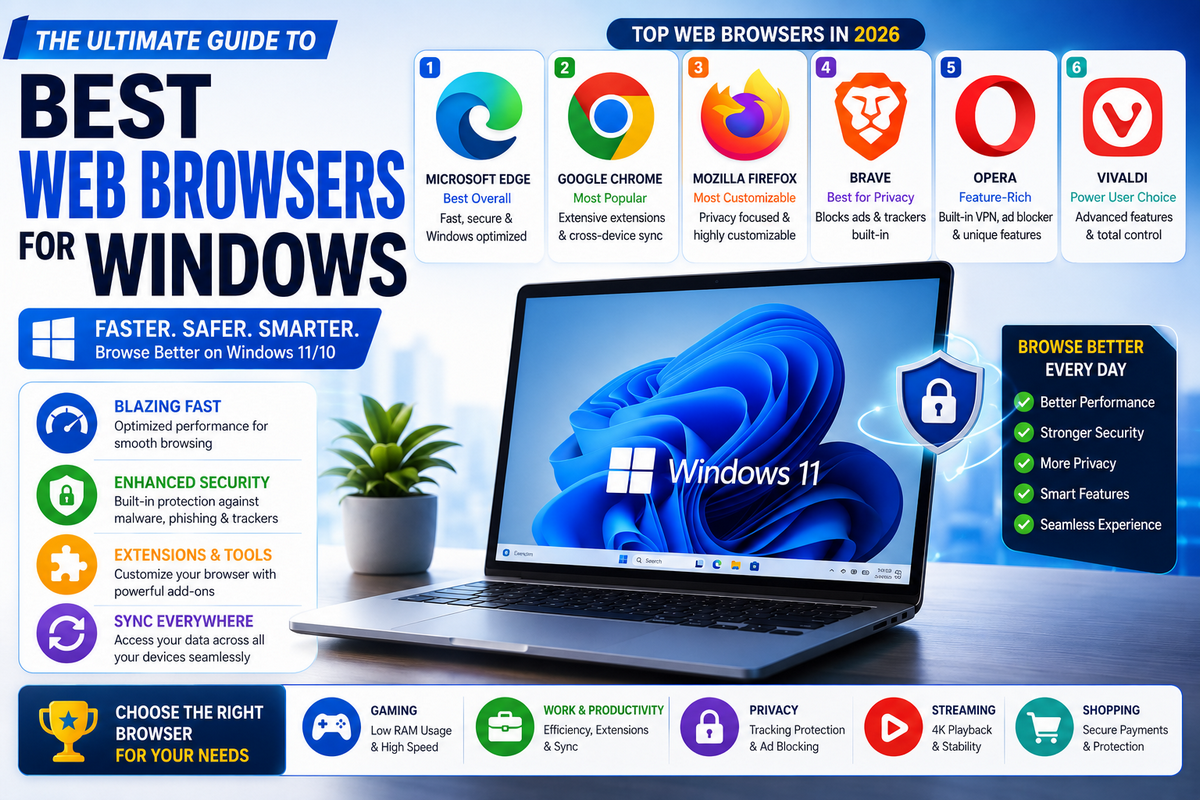
In 2026, the best web browsers for Windows balance speed, privacy, extension support, and built‑in AI features. Microsoft Edge remains the default choice on Windows 10 and 11, while Chrome, Firefox, Brave, Opera, and Vivaldi each offer unique advantages for different types of users.
| Browser | Best for | Standout features |
|---|---|---|
| Microsoft Edge | Windows users | Default on Windows, Copilot AI, good performance |
| Google Chrome | Overall compatibility | Huge extension library, fast and familiar |
| Mozilla Firefox | Privacy‑first browsing | Open source, strong tracking protection |
| Brave | Ad‑free, private browsing | Blocks ads/trackers by default, rewards |
| Opera / Opera GX | Built‑in tools, gamers | Free VPN, Aria AI, gaming resource controls |
| Vivaldi | Customization & power users | Deep UI customization, advanced tab tools |
There are popular options like Google Chrome and Microsoft Edge. Lighter choices like Opera and Brave are also available.
Each browser comes with unique strengths. In this section, we’ll look at the top browsers that deliver speed, security, and efficiency for Windows 11 users.
1. Microsoft Edge
The AI-Enhanced Default Browser
Edge is the default browser on Windows 10 and 11 and is optimized for the Windows environment. It runs on Chromium, supports Chrome‑style extensions, and includes built‑in AI features via Microsoft Copilot, plus strong integration with Microsoft 365 services.
Microsoft Edge is known as the best web browser for Windows 11 in 2026. Its seamless compatibility with Windows devices sets it apart. The powerful AI Copilot features and focus on speed and privacy contribute to its excellence. Edge is designed and regularly updated by Microsoft.
It leverages full Windows integration for quick startup and security settings. This ensures you get optimal browser performance and robust protection out of the box.
With its innovative Copilot mode and new privacy tools, Edge is a top choice for users. It offers the fastest and most secure browser for PC. Edge provides advanced AI browser features. It allows effortless sync across all their Windows 10 and 11 devices.
Key Features:
- Full Windows 11 browser integration (touch, notifications, enhanced OS security)
- Built-in AI Copilot—for in-browser chat, research, and smart content summaries
- Powerful password manager and secure autofill
- Vertical tabs, tab grouping, and effective tab management
- Next-gen privacy and security: anti-tracking, sandboxed browsing, Do Not Track
- Read Aloud & Immersive Reader for better accessibility
- Collections feature for organizing shopping, research, and bookmarks
- Fast, free PDF reader with editing and annotation
- Broad extension support (compatible with Chrome Web Store extensions)
- Optimized for performance: low memory use, efficient battery usage
Pros:
- Deep Windows 11 integration and built-in Microsoft security
- AI Copilot makes browsing and research faster and smarter
- Privacy-focused, blocks trackers by default
- Great for both modern and older Windows PCs (lightweight resource use)
- Easy sign-in and sync with Microsoft Account
Cons:
- Smaller extension ecosystem than Chrome
- Best sync features require a Microsoft account login
- Some promotional prompts for Microsoft and Bing services
Copilot Mode:
Edge’s AI Copilot mode revolutionizes browsing. It provides real-time answers, content analysis, and smart suggestions. It even offers document, email, and write-help—all from a convenient browser sidebar.
With AI features directly integrated, Edge becomes a true productivity hub. It serves as a smart browser for Windows users in 2026. This is ideal for students, professionals, and anyone seeking efficiency, privacy, and speed.
Suggested Readings:
- Microsoft Edge tab groups: Organize Browsing sessions easily
- How to enable Microsoft Edge vertical tabs for a better browsing experience?
- How to Sync Microsoft Edge Settings, Bookmarks, and Passwords Across Devices
2. Google Chrome
Best for compatibility and extensions
Chrome remains the most widely used browser and generally offers the best compatibility with websites and web apps. Its massive extension ecosystem and tight integration with Google services (Gmail, Docs, Drive, YouTube) make it ideal for users who want speed and a familiar experience on Windows.
Google Chrome is one of the most popular web browsers worldwide, renowned for its speed, stability, and extensive ecosystem. Built on the Chromium engine, it offers seamless performance across Windows and other platforms. Chrome’s biggest advantage is its vast library of extensions.
These extensions allow users to customize their browsing experience for productivity, entertainment, or security. With features like cross-platform synchronization, automatic updates, and developer-friendly tools, Chrome has become the go-to choice for millions.
Whether you’re a casual user, Google Chrome delivers a reliable and fast browsing experience. Power users will find it feature-rich for Windows in 2026.
Features of Google Chrome
- Extensive Extension Library – Access thousands of extensions from the Chrome Web Store.
- Cross-Platform Sync – Sync bookmarks, passwords, and history across Windows, Mac, Android, and iOS.
- High-Speed Performance – Fast page loading and efficient resource management.
- Regular Updates – Frequent updates ensure security patches and new features.
- Built-in Security – Sandboxing, Safe Browsing, and Malware Protection.
- Developer Tools – Advanced tools for web development and debugging.
- Tab Management – Group, pin, and search tabs easily.
- Incognito Mode – Private browsing without storing history or cookies.
- Integration with Google Services – Seamless use of Gmail, Drive, and other Google apps.
- Customizable Interface—Themes, new tab layouts, and startup options.
Pros
- Extremely fast and stable browsing experience.
- A large ecosystem of extensions for any need.
- Cross-device sync keeps browsing consistent.
- Frequent security and feature updates.
- Easy to use for beginners and advanced users alike.
Cons
- High memory and CPU usage compared to some lightweight browsers.
- Privacy concerns due to Google’s data collection practices.
- Limited customization without extensions.
Get the Google Chrome Browser Now
Additional Notes
Google Chrome remains a favorite for users who value performance, reliability, and access to a wide range of tools. Microsoft Edge is catching up with AI features and resource efficiency. However, Chrome’s ecosystem and developer support are indispensable. Windows users rely on extensions and Google services for work or personal use.
Suggested Readings:
- Microsoft Edge vs Chrome: 8 Comprehensive Comparisons for You
- How to download and install Google Chrome browser on Windows 11?
- Best Google Chrome Extensions for a Great Browsing Experience
3. Mozilla Firefox
Best for privacy‑focused users
Firefox is an open‑source browser that emphasizes privacy and user control. It offers strong tracking protection, extensive customization options, and a rich extension library, making it a great choice for users who want more independence from big platform ecosystems.
Mozilla Firefox is a leading web browser that emphasizes privacy, security, and user control. As an open-source browser, it is developed and maintained by a community dedicated to transparency and innovation.
Firefox offers robust privacy features like Enhanced Tracking Protection, blocking trackers and unwanted ads automatically. It’s also optimized for speed and performance, making it a reliable choice for Windows users in 2026.
Firefox provides frequent updates. It has a customizable interface and extensive add-ons. This ensures a secure and user-friendly browsing experience. Your online activities remain private and are protected from third-party tracking.
Features of Mozilla Firefox
- Enhanced Tracking Protection – Blocks trackers, cookies, and cryptominers automatically.
- Open-Source Development – Community-driven updates and transparent development.
- Regular Performance Updates – Optimized for speed and reduced memory usage.
- Customizable Interface – Flexible themes, toolbar layouts, and extensions.
- Multi-Platform Sync – Syncs bookmarks, passwords, and history across devices.
- Private Browsing Mode – Ensures no history or cookies are saved.
- Built-in Security Tools – Phishing and malware protection.
- Support for Extensions – Thousands of add-ons for productivity and customization.
- Reader Mode – Simplifies web pages for distraction-free reading.
- Cross-Device Performance – Works efficiently on Windows, macOS, and Linux.
Pros
- Strong privacy and security features.
- Open-source with community support.
- Lightweight and fast performance.
- Highly customizable with themes and extensions.
- Consistent updates with new security improvements.
Cons
- Slightly fewer extensions compared to Chrome.
- Occasional compatibility issues with some websites.
- May use more memory with multiple tabs open.
Get the Mozilla Firefox browser now
Additional Notes
Mozilla Firefox is ideal for users who prioritize privacy and security without sacrificing speed. Compared to browsers like Brave, Firefox offers a balanced approach.
It has strong privacy tools, extensive customization options, and reliable performance on Windows. Its open-source nature ensures transparency, making it a trusted choice for users who want control over their browsing experience.
Suggested Readings:
- 10 Best Android Browsers for privacy and secure browsing
- LibreWolf: Secure, Privacy-Focused Chrome/Firefox Alternative
4. Brave
Best for ad‑free, privacy‑first browsing
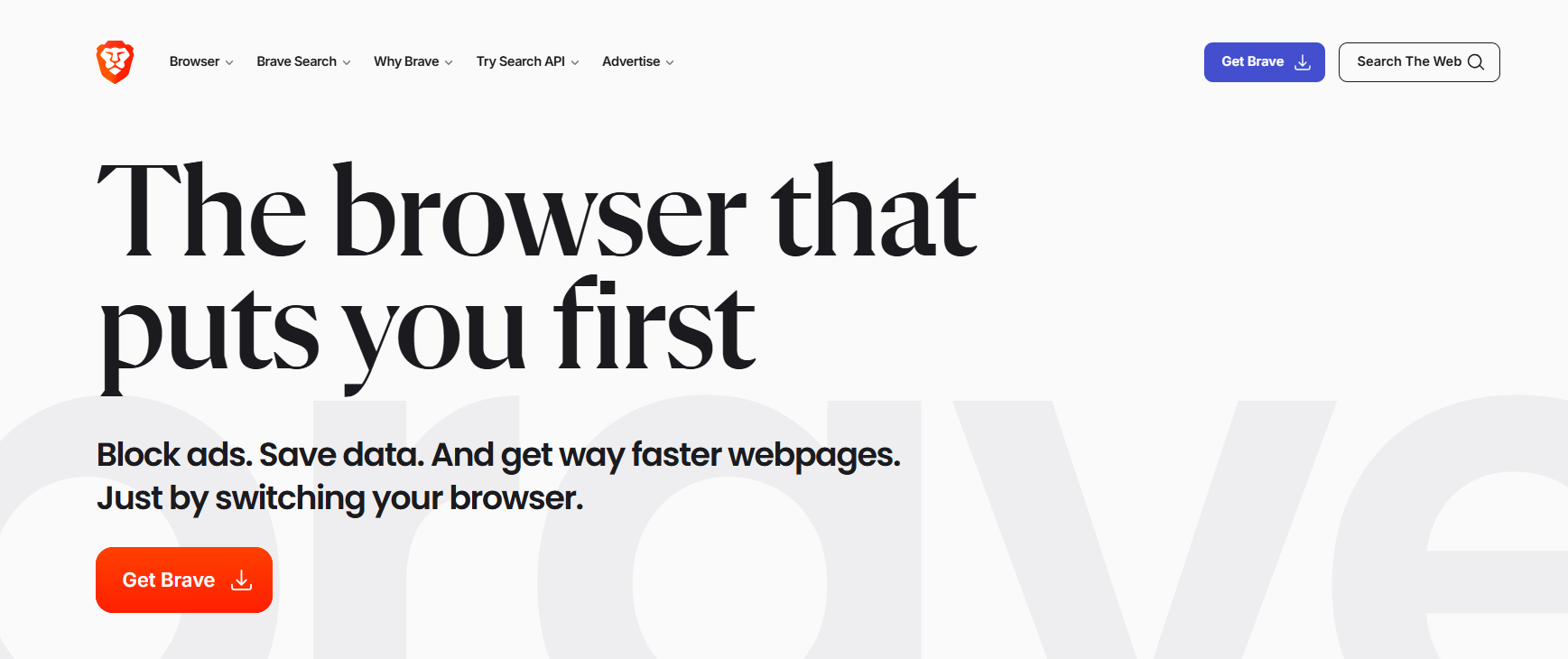
Brave is a Chromium‑based browser designed to block ads and trackers by default, reducing clutter and improving page load times. It also includes features like Brave Rewards and built‑in privacy tools, making it appealing for users who want a “install and forget” browser with better defaults than Chrome
Brave is a modern web browser built with privacy, speed, and security at its core. It blocks ads, trackers, and unwanted scripts by default, giving users a faster and safer browsing experience. Brave also integrates cryptocurrency features. It includes its native Basic Attention Token (BAT) system.
This system allows users to earn rewards for viewing privacy-respecting ads. With a Chromium-based engine, it supports most Chrome extensions while maintaining lightweight performance.
For Windows users in 2026, Brave offers a combination of privacy, speed, and innovation. It stands out for those who want to take control of their online experience. It also enhances digital security.
Features of Brave
- Built-in Ad and Tracker Blocking – Automatically blocks intrusive ads and trackers.
- Privacy-Focused Browsing – Shields and HTTPS Everywhere for secure connections.
- Cryptocurrency Integration – Supports BAT for rewards and tipping content creators.
- Chromium-Based Engine – Compatible with most Chrome extensions.
- Fast Performance – Optimized for low memory usage and quick page loading.
- Cross-Platform Sync – Syncs bookmarks and settings across devices.
- Private Browsing with Tor – Access websites anonymously through Tor integration.
- Fingerprinting Protection – Prevents websites from tracking users via digital fingerprints.
- Customizable Interface – Allows theme and layout adjustments for better usability.
- Regular Security Updates – Frequent updates ensure maximum protection against threats.
Pros
- Strong default privacy protections without additional setup.
- Fast and lightweight, reducing CPU and memory usage.
- Chromium-based, allowing Chrome extension compatibility.
- Built-in cryptocurrency rewards system.
- Tor integration for enhanced anonymity.
Cons
- Some websites may not load correctly due to aggressive ad-blocking.
- Limited customization compared to Vivaldi or Firefox.
- Cryptocurrency features may be confusing for beginners.
Additional Notes
Brave is perfect for users who value privacy, speed, and innovative digital rewards. It combines robust security with the flexibility of Chrome’s extension ecosystem.
For Windows users who want to reduce tracking, Brave offers enhanced browsing speed. It also provides the opportunity to explore cryptocurrency-based rewards. Brave offers a unique and modern approach to web browsing in 2026.
5. Vivaldi
Best for power users and customization
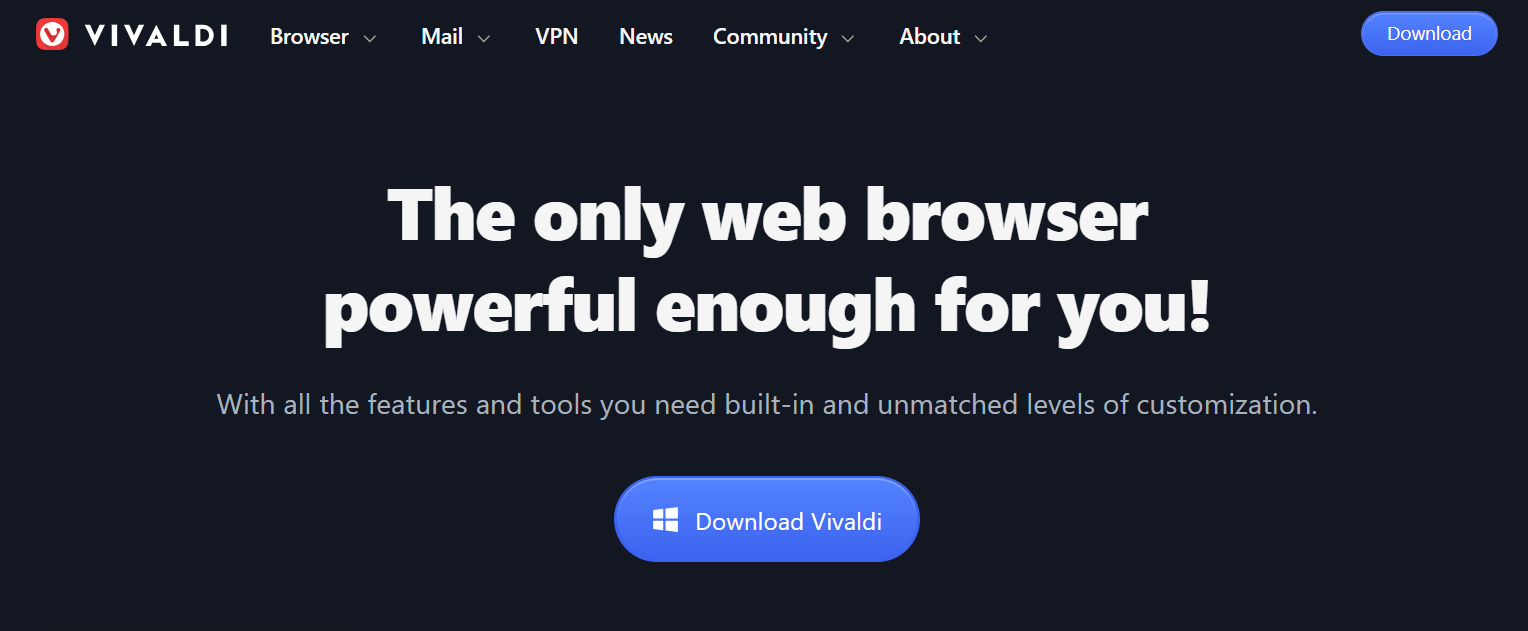
Vivaldi is a Chromium‑based browser built for advanced users who want full control over the interface and tabs. It offers deep customization, advanced tab management, built‑in tools like notes and screen captures, and is ideal if you like tweaking your browser’s layout and behavior.
Vivaldi is a highly customizable web browser designed for power users who want full control over their browsing experience. Built on the Chromium engine, it offers speed and flexibility. Users can tailor the interface, tabs, and workflows according to their preferences.
Vivaldi also includes unique features like tab stacking, workspaces, and advanced keyboard shortcuts. These features make it ideal for Windows users who manage multiple tasks simultaneously. Vivaldi stands out with its built-in privacy tools and frequent updates.
The browser adapts to your workflow instead of forcing you into a one-size-fits-all design. This adaptability makes it a top choice in 2026.
Features of Vivaldi
- Advanced Tab Management – Stack, tile, and organize multiple tabs efficiently.
- Customizable Interface – Adjust themes, colors, and layout to suit personal preferences.
- Workspaces – Separate tabs into different workspaces for focused tasks.
- Built-in Notes – Save notes and screenshots directly in the browser.
- Privacy Tools – Tracker and ad blocker with strict privacy controls.
- Keyboard Shortcuts & Mouse Gestures – Enhance productivity with customizable commands.
- Web Panels – Access favorite sites in a sidebar without leaving the main window.
- Sync Across Devices – Securely sync bookmarks, passwords, and history.
- Chromium-Based Engine – Supports most Chrome extensions.
- Regular Updates – Continuous improvements in speed, security, and features.
Pros
- Extremely flexible and customizable.
- Efficient tab and workspace management for multitasking.
- Strong privacy protections with built-in tools.
- Supports Chrome extensions.
- Innovative productivity features like Notes and Web Panels.
Cons
- Slightly steeper learning curve for beginners.
- Can consume more system resources with many customizations.
- Not as widely used, leading to fewer community resources compared to Chrome or Firefox.
Additional Notes
Vivaldi is ideal for Windows users who want complete control over their browser environment. It’s especially suited for multitaskers, researchers, and developers who need advanced tab management and productivity tools.
Mastering all features may take time. However, Vivaldi rewards users with an efficient, personalized browsing experience. It adapts to individual workflows in 2026.
6. Opera / Opera GX
Best for built‑in tools and gamers
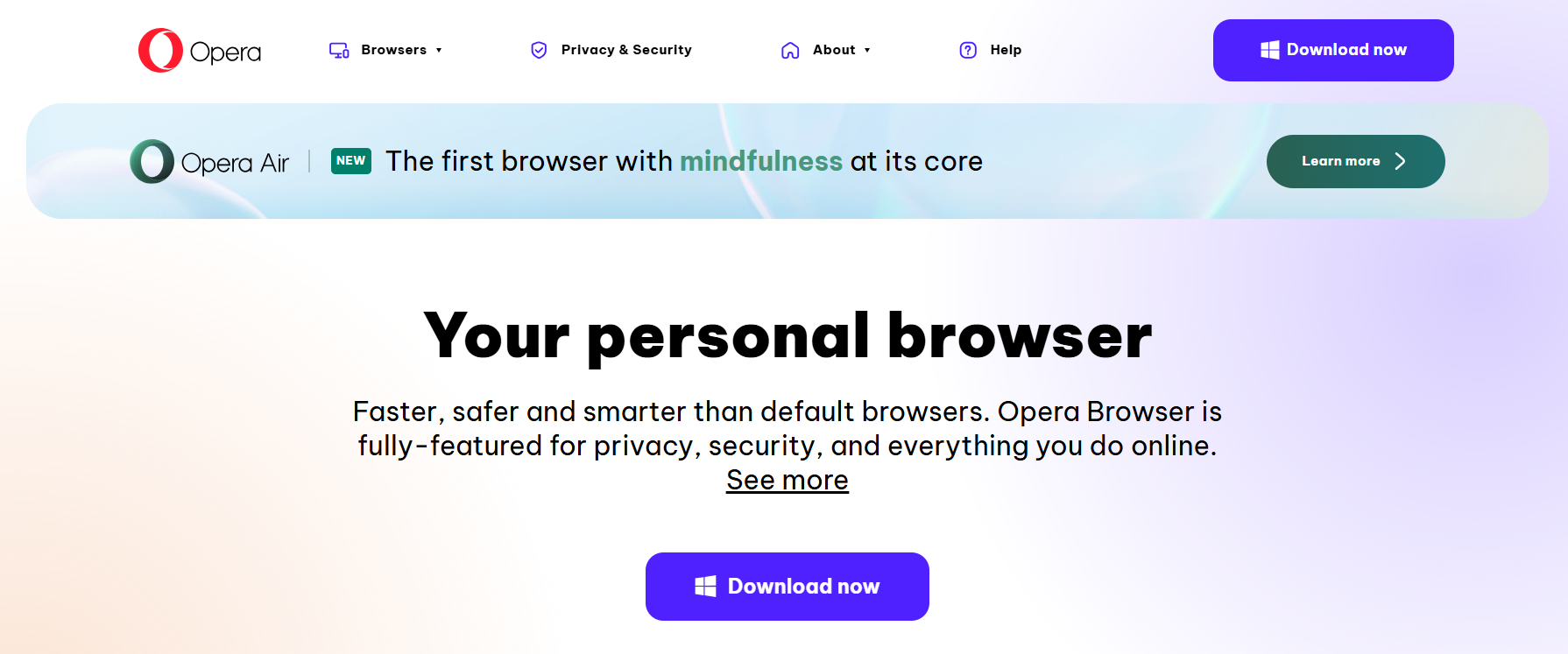
Opera includes a free built‑in VPN, ad blocker, and the Aria AI assistant, plus sidebars for messaging and social apps. Opera GX extends this with gaming‑focused controls like RAM and CPU limiters, making it attractive to gamers who want more control over system resources while browsing
Opera is a versatile web browser known for its innovative features and user-friendly design. Opera offers a comprehensive browsing experience for Windows users in 2026. It includes built-in tools like a free VPN and ad blocker. It also has integrated social media apps.
Its speed, efficiency, and low memory usage make it a strong competitor among Chromium-based browsers. Opera also includes features tailored for gamers and power users, such as a battery saver and gaming mode.
For users searching for a browser that offers security, productivity, and entertainment, Opera is a standout choice. It is feature-packed and meets a wide range of needs.
Features of Opera
- Built-in VPN – Secure browsing without additional software.
- Integrated Ad Blocker – Blocks intrusive ads for faster page loads.
- Social Media Integration – Access WhatsApp, Telegram, and Instagram directly from the sidebar.
- Battery Saver Mode – Extends laptop battery life while browsing.
- Gaming Mode – Optimizes performance for online gaming.
- Personal News Feed – Customize news based on your interests.
- Snapshot Tool – Capture screenshots and edit them within the browser.
- Workspaces & Tab Management – Organize tabs into groups for better workflow.
- Speed Dial – Quick access to favorite websites from the homepage.
- Chromium-Based Engine – Compatible with Chrome extensions for added functionality.
Pros
- Built-in VPN and ad blocker for privacy and security.
- Integrated social apps improve productivity.
- Low resource consumption with fast browsing.
- Gaming mode for optimized performance.
- Customizable homepage and workspace organization.
Cons
- Limited extension support compared to Chrome.
- Some features may feel unnecessary for casual users.
- Occasional compatibility issues with certain websites.
Get Opera Web Browser Now
Additional Notes
Opera is perfect for Windows users who want a complete, feature-rich browsing experience. Its built-in tools reduce the need for extra software, while the VPN and ad-blocker enhance privacy.
Opera has unique features. These include gaming mode and social app integration. It appeals to a broad audience, including casual users. It also attracts tech-savvy power users who seek efficiency and innovation in the 2026.
7. Safari
Best Energy-Efficient Browser
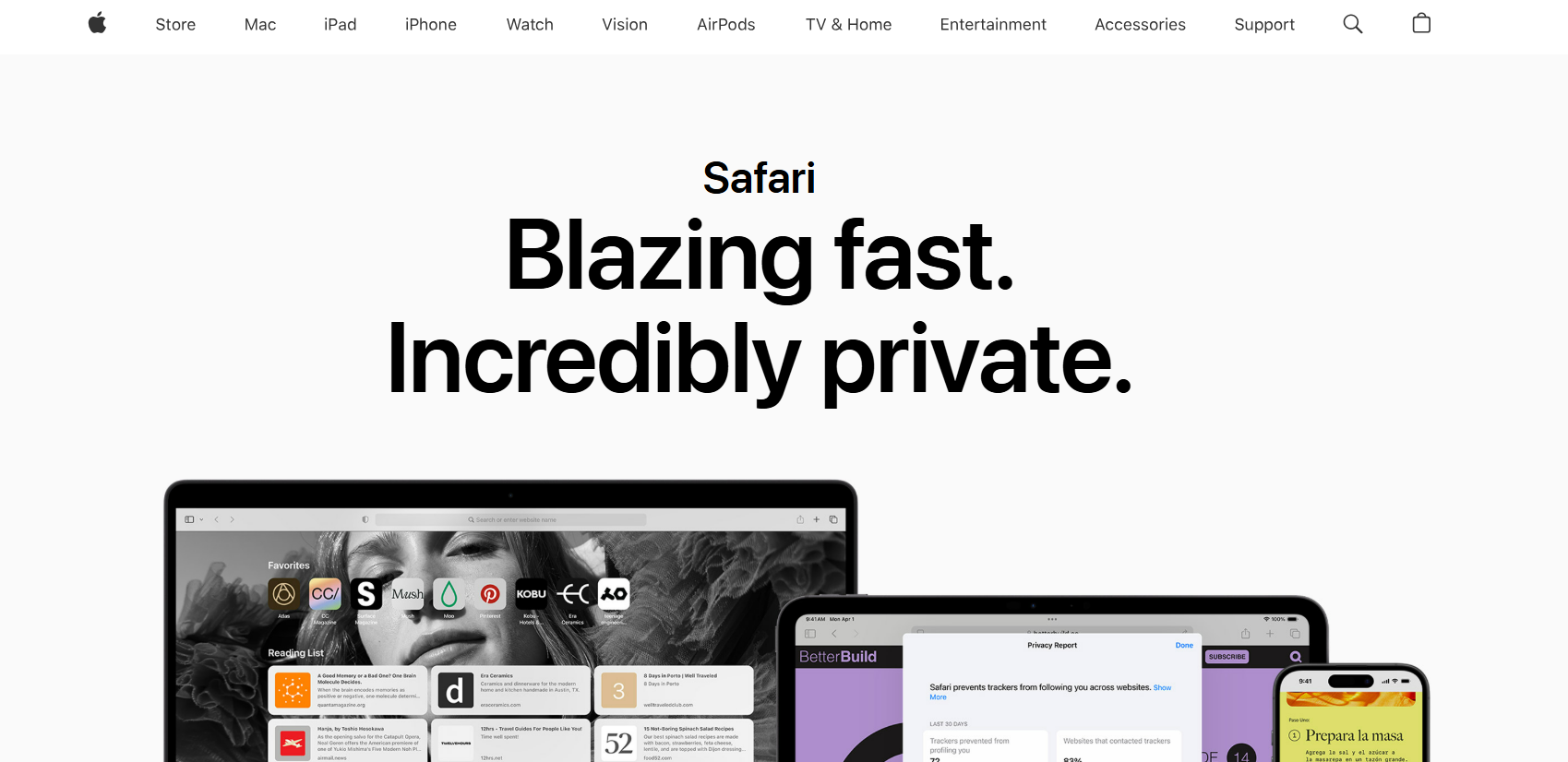
Safari is Apple’s flagship web browser, designed for speed, efficiency, and privacy. While primarily optimized for macOS and iOS, Safari is also available on Windows. Users can access it in limited versions through legacy support or virtualization.
Known for its energy-efficient performance, Safari minimizes CPU usage. It conserves battery life, making it ideal for laptops and mobile devices. It also prioritizes user privacy, featuring intelligent tracking prevention and strong security measures.
For users who value performance, privacy, and a clean browsing experience, Safari offers a reliable solution. Even in 2026, it remains a top choice for those seeking efficiency and secure web browsing.
Features of Safari
- Energy-Efficient Performance – Reduces CPU usage and extends battery life.
- Intelligent Tracking Prevention – Blocks trackers across websites automatically.
- Built-in Privacy Tools – Includes anti-phishing and anti-malware protection.
- Optimized for Apple Devices – Seamless integration with macOS and iOS.
- Fast Page Loading – WebKit engine ensures quick rendering of websites.
- Reader Mode – Provides distraction-free reading of articles.
- Extensions Support – Compatible with Safari Web Extensions.
- Cross-Device Sync – Sync bookmarks, history, and passwords via iCloud.
- Security Updates – Frequent patches to maintain secure browsing.
- Clean and Minimal Interface – Simplified design for easy navigation.
Pros
- Energy-efficient, reducing battery and CPU usage.
- Strong privacy and security protections.
- Fast and responsive browsing experience.
- Simple and intuitive user interface.
- Seamless integration with the Apple ecosystem.
Cons
- Limited availability and support on Windows.
- Fewer extensions compared to Chrome or Firefox.
- Some websites may not display perfectly on Apple devices.
Get the Safari Web browser for Windows 11
Additional Notes
Safari is ideal for users who prioritize battery life, privacy, and speed. While its Windows support is limited, its energy-efficient design and secure browsing make it a top choice for Apple users.
Even in mixed environments, Safari offers a clean and reliable experience. It is a dependable option for users who want performance and security. There is no compromise on simplicity.
8. Arc Browser
The Productivity-Focused Browser
Arc Browser is a modern web browser designed to enhance productivity and organization for power users. Unlike traditional browsers, Arc focuses on providing a dashboard-like interface, split-screen layouts, and advanced workspace management. Built on the Chromium engine, it supports Chrome extensions while offering unique tools that streamline multitasking and workflow.
For Windows users in 2026, Arc combines efficiency and customization. It offers smart organization that makes it ideal for professionals, students, and creative users. Its innovative approach to tabs and workspaces allows users to manage multiple tasks seamlessly. It offers a fresh alternative to conventional browsers that prioritize speed alone.
Features of Arc Browser
- Dashboard Interface – Organizes apps, bookmarks, and tools for quick access.
- Split-Screen Layouts – View multiple web pages simultaneously for multitasking.
- Workspaces – Group tabs into separate workspaces for different projects.
- Chromium-Based Engine – Supports Chrome extensions for added functionality.
- Customizable Sidebar – Quick access to favorite sites and tools.
- Built-in Notes & Bookmarks – Save ideas and references directly in the browser.
- Focus Mode – Minimize distractions with a streamlined interface.
- Cross-Device Sync – Keep tabs, bookmarks, and settings consistent.
- Productivity Shortcuts – Keyboard and mouse shortcuts for efficiency.
- Frequent Updates – Regular enhancements for performance, security, and features.
Pros
- Innovative interface focused on productivity.
- Efficient workspace and tab management.
- Supports Chrome extensions for added functionality.
- Focus mode reduces distractions while working.
- Customizable dashboard and sidebar for quick access.
Cons
- May feel unfamiliar to users accustomed to traditional browsers.
- Limited adoption, so fewer community resources are available.
- Slight learning curve to fully utilize workspaces and features.
Additional Notes
Arc Browser is ideal for Windows users who prioritize organization, productivity, and multitasking. Its workspace-oriented design allows seamless handling of multiple projects, while built-in tools like notes and bookmarks enhance efficiency.
Arc is a modern browser that adapts to its workflow. It provides a unique and practical solution for professionals, students, or creatives in 2026.
9. Comet Browser
The AI-Powered Browser
Comet Browser is an innovative, AI-powered web browser designed to make online navigation smarter and more efficient. Unlike traditional browsers, Comet uses artificial intelligence to automate tasks. It summarizes web pages, manages multiple tabs, and conducts research.
It is perfect for Windows users in 2026. It integrates seamlessly with AI platforms and marketing tools. This helps professionals and students boost productivity. With its user-friendly interface and intelligent features, Comet is more than just a browser—it’s a personal assistant for the web.
If you want an AI‑native browser that can automate research and tasks, check out my in‑depth Comet Browser review.
Features of Comet Browser
- AI-Powered Assistant – Automatically summarizes content, manages tasks, and finds answers efficiently.
- Proactive Automation – Handles repetitive tasks like scheduling, research, and notifications.
- Advanced Search Capabilities – Uses AI to browse, filter, and summarize information instantly.
- Perplexity AI Integration – Works with Perplexity AI to provide real-time insights.
- Cross-Device Sync – Keeps bookmarks, history, and settings consistent across devices.
- User-Friendly Interface – Clean and intuitive design for easy navigation.
- Privacy & Security Tools – Protects personal data with advanced security features.
- Customizable Settings – Adjust appearance, workflows, and AI preferences.
- Regular Updates – Continuously improved with new features and security enhancements.
- Community & Support – Engage with users and explore solutions on the Comet AI platform.
Pros
- Intelligent automation saves time and increases efficiency.
- Seamless integration with AI tools like Perplexity AI.
- Customizable and user-friendly interface for Windows.
- Cross-device synchronization ensures a consistent workflow.
- Supports professional productivity and research tasks.
Cons
- May require learning to fully use AI features.
- Can use more system resources than traditional browsers.
- Privacy concerns for users wary of AI-driven data collection.
Get Comet Browser Now
Additional Notes
Comet Browser is perfect for Windows users who want a smart, AI-driven browsing experience. By integrating directly with Perplexity AI and other AI marketing tools, it transforms web research, productivity, and task management. Users can also access official resources via Perplexity AI and the Comet AI platform for real-time assistance.
Comet excels in several areas. It uses automation, intelligent search, and workflow optimization. Consequently, it stands out as one of the most advanced browsers for Windows in 2026.
10. Tor Browser
The Anonymity Champion
Tor Browser is the ultimate solution for users who prioritize online privacy and anonymity. It routes your internet traffic through a global network of volunteer-operated servers. This makes it nearly impossible for websites, advertisers, or ISPs to track your activity. Tor is ideal for Windows users in 2026.
Journalists, researchers, and privacy-conscious individuals widely use Tor to access the web securely and anonymously. Tor may not be the fastest browser because of its multi-layered encryption. However, its robust privacy protections make it one of the most trusted browsers for sensitive browsing tasks.
Features of Tor Browser
- Onion Routing – Encrypts and routes traffic through multiple servers to ensure anonymity.
- No Tracking – Blocks trackers and third-party monitoring.
- Access to the Dark Web – Provides safe access to .onion websites.
- Automatic Security Updates – Regular patches to prevent vulnerabilities.
- Cross-Platform Support – Available on Windows, macOS, and Linux.
- Private Browsing Mode – Does not store history, cookies, or cache.
- HTTPS Everywhere – Forces secure connections whenever possible.
- Anti-Fingerprinting – Prevents websites from uniquely identifying your device.
- Customizable Security Settings – Adjust levels for safer browsing.
- Open-Source – Developed transparently by a global privacy-focused community.
Pros
- Excellent anonymity and privacy protections.
- No tracking or profiling by advertisers.
- Free and open-source software.
- Access to restricted or censored content.
- Regular security and privacy updates.
Cons
- Slower browsing speed due to encrypted routing.
- Some websites may block Tor traffic.
- Advanced features may require learning for beginners.
Additional Notes
Tor Browser is perfect for Windows users who want complete privacy and secure browsing. While it is slower than mainstream browsers, it offers multi-layered encryption. Its anti-tracking features make it indispensable for journalists, researchers, and privacy-conscious users.
Tor complements other tools and browsers in a security-focused workflow, ensuring safe access to sensitive information and restricted content.
For those seeking the best web browsers for Windows with strong privacy protections, Tor remains an unmatched choice in 2026.
FAQs About the Best Web Browsers for Windows
Which browser uses less RAM?
Browsers like Mozilla Firefox and Vivaldi are optimized to use less RAM compared to Chrome. They are lightweight, manage multiple tabs efficiently, and perform well even on low-spec Windows PCs.
Which browser is the lightest on CPU?
Opera and Safari are known for being light on CPU usage. Opera’s battery saver mode and Safari’s energy-efficient design reduce CPU load, making them ideal for laptops and older devices.
Is Opera GX better than Chrome?
Opera GX is a gaming-focused browser with features like CPU, RAM, and network limiters. While Chrome is versatile and widely supported, Opera GX is better for users who want customized performance and gaming-specific tools.
Does CPU affect browser speed?
Yes, a faster CPU allows browsers to process tasks more efficiently. High-performance CPUs enhance page loading times. They improve video streaming and multitasking. However, slower CPUs may cause lag in heavy browsers like Chrome. This lag can also occur in AI-powered browsers such as Comet.
Is Opera lighter than Chrome?
Yes, Opera is generally lighter than Chrome. It uses less memory and CPU. This is especially true with its built-in ad blocker. Its optimized rendering engine allows smoother performance on Windows devices with limited resources.
Conclusion
Choosing the best web browsers for Windows in 2026 depends on your priorities—whether it’s speed, privacy, productivity, or resource efficiency. Google Chrome and Microsoft Edge offer fast performance and extensive extension support. Conversely, Mozilla Firefox and Vivaldi are excellent for privacy-conscious users and multitaskers.
For gamers and creative professionals, Opera GX provides unique performance controls. AI-powered browsers like Comet Browser enhance research and workflow with intelligent automation. Privacy-focused users can rely on Tor Browser for complete anonymity online.
When selecting a browser, consider factors like low RAM usage and light CPU consumption. Also, think about tab management features, AI integration, and secure browsing. Windows users seeking a smooth browsing experience should evaluate browsers with built-in ad blockers.
They should also look for privacy shields, energy-saving modes, and cross-device sync capabilities. By choosing the right browser tailored to your workflow, you can enjoy faster page loading. This choice also optimizes multitasking. You will have secure online sessions and a productive browsing environment.
Whether you prioritize fast and lightweight browsers for Windows, you need AI-assisted browsing for research. Maybe you want privacy-centric web browsing tools.
This guide provides reliable solutions. It provides the best solutions available in 2026. Each choice is feature-rich. Upgrade your Windows browsing experience today by picking a browser that aligns with your specific needs and preferences.


